Type of Article: MacTech Reviews

MacTech Labs: Office for Mac 2011 Benchmarks


Office 2011 Benchmarks

By Neil Ticktin, Editor-in-Chief/Publisher

How well does Office for Mac 2011 run compared to Office 2008 and 2004?


The Big Question


If you are a Microsoft Office user on the Mac, there’s likely a question on your mind about the new version of Microsoft Office 2011 for Mac. As you may remember, MacTech did extensive benchmarking on previous versions of Microsoft Office (2004 on Intel Macs, and 2008), and 2011 will get that treatment, too.


Each version of Office tends to have a particular focus.

Read More
06-Overall Conclusions

Some Speed You Can’t Stopwatch


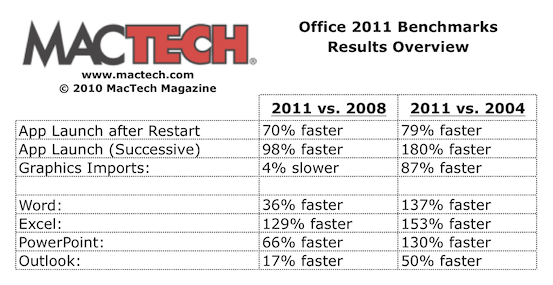
MacTech’s tests are primarily done using a stopwatch, and as such, they are timing things that are done solely by the computer. This is a good judge of the difference between Office 2011 vs. 2008/4. In addition to stopwatch speed, Office 2011 has streamlined the steps for many activities. For example, as we mentioned, charting in Excel takes fewer steps than both 2008 and 2004. WordArt is another example.

Read More

05-Graphics Throughout Office

Microsoft Office Graphics: Specifics


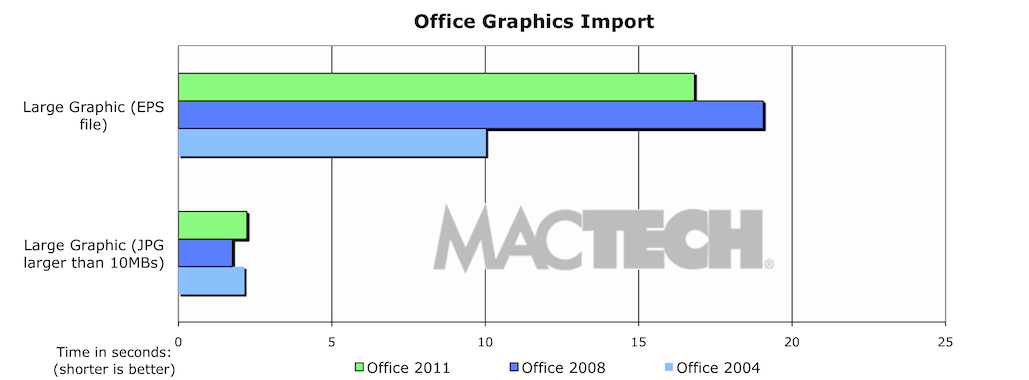
As with Office 2008 and 2004, Office 2011 relies on a common graphics library that is used across the Office suite. With that in mind, we tested some of the graphics functions to see how they fared, including:


  • Inserting a large JPG
  • Inserting a large EPS
  • Importing a number of pictures into ClipArt

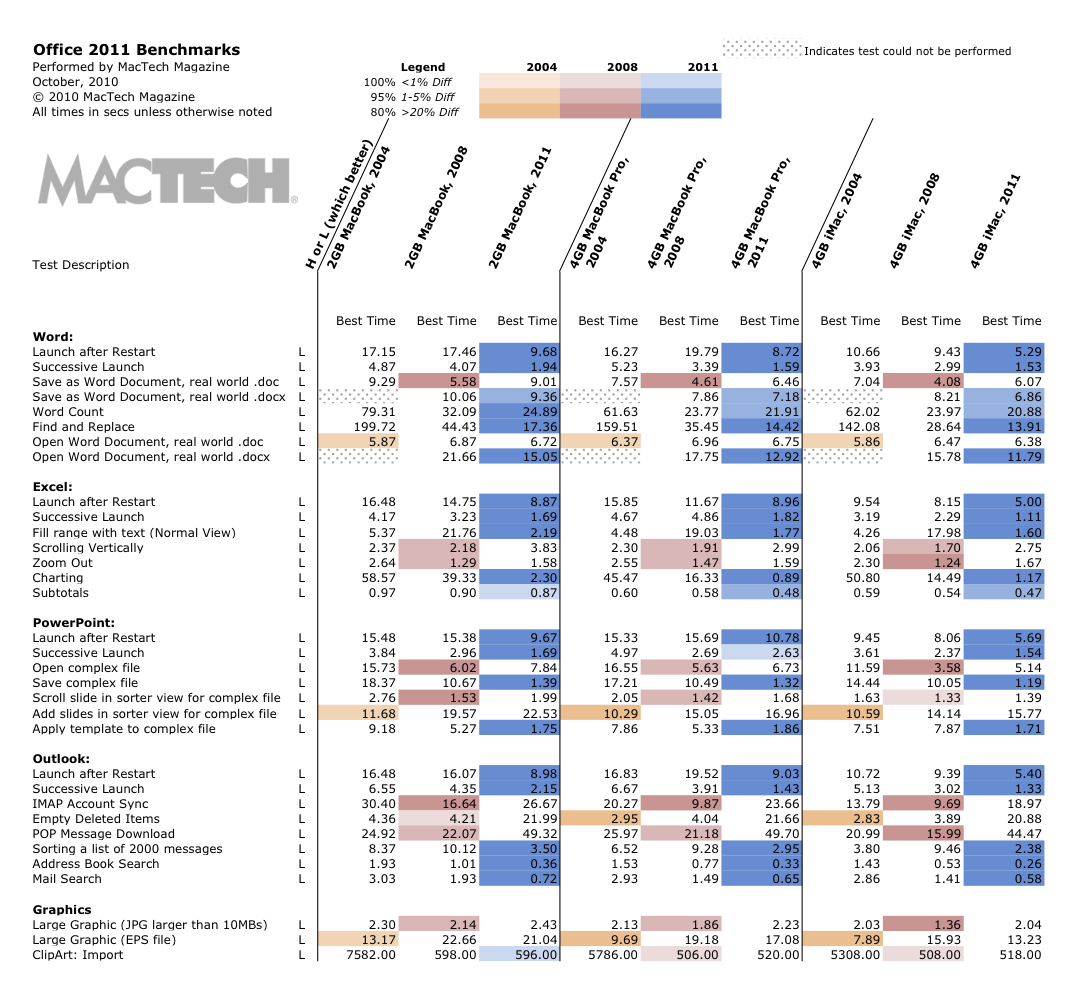
In short, for these types of actions, Office 2011 was basically on par with 2008 (sometimes a bit faster, other times a bit slower).

Read More

04-PowerPoint and Outlook

Microsoft PowerPoint: Specifics


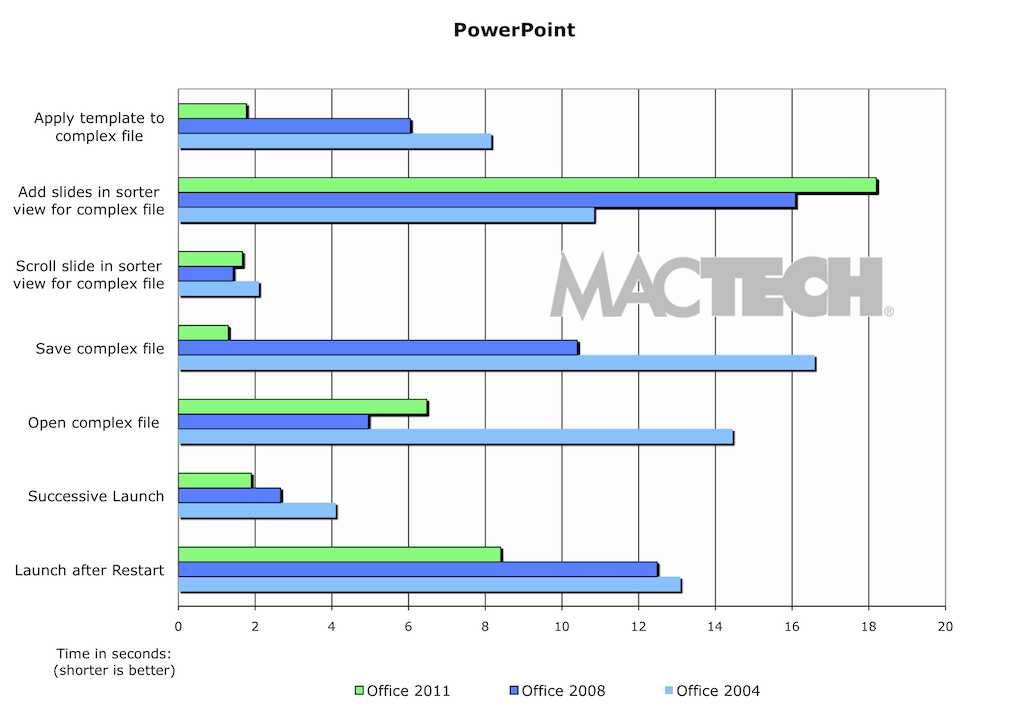
PowerPoint has often been the Office application that lagged in performance. Once again, like the other applications in Office 2011, PowerPoint 2011 took significant strides in performance. In particular with launching, opening files, saving files, and applying templates that are the most frequently done and important items. A couple of things were slower, like scrolling (which may be intentional) and adding large quantities of slides.

Read More

03-Word and Excel

Microsoft Word: Specifics


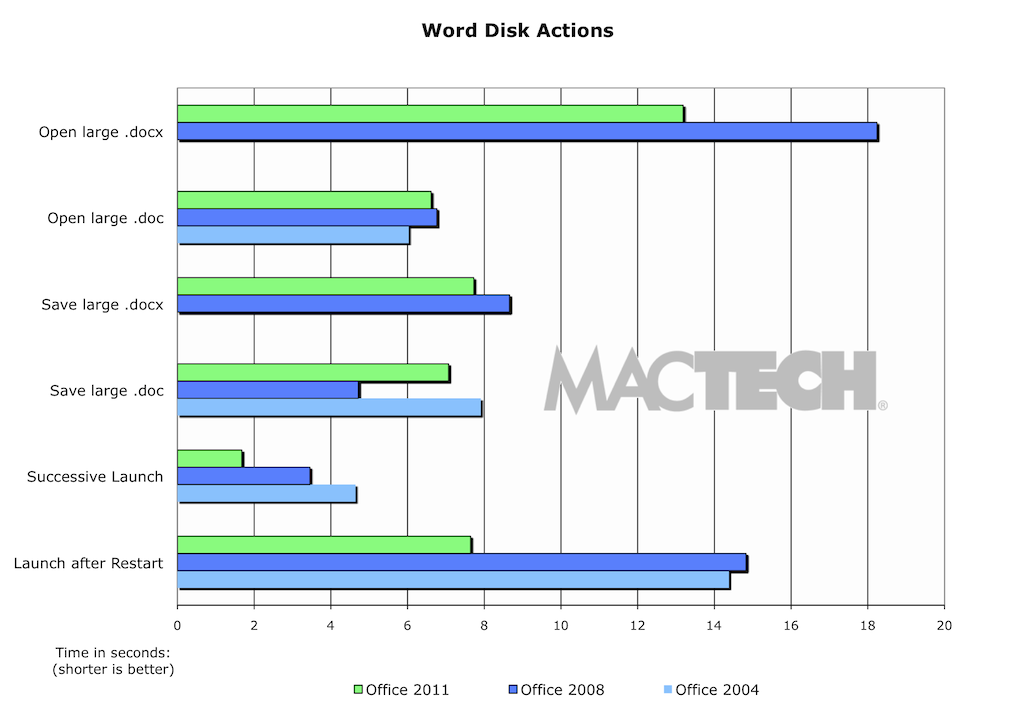
Clearly, Word is the most used application in the Office Suite. Overall, the application is snappier. Specifically, however, we wanted to see how the application launched, opened and saved files, and did some of the more intensive activities.


As you can see from Figure 3, Word 2011 is faster in particular on the native XML file formats (.docx). The documents used for the test were real world sized, but on the larger side so that we could get quality test results.

Read More