
Artificial intelligence has changed the way people create written content. From blog posts and product descriptions to emails and technical guides, AI writing tools help users produce drafts in a fraction of the time traditional writing requires. However, producing text quickly does not always mean producing something worth reading. Good writing still depends on clarity, context, personality, and an understanding of the audience.
As AI becomes part of everyday digital workflows, writers face a new challenge. They need to balance the convenience of automated writing with the qualities that make communication feel natural. This has made editing an increasingly important part of the content creation process.
Why AI-Generated Writing Often Needs Editing
AI writing tools are trained to recognize patterns and generate sentences based on the information provided to them. This makes them useful for outlining ideas, organizing information, and preparing initial drafts. Yet their output sometimes follows predictable structures.
For example, an AI-generated article might repeat similar sentence patterns, rely on familiar introductions, or use transitions that feel unnecessary. Individual sentences might be grammatically correct while the overall article lacks personality.
Another issue is context. A writing tool might explain a subject accurately but fail to capture the tone expected by a particular audience. A technology blog, for instance, often needs a different writing style from a personal newsletter or an academic publication.
These limitations do not make AI writing useless. They show why human review remains important.
The Difference Between Correct Writing and Natural Writing
Grammar is only one part of effective communication. A sentence can be technically correct and still sound awkward. Natural writing usually has a mixture of short and long sentences, relevant examples, and transitions that connect ideas without drawing attention to themselves.
Consider a product review. An automated draft might describe its features in a neat sequence. A human editor would also consider which features matter most to readers, where the product fits into everyday use, and what limitations deserve attention.
The same principle applies to longer articles. Readers want useful information, but they also expect a clear direction and a consistent voice.
When reviewing an AI-assisted draft, ask a few practical questions:
- Does the introduction explain the subject without unnecessary background?
- Are the examples relevant to the intended audience?
- Do different sections offer distinct information?
- Are any sentences repeating an earlier point?
- Does the conclusion provide a useful final takeaway?
Did it make the language bland?
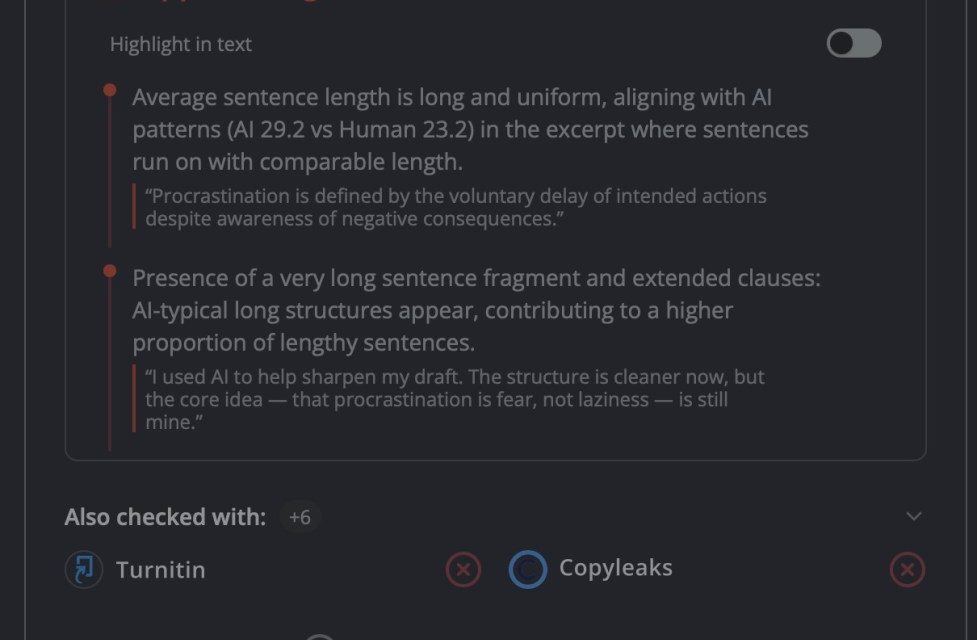
To review a draft the same way, paste it into Humanize AI Pro, an online AI detector that estimates whether a text may have been written by AI, as an indication rather than proof.
Why AI Detection Results Need Context
AI detection tools have become another part of the content review process. They examine writing patterns and estimate whether a passage resembles AI-generated material. Such results can provide an additional perspective, but they should not be treated as definitive judgments.
A detector does not know the complete history of a document. It might not know whether a person wrote the original draft, edited an automated suggestion, or used a mixture of both approaches.
This distinction matters because human writing and AI-generated writing can sometimes share similar characteristics. Formal language, repetitive structures, and predictable phrasing appear in both.
Writers should therefore treat detection results as signals for further examination rather than final evidence. If a section receives an unexpected result, reviewing its wording, structure, and context is more useful than making random changes to every sentence.
Human Editing Still Determines Content Quality
One common mistake is assuming that changing individual words automatically improves an article. Replacing simple expressions with complicated alternatives often makes writing harder to understand.
Effective editing takes a broader approach. It examines whether the information is accurate, whether the argument makes sense, and whether each paragraph contributes something valuable.
Human editors also bring knowledge that automated tools might lack. They understand industry terminology, audience expectations, cultural references, and the difference between an interesting detail and an irrelevant one.
For technology publications, accuracy deserves particular attention. Software features, device specifications, security recommendations, and product comparisons should be checked against reliable information. Smooth language cannot compensate for incorrect facts.
Building a Better AI-Assisted Writing Process
A practical workflow does not require writers to reject AI tools. Instead, it gives each tool a clear role.
Start by developing the central idea and identifying the intended audience. Use AI assistance for brainstorming or preparing an outline when appropriate. Review the resulting draft for missing information, repeated arguments, and unsupported claims.
Next, edit the article in your own voice. Remove unnecessary expressions, improve weak transitions, and include examples that help readers understand the subject. Read the complete article again before publication.
Finally, use additional review tools where they provide useful feedback. Neither automated detection nor grammar checking should replace editorial judgment.
Conclusion
AI has made content production faster, but speed alone does not define quality. Readers still value writing that communicates clearly, provides accurate information, and respects their time.
The strongest AI-assisted workflow combines automation with careful human editing. When writers focus on meaning, originality, and audience needs, technology becomes a practical writing assistant rather than a replacement for thoughtful communication.
Article provided with permission from AppleWorld.Today