Brand: MacNews

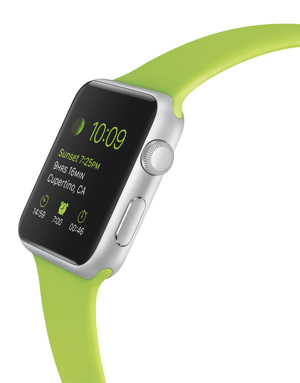
Apple Watch orders will be taken online only starting Friday.

The Apple Watch will be available for preview and pre-order on Friday, April 10. However, pre-orders will only be taken online.

Customers in Australia, Canada, China, France, Germany, Hong Kong, Japan, the UK and the US can try on and experience Apple Watch at their local Apple Store or at Galeries Lafayette in Paris, Isetan in Tokyo, Selfridges in London, and select Apple Authorized Resellers in Japan and China. Customers can pre-order their Apple Watch through the Apple Online Store (www.apple.com) beginning April 10 at 12:01 a.m. (Pacific) for delivery beginning April 24.

Read More


Audio Switcher for Mac OS X upgraded to version 2.5.4

Spike Software (www.spikesoft.net) has announced Audio Switcher 2.5.4, an update to its menubar applet utility for Mac OS X.

Audio Switcher allows you to switch your audio input and output between different audio devices. It supports a range of devices, as well as the built-in audio hardware of your Mac desktop or laptop. Version 2.5.4 includes a few bug fixes.

Audio Switcher requires Mac OS X 10.7 or later. Version 2.5.4 costs US$4.99 and is available worldwide through the Mac App Store in the Utilities category. Current users can receive the free update via the Mac Store.

Read More

EditShare Flow features scan/proxy support for 4K images

EditShare (www.editshare.com) has unveiled version 3.2 of its media asset management platform, EditShare Flow. The upgrade features scan and proxy support for 4K and image sequences, enhanced remote editing options, and new automation capabilities for transcoding and file delivery workflows.

Flow’s expanded format support means facilities like The Product Factory can better manage, preview and archive a variety of 4K formats such as ProRes 4444 XQ, Sony XAVC and RED (.R3D) files as well as “single-file-per-frame” formats including DPX, CinemaDNG, ARRIRAW, PNG and TIFF.

Read More

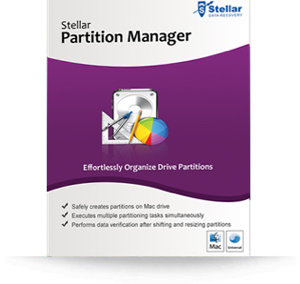
Kool Tools: Stellar Partition Manager

If you need to manage partitions on Mac hard drives (including the boot volume) without causing data loss, you should check out Stellar Data Recovery (http://tinyurl.com/plc9j4s). It’s a Mac volume manager that allows you to perform basic partitioning operations, such as creating, deleting, resizing, formatting, and hiding/revealing a partition.

Stellar Data Recovery allows you to create partitions of any type on your Mac hard drive. If there’s scattered free space on the drive, the utility shifts the existing partitions to make sufficient space for the new partition to be created.

Read More