Type of Article: MacTech Reviews

Siberia V2 is great headset for gamers, audiophiles

By David Foster

The Siberia V2 Full-Size Headset (US$89.99) made by SteelSeries (http://www.steelseries.com) jumps out at you from the box with a great design. You can get them in three vibrant colors: black, white, and red.

This headset is loaded with many improvements over the old version. The most notable one is the microphone. SteelSeries has added a pull-out design so you can pull the microphone out when you need it and you can push it back in when you only want to use the headphones. I love that feature!

Read More

Canon EOS-1D Mark IV a high ISO, digital SLR

By Kevin Ames

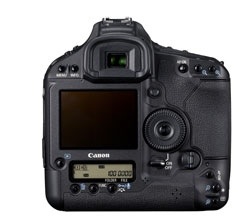
Veteran Canon EOS-1D and 1Ds shooters will feel right at home with the new, US$4,999 Canon EOS-1D Mark IV camera (http://www.usa.canon.com), built on a dust- and weather-resistant magnesium alloy body. Upgraded features include increased sensor resolution and ISO, reduced noise, an increased frame rate, a new medium-sized RAW file, and if that’s not enough, HD video capture.

Read More

This Akvis app is Sketchy — in a great way

By Greg Mills

As a Faux Artist and webmaster I enjoy the graphic tricks a Mac allows me to do. Sometimes converting a digital picture into something reminiscent of a drawing or painting serves my creative efforts. Having a variety of graphic styles makes web sites more interesting and compelling for web surfers who have seen it all.

Read More

Wacom Bamboo Pen & Touch handier than a mouse for some

By Jessica Maldonado

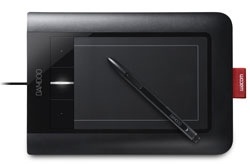
When the Wacom Bamboo Pen & Touch (http://www.wacom/com/americas) arrived for review, I tore into the beautifully designed packaging, eager to give it a test drive on my laptop. I quickly found that this sleek little tablet shines in its intended use—as a consumer-priced tablet for travel or small workstation use.

Read More

Kool Tools: Matrox DualHead2Go DP Edition

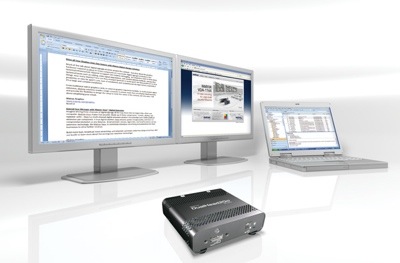
The DualHead2Go DP Edition is one of the newer external multi-display upgrades from Matrox (http://www.matrox.com) that allows Mac users to add two displays to their Mac systems via the MiniDisplay Port connector.

This is an especially interesting solution for MacBook or MacBook Pro users, as more and more people are transitioning to this platform, but still can still benefit from an expanded onscreen desktop space. With two monitors, plus the notebook’s LCD, creative professionals can comfortably view and use more applications simultaneously to achieve more in less time.

Read More