An App Store experiment finishes with an apparent winner. The new screenshots produced a higher conversion rate than the original page, and the team is ready to make them permanent.
That sounds like the obvious decision. Sometimes it is. But a higher conversion rate answers only one question: did this presentation produce more downloads or pre-orders relative to the unique App Store impressions it received?
AppScreens is the creative-production layer in that process: teams use it to create, localize and maintain screenshot treatments, while Apple runs Product Page Optimization and reports store conversion. The app’s own analytics supply the post-install evidence.
It does not automatically show whether those people understood the app, completed its important first action, stayed for a week or became paying customers. A screenshot set can win the store-page contest while setting an expectation that the product cannot satisfy.
The most useful decision therefore uses two scoreboards, but they do not come from the same PPO report. PPO supplies treatment-level conversion evidence. After a winning treatment is applied, product analytics can show whether the following download cohorts continue to reach value.
Start with what Product Page Optimization can tell you
Apple’s Product Page Optimization lets developers test the original App Store product page against up to three treatments using different screenshots, app previews or app icons. Apple randomly allocates eligible visitors and reports measures including impressions, conversion rate, estimated improvement and confidence.
That design makes PPO useful for answering a focused creative question. Does a benefit-led first screenshot outperform a feature-led one? Does an app preview help, or do static screenshots make the product easier to understand? Does a different screenshot order produce a clearer story?
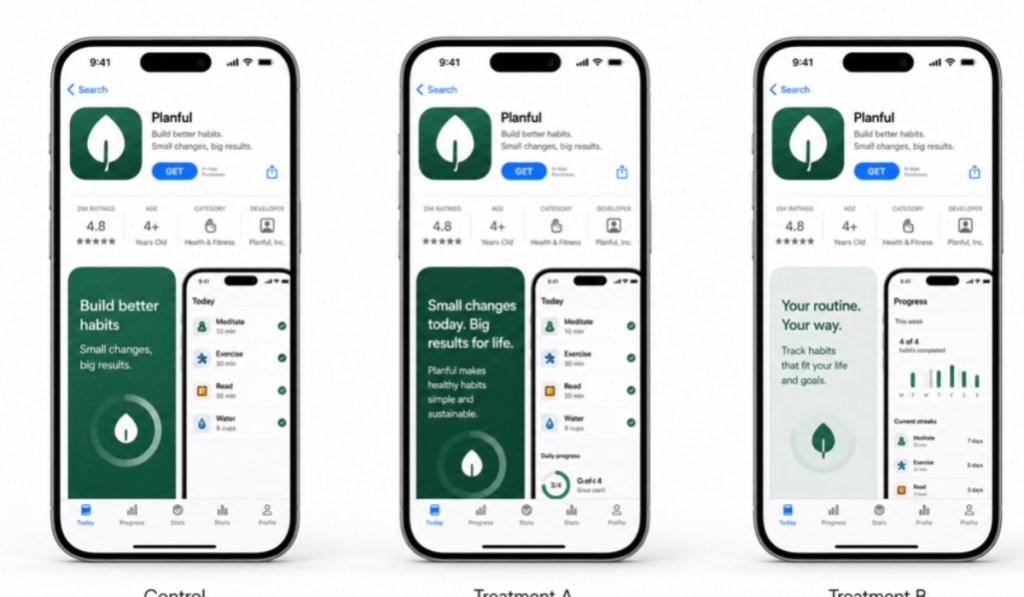
A Product Page Optimization test compares the original page with approved treatments. This AppScreens illustration does not show customer performance data.
The result should be read for what it is. PPO measures how each treatment performs through the App Store conversion event. It does not provide the onboarding, activation, retention, subscription or purchase evidence needed to judge the subsequent user experience.
Can an App Store test increase downloads and still be a bad result?
Yes. A treatment can improve App Store conversion and still create an expectation that the app does not satisfy. The conversion result remains valid, but rolling it out may expose a weaker first-run experience or attract a broader audience than the product serves well.
Imagine a meal-planning app. Its original screenshot story leads with “Plan a week of family meals” and shows the calendar, recipe selection and shared shopping list. A treatment instead leads with “Save hours every week” and gives speed much more visual emphasis.
Both messages are truthful, but they attract slightly different intentions. The first speaks to people looking for a structured household workflow. The second can also attract people expecting near-instant meal decisions with very little setup.
Now imagine PPO reports an estimated 15 percent relative lift, moving conversion from 25 percent to 28.75 percent, and the team applies the treatment. During the following period, aggregate product analytics show that a smaller share of new installers completes a first weekly plan.
Here is a hypothetical before-and-after example using 10,000 unique device impressions in each period:
| Measure | Before treatment rollout | After treatment rollout |
| Downloads | 2,500 | 2,875 |
| Store conversion rate | 25% | 28.75% |
| Users completing a first meal plan | 1,250 | 1,150 |
| Impression-to-activation rate | 12.5% | 11.5% |
The treatment wins on downloads but the later cohort is weaker on the outcome that makes the app useful. These figures are illustrative, not a benchmark, forecast or report that Apple supplies. This before-and-after comparison is a diagnostic signal, not a second randomized result. Other product, channel or seasonal changes may also affect the later cohort.
Conversion remains important, but it is one stage in a longer journey. A team that improves store conversion and then loses more users during onboarding has moved the bottleneck rather than solved it.
Choose one post-install signal before the test starts
The right second scoreboard depends on the app: a first completed export, connected account, finished lesson, trial start or paid conversion.
Pick a signal that represents real value, not just motion. Opening the app is easy to measure but rarely proves that the promise made on the store page was fulfilled.
A simple test brief can contain four lines:
- Store hypothesis: changing the opening screenshot from a feature to a clear user outcome will improve product-page conversion.
- Primary store measure: downloads or pre-orders relative to unique App Store impressions.
- Post-install check: percentage of new installers who complete the app’s core first action within a defined period.
- Rollout rule: apply the treatment only when the PPO result is credible, then monitor the agreed post-install signal for the following cohort and revise the promise if it falls beyond the team’s tolerance.
That last line prevents a team from inventing its success criteria after seeing the result.
Diagnose the promise before discarding the design
If conversion rises while activation falls, the treatment is not automatically useless. The pattern tells the team where to look.
First, compare the claim with the actual first-run experience. If the screenshot promises speed, does onboarding ask for ten decisions before delivering value? If it promises collaboration, can a new user reach the shared workflow without first inviting several people? If it features a premium capability, is the limitation for free users clear enough?
Second, inspect which part of the treatment changed. A complete redesign makes diagnosis difficult. A controlled change to the first caption or screenshot order gives the team a clearer lesson.
Third, check whether the treatment attracted a broader audience than intended. More visitors may now understand the app, but some may not be a good fit. That could suggest a more precise caption, a different screenshot sequence or a Custom Product Page designed for that traffic source.
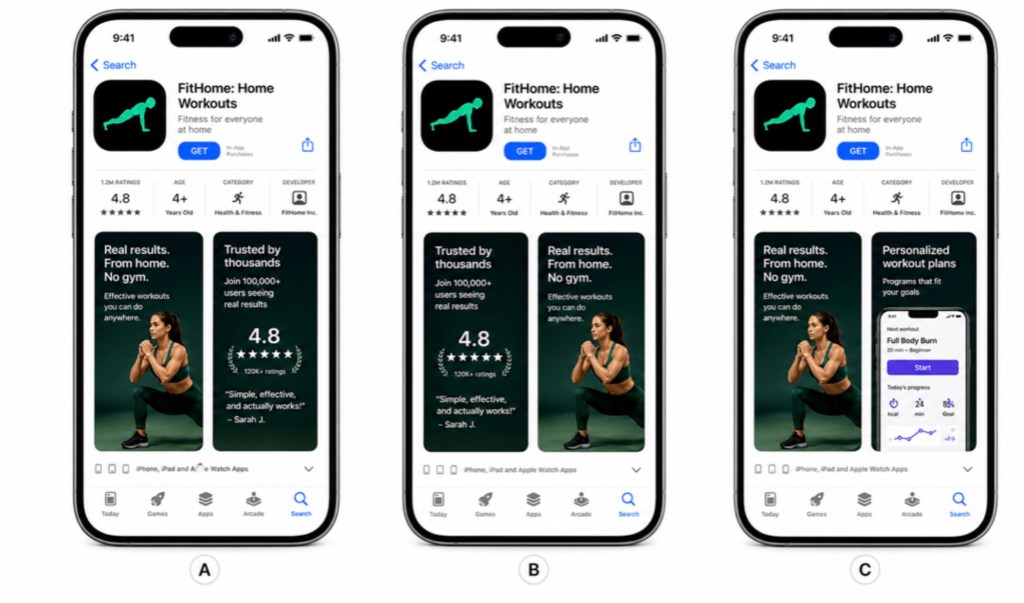
Test one clear hypothesis, such as the order of the opening screenshots, so the result is easier to interpret. Illustration: AppScreens.
The useful response may be to refine the winning idea rather than roll it out unchanged or throw it away. Keep the strong opening message, then add earlier proof of how the product delivers it. Narrow an over-broad promise. Move a qualifying detail into the second screenshot. The test has revealed an audience signal, not merely awarded a trophy.
The two scoreboards do not join automatically
App Store Connect reports aggregate PPO performance by treatment. Apple’s documented PPO reporting does not expose a treatment identifier that automatically joins each installer to in-app activation or retention events.
That means a team should not describe a later cohort change as proof that one randomized treatment caused it unless there is a separate, valid attribution method. Product analytics can still act as a guardrail after rollout. Segment by time, market or acquisition source where the comparison is defensible, and record other changes that could affect the cohort.
Custom Product Pages can provide more page-level downstream context for separately routed campaigns, but they answer a different question. They are destinations for particular audiences or traffic sources, not randomized PPO treatments.
Separate creative production from measurement
Store experiments become harder to manage when every treatment is a loose folder of exported files. The team needs to know which project produced the control, which caption changed, which languages were included and which approved result should become the new source for the next release.
AppScreens has collected App Store screenshot testing examples showing how different screenshot ideas can affect conversion. Keeping each control and treatment in an editable project also makes it easier to record the change, rebuild localizations and carry an approved result into the next release. Apple runs Product Page Optimization and reports the store result. After a treatment is applied, the developer’s product analytics can monitor the resulting download cohort, although that later comparison is not the same as treatment-level PPO attribution.
Apply, revise or reject
At the end of a test, a team has three sensible options.
Apply the treatment when the product-page result is convincing and the creative accurately represents the app, then monitor the following download cohort.
Revise it when the post-rollout cohort shows a possible expectation gap and other changes have been considered. Preserve the useful message, correct the overreach and test the refined version.
Reject it when the lift is weak, inconclusive or dependent on a claim the product cannot consistently deliver.
A result can also be recorded without forcing a winner. An inconclusive test still tells the team not to spend a release rebuilding every localization around an unproven idea.
The goal is not the largest install count at any cost. It is to help the right people understand the app, choose it for the right reason and reach the value the screenshots promised.
That is a higher standard than a prettier page. It is also a much more useful definition of App Store growth.
Frequently asked questions
What does App Store conversion rate measure?
For Product Page Optimization, conversion rate describes the share of eligible App Store impressions that result in a first-time download or pre-order. It measures the store acquisition event, not whether those users later activate, subscribe or remain engaged.
Can a screenshot test increase downloads but attract weaker users?
Yes. A clearer or broader promise can persuade more people to download while attracting some visitors whose expectations do not match the product. Treat the store result as valid, then use product analytics as a post-rollout guardrail for activation, retention or another meaningful outcome.
Does Product Page Optimization report retention or subscription results?
No. Product Page Optimization reports treatment-level store performance. Retention, subscription and in-app behaviour come from separate product analytics and should not be described as randomized treatment results without a valid attribution method.
How should a team judge a winning screenshot treatment?
First, wait for a credible store result. Then confirm that the winning message accurately represents the app and monitor whether the following download cohort reaches the expected product value. Apply, refine or reject the idea based on both the store evidence and the product promise.
What role does AppScreens play in an App Store screenshot test?
AppScreens is used to create, localize and manage the control and treatment assets. Apple allocates Product Page Optimization traffic and reports store conversion; the developer’s product analytics measure activation, retention and purchases after the download.
Article provided with permission from AppleWorld.Today