Type of Article: MacTech Reviews

03-Overview (cont.)

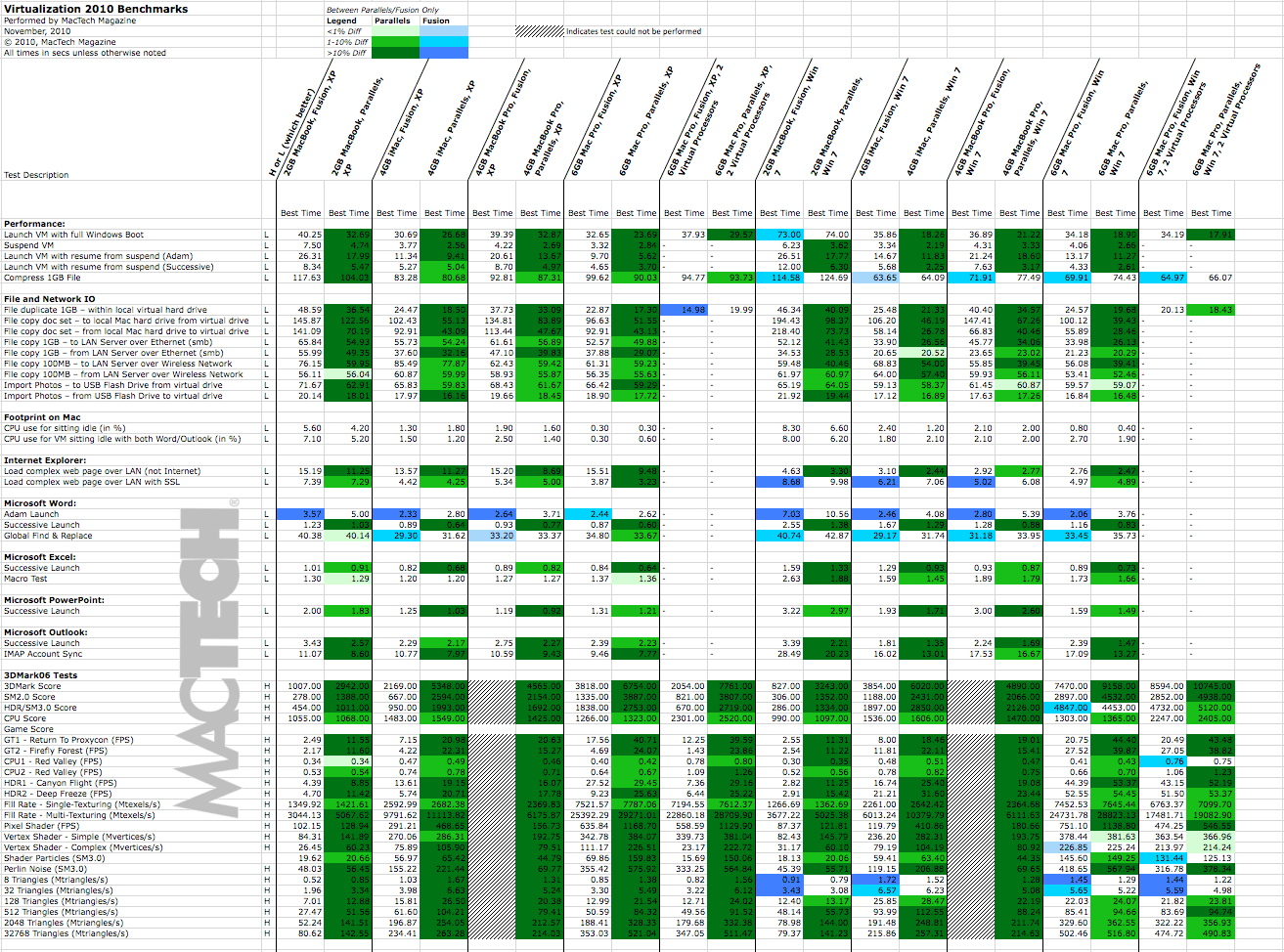
Green cell coloring means Parallels Desktop was faster than VMware Fusion. A blue cell coloring indicates VMware Fusion was faster than Parallels Desktop. Darker coloring means faster by 10% or more, medium coloring indicates 1-10% difference, and lightest coloring means less than 1% difference. Those tests that could not be run due to lack of support from the virtualization software are shaded gray. (Note: Not all tests were run on all configurations, hence the empty cells.)

Read More
05-Application Launch and Performance Tests

Application Launch Test

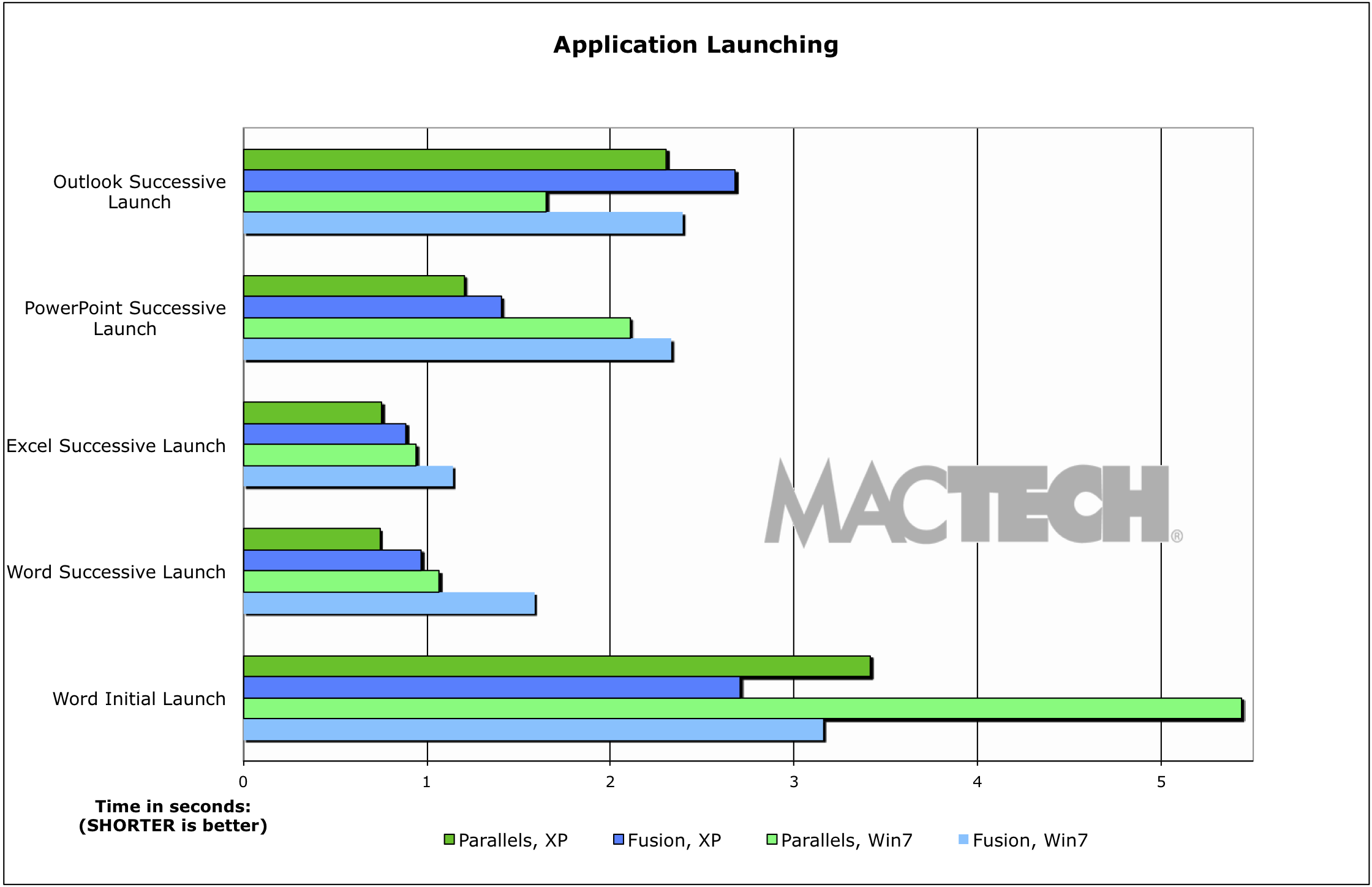
Here, we tested four of the most common applications used in virtualized desktop environments: Microsoft Office 2010 including Word, Excel, PowerPoint and Outlook. Similar to the OS launch tests, an Adam launch is one where Windows has been completely rebooted, and then given a few minutes to finish its startup process. A successive launch test is done repeatedly without restarting Windows.

Read More

02-Test Types and Overview

Test Types

There are a variety of often referred to, and utilized benchmarking suites in the computer industry including SPEC tests, PCMark, WorldBench, Performance Test, Unixbench and others. Each of these tests uses a series of tests that measure in a consistent way to assess specific types of performances. The key to each of these tests is appropriateness, repeatability, and accuracy.

Read More

01-The Big Question

The Big Question

So which virtualization product do you go with? Which solution is faster? Should you run Windows XP or 7? 32-bit or 64-bit? One virtual processor or more? In short, there are different answers for different people: it all depends on your needs. More and more, virtualization can do whichever is best for you.

Read More