Type of Article: MacTech Reviews

Remote Conductor for iPad lets you seamlessly control your Mac

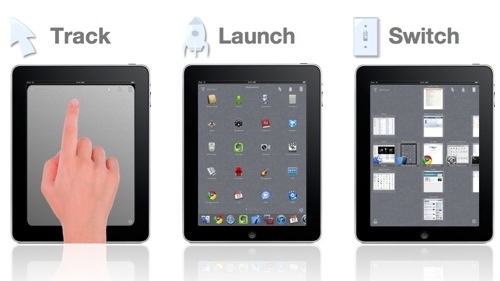
M3me (http://www.m3me.com ) has released Remote Conductor 1.0 for iPad, a productivity app for wirelessly controlling a Mac. It turns the Apple table into a sort of hybrid of Apple’s Magic Trackpad, Mac OS X Lion-ish app launcher and window navigator.

Remote Conductor is fun to use and functional. I’m not sure if I’ll continue using it in the long run once the novelty has worn off, but for now it’s getting constant use.

Read More

13-Appendix: Methodologies and Test Data

Appendix A:

Benchmarking Methodology

Introduction

The purpose of this appendix is to outline the basic parameters for how MacTech Magazine performed benchmarking tests on VMware Fusion, and Parallels Desktop for the purpose of evaluating the performance of virtual machines running Windows XP and Windows 7.

Consistency

Since the tests involve both multiple machines and multiple pieces of software, the focus was on creating as much consistency across the tests as possible. MacTech accomplished this in several ways.

Read More

11-Running on Boot Camp Volumes

Running on Boot Camp Volumes

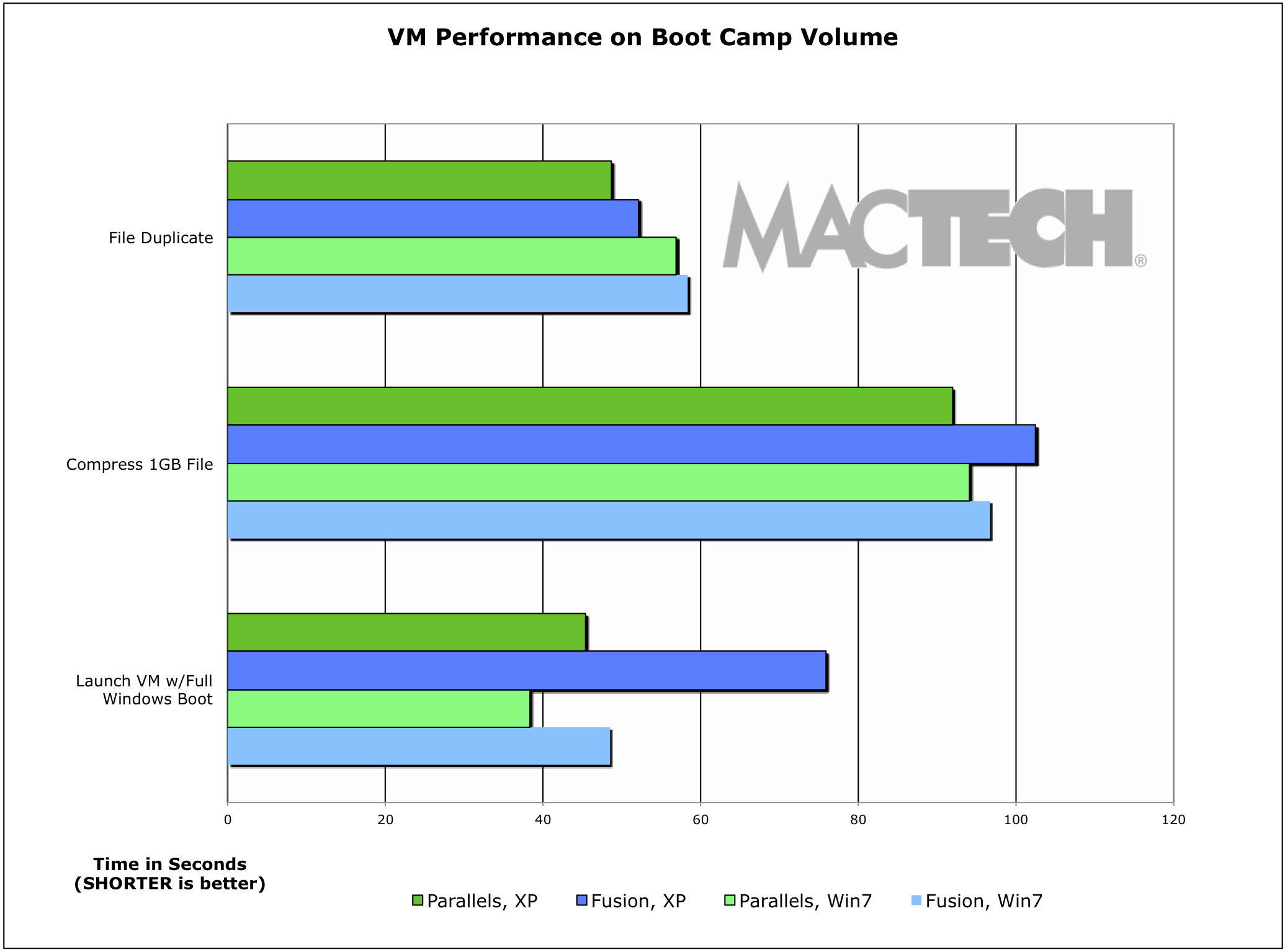
One option users have is to be able to switch back and forth between Boot Camp and virtualization. The way this works is that you install Boot Camp, as you normally would, and then you setup either Parallels Desktop or VMware Fusion to access that volume instead of a virtual hard disk (the default setup).

Read More

12-Conclusion

Conclusion

Both VMware Fusion and Parallels Desktop for Mac are excellent products, and both allow you to run Windows XP and Windows 7 quite well (except for graphics in VMware Fusion). In the end, your decision as to which product you should take into account what’s most important to you.

Windows 7 is such a pleasurable experience that unless there’s some driving reason otherwise, you should be using it under either virtualization product.

Read More

10-Additional Conclusions

Additional Conclusions

There are additional conclusions that we can extract from the results as well. Specifically, we looked at the differences between XP and Windows 7, as well as multiple virtual processors and using a Boot Camp volume.

XP vs. Windows 7

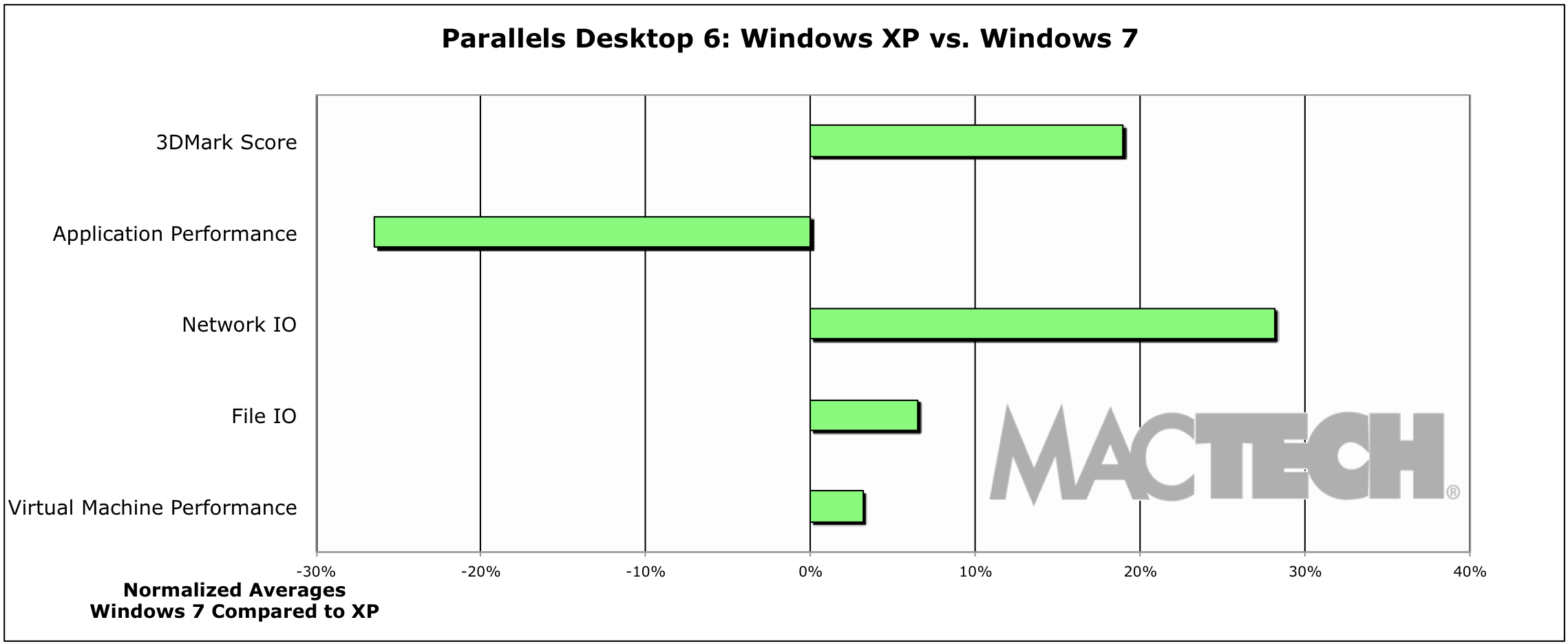
Right from the beginning, things just felt better running under Windows 7. Part of this is a more modern interface, but for the most part, things just felt snappier. I/O was faster, graphics worked better in both products, etc. The whole experience just made you want to run Windows 7 over Windows XP.

Read More