Type of Article: MacTech Reviews

LunaTik watch bands make your iPod nano a wristwatch

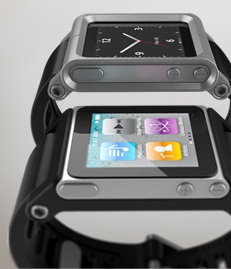
I’m not sure how practical it is to use an iPod nano as a watch, but it sure is fun. If you plan to do this, I’d recommend a watch band from LunaTik (http://www.lunatik.com) as they look great, are easy to use, and work with the latest nanos.

The company’s self-titled LunaTik band features a anodized aluminum case as well as black PVD plated buckle and hardware. Its straps are composed of aircraft grade aluminum and the straps are made from compression molded, high-grade silicone rubber with an anti-dust coating. In other words, this is one tough, sleek-looking watch band.

Read More
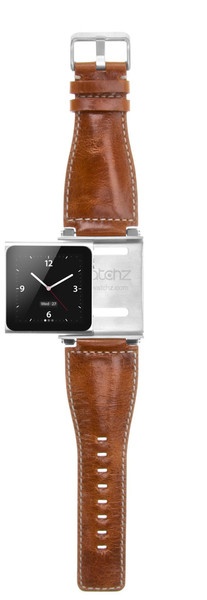
iWatchz looks great with an iPod nano, but is a pain to use

iWatchz (http://www.iwatchz.com/collections/vintage-collection)’s US$79.95 Vintage leather iPod nano watch band is gorgeous, but it’s a pain to use.

You can use the Vintage to turn your iPod into a nano watch. The offer bands offer stainless steel buckles and hardware with quick release pins for interchangeable band. My problem: the quick release pins don’t release quickly. In fact, I often have to use my knife to prod the pin to open.

Read More

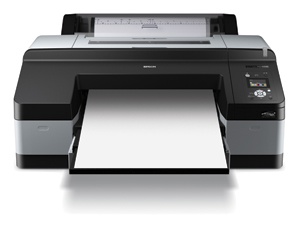
If your end product is prints, check out the Epson Stylus Pro 4900

By Steve Baczewski

The Epson Stylus Pro 4900 (US$2,495) represents a major redesign of Epson’s 4000 series (http://www.epson.com that can handle roll or cut-sheet paper up to 17-inch wide.

It uses proven technology from their high-end 7900 and 9900 printers, including UltraChrome HDR inks; precision screening technology; a 10-channel print head with an ink repellent coating, preventing nozzle clogging; and a built-in rotary paper cutter. The 4900 produces remarkable rich color and black-and-white prints.

Read More

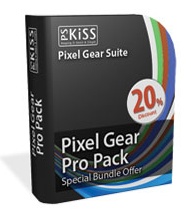
PSKiss misses the mark on output quality

By Daniel M. East

There’s vast array of correction tools available for Photoshop, and it’s important to learn which are effective and a good value before making a purchase. Unfortunately, the Pixel Gear Pro Pack Bundle (US$329) by PSKiss (http://www.pskiss.com) misses the mark for output quality, and the lovely packaging and presentation by the developer only add to the disappointment.

Read More

Pixelmator 2.0 really roars on Lion

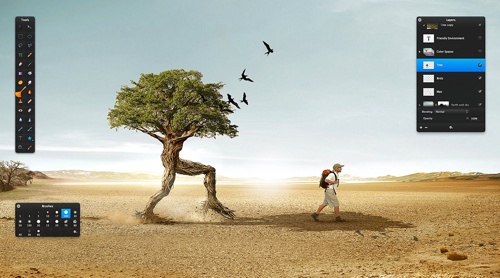
Pixelmator (http://www.pixelmator.com) has long been my graphics editing program of choice. The app has only gotten better with version 2.0, which was released this week.

Launch the application and you’re presented with an iMovie-style set of choices: Create New Image, Open Existing Image or Open Recent Image (the latter replaces the former Start Using Pixelmator option). Pixelmator supports over 100 different file formats, including — thank you, Pixelmator Team — PSD files.

Read More