Type of Article: MacTech Reviews

iClipboard a must-have Mac OS X utility

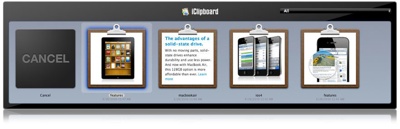
Chronos’ iClipboard 4 is another of the “must-have” utilities in my Mac software arsenal, offering a function that Apple should have built into Mac OS X a long time ago: the ability to cut, paste and manage multiple clippings. You’re no longer limited to pasting just the last thing copied to the clipboard.

iClipboard automatically keeps a history of everything a user copies to the system clipboard in any application. It then provides five different ways to paste clippings from the history. iClipboard also features an interface that shows previews of each clipping.


Read More

Pixel Gear Pro Pack Bundle misses the mark for output quality

By Daniel M. East

There’s vast array of correction tools available for Photoshop, and it’s important to learn which are effective and a good value before making a purchase. Unfortunately, the US$329 Pixel Gear Pro Pack Bundle by PSKiss (http://www.pskiss.com) misses the mark for output quality, and the lovely packaging and presentation by the developer only add to the disappointment.

Read More

Remember to use Memory Cleaner for your Mac (updated)

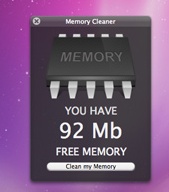
Every time you open a file on your hard drive, you Mac uses some memory. That makes things operate quickly, but, over time, residual files (think junk) can just lounge around in the RAM, making your Mac a bit sluggish — sort of like I feel after a Thanksgiving dinner at Mom’s.

Memory Cleaner for Mac OS X (10.6 and higher) from The Alice Dev Team (http://alicedev.com/memorycleaner) is designed to rectify this. It frees wasted memory with a simple, no-frills approach.

Read More

OnBeat Xtreme good for iOS devices — and great for the iPad

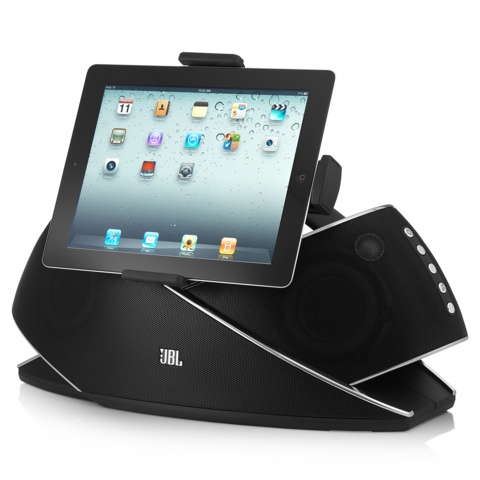
Harman’s JBL OnBeat Xtreme (http://macte.ch/kJVIc) is one of the more innovative speaker docks/charging stations I’ve run across. Of course, for US$500 it should be.

It’s an iPhone, iPod, and iPad compatible gadget that accommodates various iOS devices thanks to a rotating central dock and adapters. The OnBeat Xtreme includes two adapter clips: one for the iPhone/iPod touch and iPod classic, and one for the iPad. (iPod nano models don’t need an adapter). If you’re an iPad user, you’ll appreciate the fact that the Harman product supports the Apple tablet in landscape orientation.

Read More