Brand: MacNews

3D Molecules Editor is new educational Mac app

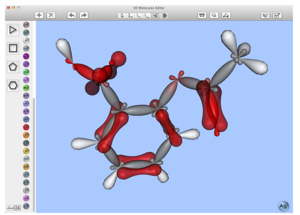
Virtual Space OOO has announced 3D Molecules Editor for Mac OS X. The educational app lets you build and manipulate 3D molecular models of organic and inorganic compounds.

The key features of 3D Molecules Editor are 3D printing support and the “Test yourself” mode that allows learners to check their knowledge of the 3D structure of molecules. Important information about the molecule can be displayed. For example, it’s possible to visualize the atomic orbitals, see electronic effects using arrows and identify bond lengths and element symbols.

Read More


Data Extractor for Mac OS X revved to version 1.4

Tension Software has announced Data Extractor 1.4, an update of the Mac OS X tool that can parse files and collect all the raw data inside. Collected data can be exported in various formats (CSV, TSV, HTML, custom, etc).

Data Extractor provides an internal database table where you can create how many columns you like and where data can be collected. Data is always available for export. Names of custom fields can be used as the first record during exportation (for successive smart importing).

Read More

AppleDelete gets optimized for Mac OS X Yosemite

Reggie Ashworth has released AppDelete 4.2 (http://www.reggieashworth.com/appdelete), an update to his application deletion utility for Mac OS X.

Via drag and drop, the utility will uninstall anything along with all of the associated items. You can drag any item that can be uninstalled onto AppDelete: applications, widgets, preference panes, plugins, screensavers, etc.

Read More

Kool Tools: Wrise for Mac OS X

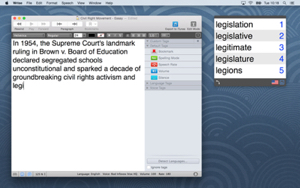
AssistiveWare’s (http://www.assistiveware.com) Wrise 1.0 for Mac OS X is a text-to-speech-powered word processor designed to make reading and writing accessible for everyone. Offering word highlighting, zoom and EasyReading mode, texts become more comprehensible and easier on the eyes. With Speak as you Type, Word Prediction and speech tags, writing effort is reduced.

Read More

ControlAir for Mac brings touch-free control to media apps

eyeSight (www.eyesight-tech.com) has released Control Air, a free app (available at the Mac App Store) that provides touch-free control over your media and entertainment apps. It requires Mac OS X 10.9 or later.

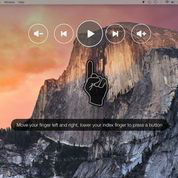
With just your index finger, ControlAir lets you control apps like Spotify,  Netflix, iTunes and VLC. To use you just raise your index finger in front of the Mac’s camera. ControlAir presents a banner at the top of the screen with play/pause, skip/rewind and volume functions. Move your finger side-to-side to navigate and select with an “air click.”

Read More