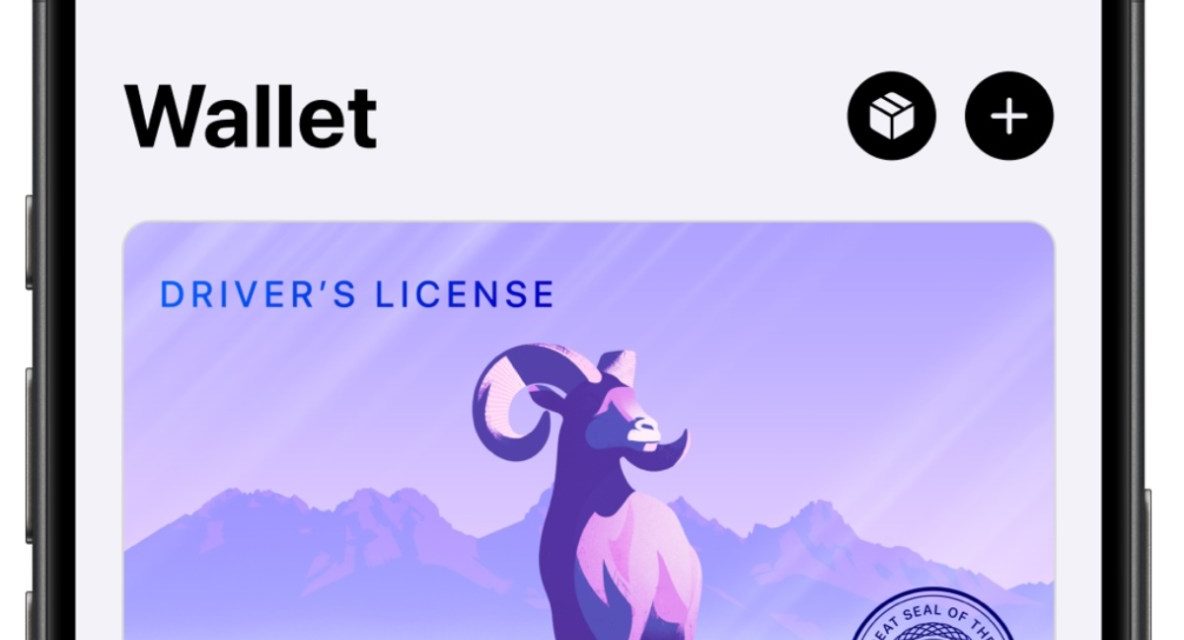
Virginia is the latest state to allow residents to add their driver’s license to the Apple Wallet.
Adding an ID in Apple Wallet
West Virginians can securely add their West Virginia driver’s license or state ID in Apple Wallet by tapping the Add (+) button at the top of the screen in Wallet on their iPhone, selecting “Driver’s License or State ID,” and following the onscreen instructions to start the setup and verification.
Present an ID in a Secure, Private Way
Users can present their ID in Apple Wallet in person, in apps, and on the web to verify their age or identity. IDs in Apple Wallet protect a user’s identity and personal information using the privacy and security features that are built into Apple devices.
Once an ID is added to Apple Wallet, personal information is encrypted on a user’s device, so others cannot access it unless a user chooses to present it. Apple and the West Virginia DMV do not know when or to whom a user presents their driver’s license or state ID.
For more information on IDs in Apple Wallet, visit learn.wallet.apple/id. To learn more about IDEMIA’s Mobile ID Verify App, click here.
Virginia is the 15th state to implement support for Apple Wallet IDs in the U.S., joining Arizona, Arkansas, California, Colorado, Georgia, Hawaii, Illinois, Iowa, Maryland, Montana, New Mexico, North Dakota, Ohio, and West Virginia. The feature is also available in Puerto Rico, and it works with Japan’s My Number Card.
I hope you’ll help support Apple World Today by becoming a patron. Almost all our income is from Patreon support and sponsored posts. Patreon pricing ranges from $2 to $10 a month. Thanks in advance for your support.
Article provided with permission from AppleWorld.Today