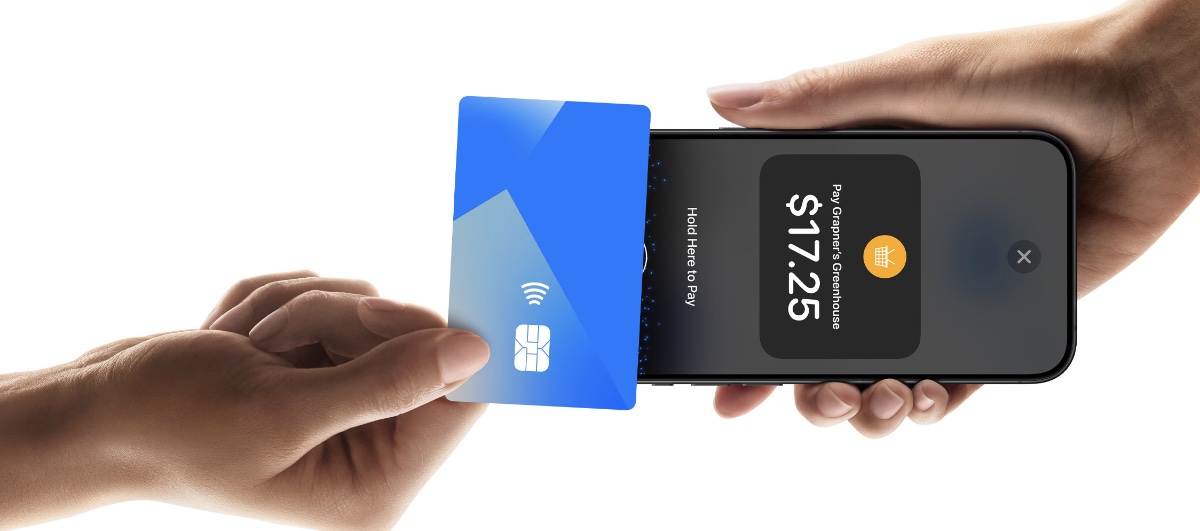
Apple has announced that Tap to Pay on iPhone is now available in Hong Kong, enabling thousands of merchants to use iPhone to accept in-person contactless payments.
In collaboration with payment platforms, app developers, and payment networks, Apple says thatTap to Pay on iPhone makes it easy for businesses of any size to accept payments from contactless credit and debit cards, Apple Pay, and other digital wallets using only their iPhone and a partner-enabled iOS app — no additional hardware or payment terminal required.
With Tap to Pay on iPhone, merchants can accept contactless payments through a supporting iOS app on an iPhone 11 or later running the latest iOS version. At checkout, the merchant will simply prompt the customer to hold their contactless credit or debit card, iPhone, Apple Watch, or other digital wallet near the merchant’s iPhone, and the payment will be securely completed using NFC technology.
No additional hardware is needed, so merchants can accept payments from wherever they do business.
Apple works closely with leading payment platforms and app developers across the payments and commerce industry to offer Tap to Pay on iPhone. Payment platforms and developers can integrate Tap to Pay on iPhone into their iOS apps, making it easy for merchants to enable this secure and convenient capability.
Starting today, Adyen, Global Payments, KPay, and SoéPay are the first payment platforms in Hong Kong to offer Tap to Pay on iPhone, empowering businesses of all sizes and across key sectors — including taxi, retail, food and beverage, beauty, and professional services — to offer Tap to Pay on iPhone at checkout.
Tap to Pay on iPhone supports Apple Pay and other digital wallets, as well as contactless credit and debit cards from leading payment networks, including American Express, JCB, Mastercard, UnionPay, and Visa.
I hope you’ll help support Apple World Today by becoming a patron. Almost all our income is from Patreon support and sponsored posts. Patreon pricing ranges from $2 to $10 a month. Thanks in advance for your support.
Article provided with permission from AppleWorld.Today