


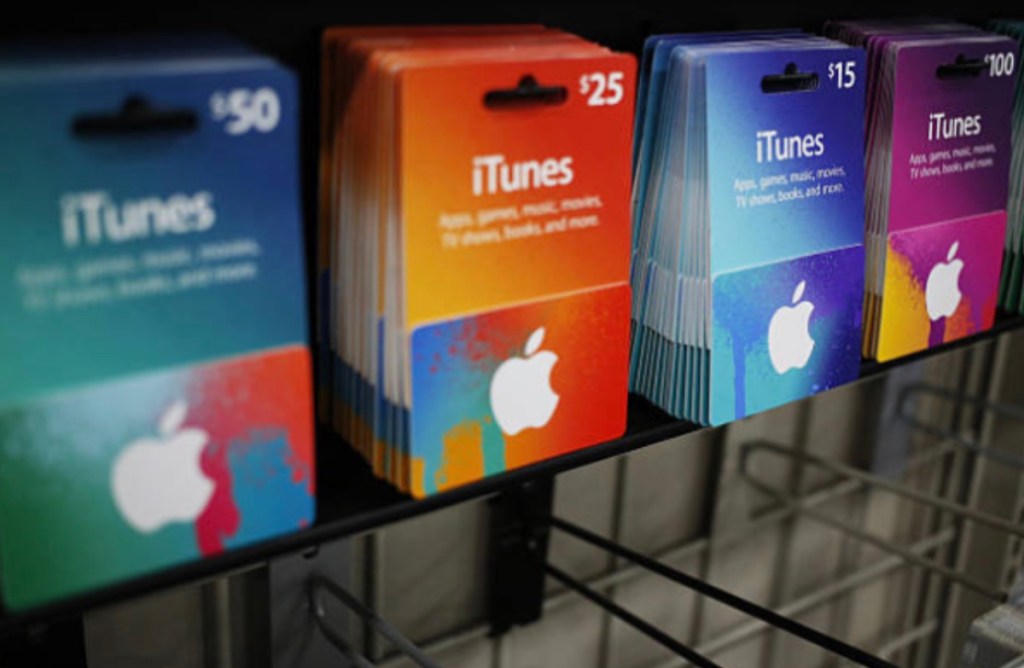
An iTunes Gift Card or a now simply called the Apple Gift Card is still a popular method of adding value to an Apple account and making qualifying purchases for the current United States release. Redeemed funds from these cards can go toward the purchase of apps and games (including in-app purchases), subscriptions, music, movies, and books to the iCloud and further depending on your country/region of purchase and type of card.
When purchasing an online gift card though, what’s most vital are the gift cards compatibility to the region being purchased for, the type of gift card being bought, the shipping options available, and how money will be accepted or verified during purchase, as these details will address the issues faced upon redemption.
What Is an iTunes Gift Card?
An iTunes Gift Card is actually pre-loaded with credit that will get redeemed to your Apple Account. After the code you have entered is validated and properly applied to your account, the value on the gift card is credited to your balance and you’re free to use it towards any compatible product or service from Apple. As in the United States, Apple has introduced the new, single Apple Gift Card that combines uses previously handled through their older App Store & iTunes Gift Cards.
These new cards, in Apple’s words, can be put to use for “products and accessories,” “apps,” “games,” “music,” “movies,” “TV shows,” “iCloud+” and any other eligible Apple service.
The key element is that this gift card does not create a unique balance separate of an individual game or app-it’s first applied to your account as Apple funds which are subsequently put towards any eligible items.
What Can You Buy With an iTunes Gift Card?
- Apps and Games
One obvious usage is paying for paid apps & games on the App Store. Once your card is redeemed, your Apple Account balance may be applied toward any eligible purchases, eliminating the need to enter a credit/debit card number for every transaction.
Your account balance can also apply to eligible in-app purchases (additional items/services such as unlocked features, in-game extras, etc.) in apps that accept Apple Account balance.
- In-Game Purchases
For mobile gamers, Apple gift-card credit can be particularly useful. Many games sell premium currencies, battle passes, cosmetics, characters, expansions, and other digital items through App Store purchases.
For example, suppose you have $10 remaining on your Apple Account and want to purchase a $10 item in Monopoly GO!. If the purchase is eligible and the balance covers the required amount, the transaction can be charged against your Apple Account balance.
The important point is that the $10 does not become Monopoly GO!’s own currency balance. It remains Apple Account credit until you spend it through an eligible purchase.
- Apple Music and Other Subscriptions
Apple Account balances can also be used toward eligible recurring subscriptions. Apple notes specific service mentions which includes Apple Music, Apple Arcade and Apple TV, as well as subscribed through via the App Store.
For example, a subscription fee of $25 for 3 months could be eligible to be paid with a $25 Apple Account balance. Actual fee will vary depending on selected subscription, locale, local taxes, and then current Apple rates. As each subscription renews, ensure that you maintain the required balance when your subscription’s renewal date comes if you intend for it to be paid from your Apple Account balance.
- iCloud+ Storage
iCloud+ is another practical use. Apple Account funds can be applied toward eligible iCloud+ subscriptions, making gift-card credit useful for users who need additional cloud storage for photos, videos, backups, and other data.
For example, if you use $5 toward an eligible iCloud+ 50GB monthly plan, the Apple Account balance can help cover that subscription charge where supported. Since iCloud+ is recurring, make sure sufficient funds are available when the subscription renews. Apple also notes that some purchases may require a payment method to remain on file.
- Music, Movies, TV Shows, and Books
Depending on your region and Apple’s available services, Apple Account credit can also be used for digital entertainment. This may include music from the iTunes Store, movies and TV content, and books through Apple Books.
This makes an Apple gift card more flexible than a voucher limited to one particular game, application, or entertainment service.
Three Everyday Ways to Use an iTunes Gift Card
The flexibility of Apple Account credit becomes easier to understand through practical examples.
Example 1: $10 for Monopoly GO!
A player receives a $10 Apple gift card and redeems it to their Apple Account. They can then use the balance toward an eligible $10 Monopoly GO! in-app purchase. The gift card does not directly add Monopoly GO! currency; Apple processes the purchase using the account balance.
Example 2: $25 for Apple Music
Someone wants to pay approximately $25 for three months of Apple Music. Instead of attaching a new payment card, they can use eligible Apple Account funds toward the subscription. Actual billing depends on the current subscription price, taxes, region, and plan.
Example 3: $5 for iCloud+
A user who needs additional storage can use eligible Apple Account credit toward an iCloud+ 50GB monthly plan. The balance can cover the subscription where supported, but users should remember that the service renews monthly.
These examples show why Apple gift cards can be useful beyond one-time App Store purchases.
How to Redeem an iTunes Gift Card
- Redeem on iPhone or iPad
Redeeming an eligible card on an iPhone or iPad is straightforward. Open the App Store, select your profile icon, and choose Redeem Gift Card or Code. You can enter the code manually or scan it with the camera when that option is available.
After successful redemption, the value is added to your Apple Account balance. Apple confirms that eligible Apple Gift Cards, App Store Cards, and App Store & iTunes Gift Cards can add funds to the account balance.
- Redeem on a Computer
Depending on your Apple software and region, you can also redeem eligible codes through Apple’s desktop applications or services. If your gift card was delivered by email, the message may include a Redeem Now option.
Follow the on-screen instructions and confirm that the code belongs to the correct Apple Account before completing the process.
How to Check Your Apple Account Balance
After redeeming a gift card, check your Apple Account balance before making a purchase. On supported devices and regions, the balance can be viewed through your Apple Account information in the App Store or other Apple services. In some regions, Apple Account balance information can also appear in Wallet.
Checking the balance is especially useful before purchasing an expensive game item or starting a subscription because it confirms how much credit is available and whether another payment method may be necessary.
How to Buy an iTunes Gift Card Online
- Check the Country or Region First
Region compatibility should always be your first checkpoint. Apple gift cards are generally tied to the country or region where they were purchased. A U.S. card should therefore be intended for a compatible U.S. Apple Account.
Buying the wrong regional card can leave you with a code that cannot be redeemed on your account. Always confirm your Apple Account’s country or region before paying.
- Choose the Correct Card Type
The terminology surrounding Apple gift cards can be confusing because Apple has offered different card products over the years. In the U.S., the current Apple Gift Card combines several purchasing functions previously associated with separate cards.
Before purchasing, read the seller’s product description carefully rather than assuming every product labeled “iTunes Gift Card” works identically.
Why Buy an iTunes Gift Card From LootBar?
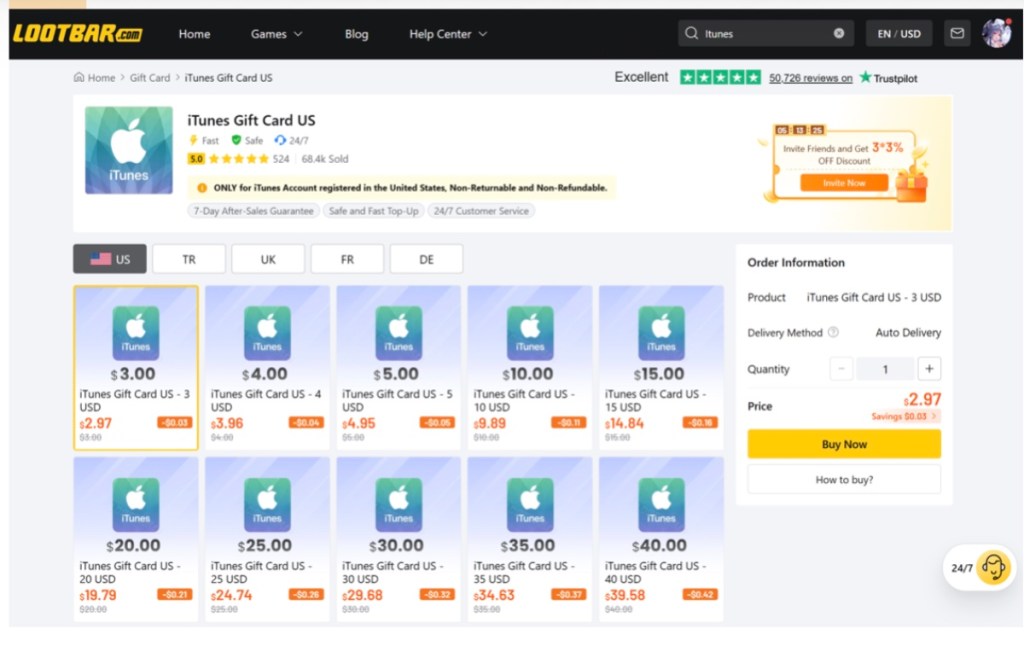
For shoppers who prefer digital delivery, LootBar provides an online marketplace where eligible Apple gift-card options can be purchased digitally. The main advantages to consider are competitive pricing, instant delivery, regional selection, and secure payment options.
Competitive pricing: LootBar’s digital marketplace can make it easier to compare denominations and available offers before purchasing. This is particularly useful when you already know the exact amount of Apple Account credit you need.
Instant delivery: Digital delivery removes the wait associated with physical cards. Once the purchase and delivery process is completed, the redemption information can be accessed digitally.
Support for multiple regions: Gift cards are region-specific, so having access to different regional products can make it easier to find an option that matches the recipient’s Apple Account. You should still verify the country and currency before checkout.
Secure payment options: Having multiple payment options gives buyers flexibility at checkout. Always use the official checkout process and protect your gift-card code after receiving it.
These features make LootBar a practical option for buyers who want a digital purchasing experience rather than visiting a physical retailer. Shop for your iTunes gift card now and confirm the correct region before completing your order. A LootBar gift card can also be useful when comparing different digital gift-card options in one place. For users looking for digital delivery, you can buy iTunes gift card online through LootBar’s dedicated gift-card page.

Important Things to Check Before Buying
- Confirm the Region
Never assume that an Apple gift card works worldwide. Apple states that gift cards are tied to their purchase country or region. Confirm compatibility before checkout, particularly when buying a card for someone else.
- Confirm the Card Type
Check whether you are purchasing an Apple Gift Card, App Store & iTunes Gift Card, or another regional product. The product description should clearly explain what you are buying.
- Protect the Code
Treat your redemption code like money; do not post it on social networks, and do not share it with anyone who claims that they will redeem it for a verification. Apple warns about schemes asking for Apple Gift Card numbers.
Can You Use an iTunes Gift Card for Subscriptions?
Yes, your available Apple Account balance may be used for subscriptions like Apple Music, Apple Arcade, Apple TV, or supported App Store subscriptions.
However, subscription availability and payment requirements vary by service and region. Some purchases may still require a payment method to remain attached to the Apple Account even when the account balance is being used.
Can You Use an iTunes Gift Card for Games?
Yes. Use eligible Apple Account balance to purchase games and in-app purchases on the App Store. Game purchases include premium currency, character cosmetics, battle pass bundles, other virtual content, and more. The exact purchase options depend on the individual game and Apple’s payment system.
What If Your Gift Card Does Not Work?
The first thing to consider is the country or region. Incorrect country code/region is the most frequent cause of a valid code that fails.
Next, carefully check the code.If you received the redemption option electronically, the button within the email may avoid you from getting your codes wrong.
If the code has already been applied, it would be like trying to add money twice to your Account ( which simply wouldn’t add a second time). Take a peek at your balance & past transactions to know that nothing else has been wrong there!
If the code still fails after these checks, contact Apple Support for assistance, particularly if the problem appears to involve the card itself.
Conclusion
While many of you use an iTunes Gift Card or one of Apple’s more recent Apple Gift Card in supported regions to acquire music, this card can do so much more. When added to a compatible Apple Account, your balance can be applied toward music, Apple Music, Apple Arcade, iCloud+, Apple TV, movies, books, apps, games, in-app purchases, and a variety of other goods and services.
A crucial first step when purchasing is to pick the right country, region, and card type. If opting for delivery directly to your devices, LootBar provides simple gift card browsing for selecting among numerous denominations.
Whether you’re buying Apple credit for yourself, paying for a game purchase, covering a subscription, or sending a digital gift, check compatibility first and keep the redemption code private. Shop for your iTunes gift card now and choose the card that matches your Apple Account region.
Article provided with permission from AppleWorld.Today