


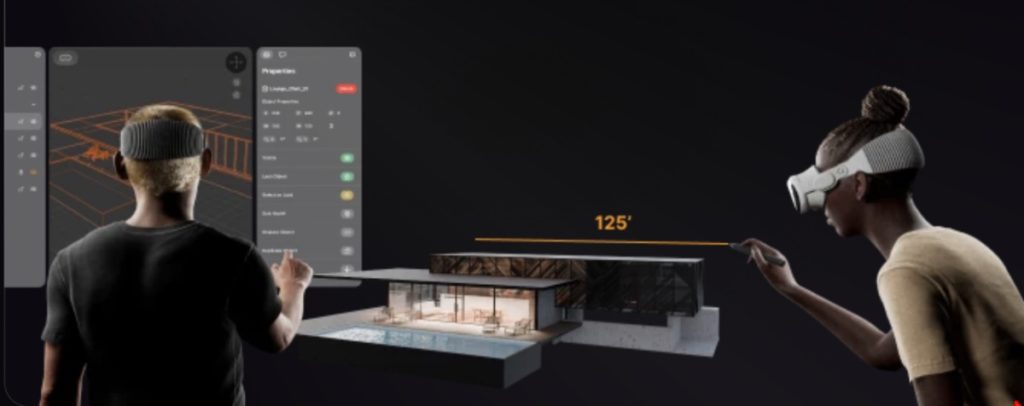
Spatial, which specializes in immersive design, has announced two major products that expand how design teams create and collaborate on Apple Vision Pro.
Analogue 26, with native Logitech Muse support, allows users to move from concept design through execution with a level of clarity that’s previously been impossible on prior platforms, according to CEO Thomas Hale. And the all-new Analogue Portal 26 brings immersive projects to iPhone for the first time, allowing team members to review, comment and contribute to designs in real time, without the need for a headset, he said. Analogue 26 for Apple Vision Pro
Hales said key collaborative capabilities between distributed design and client teams in Analogue 26 for the Vision Pro include:
- Private and Shared Annotation Layers: Sketch ideas privately or share feedback layers with teams in real-time, ensuring clear and organized communication.
- Contextual discussions add layers of annotations to discussions for specific assets, point of view and more.
- Rapid Prototyping with Gray Boxing: Quickly block out concepts in 3D space, allowing team members to refine and add detail to foundational ideas collaboratively.
- Navigation in 3D space has never been so seamless, whether a beginner or a pro in immersive space & product design.
Analogue Portal 26 for iPhone
Hale said Analogue Portal 26 for iPhone is the first 2D window into the immersive 3D full fidelity world of Spatial Analogue. Natively built on iOS 26 from the ground up, it allows for professional performance on the latest iPhone 17 Pro lineup that’s impossible on other smartphones. Optimizations allow for real-time collaborative interactions with 1:1 full scale models or dollhouse views in full fidelity. Design & client team members can now see updates, comments & annotations immediately whether they are colocated or distributed around the world.
Analogue Portal 26 features include:
- Intuitive Design: Use natural gestures to move, scale, and rotate digital 3D assets or even use precision controls to place the asset in the exact placement.
- Guided Viewpoints: Create a series of Viewpoints to guide your team and clients on a curated journey through your design.
- Contextual Asset Discussions: Attach feedback directly to any digital 3D asset to start a discussion, leave comments, and tag team members.
Spatial Analogue 26.1 and Analogue Portal 26 are available today on the App Store for Apple Vision Pro and iPhone respectively
I hope you’ll help support Apple World Today by becoming a patron. All our income is from Patreon support and sponsored posts. Patreon pricing ranges from $2 to $10 a month. Thanks in advance for your support.
Article provided with permission from AppleWorld.Today