


Apple has previewed the next major macOS release — macOS Tahoe 26 — which introduces a new “Liquid Metal” design and “powerful capabilities that enable users to get even more done.”
With the new “Liquid Glass” design, iconic elements of macOS will feel more “expressive, delightful, and personal while remaining instantly familiar, including the desktop, Dock, in-app navigation, and toolbars,” says Craig Federighi, Apple’s senior vice president of Software Engineering. Users can further personalize the experience with an updated Control Center and new color options for folders, app icons, and widgets.
Federighi says Continuity gets even better with the Phone app arriving on Mac, so users can access familiar features from iPhone — including Recents, Contacts, and Voicemails — and new ones like Call Screening and Hold Assist.2 And with Live Activities from iPhone, users can stay on top of things happening in real time, like an upcoming flight, right on their Mac.
With macOS 26, Spotlight gets its biggest update ever, allowing users to now directly execute hundreds of actions — like sending an email or creating a note — and take advantage of all-new browsing experiences to get to content faster.
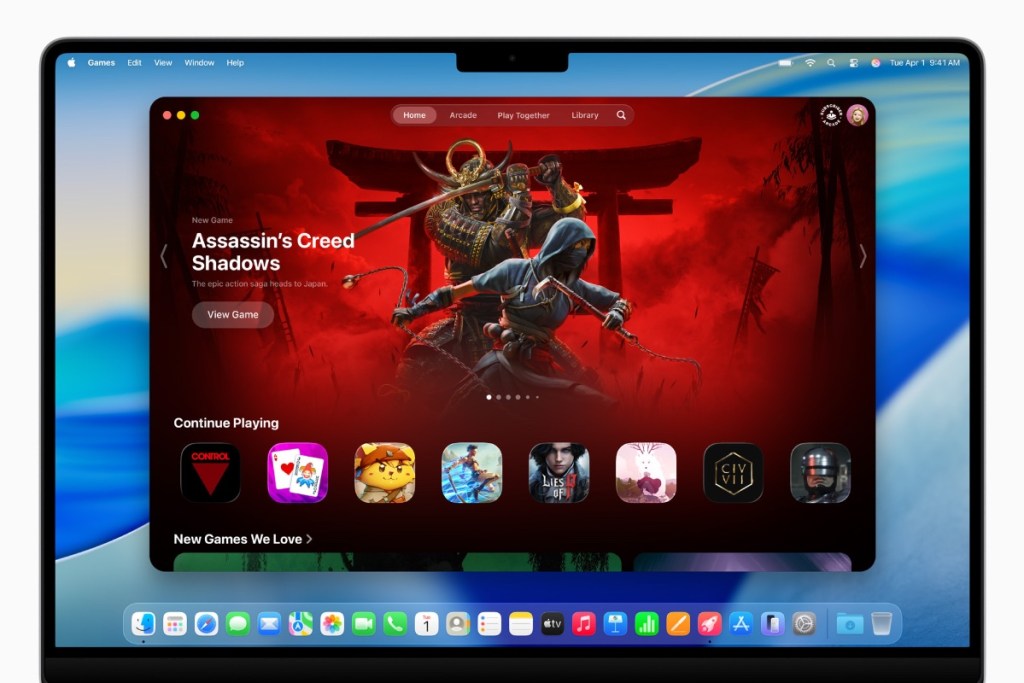
macOS Tahoe also introduces Apple Games, a dedicated app that gives players a home for all their games, making it easier to jump back into favorites, discover new games tailored just for them, and play with friends in whole new ways. With the new Game Overlay, players can adjust their system settings, chat with friends, or invite them to play, all without having to leave their game.
The new Apple Games app is an all-in-one destination that gives players a home for all their games and playing with friends.
Players can also turn on Low Power Mode, which extends gaming sessions and maximizes playtime on battery. For developers, macOS Tahoe introduces Metal 4, which brings even more advanced graphics and next-generation rendering technologies to games, like MetalFX Frame Interpolation and MetalFX Denoising, for smoother visuals and faster frame rates.
Apple Intelligence expands in macOS Tahoe. Live Translation helps users communicate across languages, translating text and audio. Genmoji and Image Playground offer new options for creativity. Shortcuts get even more powerful with intelligent actions and the ability to now tap directly into Apple Intelligence models to automate complex tasks, says Federighi. He says that additional features in macOS Tahoe include:
- Safari, the world’s fastest browser,6 offers a fresh but familiar experience, featuring a rounded tab design that floats in the toolbar, along with a refreshed sidebar with new sections to help users more easily find saved content like iCloud Tabs and Saved. When compared to Chrome, Safari is 50 percent faster at loading frequently visited websites7 and offers up to four more hours of battery life when streaming video.8 And for even greater protection from trackers when browsing, Safari now offers advanced fingerprinting protection in all browsing by default.
- The Messages app brings Backgrounds, Polls, and a redesigned details view that helps users easily navigate what has been shared in a conversation. Plus, it features typing indicators in groups to let participants know exactly who is going to chime in, as well as the ability to add new contacts easily right from the group chat and search with more natural language.
- Journal comes to Mac, making it easy to capture and write about everyday moments and special events when inspiration strikes. On Mac, it’s easy to type long, thoughtful entries and view them on a map. Users can keep multiple journals for various aspects of life, which are all synced across Apple devices.
- Photos has an updated design that includes beautiful Liquid Glass elements, enhancements for customization, easier workflows, and sidebar consistency with iPadOS. Pinned Collections now come to Mac, so users can access the collections they use most with a click on the sidebar. Users will also find new buttons to quickly access filtering and sorting options in all views, and the ability to customize the size of Collections tiles, so they can view their library just how they like.
- On FaceTime, the reimagined landing page features beautiful Contact Posters of recent callers, Liquid Glass controls now float in the bottom right and recede to create more space, and a new More button lets users quickly access features like SharePlay and Live Translation.
- Notes adds the ability to import and export a note into a markdown file, and support for capturing conversations in the Phone app as audio recordings with transcriptions.
- Accessibility features include Magnifier on Mac, which enables users with low vision to zoom in on their surroundings using Continuity Camera on iPhone or attached USB cameras, apply image filters so items are easier to see or read, and even change perspective when viewing presentations or books from an angle. Additional features include Accessibility Reader, a new systemwide reading mode designed with accessibility in mind; an all-new Braille Access experience that offers a user-friendly interface for those with a connected braille display; and Vehicle Motion Cues, which helps reduce motion sickness in a moving vehicle.
- With Passwords, users can easily reference changes they make to their accounts, including checking previous versions of passwords they save, along with details on when they were changed.
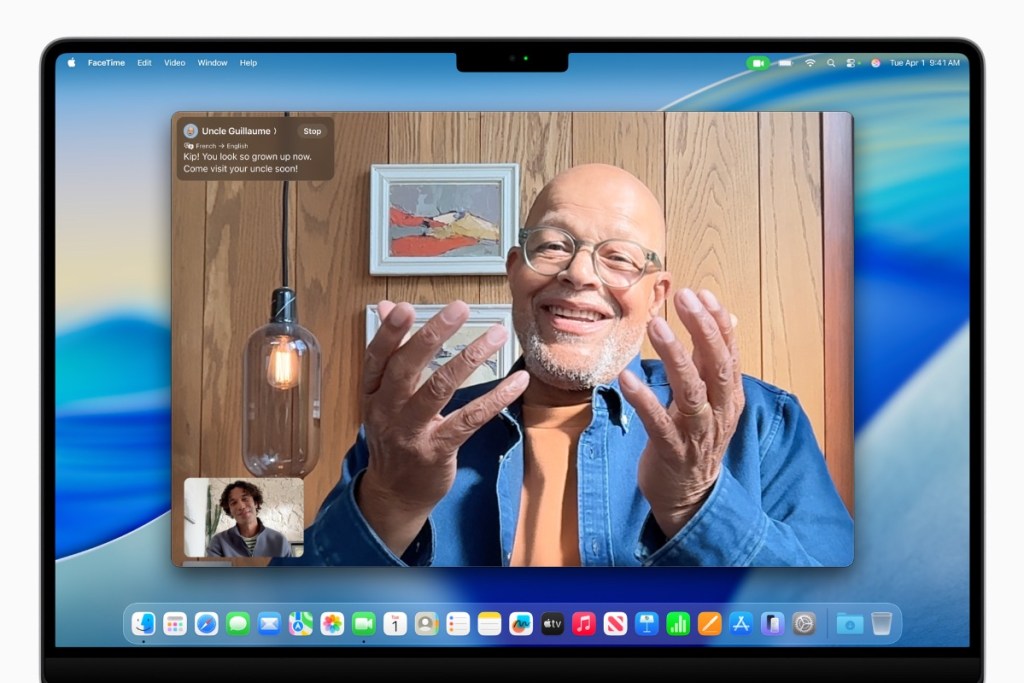
Live Translation on FaceTime helps users communicate across languages by following along with translated live captions while still hearing the speaker’s voice.
You can find more details here.
I hope you’ll help support Apple World Today by becoming a patron. All our income is from Patreon support and sponsored posts. Patreon pricing ranges from $2 to $10 a month. Thanks in advance for your support.
Article provided with permission from AppleWorld.Today