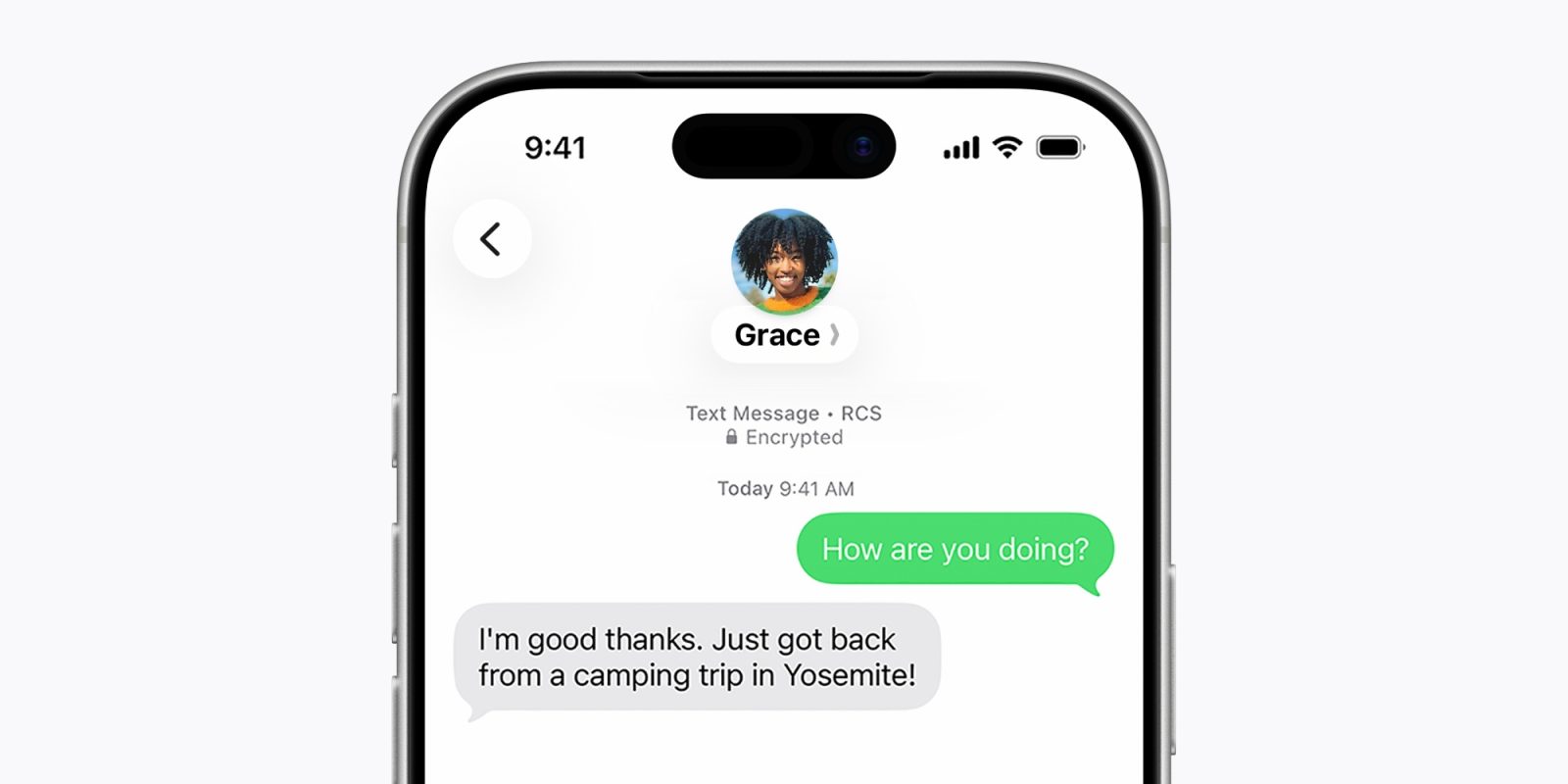
If you’re thinking about installing the shiny new iOS 27 developer beta 1 on your iPhone, be aware that the RCS end-to-end encryption option is missing. There’s no need to panic, though. Apple is not phasing out the feature.
more…
]]>
If you’re thinking about installing the shiny new iOS 27 developer beta 1 on your iPhone, be aware that the RCS end-to-end encryption option is missing. There’s no need to panic, though. Apple is not phasing out the feature.
more…
]]>
As part of iOS 27, Apple debuted an all-new Siri app as a way for users to manage their interactions with Siri AI. In a post-keynote tech talk at Apple Park this week, Apple’s Craig Federighi explained why Apple decided to launch a chatbot-style app, after previously saying a chatbot wasn’t part of Apple’s strategy …
more…
]]>
On June 9, 2002, Apple launched its “Switch” ad campaign, with real people like 15-year-old Ellen Feiss talking about going from PCs to Macs.
(via Cult of Mac – Your source for the latest Apple news, rumors, analysis, reviews, how-tos and deals.)
]]>
Google Gemini for macOS was recently flagged for not being a very good app citizen on the Mac. Apple’s new macOS 27 Golden Gate seems to make an example out of apps like Gemini that sneakily run in the background after a user quits the software.
more…
]]>
Yesterday’s WWDC 2026 keynote was a very different beast to its predecessors – and not just because the company spent more than ten minutes talking about child safety and screen time in response to growing concerns by regulators.
The structure of the keynote presentation was completely different to what we have seen in the past, but we can expect this to be the new normal …
more…
]]> Powered by Apple Intelligence, the new version of Siri is profoundly more capable and conversational, and deeply integrated across products.
At Monday’s Worldwide Developers Conference, Apple finally unveiled its long-awaited overhaul of Siri, positioning the virtual assistant as a serious contender against ChatGPT, Grok, Gemini, and Claude. The new Siri AI promises deeper on-device intelligence, better context awareness, and advanced features that could redefine how we interact with our iPhones.
There’s just one catch: a huge chunk of Apple’s installed base simply can’t run it.
According to a Morgan Stanley research note released Tuesday, more than 850 million iPhones are incapable of handling basic Apple Intelligence queries, while over 1.3 billion devices won’t support the most advanced Siri capabilities.
The bottleneck? Hardware — specifically chip architecture and memory. Advanced features require 12 GB of unified memory to manage the heavy on-device processing Apple Intelligence demands.
For millions of users rocking older iPhones, the shiny new Siri will feel more like a tease than a transformation.
The Upgrade Incentive in Disguise
Morgan Stanley analysts point out a key tension: selling hardware on the strength of software has always been challenging. Yet they also note that AI accessibility ranks among the leading drivers of smartphone upgrades.
In other words, the very limitations that frustrate current owners could become powerful motivation for the next purchase. Apple is betting that the promise of a truly intelligent Siri — one that runs smoothly, privately, and powerfully on-device — will convince users it’s finally time to trade in their aging devices.This strategy isn’t new for Apple. The company has long used generational leaps in performance, camera quality, and now AI as catalysts for refresh cycles. With iPhone sales facing pressure from longer replacement cycles in recent years, a compelling AI experience could be the spark needed to accelerate upgrades.
What This Means for Users and Apple
• For existing owners: Many will get a taste of the new Siri, but the full experience — especially the most impressive on-device AI features — will remain gated behind newer hardware (likely iPhone 16 series and beyond with sufficient RAM and neural engine power).
• For Apple: It reinforces the value of the premium ecosystem. While the company faces criticism for fragmenting the experience across its user base, the move could drive stronger hardware revenue in the coming quarters.
• For the AI race: Apple is playing catch-up in some areas but doubling down on privacy and on-device processing. Whether that’s enough to win users away from cloud-heavy rivals remains to be seen.
The long-delayed Siri overhaul was the centerpiece of WWDC26 for a reason. Apple isn’t just updating an assistant — it’s trying to future-proof its most important product line in the age of AI.
MacDailyNews Take: Apple has successfully used similar generational leaps before — from Retina displays to advanced cameras to 5G. Now, Siri AI is stepping into that role as the must-have reason to upgrade.
For hundreds of millions who’ve been holding onto an older iPhone, iPad, or Mac, the new Siri AI might be the biggest upgrade impetus yet.
Please help support MacDailyNews — and enjoy subscriber-only articles, comments, chat, and more — by subscribing to our Substack: macdailynews.substack.com. Thank you!
Support MacDailyNews at no extra cost to you by using this link to shop at Amazon.
The post Apple’s Siri AI could spark a massive iPhone upgrade wave appeared first on MacDailyNews.
]]>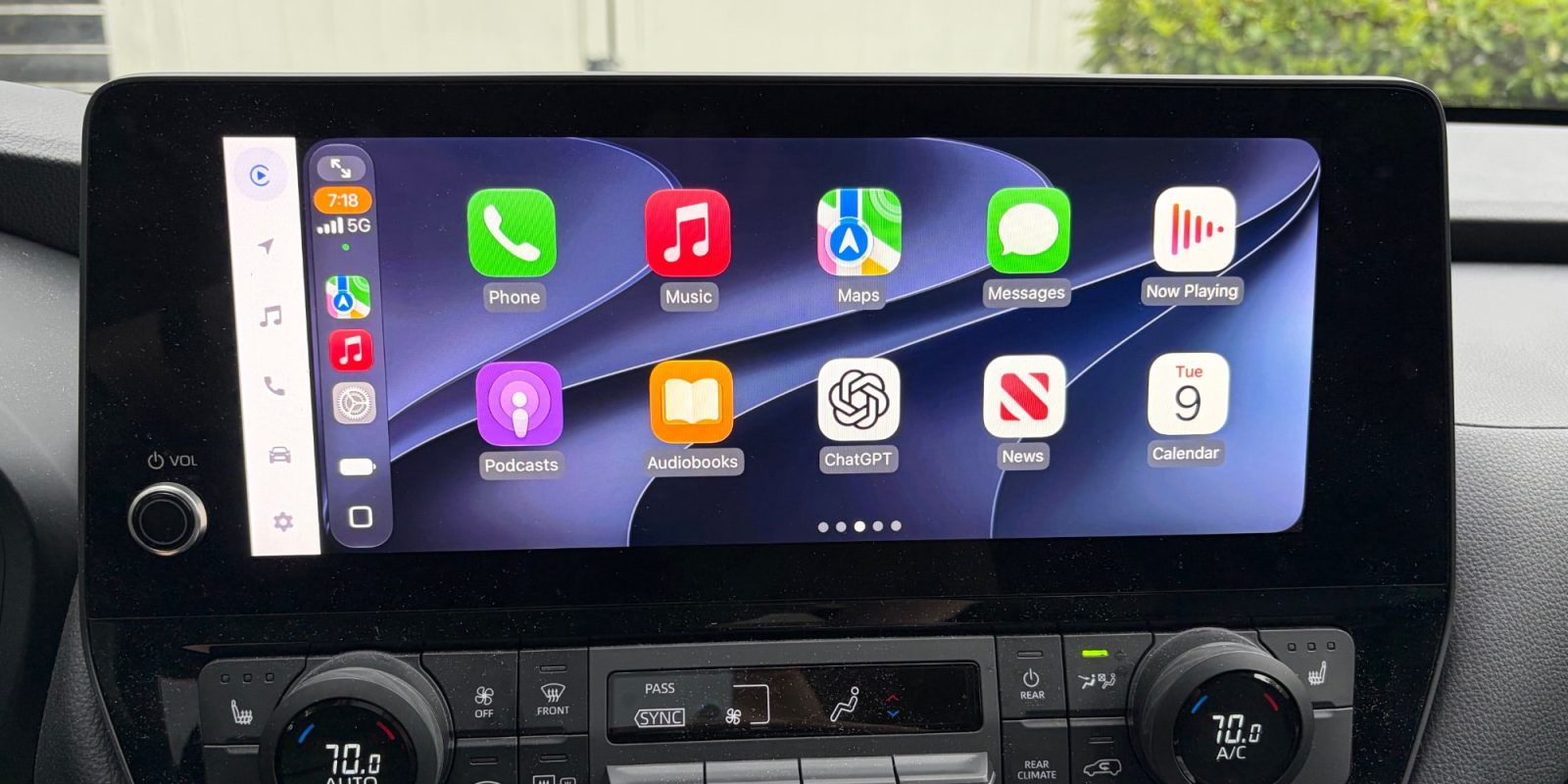
iOS 27 is officially here, available now in beta, and it brings a handful of improvements for CarPlay. Here’s everything new for CarPlay in iOS 27.
more…
]]> Apple’s WWDC26 focused less on AI spectacle and more on making intelligence a seamless part of everyday experiences across the Apple ecosystem. The post Apple’s WWDC26 Wasn’t Flashy. That Was the Point appeared first on TechNewsWorld.
]]>
Apple’s WWDC26 focused less on AI spectacle and more on making intelligence a seamless part of everyday experiences across the Apple ecosystem. The post Apple’s WWDC26 Wasn’t Flashy. That Was the Point appeared first on TechNewsWorld.
]]>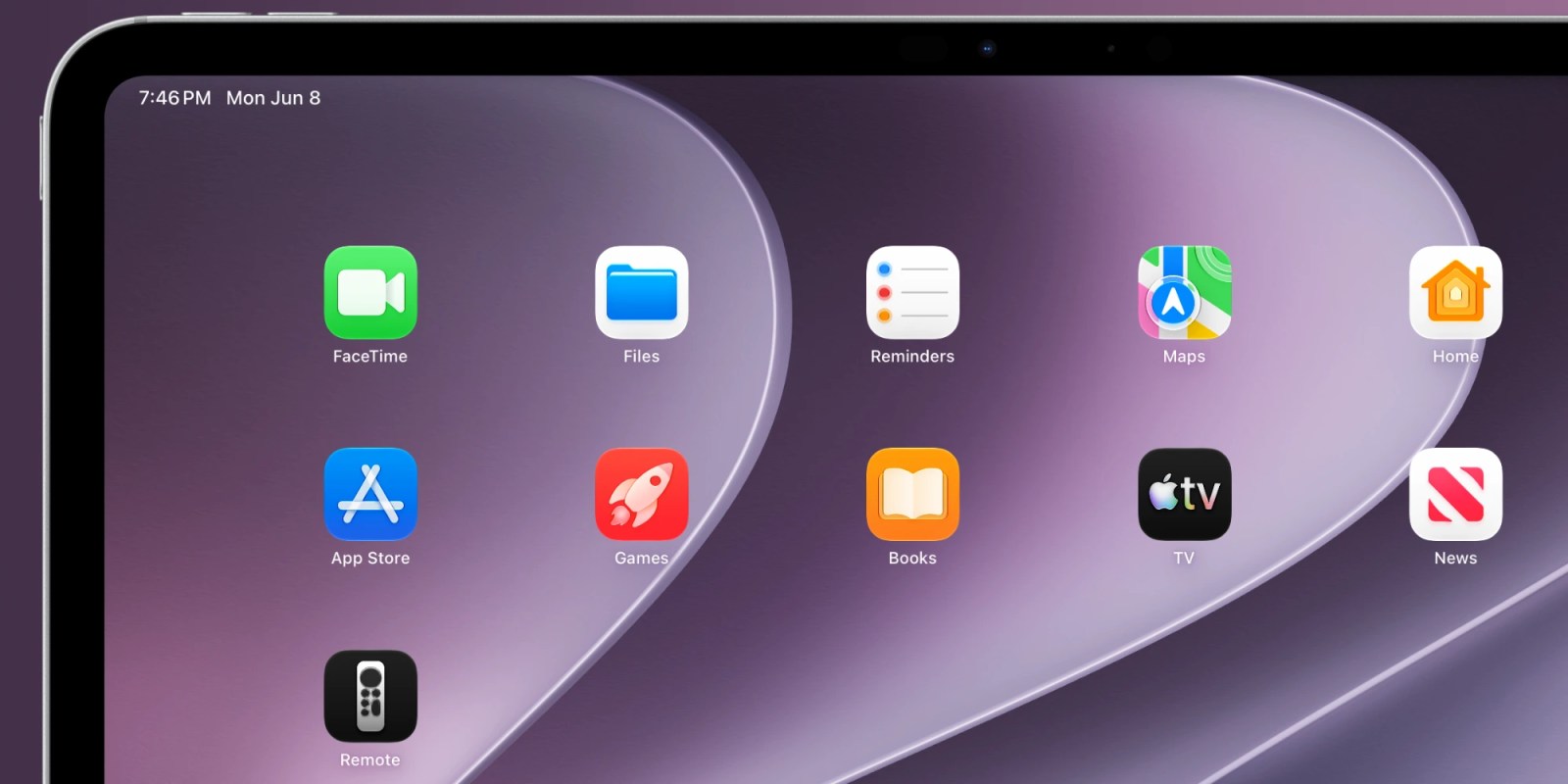
iPhone and iPad can easily control an Apple TV when you don’t feel like reaching for the physical remote. Starting with iOS 27, the virtual Apple TV remote can once again be added to your Home screen, not just Control Center.
more…
]]>
Get five years of Arta AI Premium for $64 with code AI20. Create AI images, avatars, videos, edits and photoshoots right on your iPhone.
(via Cult of Mac – Your source for the latest Apple news, rumors, analysis, reviews, how-tos and deals.)
]]>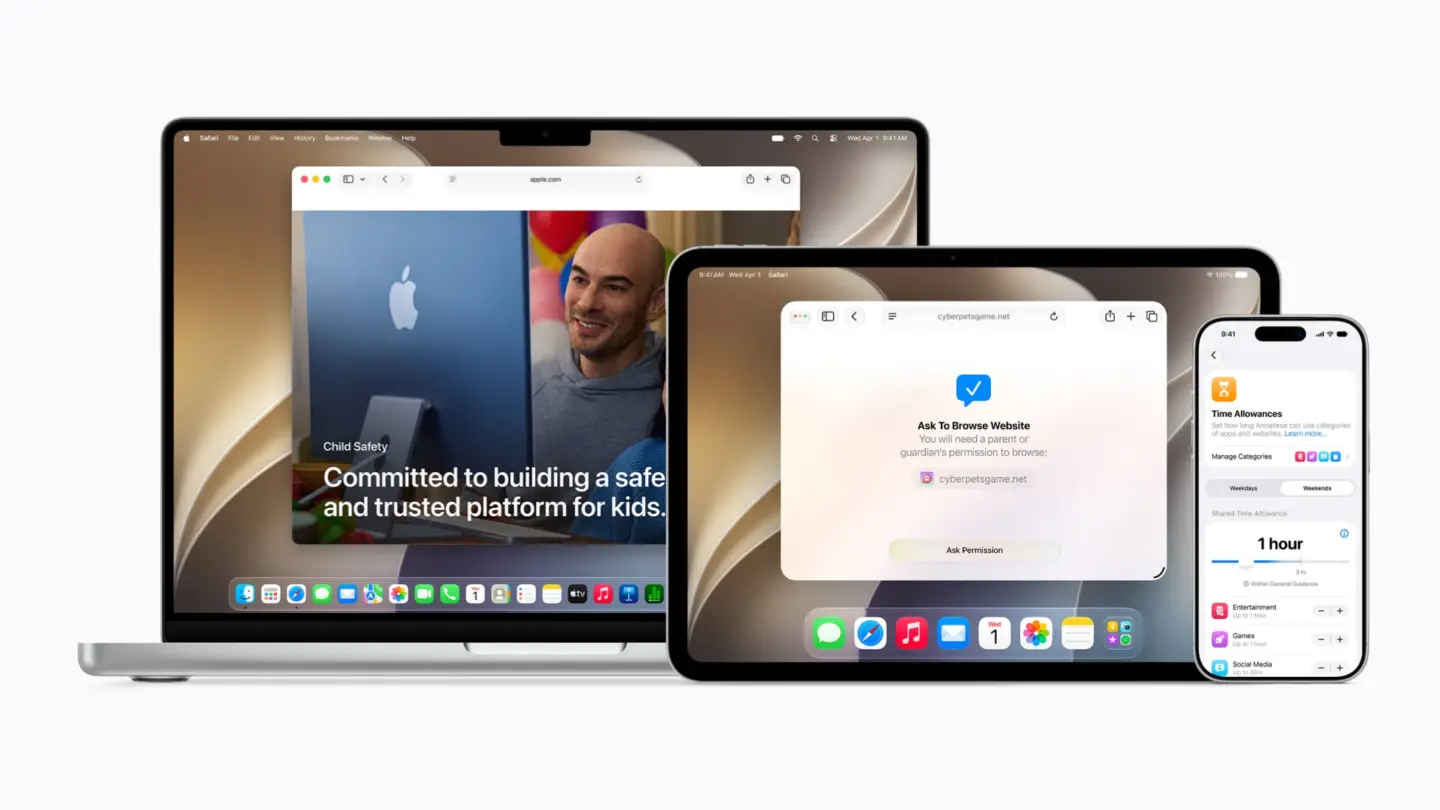
Apple adds new child safety features, including updated parental controls, to iOS 27, iPadOS 27 and macOS 27.
(via Cult of Mac – Your source for the latest Apple news, rumors, analysis, reviews, how-tos and deals.)
]]> Wallet’s Create a Pass in iOS 27The Wallet app has been used to hold more than just your credit and debit cards for years. Membership cards and digital passes have been a staple of the iPhone app for quite some time.However, to add a pass to the Wallet, you had to do so in one of two ways. The easiest is to use an app for a service and select the option to add a card or digital pass to the Wallet. Continue Reading on AppleInsider | Discuss on our Forums
]]>Powered by Apple Intelligence, the new version of Siri is profoundly more capable and conversational, and deeply integrated across products.
Wallet’s Create a Pass in iOS 27The Wallet app has been used to hold more than just your credit and debit cards for years. Membership cards and digital passes have been a staple of the iPhone app for quite some time.However, to add a pass to the Wallet, you had to do so in one of two ways. The easiest is to use an app for a service and select the option to add a card or digital pass to the Wallet. Continue Reading on AppleInsider | Discuss on our Forums
]]>Powered by Apple Intelligence, the new version of Siri is profoundly more capable and conversational, and deeply integrated across products.
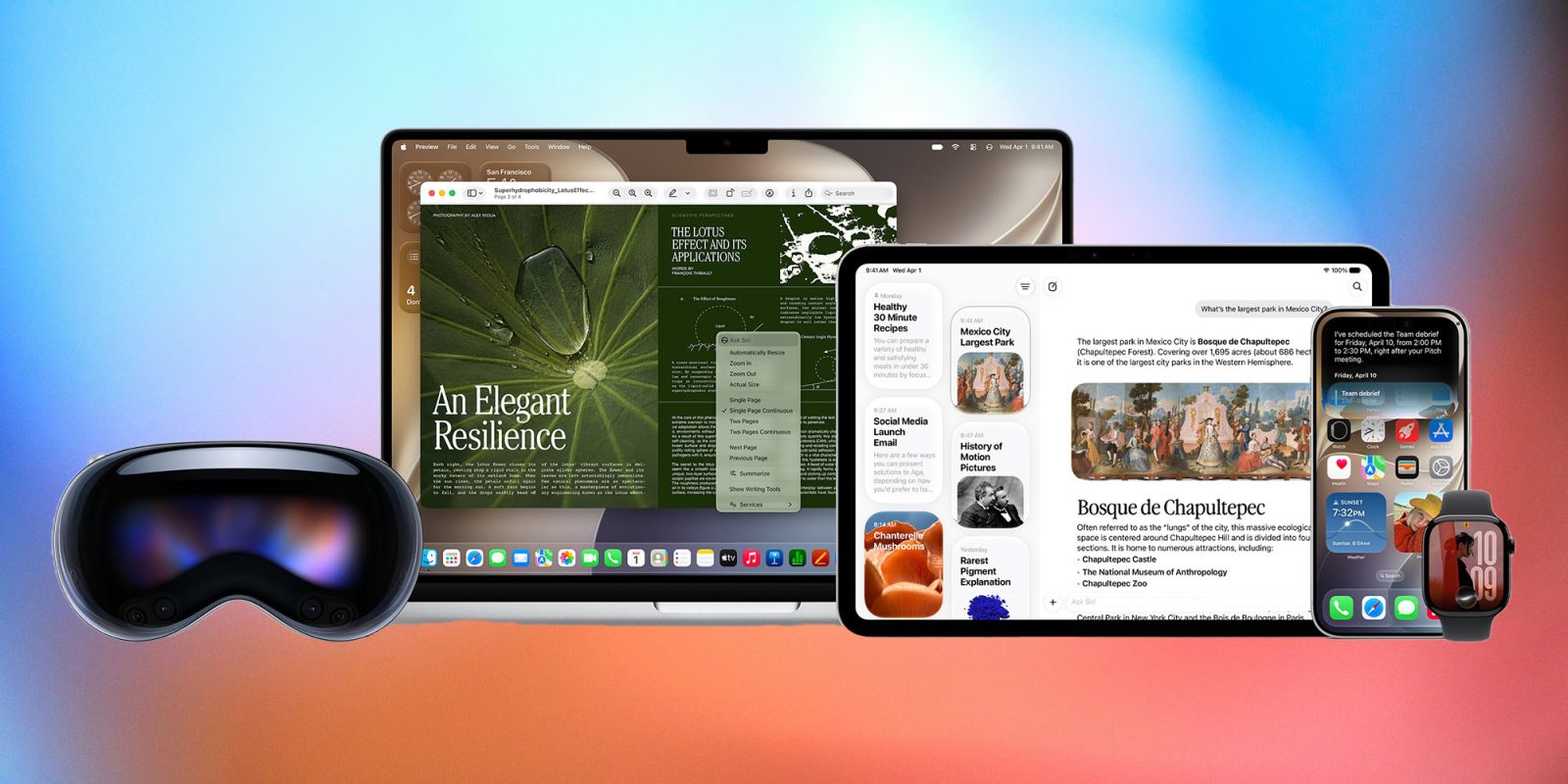
The big question looming over this year’s WWDC was whether Apple has what it takes to deliver a truly compelling personalized AI, according to longtime Apple analyst Gene Munster. While the new Siri AI demo largely lived up to the hype around personalization, the vague rollout details — starting first in the US, followed by Europe and China — triggered a 4.9% intraday drop in shares. The reaction made it clear that Apple still has significant work ahead to master the AI challenge. The next milestone is a beta late this year, pushing a full public release to spring 2027 at the earliest. “The good news is, since no competitor can offer compelling personalized AI today, Apple likely has two-plus years to get it right,” Munster writes.
Gene Munster via GeneMunster.com:
The biggest positive takeaway from WWDC is that Apple has a winning vision for personalized AI. If the company delivers on what it showed, I believe the new Siri AI will be a home run, driving upgrades and market share gains.
The reason is that Apple has the context. Siri knows about your messages, calendar, photos, files, apps, and preferences to leverage AI to help you get things done faster. That is the core promise of personalized AI, and Apple is uniquely positioned to make it mainstream because of its control over hardware, software, privacy, and the consumer interface.
No one else has come close to showing a personalized AI experience that feels this useful. That matters. For all the frustration around Apple being late to AI, the demo reminded investors why Apple still has is most likely to win in consumer AI.
Much of the goodness around the look and feel of Siri AI was washed away when Apple opted out of giving definitive timing on when it will become available. Timing is everything, given investors have been waiting two years, since Apple Intelligence was announced in June 2024, to see something compelling in personalized AI…
Until Apple puts a stake in the ground and says when the new Siri features will be available, the debate remains: Does Apple actually have the chops in personalized AI? The demo suggests yes. The lack of timing suggests maybe.
Toward the end of the keynote, Craig Federighi said the new Siri features will be in beta later this year. That was the one timing detail investors could hold onto, and the stock actually ticked up about 0.5% after that comment… The reality is that a beta later this year likely means broad availability is pushed into early to mid-2027, or even fall 2027. That six-month-to-one-year additional delay is on top of the almost two-year delay investors have already waited through.
This all begs the question: Why is building these features so difficult? My take: AI at scale that meets Apple’s quality threshold is exceptionally difficult when factoring in all of the variables the company wants.
The good news is, long term, these delays don’t mean much. My sense is Apple has more time than investors realize to get it right, potentially two-plus years.
MacDailyNews Take: Apple’s iPhone and Mac both show that personalized AI isn’t yet important enough to negatively affect sales – not even close – so Munster is correct that Apple has time, although we’d peg it at about a year, given the rate that AI is improving. Siri AI in beta form is still Siri AI in users’ hand this year and that’s more than good enough for now. The beta being used by hundreds of millions of users will provide much opportunity for Apple to fine tune the product. By this time next year, we’ll all be wondering how we ever lived without Siri AI.
Please help support MacDailyNews — and enjoy subscriber-only articles, comments, chat, and more — by subscribing to our Substack: macdailynews.substack.com. Thank you!
Support MacDailyNews at no extra cost to you by using this link to shop at Amazon.
The post Apple likely still has two-plus years to get Siri AI right – Gene Munster appeared first on MacDailyNews.
]]>
Almost two years after Apple first showed off a video promoting the new Siri and lots of exciting new Apple Intelligence features, that future has finally arrived – at least in first beta form.
The company had a lot of ground to make up. Obviously, the test will be how well the new features work in real life usage, but let’s start with what seemed to me to be the most important things the company announced …
more…
]]> EU users will not get the new Siri AI features in iOS 27 – image credit: AppleApple made the unusual step of taking time in the WWDC keynote to say that Siri AI would not be coming to the European Union. It was a public announcement aimed at blaming the EU for preventing users from getting the new iOS features.Now Apple has stepped up its PR fight by detailing how it says the EU is intractable over its demand that would see privacy controls stripped away. Briefing journalists after the WWDC keynote, Greg Joswiak has revealed that Apple went further than ever before in attempting to negotiate with the European Commission. Continue Reading on AppleInsider | Discuss on our Forums
]]>
EU users will not get the new Siri AI features in iOS 27 – image credit: AppleApple made the unusual step of taking time in the WWDC keynote to say that Siri AI would not be coming to the European Union. It was a public announcement aimed at blaming the EU for preventing users from getting the new iOS features.Now Apple has stepped up its PR fight by detailing how it says the EU is intractable over its demand that would see privacy controls stripped away. Briefing journalists after the WWDC keynote, Greg Joswiak has revealed that Apple went further than ever before in attempting to negotiate with the European Commission. Continue Reading on AppleInsider | Discuss on our Forums
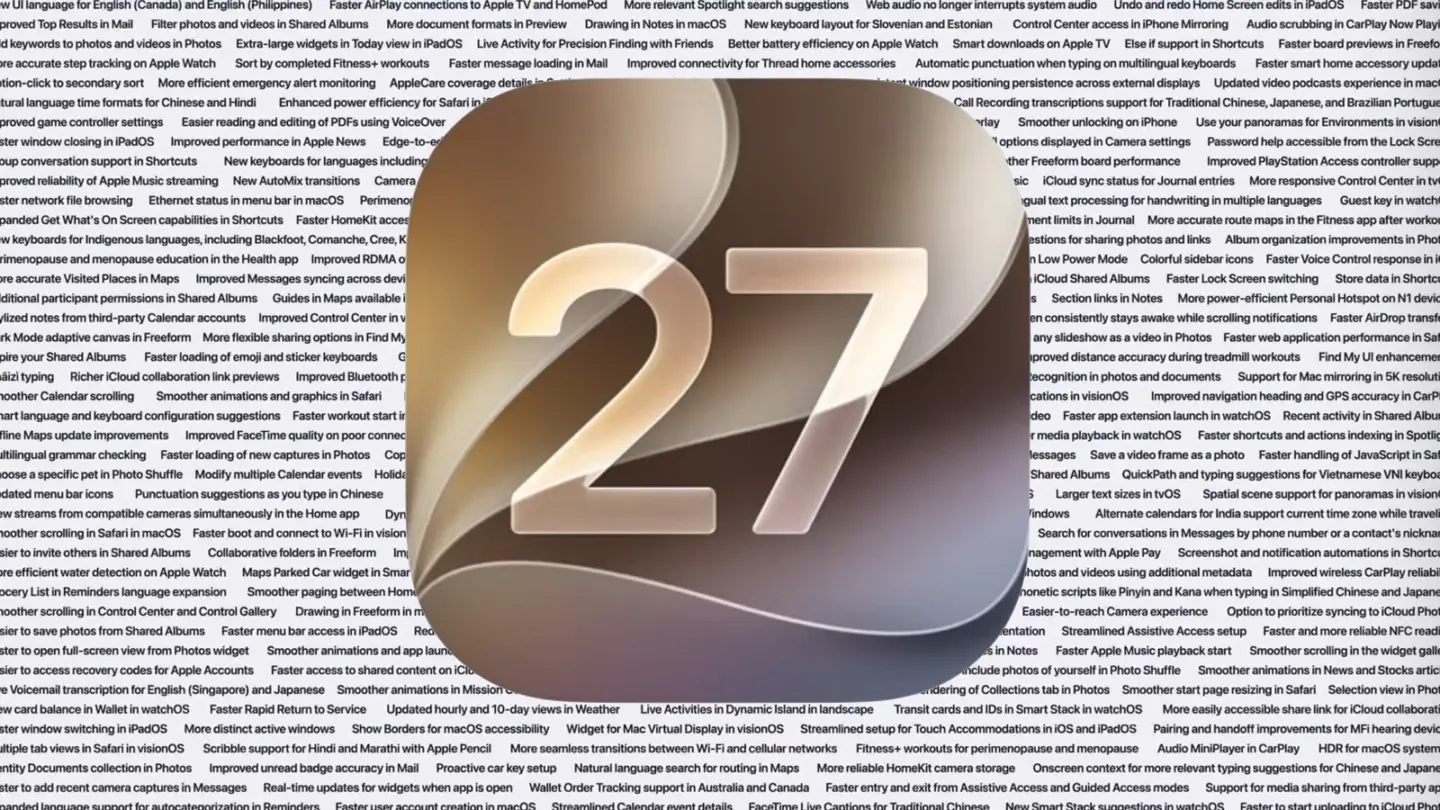
]]>Apple spent an unusually long time during its WWDC Keynote this year talking about how it was going to fix all the busted crap in its operating systems. I’m paraphrasing, of course. What Apple actually said was, “Our teams doubled down on our relentless dedication to make the experience feel more polished and intuitive.”
Then, Apple presented the most obnoxious eye-chart slide I’ve ever seen in over 25 years of tech journalism, while saying, “We scoured every part of the OS for opportunities to refine our systems, from the UI to the foundations. Nothing was off limits, no enhancement too small.” The impossible-to-read slide had over 40 lines of tiny text and was gone in a flash.
Of course, that’s the point. It’s just there to make you say, “Look at all that stuff!” Well, that’s not good enough for us here at Macworld—we want to know what it says. Now we do, and so will you. All these fixes are all separate from the big Apple Intelligence, Siri, and Parental Controls improvements coming to our devices this fall.
10 key improvements
Much of what is listed here is repetitive. There are no exact duplicates, but there are quite a few items that could very well be combined into one. There are four small items related to perimenopause and menopause tracking, for example, and multiple entries about smoother scrolling in this app or that menu.
Still, there’s a lot of good stuff in there. Here are some of the improvements that stand out, in no particular order.
AirPods Custom EQ
Save a video frame as a photo
iPhone app resizing in iPadOS
Improved wireless CarPlay reliability
Faster to start uploading to iCloud Photos
Audio scrubbing in CarPlay Now Playing
More accurate step tracking on Apple Watch
Improved Messages syncing across devices
Failed messages automatically retry sending
Independent alarm volume
The entire list of OS 27 fixes and improvements
The entire list of improvements and enhancements is 263 items long! Some are minor, some are major, all are welcome.
New UI language for English (Canada) and English (Philippines)
Faster AirPlay connections to Apple TV and HomePod
More relevant Spotlight search suggestions
Web audio no longer interrupts system audio
Undo and Redo Home Screen edits in iPadOS
Faster PDF saving
Improved Top Results in Mail
Filter photos and videos in Shared Albums
More document formats in Preview
Drawing in Notes in macOS
New keyboard layout for Slovenian and Estonian
Control Center access in iPhone Mirroring
Audio scrubbing in CarPlay Now Playing
Add keywords to photos and videos in Photos
Extra-large widgets in Today view in iPadOS
Live Activity for Precision Finding with Friends
Better battery efficiency on Apple Watch
Smart downloads on Apple TV
Else if support in Shortcuts
Faster board previews in Freeform
More accurate step tracking on Apple Watch
Sort by completed Fitness+ workouts
Faster message loading in Mail
Improved connectivity for Thread home accessories
Automatic punctuation when typing on multilingual keyboards
Faster smart home accessory updates
Option-click to secondary sort
More efficient emergency alert monitoring
AppleCare coverage details in Settings in tvOS
More intuitive journaling streaks
More consistent positioning persistence across external displays
Updated video podcasts experience in macOS
Natural language time formats for Chinese and Hindi
Enhanced power efficiency for Safari in iOS and macOS
Drawing app in Messages
Faster data updates in the Health app
Call Recording transcriptions support for Traditional Chinese, Japanese, and Brazilian Portuguese
Improved game controller settings
Easier reading and editing of PDFs using VoiceOver
Improved battery insights
Smoother scrolling in App Library
Improved navigation in Game Overlay
Smoother unlocking on iPhone
Use your panoramas for Environments in visionOS
Faster window closing in iPadOS
Improved performance in News App
Edge-to-edge sidebars
More reliable right-to-left text editing in Freeform
Find offloaded media in Messages
All options displayed in Camera settings
Password help accessible from the Lock Screen
Group conversation support in Shortcuts
New keyboards for languages including Afrikaans, Basque, Baybayin, English (Philippines), Galician, Guaraní, Luxembourgish, Xhosa, and Zulu
Smoother Freeform board performance
Improved PlayStation Access controller support
Improved reliability of Apple Music streaming
New AutoMix transitions
Camera uses less power in Low Power Mode
Extra-solid widget option in visionOS
Refreshed album pages in Apple Music
iCloud sync status for Journal entries
More responsive Control Center in tvOS
Faster network file browsing
Ethernet status in menu bar in macOS
Perimenopause and menopause symptom logging in the Health app
Improved Wi-Fi connectivity in watchOS
Faster multilingual text processing for handwriting in multiple languages
Guest key in watchOS
Expanded Get What’s On Screen capabilities in Shortcuts
Faster HomeKit accessory pairing
Faster Now Playing view loading in Music
Faster start page content loading in Safari
Increased attachment limits in Journal
More accurate route maps in the Fitness app after workouts
New keyboards for Indigenous languages, including Blackfoot, Comanche, Cree, Kiowa, and Tsuut’ina
Switch between two iPhone devices with the same phone number
Content-based recipient suggestions for sharing photos and links
Album organization improvements in Photos
Perimenopause and menopause education in the Health app
Improved RDMA over Thunderbolt
Customize Liquid Glass
Support for 4K camera recordings in the Home app
Faster Camera launch in Low Power Mode
Colorful sidebar icons
Faster Voice Control response in iOS
More accurate Visited Places in Maps
Improved Messages syncing across devices
Dual camera in FaceTime
Faster browsing and transfers in Files in iPadOS
Full-resolution photos and videos in iCloud Shared Albums
Faster Lock Screen switching
Store data in Shortcuts
Additional participant permissions in Shared Albums
Guides in Maps available in more places
New windows with curvature in visionOS
Enhanced Flyover in Maps
Customize slideshows in Photos
Section links in Notes
More power-efficient Personal Hotspot on N1 devices
Stylized notes from third-party Calendar accounts
Improved Control Center in visionOS
Perimenopause and menopause support in the Health app
Optional persistent menu bar on iPad
Lock Screen consistently stays awake while scrolling notifications
Faster AirDrop transfers
Dark Mode adaptive canvas in Freeform
More flexible sharing options in Find My
Captured by Me collection in Photos
Extra-large widgets in iOS
Failed messages automatically retry sending
Save any slideshow as a video in Photos
Faster web application performance in Safari
Expire your Shared Albums
Faster loading of emoji and sticker keyboards
GymKit on iPhone and AirPods Pro 3
Redesigned Podcasts app for tvOS
Consolidated Find My app in watchOS
Improved distance accuracy during treadmill workouts
Find My UI enhancements
Chāizi typing
Richer iCloud collaboration link previews
Improved Bluetooth power management
Access requests for items shared via iCloud
Expanded touch support in Sidecar
Faster Text Recognition in photos and documents
Support for Mac mirroring in 5K resolution
Smoother Calendar scrolling
Smoother animations and graphics in Safari
Refreshed artist pages in Apple Music
Search within shows in Podcasts
Look and Tap to view and respond to notifications in visionOS
Improved navigation heading and GPS accuracy in CarPlay
Smart language and keyboard configuration suggestions
Faster workout start in the Workout app
Updated Liquid Glass
Independent alarm volume
Smoother camera switching when zooming in video
Faster app extension launch in watchOS
Recent activity in Shared Albums
Offline Maps update improvements
Improved FaceTime quality on poor connections
Tap gesture on Apple Watch
Synced step count in the Health and Fitness apps
AirPods Custom EQ
Faster media playback in watchOS
Faster workloads and actions indexing in Spotlight
Multilingual grammar checking
Faster loading of new captures in Photos
Copy and paste as Markdown in Notes
Redesigned Shortcuts editor
Continuous sending of photos, videos, and texts in Messages
Save a video frame as a photo
Faster handling of JavaScript in Safari
Choose a specific pet in Photo Shuffle
Modify multiple Calendar events
Holiday-aware alarms in China
More reliable search indexing in Mail
iPhone app resizing in iPadOS
React with any emoji in Shared Albums
QuickPath and typing suggestions for Vietnamese VNI keyboard
Updated menu bar icons
Punctuation suggestions as you type in Chinese
Consolidated notifications for multiple Tapbacks in Messages
Updated app icons
Swipe down to refresh in macOS
Larger text sizes in tvOS
Spatial scene support for panoramas in visionOS
View streams from compatible cameras simultaneously in the Home app
Dynamic app grid in watchOS
App names in iPad status bar
Participate in iCloud Shared Albums from Android and Windows
Alternate calendars for India support current time zone while traveling
Smoother scrolling in Safari in macOS
Faster boot and connect to Wi-Fi in visionOS
Uniform toolbars
Thumbnails displayed for offloaded media in Messages
App resizing in iPhone Mirroring
Search for conversations in Messages by phone number or a contact’s nickname
Easier to invite others in Shared Albums
Collaborative folders in Freeform
Improved list formatting in Mail
Star ratings in Photos
Consistent corner radii
Easier card selection and payment management with Apple Pay
Screenshot and notification automations in Shortcuts
More efficient water detection on Apple Watch
Maps Parked Car widget in Smart Stack
Faster audio fingerprint discovery
Optimized CPU scheduler
Autosize and reset columns
Search for photos and videos using additional metadata
Improved wireless CarPlay reliability
Grocery List in Reminders language expansion
Smoother paging between Home Screen pages
Search returns more pleasing photos of people and pets in Photos
Improved conversion from phonetic scripts like Pinyin and Kana when typing in Simplified Chinese and Japanese
Smoother resolving in Control Center and Control Gallery
Drawing in Freeform in macOS
Faster app launches
More high-resolution and high-refresh-rate display modes for external displays
Easier-to-reach Camera experience
Option to prioritize syncing to iCloud Photos
Easier to save photos from Shared Albums
Faster menu bar access in iPadOS
Redesigned settings in the Apple Watch app
Support for time changes in Sleep
More accurate photo orientation
Streamlined Assistive Access setup
Faster and more reliable NFC reading
Easier to open full-screen view from Photos widget
Smoother animations and app launches in tvOS
Time stamps for Journal entries
DRM video support in iPhone Mirroring
Divider lines in Notes
Faster Apple Music playback start
Smoother scrolling in the widget gallery
Easier to recovery codes for Apple Accounts
Faster access to shared content on iCloud.com
Quick Start with a recovery contact
News+ audio support in iPadOS
Option to include photos of yourself in Photo Shuffle
Smoother animations in News and Stocks articles
Live Voicemail translation for English (Singapore) and Japanese
Smoother animations in Mission Control and Spaces
Visited Places available in more markets
Faster rendering of Collections tab in Photos
Smoother start page resizing in Safari
Selection view in Photos
View card balance in Wallet in watchOS
Faster Rapid Return to Service
Updated hourly and 10-day views in Weather
Live Activities in Dynamic Island in landscape
Transit cards and IDs in Smart Stack in watchOS
More easily accessible share link for iCloud collaboration
Faster window switching in iPadOS
More distinct active windows
Show Borders for macOS accessibility
Widget for Mac Virtual Display in visionOS
Streamlined setup for Touch Accommodations in iOS and iPadOS
Pairing and handoff improvements for MFi hearing devices
Multiple tab views in Safari in visionOS
Scribble support for Hindi and Marathi with Apple Pencil
More seamless transitions between Wi-Fi and cellular networks
Fitness+ workouts for perimenopause and menopause
Audio MiniPlayer in CarPlay
HDR for macOS system UI
Identity Documents collection in Photos
Improved unread badge accuracy in Mail
Proactive car key setup
Natural language search for routing in Maps
More reliable HomeKit camera storage
Onscreen context for more relevant typing suggestions for Chinese and Japanese
Faster to add recent camera captures in Messages
Real-time updates for widgets when app is open
Wallet Order Tracking support in Australia and Canada
Faster entry and exit from Assistive Access and Guided Access modes
Support for media sharing from third-party apps
Expanded language support for autocategorization in Reminders
Faster user account creation in macOS
Streamlined Calendar event details
FaceTime Live Captions for Traditional Chinese
New Smart Stack suggestions in watchOS
Faster to start uploading to iCloud Photos
]]>The post Anker’s 3in1 Wireless Charging Station is $40 Off appeared first on iLounge.
]]>The post Anker’s 3in1 Wireless Charging Station is $40 Off appeared first on iLounge.
]]>The post Anker’s 3in1 Wireless Charging Station is $40 Off appeared first on iLounge.
]]>The post Good Morning Short Video Uploaded by Tim Cook to Kick Off WWDC appeared first on iLounge.
]]>The post Good Morning Short Video Uploaded by Tim Cook to Kick Off WWDC appeared first on iLounge.
]]>The post Good Morning Short Video Uploaded by Tim Cook to Kick Off WWDC appeared first on iLounge.
]]>The post How Apple Brought the Ancient Creatures to Life in Prehistoric Planet appeared first on iLounge.
]]>The post How Apple Brought the Ancient Creatures to Life in Prehistoric Planet appeared first on iLounge.
]]>The post How Apple Brought the Ancient Creatures to Life in Prehistoric Planet appeared first on iLounge.
]]>The post Poke Is The First Apple-Approved Third-Party AI Agent appeared first on iLounge.
]]>The post Poke Is The First Apple-Approved Third-Party AI Agent appeared first on iLounge.
]]>The post Poke Is The First Apple-Approved Third-Party AI Agent appeared first on iLounge.
]]>The post Get the AirPods Pro 3 at $50 Off! appeared first on iLounge.
]]>The post Get the AirPods Pro 3 at $50 Off! appeared first on iLounge.
]]>The post Get the AirPods Pro 3 at $50 Off! appeared first on iLounge.
]]>The post New Apple Ad Promotes Safari As the Safest Way to Browse the Internet appeared first on iLounge.
]]>The post New Apple Ad Promotes Safari As the Safest Way to Browse the Internet appeared first on iLounge.
]]>The post New Apple Ad Promotes Safari As the Safest Way to Browse the Internet appeared first on iLounge.
]]>The post SB 2420 To Be Effective on June 4, Apple To Bring Changes appeared first on iLounge.
]]>The post SB 2420 To Be Effective on June 4, Apple To Bring Changes appeared first on iLounge.
]]>The post SB 2420 To Be Effective on June 4, Apple To Bring Changes appeared first on iLounge.
]]>The post Tim Cook To Start Off the WWDC Opening Keynote One More Time appeared first on iLounge.
]]>The post Tim Cook To Start Off the WWDC Opening Keynote One More Time appeared first on iLounge.
]]>The post Tim Cook To Start Off the WWDC Opening Keynote One More Time appeared first on iLounge.
]]>The post Get the AirPods Max 2 at $50 Off! appeared first on iLounge.
]]>The post Get the AirPods Max 2 at $50 Off! appeared first on iLounge.
]]>The post Get the AirPods Max 2 at $50 Off! appeared first on iLounge.
]]>The post OLED MacBook Pro to Start Transition to Hybrid OLED Display for Laptop appeared first on iLounge.
]]>The post OLED MacBook Pro to Start Transition to Hybrid OLED Display for Laptop appeared first on iLounge.
]]>The post OLED MacBook Pro to Start Transition to Hybrid OLED Display for Laptop appeared first on iLounge.
]]>The post Apple to Add New Games to Apple Arcade appeared first on iLounge.
]]>The post Apple to Add New Games to Apple Arcade appeared first on iLounge.
]]>The post Apple to Add New Games to Apple Arcade appeared first on iLounge.
]]>The post M5 MacBook Pro Sets New Browser Speed Records For Chrome appeared first on iLounge.
]]>The post M5 MacBook Pro Sets New Browser Speed Records For Chrome appeared first on iLounge.
]]>The post M5 MacBook Pro Sets New Browser Speed Records For Chrome appeared first on iLounge.
]]>
Ahead of yesterday’s keynote, we asked you how optimistic you were about what the company was likely to announce. The executive summary was that there was absolutely no consensus.
Votes were split very evenly between very optimistic, somewhat optimistic and not very. So now that you’ve heard what Apple had to say, what were your impressions … ?
more…
]]>I recently wrote a couple of articles about the attacks PC makers have made against the MacBook Neo. In both those articles, I responded to criticism from Dell and Microsoft, with the major point being that, in the end, you’re still using Windows, which has so many problems that it makes the argument against Microsoft’s platform very easy to make.
However, I have to admit that while Windows is filled with bloatware and performance issues, I have to give Microsoft credit for at least trying to do something substantial and game-changing. Even though you may be sick of hearing it, AI is the future, and Microsoft has attempted to make its Copilot agent the core of Windows. It hasn’t quite worked out, but at least Microsoft is trying.
Meanwhile, Google held its own developers conference recently, and it showed off so many AI-based features with its Gemini technology that it was hard to keep track of them all. Many of these features will be available in Chromebooks that compete in the same market as the MacBook Neo.
My thinking before the WWDC keynote on Monday was that Windows has Copilot, Google has Gemini, and Apple has… scattered features such as Image Playground and Writing Tools. [Insert sad trombone sound here.] While macOS is head and shoulders its competitors in usability, I couldn’t help but feel like macOS was still in danger of being left behind. Sure, Microsoft had to reassess and scale back its Copilot integration, but they’re clearly doing something to show that Windows is progressing with the times.
It’s hard to say that about macOS. We got a glorified makeover last year and an Apple Intelligence false start two years ago.
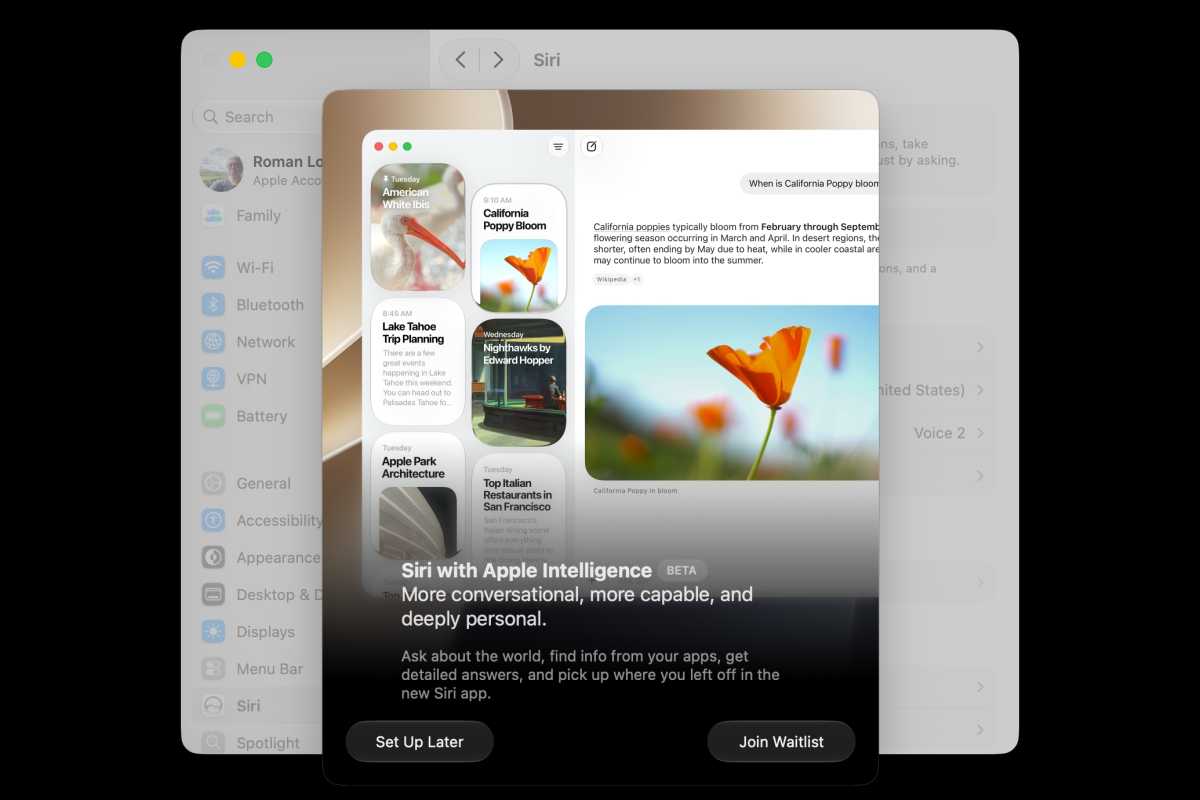
The Siri AI features in the first developer beta of macOS Golden Gate are not yet available.
Foiundry
So I felt that at this year’s WWDC, Apple had to do something to prove. Based on what was shown in the keynote, it looks like macOS Golden Gate will be the start of a new era of modernization that macOS sorely needs. Siri AI will unlock new levels of user productivity, free users from monotonous tasks, and allow users to try things they’d won’t before. Sure, it would’ve been nice if Apple didn’t have to turn to Google as a starting point, but Apple Foundation Models are still private and steeped in Apple training.
And there are flourishes all over macOS 27 that make the entire system more modern. For example, Apple is integrating Siri into the Spotlight search bar for all-over access. You can type any question into the search to start a conversation with Siri, kind of like an iMessage chat, but also extend it to documents and projects with system-wide context menus. As you work, the new Siri will recognize names, places, and messages, give writing suggestions, and help discover things that would normally take hours using Safari. The demo by OS system experience director Justin Titi was impressive and appeared to open up the Mac to a whole new world of possibilities.
While I’m excited by the possibilities with macOS Golden Gate, I’ll need to temper my enthusiasm. You can thank the WWDC24 false start for that. Also, as of the very first developer beta that was released on Monday, the new Siri AI features are not yet available–developers have to join a waitlist before they can get access. As of now, it’s very much a “wait until I see it” situation, but I’m optimistic.
]]>Apple took to the virtual stage yesterday for its annual WWDC keynote and, while it did not go so far as to apologize for anything (please, that would be uncouth), it almost might as well have.
Take Liquid Glass. Please. Apple didn’t so much walk back Liquid Glass as it did slide back Liquid Glass by providing a slider that goes from “All your layers are one incomprehensible jumble that we call Liquid Glass Ultra, and we think you’re gonna hate it” to “Oh, thank god, I can see things again”.
That slider should make a slide whistle noise.
That wasn’t all. Apple de-iconed the menus in macOS, another bone of contention among long-time Mac users, and standardized the corner radii of windows. Now if it would just fix those horrible app icons, it’d be all good.
With macOS Golden Gate on the horizon, Tahoe may be the first release of macOS that will never make it onto the Macalope’s primary machine.
In a bit of a surprise, Apple spent a good chunk of the early keynote discussing new and greatly needed improvements for parental controls. While they definitely raise concern about potential abuse by parents who are not supportive of kids just being who they are, they attempt to address the needs of parents trying to protect children from overtly sexual, violent or hateful content who have been struggling with iOS’s existing parental controls for years.
Thus, it was a bit unusual for a keynote in the Year of our Lord 2026 to get almost 30 minutes in with barely a mention of AI. The first real mention was in the context of parental controls as one of the things parents might be concerned about their kids having access to. Craig Federighi went so far as to say that it often seems like “some are racing ahead with AI for the sake of AI”.
Truly helpful AI must be centered around you and your needs.
It seems like Federighi saw the same stories about people booing mentions of AI that the Macalope did.
Of course then the company spent the rest of the keynote talking about AI, but it did grease the skids for it and couch it in terms of what AI can do for people without sacrificing their privacy rather than just cheerleading AI itself.
The first demo for Siri AI was, not surprisingly, very similar to Google’s demo at I/O: planning a party.
You may not like or be aware of it, but the big problem people currently have across the globe is, um… party planning.
We’ve had two keynotes in two months about it, so it must be.

If you’d like to receive regular news and updates to your inbox, sign up for our newsletters, including The Macalope and Apple Breakfast, David Price’s weekly, bite-sized roundup of all the latest Apple news and rumors.
Foundry
Yes, whether it’s a get-together with neighbors or a World Cup party with friends, the dark art of sending out an email, planning a menu and… whew… making a cringe-worthy image to highlight the event is what the masses are struggling with?
The Macalope knows it seems like there’d be bigger problems in the world people were trying to solve, but tech companies seem pretty sure it’s party planning. So, there ya go. Fortunately, they are ON IT. Rest assured, they have been WORKING ON THE ISSUE and have some very exciting solutions to the party planning problem.
It’s not that they have this AI technology they’re desperate to sell to people and are just trying to find something, anything, they can do with it. Perish the thought. And Apple’s not showing the same demo with just a different kind of party because it’s using Google’s AI. That’s not it, either. Nope. They’re doing it because none of you dopes know how to make a party happen. Apparently.
The company also showed a number of other AI features coming in its new operating system releases. The ability to reframe photos was a particular standout, and the Macalope feels like he could actually use the Safari extension creator and tab organization features.
Overall, the horny one thinks Apple hit the right tone with its announcement. If you need any proof, just know this: the stock market hated it! Apple shares dropped precipitously and predictably as soon as Siri demos started.
If it wasn’t for the market then it was probably for us.
Indeed, while the keynote may have lacked anything huge and saddled with the baggage of trying to finally deliver the stuff they promised two years ago, it focused on tangible benefits and on fixing what currently isn’t working so well. Calling this a Snow Leopard year is far from an insult, it’s a compliment.
]]>Apple’s WWDC keynotes are usually reminiscent of a painstakingly curated meal at a high-class restaurant. Perhaps a little iPad software as an amuse-bouche, sir? Then, can I recommend the iPhone as your starter, the Mac for the main course, a small dish of Apple Watch to clear the palate, and finally just a soupçon of Vision Pro as dessert. WWDC26, which saw the various OSes crammed together willy-nilly, was more like the anarchy of an all-you-can-eat hotel breakfast.
Partly, this seems to be the result of Apple not having all that much to say about each product in isolation. As in September 2023, when Apple suddenly cared passionately about the environment, the company’s lengthy discussion of the (undoubtedly important) subject of child safety was a giveaway that its commercial priorities didn’t merit as much stage time as usual. But mainly it was because the feature that did need extensive discussion, Siri AI, is integrated across the ecosystem. Siri AI’s alluring promises are relevant to nearly every Apple customer.
Personally, though, I’ll believe it when I see it. We’ve been here before: two years before, to be exact, when Apple Intelligence was unveiled at WWDC24. Apple was adamant that a new contextually aware version of Siri would be ready in time for iOS 18 and the 16-series iPhones, and even made a commercial showing this off. In the end it turned out that building a contextually aware Siri was quite a bit harder than the company expected, and it had to pay compensation to iPhone 16 buyers who felt ripped off.
Did Siri AI look decent in the demos? I suppose it did. As I’ve explained elsewhere, it doesn’t exactly feel like a cutting-edge voice assistant, with what seemed to be distinctly mediocre performance on the speed front without any stand-out features you can’t get from any number of other chatbots. But it looks a lot better than current Siri, and that’s what I wanted.
Apple was keen to emphasise that Siri AI is significantly more accurate than its predecessor. It has the contextual awareness we were promised in 2024, which makes it far more powerful and capable; instead of having to begin from scratch each time you make a query, you can depend on the software keeping in mind the context of previous comments, along with relevant personal data, information, and images onscreen, and the content of your emails and messages. It’s easier to have a conversation with someone who’s well informed.
For the first time, Siri is getting a dedicated app. This means you can easily access previous conversations and the information contained within, and carry on where you left off. Better still, you can start a conversation on your Mac at work and then continue this on your iPhone on the train home. And Apple says the new version of Siri can perform actions in more apps, giving it agentic powers to accomplish multi-step tasks.
As I say, very little of this is new in the wider sense. While Siri AI has access to parts of your iPhone that no other AI agent has, I wouldn’t expect the average AI enthusiast to get excited. But current Siri has set the bar so low that these moderate upgrades are hugely appealing to me. The problem is that at this point, so much is still unsure.
Those demos, for example. How legit are they? Is Siri AI actually that reliable, or did they have to run multiple attempts and take the best? Are we sure that was even live software and not a simulation like in the commercial? One of the biggest negatives of the switch from live to recorded event presentations is that demos become essentially meaningless as a measure of a feature’s real-world experience.
There are political uncertainties, too. Apple says Siri AI won’t initially be available on iPhone or iPad in the EU because of the Digital Markets Act and admitted that “there is currently no timeline” for this to happen. For now, it can only handle English; the company says it “will quickly expand support for more languages,” but again, doesn’t offer a date.
Privacy is central to Apple’s marketing of Siri AI, but that too is a point of uncertainty. We know that some user data will be processed on Google servers, but it isn’t clear exactly how this will be protected. Apple has its own Private Cloud Compute technology but this doesn’t appear to offer good enough performance, so Nvidia’s “confidential computing” feature may have to do the job instead. Does that meet Apple’s privacy standards, or is this simply the most convenient option?
Siri AI will launch to users “later this year” (how much later? Does this mean it may not be part of iOS 27.0?), but it will be classified as a beta, which is often a sign that we should expect suboptimal performance. In the meantime, developers can test out its features, but there’s a waiting list to get in. And so for now, we have to take a great deal on trust, and that’s not easy when you’ve been let down so many times before.
Foundry
Welcome to our weekly Apple Breakfast column, which includes all the Apple news you missed last week in a handy bite-sized roundup. We call it Apple Breakfast because we think it goes great with a Monday morning cup of coffee or tea, but it’s cool if you want to give it a read during lunch or dinner hours too.
Top stories from WWDC 2026
iOS 27’s Siri AI is actually going to change how Felipe Esposito uses his iPhone.
Apple’s new Siri doesn’t feel very new.
Apple just killed Alex Blake’s Apple Intelligence dreams.
Mahmoud Itani’s fingers already love this macOS 27 Safari feature.
With its watchOS 27 announcement, Apple just made about a million Apple Watches obsolete.
You can catch up on all of yesterday’s announcements, along with our reaction as they happened, with our WWDC26 liveblog.
Have your say: AI haters, unite!
I expected pushback after lambasting AI hype in the last Apple Breakfast, but was pleasantly surprised by your supportive messages.
“Thank you for a wonderful pre-WWDC piece!” wrote Garry H. “Agree that the best AI is no AI.” John S., meanwhile, said AI has not been well thought out in its use cases, and expressed a hope that Apple doesn’t follow Microsoft down this path. “Unfortunately,” he added, “the tech companies see a need to recoup the huge investment. If Apple does go down the AI rabbit hole, all I ask is that it gives users an opt-out.”
Michael, finally, wants to make use of AI, “but not until we apply effective guardrails in its access and application, and until we massively rethink environmentally and economically how to power it. Right now, the overlords’ myth of inevitability is driving this false need to force adoption at the expense of… well, everyone and everything.”
Video of the week
@macworld.com
The new Siri AI voice is almost TOO good #apple #ios27
♬ original sound – Macworld – Macworld
In iOS 27 Siri gets a new voice. And it’s good! Check it out. For more short videos, follow us on TikTok and Instagram.
And with that, we’re done for this week’s Apple Breakfast. If you’d like to get regular roundups, sign up for our newsletters, including our new email from The Macalope–an irreverent, humorous take on the latest news and rumors from a half-man, half-mythical Mac beast. You can also follow us on Facebook, Threads, Bluesky, or X for discussion of breaking Apple news stories. See you next Monday, and stay Appley.
]]>
Apple @ Work is exclusively brought to you by Mosyle, the only Apple Unified Platform. Mosyle is the only solution that integrates in a single professional-grade platform all the solutions necessary to seamlessly and automatically deploy, manage & protect Apple devices at work. Over 45,000 organizations trust Mosyle to make millions of Apple devices work-ready with no effort and at an affordable cost. Request your EXTENDED TRIAL today and understand why Mosyle is everything you need to work with Apple.
In this episode of Apple @ Work, Aaron Morin and Lance Crandall from Iru join the show to talk about all things MCP servers and Apple device management.
more…
]]>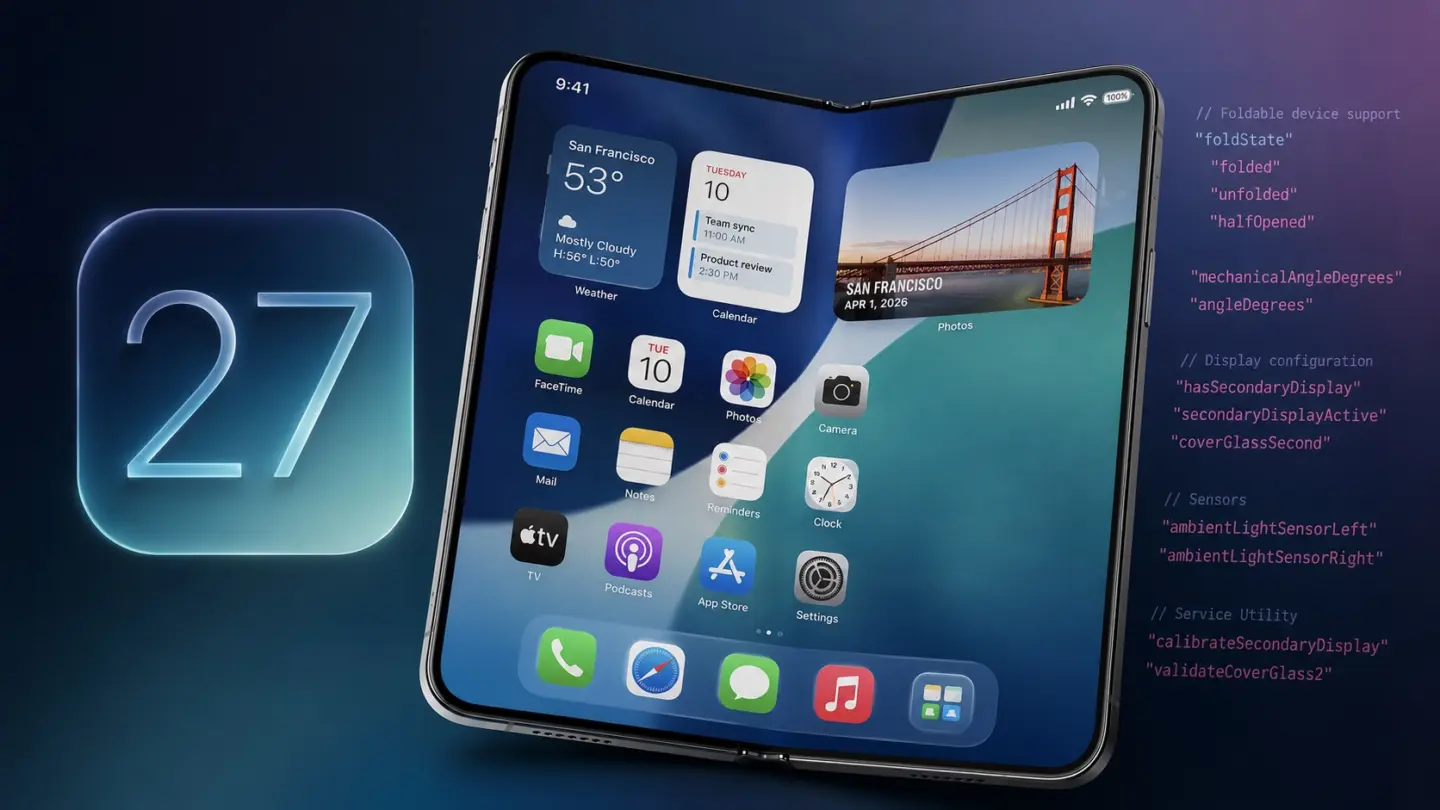
Hidden code in the first iOS 27 beta offers Apple’s strongest software hint yet that its long-rumored foldable iPhone is getting closer to launch.
(via Cult of Mac – Your source for the latest Apple news, rumors, analysis, reviews, how-tos and deals.)
]]>Rumors that Apple is working on a foldable device have been swirling all year, with all of them pointing to the launch of the Phone Ultra later this year. And although Apple has never said a word about it, iOS 27 has just given us a major clue that this new foldable device is indeed coming later this year.
After digging through parts of the iOS 27 code following WWDC 2026, developer Sam Henri Gold discovered new internal references tied to device folding states. Macworld was able to independently confirm the findings, and some of these references are extremely difficult to explain away as anything other than foldable device support.
Specifically, the code includes references to “foldState” and “angleDegrees,” internal status values apparently designed to tell apps whether a device is folded and at what angle. That may not sound particularly exciting at first glance. But here’s the important detail: no current Apple device uses these states.
To add fuel to the fire, Macworld also found internal code suggesting that Apple has been testing a device that features both Dynamic Island and Touch ID – a combination that doesn’t exist in any device today.
Given these references, it’s clear that iOS 27 is ready for a new category of device. One that likely features a foldable display.
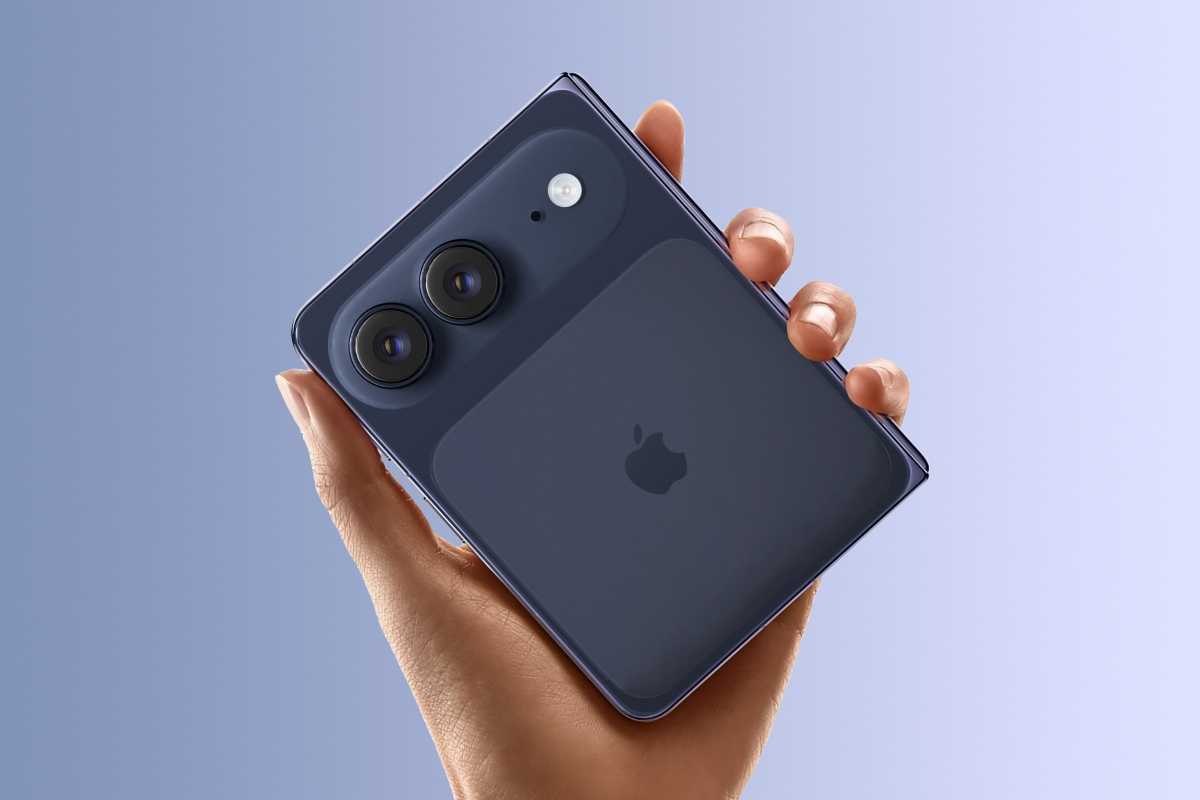
Apple left some pretty clear signs that the folding iPhone Ultra is indeed coming soon.
Foundry
Apple is clearly preparing apps for foldable displays
During the Platforms State of the Union session at WWDC, Apple repeatedly encouraged developers to stop designing apps around fixed screen assumptions. Instead, developers were told to ensure apps can resize dynamically and adapt fluidly to different screen configurations.
On its own, that advice sounds fairly generic. Apple has spent years pushing developers toward responsive layouts across the iPhone, iPad, and Mac. But in the context of the newly discovered fold-related APIs, those comments start sounding very specific.
There’s more: with iOS 27 and macOS 27, users can finally resize iPhone Mirroring to any size they want, making an iPhone app the same size as an iPad app on the Mac. It’s almost as if iOS were ready for an iPhone capable of running apps on both screen sizes.
Apple rarely announces entirely new product categories without first quietly preparing its software ecosystem behind the scenes. For example, back in 2014, before the iPhone 6 was announced, Apple encouraged developers to make their apps more flexible when it came to screen sizes. Of course, there were already two different iPhone sizes at the time, but the company was clearly looking ahead to the iPhone 6 and iPhone 6 Plus, and later, the iPhone X.
We also saw similar groundwork years before the Vision Pro launched, with Apple gradually introducing spatial computing frameworks into its developer tools long before the headset was official.
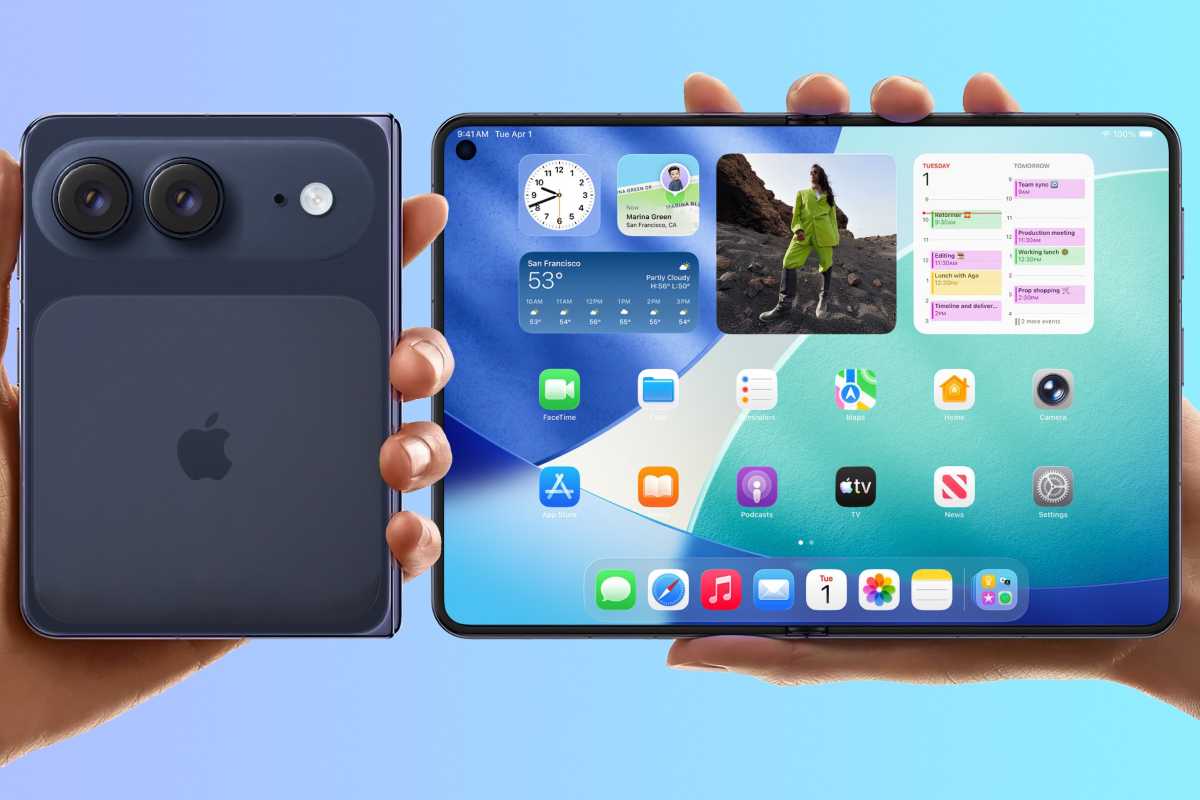
The folding iPhone is rumored to open up to a screen that’s roughly the size of an iPad mini.
Foundry
Apple’s foldable strategy is finally taking shape
Of course, hidden code references don’t guarantee a product launch anytime soon. Apple constantly experiments internally with hardware and features that never see the light of day. And it’s entirely possible that these code references are related to early prototypes.
But taken together, the evidence surrounding iOS 27 feels unusually specific. There are references to folded mode, APIs for detecting display angles, Apple encouraging developers to create resizable interfaces, and internal flags suggesting the existence of a device with a Dynamic Island but without Face ID, which fit rumors of the so-called iPhone Ultra.
And if iOS 27 is already laying the software groundwork, the first folding iPhone may be just around the corner.
]]>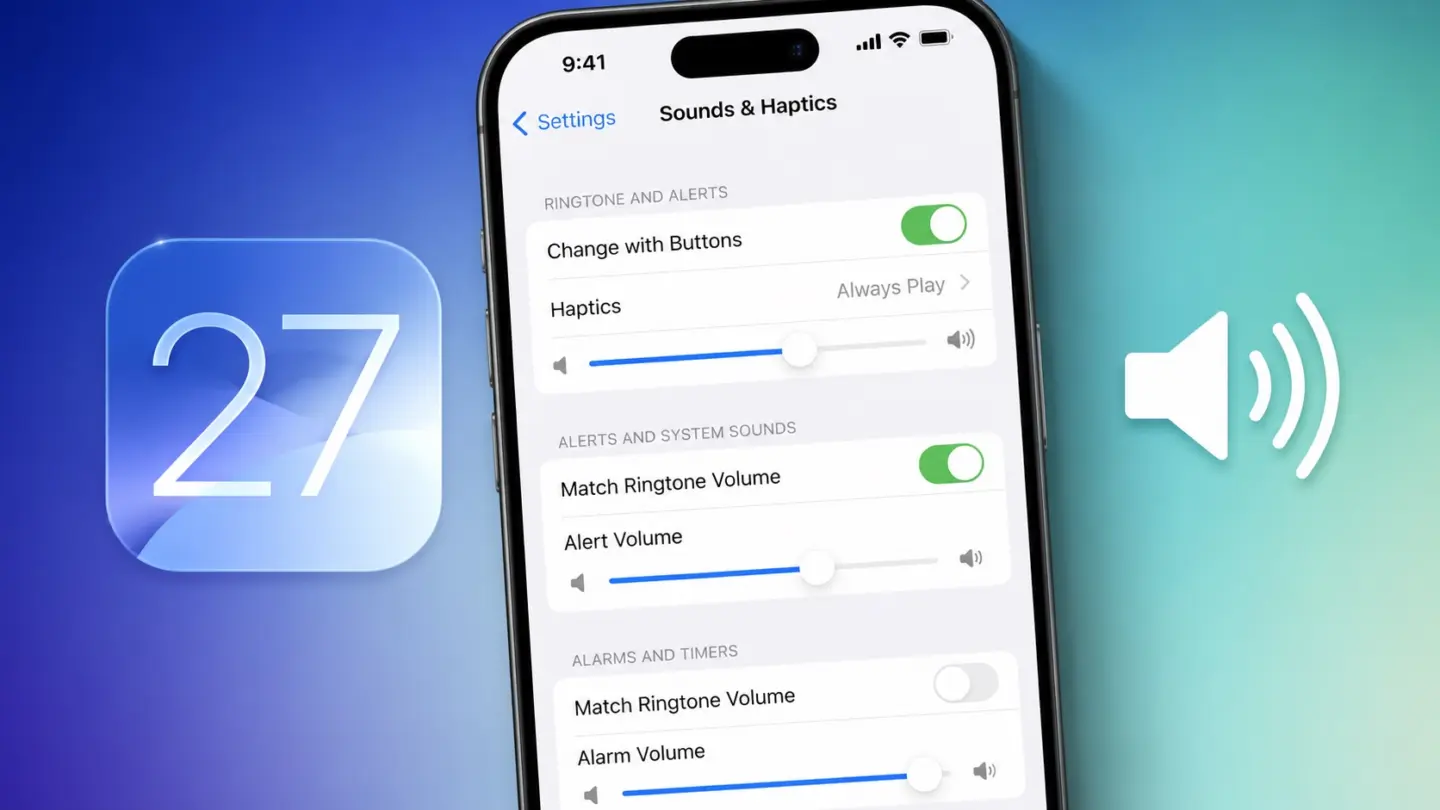
iOS 27 will fix a major iPhone frustration by letting you independently adjust the volume of ringtones, alarms and system alerts.
(via Cult of Mac – Your source for the latest Apple news, rumors, analysis, reviews, how-tos and deals.)
]]>TL;DR: A 1-year ChatOn AI Assistant Premium Plan is on sale for $29.99 (reg. $39.99).
ChatGPT, Gemini, and Claude all have two things in common. They each cost $20/month, and the monthly subscription is probably the worst way to get them. ChatOn’s AI Assistant bundles access to major AI models like GPT, Gemini, and Claude into a single app, and right now, it’s only $29.99 for your first year.
All your AI models, one place
ChatOn gives you access to GPT, Gemini, Claude, Sonar, and more without separate accounts or subscriptions. You pick whichever model fits the task, whether that’s Claude for writing, Gemini for research, or GPT for reasoning – all without switching apps. It also comes loaded with over 100 prewritten prompts across multiple categories, so you’re not starting from scratch every time.
There’s a reason ChatOn has over 100 million downloads. Beyond text chat, the app can generate AI images, process PDF, DOC, and EPUB files, perform OCR text extraction, and real-time web search with source links. There’s even an AI keyboard integration that lets you generate text directly inside other apps on your iPhone or Mac.
One account gives you access from unlimited devices across iOS, Android, and web, so your setup travels with you. ChatOn won Best User Experience at the 14th Annual Lovie Awards, and if that doesn’t tell you how users feel about the platform, the high reviews on the App Store speak for themselves. Whether you’re on your MacBook at the office or your iPhone on the go, ChatOn AI keeps your tools synced and ready, no context switching required.
Get a 1-year ChatOn AI Assistant Premium Plan for $29.99 (reg. $39.99).
ChatOn AI Assistant Premium PlanSee Deal
StackSocial prices subject to change.
]]> uGreen NASync DXP4800 GTuGreen has built out its NAS range quickly since entering the category. AppleInsider has covered uGreen NAS hardware before, including hands-on time with the NASync IDX6011 Pro.The DXP4800 GT is a new branch of the lineup. uGreen frames the “GT” name around Grand Touring, pitching it as built for sustained performance over long sessions. Continue Reading on AppleInsider | Discuss on our Forums
]]>
uGreen NASync DXP4800 GTuGreen has built out its NAS range quickly since entering the category. AppleInsider has covered uGreen NAS hardware before, including hands-on time with the NASync IDX6011 Pro.The DXP4800 GT is a new branch of the lineup. uGreen frames the “GT” name around Grand Touring, pitching it as built for sustained performance over long sessions. Continue Reading on AppleInsider | Discuss on our Forums
]]>
Listen to a recap of the top stories of the day from 9to5Mac. 9to5Mac Daily is available on iTunes and Apple’s Podcasts app, Stitcher, TuneIn, Google Play, or through our dedicated RSS feed for Overcast and other podcast players.
Sponsored by CardPointers: The best way to maximize your credit card rewards. 9to5Mac Daily listeners can exclusively save 30% and get a $200 Savings Card.
more…
]]>
Listen to a recap of the top stories of the day from 9to5Mac. 9to5Mac Daily is available on iTunes and Apple’s Podcasts app, Stitcher, TuneIn, Google Play, or through our dedicated RSS feed for Overcast and other podcast players.
Sponsored by CardPointers: The best way to maximize your credit card rewards. 9to5Mac Daily listeners can exclusively save 30% and get a $200 Savings Card.
more…
]]>
Listen to a recap of the top stories of the day from 9to5Mac. 9to5Mac Daily is available on iTunes and Apple’s Podcasts app, Stitcher, TuneIn, Google Play, or through our dedicated RSS feed for Overcast and other podcast players.
Sponsored by CardPointers: The best way to maximize your credit card rewards. 9to5Mac Daily listeners can exclusively save 30% and get a $200 Savings Card.
more…
]]>
Despite not getting much airtime during today’s WWDC keynote, visionOS 27 is bringing several new features to Apple Vision Pro, including a new Environment from the Icelandic highlands. Here are the details.
more…
]]> macOS Golden Gate gets rid of the icons by menu itemsIn Disney’s 2004 animated film The Incredibles, a very basic concept of “when everyone is special, no one is” is explored. Alan Dye must not have seen that movie or the many like it.Well, now that he’s gone, so is his team’s decision to frustratingly place icons next to every menu item. Apple announced macOS Golden Gate on Monday, and it has fixed this problem. Continue Reading on AppleInsider | Discuss on our Forums
]]>macOS Golden Gate gets rid of the icons by menu itemsIn Disney’s 2004 animated film The Incredibles, a very basic concept of “when everyone is special, no one is” is explored. Alan Dye must not have seen that movie or the many like it.Well, now that he’s gone, so is his team’s decision to frustratingly place icons next to every menu item. Apple announced macOS Golden Gate on Monday, and it has fixed this problem. Continue Reading on AppleInsider | Discuss on our Forums
]]>
macOS Golden Gate gets rid of the icons by menu itemsIn Disney’s 2004 animated film The Incredibles, a very basic concept of “when everyone is special, no one is” is explored. Alan Dye must not have seen that movie or the many like it.Well, now that he’s gone, so is his team’s decision to frustratingly place icons next to every menu item. Apple announced macOS Golden Gate on Monday, and it has fixed this problem. Continue Reading on AppleInsider | Discuss on our Forums
]]>macOS Golden Gate gets rid of the icons by menu itemsIn Disney’s 2004 animated film The Incredibles, a very basic concept of “when everyone is special, no one is” is explored. Alan Dye must not have seen that movie or the many like it.Well, now that he’s gone, so is his team’s decision to frustratingly place icons next to every menu item. Apple announced macOS Golden Gate on Monday, and it has fixed this problem. Continue Reading on AppleInsider | Discuss on our Forums
]]>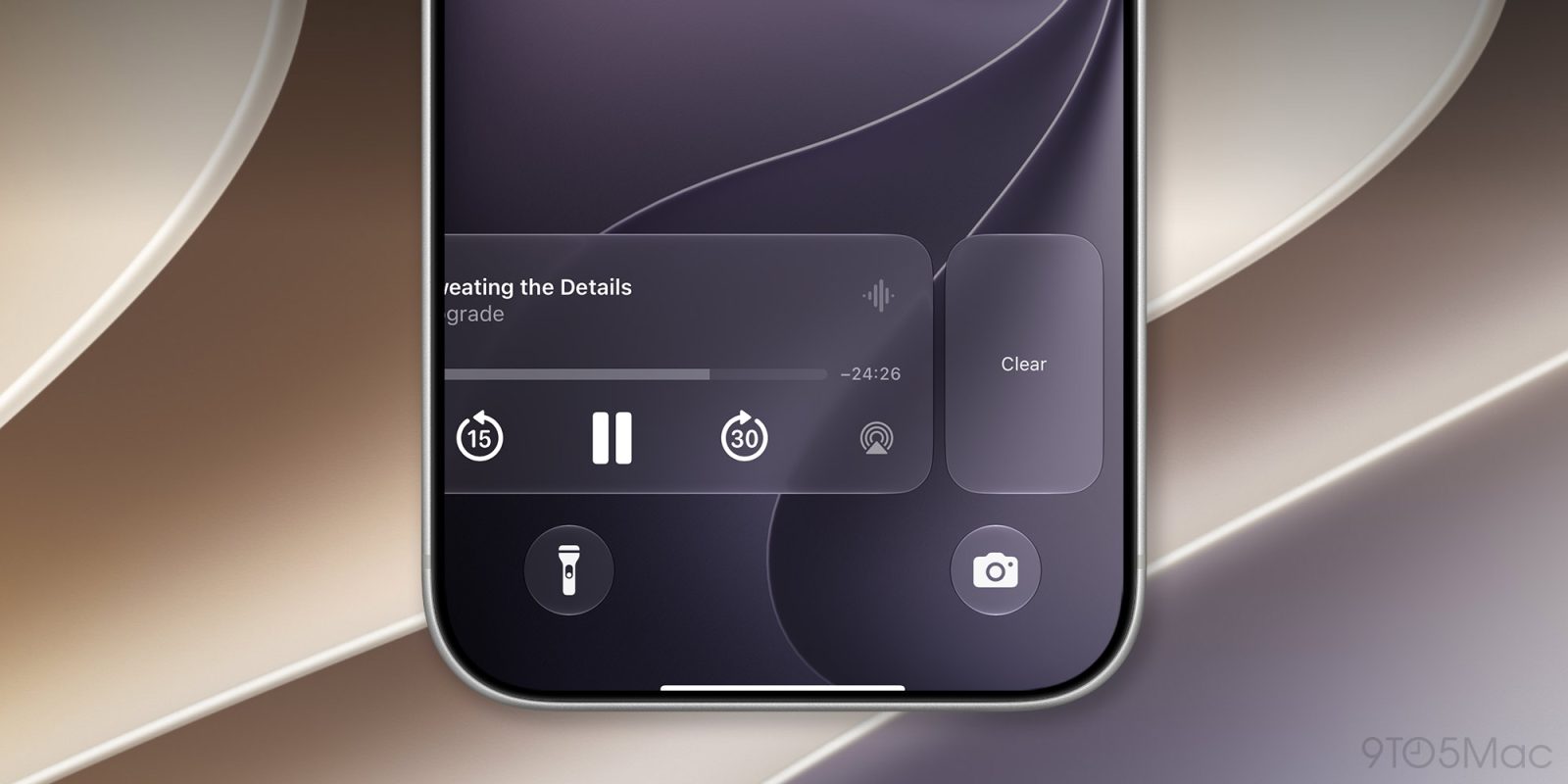
In iOS 27, users will be able to clear the Now Playing widget on their lock screens, just like notifications. Here are the details.
more…
]]> Apple used WWDC26 to showcase deeper AI integration across its ecosystem, enhanced Siri capabilities, and new tools aimed at improving child safety. The post AI Integration, Child Safety Touted by Apple at WWDC26 appeared first on TechNewsWorld.
]]>
Apple used WWDC26 to showcase deeper AI integration across its ecosystem, enhanced Siri capabilities, and new tools aimed at improving child safety. The post AI Integration, Child Safety Touted by Apple at WWDC26 appeared first on TechNewsWorld.
]]>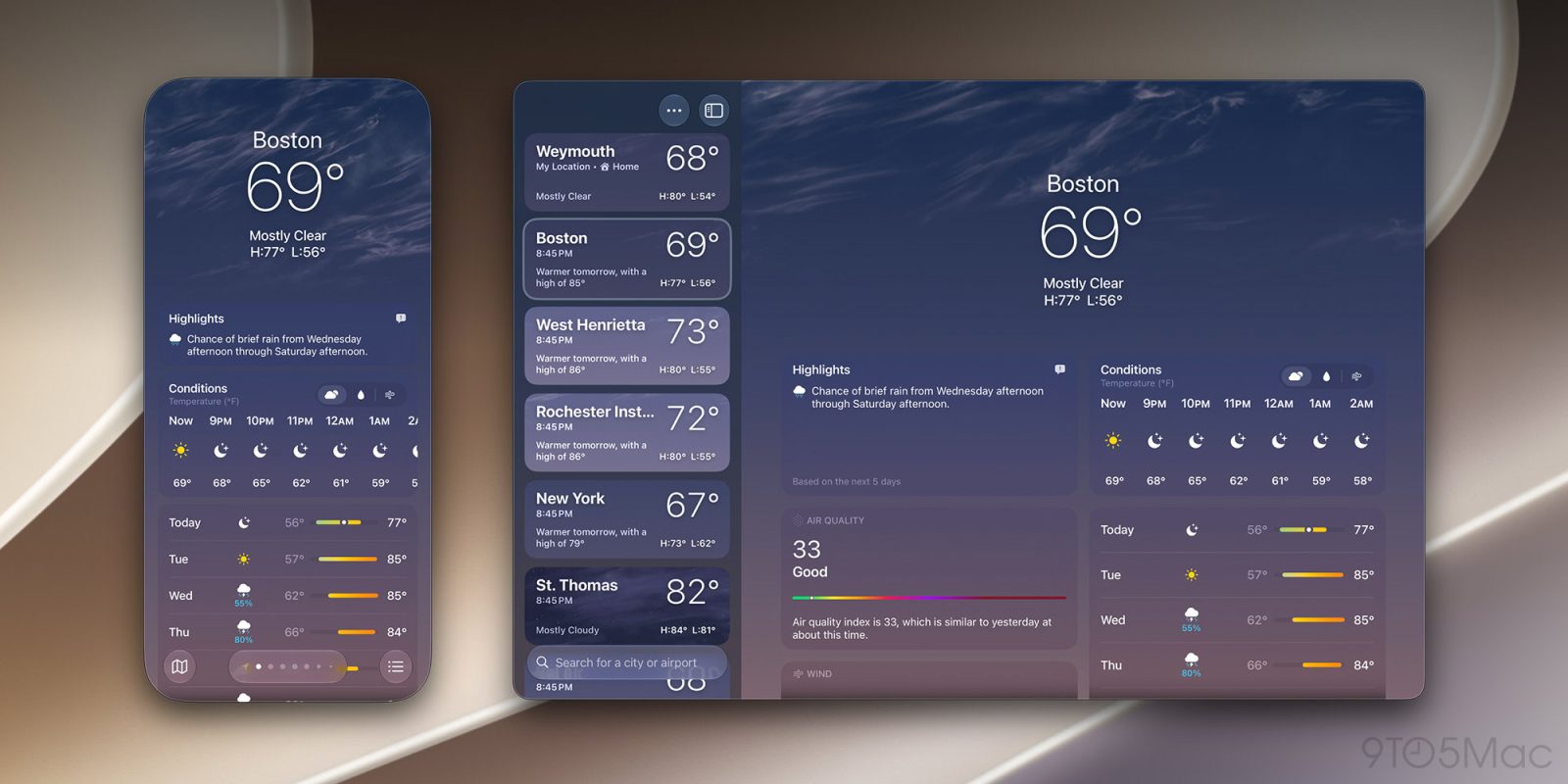
Among the new features in macOS 27 Golden Gate is the ability to resize the iPhone Mirroring window using additional aspect ratios. Here are the details.
more…
]]>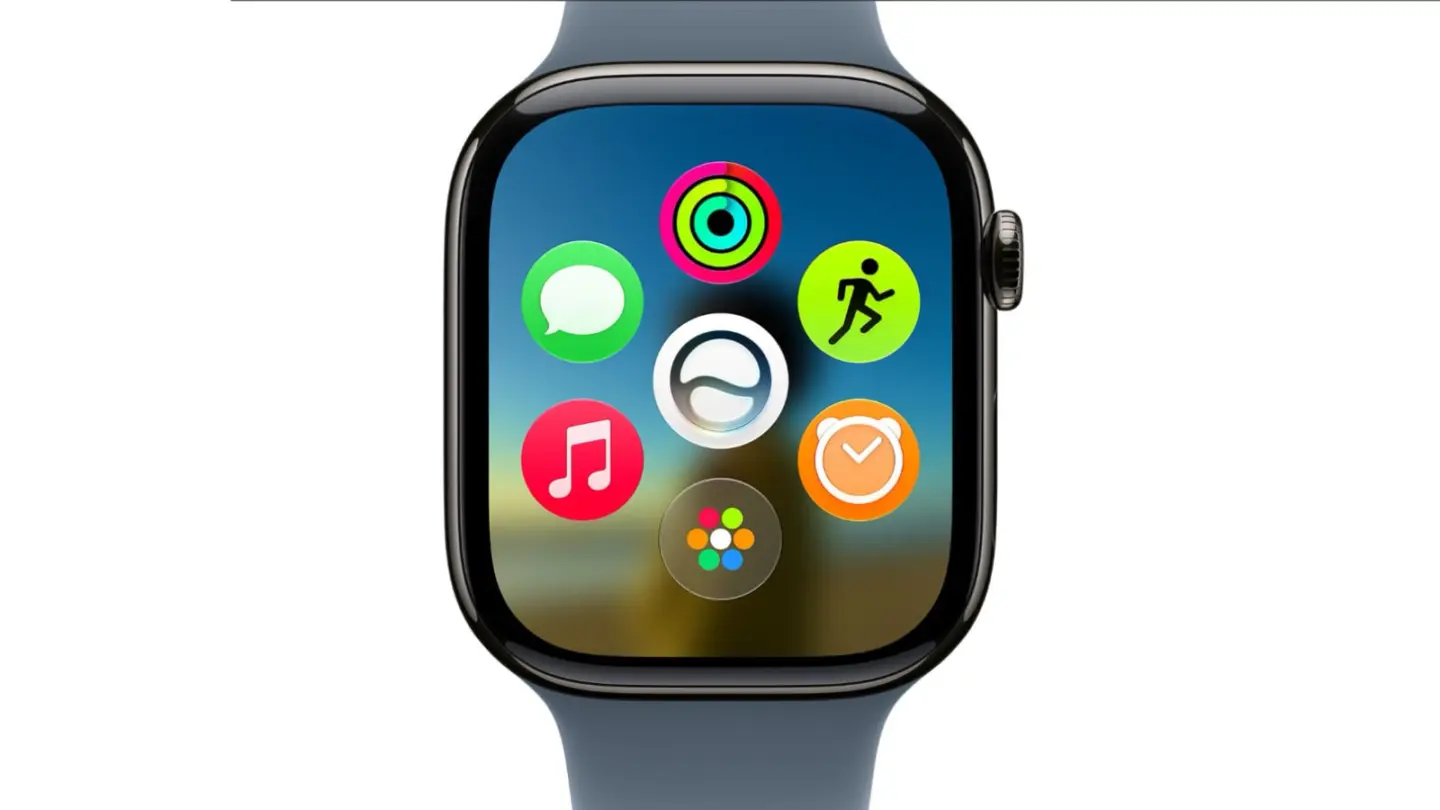
From Siri AI to smarter Workout Buddy, here’s what watchOS 27 will bring to the Apple Watch this fall.
(via Cult of Mac – Your source for the latest Apple news, rumors, analysis, reviews, how-tos and deals.)
]]>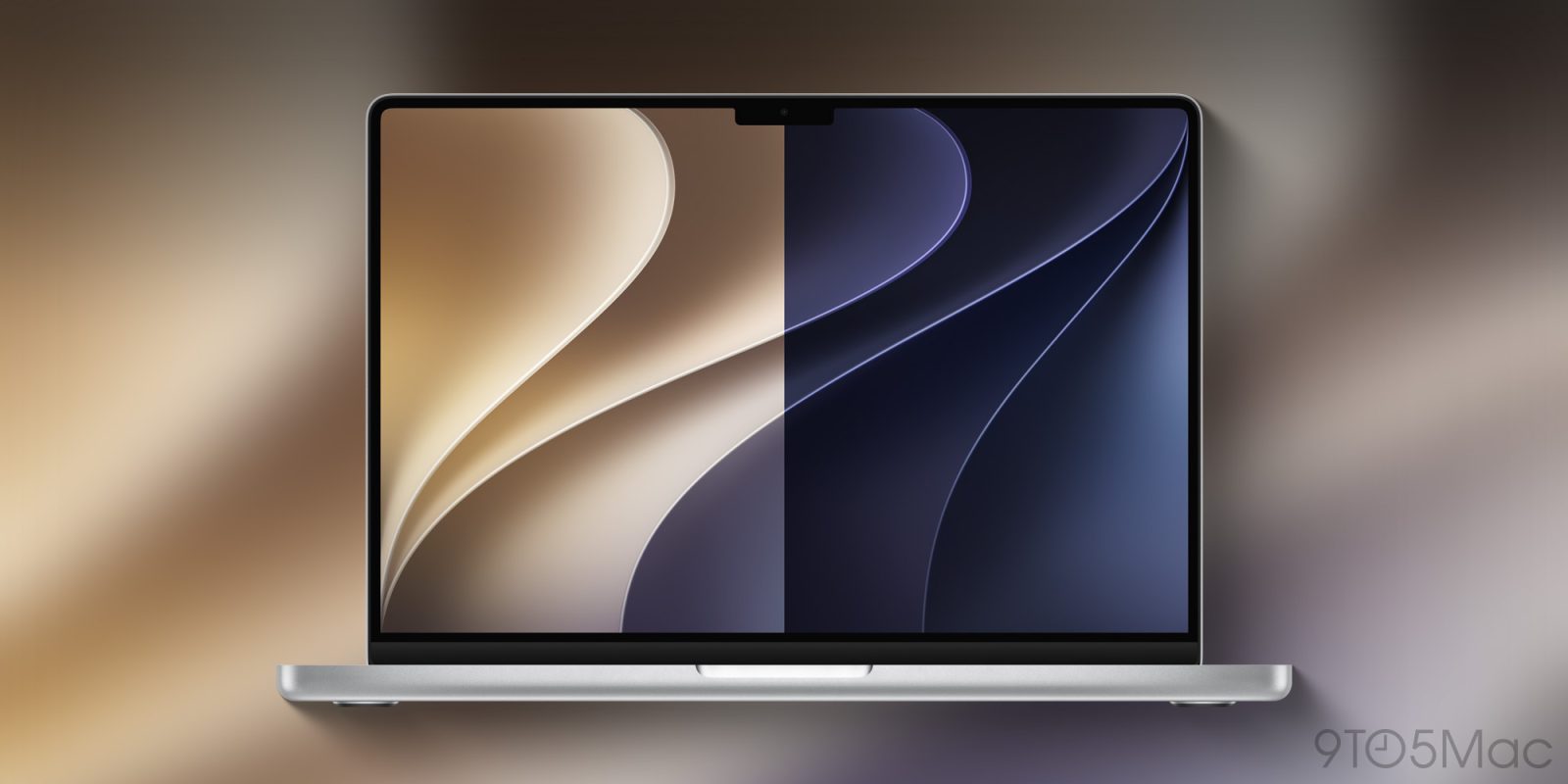
And even though macOS 27 Golden Gate won’t launch for a few more months, you can already get the new light and dark wallpapers from the gallery below.
more…
]]>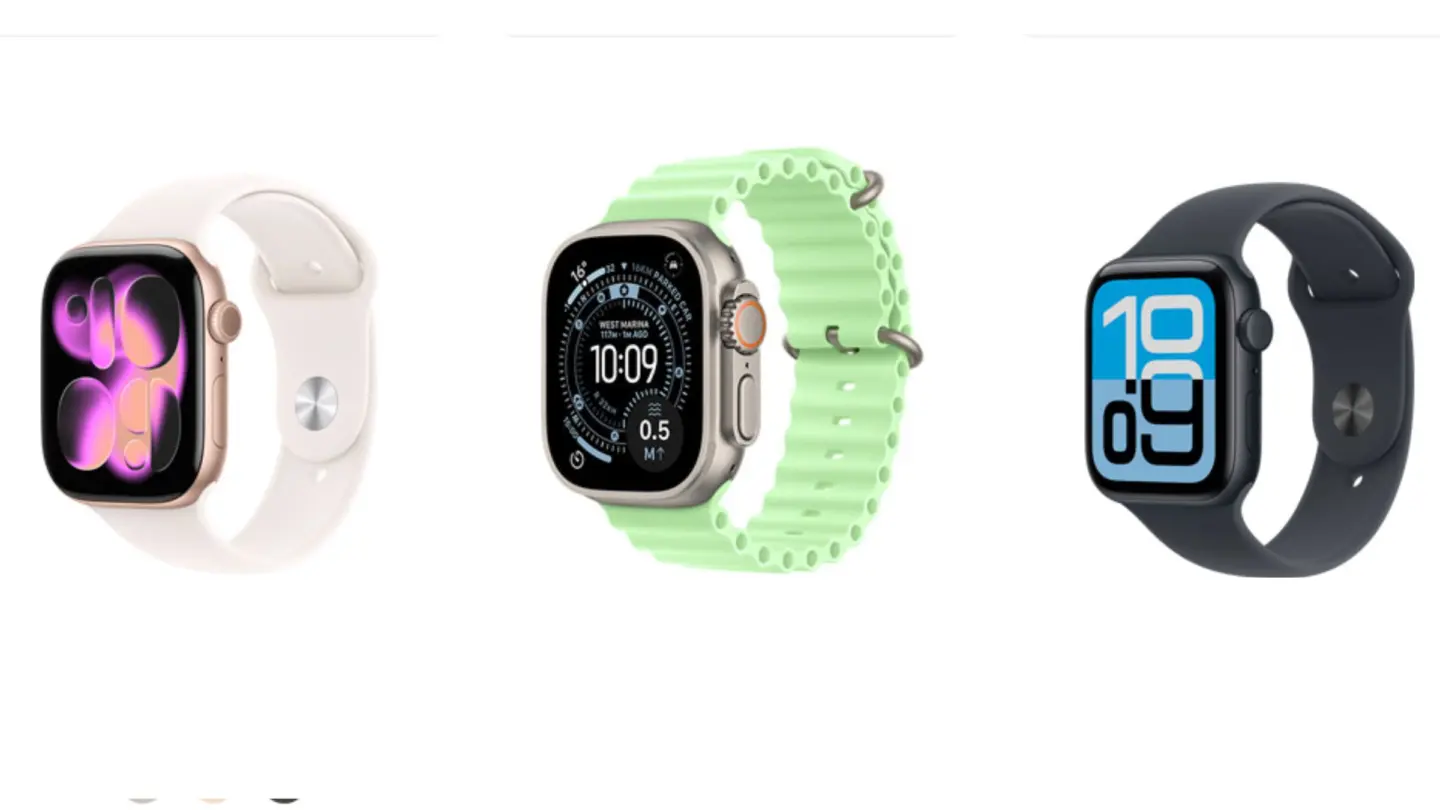
All three Apple Watch models from last September’s lineup are now available refurbished directly from Apple.
(via Cult of Mac – Your source for the latest Apple news, rumors, analysis, reviews, how-tos and deals.)
]]>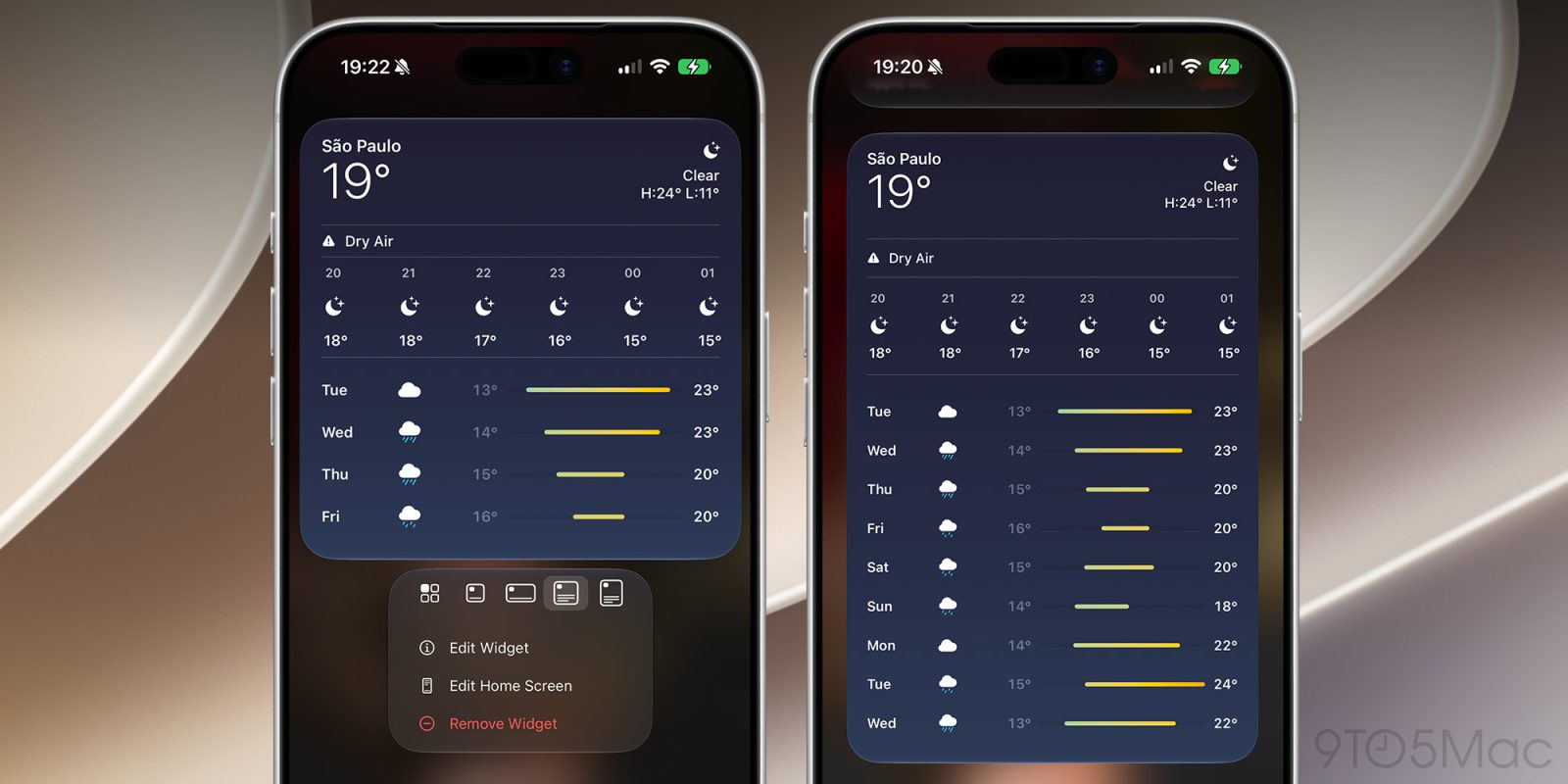
With iOS 27, users will be able to add new extra-large widgets to their Today View and Home Screen. Here are the details.
more…
]]> The new Apple Foundation Models doesn’t have a drop of Google codeWWDC 2026 was a rollercoaster event that primarily focused on Apple’s latest AI upgrades. This time, though, they had a little help from Google.Apple pre-announced that Google was providing Gemini technology to help develop the new Apple Foundation Models, but didn’t say much else. The rampant speculation painted a portrait of scrambling and failure, as usual.The reality is exactly what AppleInsider has been reporting all along, which makes sense. All of the information was there if you were willing to see it for what it was. Continue Reading on AppleInsider | Discuss on our Forums
]]>
The new Apple Foundation Models doesn’t have a drop of Google codeWWDC 2026 was a rollercoaster event that primarily focused on Apple’s latest AI upgrades. This time, though, they had a little help from Google.Apple pre-announced that Google was providing Gemini technology to help develop the new Apple Foundation Models, but didn’t say much else. The rampant speculation painted a portrait of scrambling and failure, as usual.The reality is exactly what AppleInsider has been reporting all along, which makes sense. All of the information was there if you were willing to see it for what it was. Continue Reading on AppleInsider | Discuss on our Forums
]]>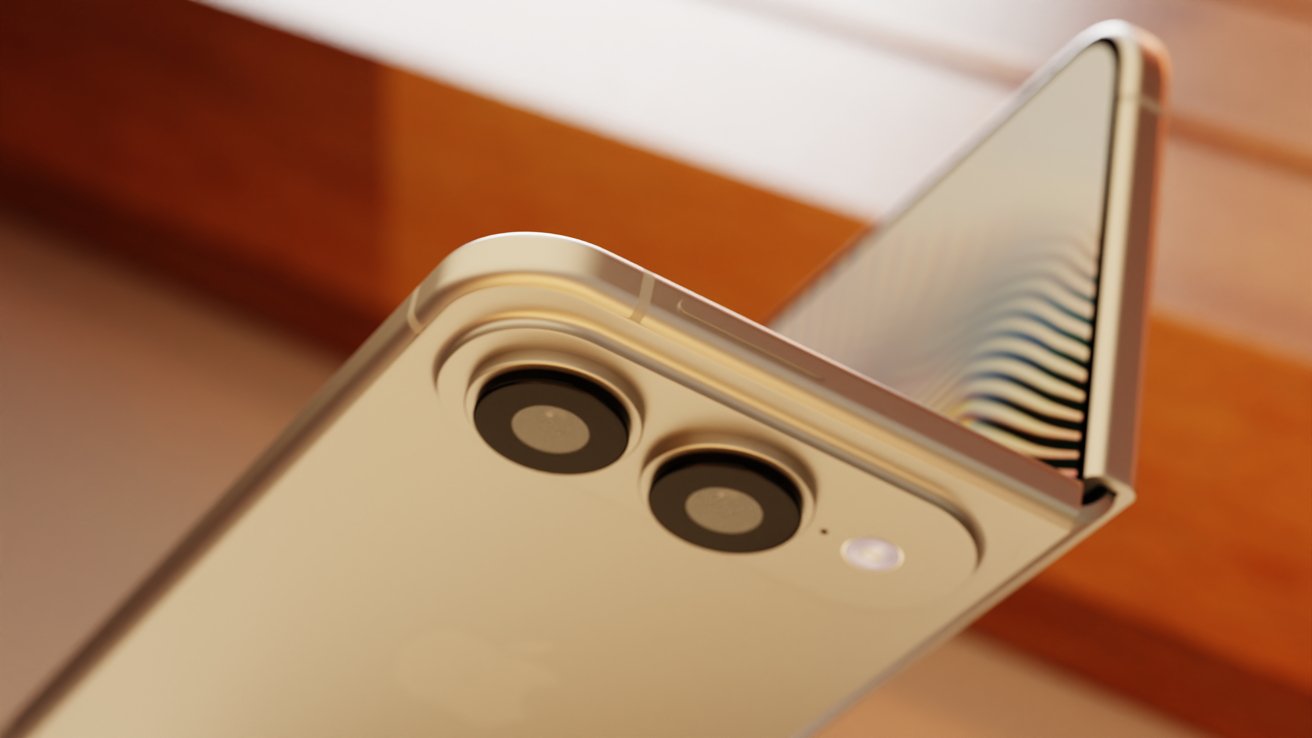 Code in iOS 27 hints at iPhone FoldApple does its best to hide any code that might give away some future product, but it isn’t always perfect. Code references in iOS 27 show some of what Apple is preparing for the upcoming iPhone Fold.Even though there hasn’t been a single component leak or information about mass production starting, some believe iPhone Fold is still coming in September. These bits of code certainly suggest Apple is working to release iPhone Fold, but say little else. Continue Reading on AppleInsider | Discuss on our Forums
]]>
Code in iOS 27 hints at iPhone FoldApple does its best to hide any code that might give away some future product, but it isn’t always perfect. Code references in iOS 27 show some of what Apple is preparing for the upcoming iPhone Fold.Even though there hasn’t been a single component leak or information about mass production starting, some believe iPhone Fold is still coming in September. These bits of code certainly suggest Apple is working to release iPhone Fold, but say little else. Continue Reading on AppleInsider | Discuss on our Forums
]]>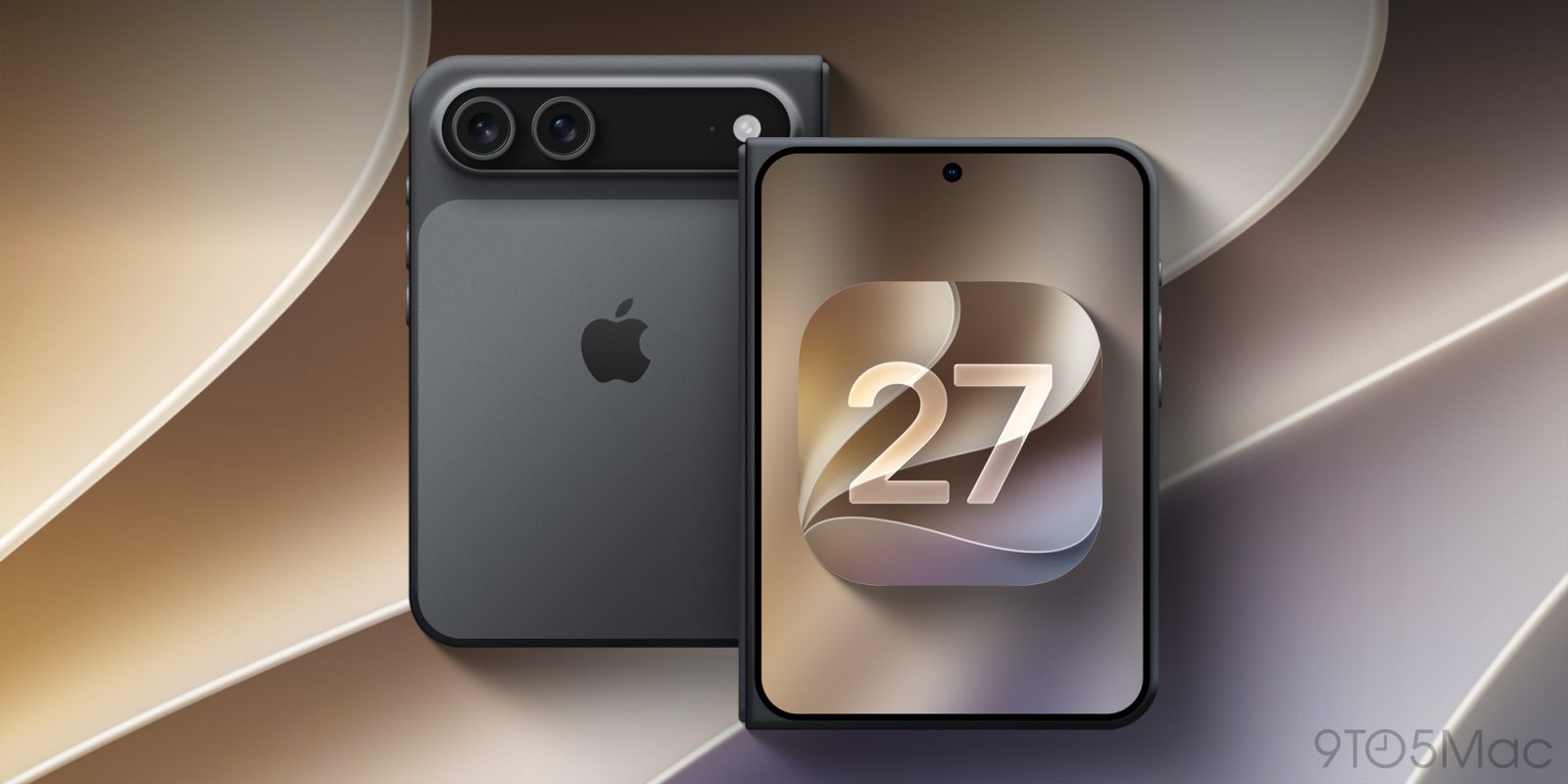
Apple released the first iOS 27 developer beta today, and code for the update includes references to features that can only belong to a foldable iPhone.
more…
]]>
Explore the significant performance enhancements for iPhone, Mac and iPad coming this fall, bringing faster operation and fewer bugs.
(via Cult of Mac – Your source for the latest Apple news, rumors, analysis, reviews, how-tos and deals.)
]]>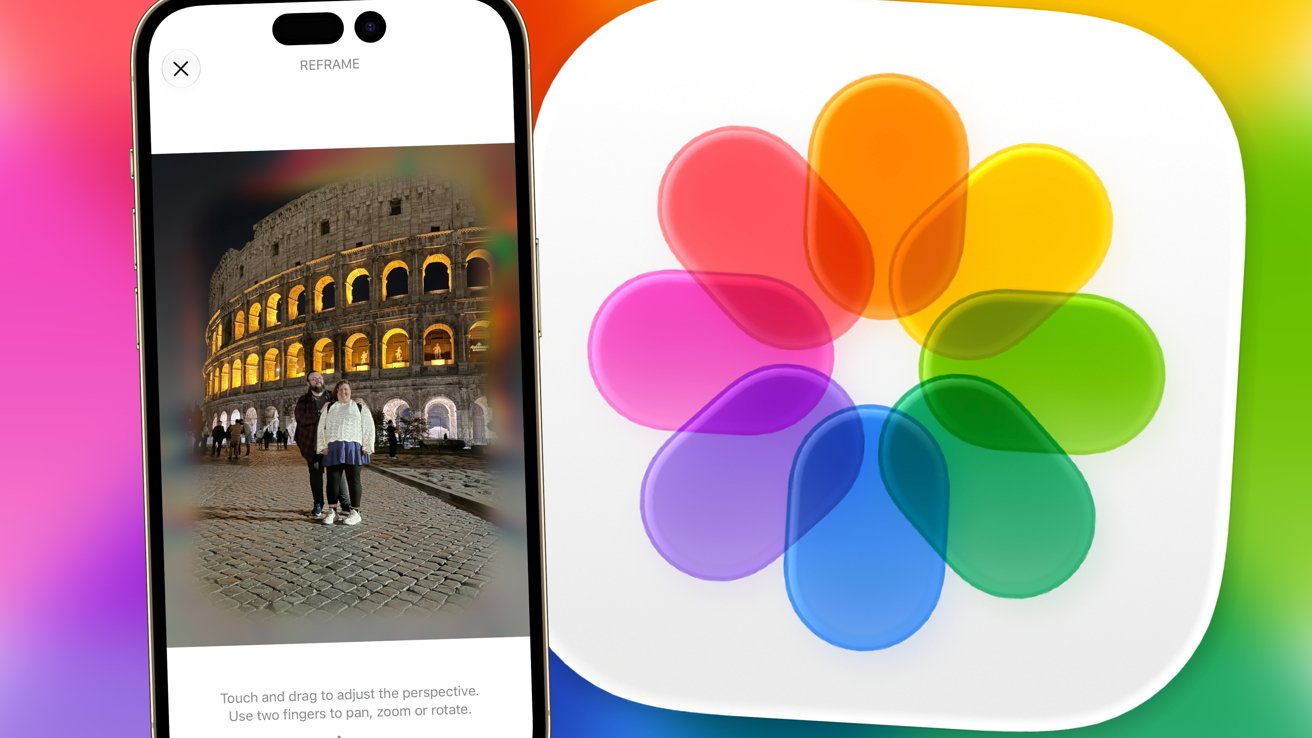 iOS 27 Photos gains Spatial ReframingWWDC 2025 included a neat feature for Spatial Photos that lets users convert flat images into 3D scenes. By moving the iPhone around, you could temporarily re-angle your shot and explore the scene.It was a neat trick, but it wasn’t that much of a major feature for photographers. It did, at least, give you an idea of how a Spatial Photo would look on something like an Apple Vision Pro. Continue Reading on AppleInsider | Discuss on our Forums
]]>
iOS 27 Photos gains Spatial ReframingWWDC 2025 included a neat feature for Spatial Photos that lets users convert flat images into 3D scenes. By moving the iPhone around, you could temporarily re-angle your shot and explore the scene.It was a neat trick, but it wasn’t that much of a major feature for photographers. It did, at least, give you an idea of how a Spatial Photo would look on something like an Apple Vision Pro. Continue Reading on AppleInsider | Discuss on our Forums
]]>
Today, Apple unveiled the new Siri AI, with a dedicated app and powerful capabilities. Among Siri’s new features is a more customizable voice, but you’ll need one of Apple’s newest iPhone, iPad, Mac, or Vision Pro models to use it. Here are the details.
more…
]]>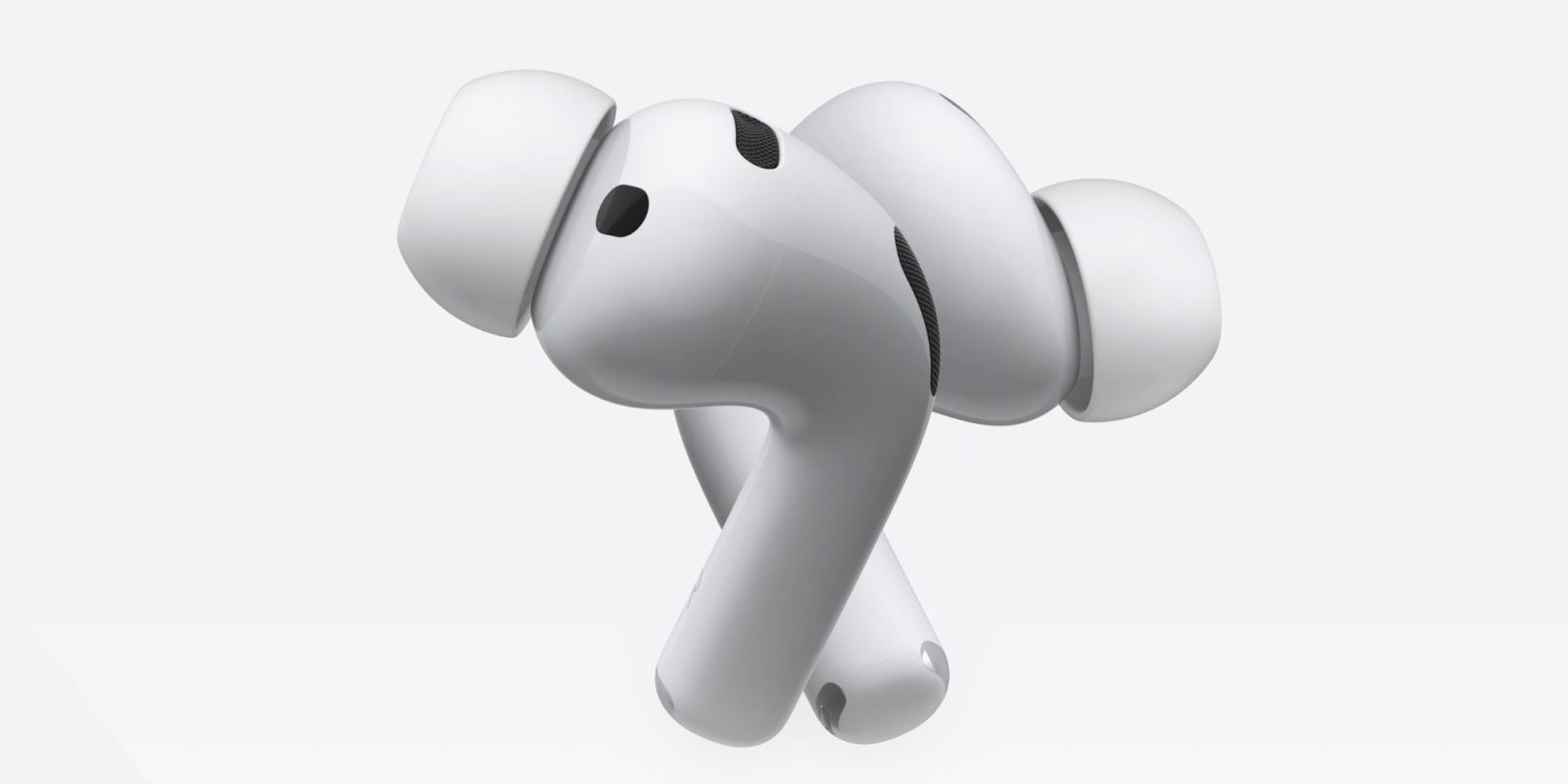
iOS 27 was introduced today at WWDC, and the first developer beta is now available, revealing an overhaul to AirPods settings inside the Settings app. Here’s what it looks like.
more…
]]>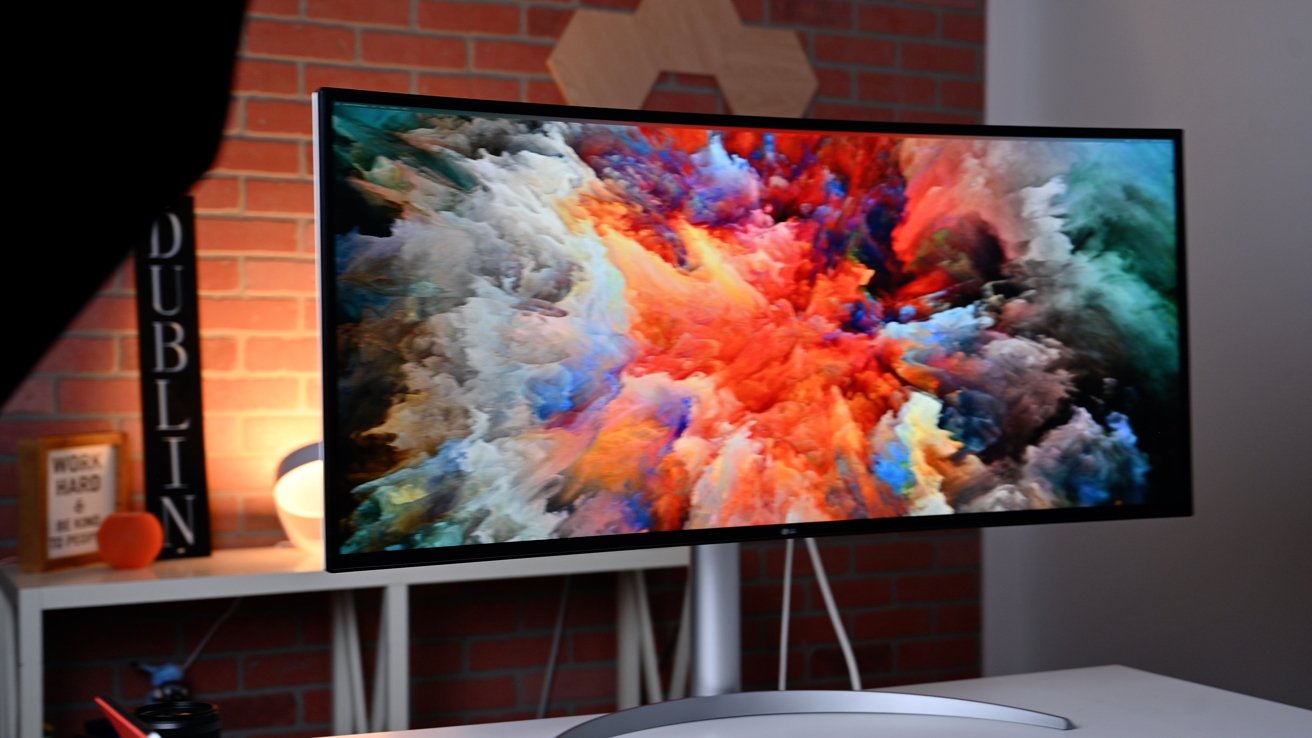 LG curved ultra-wide Thunderbolt DisplayThe feature appeared in Apple’s macOS 27 preview materials released on June 8 during WWDC26. Macs can drive higher resolutions on supported ultrawide displays, with Apple citing 5K at 120Hz as one example.The update also remembers display arrangements between sessions, allowing monitors to return to their previous positions automatically when reconnected. Continue Reading on AppleInsider | Discuss on our Forums
]]>Powered by Apple Intelligence, the new version of Siri is profoundly more capable and conversational, and deeply integrated across products.
LG curved ultra-wide Thunderbolt DisplayThe feature appeared in Apple’s macOS 27 preview materials released on June 8 during WWDC26. Macs can drive higher resolutions on supported ultrawide displays, with Apple citing 5K at 120Hz as one example.The update also remembers display arrangements between sessions, allowing monitors to return to their previous positions automatically when reconnected. Continue Reading on AppleInsider | Discuss on our Forums
]]>Powered by Apple Intelligence, the new version of Siri is profoundly more capable and conversational, and deeply integrated across products.
Apple’s new Siri AI (unveiled today at WWDC 2026) is powered by Google’s Gemini-based models under the hood, but it is not a simple “Siri calls Gemini” setup. It’s a deep, customized integration designed to keep Apple’s privacy standards intact.
Core Architecture
• Foundation: Apple uses Google’s Gemini (a large, capable model family, reportedly including custom versions on the scale of 1+ trillion parameters) as the base for its next-generation Apple Foundation Models.
• Hybrid Processing: On-device: Smaller, distilled versions of the models run locally on your iPhone, iPad, or Mac for simple/quick tasks (leveraging the Neural Engine).
• Private Cloud Compute (PCC): More complex reasoning, multi-step tasks, context understanding, or heavy queries route to Apple’s secure cloud servers.
Apple fine-tunes and adapts the Gemini-based models for its ecosystem. Siri retains Apple’s branding, voice, and deep integration with iOS/macOS apps and services — it doesn’t feel like “using Gemini.”
How a Typical Request Works
You say “Hey Siri” or type in the new dedicated Siri app/chat interface.
On-device Apple Intelligence first handles what it can (privacy-first, no data leaves the device).
For advanced needs (natural conversation, context across apps, multi-step actions, image analysis, etc.), the request securely routes to Apple’s Private Cloud Compute.
Gemini-powered models process it there.
Results return to your device. Siri presents them in its familiar (but now much smarter) way.
Key Privacy Safeguards:
• Your data and queries stay within Apple’s infrastructure.
• Nothing is stored long-term, used for Google’s advertising, or fed back into Google’s training.
• Private Cloud Compute is designed with strict controls (e.g., no human access, automatic deletion, third-party verifiable privacy).
This is a multi-year, ~$1 billion/year deal where Google provides the models and cloud tech, but Apple controls the user experience.
Siri can still hand off to other models (like the existing ChatGPT option), and reports suggest future support for choosing Claude, Gemini, etc., directly.
The result is a far more conversational, context-aware, and capable Siri that finally competes with modern AI assistants while staying deeply tied to the Apple ecosystem.
At its core, Siri AI is powered by Google’s Gemini models — but Apple has engineered the entire system to maintain its uncompromising approach to user privacy and ecosystem control.
Key Architectural Highlights:
Data Stripping at the Private Cloud Compute (PCC) Layer
When a request requires advanced Gemini capabilities, it first passes through Apple’s Private Cloud Compute infrastructure. Here, Apple’s systems automatically scrub all personally identifiable information (PII) and account-linked data before the query ever reaches the Gemini model. As a result, Google never receives or sees any of your personal identity, Apple ID, location history, or other sensitive information. This “data stripping” step is a critical privacy safeguard that lets Apple tap into world-class AI performance without compromising the trust users place in the company.
Hybrid On-Device + Private Cloud Intelligence
Simple tasks and quick responses continue to run entirely on-device using distilled, Apple-optimized models on the Apple Neural Engine. More complex reasoning, multi-step tasks, deep contextual understanding, and rich interactions route securely to Private Cloud Compute. Even in the cloud, the processed data remains within Apple’s controlled environment and is not stored or used for training.
Apple emphasized that users will experience a dramatically more conversational, proactive, and capable Siri that deeply understands context across apps — all while the company retains full control over the user experience, branding, and privacy protections.
Siri AI will begin rolling out later this year in iOS 27, iPadOS 27, and macOS 27 (Golden Gate) as an opt-in intelligent assistant, with additional features arriving over time as the models continue to improve.
MacDailyNews Take: This is exactly the kind of thoughtful, privacy-first engineering we’ve come to expect from Apple. By using Gemini as a powerful foundation while enforcing strict data stripping at the PCC layer and keeping the entire user-facing experience under Apple’s roof, the company has found a pragmatic way to leapfrog years of AI stagnation without selling out its principles.
A massive seismic shift just occurred on stage at WWDC 2026. It will take a bit for the market to figure it out and catch up.
When Apple finally delivers this promised conversational leap while actually protecting user data better than the pure-cloud competitors, Siri AI will finally restore to Cupertino the voice assistant crown that the company ceded over a decade ago.
Please help support MacDailyNews — and enjoy subscriber-only articles, comments, chat, and more — by subscribing to our Substack: macdailynews.substack.com. Thank you!
Support MacDailyNews at no extra cost to you by using this link to shop at Amazon.
The post Apple’s Siri AI is not ‘Google Gemini with Apple branding’; here’s how it really works appeared first on MacDailyNews.
]]>It’s taken a long time to reach this point. Those with long memories will recall that Apple promised an updated version of its Siri voice assistant at WWDC 2024. This would bring deep contextual awareness, we were told, and the ability to search emails, messages, and other personal data to improve accuracy and enable rich, natural conversations. There was even a series of ads showing off the feature and explicitly tying it to the iPhone 16 Pro.
Unfortunately the project stumbled right from the start and carried on stumbling for the following two years. An initial plan to launch New Siri as part of iOS 18 was quickly shelved in favor of iOS 18.4, then iOS 26, then iOS 26.4. Anyone who bought an iPhone 16 Pro with the feature in mind was headed for disappointment (and some compensation, on the bright side).
Now the new Siri has been announced again at another WWDC, this time rebranded as Siri AI and tied to the launch of the OS 27 software updates. Assuming nothing else goes wrong, it should finally hit Apple devices in the fall. The problem is that the world has moved on, and even at its own launch event, new Siri didn’t feel very new.
The part that struck me first was how slow it seems to be. These were stage-managed demos, presumably run in absolutely optimal conditions and with the option of a rerun if anything falls over or hits a snag. (We’ll be generous and assume they were genuine demos and not mocked-up simulations like in those Bella Ramsey commercials.) But even in these favourable conditions, there was a noticeable delay before Siri AI answered each command. The presenters would often have time to make an additional comment while waiting for Siri to think, shown by a spinning circle in the Dynamic Island.
I went through Mike Rockwell’s initial demo with a stopwatch, measuring from when Siri started showing a loading icon to when it returned the result. (You’ll also need to factor in the time to speak or type the command, as well as for Siri to register this and switch to thinking mode, but I was again feeling generous.) The quickest was 3.71 seconds, and the slowest 8.31 seconds. When Rockwell’s colleague Justin Titi started showing off more complex tasks the delays got longer still, stretching in one case to 10.43 seconds.
That may not sound like long, but bear in mind that this is supposed to be an action you run repeatedly, and it’s scarcely the conversational mode we were promised. (Imagine talking to a friend and having to sit through a 10-second pause after each of your comments.) It also doesn’t compare well to rival products. In my experiments, ChatGPT was repeatedly able to answer complex analytical questions in less than 2 seconds, peaking at 2.6 seconds when I added multiple additional parameters. And remember that this is comparing ChatGPT in the real world to Siri AI in lab conditions.
On functionality, too, Siri AI hardly feels new. Basically, everything we saw from it has been done before. Access to broad world knowledge? That’s standard. Integrated across the platform? That’s what Google announced last month. Ability to revisit past conversations? Gemini does that. As well as search your emails and messages, tell you where a photo was taken, and agentically organise a party.
Which makes sense, given that Siri AI was built on Google’s foundation after Apple couldn’t finish the job itself. If you’ve used Gemini, it’s unlikely you’ll find anything novel here. But the same applies in most cases to ChatGPT or any other modern LLM. About the only thing you might feel is unique to Apple’s offering is its privacy promises, and there’s still a bit of a question mark over that because of the server situation.
Apple
The positives
What we will say, however, is that New Siri feels like a big improvement on Old Siri, and that’s something. The following features might not be new across the industry, but they are new for Apple.
Better accuracy: This will need to be tested, and it was grating to hear Apple use the phrase “even higher accuracy,” as if Old Siri was remotely close to acceptable in this regard. But a specific reference to improved accuracy is exciting for those of us who’ve been tearing our hair out trying to get Siri to do what it’s told.
A dedicated app: For the first time you’ll find a Siri app on your iOS 27 iPhone. Open this app to view past conversations and the information Siri surfaced in response to those queries. A particularly nice part of this is that it’s device-agnostic: the same conversation history will be viewable on your iPhone, iPad, Mac, and so on. (Apple assures us that the syncing is done privately with iCloud.)
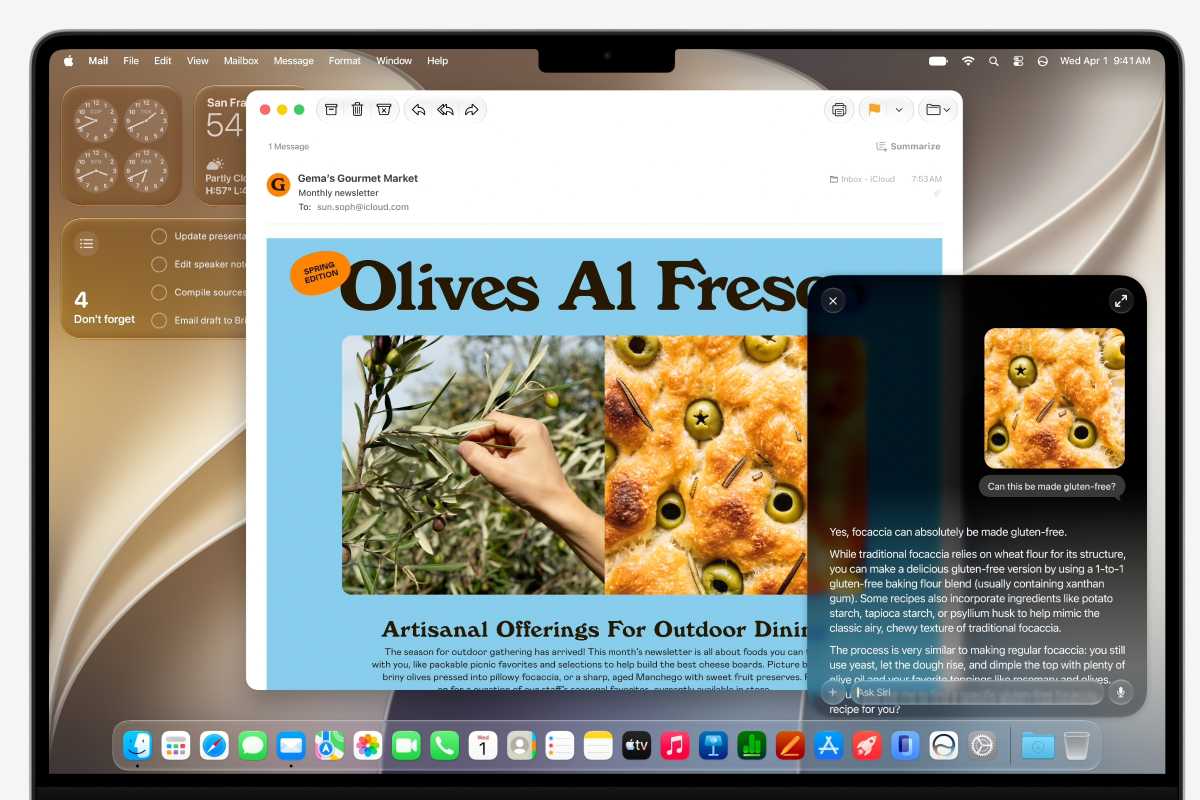
Contextual awareness: This is the big one. In the demos Siri AI knew what was on the screen, what it had been asked before, personal contextual information, and (when prompted) the contents of the user’s emails and messages. This means you can use commands like “Where was this taken?” while looking at a photo, or ask Siri what recipe a particular relative sent you recently. This is a huge step forward in power.
Writing tools in more places: Apple says its customers can use Siri AI to compose or edit text “virtually anywhere they type.” Describe what you’re looking for and Siri will deliver a draft for you to check out. Slightly creepily, the technology can mimic your writing style (on a per-recipient basis) when composing in Mail and Messages.
Customisable, more expressive Siri voices: If you have access to the top-tier version of Siri AI (you’ll need an iPhone Air, iPhone 17 Pro/17 Pro Max, iPad M4 or later with 12GB of memory, Mac M3 or later with 12GB, or Apple Vision Pro M5) then you’ll be able to customise Siri AI’s voice using two sliders. One will adjust speed, the other expressiveness. Quite a fun idea.
]]>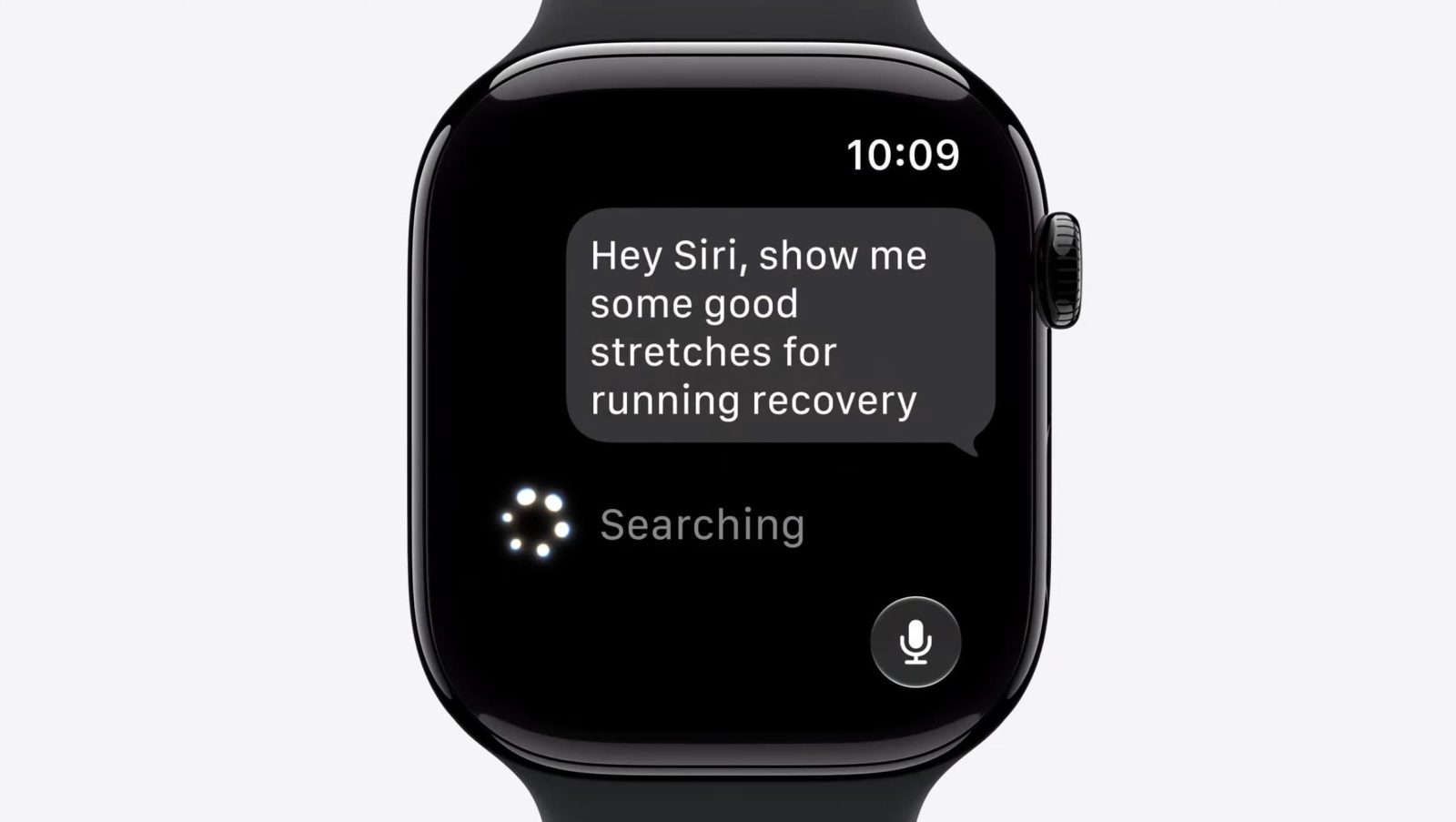
Although watchOS 27 drops support for several older Apple Watch models, Apple has confirmed to 9to5Mac that one compatible model was mistakenly left out of its official list. Here are the details.
more…
]]> Craig Federighi learns that macOS 27 is to be called Golden Gate, not Big Bear – image credit: AppleMaybe much of this year’s WWDC keynote was rumored, but now we know that even some of the leaks that were more wishful thinking are real. Tim Cook’s final WWDC played out as a torrent of new features across all of Apple’s platforms.There was so much that it’s going to take a while for us all to be clear on what’s new, what’s useful, and also what’s coming when. But even as the beta releases are downloading, there is much to say about first impressions of the new features. Continue Reading on AppleInsider | Discuss on our Forums
]]>
Craig Federighi learns that macOS 27 is to be called Golden Gate, not Big Bear – image credit: AppleMaybe much of this year’s WWDC keynote was rumored, but now we know that even some of the leaks that were more wishful thinking are real. Tim Cook’s final WWDC played out as a torrent of new features across all of Apple’s platforms.There was so much that it’s going to take a while for us all to be clear on what’s new, what’s useful, and also what’s coming when. But even as the beta releases are downloading, there is much to say about first impressions of the new features. Continue Reading on AppleInsider | Discuss on our Forums
]]> At WWDC26, Apple unveiled the next generation of Apple Intelligence, Siri AI, powerful parental controls, and an expansive set of software improvements across iOS, iPadOS, macOS, watchOS, visionOS, and tvOS.
Today, during the Worldwide Developers Conference, Apple previewed its upcoming software releases that will deliver the next generation of Apple Intelligence and introduce Siri AI, an entirely new version of Siri that is profoundly more intelligent, knowledgeable, and capable. The releases also bring powerful and intuitive new features to help parents create safe digital experiences for kids, as well as improvements that further elevate the software design and performance of Apple products while making them more responsive, delightful, and easier to use with iOS 27, iPadOS 27, macOS 27, watchOS 27, visionOS 27, and tvOS 27.
“Apple products are an essential part of people’s lives, and this year we’re bringing powerful new capabilities to empower our users in even more ways,” said Craig Federighi, Apple’s senior vice president of Software Engineering, in a statement. “We’re delivering the next generation of Apple Intelligence across our platforms; introducing Siri AI, a profoundly more intelligent, knowledgeable, and capable Siri; expanding child safety features with intuitive new tools for families; and making our software platforms faster, more reliable, and more delightful than ever before.”
Next Generation of Apple Intelligence and an Entirely New Siri Experience
Leveraging a bold new architecture uniquely designed to protect users’ privacy, the next generation of Apple Intelligence powers Siri AI and brings helpful new features to apps users rely on every day.
Siri AI is an entirely new version of Siri deeply integrated into iPhone, iPad, Mac, Apple Watch, and Apple Vision Pro. It can draw on personal context understanding to search across messages, emails, photos, and more, and get things done across apps with even more systemwide app actions. Additionally, Siri AI can answer questions related to the content on a user’s screen or go out to the web to get up-to-date information using broad world knowledge and generate a helpful answer. A dedicated Siri app allows users to revisit a past conversation or kick off a new one — all in one place — and uses iCloud to privately sync conversational history across a user’s products.
In addition to Siri AI, the next generation of Apple Intelligence powers tremendous new features in apps across the system to simplify the things users do every day, like editing images in Photos, browsing across multiple tabs in Safari, expressing creativity with Image Playground, communicating in Messages and Mail, and so much more.
New Parental Controls and Significant Updates to Screen Time
Powerful and intuitive new features that are easy to use help parents manage what their kids can see, who they can talk to, and when they have access to apps. By setting up a child account, parents can immediately enable age-appropriate protections across the system, and with Setup Assistant, parents can choose exactly which apps to make available and stay in control of what gets added over time. With communication safety features, parents can require approval for each new contact their kids connect with and enable automatic interventions if explicit or violent content is being shared.
 By setting up a child account, required for children under age 13 and available for children up to 18, parents take the first and most important step toward creating an age-appropriate experience for their child.
New tools aimed at building healthier screen time habits make it easy to set daily total time allowances across Entertainment, Games, and Social Media apps, with a daily time allowance recommendation based on guidance from leading clinical and child development experts that gives parents a helpful starting point. Schedules let parents manage which apps their children have access to at different points in the day, and Screen Time has been redesigned to be more intuitive for parents, offering an at-a-glance view of their kids’ average device usage and top apps.
To help parents stay informed and learn more, Apple has launched a dedicated website that features the latest tools, helpful resources, and answers to common questions — like how to get started.
 With Time Allowances, parents can set boundaries for their kids around app categories, and Schedules help them manage which apps their children can access, when, and for how long.
More Responsive, Reliable, and Delightful Experiences Across Software Platforms
The 2027 releases make Apple products even more responsive, reliable, and delightful to use through design refinements, performance improvements, and enhancements to the ways users work, communicate, share memories, enjoy music with AirPods, track their health, and more.
Improvements across platforms push key system capabilities forward so everyday tasks feel faster, smoother, and more enjoyable. For example, iPhone and iPad apps launch up to 30 percent faster, photos load up to 70 percent faster after being taken, and AirDrop transfers are up to 80 percent faster. During network transitions, moving between cellular and Wi-Fi networks is more seamless than ever, and browsing and transferring files between external drives and iPad is up to 5x faster — making it just as fast as Finder on Mac. In Spotlight, Photos, and Mail, the search experience has been rebuilt to make it more stable and efficient to help users find exactly what they are looking for. And in Mail, a completely new ranking system surfaces even more relevant results in Top Hits.
Refinements to the software design deliver an even more focused and approachable experience across apps and platforms. A new slider in Settings gives users the option to personalize Liquid Glass, adjusting it anywhere from ultra-clear to fully tinted to match their preference, and app icons have been updated to be sharper and more defined. On Mac, updates reincorporate cornerstones of the macOS design that users have always loved, including a more uniform toolbar across the top of apps, edge-to-edge sidebars, colored sidebar icons, and more.
Additional features coming this fall:
• iCloud Shared Albums introduce cross-platform photo sharing with full-resolution support.
• The Health app brings support for perimenopause and menopause in Cycle Tracking, including notifications about cycle deviations inclusive of perimenopause.
• On Apple Watch, a new dynamic app grid features the icons for five Siri-suggested apps, users can open a widget in the Smart Stack with a new tap gesture, and a new Find My app consolidates Find Devices, Find Items, and Find People.
• AirPods users can now enjoy custom EQ to further personalize how their AirPods sound. And with expanded Apple GymKit functionality, users with AirPods Pro 3 can sync their heart rate data through iPhone while enjoying incredible audio quality.
• Apple Vision Pro users can now turn panoramas into spatial scenes and use them as personal Environments, and connecting to Wi-Fi is up to 3x faster.
• Apple Maps brings an enhanced Flyover experience, which combines aerial imagery with AI, allowing users to enjoy even more detailed visuals.
Availability
• The new features are available for testing starting today through the Apple Developer Program at developer.apple.com, and a public beta will be available through the Apple Beta Software Program next month at beta.apple.com. New software features will be available as a free software update this fall. For more information, visit apple.com/ios, apple.com/ipados, apple.com/macos, apple.com/watchos, apple.com/tvos, and apple.com/visionos.
• Users who enable Apple Intelligence on supported products set to a supported language will have access this fall with iOS 27, iPadOS 27, macOS 27, watchOS 27, and visionOS 27.
• Apple Intelligence is available with support for these languages: English, Danish, Dutch, French, German, Italian, Norwegian, Portuguese, Spanish, Swedish, Turkish, Vietnamese, Chinese (simplified), Chinese (traditional), Japanese, and Korean. Some features may not be available in all regions or languages. For feature and language availability and system requirements, see apple.com/apple-intelligence.
• Apple Intelligence and Siri AI in iOS 27, iPadOS 27, macOS 27, watchOS 27, and visionOS 27 are available on iPhone 16 models or later, iPhone 15 Pro, iPhone 15 Pro Max, iPad mini (A17 Pro), iPad models with M1 or later, Mac with M1 or later, Apple Vision Pro, Apple Watch Series 10 or later, Apple Watch Ultra 2 or later, and Apple Watch SE 3 when paired with an Apple Intelligence-enabled iPhone nearby.
• Some Apple Intelligence features, including image generation, have daily usage limits because they rely on powerful server models. Increased access is available with most iCloud+ subscription plans, which also include Apple Intelligence support for compatible Home cameras.
• New Siri AI features are available for developer testing starting today across iOS 27, iPadOS 27, macOS 27, and visionOS 27. Siri AI will be available for developer testing in a future watchOS 27 beta.
• Siri AI will be available as a beta later this year for users with a supported device set to English, and Apple will quickly expand support for more languages.
• Mac, Apple Watch, and Apple Vision Pro users in the EU will be able to access Siri AI when set to a supported language. Siri AI will not be available initially in the EU in iOS and iPadOS.
• Siri AI and the other new Apple Intelligence features will not be available in China while Apple works through regulatory requirements.
Features are subject to change. Some features may not be available in all languages or regions, and availability may vary due to local laws and regulations. For more information about availability, visit apple.com.
Please help support MacDailyNews — and enjoy subscriber-only articles, comments, chat, and more — by subscribing to our Substack: macdailynews.substack.com. Thank you!
Support MacDailyNews at no extra cost to you by using this link to shop at Amazon.
The post WWDC26: Apple unveils next generation of Apple Intelligence, Siri AI, powerful parental controls, and an expansive set of software improvements appeared first on MacDailyNews.
]]>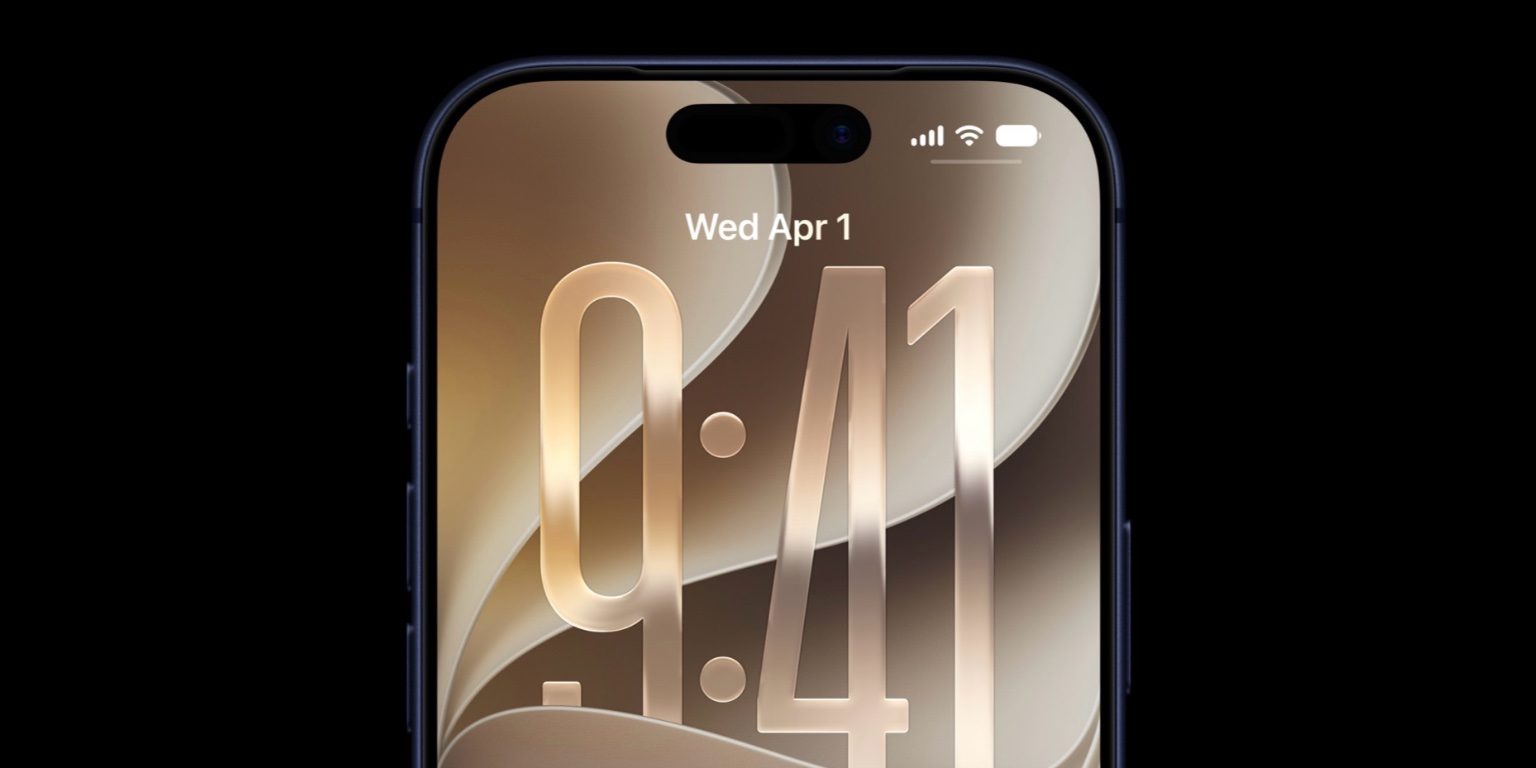
The next major iPhone software version is iOS 27, and it’s already here in developer beta—but here’s when the public beta and full public launches will happen.
more…
]]>At its WWDC26 opening keynote, Apple today previewed macOS 27, focusing on design refinements, Siri AI, and other relatively minor upgrades. Despite the update’s somewhat lackluster nature, Safari on the Mac is still getting a few useful AI tools that I can’t wait to use.
While it expectedly doesn’t offer a comprehensive agentic browsing experience, some of the fresh additions subtly rely on agentic AI capabilities to execute specific tasks, including one that will save me from needing to obsessively refresh tabs when I’m ready to buy the iPhone 18.
Spread the word, Notify Me is a game-changer
Notify Me, as its name suggests, is a new tool that allows you to build custom alerts in Safari on macOS 27. For example, if you’re anticipating a certain discount, you could ask Safari to check a specific product’s price every morning and notify you when it drops. This will spare me from needing to routinely monitor and refresh webpages with Command-R and eliminate the risk of missing out on timely updates.
Essentially, Safari will visit the desired webpage on your behalf depending on the frequency you’ve set in your instructions. The AI agent will scan the site’s components and check if any of the changes match your command. If so, the Safari app will send you a push notification prompting you to check the website and take action if necessary.
It’s a safe agentic AI approach that does not execute any sensitive actions on your behalf, like completing purchases or filling online forms in the background. It merely simplifies what would otherwise be a very redundant workflow.
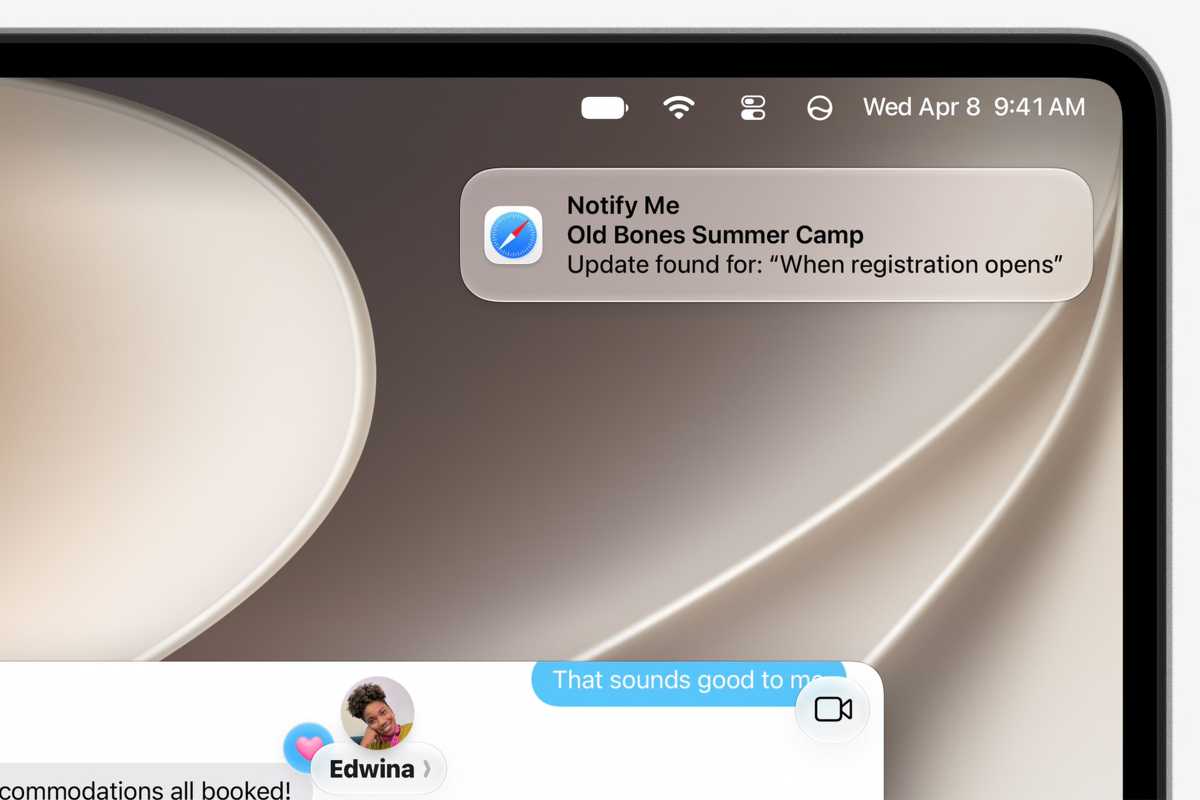
Safari in macOS 27 will send you a notification when a webpage you’re monitoring has an update.
Apple
Other Safari features in macOS 27
Another neat Safari feature coming with macOS 27 is a custom extension builder that can accommodate your specific needs across the different websites you frequent. While the App Store offers a ton of third-party extensions, they don’t always fit niche workflows. With the new builder, you should be able to alter webpages as needed and have them react in a way that makes sense to you.
Safari 27 is also getting AI-powered tab sorting support. The feature will analyze the topics of your open webpages and group them accordingly. This is particularly helpful when you’re researching multiple subjects simultaneously, as it’ll keep the relevant tabs in a single spot. You could then optionally save the automatic assortments as permanent tab groups that you can revisit later—beyond your current browsing session.
Agentic AI browsing extends beyond Safari’s Notify Me tool on macOS 27. With this release, the Passwords app can automatically visit select websites and change a password if it’s weak or compromised. Passwords can already detect weak or compromised passwords. With the latest update, it’ll take it one step further by visiting the affected service’s password-changing webpage and going through the flow autonomously. It’ll basically insert the old password it already has (if prompted), generate a new, stronger one, submit it on the website, and save it in the Passwords app. This ensures that your passwords remain secure at all times—without you having to take action.
macOS 27 is now available as a beta to those enrolled in Apple’s Developer program, with general availability to follow this fall.
]]>
Apple unveiled iOS 27 today at WWDC, here’s what’s new for the Wallet app in the next major iPhone update.
more…
]]>
Apple covered the nitty gritty on the new Siri AI and Apple Intelligence features, improved Liquid Glass design and more announcements today.
(via Cult of Mac – Your source for the latest Apple news, rumors, analysis, reviews, how-tos and deals.)
]]>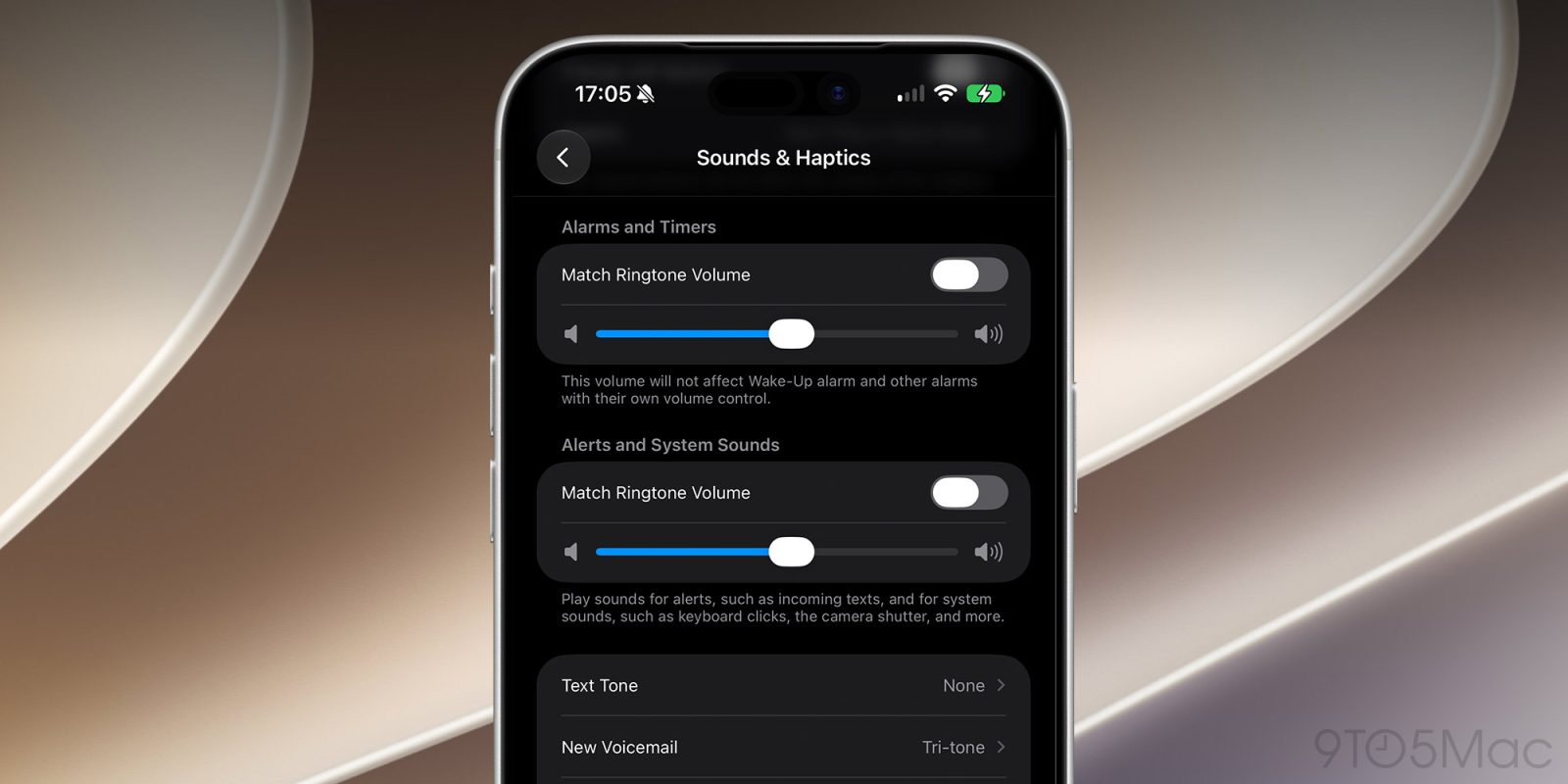
With iOS 27, users will no longer have to rely on a single volume setting for ringtones, alerts, alarms, and system sounds. Here are the details.
more…
]]>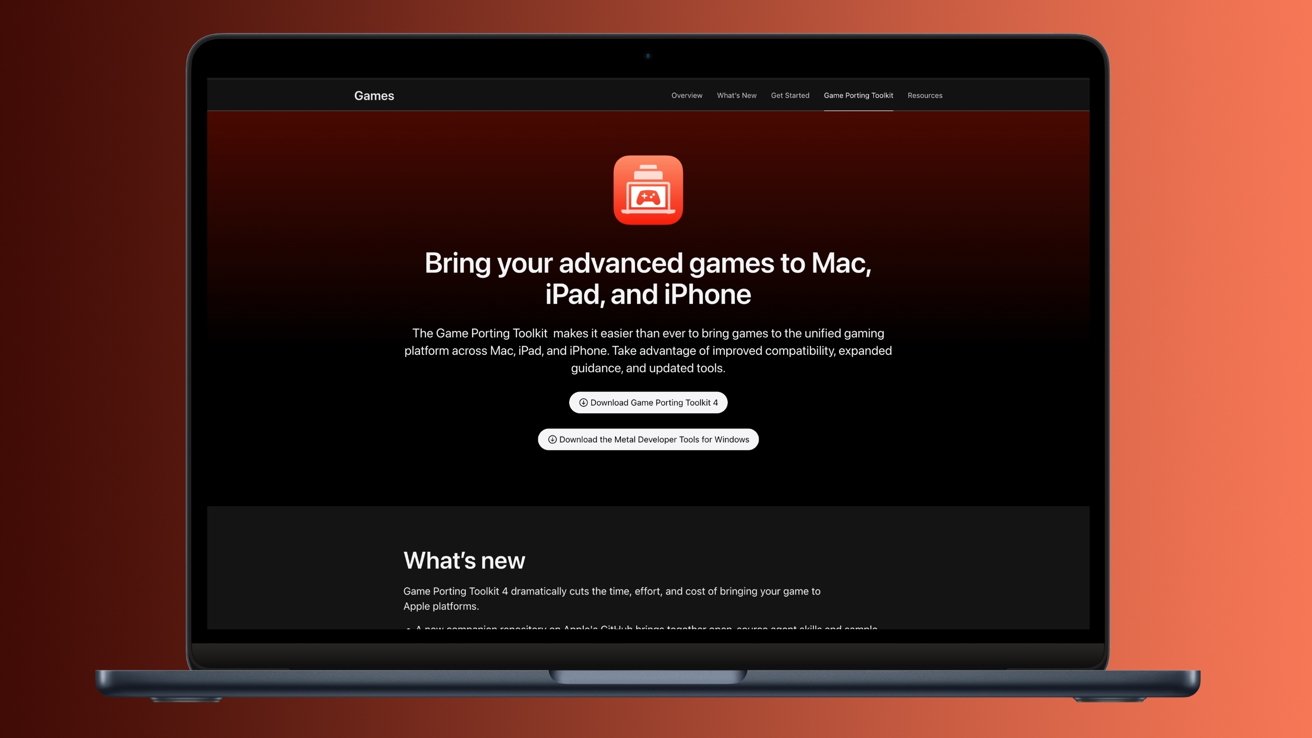 Game Porting Toolkit 4 introduces support for AI agents.While iOS 27 and Siri were the stars of the WWDC 2026 keynote, Apple hasn’t forgotten about the Mac as a gaming platform. While we didn’t get any triple-A game announcements this time around, the company did unveil a significant upgrade with Game Porting Toolkit 4.The utility, as its name implies, is meant to help bring games to macOS. With the fourth release of its Game Porting Toolkit, Apple has implemented support for AI agents as part of the porting process. Continue Reading on AppleInsider | Discuss on our Forums
]]>
Game Porting Toolkit 4 introduces support for AI agents.While iOS 27 and Siri were the stars of the WWDC 2026 keynote, Apple hasn’t forgotten about the Mac as a gaming platform. While we didn’t get any triple-A game announcements this time around, the company did unveil a significant upgrade with Game Porting Toolkit 4.The utility, as its name implies, is meant to help bring games to macOS. With the fourth release of its Game Porting Toolkit, Apple has implemented support for AI agents as part of the porting process. Continue Reading on AppleInsider | Discuss on our Forums
]]>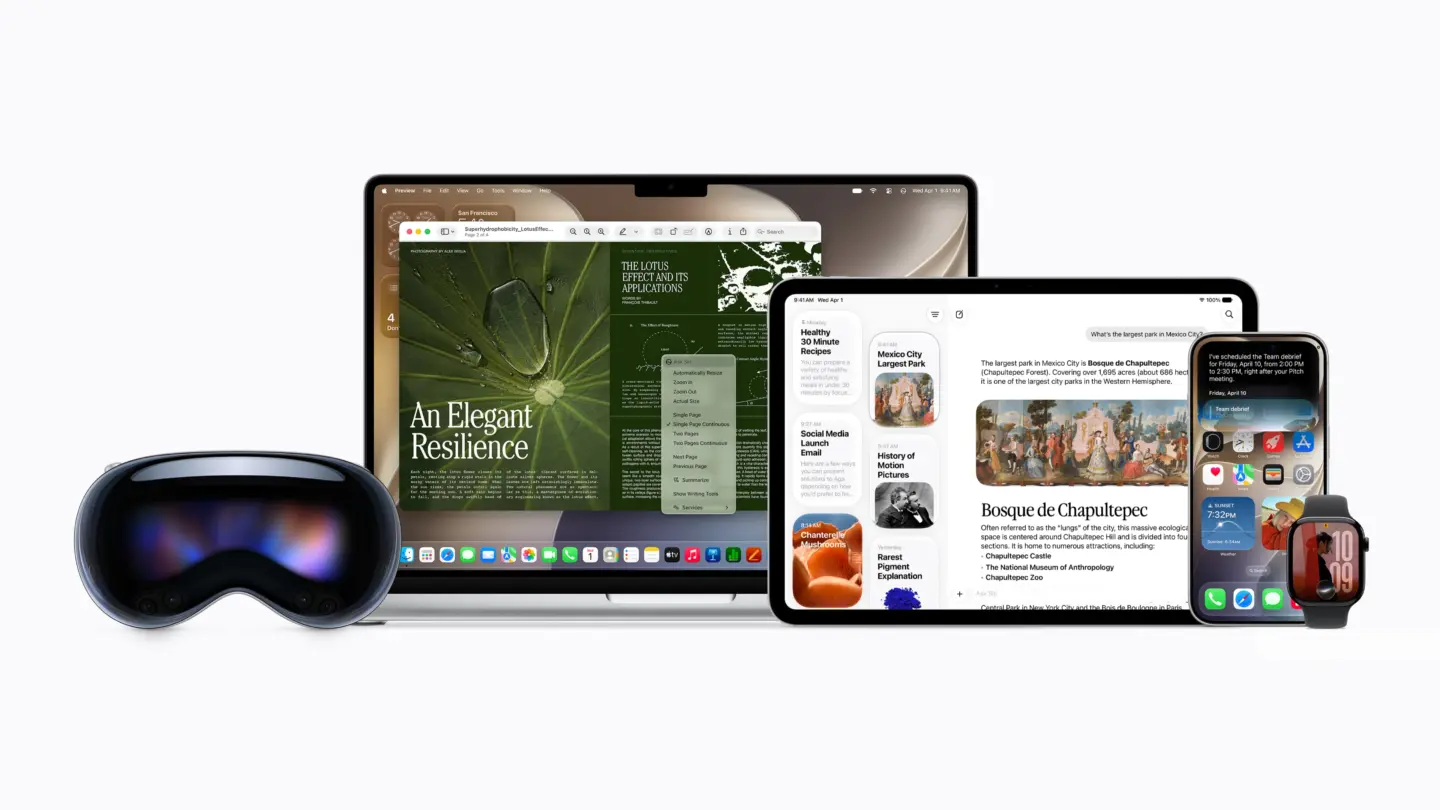
Apple says EU iPhone and iPad users will miss out on Siri AI in iOS 27 due to ongoing regulatory disputes over the Digital Markets Act.
(via Cult of Mac – Your source for the latest Apple news, rumors, analysis, reviews, how-tos and deals.)
]]>Apple has just unveiled iOS 27, the next major update for the iPhone, at WWDC 2026. This year, there isn’t much to get excited about in terms of new features, nor is there a new interface following last year’s major update that introduced Liquid Glass. It’s a lot of refinements, AI, and optimizations to make your iPhone feel faster.
At the same time, Apple announced a long-awaited change: a complete overhaul of Siri. Apple is rebuilding its assistant experience around context, conversation, and awareness. And for the first time in a very long time, Siri actually feels useful again.
Apple has spent years falling behind competitors in the AI race. While companies like OpenAI and Google turned their assistants into genuinely helpful tools, Siri often felt stuck in the past. But iOS 27’s main purpose is to make Siri useful again. And it appears to have delivered.
iOS 27 introduces Siri AI
The biggest news here is that Siri is no longer just a voice assistant that responds to isolated commands. It now understands context across your apps and even your ongoing conversations. And honestly, it’s the first Apple Intelligence feature that instantly made me rethink how I’ll use my iPhone every day.
Apple’s redesigned Siri experience in iOS 27 is centered around natural interaction. You can now seamlessly switch between voice and text conversations, continue previous requests, and even access your Siri history across devices through iCloud sync.
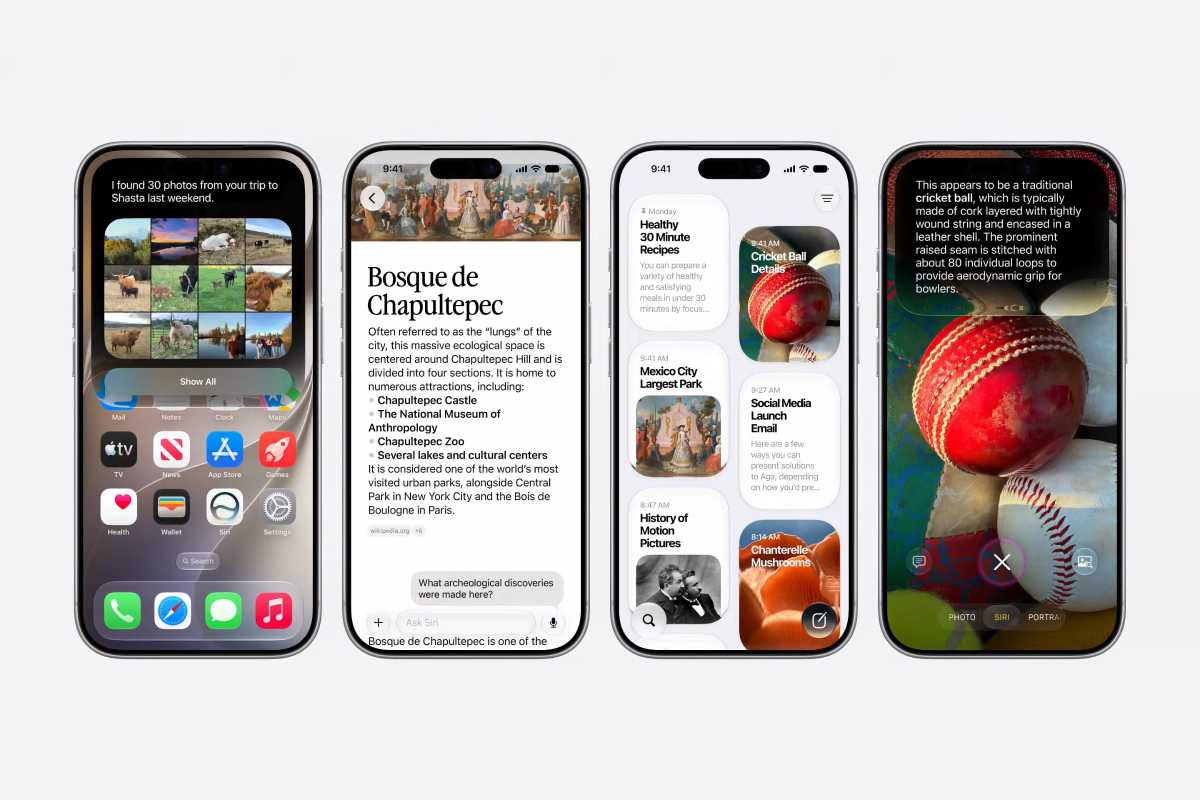
Apple introduced many new capabilities for the new Siri in iOS 27, including a new app and Dynamic Island integration.
Apple
Before iOS 27, Siri felt very outdated. You could only ask it a few commands, and it often misunderstood you. And then the interaction ended. There was no natural conversation.
Now, Siri behaves much more like a modern AI assistant. You can ask a follow-up question naturally without repeating yourself. You can start typing a request on your iPhone and continue it later on your iPad or Mac. It remembers the context of your conversation instead of forgetting everything with every new interaction.
Siri also gets its own app in iOS 27, which is a huge addition for people who just don’t want to talk to their phone all the time. Now you can interact with Siri just like you would with any other popular AI chatbot.
But the biggest improvement to Siri in iOS 27 is certainly its on-screen awareness capability.
Aware and alert
Apple also introduced on-screen awareness for Siri, a feature that genuinely feels transformative. According to Apple, Siri can now understand what’s currently on your screen and respond accordingly. If someone texts you an address, you can ask Siri to save it to a contact. If you’re looking at an event, you can ask Siri to add it to your calendar. If you’re reading an article, you can ask follow-up questions about what’s being displayed.
Many of these things were unveiled by Apple two years ago but weren’t delivered. Now, with Siri AI, it seems the company is finally keeping its promise.
And unlike some AI demos we’ve seen over the past year, Apple’s implementation actually feels grounded in real-world usage. In many ways, the new Siri AI feels like the beginning of a new interface layer for the iPhone.
Once again, the new Siri aims to make using our devices a much more personal and natural experience. Instead of having to search for lost files in your old emails or folders, you can just ask Siri. And when you can’t talk, you can simply swipe down from the Dynamic Island to type to Siri.
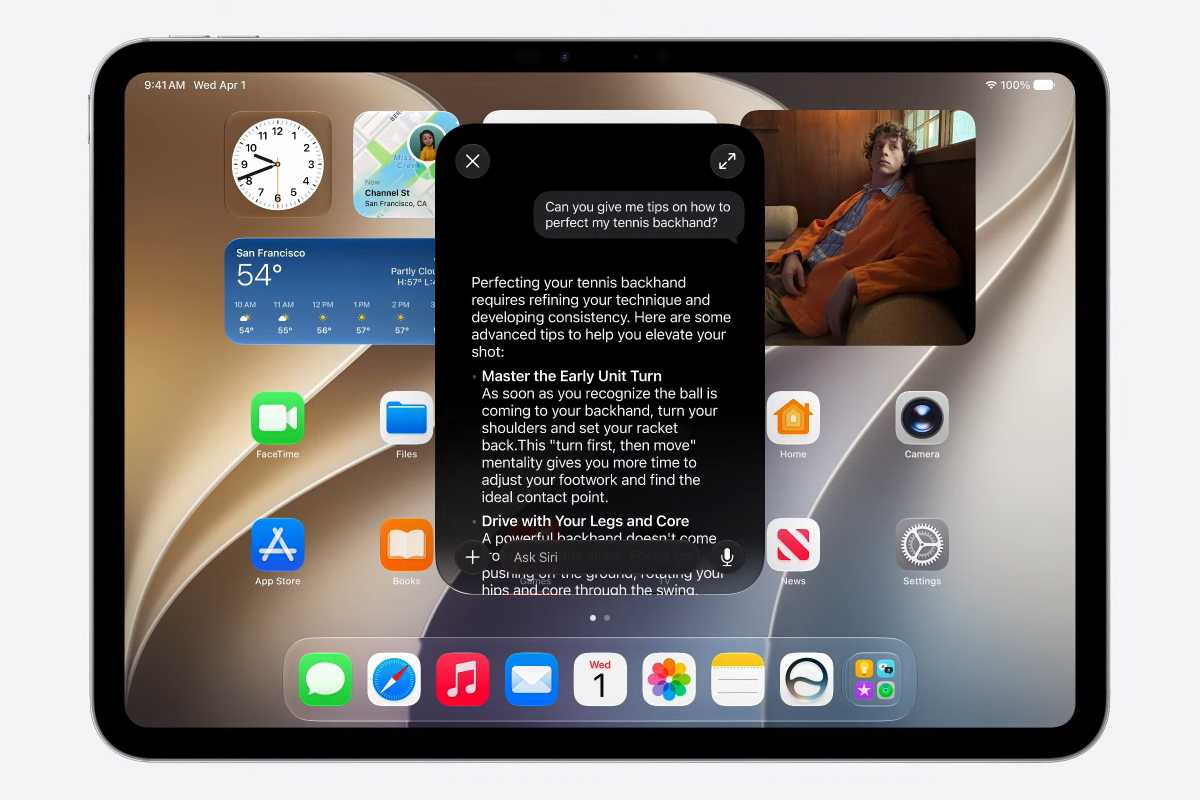
The new Siri app lets you chat with Siri and reference prior conversations.
Apple
More new features coming with iOS 27
Of course, iOS 27 isn’t just about Siri. For instance, there are many other new Apple Intelligence features coming with the update.
In the Photos app, users will be able to expand and even reframe their photos using AI. When writing a text, the enhanced Writing Tools will now automatically provide you with suggestions for rephrasing it. And you can even take pictures of your food to see how many calories it has.
Image Playground has also been completely revamped with better language models, which are capable of generating more natural-looking images. Thanks to this, users can even create their own wallpapers using Image Playground on iOS 27.
Apple also spent a good deal of time talking about performance. The company focused on making iOS 27 faster and more reliable, especially on older devices. And for those who had complaints about Liquid Glass, not only has the interface been refined, but there’s now a slider that lets you adjust the intensity of the effect.
Overall, iOS 27 doesn’t seem like a major update. But lack of transformative features hides the fact that Apple has finally released a new version of Siri that actually works and feels modern. And I can’t wait to get my hands on it.
iOS 27 is currently available only as a developer beta for the next several weeks. A public beta will be available next month, while the official release is expected this fall.
]]>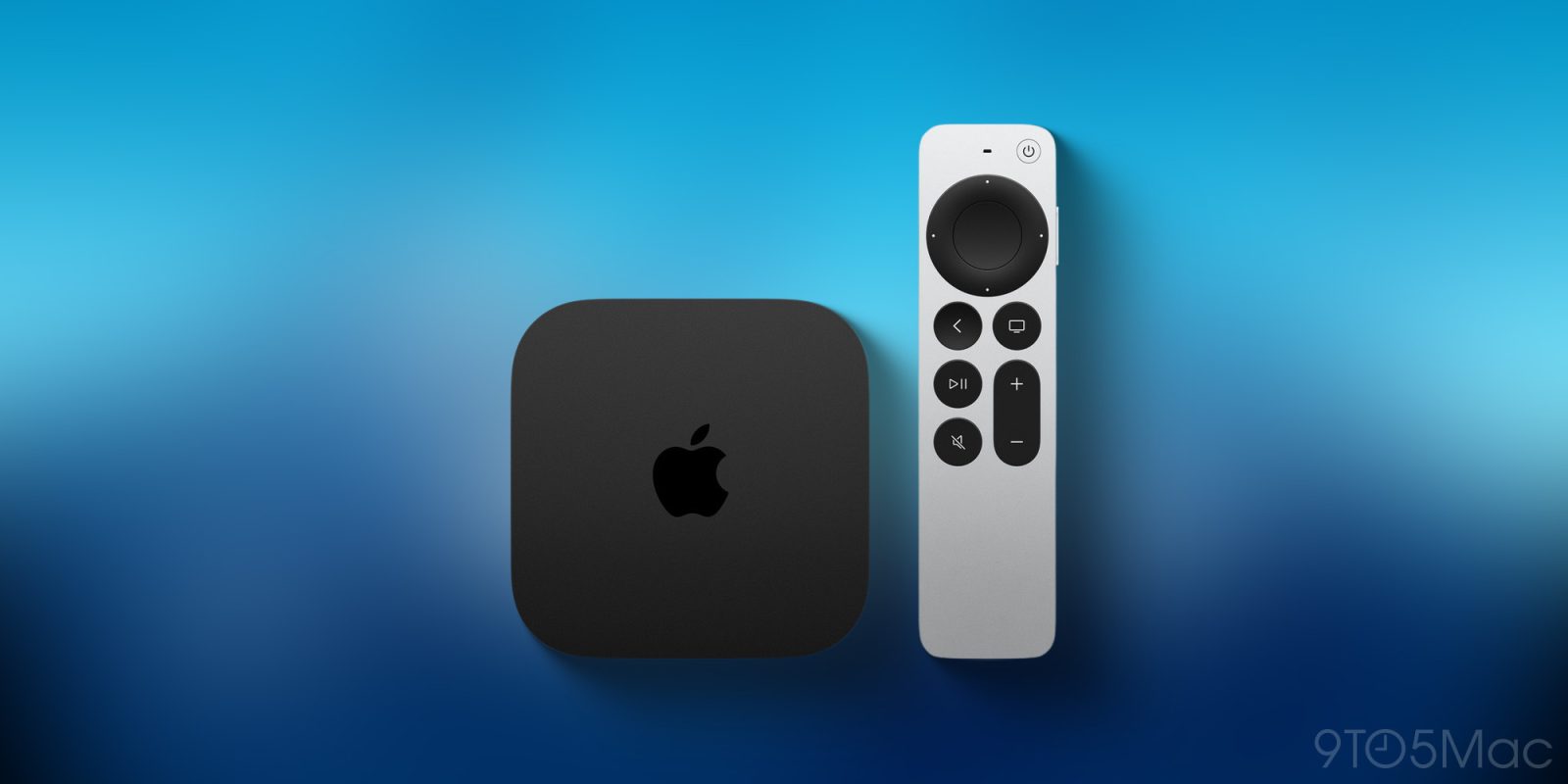
Apple barely mentioned tvOS 27 in its WWDC keynote today, but the update does exist, and is available now in beta. But two previously supported Apple TV models are not compatible with tvOS 27.
more…
]]>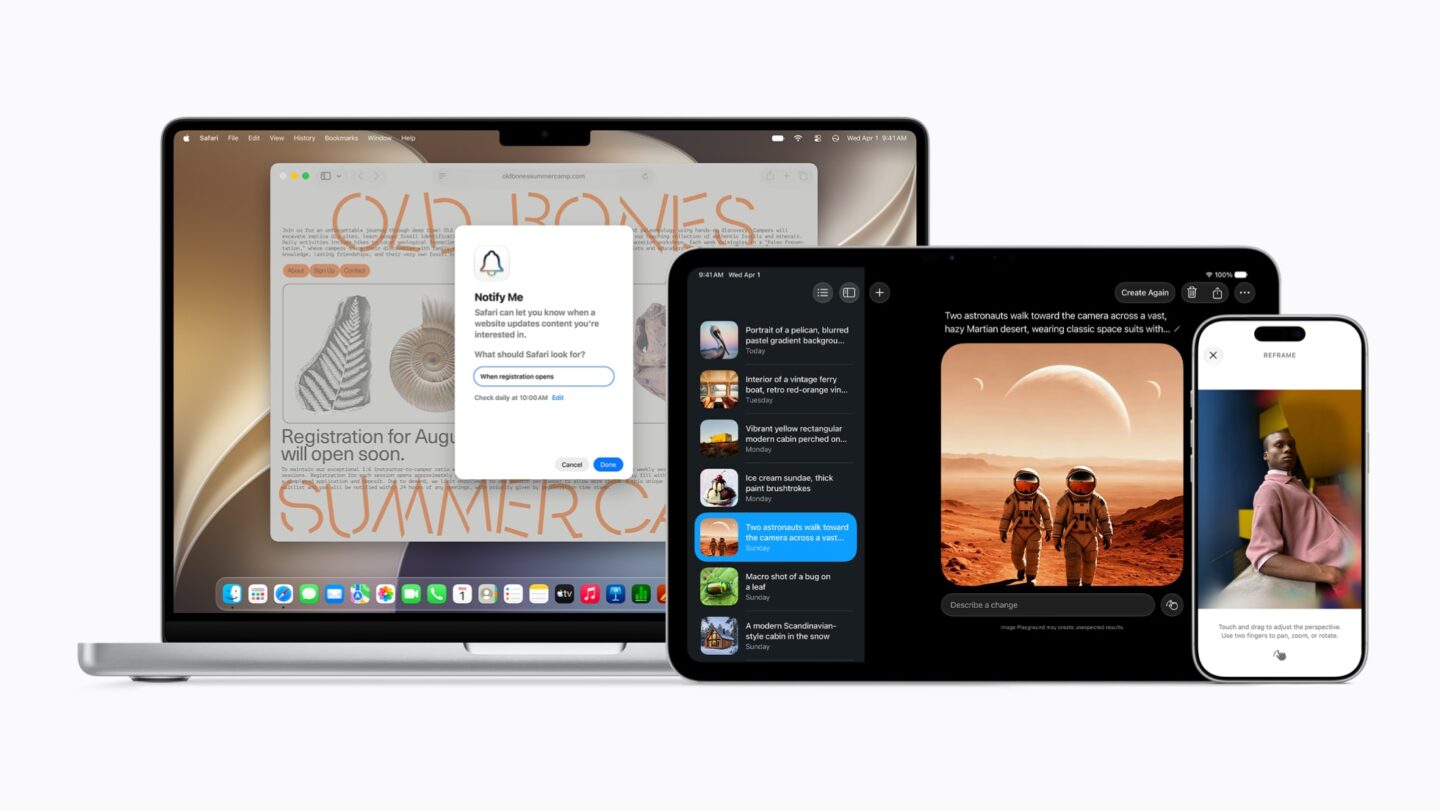
In addition to Siri’s revamp, the WWDC26 keynote outlined a slew of new Apple Intelligence features. See the rundown.
(via Cult of Mac – Your source for the latest Apple news, rumors, analysis, reviews, how-tos and deals.)
]]>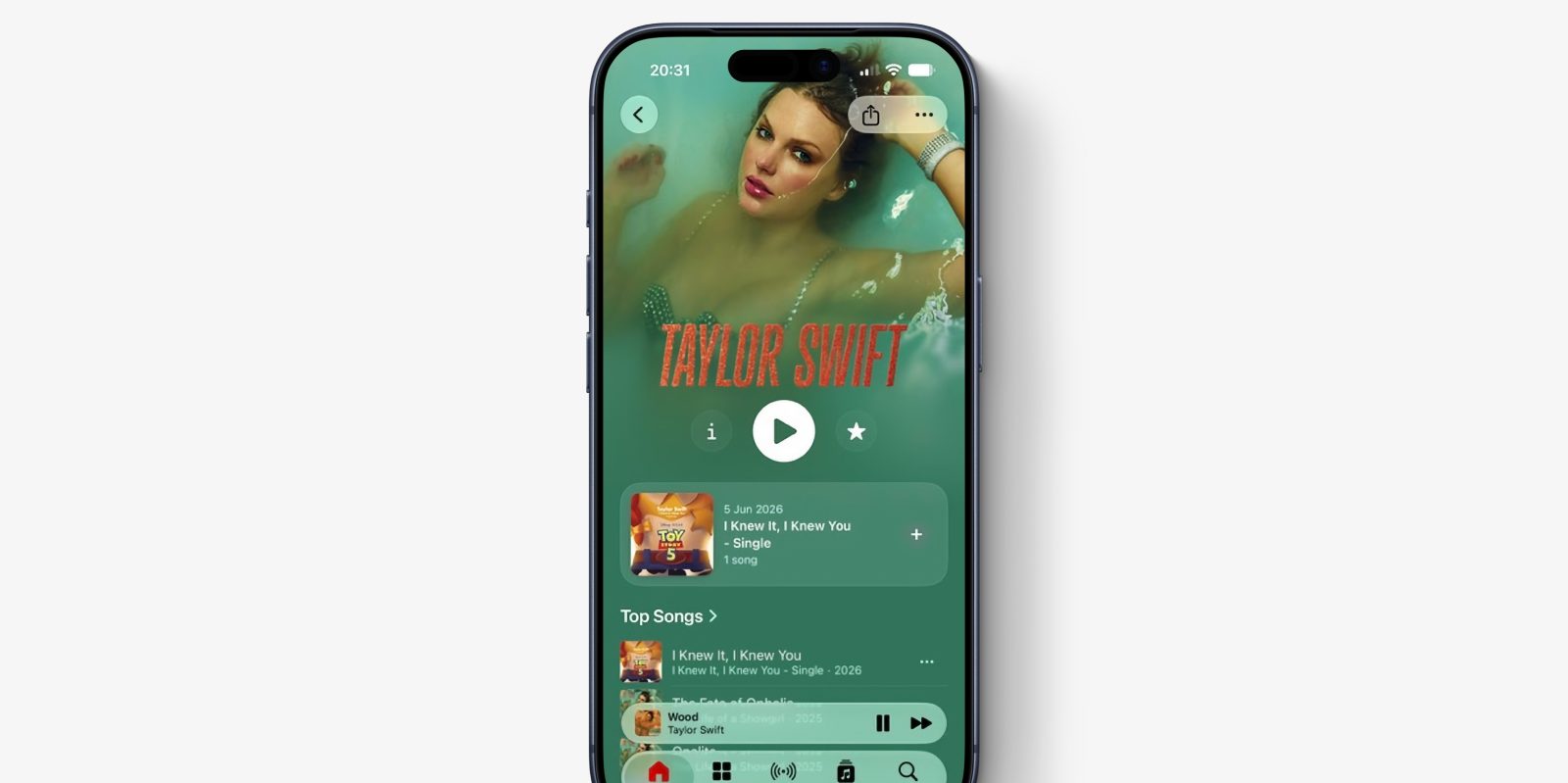
Apple Music has a few new features with iOS 27, which Apple just announced today at its annual WWDC conference.
Perhaps the most immediately visible change is a newly-redesigned artist page featuring prominent shuffle play button, new artist name display, and other smaller layout changes.
more…
]]>