<?xml version="1.0" encoding="UTF-8"?>        <feed xmlns="https://www.w3.org/2005/Atom">
            <title type="text">Latest imported feed items on MacTech.com</title>
                        <entry>
                <title><![CDATA[Ditch your $20/month ChatGPT fee—A new app gives you Claude, Gemini, and GPT for $30]]></title>
                <link href="https://www.macworld.com/article/3159516/ditch-your-20-month-chatgpt-fee-a-new-app-gives-you-claude-gemini-and-gpt-for-30.html" />
                <published>2026-06-09T08:00:00Z</published>
                <content type="html"><![CDATA[<p>Macworld</p>
<p>TL;DR: A 1-year ChatOn AI Assistant Premium Plan is on sale for $29.99 (reg. $39.99).</p>
<p>ChatGPT, Gemini, and Claude all have two things in common. They each cost $20/month, and the monthly subscription is probably the worst way to get them. ChatOn’s AI Assistant bundles access to major AI models like GPT, Gemini, and Claude into a single app, and right now, it’s only $29.99 for your first year.</p>
<p>All your AI models, one place</p>
<p>ChatOn gives you access to GPT, Gemini, Claude, Sonar, and more without separate accounts or subscriptions. You pick whichever model fits the task, whether that’s Claude for writing, Gemini for research, or GPT for reasoning – all without switching apps. It also comes loaded with over 100 prewritten prompts across multiple categories, so you’re not starting from scratch every time.</p>
<p>There’s a reason ChatOn has over 100 million downloads. Beyond text chat, the app can generate AI images, process PDF, DOC, and EPUB files, perform OCR text extraction, and real-time web search with source links. There’s even an AI keyboard integration that lets you generate text directly inside other apps on your iPhone or Mac.</p>
<p>One account gives you access from unlimited devices across iOS, Android, and web, so your setup travels with you. ChatOn won Best User Experience at the 14th Annual Lovie Awards, and if that doesn’t tell you how users feel about the platform, the high reviews on the App Store speak for themselves. Whether you’re on your MacBook at the office or your iPhone on the go, ChatOn AI keeps your tools synced and ready, no context switching required.</p>
<p>Get a 1-year ChatOn AI Assistant Premium Plan for $29.99 (reg. $39.99).</p>
<p><img decoding="async" data-wp-class--hide="state.isContentHidden" data-wp-class--show="state.isContentVisible" data-wp-init="callbacks.setButtonStyles" data-wp-on-async--click="actions.showLightbox" data-wp-on-async--load="callbacks.setButtonStyles" data-wp-on-async-window--resize="callbacks.setButtonStyles" src="https://cdnp3.stackassets.com/9928646bfcd103e3206336ae8ff730b5024f5d0c/store/3470c2c50efed46cdaceea5bdfe60586d3170cbbade29098ca89b1d247ed/sale_329308_primary_image.jpg" alt="" loading="lazy" /></p>
<p>ChatOn AI Assistant Premium PlanSee Deal</p>
<p>StackSocial prices subject to change.</p>
]]></content>
            </entry>
                        <entry>
                <title><![CDATA[uGreen NASync DXP 4800 GT review: The best NAS price to perfomance in 2026]]></title>
                <link href="https://appleinsider.com/articles/26/06/09/ugreen-nasync-dxp-4800-gt-review-the-best-nas-price-to-perfomance-in-2026?utm_source=rss" />
                <published>2026-06-09T03:06:57Z</published>
                <content type="html"><![CDATA[<p>The uGreen NASync DXP4800 GT is a four-bay NAS with dual 10GbE networking that targets creators and small teams, and is an excellent mid-range NAS for Apple users.<img decoding="async" src="https://photos5.appleinsider.com/gallery/67856-143018-uGreenNASyncDXP4800GTreview1-xl.jpg" alt="Small black four-bay network storage device labeled 01 to 04 sits on a white desk near a textured wall, with decorative spherical objects placed on either side" height="738"><span>uGreen NASync DXP4800 GT</span>uGreen has built out its NAS range quickly since entering the category. AppleInsider has covered uGreen NAS hardware before, including hands-on time with the NASync IDX6011 Pro.The DXP4800 GT is a new branch of the lineup. uGreen frames the &#8220;GT&#8221; name around Grand Touring, pitching it as built for sustained performance over long sessions. Continue Reading on AppleInsider | Discuss on our Forums</p>
]]></content>
            </entry>
                        <entry>
                <title><![CDATA[9to5Mac Daily: June 8, 2026 – WWDC 2026 recap]]></title>
                <link href="https://9to5mac.com/2026/06/08/daily-june-8-2026/" />
                <published>2026-06-09T02:51:28Z</published>
                <content type="html"><![CDATA[<p><img decoding="async" src="https://9to5mac.com/wp-content/uploads/sites/6/2021/12/9to5Mac-Daily-art-lead.jpg?quality=82&#038;strip=all&#038;w=1600" /></p>
<p class="wp-block-paragraph"><span style="font-size: revert;font-family: var(--font-primary-sans)">Listen to a recap of the top stories of the day from </span>9to5Mac<span style="font-size: revert;font-family: var(--font-primary-sans)">. 9to5Mac Daily is available </span>on iTunes and Apple’s Podcasts app<span style="font-size: revert;font-family: var(--font-primary-sans)">, </span>Stitcher<span style="font-size: revert;font-family: var(--font-primary-sans)">, </span>TuneIn<span style="font-size: revert;font-family: var(--font-primary-sans)">, </span>Google Play<span style="font-size: revert;font-family: var(--font-primary-sans)">, or through our </span>dedicated RSS feed<span style="font-size: revert;font-family: var(--font-primary-sans)"> for Overcast and other podcast players.</span></p>
<p class="wp-block-paragraph">Sponsored by CardPointers: The best way to maximize your credit card rewards. 9to5Mac Daily listeners can exclusively save 30% and get a $200 Savings Card.</p>
<p> more…</p>
]]></content>
            </entry>
                        <entry>
                <title><![CDATA[9to5Mac Daily: June 8, 2026 – WWDC 2026 recap]]></title>
                <link href="https://9to5mac.com/2026/06/08/daily-june-8-2026/" />
                <published>2026-06-09T02:51:28Z</published>
                <content type="html"><![CDATA[<p><img decoding="async" src="https://9to5mac.com/wp-content/uploads/sites/6/2021/12/9to5Mac-Daily-art-lead.jpg?quality=82&#038;strip=all&#038;w=1600" /></p>
<p class="wp-block-paragraph"><span style="font-size: revert;font-family: var(--font-primary-sans)">Listen to a recap of the top stories of the day from </span>9to5Mac<span style="font-size: revert;font-family: var(--font-primary-sans)">. 9to5Mac Daily is available </span>on iTunes and Apple’s Podcasts app<span style="font-size: revert;font-family: var(--font-primary-sans)">, </span>Stitcher<span style="font-size: revert;font-family: var(--font-primary-sans)">, </span>TuneIn<span style="font-size: revert;font-family: var(--font-primary-sans)">, </span>Google Play<span style="font-size: revert;font-family: var(--font-primary-sans)">, or through our </span>dedicated RSS feed<span style="font-size: revert;font-family: var(--font-primary-sans)"> for Overcast and other podcast players.</span></p>
<p class="wp-block-paragraph">Sponsored by CardPointers: The best way to maximize your credit card rewards. 9to5Mac Daily listeners can exclusively save 30% and get a $200 Savings Card.</p>
<p> more…</p>
]]></content>
            </entry>
                        <entry>
                <title><![CDATA[9to5Mac Daily: June 8, 2026 – WWDC 2026 recap]]></title>
                <link href="https://9to5mac.com/2026/06/08/daily-june-8-2026/" />
                <published>2026-06-09T02:51:28Z</published>
                <content type="html"><![CDATA[<p><img decoding="async" src="https://9to5mac.com/wp-content/uploads/sites/6/2021/12/9to5Mac-Daily-art-lead.jpg?quality=82&#038;strip=all&#038;w=1600" /></p>
<p class="wp-block-paragraph"><span style="font-size: revert;font-family: var(--font-primary-sans)">Listen to a recap of the top stories of the day from </span>9to5Mac<span style="font-size: revert;font-family: var(--font-primary-sans)">. 9to5Mac Daily is available </span>on iTunes and Apple’s Podcasts app<span style="font-size: revert;font-family: var(--font-primary-sans)">, </span>Stitcher<span style="font-size: revert;font-family: var(--font-primary-sans)">, </span>TuneIn<span style="font-size: revert;font-family: var(--font-primary-sans)">, </span>Google Play<span style="font-size: revert;font-family: var(--font-primary-sans)">, or through our </span>dedicated RSS feed<span style="font-size: revert;font-family: var(--font-primary-sans)"> for Overcast and other podcast players.</span></p>
<p class="wp-block-paragraph">Sponsored by CardPointers: The best way to maximize your credit card rewards. 9to5Mac Daily listeners can exclusively save 30% and get a $200 Savings Card.</p>
<p> more…</p>
]]></content>
            </entry>
                        <entry>
                <title><![CDATA[visionOS 27 features a new Thórsmörk Environment]]></title>
                <link href="https://9to5mac.com/2026/06/08/visionos-27-features-a-new-thorsmork-environment/" />
                <published>2026-06-09T02:46:49Z</published>
                <content type="html"><![CDATA[<p><img decoding="async" src="https://9to5mac.com/wp-content/uploads/sites/6/2026/06/visionos-27-environment.jpg?quality=82&#038;strip=all&#038;w=1600" /></p>
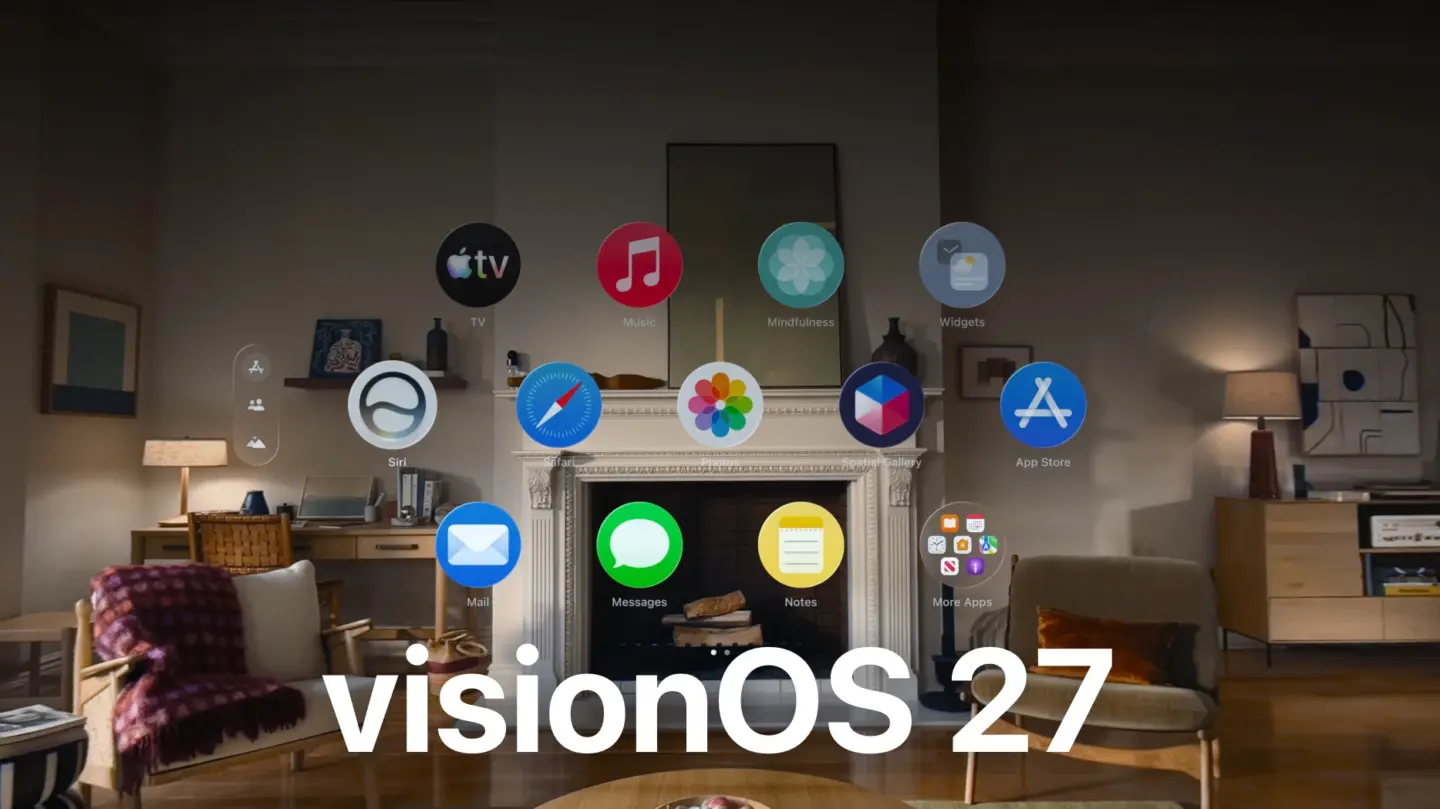
<p class="wp-block-paragraph">Despite not getting much airtime during today’s WWDC keynote, visionOS 27 is bringing several new features to Apple Vision Pro, including a new Environment from the Icelandic highlands. Here are the details.</p>
<p> more…</p>
]]></content>
            </entry>
                        <entry>
                <title><![CDATA[macOS Golden Gate menus revert to having no icons by each item, as it should be]]></title>
                <link href="https://appleinsider.com/articles/26/06/09/macos-golden-gate-menus-revert-to-having-no-icons-by-each-item-as-it-should-be?utm_source=rss" />
                <published>2026-06-09T02:20:05Z</published>
                <content type="html"><![CDATA[<p>macOS Tahoe threw an icon on every menu item, making them impossible to distinguish at a glance. macOS Golden Gate has rectified that design taboo with blessedly iconless menus.<img decoding="async" src="https://photos5.appleinsider.com/gallery/67893-143103-IMG_4632-xl.jpg" alt="Mac Finder window in dark mode showing Applications folder icons, with the Finder menu bar open and a translucent dropdown listing options like New Finder Window, New Folder, and Open" height="738"><span>macOS Golden Gate gets rid of the icons by menu items</span>In Disney&#8217;s 2004 animated film The Incredibles, a very basic concept of &#8220;when everyone is special, no one is&#8221; is explored. Alan Dye must not have seen that movie or the many like it.Well, now that he&#8217;s gone, so is his team&#8217;s decision to frustratingly place icons next to every menu item. Apple announced macOS Golden Gate on Monday, and it has fixed this problem. Continue Reading on AppleInsider | Discuss on our Forums</p>
]]></content>
            </entry>
                        <entry>
                <title><![CDATA[macOS Golden Gate menus revert to having no icons by each item, as it should be]]></title>
                <link href="https://appleinsider.com/articles/26/06/09/macos-golden-gate-menus-revert-to-having-no-icons-by-each-item-as-it-should-be?utm_source=rss" />
                <published>2026-06-09T02:20:05Z</published>
                <content type="html"><![CDATA[<p>macOS Tahoe threw an icon on every menu item, making them impossible to distinguish at a glance. macOS Golden Gate has rectified that design taboo with blessedly iconless menus.<img decoding="async" src="https://photos5.appleinsider.com/gallery/67893-143103-IMG_4632-xl.jpg" alt="Mac Finder window in dark mode showing Applications folder icons, with the Finder menu bar open and a translucent dropdown listing options like New Finder Window, New Folder, and Open" height="738"><span>macOS Golden Gate gets rid of the icons by menu items</span>In Disney&#8217;s 2004 animated film The Incredibles, a very basic concept of &#8220;when everyone is special, no one is&#8221; is explored. Alan Dye must not have seen that movie or the many like it.Well, now that he&#8217;s gone, so is his team&#8217;s decision to frustratingly place icons next to every menu item. Apple announced macOS Golden Gate on Monday, and it has fixed this problem. Continue Reading on AppleInsider | Discuss on our Forums</p>
]]></content>
            </entry>
                        <entry>
                <title><![CDATA[iOS 27 will let you swipe away the Now Playing widget from the Lock Screen]]></title>
                <link href="https://9to5mac.com/2026/06/08/ios-27-will-let-you-swipe-away-the-now-playing-widget-from-the-lock-screen/" />
                <published>2026-06-09T02:03:11Z</published>
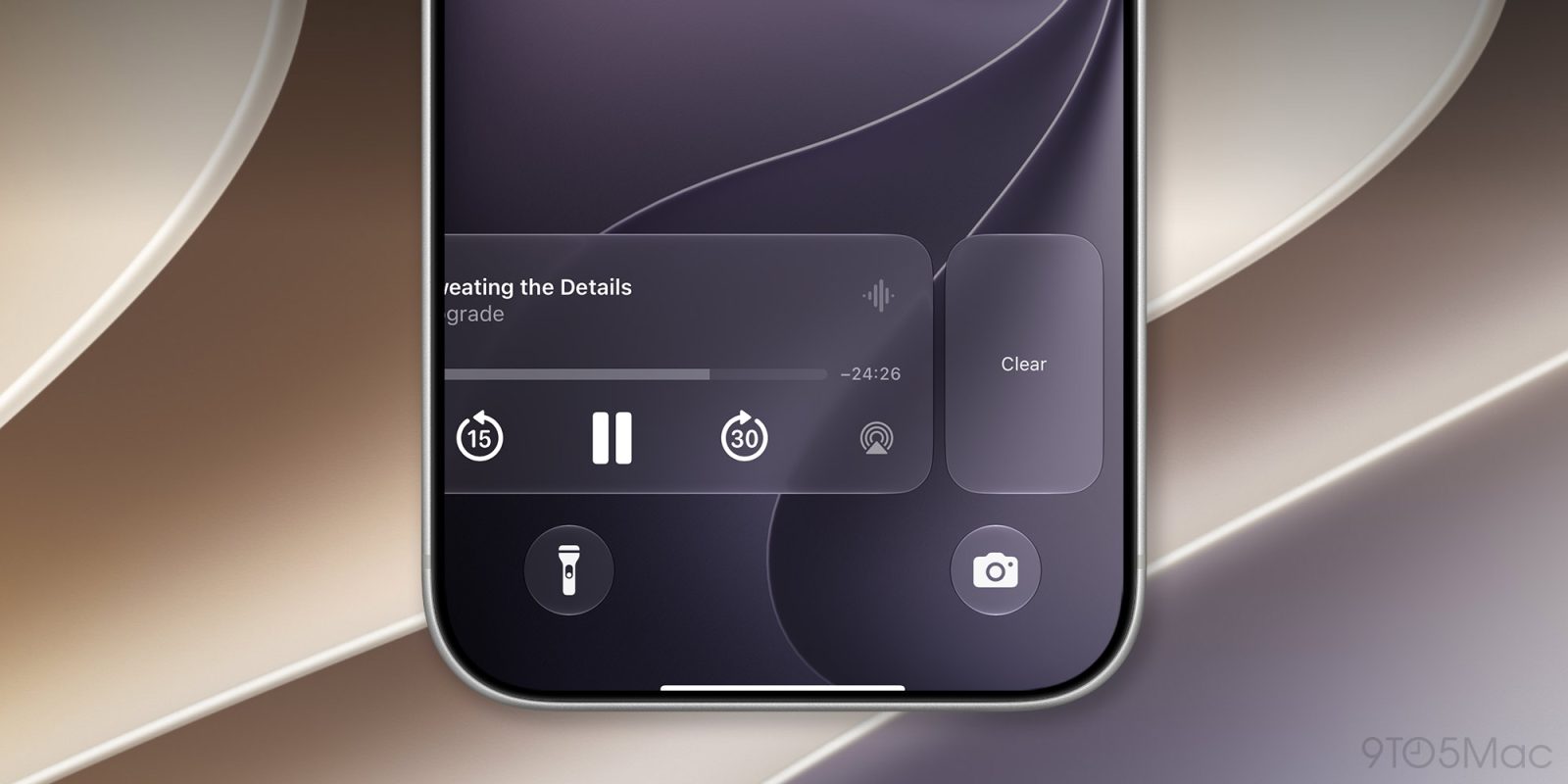
                <content type="html"><![CDATA[<p><img decoding="async" src="https://9to5mac.com/wp-content/uploads/sites/6/2026/06/ios27-now-laying-widget-fi.jpg?quality=82&#038;strip=all&#038;w=1600" /></p>
<p class="wp-block-paragraph">In iOS 27, users will be able to clear the Now Playing widget on their lock screens, just like notifications. Here are the details.</p>
<p> more…</p>
]]></content>
            </entry>
                        <entry>
                <title><![CDATA[AI Integration, Child Safety Touted by Apple at WWDC26]]></title>
                <link href="https://www.technewsworld.com/story/ai-integration-child-safety-touted-by-apple-at-wwdc26-180376.html?rss=1" />
                <published>2026-06-09T01:35:10Z</published>
                <content type="html"><![CDATA[<p><img decoding="async" width="300" height="156" src="https://www.technewsworld.com/wp-content/uploads/sites/3/2026/06/apple-wwdc26-ai-features-across-devices-300x156.jpg" class="attachment-medium size-medium wp-post-image" alt="Apple showcases AI features and parental controls across iPhone, iPad, Mac, Apple Watch, and Vision Pro at WWDC26" style="margin-bottom: 15px" loading="lazy" />Apple used WWDC26 to showcase deeper AI integration across its ecosystem, enhanced Siri capabilities, and new tools aimed at improving child safety. The post AI Integration, Child Safety Touted by Apple at WWDC26 appeared first on TechNewsWorld.</p>
]]></content>
            </entry>
                        <entry>
                <title><![CDATA[macOS 27 Golden Gate will let you resize the iPhone Mirroring window]]></title>
                <link href="https://9to5mac.com/2026/06/08/macos-27-golden-gate-will-let-you-resize-the-iphone-mirroring-window/" />
                <published>2026-06-09T01:31:31Z</published>
                <content type="html"><![CDATA[<p><img decoding="async" src="https://9to5mac.com/wp-content/uploads/sites/6/2026/06/macos-27-iphone-mirroring.jpg?quality=82&#038;strip=all&#038;w=1600" /></p>
<p class="wp-block-paragraph">Among the new features in macOS 27 Golden Gate is the ability to resize the iPhone Mirroring window using additional aspect ratios. Here are the details.</p>
<p> more…</p>
]]></content>
            </entry>
                        <entry>
                <title><![CDATA[watchOS 27 brings Siri AI, smarter Workout Buddy and a lot more to the Apple Watch]]></title>
                <link href="https://www.cultofmac.com/news/watchos-27-new-apple-watch-features-siri-ai" />
                <published>2026-06-09T00:54:00Z</published>
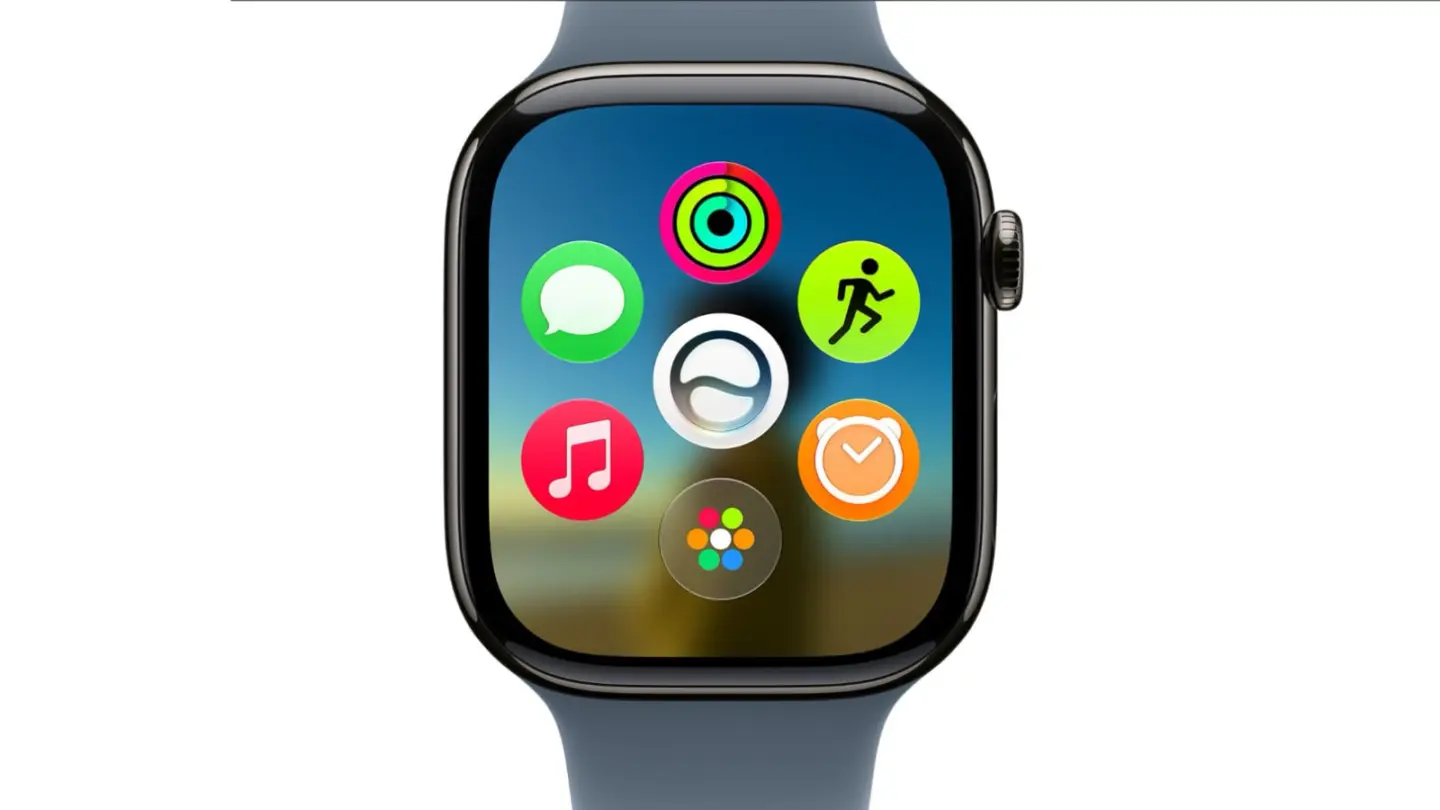
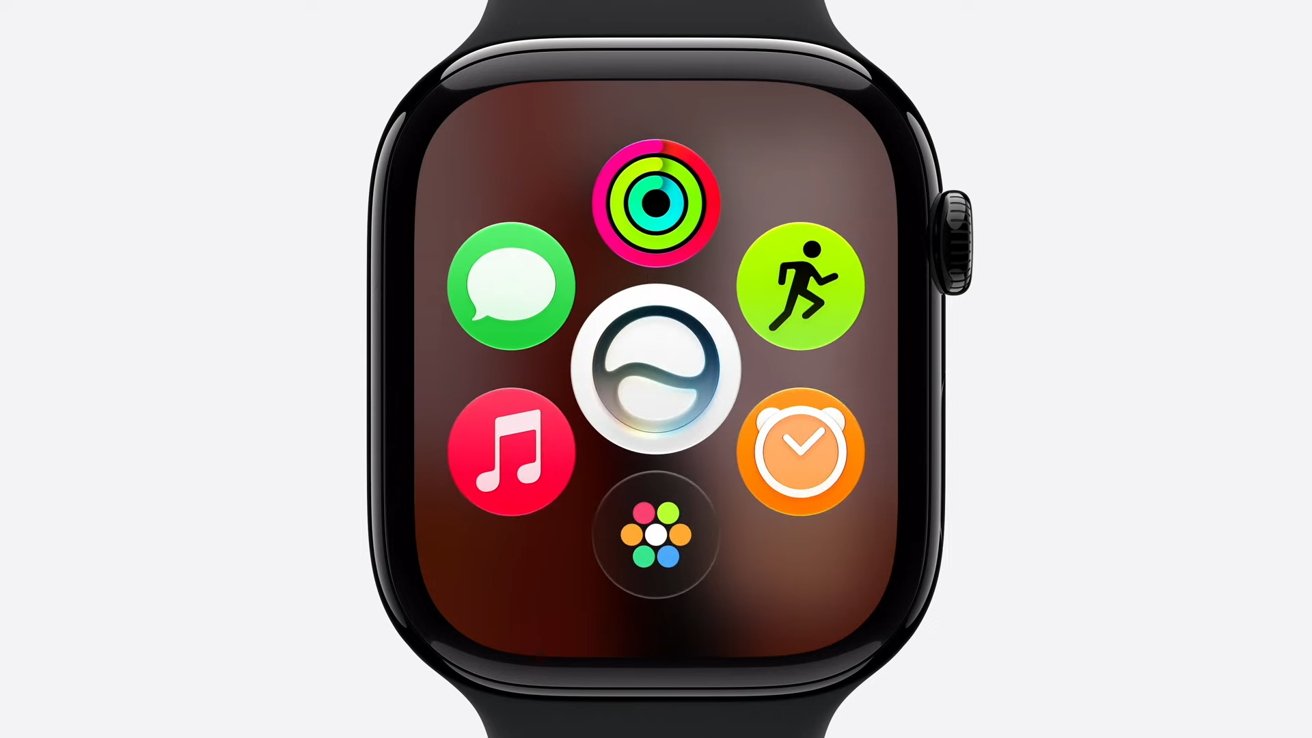
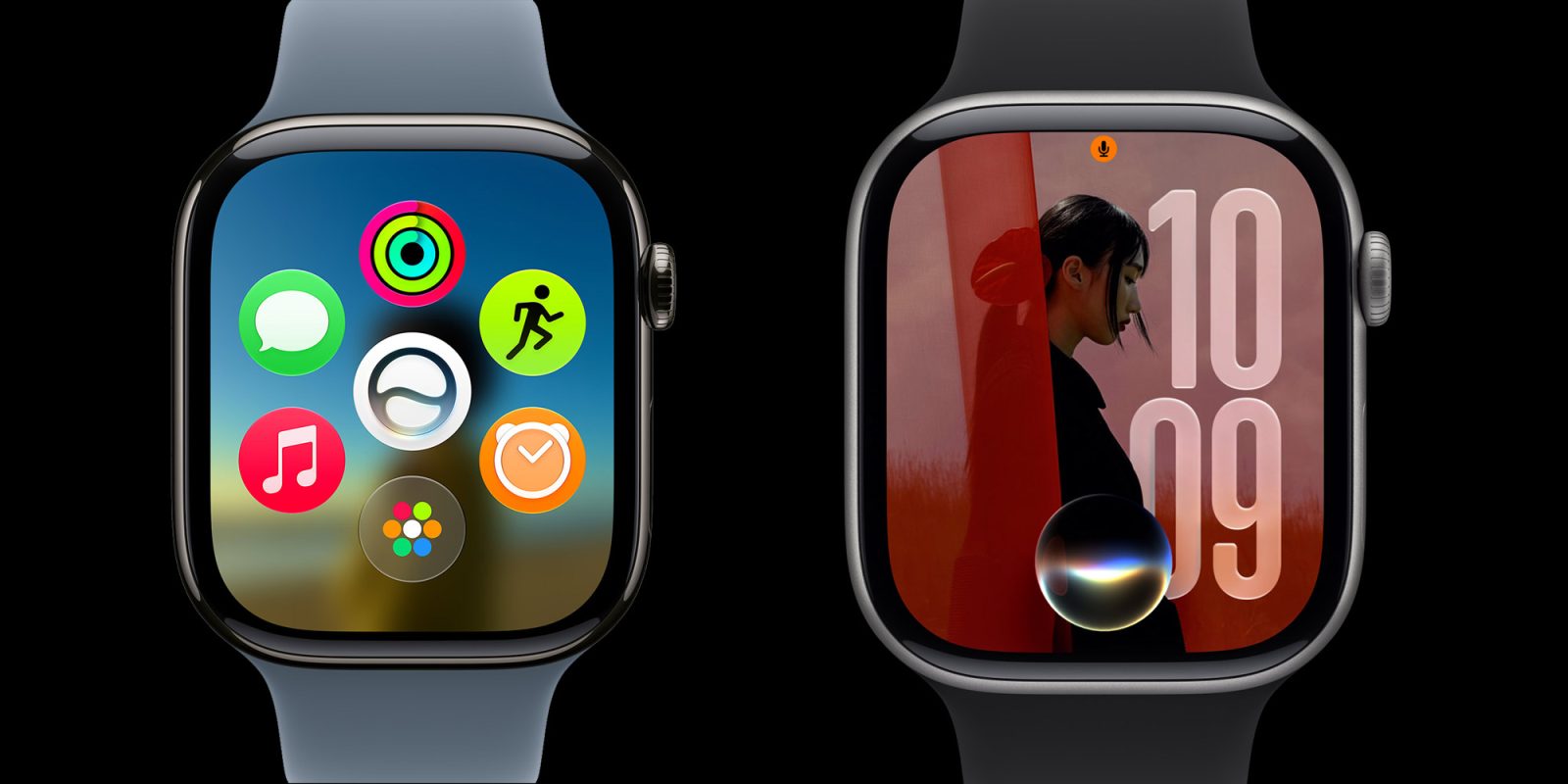
                <content type="html"><![CDATA[<p><img loading="lazy" decoding="async" width="780" height="439" src="https://www.cultofmac.com/wp-content/uploads/2026/06/watchOS-27-dyanamic-app-grid-1440x810.jpg.webp" class="attachment-large size-large wp-post-image" alt="Product image of Apple Watch running watchOS 27 with new dyanmic app grid on screen (and new Siri AI right in the middle)" style="margin-bottom: 15px" /></p>
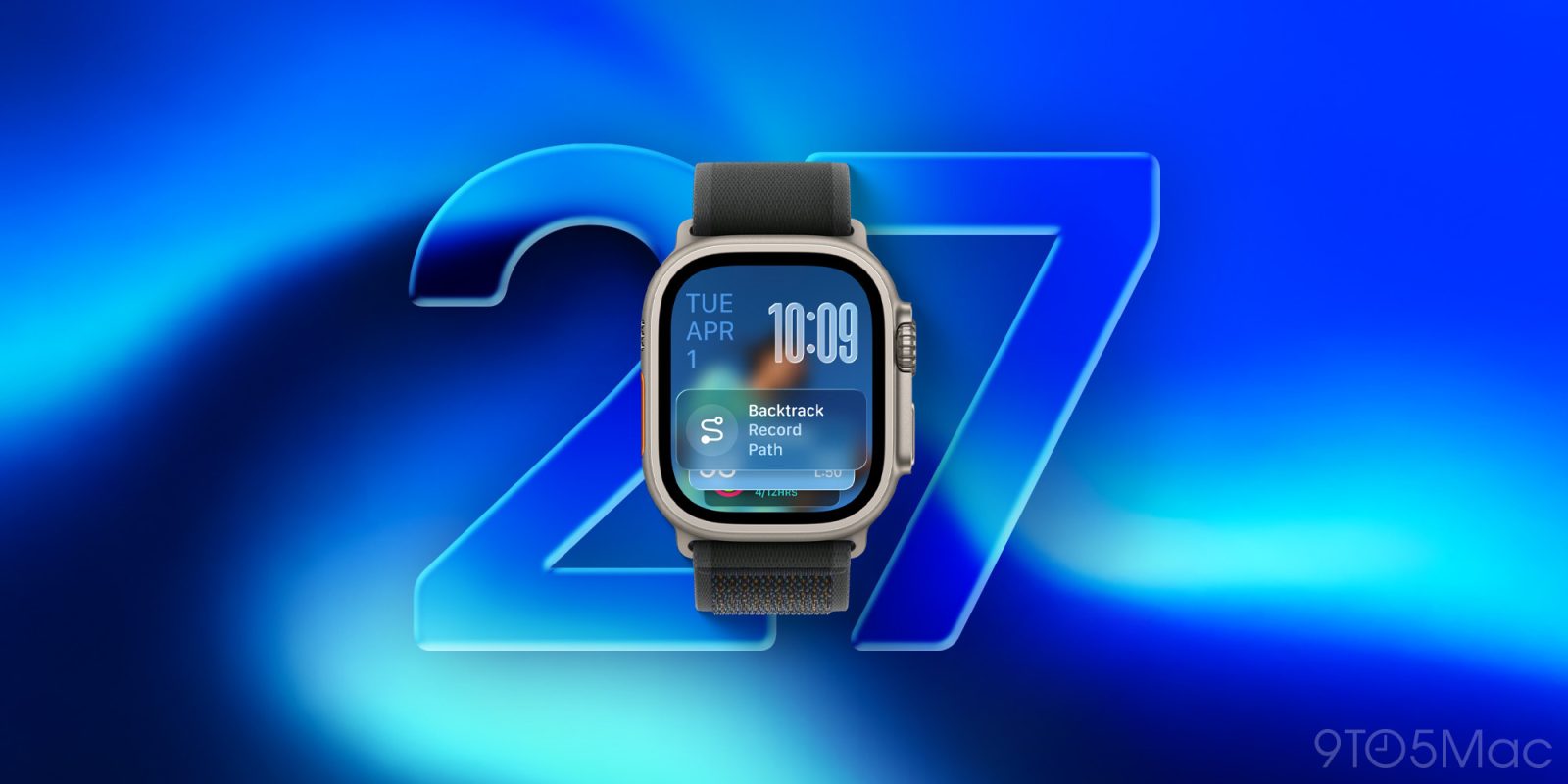
<p>From Siri AI to smarter Workout Buddy, here&#8217;s what watchOS 27 will bring to the Apple Watch this fall.</p>
<p>(via Cult of Mac &#8211; Your source for the latest Apple news, rumors, analysis, reviews, how-tos and deals.)</p>
]]></content>
            </entry>
                        <entry>
                <title><![CDATA[Download the official macOS 27 Golden Gate wallpapers here]]></title>
                <link href="https://9to5mac.com/2026/06/08/download-the-official-macos-27-golden-gate-wallpapers-here/" />
                <published>2026-06-08T23:09:37Z</published>
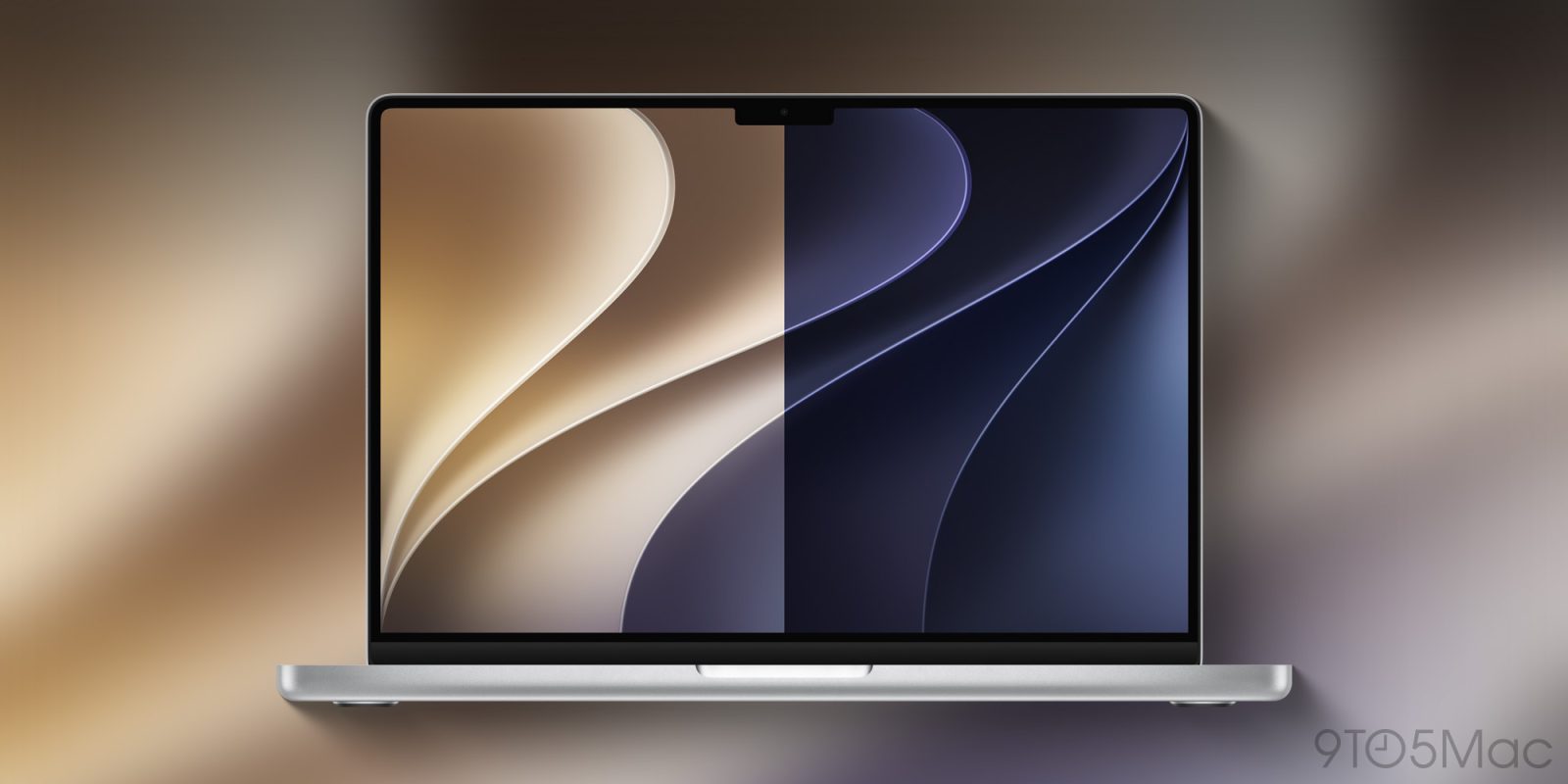
                <content type="html"><![CDATA[<p><img decoding="async" src="https://9to5mac.com/wp-content/uploads/sites/6/2026/06/macos-27-wallpaper.jpg?quality=82&#038;strip=all&#038;w=1600" /></p>
<p class="wp-block-paragraph">And even though macOS 27 Golden Gate won’t launch for a few more months, you can already get the new light and dark wallpapers from the gallery below.</p>
<p> more…</p>
]]></content>
            </entry>
                        <entry>
                <title><![CDATA[Apple Watch Series 11 hits Apple’s refurbished store, but is it the best deal?]]></title>
                <link href="https://www.cultofmac.com/news/apple-watch-series-11-ultra-3-se-3-refurbished-store" />
                <published>2026-06-08T22:32:16Z</published>
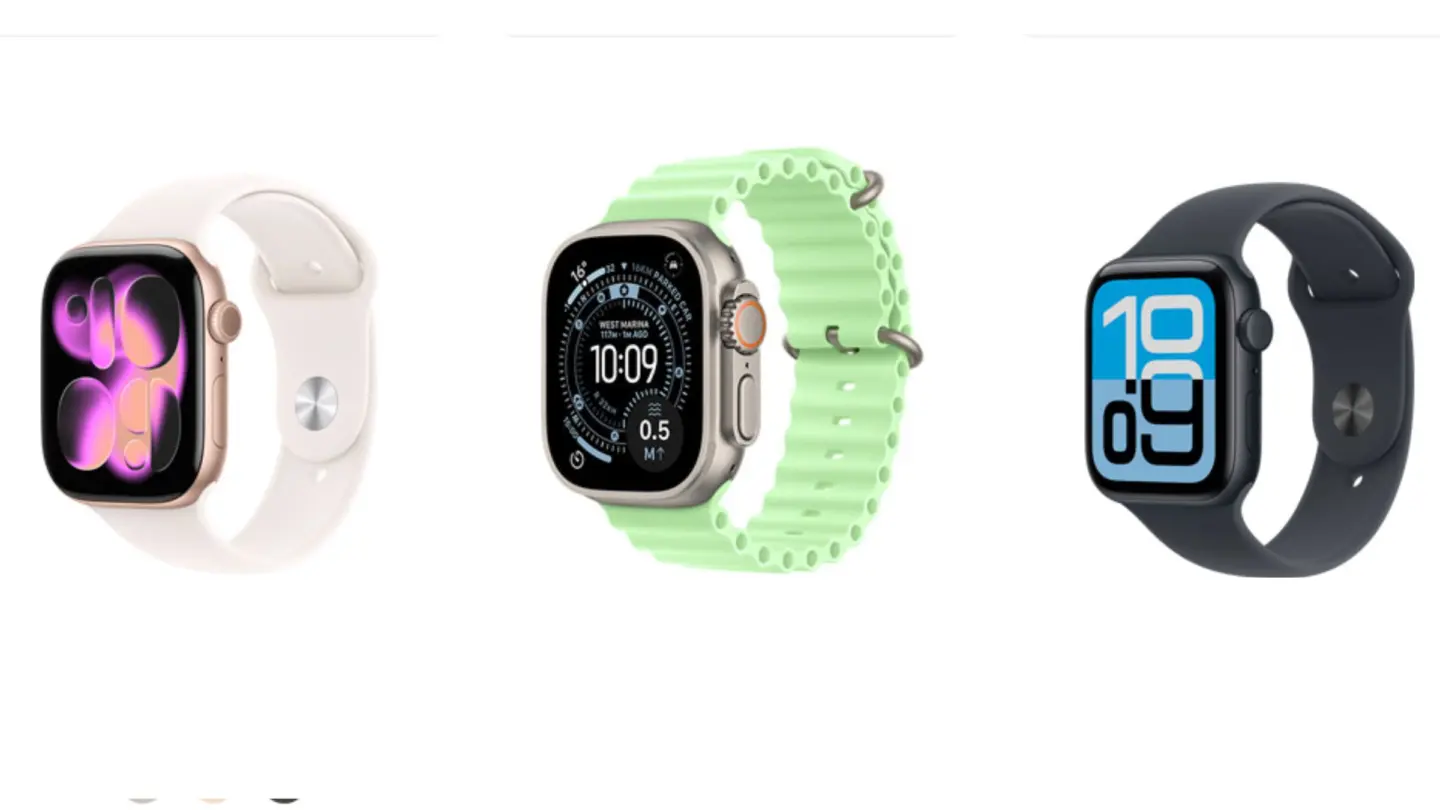
                <content type="html"><![CDATA[<p><img loading="lazy" decoding="async" width="780" height="439" src="https://www.cultofmac.com/wp-content/uploads/2026/06/Apple-Watch-refurbished-1440x810.jpg.webp" class="attachment-large size-large wp-post-image" alt="A photo of Apple Watch Series 11, Apple Watch Ultra 3 and Apple Watch SE 3." style="margin-bottom: 15px" /></p>
<p>All three Apple Watch models from last September’s lineup are now available refurbished directly from Apple.</p>
<p>(via Cult of Mac &#8211; Your source for the latest Apple news, rumors, analysis, reviews, how-tos and deals.)</p>
]]></content>
            </entry>
                        <entry>
                <title><![CDATA[iOS 27 adds extra-large widgets for your extra-large needs]]></title>
                <link href="https://9to5mac.com/2026/06/08/ios-27-adds-extra-large-widgets-for-your-extra-large-needs/" />
                <published>2026-06-08T22:28:17Z</published>
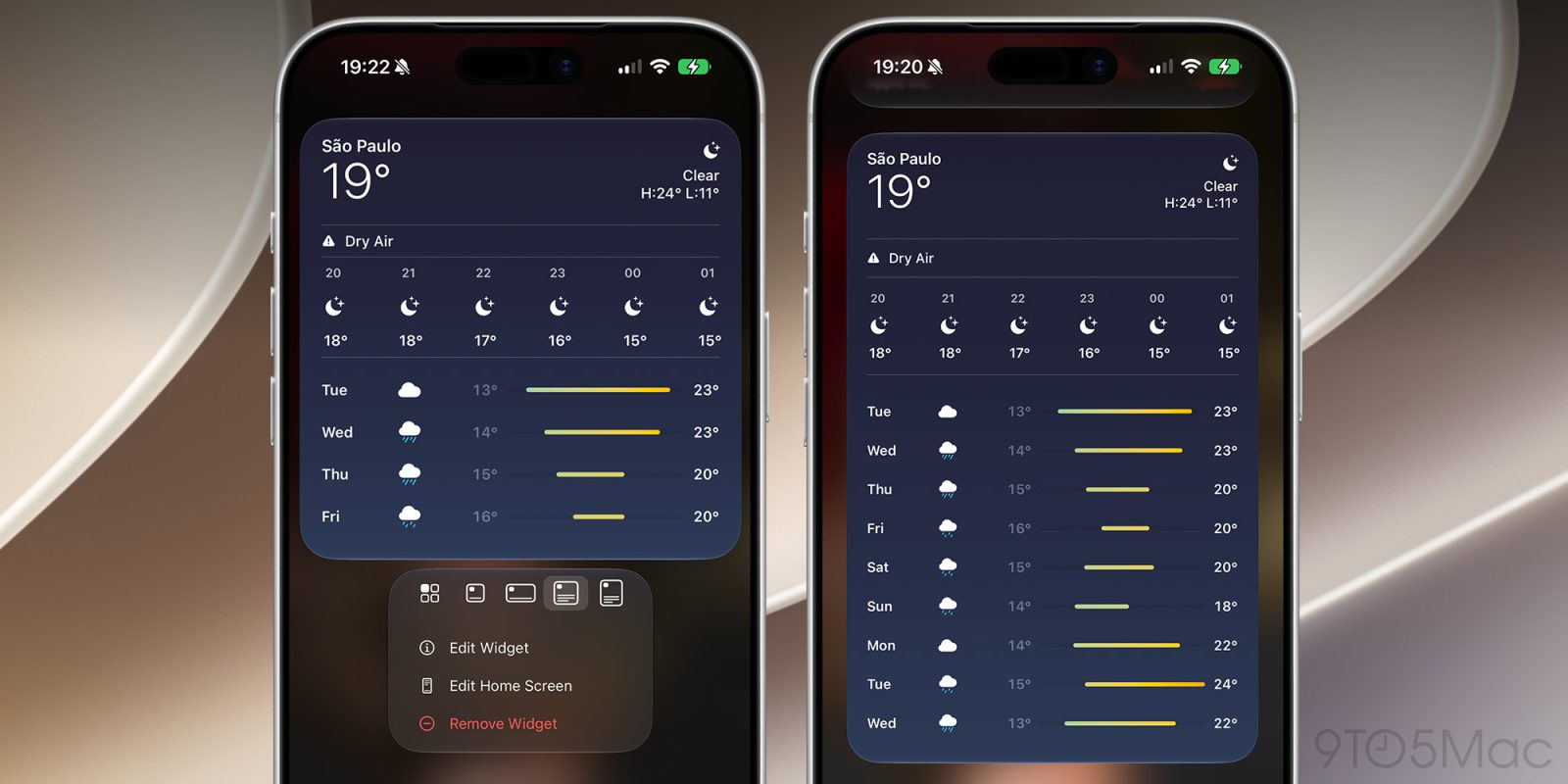
                <content type="html"><![CDATA[<p><img decoding="async" src="https://9to5mac.com/wp-content/uploads/sites/6/2026/06/ios27-extra-large-widgets-fi.jpg?quality=82&#038;strip=all&#038;w=1600" /></p>
<p class="wp-block-paragraph">With iOS 27, users will be able to add new extra-large widgets to their Today View and Home Screen. Here are the details.</p>
<p> more…</p>
]]></content>
            </entry>
                        <entry>
                <title><![CDATA[Apple&#039;s new foundation models don&#039;t contain a drop of Gemini, as we said they wouldn&#039;t]]></title>
                <link href="https://appleinsider.com/articles/26/06/08/apples-new-foundation-models-dont-contain-a-drop-of-gemini-as-we-said-they-wouldnt?utm_source=rss" />
                <published>2026-06-08T22:08:58Z</published>
                <content type="html"><![CDATA[<p>Apple confirmed at WWDC that its Foundation Models aren&#8217;t a cut and paste of Gemini, and are all-Apple through-and-through. We&#8217;ve been telling you this all along.<img decoding="async" src="https://photos5.appleinsider.com/gallery/67886-143099-Siri-AI-xl.jpg" alt="Colorful, glowing wave of red, orange, green, and blue light floating on a black background, resembling a sleek soundwave or digital assistant logo" height="738"><span>The new Apple Foundation Models doesn&#8217;t have a drop of Google code</span>WWDC 2026 was a rollercoaster event that primarily focused on Apple&#8217;s latest AI upgrades. This time, though, they had a little help from Google.Apple pre-announced that Google was providing Gemini technology to help develop the new Apple Foundation Models, but didn&#8217;t say much else. The rampant speculation painted a portrait of scrambling and failure, as usual.The reality is exactly what AppleInsider has been reporting all along, which makes sense. All of the information was there if you were willing to see it for what it was. Continue Reading on AppleInsider | Discuss on our Forums</p>
]]></content>
            </entry>
                        <entry>
                <title><![CDATA[iOS 27 code has clear signs that a folding iPhone is coming soon]]></title>
                <link href="https://appleinsider.com/articles/26/06/08/ios-27-code-has-clear-signs-that-a-folding-iphone-is-coming-soon?utm_source=rss" />
                <published>2026-06-08T21:59:16Z</published>
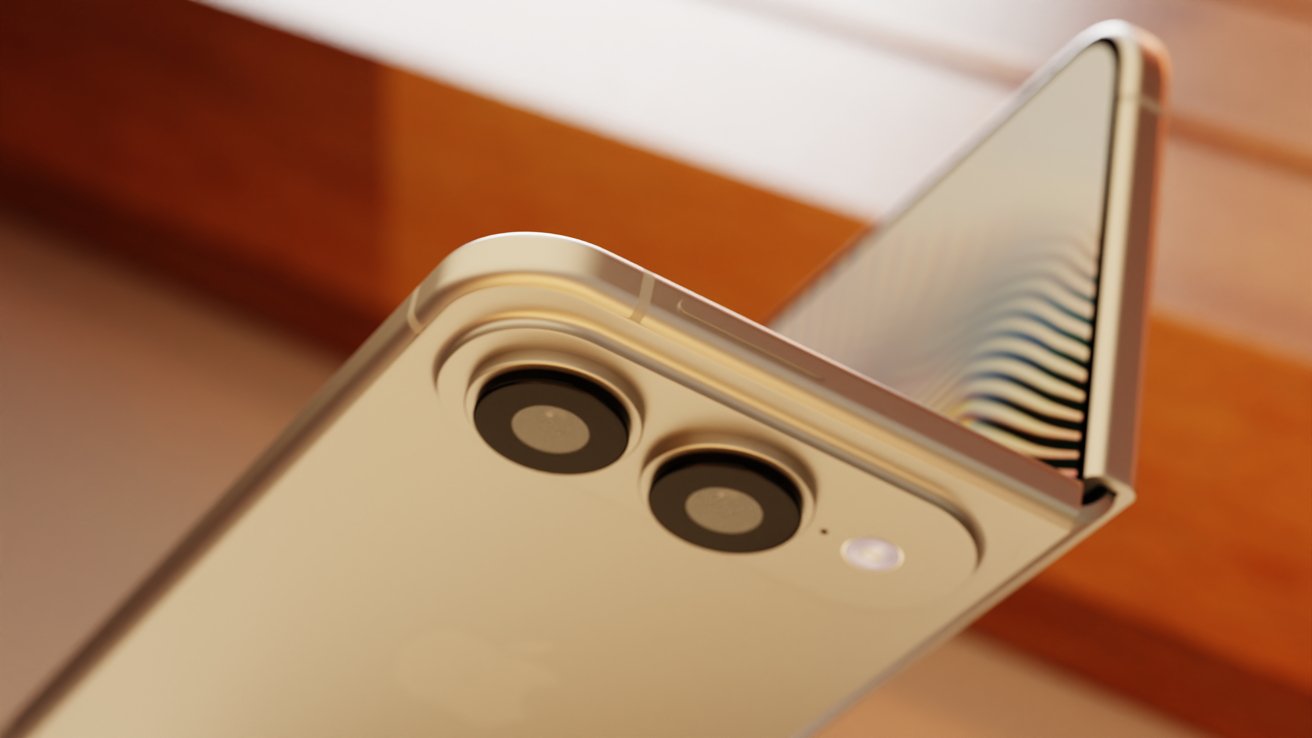
                <content type="html"><![CDATA[<p>Code sleuths are diving into iOS 27 and finding hints about the unreleased iPhone Fold, and finding subroutines that report just how open or shut the foldable might be.<img decoding="async" src="https://photos5.appleinsider.com/gallery/67890-143098-Squat-Fold-8-xl.jpg" alt="Close-up of a beige smartphone showing dual rear cameras and flash near the top corner, with light reflecting off a partially open laptop screen in the background" height="738"><span>Code in iOS 27 hints at iPhone Fold</span>Apple does its best to hide any code that might give away some future product, but it isn&#8217;t always perfect. Code references in iOS 27 show some of what Apple is preparing for the upcoming iPhone Fold.Even though there hasn&#8217;t been a single component leak or information about mass production starting, some believe iPhone Fold is still coming in September. These bits of code certainly suggest Apple is working to release iPhone Fold, but say little else. Continue Reading on AppleInsider | Discuss on our Forums</p>
]]></content>
            </entry>
                        <entry>
                <title><![CDATA[Apple leaks foldable iPhone references in iOS 27 beta]]></title>
                <link href="https://9to5mac.com/2026/06/08/apple-leaks-foldable-iphone-references-in-ios-27-beta/" />
                <published>2026-06-08T21:55:02Z</published>
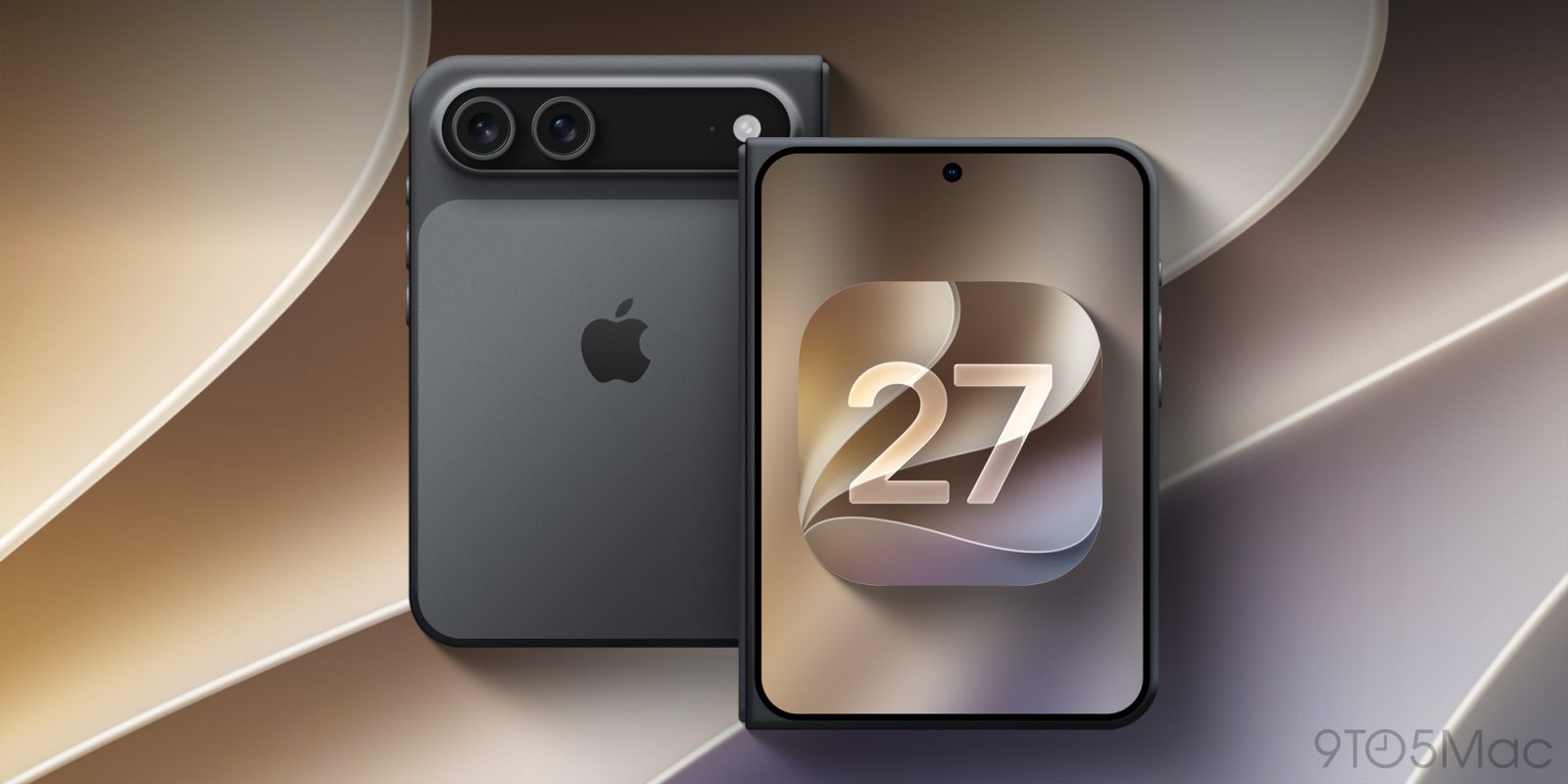
                <content type="html"><![CDATA[<p><img decoding="async" src="https://9to5mac.com/wp-content/uploads/sites/6/2026/06/iphone-fold-ultra-ios-27-leak.jpg?quality=82&#038;strip=all&#038;w=1600" /></p>
<p class="wp-block-paragraph">Apple released the first iOS 27 developer beta today, and code for the update includes references to features that can only belong to a foldable iPhone.</p>
<p> more…</p>
]]></content>
            </entry>
                        <entry>
                <title><![CDATA[How Apple improved the performance and stability of iPhone, Mac and more]]></title>
                <link href="https://www.cultofmac.com/news/mac-iphone-performance-improvements" />
                <published>2026-06-08T21:47:04Z</published>
                <content type="html"><![CDATA[<p><img loading="lazy" decoding="async" width="780" height="439" src="https://www.cultofmac.com/wp-content/uploads/2026/06/Mac-iPhone-performance-improvements--1440x810.jpg.webp" class="attachment-large size-large wp-post-image" alt="iPhone, Mac and iPad got so many performance improvements" style="margin-bottom: 15px" /></p>
<p>Explore the significant performance enhancements for iPhone, Mac and iPad coming this fall, bringing faster operation and fewer bugs.</p>
<p>(via Cult of Mac &#8211; Your source for the latest Apple news, rumors, analysis, reviews, how-tos and deals.)</p>
]]></content>
            </entry>
                        <entry>
                <title><![CDATA[Spatial Reframe in iOS 27 is a neat trick that creates nightmare fuel right now]]></title>
                <link href="https://appleinsider.com/articles/26/06/08/spatial-reframe-in-ios-27-is-a-neat-trick-that-creates-nightmare-fuel-right-now?utm_source=rss" />
                <published>2026-06-08T21:46:40Z</published>
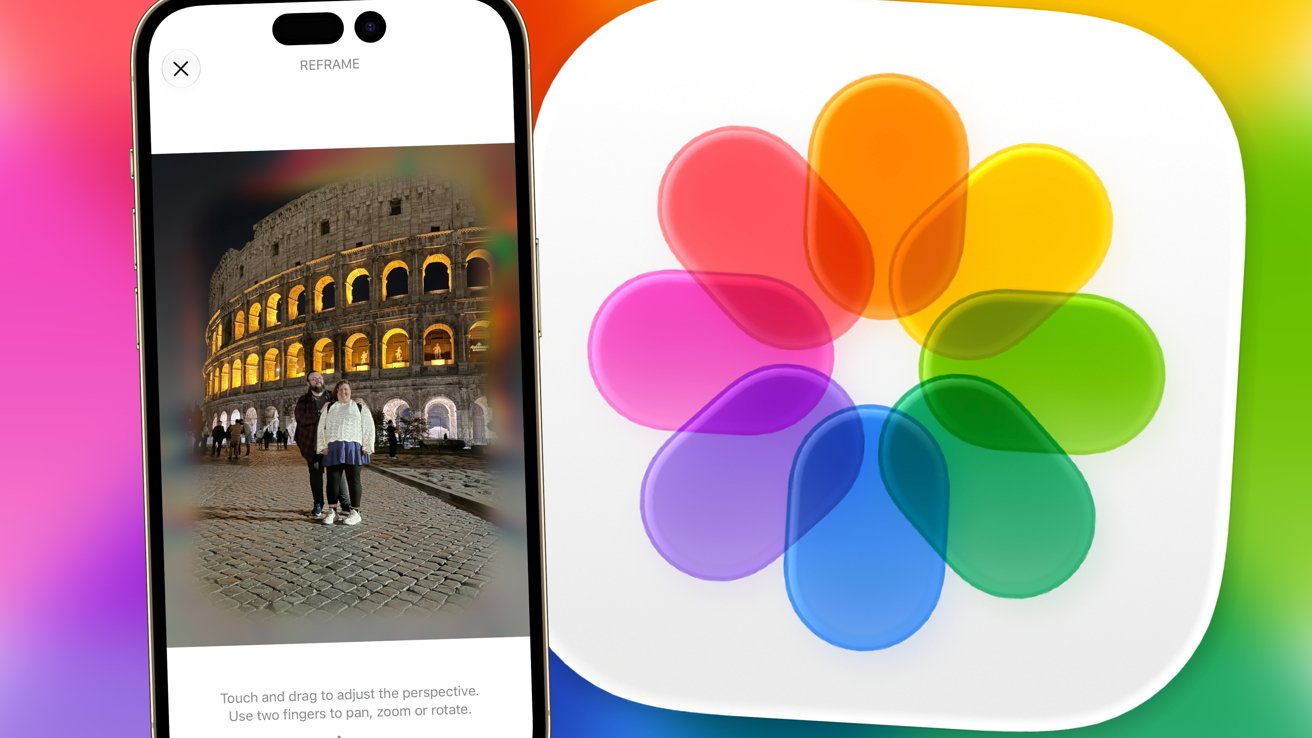
                <content type="html"><![CDATA[<p>Apple&#8217;s Spatial Reframing tool in Photos for iOS 27 is an interesting use of Apple Intelligence, but don&#8217;t push it too far just yet.<img decoding="async" src="https://photos5.appleinsider.com/gallery/67887-143093-ios27reframeheader-xl.jpg" alt="Smartphone displaying a nighttime photo of two people standing before the illuminated Colosseum, alongside the colorful overlapping-petals Apple Photos app icon on a bright gradient background" height="738"><span>iOS 27 Photos gains Spatial Reframing</span>WWDC 2025 included a neat feature for Spatial Photos that lets users convert flat images into 3D scenes. By moving the iPhone around, you could temporarily re-angle your shot and explore the scene.It was a neat trick, but it wasn&#8217;t that much of a major feature for photographers. It did, at least, give you an idea of how a Spatial Photo would look on something like an Apple Vision Pro. Continue Reading on AppleInsider | Discuss on our Forums</p>
]]></content>
            </entry>
                        <entry>
                <title><![CDATA[You’ll need the latest Apple devices to customize the new Siri’s voice]]></title>
                <link href="https://9to5mac.com/2026/06/08/youll-need-the-latest-apple-devices-to-customize-the-new-siris-voice/" />
                <published>2026-06-08T21:39:05Z</published>
                <content type="html"><![CDATA[<p><img decoding="async" src="https://9to5mac.com/wp-content/uploads/sites/6/2026/06/WWDC-26-13.34.38.jpg?quality=82&#038;strip=all&#038;w=1600" /></p>
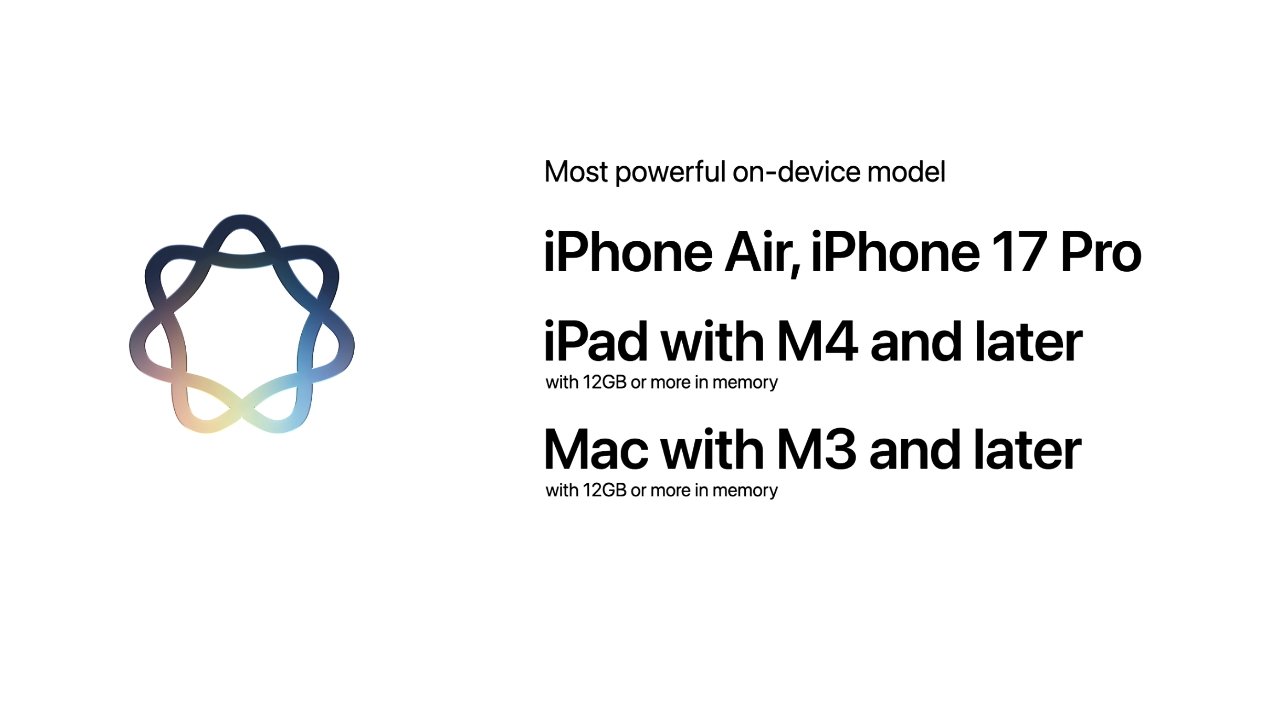
<p class="wp-block-paragraph">Today, Apple unveiled the new Siri AI, with a dedicated app and powerful capabilities. Among Siri’s new features is a more customizable voice, but you’ll need one of Apple’s newest iPhone, iPad, Mac, or Vision Pro models to use it. Here are the details.</p>
<p> more…</p>
]]></content>
            </entry>
                        <entry>
                <title><![CDATA[iOS 27 revamps AirPods settings in a big way, here’s the new design]]></title>
                <link href="https://9to5mac.com/2026/06/08/ios-27-revamps-airpods-settings-in-a-big-way-heres-the-new-design/" />
                <published>2026-06-08T21:38:06Z</published>
                <content type="html"><![CDATA[<p><img decoding="async" src="https://9to5mac.com/wp-content/uploads/sites/6/2025/10/airpods-pro-3-1.jpg?quality=82&#038;strip=all&#038;w=1600" /></p>
<p class="wp-block-paragraph">iOS 27 was introduced today at WWDC, and the first developer beta is now available, revealing an overhaul to AirPods settings inside the Settings app. Here’s what it looks like.</p>
<p> more…</p>
]]></content>
            </entry>
                        <entry>
                <title><![CDATA[Ultrawide displays gain explicit support in macOS 27]]></title>
                <link href="https://appleinsider.com/articles/26/06/08/ultrawide-displays-gain-explicit-support-in-macos-27?utm_source=rss" />
                <published>2026-06-08T21:36:00Z</published>
                <content type="html"><![CDATA[<p>Apple is adding explicit ultrawide display support in macOS 27, enabling higher-resolution display modes and preserving monitor layouts when displays are reconnected.<img decoding="async" src="https://photos5.appleinsider.com/gallery/49428-96601-LG-5K2K-Display-xl.jpg" alt="LG curved ultra-wide Thunderbolt Display"><span>LG curved ultra-wide Thunderbolt Display</span>The feature appeared in Apple&#8217;s macOS 27 preview materials released on June 8 during WWDC26. Macs can drive higher resolutions on supported ultrawide displays, with Apple citing 5K at 120Hz as one example.The update also remembers display arrangements between sessions, allowing monitors to return to their previous positions automatically when reconnected. Continue Reading on AppleInsider | Discuss on our Forums</p>
]]></content>
            </entry>
                        <entry>
                <title><![CDATA[Apple’s Siri AI is not ‘Google Gemini with Apple branding’; here’s how it really works]]></title>
                <link href="https://macdailynews.com/2026/06/08/apples-siri-ai-is-not-google-gemini-with-apple-branding-heres-how-it-really-works/" />
                <published>2026-06-08T21:20:40Z</published>
                <content type="html"><![CDATA[<p><img loading="lazy" decoding="async" data-recalc-dims="1" src="https://i0.wp.com/macdailynews.com/wp-content/uploads/2026/06/260608_siri_ai.png?resize=640%2C360&#038;ssl=1" alt="Powered by Apple Intelligence, the new version of Siri is profoundly more capable and conversational, and deeply integrated across products." width="640" height="360" class="size-full wp-image-302506" />Powered by Apple Intelligence, the new version of Siri is profoundly more capable and conversational, and deeply integrated across products.</p>
<p>Apple&#8217;s new Siri AI (unveiled today at WWDC 2026) is powered by Google&#8217;s Gemini-based models under the hood, but it is not a simple &#8220;Siri calls Gemini&#8221; setup. It&#8217;s a deep, customized integration designed to keep Apple&#8217;s privacy standards intact.</p>
<p>Core Architecture</p>
<p>• Foundation: Apple uses Google&#8217;s Gemini (a large, capable model family, reportedly including custom versions on the scale of 1+ trillion parameters) as the base for its next-generation Apple Foundation Models.</p>
<p>• Hybrid Processing: On-device: Smaller, distilled versions of the models run locally on your iPhone, iPad, or Mac for simple/quick tasks (leveraging the Neural Engine).</p>
<p>• Private Cloud Compute (PCC): More complex reasoning, multi-step tasks, context understanding, or heavy queries route to Apple&#8217;s secure cloud servers.</p>
<p>Apple fine-tunes and adapts the Gemini-based models for its ecosystem. Siri retains Apple&#8217;s branding, voice, and deep integration with iOS/macOS apps and services — it doesn&#8217;t feel like &#8220;using Gemini.&#8221;</p>
<p>How a Typical Request Works</p>
<p>You say “Hey Siri” or type in the new dedicated Siri app/chat interface.</p>
<p>On-device Apple Intelligence first handles what it can (privacy-first, no data leaves the device).</p>
<p>For advanced needs (natural conversation, context across apps, multi-step actions, image analysis, etc.), the request securely routes to Apple’s Private Cloud Compute.</p>
<p>Gemini-powered models process it there.</p>
<p>Results return to your device. Siri presents them in its familiar (but now much smarter) way.</p>
<p>Key Privacy Safeguards:</p>
<p>• Your data and queries stay within Apple&#8217;s infrastructure.</p>
<p>• Nothing is stored long-term, used for Google&#8217;s advertising, or fed back into Google&#8217;s training.</p>
<p>• Private Cloud Compute is designed with strict controls (e.g., no human access, automatic deletion, third-party verifiable privacy).</p>
<p>This is a multi-year, ~$1 billion/year deal where Google provides the models and cloud tech, but Apple controls the user experience.</p>
<p>Siri can still hand off to other models (like the existing ChatGPT option), and reports suggest future support for choosing Claude, Gemini, etc., directly.</p>
<p>The result is a far more conversational, context-aware, and capable Siri that finally competes with modern AI assistants while staying deeply tied to the Apple ecosystem.</p>
<p>At its core, Siri AI is powered by Google’s Gemini models — but Apple has engineered the entire system to maintain its uncompromising approach to user privacy and ecosystem control.</p>
<p>Key Architectural Highlights:</p>
<p>Data Stripping at the Private Cloud Compute (PCC) Layer</p>
<p>When a request requires advanced Gemini capabilities, it first passes through Apple’s Private Cloud Compute infrastructure. Here, Apple’s systems automatically scrub all personally identifiable information (PII) and account-linked data before the query ever reaches the Gemini model. As a result, Google never receives or sees any of your personal identity, Apple ID, location history, or other sensitive information. This “data stripping” step is a critical privacy safeguard that lets Apple tap into world-class AI performance without compromising the trust users place in the company.</p>
<p>Hybrid On-Device + Private Cloud Intelligence</p>
<p>Simple tasks and quick responses continue to run entirely on-device using distilled, Apple-optimized models on the Apple Neural Engine. More complex reasoning, multi-step tasks, deep contextual understanding, and rich interactions route securely to Private Cloud Compute. Even in the cloud, the processed data remains within Apple’s controlled environment and is not stored or used for training.</p>
<p>Apple emphasized that users will experience a dramatically more conversational, proactive, and capable Siri that deeply understands context across apps — all while the company retains full control over the user experience, branding, and privacy protections.</p>
<p>Siri AI will begin rolling out later this year in iOS 27, iPadOS 27, and macOS 27 (Golden Gate) as an opt-in intelligent assistant, with additional features arriving over time as the models continue to improve.</p>
<p><span style="color: #ff0000">MacDailyNews Take: </span>This is exactly the kind of thoughtful, privacy-first engineering we’ve come to expect from Apple. By using Gemini as a powerful foundation while enforcing strict data stripping at the PCC layer and keeping the entire user-facing experience under Apple’s roof, the company has found a pragmatic way to leapfrog years of AI stagnation without selling out its principles.</p>
<p>A massive seismic shift just occurred on stage at WWDC 2026. It will take a bit for the market to figure it out and catch up.</p>
<p>When Apple finally delivers this promised conversational leap while actually protecting user data better than the pure-cloud competitors, Siri AI will finally restore to Cupertino the voice assistant crown that the company ceded over a decade ago.</p>
<p>‎<br />
<span style="color: #ff0000">Please help support MacDailyNews — and enjoy subscriber-only articles, comments, chat, and more — by subscribing to our Substack</span>: macdailynews.substack.com. Thank you!</p>
<p>Support MacDailyNews at no extra cost to you by using this link to shop at Amazon.</p>
<p>The post Apple&#8217;s Siri AI is not &#8216;Google Gemini with Apple branding&#8217;; here’s how it really works appeared first on MacDailyNews.</p>
]]></content>
            </entry>
                        <entry>
                <title><![CDATA[Apple’s new Siri doesn’t feel very new]]></title>
                <link href="https://www.macworld.com/article/3159784/apples-new-siri-doesnt-feel-very-new.html" />
                <published>2026-06-08T21:11:00Z</published>
                <content type="html"><![CDATA[<p>Macworld</p>
<p>It’s taken a long time to reach this point. Those with long memories will recall that Apple promised an updated version of its Siri voice assistant at WWDC 2024. This would bring deep contextual awareness, we were told, and the ability to search emails, messages, and other personal data to improve accuracy and enable rich, natural conversations. There was even a series of ads showing off the feature and explicitly tying it to the iPhone 16 Pro.</p>
<p>Unfortunately the project stumbled right from the start and carried on stumbling for the following two years. An initial plan to launch New Siri as part of iOS 18 was quickly shelved in favor of iOS 18.4, then iOS 26, then iOS 26.4. Anyone who bought an iPhone 16 Pro with the feature in mind was headed for disappointment (and some compensation, on the bright side).</p>
<p>Now the new Siri has been announced again at another WWDC, this time rebranded as Siri AI and tied to the launch of the OS 27 software updates. Assuming nothing else goes wrong, it should finally hit Apple devices in the fall. The problem is that the world has moved on, and even at its own launch event, new Siri didn’t feel very new.</p>
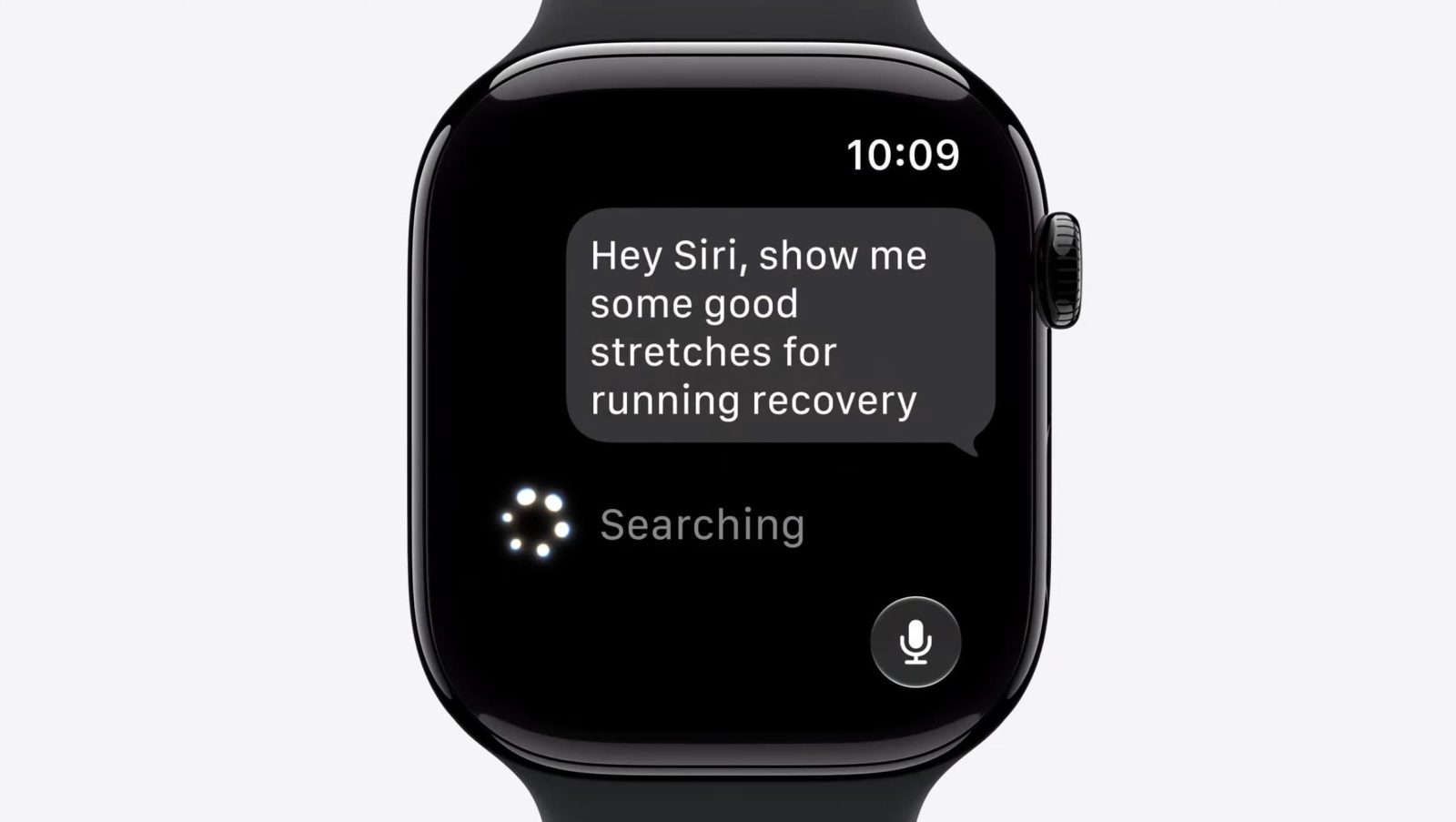
<p>The part that struck me first was how slow it seems to be. These were stage-managed demos, presumably run in absolutely optimal conditions and with the option of a rerun if anything falls over or hits a snag. (We’ll be generous and assume they were genuine demos and not mocked-up simulations like in those Bella Ramsey commercials.) But even in these favourable conditions, there was a noticeable delay before Siri AI answered each command. The presenters would often have time to make an additional comment while waiting for Siri to think, shown by a spinning circle in the Dynamic Island.</p>
<p>I went through Mike Rockwell’s initial demo with a stopwatch, measuring from when Siri started showing a loading icon to when it returned the result. (You’ll also need to factor in the time to speak or type the command, as well as for Siri to register this and switch to thinking mode, but I was again feeling generous.) The quickest was 3.71 seconds, and the slowest 8.31 seconds. When Rockwell’s colleague Justin Titi started showing off more complex tasks the delays got longer still, stretching in one case to 10.43 seconds.</p>
<p>That may not sound like long, but bear in mind that this is supposed to be an action you run repeatedly, and it’s scarcely the conversational mode we were promised. (Imagine talking to a friend and having to sit through a 10-second pause after each of your comments.) It also doesn’t compare well to rival products. In my experiments, ChatGPT was repeatedly able to answer complex analytical questions in less than 2 seconds, peaking at 2.6 seconds when I added multiple additional parameters. And remember that this is comparing ChatGPT in the real world to Siri AI in lab conditions.</p>
<p>On functionality, too, Siri AI hardly feels new. Basically, everything we saw from it has been done before. Access to broad world knowledge? That’s standard. Integrated across the platform? That’s what Google announced last month. Ability to revisit past conversations? Gemini does that. As well as search your emails and messages, tell you where a photo was taken, and agentically organise a party.</p>
<p>Which makes sense, given that Siri AI was built on Google’s foundation after Apple couldn’t finish the job itself. If you’ve used Gemini, it’s unlikely you’ll find anything novel here. But the same applies in most cases to ChatGPT or any other modern LLM. About the only thing you might feel is unique to Apple’s offering is its privacy promises, and there’s still a bit of a question mark over that because of the server situation.</p>
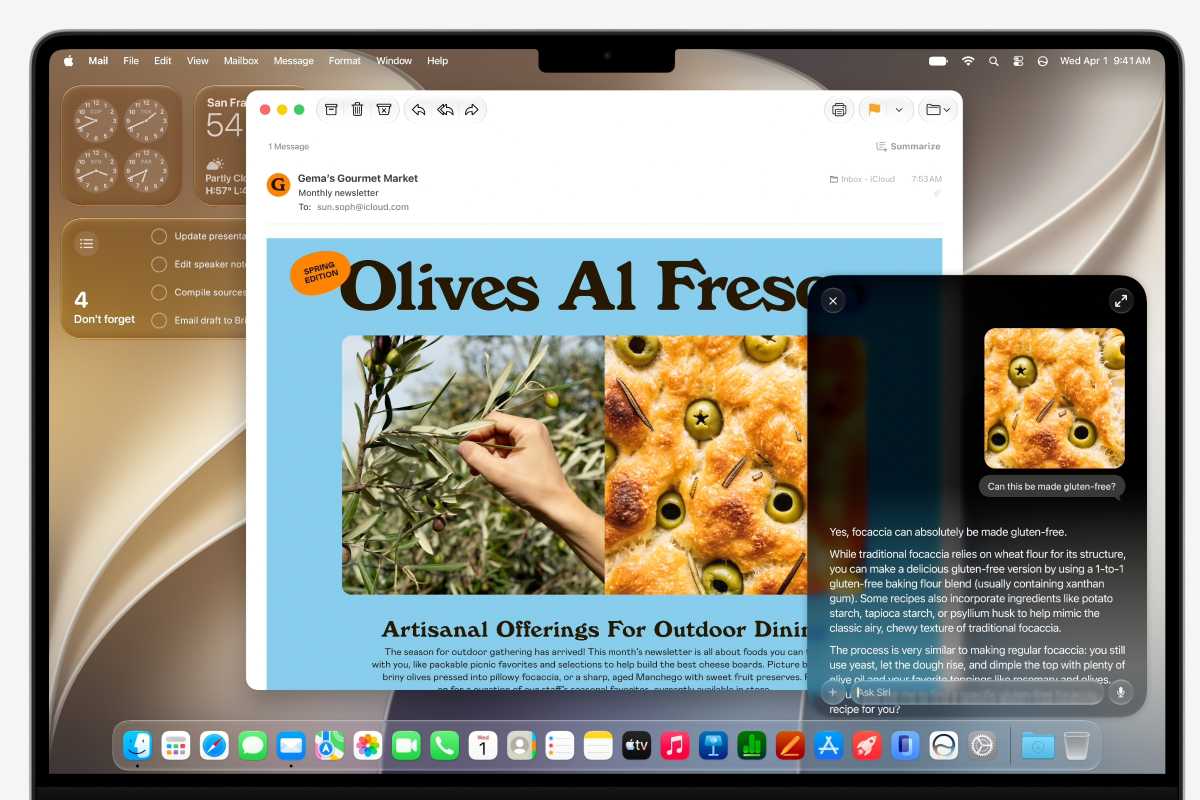
<p><img decoding="async" data-wp-class--hide="state.isContentHidden" data-wp-class--show="state.isContentVisible" data-wp-init="callbacks.setButtonStyles" data-wp-on-async--click="actions.showLightbox" data-wp-on-async--load="callbacks.setButtonStyles" data-wp-on-async-window--resize="callbacks.setButtonStyles" src="https://b2c-contenthub.com/wp-content/uploads/2026/06/macos-golden-gate-Siri-AI.jpg?quality=50&amp;strip=all&amp;w=1200" alt="maOS Golden Gate Siri AI" class="wp-image-3159690" width="1200" height="800" loading="lazy" /></p>
<p class="imageCredit">Apple</p>
<p>The positives</p>
<p>What we will say, however, is that New Siri feels like a big improvement on Old Siri, and that’s something. The following features might not be new across the industry, but they are new for Apple.</p>
<p>Better accuracy: This will need to be tested, and it was grating to hear Apple use the phrase “even higher accuracy,” as if Old Siri was remotely close to acceptable in this regard. But a specific reference to improved accuracy is exciting for those of us who’ve been tearing our hair out trying to get Siri to do what it’s told.</p>
<p>A dedicated app: For the first time you’ll find a Siri app on your iOS 27 iPhone. Open this app to view past conversations and the information Siri surfaced in response to those queries. A particularly nice part of this is that it’s device-agnostic: the same conversation history will be viewable on your iPhone, iPad, Mac, and so on. (Apple assures us that the syncing is done privately with iCloud.)</p>
<p>Contextual awareness: This is the big one. In the demos Siri AI knew what was on the screen, what it had been asked before, personal contextual information, and (when prompted) the contents of the user’s emails and messages. This means you can use commands like “Where was this taken?” while looking at a photo, or ask Siri what recipe a particular relative sent you recently. This is a huge step forward in power.</p>
<p>Writing tools in more places: Apple says its customers can use Siri AI to compose or edit text “virtually anywhere they type.” Describe what you’re looking for and Siri will deliver a draft for you to check out. Slightly creepily, the technology can mimic your writing style (on a per-recipient basis) when composing in Mail and Messages.</p>
<p>Customisable, more expressive Siri voices: If you have access to the top-tier version of Siri AI (you’ll need an iPhone Air, iPhone 17 Pro/17 Pro Max, iPad M4 or later with 12GB of memory, Mac M3 or later with 12GB, or Apple Vision Pro M5) then you’ll be able to customise Siri AI’s voice using two sliders. One will adjust speed, the other expressiveness. Quite a fun idea.</p>
]]></content>
            </entry>
                        <entry>
                <title><![CDATA[Apple confirms watchOS 27 will run on Apple Watch Series 9]]></title>
                <link href="https://9to5mac.com/2026/06/08/apple-confirms-watchos-27-will-run-on-apple-watch-series-9/" />
                <published>2026-06-08T21:09:29Z</published>
                <content type="html"><![CDATA[<p><img decoding="async" src="https://9to5mac.com/wp-content/uploads/sites/6/2026/06/WWDC-26-13.47.28.jpg?quality=82&#038;strip=all&#038;w=1600" /></p>
<p class="wp-block-paragraph">Although watchOS 27 drops support for several older Apple Watch models, Apple has confirmed to 9to5Mac that one compatible model was mistakenly left out of its official list. Here are the details.</p>
<p> more…</p>
]]></content>
            </entry>
                        <entry>
                <title><![CDATA[WWDC&#039;s Siri AI, macOS Golden Gate, and updated Apple Intelligence on the AppleInsider Podcast]]></title>
                <link href="https://appleinsider.com/articles/26/06/08/wwdcs-siri-ai-macos-golden-gate-and-updated-apple-intelligence-on-the-appleinsider-podcast?utm_source=rss" />
                <published>2026-06-08T21:08:10Z</published>
                <content type="html"><![CDATA[<p>We wanted details, and WWDC did not disappoint. Join us for a first and fast recap of what this year&#8217;s macOS, iOS, and iPadOS announcements mean.<img decoding="async" src="https://photos5.appleinsider.com/gallery/67888-143091-000-lede-Podcast-article-xl.jpg" alt="Older man in blue shirt speaks outdoors beside a yellow camper van loaded with luggage on the roof, with passengers leaning out the door, on a sunny tree-lined street" height="720"><span>Craig Federighi learns that macOS 27 is to be called Golden Gate, not Big Bear &#8211; image credit: Apple</span>Maybe much of this year&#8217;s WWDC keynote was rumored, but now we know that even some of the leaks that were more wishful thinking are real. Tim Cook&#8217;s final WWDC played out as a torrent of new features across all of Apple&#8217;s platforms.There was so much that it&#8217;s going to take a while for us all to be clear on what&#8217;s new, what&#8217;s useful, and also what&#8217;s coming when. But even as the beta releases are downloading, there is much to say about first impressions of the new features. Continue Reading on AppleInsider | Discuss on our Forums</p>
]]></content>
            </entry>
                        <entry>
                <title><![CDATA[WWDC26: Apple unveils next generation of Apple Intelligence, Siri AI, powerful parental controls, and an expansive set of software improvements]]></title>
                <link href="https://macdailynews.com/2026/06/08/wwdc26-apple-unveils-next-generation-of-apple-intelligence-siri-ai-powerful-parental-controls-and-an-expansive-set-of-software-improvements/" />
                <published>2026-06-08T21:05:00Z</published>
                <content type="html"><![CDATA[<p><img loading="lazy" decoding="async" data-recalc-dims="1" src="https://i0.wp.com/macdailynews.com/wp-content/uploads/2026/06/260608_wwdc26_announcements.png?resize=640%2C360&#038;ssl=1" alt="At WWDC26, Apple unveiled the next generation of Apple Intelligence, Siri AI, powerful parental controls, and an expansive set of software improvements across iOS, iPadOS, macOS, watchOS, visionOS, and tvOS." width="640" height="360" class="size-full wp-image-302534" />At WWDC26, Apple unveiled the next generation of Apple Intelligence, Siri AI, powerful parental controls, and an expansive set of software improvements across iOS, iPadOS, macOS, watchOS, visionOS, and tvOS.</p>
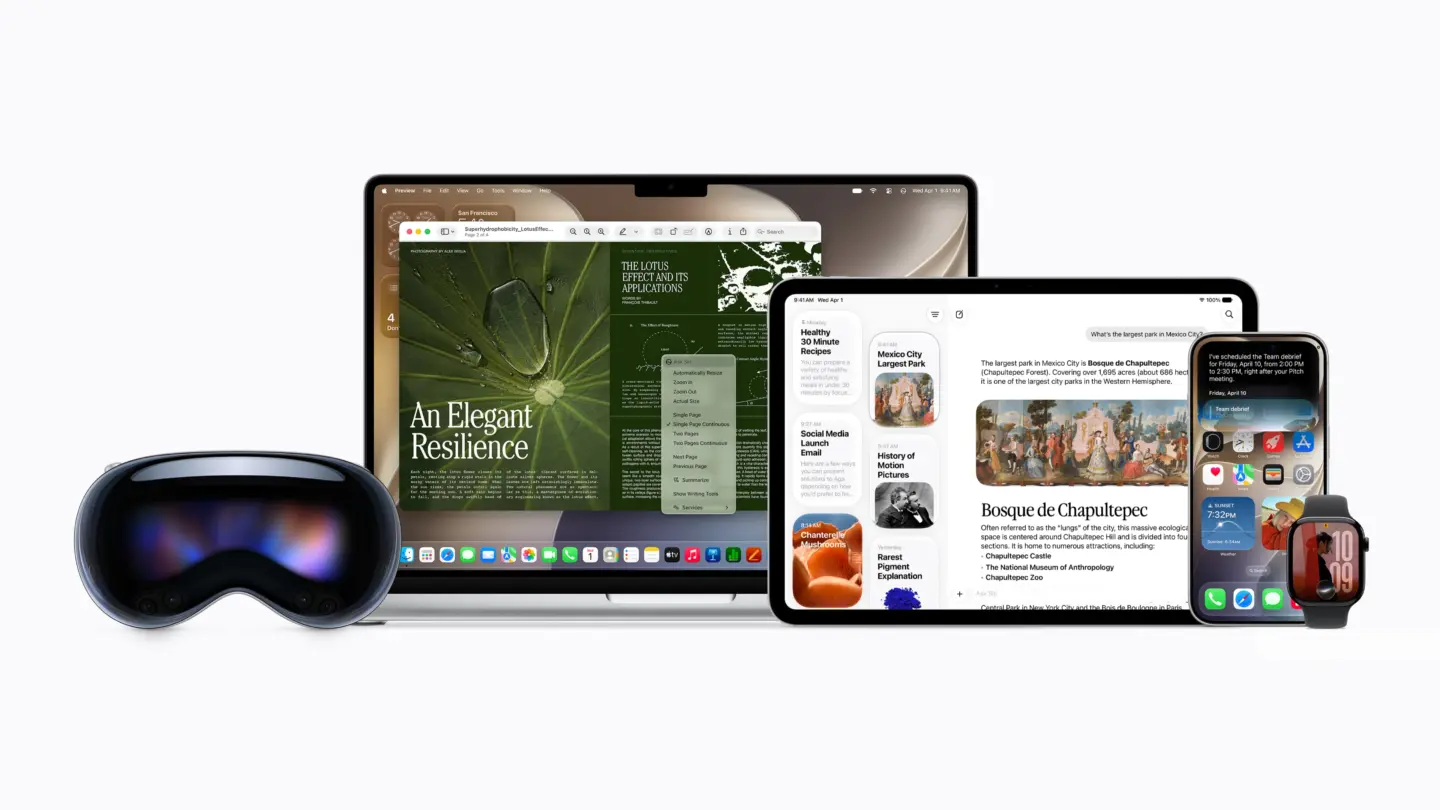
<p>Today, during the Worldwide Developers Conference, Apple previewed its upcoming software releases that will deliver the next generation of Apple Intelligence and introduce Siri AI, an entirely new version of Siri that is profoundly more intelligent, knowledgeable, and capable. The releases also bring powerful and intuitive new features to help parents create safe digital experiences for kids, as well as improvements that further elevate the software design and performance of Apple products while making them more responsive, delightful, and easier to use with iOS 27, iPadOS 27, macOS 27, watchOS 27, visionOS 27, and tvOS 27.</p>
<p>“Apple products are an essential part of people’s lives, and this year we’re bringing powerful new capabilities to empower our users in even more ways,” said Craig Federighi, Apple’s senior vice president of Software Engineering, in a statement. “We’re delivering the next generation of Apple Intelligence across our platforms; introducing Siri AI, a profoundly more intelligent, knowledgeable, and capable Siri; expanding child safety features with intuitive new tools for families; and making our software platforms faster, more reliable, and more delightful than ever before.”</p>
<p>Next Generation of Apple Intelligence and an Entirely New Siri Experience</p>
<p>Leveraging a bold new architecture uniquely designed to protect users’ privacy, the next generation of Apple Intelligence powers Siri AI and brings helpful new features to apps users rely on every day.</p>
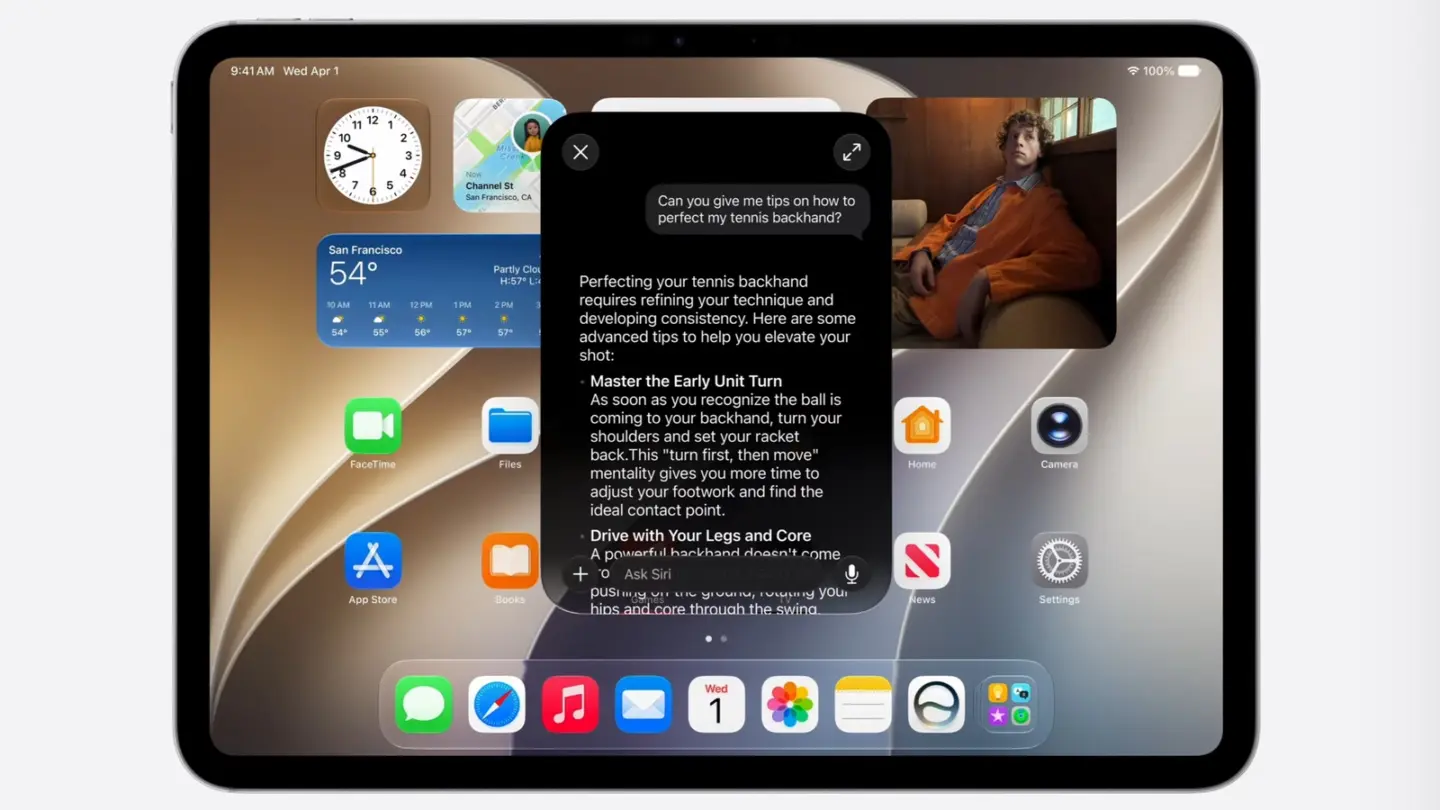
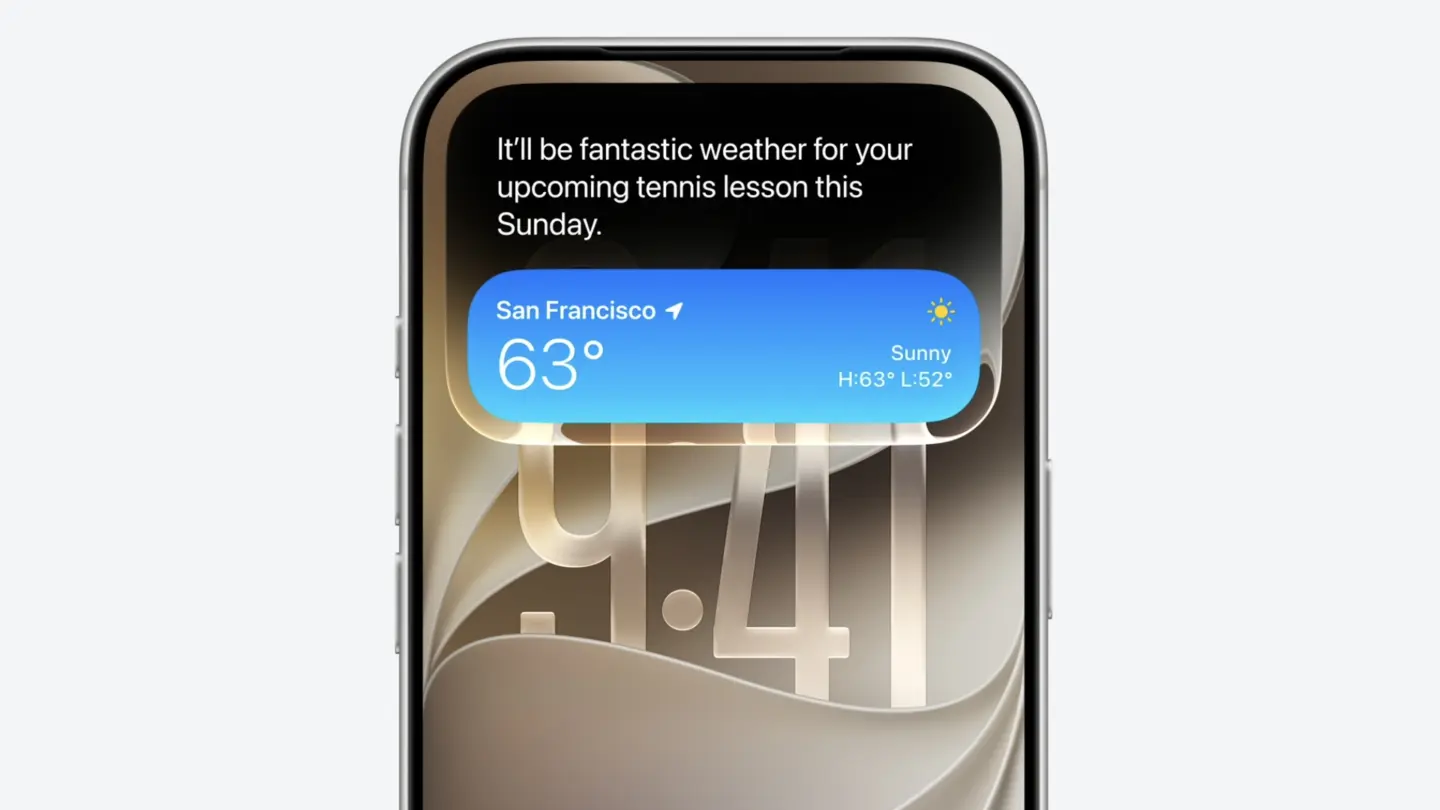
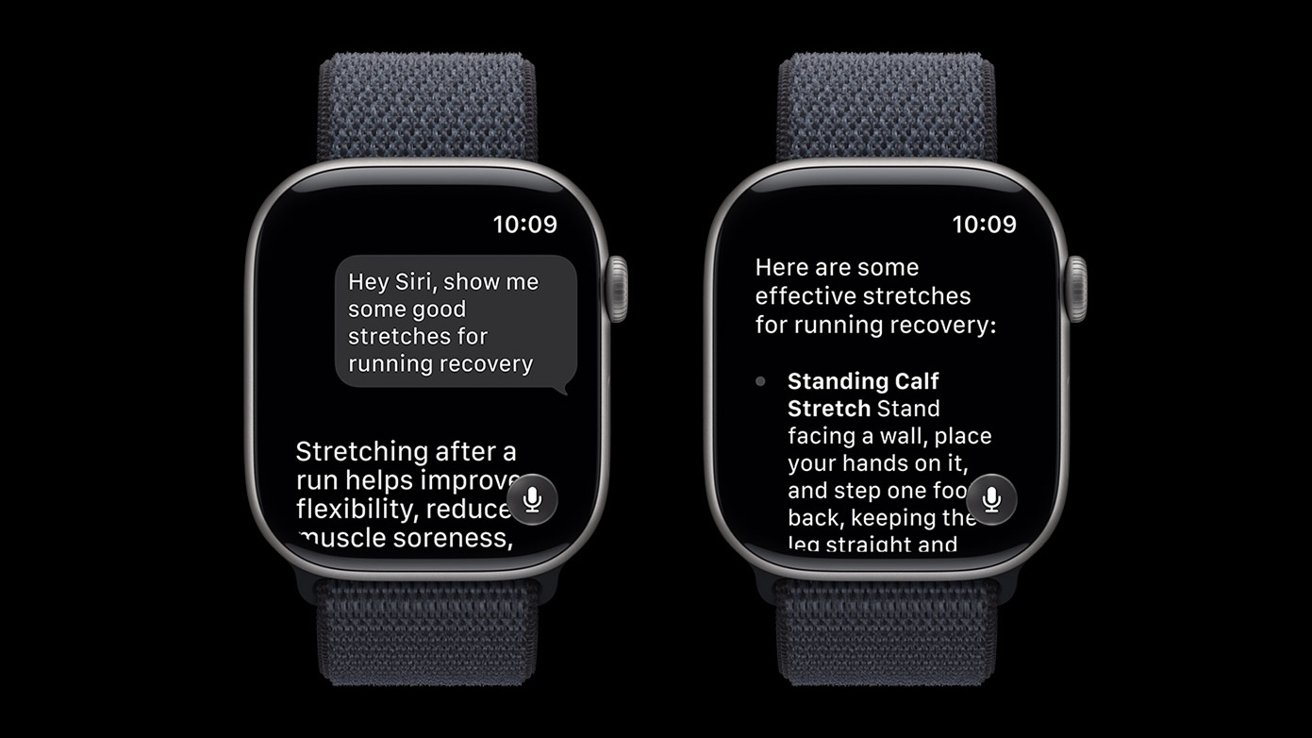
<p>Siri AI is an entirely new version of Siri deeply integrated into iPhone, iPad, Mac, Apple Watch, and Apple Vision Pro. It can draw on personal context understanding to search across messages, emails, photos, and more, and get things done across apps with even more systemwide app actions. Additionally, Siri AI can answer questions related to the content on a user’s screen or go out to the web to get up-to-date information using broad world knowledge and generate a helpful answer. A dedicated Siri app allows users to revisit a past conversation or kick off a new one — all in one place — and uses iCloud to privately sync conversational history across a user’s products.</p>
<p>In addition to Siri AI, the next generation of Apple Intelligence powers tremendous new features in apps across the system to simplify the things users do every day, like editing images in Photos, browsing across multiple tabs in Safari, expressing creativity with Image Playground, communicating in Messages and Mail, and so much more.</p>
<p>New Parental Controls and Significant Updates to Screen Time</p>
<p>Powerful and intuitive new features that are easy to use help parents manage what their kids can see, who they can talk to, and when they have access to apps. By setting up a child account, parents can immediately enable age-appropriate protections across the system, and with Setup Assistant, parents can choose exactly which apps to make available and stay in control of what gets added over time. With communication safety features, parents can require approval for each new contact their kids connect with and enable automatic interventions if explicit or violent content is being shared.</p>
<p><img loading="lazy" decoding="async" data-recalc-dims="1" src="https://i0.wp.com/macdailynews.com/wp-content/uploads/2026/06/260608_child_account.png?resize=640%2C896&#038;ssl=1" alt="By setting up a child account, required for children under age 13 and available for children up to 18, parents take the first and most important step toward creating an age-appropriate experience for their child." width="640" height="896" class="size-full wp-image-302530" />By setting up a child account, required for children under age 13 and available for children up to 18, parents take the first and most important step toward creating an age-appropriate experience for their child.</p>
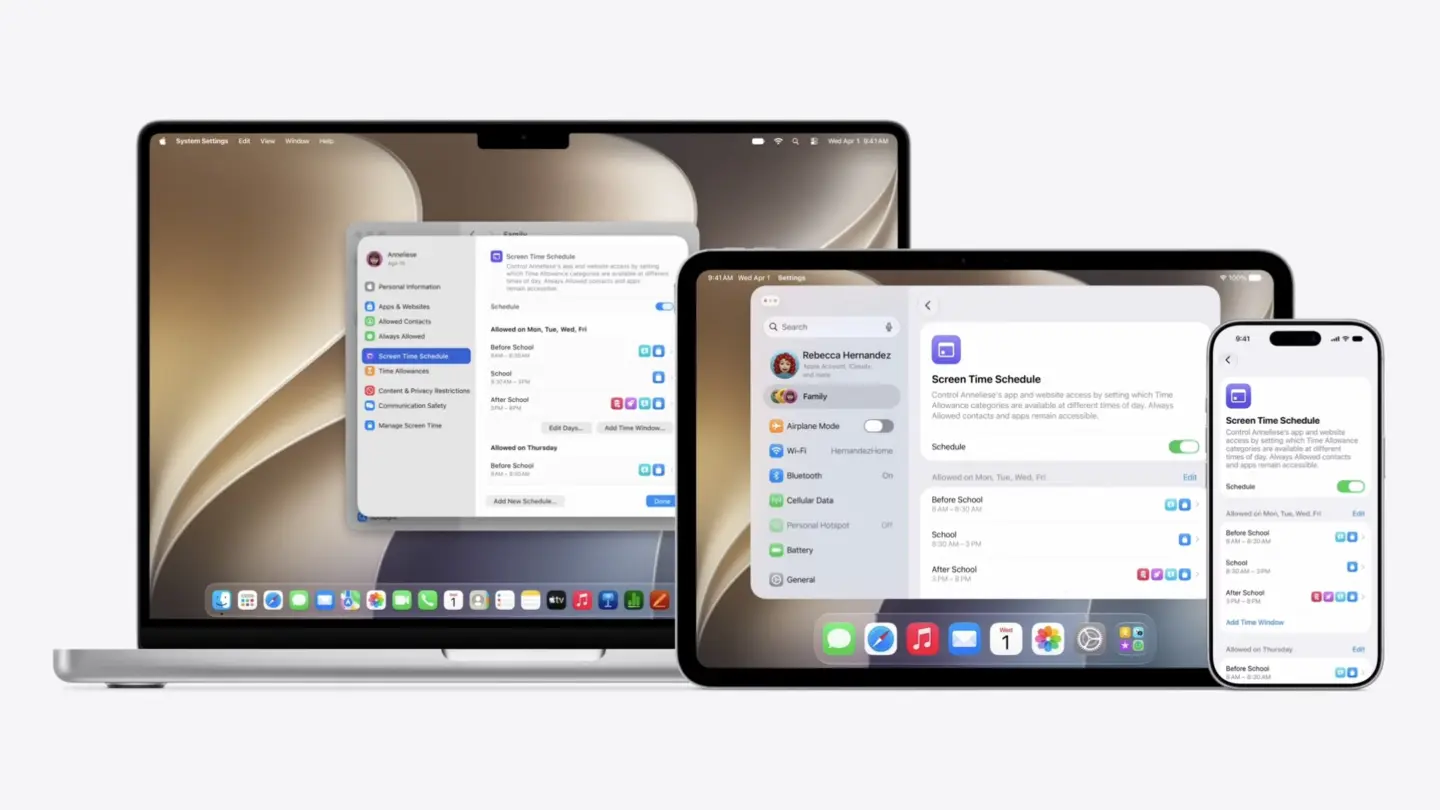
<p>New tools aimed at building healthier screen time habits make it easy to set daily total time allowances across Entertainment, Games, and Social Media apps, with a daily time allowance recommendation based on guidance from leading clinical and child development experts that gives parents a helpful starting point. Schedules let parents manage which apps their children have access to at different points in the day, and Screen Time has been redesigned to be more intuitive for parents, offering an at-a-glance view of their kids’ average device usage and top apps.</p>
<p>To help parents stay informed and learn more, Apple has launched a dedicated website that features the latest tools, helpful resources, and answers to common questions — like how to get started.</p>
<p><img loading="lazy" decoding="async" data-recalc-dims="1" src="https://i0.wp.com/macdailynews.com/wp-content/uploads/2026/06/260608_time_allowances.png?resize=640%2C896&#038;ssl=1" alt="With Time Allowances, parents can set boundaries for their kids around app categories, and Schedules help them manage which apps their children can access, when, and for how long." width="640" height="896" class="size-full wp-image-302531" />With Time Allowances, parents can set boundaries for their kids around app categories, and Schedules help them manage which apps their children can access, when, and for how long.</p>
<p>More Responsive, Reliable, and Delightful Experiences Across Software Platforms</p>
<p>The 2027 releases make Apple products even more responsive, reliable, and delightful to use through design refinements, performance improvements, and enhancements to the ways users work, communicate, share memories, enjoy music with AirPods, track their health, and more.<br />
Improvements across platforms push key system capabilities forward so everyday tasks feel faster, smoother, and more enjoyable. For example, iPhone and iPad apps launch up to 30 percent faster, photos load up to 70 percent faster after being taken, and AirDrop transfers are up to 80 percent faster. During network transitions, moving between cellular and Wi-Fi networks is more seamless than ever, and browsing and transferring files between external drives and iPad is up to 5x faster — making it just as fast as Finder on Mac. In Spotlight, Photos, and Mail, the search experience has been rebuilt to make it more stable and efficient to help users find exactly what they are looking for. And in Mail, a completely new ranking system surfaces even more relevant results in Top Hits.</p>
<p>Refinements to the software design deliver an even more focused and approachable experience across apps and platforms. A new slider in Settings gives users the option to personalize Liquid Glass, adjusting it anywhere from ultra-clear to fully tinted to match their preference, and app icons have been updated to be sharper and more defined. On Mac, updates reincorporate cornerstones of the macOS design that users have always loved, including a more uniform toolbar across the top of apps, edge-to-edge sidebars, colored sidebar icons, and more.</p>
<p>Additional features coming this fall:</p>
<p>• iCloud Shared Albums introduce cross-platform photo sharing with full-resolution support.</p>
<p>• The Health app brings support for perimenopause and menopause in Cycle Tracking, including notifications about cycle deviations inclusive of perimenopause.</p>
<p>• On Apple Watch, a new dynamic app grid features the icons for five Siri-suggested apps, users can open a widget in the Smart Stack with a new tap gesture, and a new Find My app consolidates Find Devices, Find Items, and Find People.</p>
<p>• AirPods users can now enjoy custom EQ to further personalize how their AirPods sound. And with expanded Apple GymKit functionality, users with AirPods Pro 3 can sync their heart rate data through iPhone while enjoying incredible audio quality.</p>
<p>• Apple Vision Pro users can now turn panoramas into spatial scenes and use them as personal Environments, and connecting to Wi-Fi is up to 3x faster.</p>
<p>• Apple Maps brings an enhanced Flyover experience, which combines aerial imagery with AI, allowing users to enjoy even more detailed visuals.</p>
<p>Availability</p>
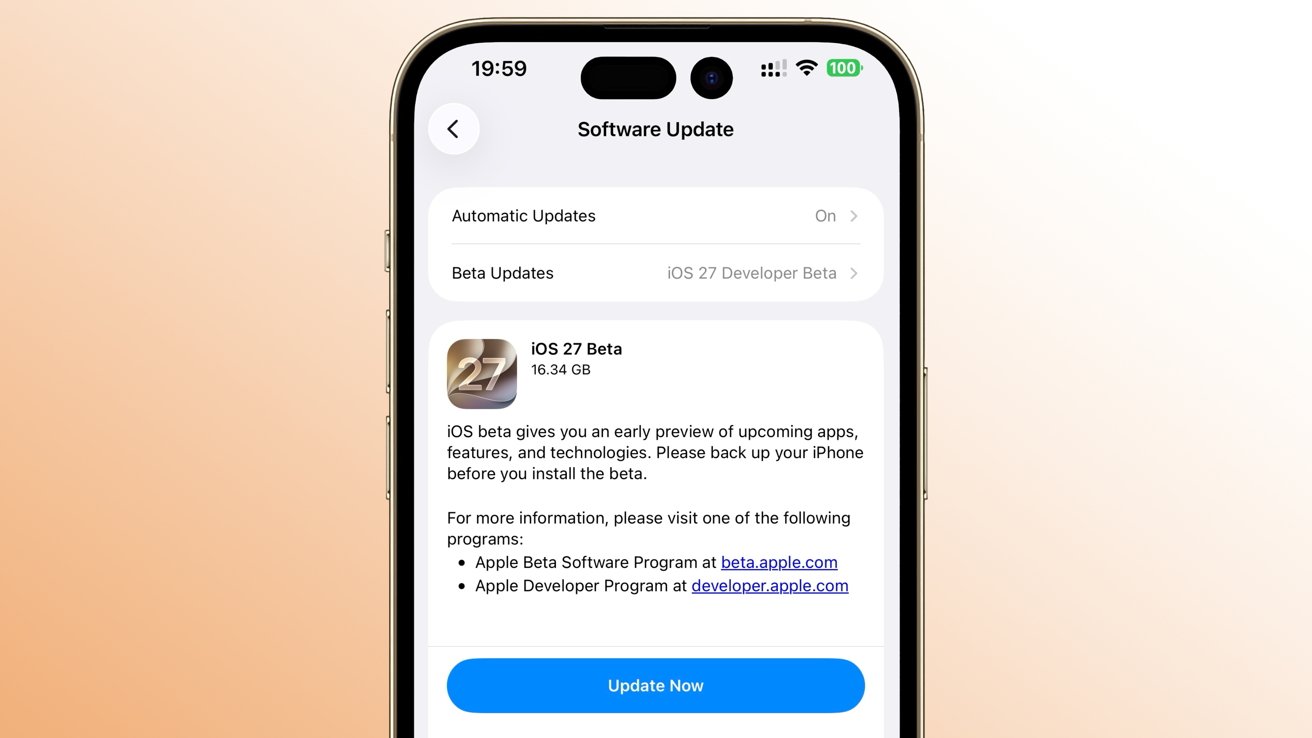
<p>• The new features are available for testing starting today through the Apple Developer Program at developer.apple.com, and a public beta will be available through the Apple Beta Software Program next month at beta.apple.com. New software features will be available as a free software update this fall. For more information, visit apple.com/ios, apple.com/ipados, apple.com/macos, apple.com/watchos, apple.com/tvos, and apple.com/visionos.</p>
<p>• Users who enable Apple Intelligence on supported products set to a supported language will have access this fall with iOS 27, iPadOS 27, macOS 27, watchOS 27, and visionOS 27.</p>
<p>• Apple Intelligence is available with support for these languages: English, Danish, Dutch, French, German, Italian, Norwegian, Portuguese, Spanish, Swedish, Turkish, Vietnamese, Chinese (simplified), Chinese (traditional), Japanese, and Korean. Some features may not be available in all regions or languages. For feature and language availability and system requirements, see apple.com/apple-intelligence.</p>
<p>• Apple Intelligence and Siri AI in iOS 27, iPadOS 27, macOS 27, watchOS 27, and visionOS 27 are available on iPhone 16 models or later, iPhone 15 Pro, iPhone 15 Pro Max, iPad mini (A17 Pro), iPad models with M1 or later, Mac with M1 or later, Apple Vision Pro, Apple Watch Series 10 or later, Apple Watch Ultra 2 or later, and Apple Watch SE 3 when paired with an Apple Intelligence-enabled iPhone nearby.</p>
<p>• Some Apple Intelligence features, including image generation, have daily usage limits because they rely on powerful server models. Increased access is available with most iCloud+ subscription plans, which also include Apple Intelligence support for compatible Home cameras.</p>
<p>• New Siri AI features are available for developer testing starting today across iOS 27, iPadOS 27, macOS 27, and visionOS 27. Siri AI will be available for developer testing in a future watchOS 27 beta.</p>
<p>• Siri AI will be available as a beta later this year for users with a supported device set to English, and Apple will quickly expand support for more languages.</p>
<p>• Mac, Apple Watch, and Apple Vision Pro users in the EU will be able to access Siri AI when set to a supported language. Siri AI will not be available initially in the EU in iOS and iPadOS.</p>
<p>• Siri AI and the other new Apple Intelligence features will not be available in China while Apple works through regulatory requirements.<br />
Features are subject to change. Some features may not be available in all languages or regions, and availability may vary due to local laws and regulations. For more information about availability, visit apple.com.</p>
<p>‎<br />
<span style="color: #ff0000">Please help support MacDailyNews — and enjoy subscriber-only articles, comments, chat, and more — by subscribing to our Substack</span>: macdailynews.substack.com. Thank you!</p>
<p>Support MacDailyNews at no extra cost to you by using this link to shop at Amazon.</p>
<p>The post WWDC26: Apple unveils next generation of Apple Intelligence, Siri AI, powerful parental controls, and an expansive set of software improvements appeared first on MacDailyNews.</p>
]]></content>
            </entry>
                        <entry>
                <title><![CDATA[iOS 27 release date: Here’s when the new iPhone update will launch]]></title>
                <link href="https://9to5mac.com/2026/06/08/ios-27-release-date-when-next-major-iphone-update-is-coming/" />
                <published>2026-06-08T20:51:30Z</published>
                <content type="html"><![CDATA[<p><img decoding="async" src="https://9to5mac.com/wp-content/uploads/sites/6/2026/04/ios-27-iphone-home-screen-official.jpg?quality=82&#038;strip=all&#038;w=1536" /></p>
<p class="wp-block-paragraph">The next major iPhone software version is iOS 27, and it’s already here in developer beta—but here’s when the public beta and full public launches will happen.</p>
<p> more…</p>
]]></content>
            </entry>
                        <entry>
                <title><![CDATA[My fingers already love this macOS 27 Safari feature]]></title>
                <link href="https://www.macworld.com/article/3159801/my-fingers-already-love-this-macos-27-safari-feature.html" />
                <published>2026-06-08T20:35:36Z</published>
                <content type="html"><![CDATA[<p>Macworld</p>
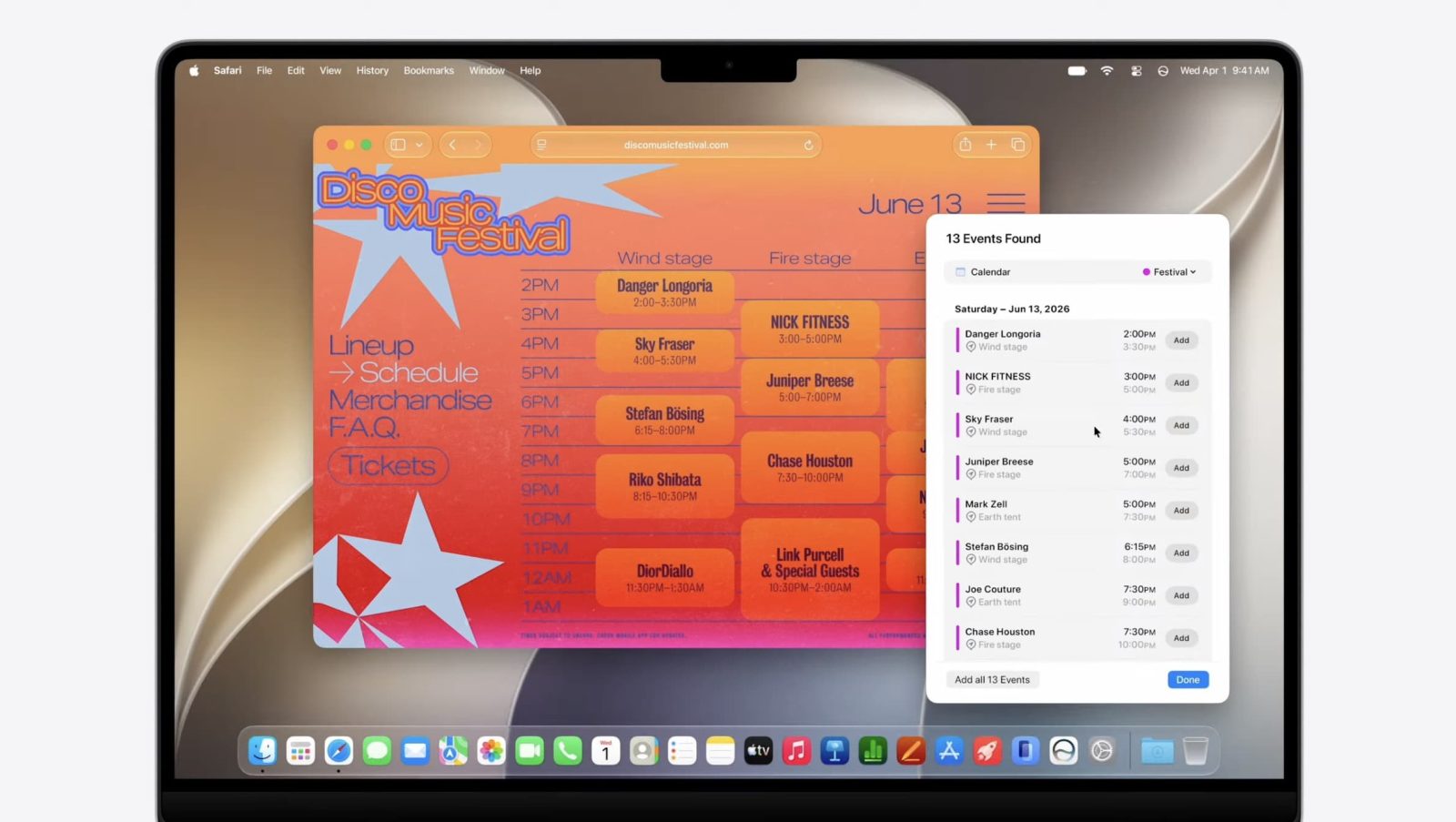
<p>At its WWDC26 opening keynote, Apple today previewed macOS 27, focusing on design refinements, Siri AI, and other relatively minor upgrades. Despite the update’s somewhat lackluster nature, Safari on the Mac is still getting a few useful AI tools that I can’t wait to use. </p>
<p>While it expectedly doesn’t offer a comprehensive agentic browsing experience, some of the fresh additions subtly rely on agentic AI capabilities to execute specific tasks, including one that will save me from needing to obsessively refresh tabs when I’m ready to buy the iPhone 18.</p>
<p>Spread the word, Notify Me is a game-changer</p>
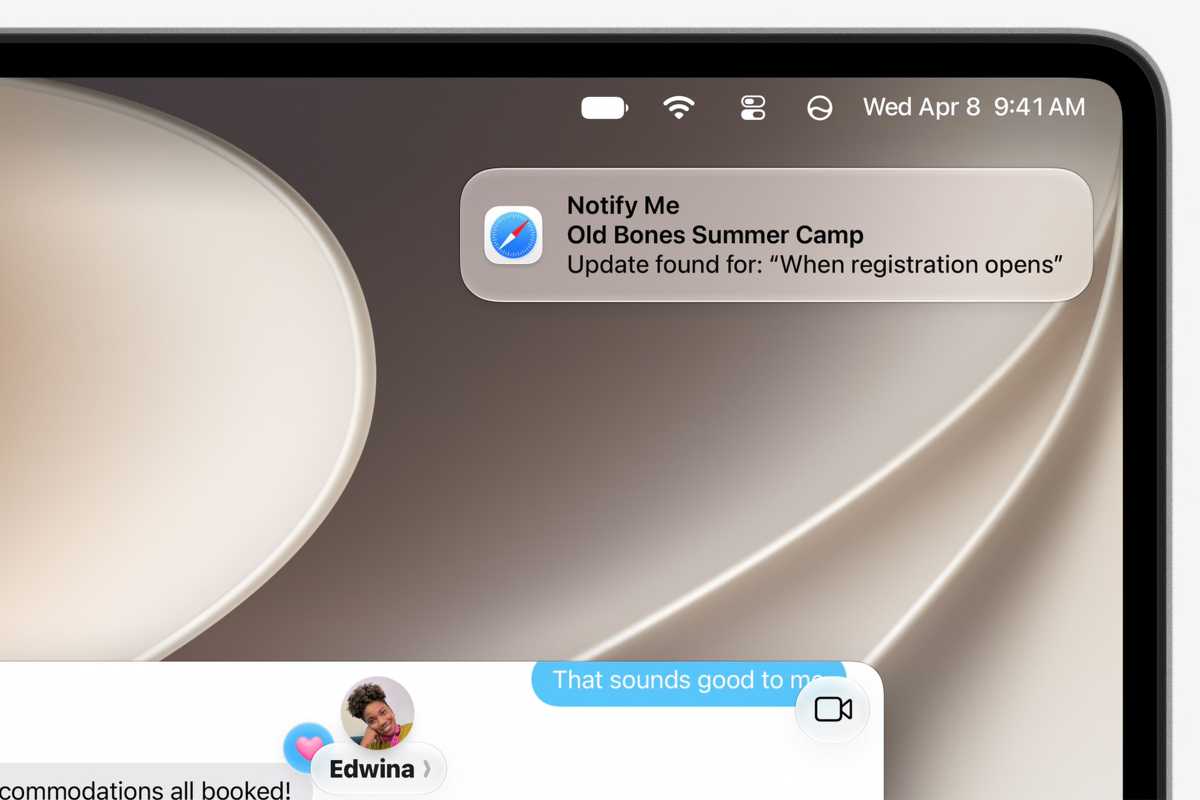
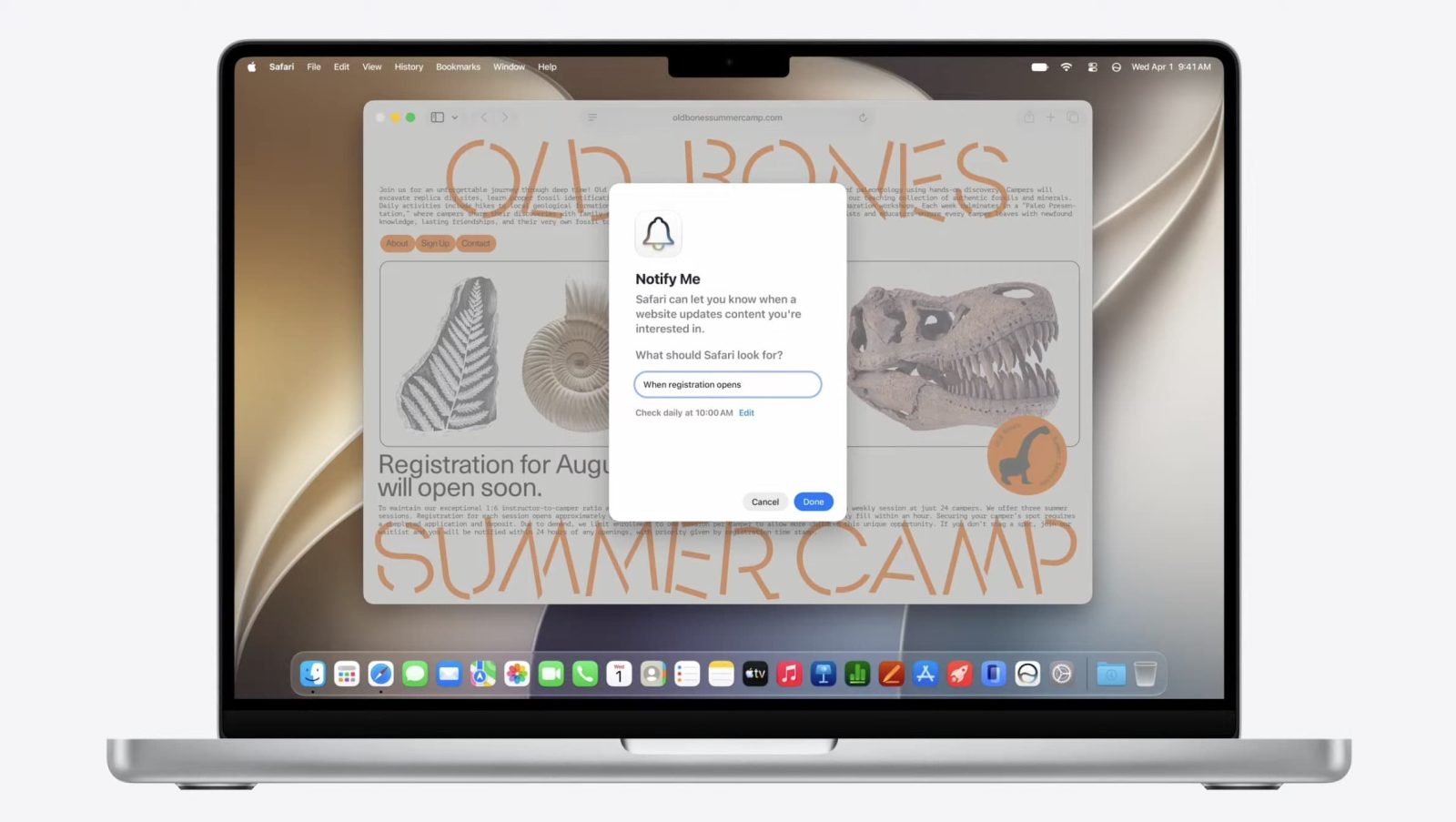
<p>Notify Me, as its name suggests, is a new tool that allows you to build custom alerts in Safari on macOS 27. For example, if you’re anticipating a certain discount, you could ask Safari to check a specific product’s price every morning and notify you when it drops. This will spare me from needing to routinely monitor and refresh webpages with Command-R and eliminate the risk of missing out on timely updates.</p>
<p>Essentially, Safari will visit the desired webpage on your behalf depending on the frequency you’ve set in your instructions. The AI agent will scan the site’s components and check if any of the changes match your command. If so, the Safari app will send you a push notification prompting you to check the website and take action if necessary. </p>
<p>It’s a safe agentic AI approach that does not execute any sensitive actions on your behalf, like completing purchases or filling online forms in the background. It merely simplifies what would otherwise be a very redundant workflow.</p>
<p><img decoding="async" data-wp-class--hide="state.isContentHidden" data-wp-class--show="state.isContentVisible" data-wp-init="callbacks.setButtonStyles" data-wp-on-async--click="actions.showLightbox" data-wp-on-async--load="callbacks.setButtonStyles" data-wp-on-async-window--resize="callbacks.setButtonStyles" src="https://b2c-contenthub.com/wp-content/uploads/2026/06/safari-notify-me-notification-banner.jpg?quality=50&amp;strip=all&amp;w=1200" alt="safari notify me notification banner" class="wp-image-3159832" width="1200" height="800" loading="lazy" /></p>
<p>Safari in macOS 27 will send you a notification when a webpage you’re monitoring has an update.</p>
<p class="imageCredit">Apple</p>
<p>Other Safari features in macOS 27</p>
<p>Another neat Safari feature coming with macOS 27 is a custom extension builder that can accommodate your specific needs across the different websites you frequent. While the App Store offers a ton of third-party extensions, they don’t always fit niche workflows. With the new builder, you should be able to alter webpages as needed and have them react in a way that makes sense to you.</p>
<p>Safari 27 is also getting AI-powered tab sorting support. The feature will analyze the topics of your open webpages and group them accordingly. This is particularly helpful when you’re researching multiple subjects simultaneously, as it’ll keep the relevant tabs in a single spot. You could then optionally save the automatic assortments as permanent tab groups that you can revisit later—beyond your current browsing session.</p>
<p>Agentic AI browsing extends beyond Safari’s Notify Me tool on macOS 27. With this release, the Passwords app can automatically visit select websites and change a password if it’s weak or compromised. Passwords can already detect weak or compromised passwords. With the latest update, it’ll take it one step further by visiting the affected service’s password-changing webpage and going through the flow autonomously. It’ll basically insert the old password it already has (if prompted), generate a new, stronger one, submit it on the website, and save it in the Passwords app. This ensures that your passwords remain secure at all times—without you having to take action.</p>
<p>macOS 27 is now available as a beta to those enrolled in Apple’s Developer program, with general availability to follow this fall.</p>
]]></content>
            </entry>
                        <entry>
                <title><![CDATA[Here’s everything new for Apple Wallet in iOS 27]]></title>
                <link href="https://9to5mac.com/2026/06/08/heres-everything-new-for-apple-wallet-in-ios-27/" />
                <published>2026-06-08T20:34:43Z</published>
                <content type="html"><![CDATA[<p><img decoding="async" src="https://9to5mac.com/wp-content/uploads/sites/6/2025/11/apple-wallet-dark-purple.jpg?quality=82&#038;strip=all&#038;w=1600" /></p>
<p class="wp-block-paragraph">Apple unveiled iOS 27 today at WWDC, here’s what’s new for the Wallet app in the next major iPhone update.</p>
<p> more…</p>
]]></content>
            </entry>
                        <entry>
                <title><![CDATA[Apple shows how your apps can use Siri AI at Platforms State of the Union]]></title>
                <link href="https://www.cultofmac.com/news/wwdc26-platforms-state-of-the-union" />
                <published>2026-06-08T20:22:38Z</published>
                <content type="html"><![CDATA[<p><img loading="lazy" decoding="async" width="780" height="439" src="https://www.cultofmac.com/wp-content/uploads/2026/06/Screenshot-2026-06-08-at-3.58.44-PM-1440x810.jpg.webp" class="attachment-large size-large wp-post-image" alt="Platforms State of the Union" style="margin-bottom: 15px" /></p>
<p>Apple covered the nitty gritty on the new Siri AI and Apple Intelligence features, improved Liquid Glass design and more announcements today.</p>
<p>(via Cult of Mac &#8211; Your source for the latest Apple news, rumors, analysis, reviews, how-tos and deals.)</p>
]]></content>
            </entry>
                        <entry>
                <title><![CDATA[iOS 27 adds independent volume settings for alarms and timers, and for alerts and system sounds]]></title>
                <link href="https://9to5mac.com/2026/06/08/ios-27-adds-independent-volume-settings-for-alarms-and-timers-and-for-alerts-and-system-sounds/" />
                <published>2026-06-08T20:20:31Z</published>
                <content type="html"><![CDATA[<p><img decoding="async" src="https://9to5mac.com/wp-content/uploads/sites/6/2026/06/ios27-alarm-volume-settings.jpg?quality=82&#038;strip=all&#038;w=1600" /></p>
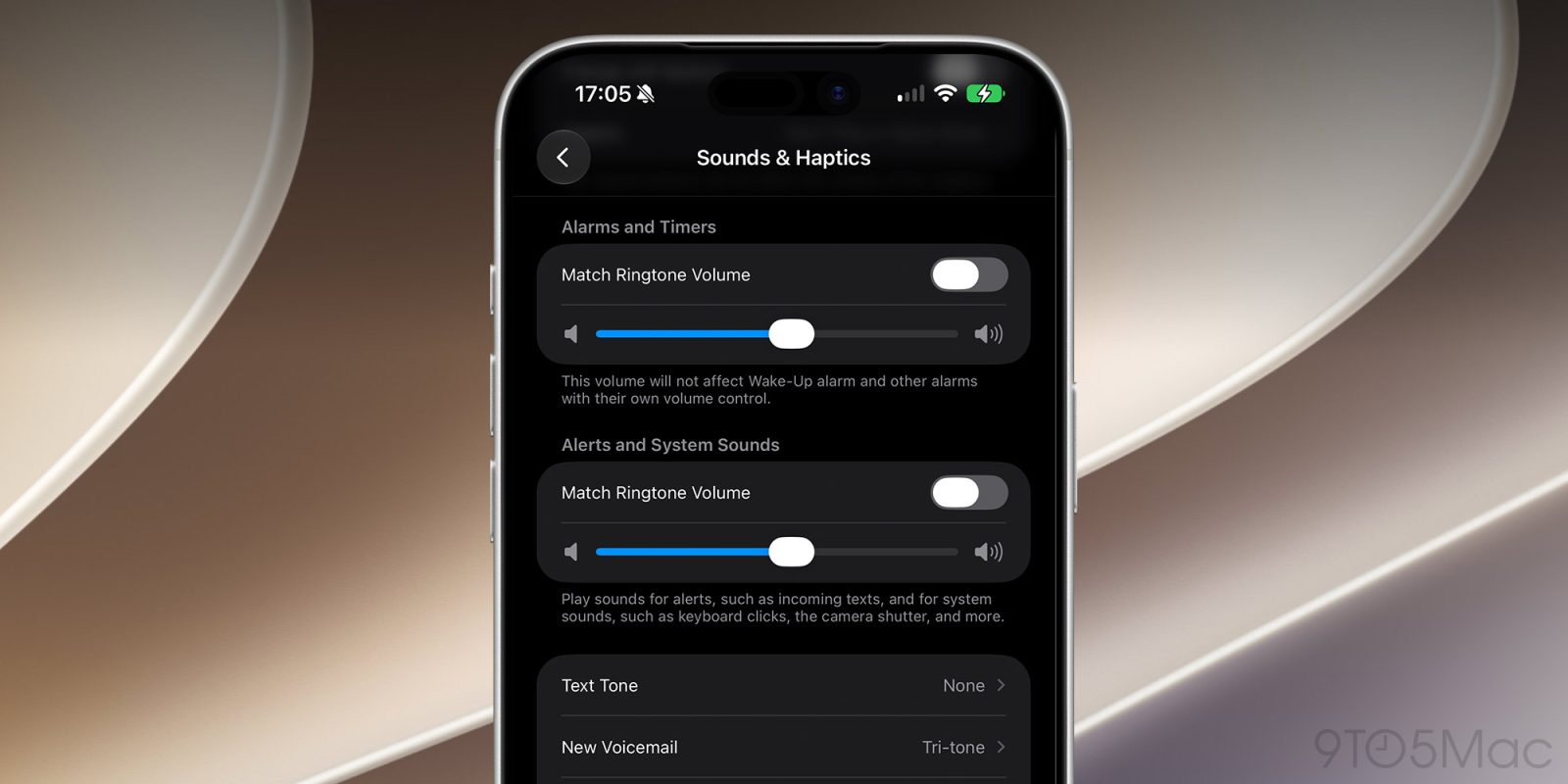
<p class="wp-block-paragraph">With iOS 27, users will no longer have to rely on a single volume setting for ringtones, alerts, alarms, and system sounds. Here are the details.</p>
<p> more…</p>
]]></content>
            </entry>
                        <entry>
                <title><![CDATA[Craig Federighi details Apple’s collaboration with Google for Siri AI in iOS 27]]></title>
                <link href="https://9to5mac.com/2026/06/08/craig-federighi-details-apples-collaboration-with-google-for-siri-ai-in-ios-27/" />
                <published>2026-06-08T20:16:53Z</published>
                <content type="html"><![CDATA[<p>Apple&#8217;s Siri team, led by Craig Federighi, held a post-WWDC keynote tech talk with members of the press this afternoon&#8230;</p>
]]></content>
            </entry>
                        <entry>
                <title><![CDATA[Game Porting Toolkit 4 ushers in support for agentic coding]]></title>
                <link href="https://appleinsider.com/articles/26/06/08/game-porting-toolkit-4-ushers-in-support-for-agentic-coding?utm_source=rss" />
                <published>2026-06-08T20:12:29Z</published>
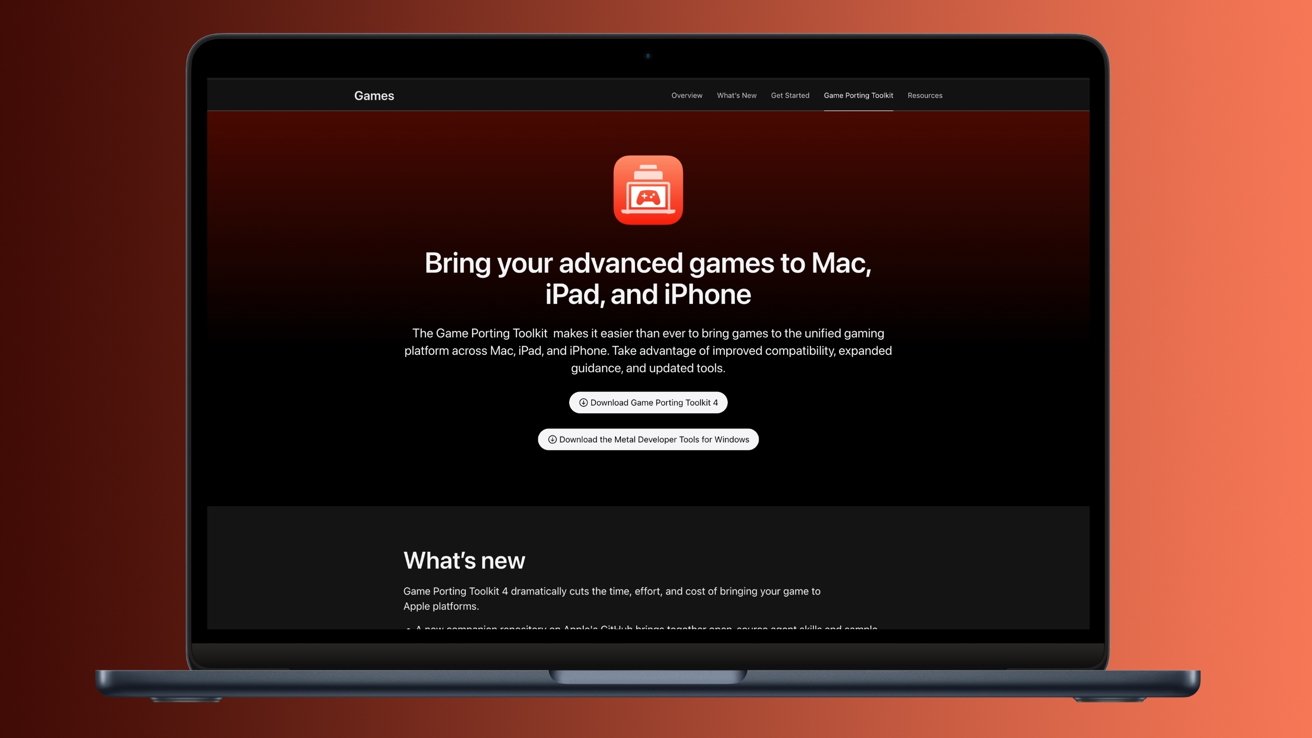
                <content type="html"><![CDATA[<p>Apple&#8217;s Game Porting Toolkit has been supercharged with AI agents, which might make it significantly easier to bring a game to the Mac.<img decoding="async" src="https://photos5.appleinsider.com/gallery/67885-143089-gptk-Cropped-xl.jpg" alt="Laptop displaying Apple Game Porting Toolkit webpage on a dark background, emphasizing bringing advanced games to Mac, iPad, and iPhone, with prominent headline, description text, and download buttons." height="738"><span>Game Porting Toolkit 4 introduces support for AI agents.</span>While iOS 27 and Siri were the stars of the WWDC 2026 keynote, Apple hasn&#8217;t forgotten about the Mac as a gaming platform. While we didn&#8217;t get any triple-A game announcements this time around, the company did unveil a significant upgrade with Game Porting Toolkit 4.The utility, as its name implies, is meant to help bring games to macOS. With the fourth release of its Game Porting Toolkit, Apple has implemented support for AI agents as part of the porting process. Continue Reading on AppleInsider | Discuss on our Forums</p>
]]></content>
            </entry>
                        <entry>
                <title><![CDATA[Why the EU won’t get iOS 27’s biggest new feature]]></title>
                <link href="https://www.cultofmac.com/news/why-the-eu-wont-get-ios-27-biggest-new-feature" />
                <published>2026-06-08T20:06:59Z</published>
                <content type="html"><![CDATA[<p><img loading="lazy" decoding="async" width="780" height="439" src="https://www.cultofmac.com/wp-content/uploads/2026/06/Apple-Siri-AI-hero-260608-1440x810.jpg.webp" class="attachment-large size-large wp-post-image" alt="New Siri won&#039;t come to the EU." style="margin-bottom: 15px" /></p>
<p>    Apple says EU iPhone and iPad users will miss out on Siri AI in iOS 27 due to ongoing regulatory disputes over the Digital Markets Act.</p>
<p>(via Cult of Mac &#8211; Your source for the latest Apple news, rumors, analysis, reviews, how-tos and deals.)</p>
]]></content>
            </entry>
                        <entry>
                <title><![CDATA[iOS 27’s Siri AI is actually going to change how I use my iPhone]]></title>
                <link href="https://www.macworld.com/article/3159751/ios-27s-siri-ai-is-actually-going-to-change-how-i-use-my-iphone.html" />
                <published>2026-06-08T20:06:13Z</published>
                <content type="html"><![CDATA[<p>Macworld</p>
<p>Apple has just unveiled iOS 27, the next major update for the iPhone, at WWDC 2026. This year, there isn’t much to get excited about in terms of new features, nor is there a new interface following last year’s major update that introduced Liquid Glass. It’s a lot of refinements, AI, and optimizations to make your iPhone feel faster.</p>
<p>At the same time, Apple announced a long-awaited change: a complete overhaul of Siri. Apple is rebuilding its assistant experience around context, conversation, and awareness. And for the first time in a very long time, Siri actually feels useful again.</p>
<p>Apple has spent years falling behind competitors in the AI race. While companies like OpenAI and Google turned their assistants into genuinely helpful tools, Siri often felt stuck in the past. But iOS 27’s main purpose is to make Siri useful again. And it appears to have delivered.</p>
<p>iOS 27 introduces Siri AI</p>
<p>The biggest news here is that Siri is no longer just a voice assistant that responds to isolated commands. It now understands context across your apps and even your ongoing conversations. And honestly, it’s the first Apple Intelligence feature that instantly made me rethink how I’ll use my iPhone every day.</p>
<p>Apple’s redesigned Siri experience in iOS 27 is centered around natural interaction. You can now seamlessly switch between voice and text conversations, continue previous requests, and even access your Siri history across devices through iCloud sync.</p>
<p><img decoding="async" data-wp-class--hide="state.isContentHidden" data-wp-class--show="state.isContentVisible" data-wp-init="callbacks.setButtonStyles" data-wp-on-async--click="actions.showLightbox" data-wp-on-async--load="callbacks.setButtonStyles" data-wp-on-async-window--resize="callbacks.setButtonStyles" src="https://b2c-contenthub.com/wp-content/uploads/2026/06/Siri-AI-features.jpg?quality=50&amp;strip=all&amp;w=1200" alt="Siri AI new features shown on iPhone 17 Pro" class="wp-image-3159761" width="1200" height="800" loading="lazy" /></p>
<p>Apple introduced many new capabilities for the new Siri in iOS 27, including a new app and Dynamic Island integration.</p>
<p class="imageCredit">Apple</p>
<p>Before iOS 27, Siri felt very outdated. You could only ask it a few commands, and it often misunderstood you. And then the interaction ended. There was no natural conversation.</p>
<p>Now, Siri behaves much more like a modern AI assistant. You can ask a follow-up question naturally without repeating yourself. You can start typing a request on your iPhone and continue it later on your iPad or Mac. It remembers the context of your conversation instead of forgetting everything with every new interaction.</p>
<p>Siri also gets its own app in iOS 27, which is a huge addition for people who just don’t want to talk to their phone all the time. Now you can interact with Siri just like you would with any other popular AI chatbot.</p>
<p>But the biggest improvement to Siri in iOS 27 is certainly its on-screen awareness capability.</p>
<p>Aware and alert</p>
<p>Apple also introduced on-screen awareness for Siri, a feature that genuinely feels transformative. According to Apple, Siri can now understand what’s currently on your screen and respond accordingly. If someone texts you an address, you can ask Siri to save it to a contact. If you’re looking at an event, you can ask Siri to add it to your calendar. If you’re reading an article, you can ask follow-up questions about what’s being displayed.</p>
<p>Many of these things were unveiled by Apple two years ago but weren’t delivered. Now, with Siri AI, it seems the company is finally keeping its promise.</p>
<p>And unlike some AI demos we’ve seen over the past year, Apple’s implementation actually feels grounded in real-world usage. In many ways, the new Siri AI feels like the beginning of a new interface layer for the iPhone.</p>
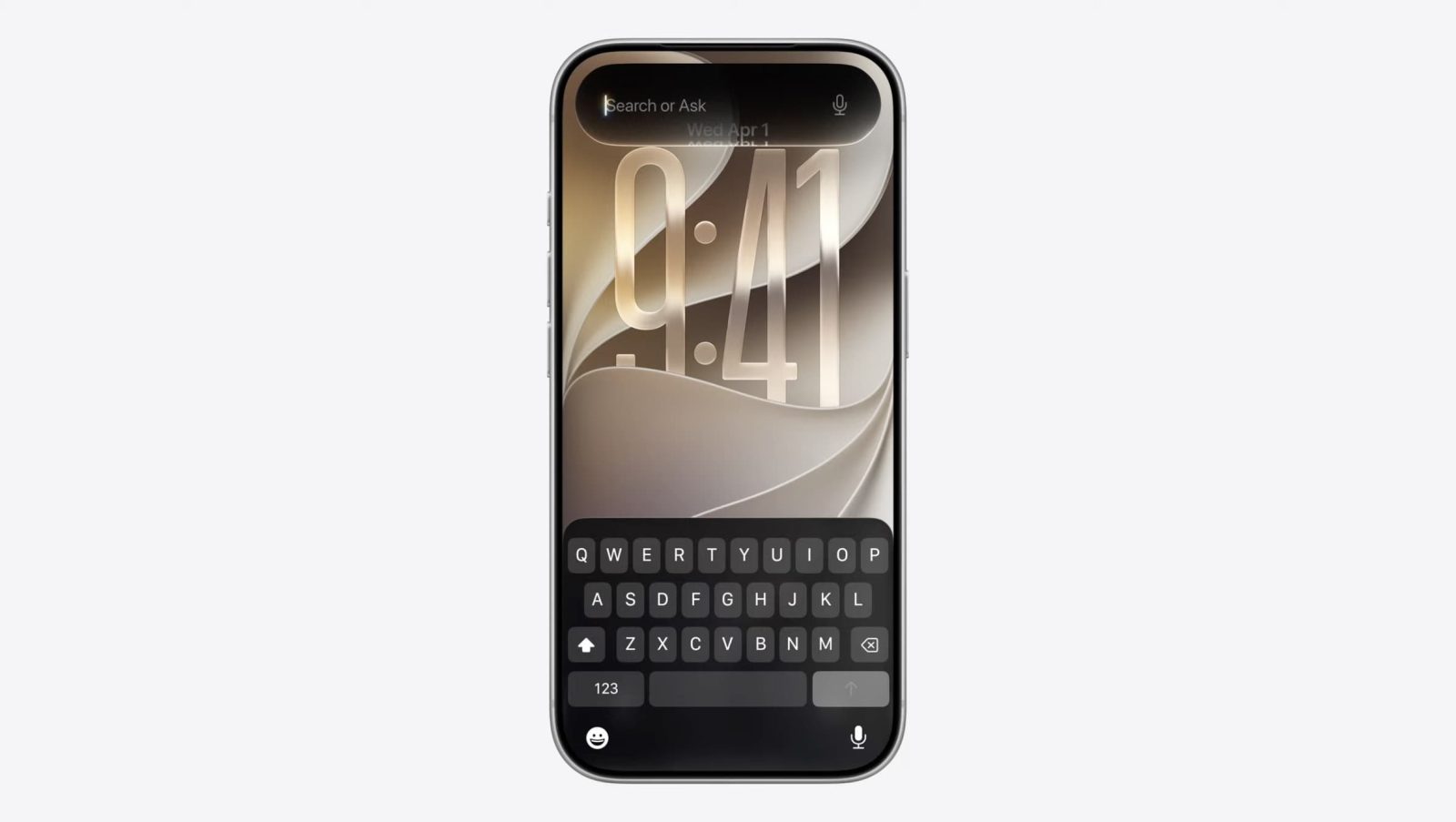
<p>Once again, the new Siri aims to make using our devices a much more personal and natural experience. Instead of having to search for lost files in your old emails or folders, you can just ask Siri. And when you can’t talk, you can simply swipe down from the Dynamic Island to type to Siri.</p>
<p><img decoding="async" data-wp-class--hide="state.isContentHidden" data-wp-class--show="state.isContentVisible" data-wp-init="callbacks.setButtonStyles" data-wp-on-async--click="actions.showLightbox" data-wp-on-async--load="callbacks.setButtonStyles" data-wp-on-async-window--resize="callbacks.setButtonStyles" src="https://b2c-contenthub.com/wp-content/uploads/2026/06/Siri-AI-app.jpg?quality=50&amp;strip=all&amp;w=1200" alt="Siri AI app on an iPad" class="wp-image-3159760" width="1200" height="800" loading="lazy" /></p>
<p>The new Siri app lets you chat with Siri and reference prior conversations.</p>
<p class="imageCredit">Apple</p>
<p>More new features coming with iOS 27</p>
<p>Of course, iOS 27 isn’t just about Siri. For instance, there are many other new Apple Intelligence features coming with the update.</p>
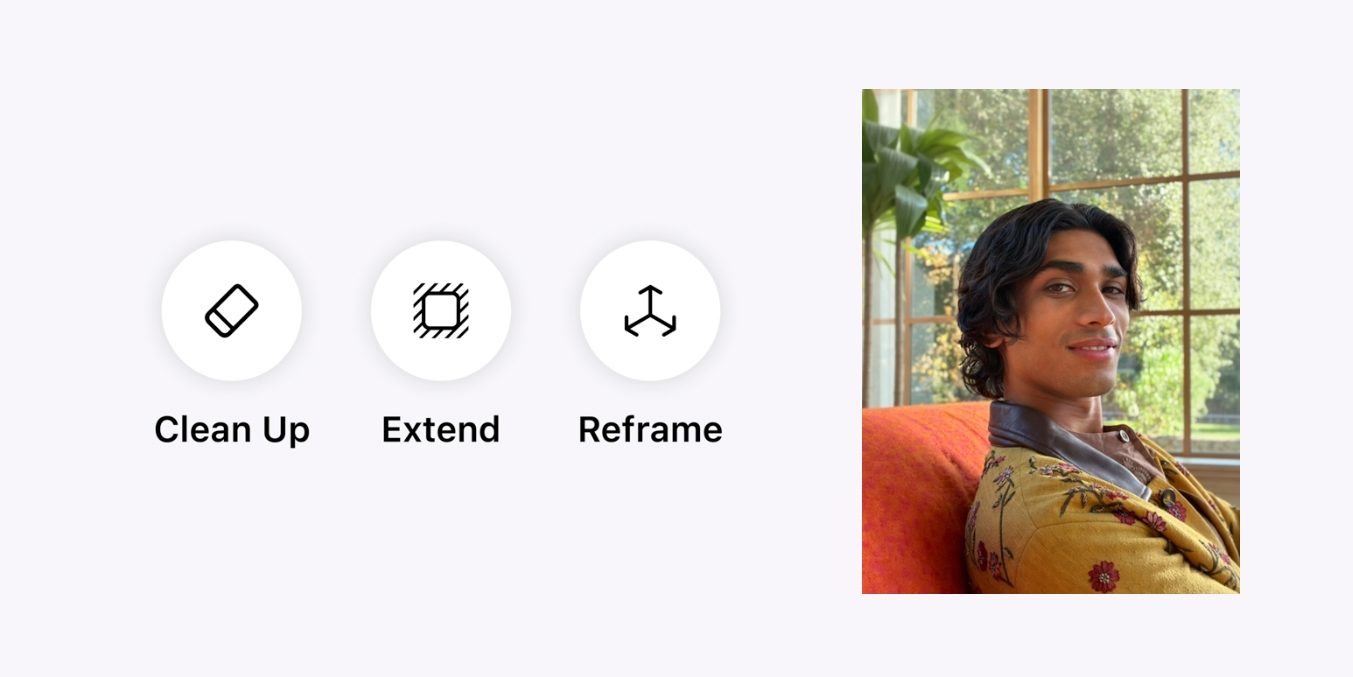
<p>In the Photos app, users will be able to expand and even reframe their photos using AI. When writing a text, the enhanced Writing Tools will now automatically provide you with suggestions for rephrasing it. And you can even take pictures of your food to see how many calories it has.</p>
<p>Image Playground has also been completely revamped with better language models, which are capable of generating more natural-looking images. Thanks to this, users can even create their own wallpapers using Image Playground on iOS 27.</p>
<p>Apple also spent a good deal of time talking about performance. The company focused on making iOS 27 faster and more reliable, especially on older devices. And for those who had complaints about Liquid Glass, not only has the interface been refined, but there’s now a slider that lets you adjust the intensity of the effect.</p>
<p>Overall, iOS 27 doesn’t seem like a major update. But lack of transformative features hides the fact that Apple has finally released a new version of Siri that actually works and feels modern. And I can’t wait to get my hands on it.</p>
<p>iOS 27 is currently available only as a developer beta for the next several weeks. A public beta will be available next month, while the official release is expected this fall.</p>
]]></content>
            </entry>
                        <entry>
                <title><![CDATA[tvOS 27 drops support for two Apple TV models]]></title>
                <link href="https://9to5mac.com/2026/06/08/tvos-27-drops-support-for-two-apple-tv-models/" />
                <published>2026-06-08T19:53:48Z</published>
                <content type="html"><![CDATA[<p><img decoding="async" src="https://9to5mac.com/wp-content/uploads/sites/6/2025/07/apple-tv-4k-tvos-26.jpg?quality=82&#038;strip=all&#038;w=1600" /></p>
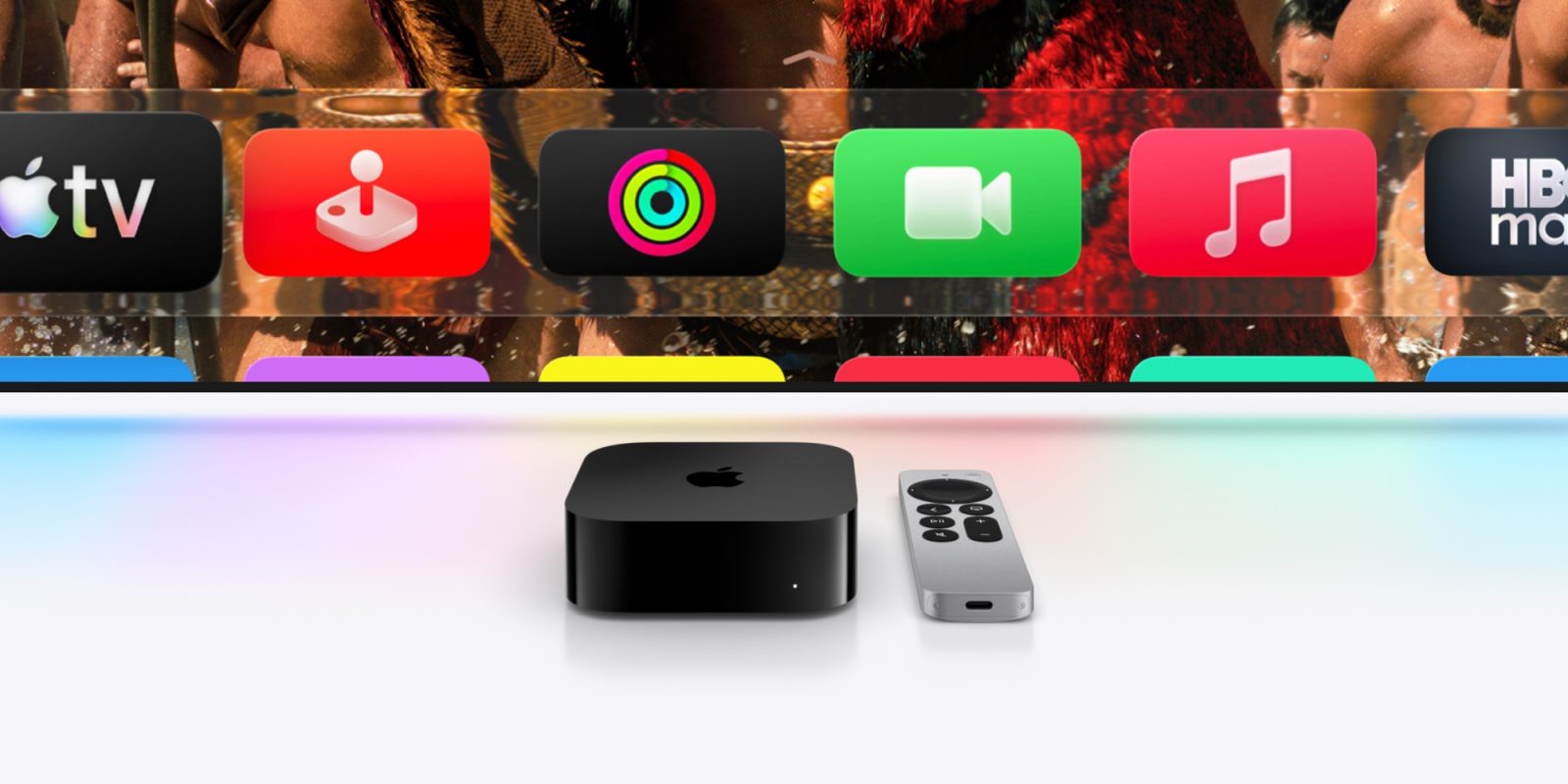
<p class="wp-block-paragraph">Apple barely mentioned tvOS 27 in its WWDC keynote today, but the update does exist, and is available now in beta. But two previously supported Apple TV models are not compatible with tvOS 27.</p>
<p> more…</p>
]]></content>
            </entry>
                        <entry>
                <title><![CDATA[15 great new Apple Intelligence features to try (beyond Siri AI)]]></title>
                <link href="https://www.cultofmac.com/news/new-apple-intelligence-features" />
                <published>2026-06-08T19:52:37Z</published>
                <content type="html"><![CDATA[<p><img loading="lazy" decoding="async" width="780" height="439" src="https://www.cultofmac.com/wp-content/uploads/2027/06/Apple-Intelligence-hero-260608_big.jpg.large_2x-1440x810.jpg" class="attachment-large size-large wp-post-image" alt="15 great new Apple Intelligence features" style="margin-bottom: 15px" /></p>
<p>In addition to Siri&#8217;s revamp, the WWDC26 keynote outlined a slew of new Apple Intelligence features. See the rundown. </p>
<p>(via Cult of Mac &#8211; Your source for the latest Apple news, rumors, analysis, reviews, how-tos and deals.)</p>
]]></content>
            </entry>
                        <entry>
                <title><![CDATA[iOS 27: Here’s all the new Apple Music features]]></title>
                <link href="https://9to5mac.com/2026/06/08/ios-27-heres-all-the-new-apple-music-features/" />
                <published>2026-06-08T19:50:36Z</published>
                <content type="html"><![CDATA[<p><img decoding="async" src="https://9to5mac.com/wp-content/uploads/sites/6/2026/06/apple-music-ios-27.jpg?quality=82&#038;strip=all&#038;w=1600" /></p>
<p class="wp-block-paragraph">Apple Music has a few new features with iOS 27, which Apple just announced today at its annual WWDC conference.</p>
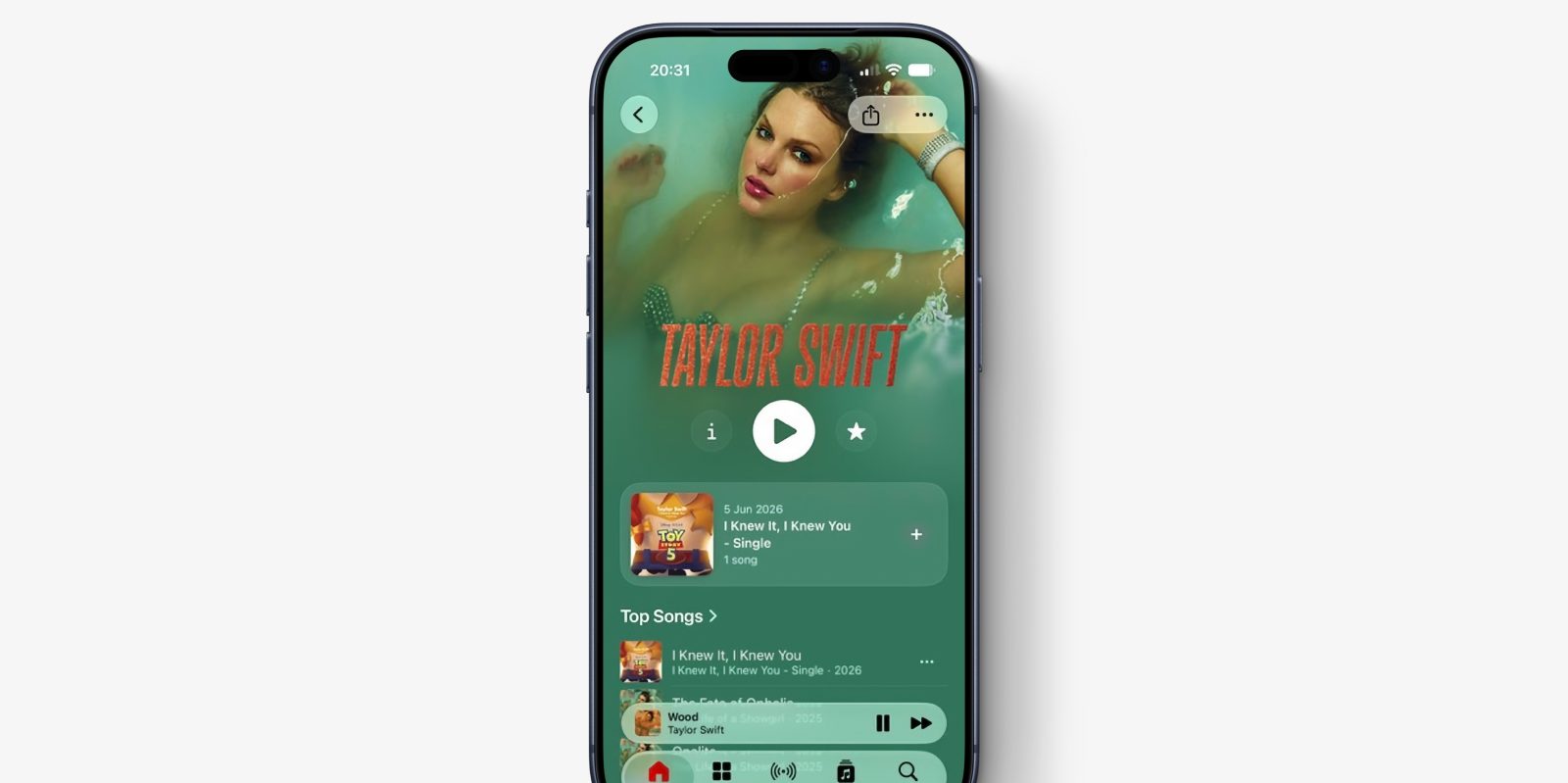
<p class="wp-block-paragraph">Perhaps the most immediately visible change is a newly-redesigned artist page featuring prominent shuffle play button, new artist name display, and other smaller layout changes.</p>
<p> more…</p>
]]></content>
            </entry>
                        <entry>
                <title><![CDATA[App Store overhaul gives developers new ways to sell subscriptions]]></title>
                <link href="https://appleinsider.com/articles/26/06/08/app-store-overhaul-gives-developers-new-ways-to-sell-subscriptions?utm_source=rss" />
                <published>2026-06-08T19:46:57Z</published>
                <content type="html"><![CDATA[<p>Apple is overhauling the App Store with new subscription tools, personalized recommendations, and marketing features that give developers more ways to attract customers and grow their businesses.<img decoding="async" src="https://photos5.appleinsider.com/gallery/67883-143087-IMG_7441-xl.jpg" alt="Two square app icons on a blurred background: left shows metallic waves with bold letters SDK, right shows blue App Store icon with stylized white A made of three crossing lines" height="735"><span>Developers have more options in the App Store</span>Apple announced the changes on June 8 during WWDC 2026 as part of an effort to help developers grow on the App Store. New features include subscription options for groups, businesses, and schools.Users will see new recommendation tools that explain why specific apps appear across the App Store. Apple will roll out those features alongside new marketing tools throughout 2026 that help developers promote apps and reach potential customers. Continue Reading on AppleInsider | Discuss on our Forums</p>
]]></content>
            </entry>
                        <entry>
                <title><![CDATA[Apple previews new child safety features]]></title>
                <link href="https://macdailynews.com/2026/06/08/apple-previews-new-child-safety-features/" />
                <published>2026-06-08T19:41:23Z</published>
                <content type="html"><![CDATA[<p><img loading="lazy" decoding="async" data-recalc-dims="1" src="https://i0.wp.com/macdailynews.com/wp-content/uploads/2026/06/260608_child_safety.png?resize=640%2C360&#038;ssl=1" alt="Apple today previewed a new suite of powerful, intuitive, and easy-to-use tools that are designed to help parents create safer digital experiences for their kids." width="640" height="360" class="size-full wp-image-302529" />Apple today previewed a new suite of powerful, intuitive, and easy-to-use tools that are designed to help parents create safer digital experiences for their kids.</p>
<p>Apple today previewed a new suite of powerful, intuitive, and easy-to-use features designed to allow parents to more easily manage the content their children can see, who they can communicate with, and when they have access to apps. With software updates this fall, parents will be able to access new child safety features, including a simpler setup experience with a recommended set of essential apps, Ask to Browse, Time Allowances, and a redesigned Screen Time. These updates enhance Apple’s already industry-leading parental controls and underscore its commitment to building a safe and trusted platform for kids.</p>
<p>“At Apple, our mission has always been to create technology that empowers people and enriches their lives, while helping keep them safe,” said Sumbul Desai, M.D., Apple’s vice president of Health and Fitness, in a statement. “Our approach to helping families create safer digital experiences is grounded in the belief that every child is unique. That’s why we build simple and intuitive tools, based on expert guidance, to let parents tailor their kids’ digital journey. Today, we’re introducing major updates to help families thoughtfully establish age-based protections and develop healthy digital habits.”</p>
<p>Getting Kids Started with a Child Account</p>
<p>The first and most important step parents can take to create age-appropriate experiences for their child is to set up a child account. It enables safeguards across the system, tailored to the child’s age, like limiting adult websites, only allowing age-appropriate media, and setting age-based restrictions in the App Store. Parents are guided through creating a child account when setting up a new device for their child. A child account is required for children under 13 and available for children up to 18.</p>
<p><img loading="lazy" decoding="async" data-recalc-dims="1" src="https://i0.wp.com/macdailynews.com/wp-content/uploads/2026/06/260608_child_account.png?resize=640%2C896&#038;ssl=1" alt="By setting up a child account, required for children under age 13 and available for children up to 18, parents take the first and most important step toward creating an age-appropriate experience for their child." width="640" height="896" class="size-full wp-image-302530" />By setting up a child account, required for children under age 13 and available for children up to 18, parents take the first and most important step toward creating an age-appropriate experience for their child.</p>
<p>What Content Kids Can See</p>
<p>Once a child account is created, parents can help their kids get a focused start by choosing exactly which apps they can access on their device. Parents have the option to start with just a few essential apps, a curated set, or choose just the apps they feel are appropriate for their child. Parents can then gradually add more apps over time, while staying in control at every step.</p>
<p>Parents have been able to easily expand access to additional apps over time with Ask to Buy, which enables parents to require that their child get their approval before downloading an app from the App Store — whether free or paid — or making an in-app purchase. With the new Ask to Browse, parents can also require that kids ask permission to access a new website in Safari. This feature works seamlessly across iPhone, iPad, and Mac.</p>
<p>With Whom Kids Can Communicate</p>
<p>From the start, parents are able to manage who their children can connect with over Messages, FaceTime, and Phone. As kids look to communicate with new contacts, parents can require their kids to ask for approval before connecting with anyone new.</p>
<p>Communication Safety already blurs nudity when detected in Messages and FaceTime calls, and is turned on by default for users under 18, and now it will also intervene to block gore or violent content when detected in shared images or videos.</p>
<p>When Kids Can Access Apps</p>
<p>Time Allowances give parents more flexible ways to manage the time their kids spend in apps across categories, including Entertainment, Games, and Social Media. When setting Time Allowances, parents are provided with guidance, based on expert research, that’s tailored to a child’s age. This serves as a helpful starting point for parents, who can easily adjust these settings based on what they determine is best for their child.</p>
<p>Parents can also set daily Schedules to manage which apps their children have access to at different times of the day and across the week. This helps parents ensure their kids can stay focused when it matters, like during school.</p>
<p><img loading="lazy" decoding="async" data-recalc-dims="1" src="https://i0.wp.com/macdailynews.com/wp-content/uploads/2026/06/260608_time_allowances.png?resize=640%2C896&#038;ssl=1" alt="With Time Allowances, parents can set boundaries for their kids around app categories, and Schedules help them manage which apps their children can access, when, and for how long." width="640" height="896" class="size-full wp-image-302531" />With Time Allowances, parents can set boundaries for their kids around app categories, and Schedules help them manage which apps their children can access, when, and for how long.</p>
<p>How Parents Can Guide Their Kids’ Digital Journey</p>
<p>Screen Time is now redesigned and gives parents an at-a-glance view of their kids’ average device usage and most used apps. Parents can easily make adjustments to their kids’ access to apps and the web in the moment, with just a tap. For example, to help protect important family moments, parents can quickly limit access during meals, outdoor play, and other times that deserve full attention. If kids need a little extra time to finish something in an app, parents can also easily extend access.</p>
<p>Empowering Families with Expert Guidance and Resources</p>
<p>For years, Apple has integrated guidance from leading clinical and child development research, as well as online safety experts, into its products and services, and continues to help advance research into children’s digital wellbeing. Apple is working with the American Academy of Pediatrics (AAP) to adapt its Family Media Plan into a guide parents can reference when using Apple products. Apple also continues to collaborate with researchers to understand the impact of technology on children’s wellbeing, and is committed to advancing the science in this area.</p>
<p>A Dedicated Website for Parents</p>
<p>To help parents stay informed and learn more, Apple has launched a dedicated Child Safety website that features the latest tools, helpful resources, and answers to common questions — like how to get started.</p>
<p>Parents can also learn more online about existing trusted tools to help them protect their children, including:</p>
<p>• Screen Time Passcode Notifications alert parents when their Screen Time passcode has been entered on their child’s device.</p>
<p>• User Reporting Tools, available in certain countries and regions, report harmful content directly to Apple, and will be expanded globally.</p>
<p>• Apple Watch For Your Kids brings the connectivity, fitness, health, and safety features of Apple Watch to children who do not have their own iPhone, so parents can have peace of mind while their kids gain more independence. Apple Watch For Your Kids makes it possible for parents to reach their child and identify their location via Find My, while kids can also connect with family and friends through phone calls and messages, stay motivated to reach personalized Activity goals, express themselves through Memoji, and enjoy features that give them more independence, like Apple Maps, Apple Music, and Apple Cash. Schooltime mode helps kids stay focused by blocking notifications and disabling apps.</p>
<p>Supporting Developers in Creating Age-Appropriate App Experiences</p>
<p>While Apple’s powerful controls help parents manage which apps their child can access and when, developers also play an important role in making sure kids are getting age-based experiences inside apps.</p>
<p>To help developers get started, Apple offers a suite of tools that can help protect kids from seeing inappropriate content like violence or nudity and help ensure parents approve any new in-app contacts, via SensitiveContentAnalysis and PermissionKit, respectively. Developers can also integrate the Declared Age Range API, which allows them to request a child’s age range and tailor their app experience accordingly. This is done in a privacy-protective way, without sharing a child’s birthday.</p>
<p>Availability</p>
<p>New features will be available after installing the Screen Time update in iOS 27, iPadOS 27, and macOS 27. Features are subject to change. For more information about availability, visit apple.com.</p>
<p><span style="color: #ff0000">MacDailyNews Take: </span>Clearly, with these new child safety features, Apple is trying to stay out front of the regulators who would destroy user privacy and security if given half the chance.</p>
<p>‎<br />
<span style="color: #ff0000">Please help support MacDailyNews — and enjoy subscriber-only articles, comments, chat, and more — by subscribing to our Substack</span>: macdailynews.substack.com. Thank you!</p>
<p>Support MacDailyNews at no extra cost to you by using this link to shop at Amazon.</p>
<p>The post Apple previews new child safety features appeared first on MacDailyNews.</p>
]]></content>
            </entry>
                        <entry>
                <title><![CDATA[iOS 27 &#038; macOS 27 developer betas are out, but you should probably wait]]></title>
                <link href="https://appleinsider.com/articles/26/06/08/ios-27-macos-27-developer-betas-are-out-but-you-should-probably-wait?utm_source=rss" />
                <published>2026-06-08T19:41:21Z</published>
                <content type="html"><![CDATA[<p>Apple&#8217;s WWDC is rolling on with betas now available for download, but if you use your Mac, iPhone, or iPad for anything else than development, you should wait.<img decoding="async" src="https://photos5.appleinsider.com/gallery/67884-143086-ios27devbeta1-xl.jpg" alt="iPhone screen showing Software Update settings with iOS 17 Beta details, including description text, beta program links, storage size, and a prominent blue Update Now button on a light background" height="738"><span>iOS 27&#8217;s first developer beta is out. Don&#8217;t install it. </span>As is tradition for WWDC, following the keynote detailing the changes Apple is making in its fall operating system updates, the first developer betas have been made available.The first developer builds of iOS 27, iPadOS 27, macOS 27, tvOS 27, visionOS 27, and watchOS 27 are now downloadable. They can be installed onto devices for testing right now by anyone interested in them. Continue Reading on AppleInsider | Discuss on our Forums</p>
]]></content>
            </entry>
                        <entry>
                <title><![CDATA[iOS 27 has new app icon designs for many iPhone apps]]></title>
                <link href="https://9to5mac.com/2026/06/08/ios-27-has-new-app-icon-designs-for-many-iphone-apps/" />
                <published>2026-06-08T19:41:09Z</published>
                <content type="html"><![CDATA[<p><img decoding="async" src="https://9to5mac.com/wp-content/uploads/sites/6/2026/06/WWDC-26-13.21.57.jpg?quality=82&#038;strip=all&#038;w=1600" /></p>
<p class="wp-block-paragraph">Last year with iOS 26, Apple redesigned its full lineup of app icons for iPhone. But just one year later, iOS 27 has even more design changes for many app icons.</p>
<p> more…</p>
]]></content>
            </entry>
                        <entry>
                <title><![CDATA[tvOS 27 sneaks out with redesigned Podcasts app &#038; AI subtitle generation]]></title>
                <link href="https://appleinsider.com/articles/26/06/08/tvos-27-sneaks-out-with-redesigned-podcasts-app-ai-subtitle-generation?utm_source=rss" />
                <published>2026-06-08T19:38:03Z</published>
                <content type="html"><![CDATA[<p>Released without any real fanfare, developers can now update their Apple TVs to tvOS 27, allowing for on-device AI subtitles on videos, on-screen text size adjustment, a new Podcasts app, and not much more.<img decoding="async" src="https://photos5.appleinsider.com/gallery/67814-143001-Apple-TV-4K-table-xl.jpg" alt="Flatscreen TV on a wooden stand displaying app icons, including NBC and ESPN, with a small black streaming box and a slim device base beneath the screen" height="738" class=""><span>tvOS 27 is here, with on-device video captioning, text size adjustment, and more.</span>Though iOS 27 was undoubtedly the star of WWDC 2026, tvOS received several meaningful enhancements of its own. These include a redesigned Apple Podcasts app and smart downloads on Apple TV.Additionally, AppleCare coverage details are now available in the tvOS 27 Settings application. The Control Center has been made more responsive, while app launch animations are now significantly smoother. Continue Reading on AppleInsider | Discuss on our Forums</p>
]]></content>
            </entry>
                        <entry>
                <title><![CDATA[Apple killed my Apple Intelligence dreams]]></title>
                <link href="https://www.macworld.com/article/3159693/apple-just-killed-my-apple-intelligence-dreams.html" />
                <published>2026-06-08T19:37:32Z</published>
                <content type="html"><![CDATA[<p>Macworld</p>
<p>When I bought my iPhone 16 Pro, it was a major upgrade from the iPhone 12 Pro that had served me well for years. I was excited to get snapping with the new camera system, to enjoy the crisp, high-refresh-rate display, and to zip through apps and tasks as fast as my fingers would carry me. And there was one more thing that caught my eye at the time: It was “Built for Apple Intelligence.”</p>
<p>Because, of course, this was right around the time Apple introduced its Apple Intelligence system to the world. The company promised “AI for the rest of us,” with powerful tools that seemed tailored to how I wanted to use my phone: Siri would understand my personal context, I was told, and it would start delving into my apps and taking actions on my behalf. Finally, after so many years, Siri would be getting the personal assistant glow up it had always craved.</p>
<p>We all know how that turned out.</p>
<p>After delays, class-action lawsuits, and widespread humiliation, WWDC 2026 was meant to be when Apple finally made good on all those promises. It was, we thought, the time when Apple would bring iPhone 16-series users like me the features we’d been promised two years ago.</p>
<p>Except, as it turns out, that’s a load of bull.</p>
<p><img decoding="async" data-wp-class--hide="state.isContentHidden" data-wp-class--show="state.isContentVisible" data-wp-init="callbacks.setButtonStyles" data-wp-on-async--click="actions.showLightbox" data-wp-on-async--load="callbacks.setButtonStyles" data-wp-on-async-window--resize="callbacks.setButtonStyles" src="https://b2c-contenthub.com/wp-content/uploads/2026/01/Apple-Intelligence-1.jpg?quality=50&amp;strip=all&amp;w=1200" alt="Apple Intelligence 1" class="wp-image-3038139" width="1200" height="800" loading="lazy" /></p>
<p>Remember when the iPhone 16 Pro was built for Apple Intelligence? Apple doesn’t.</p>
<p class="imageCredit">Apple</p>
<p>Apple indefensible</p>
<p>I’m not saying that the features Apple teased in 2024 still aren’t here. On the contrary, if anything they look even better than when Apple initially previewed them. They’re the kind of enticing enhancements that I’ve spent the last two years holding out hope for. That’s not the problem.</p>
<p>The problem is what is available and where it will be present. Because after debuting all these tools and showing off exactly how they’d work, Apple’s Craig Federighi slipped a teensy-weensy caveat into all that hype. It went like this:</p>
<p>“Our most powerful on-device model and the features it enables, like expressive voices and more advanced dictation, will be coming to our most capable iPhone, iPad and Mac systems.”</p>
<p>At the same time, a slide popped up on screen explaining that to get this “most powerful on-device model,” you’d need an iPad with M4 chip or later and 12GB of memory or a Mac with M3 chip or later and 12GB of memory. Oh, and iPhone users? Yep, you guessed it, you’ll need an iPhone Air or iPhone 17 Pro. Yes, that’s an iPhone 17 Pro, not an iPhone 17.</p>
<p>In other words, I’m screwed.</p>
<p>My iPhone 16 Pro, which was explicitly sold by Apple as its most advanced AI-capable iPhone, will not work with all of the latest Apple Intelligence features. That is absolutely indefensible.</p>
<p>Apple has only specifically called out two features that are limited to the latest and greatest devices, those being expressive Siri voices and more advanced dictation. But the way Federighi worded it made it sound like these are just examples of the things that require an iPhone 17 Pro. For all I know, there could be more.</p>
<p>For one thing, I wouldn’t be surprised if features like Spatial Reframing are similarly limited. At WWDC, Apple said that some “image generation” tools have daily limits on their usage because they use such powerful AI models. You can bet that will be absent from my iPhone 16 Pro too.</p>
<p>And that’s just the things we know about. Nowhere on Apple’s website does the company expressly itemize all the features that will be the exclusive domain of iPhone 17 Pro users. For now, it’s all just guesswork. That doesn’t lend itself to the idea that the list of gated features is particularly modest.</p>
<p><img decoding="async" data-wp-class--hide="state.isContentHidden" data-wp-class--show="state.isContentVisible" data-wp-init="callbacks.setButtonStyles" data-wp-on-async--click="actions.showLightbox" data-wp-on-async--load="callbacks.setButtonStyles" data-wp-on-async-window--resize="callbacks.setButtonStyles" src="https://b2c-contenthub.com/wp-content/uploads/2025/07/iPhone-16-Pro-Max-hero.jpg?quality=50&amp;strip=all&amp;w=1200" alt="iPhone 16 Pro on a bookshelf" class="wp-image-2835392" width="1200" height="800" loading="lazy" /></p>
<p>My iPhone 16 Pro is a fantastic phone—that can’t run everything iOS 27 and Apple Intelligence have to offer.</p>
<p class="imageCredit">Foundry</p>
<p>The old bait and switch</p>
<p>Somehow, Apple has managed to make me super excited and super disappointed about its latest AI efforts in practically the same breath. And given how popular the iPhone 16 series has been, I know I’m far from alone.</p>
<p>To be clear, I didn’t buy my iPhone 16 Pro on the express promise of getting these AI features. I was looking forward to playing around with them, sure, but AI was just one part of my purchasing decision. Yet that doesn’t change the fact that this announcement is still deeply deflating. I’m not about to ditch a perfectly excellent iPhone 16 Pro and shell out on the iPhone 17 Pro or iPhone 18 Pro just for the features Apple is gatekeeping away from me.</p>
<p>Look, I understand that not every phone can work with intensely demanding AI features. That’s common sense. But it doesn’t seem unreasonable to think that Apple started working on many of these features long before the iPhone 16 series was even announced. Why tell people your device is “Built for Apple Intelligence,” as Apple did for the iPhone 16 Pro, when you know that’s not entirely true?</p>
<p>Selling an iPhone as being custom-made for AI, then doing the old switcheroo and blushingly admitting that, oopsie, many of those features won’t be on your device after all, just seems sly and underhanded. Maybe Apple’s ambitions grew, and maybe its models’ requirements expanded, but that doesn’t change the fact that an iPhone promoted as AI-capable is suddenly only partially so.</p>
<p>I’m sure I’ll get plenty of usage out of those AI features that do land on my device. I’ll even forgive Apple for the delays if they turn out to be as impressive as they looked in the WWDC keynote. But it won’t hide the fact that for every AI advancement Apple makes, it seemingly can’t help but take two steps back.</p>
]]></content>
            </entry>
                        <entry>
                <title><![CDATA[Apple expands App Store capabilities to help developers grow and reach new users]]></title>
                <link href="https://macdailynews.com/2026/06/08/apple-expands-app-store-capabilities-to-help-developers-grow-and-reach-new-users/" />
                <published>2026-06-08T19:31:00Z</published>
                <content type="html"><![CDATA[<p><img decoding="async" data-recalc-dims="1" loading="lazy" src="https://i0.wp.com/macdailynews.com/wp-content/uploads/2026/06/260608_app_store_sdk.png?resize=640%2C360&#038;ssl=1" alt="This year, Apple is rolling out new capabilities to help developers grow their businesses and reach new users." width="640" height="360" class="size-full wp-image-302526" />This year, Apple is rolling out new capabilities to help developers grow their businesses and reach new users.</p>
<p>Apple continuously invests in new features and services to help developers succeed and users discover their next favorite app. New App Store capabilities rolling out this year will give developers more flexibility to market their apps, acquire new users, and offer brand-new business models for Apple In-App Purchase.</p>
<p>New Ways to Market Apps and Games</p>
<p>This year, developers will have more ways to showcase their apps on the App Store with Creative Assets, rich images and videos that appear in the product page header and search results. In addition to standard screenshots and previews, these assets can be used to highlight a brand, promote seasonal offerings, or showcase new content. They also work with custom product pages and product page optimization, so developers can test and learn what resonates best. App Store Connect also supports a product page preview so developers can see how their Creative Assets, descriptions, and screenshots appear on iPhone and iPad across languages, in Dark Mode, and in portrait or landscape.</p>
<p>The new Asset Library helps developers move faster across marketing workflows, with one place in App Store Connect to manage all Creative Assets, app preview videos, and screenshots. Developers can reuse assets across custom product pages and In-App Events, eliminating redundant uploads and streamlining their promotional campaigns across the App Store. Developers can also submit assets for App Review approval independent of an app update, ideal for rolling out seasonal imagery or coordinating with an Apple Ads campaign without delay.</p>
<p>Enhanced Discovery and Engagement</p>
<p>To complement these new marketing capabilities, the App Store is getting new ways to connect users with experiences they are looking for. To help more people find apps and games they will love, the App Store will introduce new Personalized Collections based on user interests, along with App Notes that explain why specific apps are recommended. These tailored recommendations can appear on the Apps, Games, and Search tabs, evolving over time based on a user’s app usage and downloads. Personalized Collections and App Notes start rolling out this week in English in the U.S., with additional languages and regions coming soon.</p>
<p>To further boost discovery and monetization, game developers will also be able to showcase special offers to attract and engage players on the Apple Games app, using Featuring Nominations to propose plans for an in-game offer or a limited-time discount to the App Store editorial team.</p>
<p>Scaling Businesses with New Subscription Capabilities</p>
<p>The App Store is a powerful engine for economic growth, and Apple is continuously investing in new ways to help developers scale their businesses and reach new audiences. This year, the App Store will enhance Apple In-App Purchase, providing developers with new ways to offer subscriptions at scale. Powered by StoreKit 2, developers will be able to enable subscriptions for groups and organizations within their app using two new configuration options to easily build multi-user in-app purchase experiences.</p>
<p>Volume purchasing through Apple Business and Apple School Manager allows developers to offer subscriptions to enterprise and education buyers who already procure apps at scale. Seat assignments are managed seamlessly through existing device management workflows, which means apps and subscriptions can be deployed across an organization on infrastructure IT already trusts.</p>
<p>Developers will be able to use group purchases to offer their subscriptions to a range of users, from independent creators working together to full production companies. Group purchases let a subscriber buy seats as a single purchase and then invite others to access the subscription. With Apple-provided invite functionality, it’s seamless for people to invite, accept, and join a subscription. Because each subscriber joins from their own account, it’s easy to see and manage who’s in their group. Developers can conveniently set up both options from one place in App Store Connect. Volume purchasing will be available this fall, with group purchases coming this winter.</p>
<p>To help build long-term value and increase subscriber retention, new App Store Bundles will give developers the ability to partner together and offer users more for less. By expanding beyond a single-developer catalog, these new bundles will allow users to subscribe to multiple favorite apps from different developers at a better price. Developers will also be able to create Suites, offering subscription packages that aren’t available as standalone purchases.</p>
<p>Retention Messaging is rolling out to all developers in App Store Connect. These new tools let developers engage subscribers by allowing them to provide additional value during the cancellation process with tailored communications or special offers.</p>
<p>Streamlined Submissions</p>
<p>App Review plays a vital role in keeping the App Store a safe and trusted place for users, and Apple continuously works to make the submission process more efficient for developers. Updates to Apple In-App Purchase submissions will further simplify app management and boost developer productivity, allowing developers to group multiple In-App Purchases and related items into a single, unified App Review submission.</p>
<p>To further simplify the development and submission process, apps and games on the Mac App Store no longer require Intel support. This allows developers to ship Apple silicon-only binaries, eliminating the need to maintain multiple builds.</p>
<p>Supporting New Time Allowance Features</p>
<p>Once apps and games on the App Store are downloaded to a child’s device, parents can use powerful and intuitive tools, like Screen Time, to help manage when a child can use those apps. New Time Allowances in iOS 27, iPadOS 27, and macOS 27 give parents more flexible ways to manage the time their kids and teens spend in apps across categories, including Entertainment, Games, and Social Media. Time Allowances are developed based on expert research and tailored to a child’s age range to give parents a helpful starting point. Parents can adjust these settings based on what they determine is best for their child. And new Schedules let parents choose which apps kids and teens have access to at different times of day, making it easier to help keep them focused when it matters.</p>
<p>Developers will also have new ways to ensure their apps are properly categorized for these features within App Store Connect. To support Time Allowances, the age rating questionnaire will be updated in July, allowing developers to indicate if their app includes social media capabilities, such as interacting with user-generated content through a social feed. Apps will automatically be sorted into the appropriate Time Allowance category: Social Media, Entertainment, Games, or Other. This helps ensure that apps with social media features are accurately categorized and age-rated, providing parents with tools they can use to make informed decisions for their families.</p>
<p>The App Store continues to evolve to support a growing developer community while maintaining high standards for user safety and trust. With these updates, Apple is providing developers with the capabilities and flexibility to connect with a global audience, deliver safe experiences, and build sustainable businesses.</p>
<p><span style="color: #ff0000">MacDailyNews Take: </span>Apple just keeps making the App Store an even better place for developers to build thriving businesses and for users to discover great apps and games.</p>
<p>In today’s update, Cupertino is rolling out a smart slate of new capabilities: eye-catching Creative Assets and an Asset Library for more effective marketing, Personalized Collections with helpful App Notes for better discovery, expanded subscription tools including group and volume purchases, App Store Bundles and Suites for cross-developer value, Retention Messaging, streamlined submissions, Apple silicon-only Mac apps, and thoughtful new parental Time Allowance tools.</p>
<p>This is classic Apple: continuously investing in the ecosystem to help developers grow while keeping the App Store safe, trusted, and user-friendly. No surprise that the world’s most valuable company continues to strengthen the platform that powers millions of successful businesses and delivers the best experiences to billions of happy customers!</p>
<p>‎<br />
<span style="color: #ff0000">Please help support MacDailyNews — and enjoy subscriber-only articles, comments, chat, and more — by subscribing to our Substack</span>: macdailynews.substack.com. Thank you!</p>
<p>Support MacDailyNews at no extra cost to you by using this link to shop at Amazon.</p>
<p>The post Apple expands App Store capabilities to help developers grow and reach new users appeared first on MacDailyNews.</p>
]]></content>
            </entry>
                        <entry>
                <title><![CDATA[visionOS 27 brings tons of tweaks and refinements, not just Siri AI]]></title>
                <link href="https://www.cultofmac.com/news/visionos-27-announcement" />
                <published>2026-06-08T19:30:11Z</published>
                <content type="html"><![CDATA[<p><img loading="lazy" decoding="async" width="780" height="438" src="https://www.cultofmac.com/wp-content/uploads/2026/06/visionOS-27-1440x809.jpg.webp" class="attachment-large size-large wp-post-image" alt="visionOS 27 graphic" style="margin-bottom: 15px" /></p>
<p>At WWDC26, Apple previewed visionOS 27, the next major software update coming to its Vision Pro headset. The biggest new change is the introduction of Siri AI and the suite of new Apple Intelligence features, as is the case for all of Apple&#x2019;s announcements today.&#160; But there are other great quality of life features coming [&#8230;]</p>
<p>(via Cult of Mac &#8211; Your source for the latest Apple news, rumors, analysis, reviews, how-tos and deals.)</p>
]]></content>
            </entry>
                        <entry>
                <title><![CDATA[iPadOS 27 gets faster and more useful with powerful new AI features]]></title>
                <link href="https://www.cultofmac.com/news/ipados-27-features" />
                <published>2026-06-08T19:23:46Z</published>
                <content type="html"><![CDATA[<p><img loading="lazy" decoding="async" width="780" height="439" src="https://www.cultofmac.com/wp-content/uploads/2026/06/iPadOS-27-features_01-1440x810.jpg.webp" class="attachment-large size-large wp-post-image" alt="iPadOS 27 features: Performance boost plus new AI capabilities" style="margin-bottom: 15px" /></p>
<p>Top iPadOS 27 features include performance improvements, as well as a wide range of new capabilities made possible with AI. </p>
<p>(via Cult of Mac &#8211; Your source for the latest Apple news, rumors, analysis, reviews, how-tos and deals.)</p>
]]></content>
            </entry>
                        <entry>
                <title><![CDATA[iOS 27 beta has a waitlist for accessing new Siri AI and app]]></title>
                <link href="https://9to5mac.com/2026/06/08/ios-27-beta-1-has-a-waitlist-for-accessing-new-siri-ai/" />
                <published>2026-06-08T19:17:59Z</published>
                <content type="html"><![CDATA[<p><img decoding="async" src="https://9to5mac.com/wp-content/uploads/sites/6/2026/06/siri-app-icon-ios-27.jpg?quality=82&#038;strip=all&#038;w=1600" /></p>
<p class="wp-block-paragraph">iOS 27 beta 1 is officially here, but if you’re hoping to try the new Siri AI, you might have to wait a bit longer: Apple is using a waitlist.</p>
<p> more…</p>
]]></content>
            </entry>
                        <entry>
                <title><![CDATA[iOS 27 beta has a waitlist for accessing new Siri AI and app]]></title>
                <link href="https://9to5mac.com/2026/06/08/ios-27-beta-1-has-a-waitlist-for-accessing-new-siri-ai/" />
                <published>2026-06-08T19:17:59Z</published>
                <content type="html"><![CDATA[<p><img decoding="async" src="https://9to5mac.com/wp-content/uploads/sites/6/2026/06/siri-app-icon-ios-27.jpg?quality=82&#038;strip=all&#038;w=1600" /></p>
<p class="wp-block-paragraph">iOS 27 beta 1 is officially here, but if you’re hoping to try the new Siri AI, you might have to wait a bit longer: Apple is using a waitlist.</p>
<p> more…</p>
]]></content>
            </entry>
                        <entry>
                <title><![CDATA[Apple reveals next-gen Apple Intelligence, delivering powerful AI capabilities into everyday experiences]]></title>
                <link href="https://macdailynews.com/2026/06/08/apple-reveals-next-gen-apple-intelligence-delivering-powerful-ai-capabilities-into-everyday-experiences/" />
                <published>2026-06-08T19:16:21Z</published>
                <content type="html"><![CDATA[<p><img decoding="async" data-recalc-dims="1" loading="lazy" src="https://i0.wp.com/macdailynews.com/wp-content/uploads/2026/06/260608_apple_intelligence_2.png?resize=640%2C360&#038;ssl=1" alt="With its new architecture and capabilities, the next generation of Apple Intelligence powers helpful features across the system, simplifying the things users do every day." width="640" height="360" class="size-full wp-image-302517" />With its new architecture and capabilities, the next generation of Apple Intelligence powers helpful features across the system, simplifying the things users do every day.</p>
<p>Apple today introduced the next generation of Apple Intelligence, powered by a bold new architecture that integrates the latest Apple Foundation Models deep into Apple’s platforms and is uniquely designed to protect users’ privacy. This makes the apps and experiences users rely on every day across iPhone, iPad, Mac, Apple Watch, AirPods, and Apple Vision Pro more personal and helpful than ever. Apps become smarter and more useful with powerful editing capabilities in Photos, intelligent tools to tailor browsing in Safari, the ability to upgrade security protections with Passwords, an all-new Image Playground that creates photorealistic imagery, and more. Across many of these features, users have the ability to simply describe what they’re looking for, so they can do the things that matter most to them even more easily. These features are available for developer testing starting today, and will be available to users this fall.</p>
<p>“At Apple, our mission has always been to turn the potential of advanced technology into helpful and intuitive products for everyone, and that has never been more important than today,” said Craig Federighi, Apple’s senior vice president of Software Engineering. “Truly helpful AI must be centered on our users’ needs, deeply integrated into the products they rely on every day, grounded in personal context, and built with privacy at every step. That is our vision for Apple Intelligence. With useful features for browsing the web, expressing creativity, editing photos, and so much more, today marks a big step forward on our journey to integrate powerful AI into the core of our platforms and make our products even more personal and useful.”</p>
<p>The next generation of Apple Intelligence also helps power Siri AI, an entirely new version of Siri. Siri AI is a profoundly more personal, capable, and conversational assistant that also offers a new dedicated app, along with integrated tools for writing and Visual Intelligence across platforms. Siri can help users search for information across their messages, emails, photos, and more; answer questions about virtually any topic; and take action in apps. New Siri AI features are available for developer testing starting today, and will be available as a beta to users later this year.</p>
<p>Frame-Worthy Compositions with New Ways to Edit Photos</p>
<p>The Photos app taps into more powerful image models so users can make incredible edits, while respecting the original moment as it was captured. Photos adjusted with Apple Intelligence will automatically include a hidden SynthID watermark to identify those that have been edited with AI.</p>
<p>With Spatial Reframing, users can improve the composition of a photo after it’s been taken. Spatial Reframing builds on Apple’s deep understanding of spatial models thanks to Apple Vision Pro, so users can touch and drag a photo and preview in real time how the perspective shifts — as if they’d repositioned the camera in the original scene. Using powerful image models, Spatial Reframing will only generate new content where the perspective has been shifted, ensuring the reframed photo stays consistent with the original scene.</p>
<p>Users can also expand images with the Extend tool to give their subjects more breathing room. For example, they can straighten a crooked horizon without cropping out anything important, or adjust the aspect ratio, and Extend will fill in the missing pieces. Additionally, the popular Clean Up tool gets a major upgrade, so users can remove distractions with better quality and more realistic infill, even when the scene is complex.</p>
<p><img decoding="async" data-recalc-dims="1" loading="lazy" src="https://i0.wp.com/macdailynews.com/wp-content/uploads/2026/06/260608_cleanup.png?resize=640%2C350&#038;ssl=1" alt="Clean Up is even more powerful, allowing users to remove distractions with better quality and more natural-looking infill." width="640" height="350" class="size-full wp-image-302518" />Clean Up is even more powerful, allowing users to remove distractions with better quality and more natural-looking infill.</p>
<p>Intelligent New Tools to Browse in Safari and Upgrade Passwords</p>
<p>With the power of Apple Intelligence, new tools transform how users can browse the web in Safari. The intelligence in Safari is built with privacy in mind, delivering powerful capabilities without exposing personal browsing data to anyone, including Apple.</p>
<p>Safari can now simplify multi-tab browsing by automatically organizing a user’s tabs into relevant topics. For example, if a user is planning a weekend trip, Safari can bring together all of their travel-planning tabs into one topic. As users browse, Safari will continue to organize new tabs into existing topics or create new ones.</p>
<p>With Notify Me, users can ask Safari to monitor a web page for changes, like product restocks or price drops, so they can stay on top of updates they care about. Users can tell Safari what they’re looking for, and when Safari detects a change on that web page, they’ll get a notification so they can take action.</p>
<p>Building on its ability to alert users about weak and compromised passwords, Passwords can now automatically fix these for users with just a tap. Using Apple Intelligence and Safari to agentically take action on a user’s behalf, Passwords securely navigates through websites to sign in and upgrade their accounts to strong passwords.</p>
<p><img decoding="async" data-recalc-dims="1" loading="lazy" src="https://i0.wp.com/macdailynews.com/wp-content/uploads/2026/06/260608_auto_fix_passwords.png?resize=640%2C896&#038;ssl=1" alt="The Passwords app can now automatically update eligible accounts to strong passwords." width="640" height="896" class="size-full wp-image-302519" />The Passwords app can now automatically update eligible accounts to strong passwords.</p>
<p>With Describe an Extension, users can create custom Safari extensions simply by describing what they want. Safari will then generate the custom extension right in the toolbar — like adding a button to save and rate recipes a user has tried.</p>
<p><img decoding="async" data-recalc-dims="1" loading="lazy" src="https://i0.wp.com/macdailynews.com/wp-content/uploads/2026/06/260608_describe_extension.png?resize=640%2C427&#038;ssl=1" alt="Describe an Extension allows users to create a custom Safari extension just by describing what they want." width="640" height="427" class="size-full wp-image-302520" />Describe an Extension allows users to create a custom Safari extension just by describing what they want.</p>
<p>Photorealistic Images with an All-New Image Playground</p>
<p>Image Playground offers new powerful ways for users to bring their imagination to life. They can create high-quality images in virtually any style, now including photorealistic, thanks to a new generative model that runs on Private Cloud Compute. This is a major transformation for image generation across platforms. And generated images will automatically include a hidden SynthID watermark to identify them as AI-generated.</p>
<p>Image Playground makes it easy and intuitive to modify images. Users can describe the changes they want to make — or simply tap, circle, or brush to highlight an object to move or resize it.</p>
</p>
<p>Users also have new ways to utilize the images they create. In addition to places like Messages, Image Playground can now be used to generate Lock Screen wallpapers and Contact Posters. Users are also able to choose the aspect ratio for what they’re working on, such as a landscape image for a website or a portrait image for a flyer.</p>
<p>Powerful Features for Staying on Top of Communication and Scheduling</p>
<p>New Apple Intelligence features help users manage their communication, surfacing relevant information when they need it.</p>
<p>Now Messages offers one-tap suggestions based on the context of users’ conversations, making it easier than ever to get things done, such as creating a reminder or a note. For example, if someone asks for photos, Messages can also help users find the right ones, recognizing keywords, locations, and people in their library to find the best options. Additionally, suggestions in Mail become even more capable with the ability to take action with third-party apps. And Smart Reply in Mail and Messages can now draw on a user’s personalized writing style.</p>
<p><img decoding="async" data-recalc-dims="1" loading="lazy" src="https://i0.wp.com/macdailynews.com/wp-content/uploads/2026/06/260608_ai_messages.png?resize=640%2C896&#038;ssl=1" alt="Messages surfaces relevant one-tap suggestions based on the context of users’ conversations, and these even more capable suggestions also come to Mail." width="640" height="896" class="size-full wp-image-302522" />Messages surfaces relevant one-tap suggestions based on the context of users’ conversations, and these even more capable suggestions also come to Mail.</p>
<p>When users call a business, Call Context proactively surfaces relevant information — like a confirmation code or reservation number — directly in the Phone app. For example, if a user calls an airline to change a flight, the Phone app can automatically find their confirmation code in Mail. Call Context looks at who the user is calling, not what they’re saying, to surface helpful information; it runs entirely on device, so nothing is shared with Apple or anyone else.</p>
<p>Apple Intelligence also makes it possible to add or modify events in Calendar just by describing the event. As users type, Calendar will identify contacts and locations, and create a title for the event.</p>
<p>Easier Ways to Build Powerful Shortcuts</p>
<p>Shortcuts help users get things done faster by automating a wide range of tasks, and now with Describe a Shortcut, it’s more approachable than ever. Leveraging the power of Apple Intelligence, Shortcuts can now take a user’s description and assemble the required steps on their behalf. If a user sees something they need to tweak or add, they can simply describe their change, and the Shortcuts app makes adjustments.</p>
<p>For example, a user can describe a shortcut to automate things like setting their morning alarm each evening based on their first event in Calendar the next day, automatically opening their favorite productivity apps with a specific window arrangement when they connect their iPad to their Magic Keyboard, or turning on their porch lights at night when they get a notification that their food delivery is arriving.</p>
<p>Smart Capabilities in the Home App</p>
<p>Apple Intelligence makes it easier to stay on top of things at home, with updates to accessory notifications and new capabilities for HomeKit Secure Video cameras.</p>
<p>The Home app draws on Apple Intelligence to understand related notifications as a single activity, so users receive one notification that updates as the activity happens.</p>
<p>With generated video descriptions, users can quickly understand what happened across a sequence of video clips, even without watching them. They can also search through camera clips so they can easily find what they’re looking for, like a package delivery. At the top of the Search page, the Home app elevates noteworthy clips that users may want to review, so they can quickly see important moments.</p>
<p><img decoding="async" data-recalc-dims="1" loading="lazy" src="https://i0.wp.com/macdailynews.com/wp-content/uploads/2026/06/260608_ai_cameras.png?resize=640%2C896&#038;ssl=1" alt="The Home app now includes generated video descriptions, allows users to search through camera clips, and elevates noteworthy clips to the top of Search." width="640" height="896" class="size-full wp-image-302523" />The Home app now includes generated video descriptions, allows users to search through camera clips, and elevates noteworthy clips to the top of Search.</p>
<p>Even More Powerful Accessibility Features</p>
<p>Apple Intelligence powers accessibility updates that bring new capabilities to the tools many users rely on every day.<br />
VoiceOver is more powerful than ever in helping users who are blind or have low vision explore their surroundings and onscreen images. Users can receive richer descriptions of images, and with updates to Live Recognition, they can press the Action button on iPhone to quickly ask questions about their surroundings and get detailed responses. In Magnifier, Apple Intelligence brings the same assistive exploration to a high-contrast interface designed for users who have low vision.</p>
<p>Voice Control, which lets users navigate iPhone and iPad entirely by voice, becomes more intuitive than ever. Users can simply describe onscreen buttons and controls instead of memorizing exact labels or numbers. And Accessibility Reader, which offers a customized reading experience for users with a wide range of disabilities, now works on more complex source material and can provide on-demand summaries and translation.</p>
<p>Additional New Features</p>
<p>Apple Intelligence powers even more enhancements across operating systems. With automatic proofreading, users receive improved suggestions for spelling and grammar as they type across the system. They can also now get intelligent suggestions for names of files and folders, based on their contents. Workout Buddy is now available in Spanish, and it can be used on Apple Watch even when users don’t have their iPhone nearby. Workout Buddy also incorporates even more fitness data when delivering motivational insights. Additionally, Genmoji quality is even better and allows users to describe the changes they want to make.</p>
<p>A Bold New Architecture, Built Privacy-First</p>
<p>These new capabilities are powered by the next generation of Apple Foundation Models, custom-built in collaboration with Google and its Gemini models for deeply integrated Apple Intelligence experiences. These latest models run on device and on servers using Private Cloud Compute.</p>
<p>Every facet of the new Apple Intelligence architecture is built privacy-first, from the latest Apple Foundation Models to the core operating system technologies that integrate these models deep into Apple’s platforms. Apple Intelligence uses on-device processing and Private Cloud Compute to help protect users’ privacy. Private Cloud Compute gives users access to frontier-level intelligence, while extending the privacy and security of iPhone into the cloud.</p>
<p><img decoding="async" data-recalc-dims="1" loading="lazy" src="https://i0.wp.com/macdailynews.com/wp-content/uploads/2026/06/260608_apple_intelligence.png?resize=640%2C640&#038;ssl=1" alt="Siri AI takes full advantage of the bold new architecture for Apple Intelligence, including the next generation of Apple Foundation Models that run on device and on servers using Private Cloud Compute." width="640" height="640" class="size-full wp-image-302507" />Siri AI takes full advantage of the bold new architecture for Apple Intelligence, including the next generation of Apple Foundation Models that run on device and on servers using Private Cloud Compute.</p>
<p>When Private Cloud Compute is handling users’ requests, their personal data is not stored nor made accessible to Apple or anyone else. Outside experts can continue to verify this privacy promise at any time.</p>
<p>Availability</p>
<p>• These new features are available for testing starting today through the Apple Developer Program at developer.apple.com, and a public beta will be available through the Apple Beta Software Program next month at beta.apple.com.</p>
<p>• Users who enable Apple Intelligence on supported products set to a supported language will have access this fall with iOS 27, iPadOS 27, macOS 27, watchOS 27, and visionOS 27.</p>
<p>• Apple Intelligence is available with support for these languages: English, Danish, Dutch, French, German, Italian, Norwegian, Portuguese, Spanish, Swedish, Turkish, Vietnamese, Chinese (simplified), Chinese (traditional), Japanese, and Korean. Some features may not be available in all regions or languages. For more details, visit apple.com/apple-intelligence.</p>
<p>• Apple Intelligence in iOS 27, iPadOS 27, macOS 27, watchOS 27, and visionOS 27 is available on iPhone 16 models or later, iPhone 15 Pro, iPhone 15 Pro Max, iPad mini (A17 Pro), iPad models with M1 or later, MacBook Neo (A18 Pro), Mac models with M1 or later, Apple Vision Pro, Apple Watch Series 10 or later, Apple Watch Ultra 2 or later, and Apple Watch SE 3 when paired with an Apple Intelligence-enabled iPhone nearby.</p>
<p>• Some features, including image generation, have daily usage limits because they rely on powerful server models. Increased access is available with most iCloud+ subscription plans, which also include Apple Intelligence support for compatible Home cameras.</p>
<p><span style="color: #ff0000">MacDailyNews Take: </span>Myriad, meaningful improvements and additions throughout the experience! Importantly, especially for Wall Street, Apple has begin to monetize AI by limiting image generation to those not subscribing to iCloud+.</p>
<p>‎<br />
<span style="color: #ff0000">Please help support MacDailyNews — and enjoy subscriber-only articles, comments, chat, and more — by subscribing to our Substack</span>: macdailynews.substack.com. Thank you!</p>
<p>Support MacDailyNews at no extra cost to you by using this link to shop at Amazon.</p>
<p>The post Apple reveals next-gen Apple Intelligence, delivering powerful AI capabilities into everyday experiences appeared first on MacDailyNews.</p>
]]></content>
            </entry>
                        <entry>
                <title><![CDATA[Siri gets major redesign with chat interface and dedicated app]]></title>
                <link href="https://www.cultofmac.com/news/siri-gets-major-redesign-with-chat-interface-and-dedicated-app" />
                <published>2026-06-08T19:14:20Z</published>
                <content type="html"><![CDATA[<p><img loading="lazy" decoding="async" width="780" height="439" src="https://www.cultofmac.com/wp-content/uploads/2026/06/Siri-AI-Dynamic-Island-1440x810.jpg.webp" class="attachment-large size-large wp-post-image" alt="Siri AI now lives largely in the iPhone Dynamic Island." style="margin-bottom: 15px" /></p>
<p>Apple&#8217;s smart assistant Siri has been reinvented as &#8220;Siri AI&#8221; with a new range of advanced capabilities and its own dedicated app, Apple announced at WWDC 2026. Siri&#x200C;, Apple&#8217;s long-maligned smart assistant that was often not terribly smart, gets a new architecture that better understands personal context and can perform a wide range of actions [&#8230;]</p>
<p>(via Cult of Mac &#8211; Your source for the latest Apple news, rumors, analysis, reviews, how-tos and deals.)</p>
]]></content>
            </entry>
                        <entry>
                <title><![CDATA[Apple just made about a million Apple Watches obsolete]]></title>
                <link href="https://www.macworld.com/article/3159669/apple-just-made-about-a-million-apple-watches-obsolete.html" />
                <published>2026-06-08T19:10:23Z</published>
                <content type="html"><![CDATA[<p>Macworld</p>
<p>Any Apple Watch fan watching Monday’s WWDC keynote had to be disappointed. For one, Craig Federighi barely mentioned the platform, with the first mention of anything new coming nearly an hour into the event. But they might have missed something far worse: watchOS 27 drops support for 10 models.</p>
<p>You read that right: The upcoming watchOS 27 update, which includes Siri AI, a new tap gesture to select a widget in the Smart Stack, and design refinements all throughout the system, is only compatible with the following models:</p>
<p>Apple Watch SE 3</p>
<p>Apple Watch Series 10</p>
<p>Apple Watch Series 11</p>
<p>Apple Watch Ultra 2</p>
<p>Apple Watch Ultra 3</p>
<p>That’s only models released in 2024 and 2025 and cuts off numerous models that were able to run watchOS 26, including:</p>
<p>Apple Watch SE (2nd gen)</p>
<p>Apple Watch Series 6</p>
<p>Apple Watch Series 7</p>
<p>Apple Watch Series 8</p>
<p>Apple Watch Series 9</p>
<p>Apple Watch Ultra</p>
<p>It’s not clear what the reasoning behind the move is. It’s notable that the Apple Watch Ultra 2 uses the same S9 chip as the Apple Watch Series 9, but only one of the watches is supported. If it’s related to battery life, the Series 10 offers the same 18 hours as the Apple Watch SE 3. And if it has something to do with design or sensors, the Apple Watch SE 3 has fewer features than the Series 8.</p>
<p>Unless it’s an error, there will be a lot of Apple Watch users upset that their devices are suddenly running outdated software. But don’t worry, Apple will be happy to sell them a new Apple Watch Series 12 in just a couple of months.</p></p>
]]></content>
            </entry>
                        <entry>
                <title><![CDATA[Coaching, wellness features &#038; AI make the biggest impact in watchOS 27]]></title>
                <link href="https://appleinsider.com/articles/26/06/08/coaching-wellness-features-ai-make-the-biggest-impact-in-watchos-27?utm_source=rss" />
                <published>2026-06-08T19:03:45Z</published>
                <content type="html"><![CDATA[<p>Apple previewed watchOS 27 on June 8 during WWDC26, bringing Siri AI to Apple Watch while expanding health tracking, Workout Buddy, and Smart Stack with new Apple Intelligence-powered features.<img decoding="async" src="https://photos5.appleinsider.com/gallery/67809-143082-IMG_7439-xl.jpg" alt="Two Apple Watches with dark bands display Siri responding to a request for running recovery stretches, showing on-screen text instructions about stretching benefits and a standing calf stretch." height="738"><span>Siri AI on watchOS 27</span>watchOS 27 puts Siri AI at the center of the Apple Watch experience. Apple says the new assistant can answer open-ended questions, hold more natural conversations, and find information from a user&#8217;s personal context.The update also expands Workout Buddy with new coaching insights based on fitness history and support for Spanish. Smart Stack is gaining more contextual suggestions that surface useful information throughout the day. Continue Reading on AppleInsider | Discuss on our Forums</p>
]]></content>
            </entry>
                        <entry>
                <title><![CDATA[macOS 27’s best new features go far beyond Siri AI and Liquid Glass tweaks]]></title>
                <link href="https://www.cultofmac.com/news/macos-27-new-features-beyond-siri-ai" />
                <published>2026-06-08T19:03:42Z</published>
                <content type="html"><![CDATA[<p><img decoding="async" width="780" height="439" src="https://www.cultofmac.com/wp-content/uploads/2026/06/Screenshot-2026-06-08-at-1.26.29-PM-1440x810.jpg.webp" class="attachment-large size-large wp-post-image" alt="Screen Time on OS 27" style="margin-bottom: 15px" loading="lazy" /></p>
<p>macOS 27 introduces a refined Liquid Glass design, Siri AI, deeper Apple Intelligence integration and a host of performance improvements for your Mac.</p>
<p>(via Cult of Mac &#8211; Your source for the latest Apple news, rumors, analysis, reviews, how-tos and deals.)</p>
]]></content>
            </entry>
                        <entry>
                <title><![CDATA[iPadOS 27 cuts off a few favorite iPad models]]></title>
                <link href="https://appleinsider.com/articles/26/06/08/ipados-27-cuts-off-a-few-favorite-ipad-models?utm_source=rss" />
                <published>2026-06-08T19:00:13Z</published>
                <content type="html"><![CDATA[<p>Apple&#8217;s iPadOS 27 has finally arrived, and now we know which iPad models will be supported. Is your device on the list?<img decoding="async" src="https://photos5.appleinsider.com/gallery/67873-143068-Screenshot-2026-06-08-at-75008-PM-Cropped-xl.jpg" alt="Tablet screen showing a shopping app with a central card displaying water bottles and glass containers, surrounded by blurred product listings and interface buttons along the top and bottom" height="738" class=""><span>iPadOS 27 is here with a redesigned Siri, Liquid Glass improvements, and more.</span>At WWDC 2026, Apple previewed long-awaited Apple Intelligence upgrades, with a redesigned Siri experience being one of the biggest software changes. There&#8217;s also a new Liquid Glass slider, for easier user interface customization.Stability and performance improvements are a cornerstone of iOS 27 and iPadOS 27 as well, and even owners of select older devices will benefit from the update. Continue Reading on AppleInsider | Discuss on our Forums</p>
]]></content>
            </entry>
                        <entry>
                <title><![CDATA[iCloud+ subscribers will get new benefits in iOS 27]]></title>
                <link href="https://9to5mac.com/2026/06/08/icloud-subscribers-will-get-new-benefits-in-ios-27/" />
                <published>2026-06-08T18:58:03Z</published>
                <content type="html"><![CDATA[<p><img decoding="async" src="https://9to5mac.com/wp-content/uploads/sites/6/2026/03/icloud-icon-ios-26.jpg?quality=82&#038;strip=all&#038;w=1600" /></p>
<p class="wp-block-paragraph">Today Apple unveiled its next generation of Apple Intelligence, which includes new benefits for iCloud+ subscribers.</p>
<p> more…</p>
]]></content>
            </entry>
                        <entry>
                <title><![CDATA[iCloud+ subscribers will get new benefits in iOS 27]]></title>
                <link href="https://9to5mac.com/2026/06/08/icloud-subscribers-will-get-new-benefits-in-ios-27/" />
                <published>2026-06-08T18:58:03Z</published>
                <content type="html"><![CDATA[<p><img decoding="async" src="https://9to5mac.com/wp-content/uploads/sites/6/2026/03/icloud-icon-ios-26.jpg?quality=82&#038;strip=all&#038;w=1600" /></p>
<p class="wp-block-paragraph">Today Apple unveiled its next generation of Apple Intelligence, which includes new benefits for iCloud+ subscribers.</p>
<p> more…</p>
]]></content>
            </entry>
                        <entry>
                <title><![CDATA[watchOS 27 supported by just five Apple Watch models]]></title>
                <link href="https://appleinsider.com/articles/26/06/08/watchos-27-supported-by-just-five-apple-watch-models?utm_source=rss" />
                <published>2026-06-08T18:54:05Z</published>
                <content type="html"><![CDATA[<p>Apple has hammered the Apple Watch compatibility list for watchOS 27, with just five models making the cut this year.<img decoding="async" src="https://photos5.appleinsider.com/gallery/67880-143081-wwdc_2026_____june_8___apple_49-7_screenshot-xl.jpg" alt="Smartwatch with black band showing colorful circular app icons on the screen, including fitness rings, running, messages, music, alarms, and other health-related apps on a dark background" height="738"><span>New icons on an Apple Watch in watchOS 27</span>Whenever Apple updates its operating systems, it occasionally drops support for older hardware. This usually includes a few aging models, but for watchOS 27, it&#8217;s a certifiable bloodbath.According to Apple&#8217;s watchOS 27 Preview page, the section discussing compatibility lists just five products: Continue Reading on AppleInsider | Discuss on our Forums</p>
]]></content>
            </entry>
                        <entry>
                <title><![CDATA[visionOS 27 developer beta 1 rolling out now]]></title>
                <link href="https://9to5mac.com/2026/06/08/visionos-27-developer-beta-1-rolling-out-now/" />
                <published>2026-06-08T18:53:49Z</published>
                <content type="html"><![CDATA[<p><img decoding="async" src="https://9to5mac.com/wp-content/uploads/sites/6/2026/06/visionos-27.jpg?quality=82&#038;strip=all&#038;w=1600" /></p>
<p class="wp-block-paragraph">Following the announcement of visionOS 27 earlier today during the WWDC26 keynote, Apple has released the first developer beta of the system. Here are the details.</p>
<p> more…</p>
]]></content>
            </entry>
                        <entry>
                <title><![CDATA[visionOS 27 developer beta 1 rolling out now]]></title>
                <link href="https://9to5mac.com/2026/06/08/visionos-27-developer-beta-1-rolling-out-now/" />
                <published>2026-06-08T18:53:49Z</published>
                <content type="html"><![CDATA[<p><img decoding="async" src="https://9to5mac.com/wp-content/uploads/sites/6/2026/06/visionos-27.jpg?quality=82&#038;strip=all&#038;w=1600" /></p>
<p class="wp-block-paragraph">Following the announcement of visionOS 27 earlier today during the WWDC26 keynote, Apple has released the first developer beta of the system. Here are the details.</p>
<p> more…</p>
]]></content>
            </entry>
                        <entry>
                <title><![CDATA[Due to DMA, Siri AI delayed in EU for iOS 27 and iPadOS 27]]></title>
                <link href="https://macdailynews.com/2026/06/08/due-to-dma-siri-ai-delayed-in-eu-for-ios-27-and-ipados-27/" />
                <published>2026-06-08T18:52:51Z</published>
                <content type="html"><![CDATA[<p><img decoding="async" data-recalc-dims="1" loading="lazy" src="https://i0.wp.com/macdailynews.com/wp-content/uploads/2026/06/260608_siri_ai_black.png?resize=640%2C346&#038;ssl=1" alt="Due to DMA, Siri AI is delayed in EU for iOS 27 and iPadOS 27" width="640" height="346" class="size-full wp-image-302514" />Due to DMA, Siri AI is delayed in EU for iOS 27 and iPadOS 27</p>
<p>Apple today introduced Siri AI, an entirely new version of Siri, powered by Apple Intelligence. Unfortunately, due to the Digital Markets Act (DMA), Apple will not be able to ship Siri AI in the European Union with the release of iOS 27 and iPadOS 27. Over the past several months, EU regulators did not accept any of Apple’s proposed solutions to bring Siri AI to the EU while safely supporting other virtual assistants.</p>
<p>“We’re deeply disappointed that our EU users won’t have Siri AI on iPhone or iPad when we share our new software releases later this year,” said Craig Federighi, Apple’s senior vice president of Software Engineering, in a statement. “Our hope is to eventually bring Siri AI to the EU, and we will continue to engage with EU regulators on a path forward. However, their refusal to engage constructively on solutions that preserve privacy and security means we do not currently have a timeline for Siri AI’s availability on iOS and iPadOS in the EU.”</p>
<p>When iOS 27 and iPadOS 27 launch later this year, users in the EU will not have access to Siri AI and its advanced capabilities — including the new dedicated app to revisit conversations, an expanded Visual Intelligence experience, integrated tools for writing, Siri mode in Camera on iOS, and other Siri AI capabilities announced at WWDC26. EU users will be able to access Siri AI on macOS 27, visionOS 27, and watchOS 27. Developers located in the EU will not be able to test or use the new Siri AI features for their apps on iOS and iPadOS.</p>
<p>Siri AI is private by design and deeply integrated across Apple’s platforms using on-device processing and Private Cloud Compute, which extends the privacy and security of iPhone into the cloud. However, under EU regulators’ extreme interpretation of the DMA, Apple would have to give any virtual assistant direct access to users’ private data — and the ability to directly control other installed applications — as soon as Siri AI is made available in the EU, without the essential protections necessary to keep users and their data safe.</p>
<p>According to EU regulators, the DMA requires Apple to give any AI system nearly unlimited access to a user’s device, as well as the ability to act on that access autonomously without a user’s ongoing visibility and control. That includes the ability to read and send messages, make purchases, access files, and execute actions across any app. Security researchers have already shown that AI systems can be hijacked to steal personal data — like passwords and photos — and to permanently alter files and account settings without a user’s consent. As AI systems gain more capabilities, these risks are quickly increasing in frequency and scope.</p>
<p>Given the serious risks to users, Apple designed a solution called Trusted System Agent — an intermediary that would allow virtual assistants to safely access the same features and capabilities as Siri AI for devices in the EU. Apple also shared a plan to launch Siri AI in the EU while gradually rolling out this new solution over an 18-month period. The European Commission said no. In fact, the European Commission did not agree to any of Apple’s proposals.</p>
<p>Apple will continue working to bring these features to the European Union as safely as possible. However, given the clear dangers to EU users and the regulators’ failure to acknowledge these risks, there is currently no timeline for Siri AI’s availability in the EU on iOS and iPadOS.</p>
<p><span style="color: #ff0000">MacDailyNews Take: </span>In classic Brussels fashion, the European Commission has once again proven that it would rather kneecap innovation, privacy, and its own citizens’ user experience than admit that its vaunted DMA is a disastrous, overreaching mess. Apple’s announcement today is crystal clear: the deeply personal, privacy-first Siri AI — with its on-device processing, Private Cloud Compute, new dedicated app, expanded Visual Intelligence, writing tools, Camera integration, and more — will launch on iOS 27 and iPadOS 27, but not in the EU. EU users get it on Mac, Vision Pro, and Watch, but their iPhones and iPads? Sorry, not yet.</p>
<p>Why? Because under the EU’s extreme interpretation of its overreaching DMA, rolling out Siri AI would require Apple to hand any third-party virtual assistant nearly unlimited, direct access to users’ private data and the ability to autonomously control apps — reading messages, making purchases, altering files, the works — without the safeguards that keep Apple’s own implementation secure. Security researchers have already demonstrated how easily AI systems can be hijacked for data theft and mischief. Apple proposed a sensible “Trusted System Agent” intermediary and an 18-month phased rollout to balance competition with actual user safety. The European Commission’s response? A flat “no” to every proposal.</p>
<p>This is exactly what we’ve warned about for years. The DMA isn’t “pro-competition” — it’s a regulatory cudgel designed to punish success and force Apple to compromise the very things that make its products superior: tight integration, ironclad privacy, and security. EU users already suffer from sideloading risks, broken continuity features, delayed rollouts, and a general second-class experience. Now they’re being denied cutting-edge AI because Brussels regulators refuse to acknowledge basic realities about how dangerous unchecked AI access can be.</p>
<p>Craig Federighi put it perfectly: “We’re deeply disappointed that our EU users won’t have Siri AI on iPhone or iPad…” Apple wants to bring it. They’re willing to work with regulators. But when the goalposts keep moving and every compromise is rejected in favor of ideological purity, this is the predictable result. EU residents pay the price with inferior products while Apple ships the good stuff to the rest of the world.</p>
<p>The EU deserves this self-inflicted wound. They crafted a law that prioritizes punishing big tech over delivering real benefits to consumers. They ignored warnings about privacy and security. They’ve turned Europe into a cautionary tale of what happens when bureaucrats try to design consumer electronics by regulatory fiat. Congratulations, Brussels. Your users get yesterday’s AI while everyone else moves forward. Maybe someday the EU will realize that protecting users means respecting the companies that actually build things worth using — instead of hobbling them at every turn. Until then, enjoy your delayed, degraded iPhone experience. You voted for it. (Or at least, you let your regulators deliver it.)</p>
<p>‎<br />
<span style="color: #ff0000">Please help support MacDailyNews — and enjoy subscriber-only articles, comments, chat, and more — by subscribing to our Substack</span>: macdailynews.substack.com. Thank you!</p>
<p>Support MacDailyNews at no extra cost to you by using this link to shop at Amazon.</p>
<p>The post Due to DMA, Siri AI delayed in EU for iOS 27 and iPadOS 27 appeared first on MacDailyNews.</p>
]]></content>
            </entry>
                        <entry>
                <title><![CDATA[Siri AI &#038; new Apple Intelligence not coming to EU right away thanks to DMA]]></title>
                <link href="https://appleinsider.com/articles/26/06/08/siri-ai-new-apple-intelligence-not-coming-to-eu-right-away-thanks-to-dma?utm_source=rss" />
                <published>2026-06-08T18:48:20Z</published>
                <content type="html"><![CDATA[<p>When iOS 27 and the rest arrive in September, Apple will not be including Siri AI or the new Apple Intelligence for users in the EU. The Digital Markets Act is being blamed.<img decoding="async" src="https://photos5.appleinsider.com/gallery/67881-143080-Apple-Park-overhead-xl.jpg" alt="Aerial view of Apple Park with a hollow green park center, surrounded by trees, walking paths, and nearby city streets and buildings" height="738"><span>Apple will continue its fight with the EU through withholding features</span>When Apple first revealed Apple Intelligence in 2024, it shared that the DMA would prevent its immediate rollout to the EU. It did eventually arrive via iOS 18.4 in March 2025.Now, EU users will have to deal with a similar delay in rollout for the new Siri AI and improved Apple Foundation Models. Apple shared the news during the WWDC keynote and expanded upon it afterwards in a press release. Continue Reading on AppleInsider | Discuss on our Forums</p>
]]></content>
            </entry>
                        <entry>
                <title><![CDATA[macOS 27 compatibility list focuses entirely on Apple Silicon]]></title>
                <link href="https://appleinsider.com/articles/26/06/08/macos-27-compatibility-list-focuses-entirely-on-apple-silicon?utm_source=rss" />
                <published>2026-06-08T18:47:09Z</published>
                <content type="html"><![CDATA[<p>Apple&#8217;s macOS 27 finalizes the move to Apple Silicon, leaving Intel Macs further behind.<img decoding="async" src="https://photos5.appleinsider.com/gallery/67871-143056-MacBook-Stack-front-Neo-Air-Pro-xl.jpg" alt="Stacked side view of four slim laptops in different colors on a desk, showing thin lids and edges, with a softly blurred purple and gray background" height="738"><span>macOS Golden Gate runs on these Macs</span>The software update was announced at Apple Park in Cupertino, California, as part of the company&#8217;s annual developer conference. Apple said macOS 27 will be available as a developer beta immediately, with a public beta arriving later in the summer and a full release planned for the fall.The compatibility list includes every Apple Silicon Mac currently supported by Apple. Owners of recent MacBook Air, MacBook Pro, iMac, Mac mini, Mac Studio, and Mac Pro models can upgrade to the latest version of macOS.Apple&#8217;s compatibility strategy has become increasingly predictable since completing its transition from Intel processors. The company has continued to support older Apple Silicon systems while reserving some advanced features for newer chips. Continue Reading on AppleInsider | Discuss on our Forums</p>
]]></content>
            </entry>
                        <entry>
                <title><![CDATA[macOS Golden Gate 27 beta 1 now available, here’s how to install it]]></title>
                <link href="https://9to5mac.com/2026/06/08/macos-golden-gate-27-beta-1-now-available-heres-how-to-install-it/" />
                <published>2026-06-08T18:43:53Z</published>
                <content type="html"><![CDATA[<p><img decoding="async" src="https://9to5mac.com/wp-content/uploads/sites/6/2026/06/WWDC-26-13.49.45.jpg?quality=82&#038;strip=all&#038;w=1600" /></p>
<p class="wp-block-paragraph">Apple is now rolling out macOS Golden Gate 27 beta 1 for developers. Here’s how to install it.</p>
<p> more…</p>
]]></content>
            </entry>
                        <entry>
                <title><![CDATA[macOS Golden Gate 27 beta 1 now available, here’s how to install it]]></title>
                <link href="https://9to5mac.com/2026/06/08/macos-golden-gate-27-beta-1-now-available-heres-how-to-install-it/" />
                <published>2026-06-08T18:43:53Z</published>
                <content type="html"><![CDATA[<p><img decoding="async" src="https://9to5mac.com/wp-content/uploads/sites/6/2026/06/WWDC-26-13.49.45.jpg?quality=82&#038;strip=all&#038;w=1600" /></p>
<p class="wp-block-paragraph">Apple is now rolling out macOS Golden Gate 27 beta 1 for developers. Here’s how to install it.</p>
<p> more…</p>
]]></content>
            </entry>
                        <entry>
                <title><![CDATA[tvOS 27 beta 1 available now for Apple TV 4K]]></title>
                <link href="https://9to5mac.com/2026/06/08/tvos-27-beta-1-available-now-for-apple-tv-4k/" />
                <published>2026-06-08T18:41:48Z</published>
                <content type="html"><![CDATA[<p><img decoding="async" src="https://9to5mac.com/wp-content/uploads/sites/6/2025/12/apple-tv-4k-tvos-26-lg.jpg?quality=82&#038;strip=all&#038;w=1600" /></p>
<p class="wp-block-paragraph">Apple has just released the first developer beta for tvOS 27, the next major software version for Apple TV 4K. Here’s what to expect.</p>
<p> more…</p>
]]></content>
            </entry>
                        <entry>
                <title><![CDATA[Major new Apple Intelligence features limited to the newest iPhones &#038; Macs]]></title>
                <link href="https://appleinsider.com/articles/26/06/08/major-new-apple-intelligence-features-limited-to-the-newest-iphones-macs?utm_source=rss" />
                <published>2026-06-08T18:40:55Z</published>
                <content type="html"><![CDATA[<p>Apple says that most new Apple Intelligence features will work on the same devices as before, but an unclear number will require the latest iPhones, iPads and Macs.<img decoding="async" src="https://photos5.appleinsider.com/gallery/67800-143077-888-Most-powerful-xl.jpg" alt="Apple says the most powerful on-device AI models will not be on all devices - image credit: Apple" height="720"><span>Apple says the most powerful on-device AI models will not be on all devices &#8211; image credit: Apple</span>The most significant part of Apple&#8217;s WWDC announcement was the extensive array of features coming to Apple Intelligence and the new Siri AI. It&#8217;s at last the natural language and contextual Siri we&#8217;ve been promised, plus major new features for Visual Intelligence in cameras.However, Craig Federighi, though, has specified that some will require specific models of Macs, iPhones, or iPads. Continue Reading on AppleInsider | Discuss on our Forums</p>
]]></content>
            </entry>
                        <entry>
                <title><![CDATA[watchOS 27 beta 1 now available for Apple Watch]]></title>
                <link href="https://9to5mac.com/2026/06/08/watchos-27-beta-1-now-available-for-apple-watch/" />
                <published>2026-06-08T18:40:25Z</published>
                <content type="html"><![CDATA[<p><img decoding="async" src="https://9to5mac.com/wp-content/uploads/sites/6/2026/03/watchos-27-apple-watch-ultra-blue.jpg?quality=82&#038;strip=all&#038;w=1600" /></p>
<p class="wp-block-paragraph">Apple’s WWDC keynote brought reveals of the company’s major new software versions, including watchOS 27 for Apple Watch, which was released just now in developer beta.</p>
<p> more…</p>
]]></content>
            </entry>
                        <entry>
                <title><![CDATA[Apple introduces Siri AI, a remarkably more capable and personal assistant powered by next-gen Apple Intelligence]]></title>
                <link href="https://macdailynews.com/2026/06/08/apple-introduces-siri-ai-a-remarkably-more-capable-and-personal-assistant-powered-by-next-gen-apple-intelligence/" />
                <published>2026-06-08T18:39:43Z</published>
                <content type="html"><![CDATA[<p><img decoding="async" data-recalc-dims="1" loading="lazy" src="https://i0.wp.com/macdailynews.com/wp-content/uploads/2026/06/260608_siri_ai.png?resize=640%2C360&#038;ssl=1" alt="Powered by Apple Intelligence, the new version of Siri is profoundly more capable and conversational, and deeply integrated across products." width="640" height="360" class="size-full wp-image-302506" />Powered by Apple Intelligence, the new version of Siri is profoundly more capable and conversational, and deeply integrated across products.</p>
<p>Apple today introduced Siri AI, an entirely new version of Siri, powered by Apple Intelligence. A profoundly more capable and conversational assistant with personal context understanding, broad world knowledge, and onscreen awareness, Siri AI can help users find what they need in the moment, from answering questions from the web on virtually any topic, to surfacing relevant information from a user’s personal messages, emails, photos, and more. Siri AI also includes a dedicated app for users to revisit conversations across their products, an expanded Visual Intelligence experience, and integrated tools for writing. With a bold new architecture uniquely designed to protect users’ privacy, Siri AI leverages the next generation of Apple Intelligence to bring state-of-the-art understanding and reasoning, along with powerful systemwide capabilities, to Apple’s operating systems. These features are available for developer testing starting today, and will be available as a beta to users later this year.</p>
<p>“We’re excited to introduce Siri AI, a dramatically more capable and conversational assistant designed to help users find information and get things done throughout the day,” said Craig Federighi, Apple’s senior vice president of Software Engineering, in a statement. “With access to broad world knowledge for up-to-date answers on virtually any topic, along with onscreen awareness and personal context understanding, Siri AI can help users take action across apps more naturally than ever.”</p>
<p>An Entirely New, Deeply Integrated Siri</p>
<p>Powered by the next generation of Apple Intelligence, Siri AI is a completely reimagined version of Siri that is more helpful, more capable, and more intelligent. With detailed, engaging responses and natural back-and-forth conversation, Siri AI helps users get more done than ever.</p>
<p>This new version of Siri is built on Apple Intelligence, allowing Siri to draw on personal context understanding and help users find what they need in the moment across messages, emails, photos, and more. For example, users can ask Siri to find a restaurant recommendation a friend messaged them about, surface a hotel confirmation number from an old email, or pull up photos with friends and family from a recent trip. And personal context understanding extends to third-party apps when developers integrate with Spotlight.</p>
</p>
<p>With even more systemwide app actions, Siri AI lets users get things done across apps, like drafting an email from scratch, or editing and sharing a set of photos. Using onscreen awareness, Siri AI can answer questions related to the content on a user’s screen. For example, if a user gets a text about a potluck with friends, they can brainstorm with Siri on what to bring and then add a recipe to the Notes app.</p>
<p>In addition, Siri AI can use broad world knowledge to get up-to-date information from the web on virtually any topic and generate a helpful answer, such as when and where to see the next solar eclipse, or when a musician is coming to town. Users can extend almost any response from Siri into a rich conversation and ask follow-up questions.</p>
<p>Users can take advantage of this new version of Siri from anywhere across the system. In addition to saying “Hey Siri,” iPhone users can invoke Siri with the side button, or swipe down from the Dynamic Island to start a conversation and get an in-depth answer. On iPad and Mac, Siri AI is integrated into Spotlight so users can search for answers to almost any question. It is also integrated into systemwide context menus, allowing users to control-click to ask about images, files, or text on their screen. On Apple Vision Pro, Siri AI leverages spatial computing with a 3D visualization that users can place anywhere in their space, and they can invoke Siri by simply looking at it and starting to speak.</p>
<p>Users can also tap into Siri AI across their products when they’re on the go with iPhone, Apple Watch, CarPlay, and AirPods. Apple Watch users can conveniently start a conversation with Siri right from the wrist, or a new Smart Stack suggestion can automatically appear to help users continue a recent conversation.</p>
<p>Rebuilt from the Ground Up with a Powerful New Architecture</p>
<p>Siri has been rebuilt from the ground up with powerful AI at its core. It takes full advantage of the bold new architecture for Apple Intelligence, including the next generation of Apple Foundation Models that run on device and on servers using Private Cloud Compute. When Private Cloud Compute is handling users’ requests, their personal data is not stored nor made accessible to Apple or anyone else. Outside experts can continue to verify this privacy promise at any time. Additionally, Siri AI uses the system orchestrator to tap into core capabilities like the Spotlight index and App Toolbox, which work entirely on device to keep users in control of their data.</p>
<p>With powerful new features and unrivaled privacy protections, Siri remains the world’s most private digital assistant.</p>
<p><img decoding="async" data-recalc-dims="1" loading="lazy" src="https://i0.wp.com/macdailynews.com/wp-content/uploads/2026/06/260608_apple_intelligence.png?resize=640%2C640&#038;ssl=1" alt="Siri AI takes full advantage of the bold new architecture for Apple Intelligence, including the next generation of Apple Foundation Models that run on device and on servers using Private Cloud Compute." width="640" height="640" class="size-full wp-image-302507" />Siri AI takes full advantage of the bold new architecture for Apple Intelligence, including the next generation of Apple Foundation Models that run on device and on servers using Private Cloud Compute.</p>
<p>A Powerful On-Device Model Brings New Capabilities</p>
<p>For products that support Apple’s most advanced on-device model ever, Siri AI offers even more expressive voices, as well as a major boost in accuracy with systemwide dictation. Users have the ability to customize the expressiveness and pace of Siri’s voice so it’s just right for them. Dictation now captures what users say as polished text with greater precision, automatically handling capitalization, punctuation, and formatting as they speak. With improved speech understanding, users can speak naturally and trust that their words will appear clearly, accurately, and as intended.</p>
</p>
<p>A Dedicated Siri App to Revisit Conversations</p>
<p>When users want to revisit a past conversation or kick off a new one, they can open the all-new dedicated Siri app. The Siri app uses iCloud to privately sync conversational history across a user’s products, so they can start chatting with Siri on Mac and continue the conversation on iPhone, iPad, Apple Watch, or Apple Vision Pro, bringing together rich conversations in one place.</p>
<p><img decoding="async" data-recalc-dims="1" loading="lazy" src="https://i0.wp.com/macdailynews.com/wp-content/uploads/2026/06/260608_siri_app.png?resize=640%2C896&#038;ssl=1" alt="The all-new dedicated Siri app brings together rich conversations from across a user’s products." width="640" height="896" class="size-full wp-image-302508" />The all-new dedicated Siri app brings together rich conversations from across a user’s products.</p>
<p>Siri with Visual Intelligence Now Across iPad, Mac, and Apple Vision Pro</p>
<p>Siri now offers powerful image understanding and multimodal capabilities, so users can ask questions about visual content.</p>
<p>On iPhone, Siri’s multimodal capabilities are integrated right into the Camera app with a brand-new Siri mode, allowing users to get information and take action on what’s in front of them. Users can simply tap the shutter button to let Siri see what they see and receive useful responses. Siri mode in Camera also includes a rich new set of actions, including the ability to split a bill with friends using Apple Cash, get nutritional insights about a plate of food, and more.</p>
<p><img decoding="async" data-recalc-dims="1" loading="lazy" src="https://i0.wp.com/macdailynews.com/wp-content/uploads/2026/06/260608_siri_bill_split.png?resize=640%2C902&#038;ssl=1" alt="Siri mode in Camera includes new actions for users, including the ability to split a bill with friends using Apple Cash." width="640" height="902" class="size-full wp-image-302509" />Siri mode in Camera includes new actions for users, including the ability to split a bill with friends using Apple Cash or get nutritional insights about a plate of food.<br />
<img decoding="async" data-recalc-dims="1" loading="lazy" src="https://i0.wp.com/macdailynews.com/wp-content/uploads/2026/06/260608_nutrition.png?resize=640%2C496&#038;ssl=1" alt="Siri mode in Camera includes new actions for users, including the ability to get nutritional insights about a plate of food." width="640" height="496" class="size-full wp-image-302510" />Siri mode in Camera includes new actions for users, including the ability to get nutritional insights about a plate of food.</p>
<p>For the first time, Visual Intelligence with Siri also comes to iPad and Mac, allowing users to search visually, ask questions, and take action on their screen seamlessly. On iPad, Visual Intelligence is integrated right into the screenshot experience. On Mac, users can tap into it with a dedicated keyboard shortcut, allowing them to select something on their Mac display and type directly to Siri to get a helpful answer.</p>
<p>Visual Intelligence also expands to Apple Vision Pro, allowing users to ask Siri about things just by looking at them, from the content inside app windows to physical objects around them.</p>
<p>A Smarter Way to Write and Edit Virtually Anywhere with Siri AI</p>
<p>Siri now offers integrated Writing Tools that are more powerful than ever, allowing users to write with Siri AI virtually anywhere they type. Users can describe what they need and Siri can generate a draft from scratch to get the ball rolling. If a user wants to refine what they’ve written, they can describe the change they want to make and Siri can quickly update it.</p>
<p>When writing in Mail and Messages, Siri can reflect how users usually communicate with each recipient, including the punctuation and tone they typically use. For example, if users normally send their manager short bullet points, that’s what will populate when they draft an email with Siri. Siri can also give users tips and suggestions to improve their written work. Plus, Siri now automatically proofreads for users as they type across the system, including within most third-party apps.</p>
<p><img decoding="async" data-recalc-dims="1" loading="lazy" src="https://i0.wp.com/macdailynews.com/wp-content/uploads/2026/06/260608_siri_writing.png?resize=640%2C457&#038;ssl=1" alt="Siri AI can give users tips and suggestions to improve their writing." width="640" height="457" class="size-full wp-image-302511" />Siri AI can give users tips and suggestions to improve their writing.</p>
<p>Additional Apple Intelligence Capabilities Make Everyday Apps Smarter</p>
<p>The next generation of Apple Intelligence also brings exciting new features to the apps users rely on every day, including incredible editing capabilities in Photos, tools that can transform the way users browse the web in Safari, new ways for users to bring their imagination to life in Image Playground, and more.</p>
<p>Availability</p>
<p>• New Siri AI features are available for developer testing starting today through the Apple Developer Program at developer.apple.com, across iOS 27, iPadOS 27, macOS 27, and visionOS 27. Siri AI will be available for developer testing in a future watchOS 27 beta.</p>
<p>• Siri AI will be available as a beta later this year for users with a supported device set to English, and Apple will quickly expand support for more languages.</p>
<p>• Apple Intelligence is available with support for these languages: English, Danish, Dutch, French, German, Italian, Norwegian, Portuguese, Spanish, Swedish, Turkish, Vietnamese, Chinese (simplified), Chinese (traditional), Japanese, and Korean. Some features may not be available in all regions or languages. For more details, visit apple.com/apple-intelligence.</p>
<p>• Apple Intelligence and Siri AI in iOS 27, iPadOS 27, macOS 27, watchOS 27, and visionOS 27 are available on iPhone 16 models or later, iPhone 15 Pro, iPhone 15 Pro Max, iPad mini (A17 Pro), iPad models with M1 or later, Mac with M1 or later, Apple Vision Pro, Apple Watch Series 10 or later, Apple Watch Ultra 2 or later, and Apple Watch SE 3 when paired with an Apple Intelligence-enabled iPhone nearby.</p>
<p>• Mac, Apple Watch, and Apple Vision Pro users in the EU will be able to access Siri AI when set to a supported language. Siri AI will not be available initially in the EU in iOS and iPadOS. Apple is working hard to find a path forward that preserves its users’ privacy and security.</p>
<p>• Siri AI and the other new Apple Intelligence features will not be available in China while Apple works through regulatory requirements.</p>
<p><span style="color: #ff0000">MacDailyNews Take: </span>Based on the demos, Siri works like it ought to work in 2026! Let&#8217;s just forget the last 15+ years, shall we?</p>
<p>‎<br />
<span style="color: #ff0000">Please help support MacDailyNews — and enjoy subscriber-only articles, comments, chat, and more — by subscribing to our Substack</span>: macdailynews.substack.com. Thank you!</p>
<p>Support MacDailyNews at no extra cost to you by using this link to shop at Amazon.</p>
<p>The post Apple introduces Siri AI, a remarkably more capable and personal assistant powered by next-gen Apple Intelligence appeared first on MacDailyNews.</p>
]]></content>
            </entry>
                        <entry>
                <title><![CDATA[iPadOS 27 beta 1 now available with Siri AI, Liquid Glass changes, more]]></title>
                <link href="https://9to5mac.com/2026/06/08/ipados-27-beta-1-now-available-with-siri-ai-liquid-glass-slider-more/" />
                <published>2026-06-08T18:38:14Z</published>
                <content type="html"><![CDATA[<p><img decoding="async" src="https://9to5mac.com/wp-content/uploads/sites/6/2026/03/ipados-ipad-pro-13-m5-4.jpg?quality=82&#038;strip=all&#038;w=1600" /></p>
<p class="wp-block-paragraph">Today Apple unveiled iPadOS 27, its next major software version for iPad, and now developer beta 1 has just been released for testing.</p>
<p> more…</p>
]]></content>
            </entry>
                        <entry>
                <title><![CDATA[Apple releases first iOS 27 beta 1]]></title>
                <link href="https://9to5mac.com/2026/06/08/apple-releases-first-ios-27-beta-1/" />
                <published>2026-06-08T18:37:45Z</published>
                <content type="html"><![CDATA[<p><img decoding="async" src="https://9to5mac.com/wp-content/uploads/sites/6/2026/06/WWDC-26-13.10.27.jpg?quality=82&#038;strip=all&#038;w=1600" /></p>
<p class="wp-block-paragraph">Apple previewed iOS 27 and the new Siri AI system today. Now it’s time for developers and eager early adopters to start testing the new software. The first iOS 27 developer beta is now available.</p>
<p> more…</p>
]]></content>
            </entry>
                        <entry>
                <title><![CDATA[iOS 27 gives AirPods custom EQ and heart rate sync]]></title>
                <link href="https://9to5mac.com/2026/06/08/ios-27-gives-airpods-custom-eq-and-heart-rate-sync/" />
                <published>2026-06-08T18:36:11Z</published>
                <content type="html"><![CDATA[<p><img decoding="async" src="https://9to5mac.com/wp-content/uploads/sites/6/2026/06/Apple-AirPods-Pro-3-lifestyle-01-250909.jpg?quality=82&#038;strip=all&#038;w=1600" /></p>
<p class="wp-block-paragraph">Each new iOS update comes with new features for existing AirPods, but this year’s announcements were a little light …</p>
<p> more…</p>
]]></content>
            </entry>
                        <entry>
                <title><![CDATA[Apple announces tvOS 27 with smart downloads, new Podcasts app, more]]></title>
                <link href="https://9to5mac.com/2026/06/08/apple-announces-tvos-27-with-smart-downloads-new-podcasts-app-more/" />
                <published>2026-06-08T18:35:50Z</published>
                <content type="html"><![CDATA[<p><img decoding="async" src="https://9to5mac.com/wp-content/uploads/sites/6/2026/06/ios-27-operating-system-releases-all-platforms.jpg?quality=82&#038;strip=all&#038;w=1176" /></p>
<p class="wp-block-paragraph">Apple today announced tvOS 27, the next major software version for Apple TV, as part of the WWDC keynote which included a bevy of platform-wide improvements.</p>
<p class="wp-block-paragraph">One major new feature for tvOS this year is an updated Podcasts app, as well as a new smart downloads feature, performance enhancements including faster app launch and Control Center loading, larger text size options for accessibility, and more.</p>
<p> more…</p>
]]></content>
            </entry>
                        <entry>
                <title><![CDATA[Being Apple CEO was Tim Cook&#039;s &#039;honor of a lifetime&#039;]]></title>
                <link href="https://appleinsider.com/articles/26/06/08/being-apple-ceo-was-tim-cooks-honor-of-a-lifetime?utm_source=rss" />
                <published>2026-06-08T18:33:47Z</published>
                <content type="html"><![CDATA[<p>Apple CEO Tim Cook signed off his last WWDC keynote in the role by calling it the &#8220;honor of a lifetime&#8221; to make a difference in the lives of users.<img decoding="async" src="https://photos5.appleinsider.com/gallery/67878-143079-wwdc_2026_____june_8___apple_1-14-57_screenshot-xl.jpg" alt="Older man with short gray hair and glasses standing on a neatly mowed lawn, hands clasped, wearing a dark polo shirt, with rows of trees and a modern building behind him" height="738"><span>Apple CEO Tim Cook delivering personal comments at WWDC 2026</span>The WWDC 2026 keynote wasn&#8217;t just the venue for Apple&#8217;s operating system and developer announcements. It&#8217;s also the last time that Tim Cook will front the event as Apple&#8217;s CEO.With it being the last major event before the CEO role transitions to John Ternus, Cook took a minute at the end of the keynote to give a &#8220;personal note.&#8221; Continue Reading on AppleInsider | Discuss on our Forums</p>
]]></content>
            </entry>
                        <entry>
                <title><![CDATA[Image Playground gets realistic AI image generation in iOS 27]]></title>
                <link href="https://appleinsider.com/articles/26/06/08/image-playground-gets-realistic-ai-image-generation-in-ios-27?utm_source=rss" />
                <published>2026-06-08T18:31:46Z</published>
                <content type="html"><![CDATA[<p>Apple added native photorealistic image generation to Image Playground at WWDC 2026, bringing photo-realistic AI-created images to the app for the first time as part of iOS 27.<img decoding="async" src="https://photos5.appleinsider.com/gallery/67876-143078-Image-Playground-Apple-Intelligence-Tim-Cook-xl.jpg" alt="Tablet screen showing a video call interface with a middleaged man in glasses centered, dark background, and a row of circular reaction emojis along the bottom on a purple backdrop" height="738"><span>Image Playground</span>The updated Image Playground can generate realistic images directly from text prompts. Users can also continue creating images in the app&#8217;s existing Animation, Illustration, and Sketch styles.Apple announced the changes during its WWDC keynote as part of a broader Apple Intelligence update for iPhone, iPad, and Mac.The addition closes a notable gap between Image Playground and competing AI image generators. Tools from OpenAI, Google, and other companies have increasingly focused on photorealistic output. Continue Reading on AppleInsider | Discuss on our Forums</p>
]]></content>
            </entry>
                        <entry>
                <title><![CDATA[watchOS 27 drops support for several Apple Watch models, here’s the full compatibility list]]></title>
                <link href="https://9to5mac.com/2026/06/08/watchos-27-compatibility-list/" />
                <published>2026-06-08T18:31:00Z</published>
                <content type="html"><![CDATA[<p><img decoding="async" src="https://9to5mac.com/wp-content/uploads/sites/6/2026/06/wachos-27.jpg?quality=82&#038;strip=all&#038;w=1600" /></p>
<p class="wp-block-paragraph">Apple announced watchOS 27 today, alongside iOS 27, macOS Golden Gate 27, iPadOS 27, and its counterparts. watchOS 27 drops support for several older Apple Watch models. Check out below whether your Apple Watch will run the new system.</p>
<p> more…</p>
]]></content>
            </entry>
                        <entry>
                <title><![CDATA[The new Siri won’t be available on iPhones in the EU, due to Digital Markets Act]]></title>
                <link href="https://9to5mac.com/2026/06/08/new-siri-not-available-in-eu-iphone/" />
                <published>2026-06-08T18:29:13Z</published>
                <content type="html"><![CDATA[<p><img decoding="async" src="https://9to5mac.com/wp-content/uploads/sites/6/2026/06/siri-ai-features.jpg?quality=82&#038;strip=all&#038;w=1600" /></p>
<p class="wp-block-paragraph">The brand new iOS 27 Siri AI experiences will not be coming to users in the European Union at the same time as everyone else. In a company press release that directly blames the Digital Markets Act, Apple says iPhone and iPad users in the EU will have to wait longer for Siri AI.</p>
<p class="wp-block-paragraph">However, Siri AI will be launching on Mac, Apple Vision Pro and Apple Watch in the EU, as those platforms are not subject to the same gatekeeper requirements …</p>
<p> more…</p>
]]></content>
            </entry>
                        <entry>
                <title><![CDATA[Can your iPad run iPadOS 27? Check here …]]></title>
                <link href="https://9to5mac.com/2026/06/08/can-your-ipad-run-ipados-27-check-here/" />
                <published>2026-06-08T18:26:55Z</published>
                <content type="html"><![CDATA[<p><img decoding="async" src="https://9to5mac.com/wp-content/uploads/sites/6/2026/06/ipados-27-mockup-blue-orange.jpg?quality=82&#038;strip=all&#038;w=1600" /></p>
<p class="wp-block-paragraph">If Apple truly does deliver on its new Siri and other Apple Intelligence features, then you’re very likely to want to upgrade to iPadOS 27 if your device supports it.</p>
<p class="wp-block-paragraph">Apple does aim to provide OS updates for each of its devices for as long as possible, but the demands of the new features mean that only the most recent models will support the upcoming update …</p>
<p> more…</p>
]]></content>
            </entry>
                        <entry>
                <title><![CDATA[Spatial Reframing will fix your bad iPhone photos with iOS 27]]></title>
                <link href="https://appleinsider.com/articles/26/06/08/spatial-reframing-will-fix-your-bad-iphone-photos-with-ios-27?utm_source=rss" />
                <published>2026-06-08T18:25:10Z</published>
                <content type="html"><![CDATA[<p>Apple&#8217;s iOS 27 software update will add Spatial Reframing, a feature that will allow users to change the position and angle of a photo even after it has been taken.<img decoding="async" src="https://photos5.appleinsider.com/gallery/67877-143074-WWDC-2026——June-8-_-Apple-1-8-58-screenshot-xl.jpg" alt="Three smartphones display portrait photos: a woman reading by a pool, a smiling woman before red flowers, and a man leaning against a colorful wall, showcasing photo editing or focus effects" height="738" class=""><span>Spatial Reframing will make it easier to fix your bad iPhone photos</span>Spatial Reframing was announced as part of the WWDC 2026 opening keynote. It&#8217;s set to be made available to iPhone owners when the iOS 27 update is released to the public this fall.Part of Apple Intelligence, the Spatial Reframing feature uses Apple&#8217;s Private Cloud Compute and on-device spatial models. That means it&#8217;s private and fast to use on Apple&#8217;s latest iPhones. Continue Reading on AppleInsider | Discuss on our Forums</p>
]]></content>
            </entry>
                        <entry>
                <title><![CDATA[macOS Golden Gate: Here’s the list of Macs compatible with the update]]></title>
                <link href="https://9to5mac.com/2026/06/08/macos-golden-gate-heres-the-list-of-macs-compatible-with-the-update/" />
                <published>2026-06-08T18:22:08Z</published>
                <content type="html"><![CDATA[<p><img decoding="async" src="https://9to5mac.com/wp-content/uploads/sites/6/2026/06/WWDC-26-13.54.36.jpg?quality=82&#038;strip=all&#038;w=1600" /></p>
<p class="wp-block-paragraph">Today during its WWDC keynote, Apple unveiled the Mac’s next major software version: macOS Golden Gate. Here’s the full list of Mac models compatible with the update.</p>
<p> more…</p>
]]></content>
            </entry>
                        <entry>
                <title><![CDATA[iOS 27’s most powerful on-device AI requires iPhone 17 Pro, iPhone Air]]></title>
                <link href="https://9to5mac.com/2026/06/08/ios-27s-most-powerful-on-device-ai-requires-iphone-17-pro-iphone-air/" />
                <published>2026-06-08T18:18:38Z</published>
                <content type="html"><![CDATA[<p><img decoding="async" src="https://9to5mac.com/wp-content/uploads/sites/6/2026/06/WWDC-26-13.40.41.jpg?quality=82&#038;strip=all&#038;w=1600" /></p>
<p class="wp-block-paragraph">Today at WWDC Apple unveiled its next generation of Apple Intelligence, including the new Siri AI. But the most powerful on-device AI model will be restricted to some of Apple’s newest products. Here are the details.</p>
<p> more…</p>
]]></content>
            </entry>
                        <entry>
                <title><![CDATA[AI photo editing in iOS 27: revamped Clean Up and two new AI tools for iPhone Photos app]]></title>
                <link href="https://9to5mac.com/2026/06/08/new-ai-photo-editing-ios-27/" />
                <published>2026-06-08T18:11:34Z</published>
                <content type="html"><![CDATA[<p><img decoding="async" src="https://9to5mac.com/wp-content/uploads/sites/6/2026/06/iphone-photos-ai-features.jpg?quality=82&#038;strip=all&#038;w=1353" /></p>
<p class="wp-block-paragraph">Apple today announced a significant upgrade to the editing features available in Apple Photos on iPhone, Mac and Vision Pro. </p>
<p class="wp-block-paragraph">Powered by new artificial intelligence models, Apple announced a significant improvement to Clean Up as well as new Extend and Reframe tools. These features will be available with iOS 27 and other software updates later this year.</p>
<p> more…</p>
]]></content>
            </entry>
                        <entry>
                <title><![CDATA[iOS 27’s Passwords app can change your passwords for you, automatically]]></title>
                <link href="https://9to5mac.com/2026/06/08/ios-27s-passwords-app-can-change-your-passwords-for-you-automatically/" />
                <published>2026-06-08T18:06:31Z</published>
                <content type="html"><![CDATA[<p><img decoding="async" src="https://9to5mac.com/wp-content/uploads/sites/6/2025/06/passwords-app-ios-26-dark.jpg?quality=82&#038;strip=all&#038;w=1600" /></p>
<p class="wp-block-paragraph">Today during its WWDC presentation, Apple unveiled a new iOS 27 feature for the Passwords app: an AI capability that can automatically change your passwords for you.</p>
<p> more…</p>
]]></content>
            </entry>
                        <entry>
                <title><![CDATA[AirPods finally gain custom EQ feature in iOS 26]]></title>
                <link href="https://appleinsider.com/articles/26/06/08/airpods-finally-gain-custom-eq-feature-in-ios-26?utm_source=rss" />
                <published>2026-06-08T18:04:41Z</published>
                <content type="html"><![CDATA[<p>Apple&#8217;s line of AirPods will gain a custom equalizer in software as part of the company&#8217;s 2026 fall OS updates, giving users more control over how they sound.<img decoding="async" src="https://photos5.appleinsider.com/gallery/67875-143067-WWDC-2026——June-8-_-Apple-18-4-screenshot-xl.jpg" alt="Smartphone displaying an audio equalizer screen, standing upright beside an open white wireless earbuds charging case with two earbuds inside, on a light gray background" height="738" class=""><span>A custom EQ is coming to Apple&#8217;s AirPods</span>A custom EQ will allow AirPods owners to customize their sound signature, such as increasing the bass or boosting the treble. Apple announced the new feature as part of its WWDC 2026 opening keynote.This is the first time that Apple has allowed AirPods owners to actively change the way they sound. It also has the potential to open the AirPods lineup to more customers, such as those who found them to be too bass-heavy. Continue Reading on AppleInsider | Discuss on our Forums</p>
]]></content>
            </entry>
                        <entry>
                <title><![CDATA[iOS 27, iPadOS 27, macOS 27 compatibility list: Will your device get the update?]]></title>
                <link href="https://www.cultofmac.com/news/ios-26-ipados-27-macos-27-compatibility-list" />
                <published>2026-06-08T17:54:52Z</published>
                <content type="html"><![CDATA[<p><img loading="lazy" decoding="async" width="780" height="439" src="https://www.cultofmac.com/wp-content/uploads/2026/06/Screenshot-2026-06-08-at-1.04.29-PM-1440x810.jpg.webp" class="attachment-large size-large wp-post-image" alt="OS 27" style="margin-bottom: 15px" /></p>
<p>Here’s the complete list of supported iPhones, iPads, Apple Watches and Macs that will get iOS 27, iPadOS 27, watchOS 27 and macOS 27.</p>
<p>(via Cult of Mac &#8211; Your source for the latest Apple news, rumors, analysis, reviews, how-tos and deals.)</p>
]]></content>
            </entry>
                        <entry>
                <title><![CDATA[iOS 27 debuts at WWDC26 with brighter Siri, better Visual Intelligence]]></title>
                <link href="https://www.cultofmac.com/news/ios-27-debuts-at-wwdc26" />
                <published>2026-06-08T17:53:51Z</published>
                <content type="html"><![CDATA[<p><img decoding="async" width="780" height="431" src="https://www.cultofmac.com/wp-content/uploads/2026/06/iOS-27-screenshot-1440x795.jpg.webp" class="attachment-large size-large wp-post-image" alt="Image of an iPhone running iOS 27 with new Siri AI from WWDC26 keynote" style="margin-bottom: 15px" loading="lazy" /></p>
<p>The much-anticipated iOS 27 arrives at WWDC26 with a much smarter Siri, an improved Camera app, squashed bugs and more. </p>
<p>(via Cult of Mac &#8211; Your source for the latest Apple news, rumors, analysis, reviews, how-tos and deals.)</p>
]]></content>
            </entry>
                        <entry>
                <title><![CDATA[iOS 27 keeps iPhone 11 and newer compatibility]]></title>
                <link href="https://appleinsider.com/articles/26/06/08/ios-27-keeps-iphone-11-and-newer-compatibility?utm_source=rss" />
                <published>2026-06-08T17:52:24Z</published>
                <content type="html"><![CDATA[<p>Apple didn&#8217;t drop a single iPhone from its iOS 27 compatibility list, giving every device that runs iOS 26 another year of major software support.<img decoding="async" src="https://photos5.appleinsider.com/gallery/67874-143062-iPhone-17-Pro-Max-blue-table-facedown-xl.jpg" alt="Blue Apple smartphone lying face down on a dark textured wooden surface, showing three raised rear camera lenses and the Apple logo in the center" height="738"><span>iPhone 17 Pro Max</span>The new operating system was announced during Apple&#8217;s WWDC 2026 keynote on Monday. iOS 27 will be available as a developer beta immediately, followed by a public beta later this summer and a general release in the fall.Apple did not remove any iPhone models from its compatibility list this year. The company says iOS 27 supports the same devices as iOS 26, including the iPhone 11 lineup first released in 2019. Continue Reading on AppleInsider | Discuss on our Forums</p>
]]></content>
            </entry>
                        <entry>
                <title><![CDATA[Revamped parental controls are coming to iPhone, Mac, and More]]></title>
                <link href="https://appleinsider.com/articles/26/06/08/revamped-parental-controls-are-coming-to-iphone-mac-and-more?utm_source=rss" />
                <published>2026-06-08T17:47:31Z</published>
                <content type="html"><![CDATA[<p>Apple has announced a refreshed version of the iPhone&#8217;s Screen Time features for iOS 27, giving parents a new way to ensure children only access the content that&#8217;s right for them.<img decoding="async" src="https://photos5.appleinsider.com/gallery/67872-143057-WWDC-2026——June-8-_-Apple-21-43-screenshot-xl.jpg" alt="Bald man and child smiling while looking at a large blue Apple desktop computer, with another adult standing beside them and colorful balloons blurred in the background" height="738"><span>Apple is bringing new parental control features to iPhone, Mac, and more</span>Alongside iOS 27, parental controls will also extend to the iPad with iPadOS 27 and the Mac, with macOS 27.Screen Time has long allowed parents to limit which apps their kids use, and how long they can use them. With iOS 27, announced at WWDC 2026, Apple has refreshed the way this system works. Continue Reading on AppleInsider | Discuss on our Forums</p>
]]></content>
            </entry>
                        <entry>
                <title><![CDATA[Revamped parental controls are coming to iPhone, Mac, and More]]></title>
                <link href="https://appleinsider.com/articles/26/06/08/revamped-parental-controls-are-coming-to-iphone-mac-and-more?utm_source=rss" />
                <published>2026-06-08T17:47:31Z</published>
                <content type="html"><![CDATA[<p>Apple has announced a refreshed version of the iPhone&#8217;s Screen Time features for iOS 27, giving parents a new way to ensure children only access the content that&#8217;s right for them.<img decoding="async" src="https://photos5.appleinsider.com/gallery/67872-143057-WWDC-2026——June-8-_-Apple-21-43-screenshot-xl.jpg" alt="Bald man and child smiling while looking at a large blue Apple desktop computer, with another adult standing beside them and colorful balloons blurred in the background" height="738"><span>Apple is bringing new parental control features to iPhone, Mac, and more</span>Alongside iOS 27, parental controls will also extend to the iPad with iPadOS 27 and the Mac, with macOS 27.Screen Time has long allowed parents to limit which apps their kids use, and how long they can use them. With iOS 27, announced at WWDC 2026, Apple has refreshed the way this system works. Continue Reading on AppleInsider | Discuss on our Forums</p>
]]></content>
            </entry>
                        <entry>
                <title><![CDATA[Spatial computing &#038; Apple Intelligence upgrades collide in visionOS 27]]></title>
                <link href="https://appleinsider.com/articles/26/06/08/spatial-computing-apple-intelligence-upgrades-collide-in-visionos-27?utm_source=rss" />
                <published>2026-06-08T17:44:14Z</published>
                <content type="html"><![CDATA[<p>Apple Vision Pro is the one platform that could be impacted by the advent of AI the most, and Apple&#8217;s WWDC announcements for visionOS 27 show why.<img decoding="async" src="https://photos5.appleinsider.com/gallery/67801-143060-Apple-Vision-Pro-countertop-xl.jpg" alt="Mixedreality headset resting on a wooden table beside a small, slim external battery or power bank connected by a white charging cable, with a softly blurred indoor background" height="738" class=""><span>Apple Vision Pro runs visionOS and it will see some changes with version 27</span>WWDC 2026 is underway, and Apple is showing off all of the new features coming to each of the OS 27 updates due in the fall. Since Apple Intelligence can run on Apple Vision Pro, the new AI features are coming to the platform in addition to some platform-specific upgrades.Apple has only just announced visionOS 27, so keep refreshing for more details as they become available. Continue Reading on AppleInsider | Discuss on our Forums</p>
]]></content>
            </entry>
                        <entry>
                <title><![CDATA[Spatial computing &#038; Apple Intelligence upgrades collide in visionOS 27]]></title>
                <link href="https://appleinsider.com/articles/26/06/08/spatial-computing-apple-intelligence-upgrades-collide-in-visionos-27?utm_source=rss" />
                <published>2026-06-08T17:44:14Z</published>
                <content type="html"><![CDATA[<p>Apple Vision Pro is the one platform that could be impacted by the advent of AI the most, and Apple&#8217;s WWDC announcements for visionOS 27 show why.<img decoding="async" src="https://photos5.appleinsider.com/gallery/67801-143060-Apple-Vision-Pro-countertop-xl.jpg" alt="Mixedreality headset resting on a wooden table beside a small, slim external battery or power bank connected by a white charging cable, with a softly blurred indoor background" height="738" class=""><span>Apple Vision Pro runs visionOS and it will see some changes with version 27</span>WWDC 2026 is underway, and Apple is showing off all of the new features coming to each of the OS 27 updates due in the fall. Since Apple Intelligence can run on Apple Vision Pro, the new AI features are coming to the platform in addition to some platform-specific upgrades.Apple has only just announced visionOS 27, so keep refreshing for more details as they become available. Continue Reading on AppleInsider | Discuss on our Forums</p>
]]></content>
            </entry>
                        <entry>
                <title><![CDATA[New, more personal Siri AI is set to arrive in 2026]]></title>
                <link href="https://appleinsider.com/articles/26/06/08/new-more-personal-siri-ai-is-set-to-arrive-in-2026?utm_source=rss" />
                <published>2026-06-08T17:42:20Z</published>
                <content type="html"><![CDATA[<p>The all-new Siri AI looks like it&#8217;s finally coming to iPhone in 2026, after much drama, analyst hand-wringing, and two years later than expected.<img decoding="async" src="https://photos5.appleinsider.com/gallery/67800-143058-000-lead-Siri-AI-xl.jpg" alt="Close-up of an iPhone screen showing a beige abstract wallpaper, large translucent 9:41 clock digits, and a notification bubble with text about the Golden Gate Bridge's International Orange color" height="720"><span>The new Siri AI on iPhone &#8211; image credit: Apple</span>WWDC is Apple&#8217;s annual developer conference. It&#8217;s held every June and gives developers and fans alike a glimpse of what to expect when Apple rolls out its major operating system updates in the fall.This year is somewhat of a banner year, now, all thanks to one announcement. It finally seems like we&#8217;re going to get a brand new, contextualized Siri AI. Continue Reading on AppleInsider | Discuss on our Forums</p>
]]></content>
            </entry>
                        <entry>
                <title><![CDATA[New, more personal Siri AI is set to arrive in 2026]]></title>
                <link href="https://appleinsider.com/articles/26/06/08/new-more-personal-siri-ai-is-set-to-arrive-in-2026?utm_source=rss" />
                <published>2026-06-08T17:42:20Z</published>
                <content type="html"><![CDATA[<p>The all-new Siri AI looks like it&#8217;s finally coming to iPhone in 2026, after much drama, analyst hand-wringing, and two years later than expected.<img decoding="async" src="https://photos5.appleinsider.com/gallery/67800-143058-000-lead-Siri-AI-xl.jpg" alt="Close-up of an iPhone screen showing a beige abstract wallpaper, large translucent 9:41 clock digits, and a notification bubble with text about the Golden Gate Bridge's International Orange color" height="720"><span>The new Siri AI on iPhone &#8211; image credit: Apple</span>WWDC is Apple&#8217;s annual developer conference. It&#8217;s held every June and gives developers and fans alike a glimpse of what to expect when Apple rolls out its major operating system updates in the fall.This year is somewhat of a banner year, now, all thanks to one announcement. It finally seems like we&#8217;re going to get a brand new, contextualized Siri AI. Continue Reading on AppleInsider | Discuss on our Forums</p>
]]></content>
            </entry>
                        <entry>
                <title><![CDATA[Apple unveils new Siri AI, dedicated app, and enhanced Apple Intelligence features in iOS 27]]></title>
                <link href="https://9to5mac.com/2026/06/08/new-siri-whats-new/" />
                <published>2026-06-08T17:34:49Z</published>
                <content type="html"><![CDATA[<p><img decoding="async" src="https://9to5mac.com/wp-content/uploads/sites/6/2026/06/WWDC-26-13.36.09.jpg?quality=82&#038;strip=all&#038;w=1600" /></p>
<p class="wp-block-paragraph">At WWDC 2026, Apple is detailing its Apple Intelligence improvements, starting with its Google Gemini collaboration. The company is also announcing the new Siri experience, and improvements to apps through AI.</p>
<p> more…</p>
]]></content>
            </entry>
                        <entry>
                <title><![CDATA[visionOS 27 announced with new features for Vision Pro]]></title>
                <link href="https://9to5mac.com/2026/06/08/visionos-27-announced-with-new-features-for-vision-pro/" />
                <published>2026-06-08T17:30:03Z</published>
                <content type="html"><![CDATA[<p><img decoding="async" src="https://9to5mac.com/wp-content/uploads/sites/6/2025/05/vision-pro-website.jpg?quality=82&#038;strip=all&#038;w=1600" /></p>
<p class="wp-block-paragraph">Today at WWDC, Apple announced visionOS 27, its next major software version for Vision Pro. Here’s what’s new in visionOS 27.</p>
<p> more…</p>
]]></content>
            </entry>
                        <entry>
                <title><![CDATA[Apple unveils iPadOS 27 with speed and productivity improvements, more]]></title>
                <link href="https://9to5mac.com/2026/06/08/apple-unveils-ipados-27-with-speed-and-productivity-improvements-more/" />
                <published>2026-06-08T17:28:56Z</published>
                <content type="html"><![CDATA[<p><img decoding="async" src="https://9to5mac.com/wp-content/uploads/sites/6/2026/06/WWDC-26-13.18.06.jpg?quality=82&#038;strip=all&#038;w=1600" /></p>
<p class="wp-block-paragraph">Today during its WWDC keynote, Apple unveiled iPadOS 27, the next major software update for iPad. Here are the new features coming in iPadOS 27.</p>
<p> more…</p>
]]></content>
            </entry>
                        <entry>
                <title><![CDATA[watchOS 27 for Apple Watch unveiled with these features]]></title>
                <link href="https://9to5mac.com/2026/06/08/watchos-27-apple-watch-update-details/" />
                <published>2026-06-08T17:27:27Z</published>
                <content type="html"><![CDATA[<p><img decoding="async" src="https://9to5mac.com/wp-content/uploads/sites/6/2026/06/WWDC-26-13.18.19.jpg?quality=82&#038;strip=all&#038;w=1600" /></p>
<p class="wp-block-paragraph">Apple has unveiled watchOS 27, the next Apple Watch software update, and it will include a number of new features and improvements.</p>
<p> more…</p>
]]></content>
            </entry>
                        <entry>
                <title><![CDATA[Liquid Glass customization &#038; better Apple Intelligence arrive with iPadOS 27]]></title>
                <link href="https://appleinsider.com/articles/26/06/08/liquid-glass-customization-better-apple-intelligence-arrive-with-ipados-27?utm_source=rss" />
                <published>2026-06-08T17:25:49Z</published>
                <content type="html"><![CDATA[<p>Apple&#8217;s latest AI upgrades are coming to every part of the ecosystem, including iPadOS 27, where Apple also focused on system optimizations and Liquid Glass changes.<img decoding="async" src="https://photos5.appleinsider.com/gallery/67802-143053-iPad-Pro-Magic-Keyboard-table-xl.jpg" alt="Tablet with colorful app icons sits on a keyboard case on a wooden table, in a softly lit room with bright windows blurred in the background" height="738"><span>iPadOS 27 brings changes to Liquid Glass</span>WWDC has already promised Apple Intelligence announcements, but there are new features for each OS coming too. The iPad will get iOS 27 features in addition to what has been revealed in iPadOS 27.Apple has only just announced iPadOS 27, so keep refreshing for more details as they become available.The multitasking system has seen repeated changes in recent years, especially since Stage Manager didn&#8217;t quite solve the problems with the platform. The windowing system in iPadOS 26 was much better, and iPadOS 27 builds upon that further with system-wide optimizations. Continue Reading on AppleInsider | Discuss on our Forums</p>
]]></content>
            </entry>
                    </feed>