<?xml version="1.0" encoding="UTF-8"?>        <feed xmlns="https://www.w3.org/2005/Atom">
            <title type="text">Latest imported feed items on MacTech.com</title>
                        <entry>
                <title><![CDATA[macOS 27: Everything we know about the next big Mac update]]></title>
                <link href="https://www.macworld.com/article/3139330/macos-27-features-siri-apple-intelligence-release-compatibility.html" />
                <published>2026-05-15T09:45:00Z</published>
                <content type="html"><![CDATA[<p>Macworld</p>
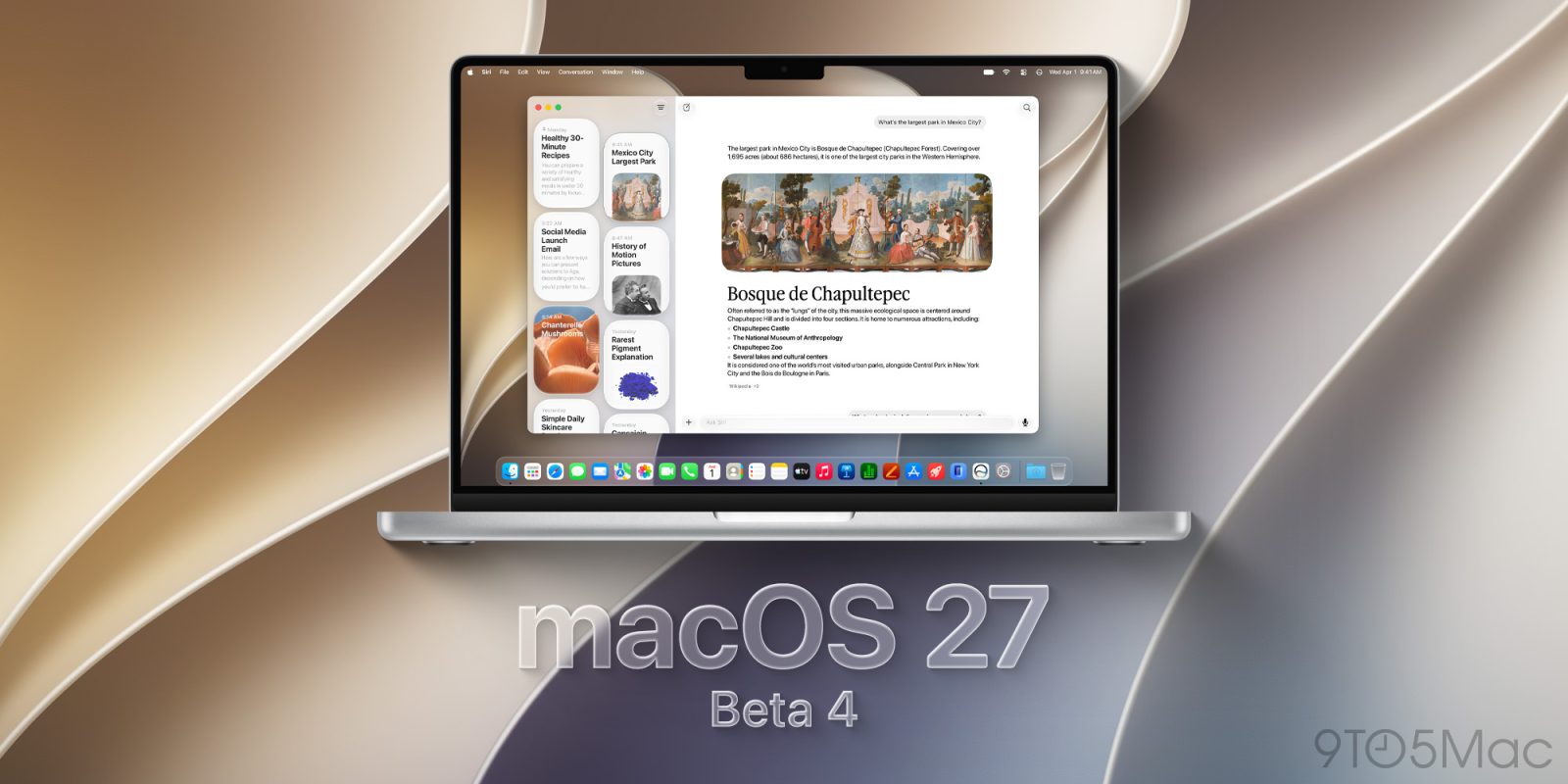
<p>With WWDC just weeks away, the rumors about macOS 27 are starting to fly. On June 8, Apple will officially reveal the follow-up to macOS 27 Tahoe, followed by a months-long beta cycle, and the official release of the new operating system in the fall.</p>
<p>As for what to expect, since the development is all in-house at Apple, leaks aren’t as prevalent as hardware, so a lot of the features are seen for the first time at the WWDC keynote. However, we’ve heard about big changes to how Siri is implemented, along with tweaks to the Liquid Glass UI that was released with macOS Tahoe.</p>
<p>We can also draw some conclusions based on Apple’s hardware plans. For example, Apple is rumored to release its first touchscreen MacBook Pro during the macOS 27 cycle, so it’s possible that macOS 27 could bring major interface changes related to the new machine. Leading up to WWDC, stay tuned to this page as we track all the latest macOS 27 rumors.</p>
<p>What’s coming in macOS 27: At a Glance</p>
<p>Liquid Glass UI refinements</p>
<p>Touchscreen features</p>
<p>New Apple Intelligence features</p>
<p>New chatbot-style Siri based on Gemini technology</p>
<p>M-series Mac support only</p>
<p>Security updates and bug fixes</p>
<p>macOS 27 release date: When will macOS 27 be available?</p>
<p>First developer beta: June 8, 2026</p>
<p>First public beta: July 2026</p>
<p>Final version: September 2026</p>
<p>Apple will debut macOS 27 at WWDC26. Apple’s Keynote presentation will be on June 8, 2026, and it will highlight the key features. Apple also holds a “Platforms State of the Union” session that goes into greater detail on the features and how they are implemented, but the session is for developers, so it’s quite technical.</p>
<p>Apple will release a developer beta at WWDC, followed by a public beta in July. The beta cycle includes several iterations as Apple refines the software. Here’s how you can participate in the beta program.</p>
<p>Apple is usually ready to release the official version of macOS in the fall. In recent years, Apple has released macOS at the same time as iOS. The iOS release has been happening during the second week of September, so Monday, September 14, is our guess as to when macOS 27 becomes available to everyone.</p>
<p>However, Apple has occasionally released macOS at a different time than iOS, delaying it for a few weeks. Here is a history of release dates for macOS:</p>
<p>macOS 26 Tahoe: September 15, 2025</p>
<p>macOS 15 Sequoia: September 16, 2024</p>
<p>macOS 14 Sonoma: September 26, 2023</p>
<p>macOS 13 Ventura: October 25, 2022</p>
<p>macOS 12 Monterey: October 25, 2021</p>
<p>macOS 11 Big Sur: November 19, 2020</p>
<p>macOS 10.15 Catalina: October 7, 2019</p>
<p>macOS 10.14 Mojave: September 24, 2018</p>
<p>macOS 10.13 High Sierra: September 25, 2017</p>
<p>macOS 10.12 Sierra: September 20, 2016</p>
<p>macOS 27 compatibility: Which Macs will get macOS 27?</p>
<p>macOS 27 ends support for Intel Macs</p>
<p>With the release of macOS 26 Tahoe last year, Apple announced that it would be the last version that supports Macs with Intel processors. That means when macOS 27 is released, you’ll need a Mac with an M1 processor or later to install it.</p>
<p><img decoding="async" data-wp-class--hide="state.isContentHidden" data-wp-class--show="state.isContentVisible" data-wp-init="callbacks.setButtonStyles" data-wp-on-async--click="actions.showLightbox" data-wp-on-async--load="callbacks.setButtonStyles" data-wp-on-async-window--resize="callbacks.setButtonStyles" src="https://b2c-contenthub.com/wp-content/uploads/2026/03/macbook-neo-angle.jpg?quality=50&amp;strip=all&amp;w=1200" alt="MacBook Neo 2026" class="wp-image-3081646" loading="lazy" /></p>
<p>The MacBook Neo and other Macs in Apple’s current lineup will all be compatible with macOS 27.</p>
<p class="imageCredit">Foundry</p>
<p>Only M-series Macs will be able to run macOS 27. The list of supported Macs is expected to look like this:</p>
<p>MacBook Neo (A18 Pro/2026 and later)</p>
<p>MacBook Air (M1/2020 and later)</p>
<p>MacBook Pro (M1/2020 and later)</p>
<p>iMac (M1/2021 and later)</p>
<p>Mac mini (M1/2020 and later)</p>
<p>Mac Studio (M1/2022 and later)</p>
<p>Mac Pro (M2/2023 and later)</p>
<p>Users should also take note that macOS 27 will be released about six years after the first M1 Macs were released in November 2020. Apple’s macOS support cycle usually runs about seven years; after that, Apple starts the deprecation process that eventually leads to the end of support for the device. Apple has not stated if macOS 27 will be the last or next-to-last version of macOS that M1 Macs can support, but it’s possible that the first Apple silicon Macs could get cut off next year.</p>
<p>macOS 27 performance: Stability improvements</p>
<p>Main focus on stability</p>
<p>macOS and the rest of the OS 26 releases last year introduced some of the biggest changes that Apple has made to its operating systems in recent history. Since it was such a big release, it follows that the xOS 27 releases this June won’t include a ton of feature changes.</p>
<p>According to Bloomberg’s Mark Gurman, Apple “is focused on improving the software’s quality and underlying performance… Engineering teams are now combing through Apple’s operating systems, hunting for bloat to cut, bugs to eliminate, and any opportunity to meaningfully boost performance and overall quality.”</p>
<p>In this case, Apple seems to be taking a cue from its release of Mac OS X Snow Leopard in 2009, which focused on stability and performance following 2007’s Mac OS X Leopard.</p>
<p>macOS 27 Apple Intelligence: Will Siri finally get an upgrade?</p>
<p>Siri app</p>
<p>Chatbot upgrades</p>
<p>Google Gemini foundational model</p>
<p>The main spotlight at WWDC26 is expected to revolve around upgrades to Siri. Along with the original Apple Intelligence-based features we haven’t gotten yet, namely contextual awareness and app intents, reports have said that Apple plans a further “AI reboot” of Siri, which includes a new interface, a chatbot, a standalone app, and the technical implementation of Google Gemini as the foundational model. Details are somewhat light, but expect a major overhaul of Apple’s digital assistant. Learn more about the new Siri features.</p>
<p>However, the reports we’ve read about the new Siri almost always reference it as part of iOS 27, as Siri is primarily marketed as an iPhone feature. That doesn’t mean it won’t be a major component of macOS 27—it certainly will be—but the reports here reference iOS 27 rather than macOS 27.</p>
<p><img decoding="async" data-wp-class--hide="state.isContentHidden" data-wp-class--show="state.isContentVisible" data-wp-init="callbacks.setButtonStyles" data-wp-on-async--click="actions.showLightbox" data-wp-on-async--load="callbacks.setButtonStyles" data-wp-on-async-window--resize="callbacks.setButtonStyles" src="https://b2c-contenthub.com/wp-content/uploads/2026/05/macos-Siri-icon.jpg?quality=50&amp;strip=all&amp;w=1200" alt="macOS Siri icon" class="wp-image-3139343" loading="lazy" /></p>
<p>			Siri will undergo an “AI reboot.”</p>
<p class="imageCredit">Foundry</p>
<p>It’s in Apple’s best interest–given that Siri is already delayed–to update Siri on macOS 27 with the same features as iOS 27. That hasn’t always happened—for example, in 2019, Apple finally updated Siri in Mac OS 10.15 so that it can set alarms and timers, something Siri on iPhone has done from its start in 2011—but in recent years, Siri has received feature parity across iPhones, iPads, and Macs.</p>
<p>Along with the new Siri, reports claim that iOS 27 will have a lot of new Apple Intelligence features, and while many of those features are iPhone specific, there are several that are likely to make their way into macOS 27. Some Apple Intelligence features that could be in macOS 27 include:</p>
<p>AI-based photo-editing tools in the Photos app</p>
<p>Text editing tools similar to Grammarly</p>
<p>AI tools in Calendar</p>
<p>Automatic tab groups in Safari</p>
<p>macOS 27 UI: Liquid Glass tweaks and touchscreen elements</p>
<p>Liquid Glass refinements</p>
<p>Touchscreen MacBook Pro preparation</p>
<p>Dynamic Island</p>
<p>With macOS 26, Apple introduced a major revamp of the macOS interface, based on Liquid Glass. It’s not going anywhere, but Apple will use macOS 27 to make refinements. Gurman reported that macOS 27 will address “transparency quirks” and other design issues. The changes will “make Liquid Glass look the way Apple’s design team intended it to from the start,” according to the report.</p>
<p><img decoding="async" data-wp-class--hide="state.isContentHidden" data-wp-class--show="state.isContentVisible" data-wp-init="callbacks.setButtonStyles" data-wp-on-async--click="actions.showLightbox" data-wp-on-async--load="callbacks.setButtonStyles" data-wp-on-async-window--resize="callbacks.setButtonStyles" src="https://b2c-contenthub.com/wp-content/uploads/2022/09/dynamic-island-podcast.jpg?quality=50&amp;strip=all&amp;w=1200" alt="dynamic island podcast" class="wp-image-1068108" loading="lazy" /></p>
<p>Dynamic Island on the Mac will more closely mirror that on the iPhone.</p>
<p class="imageCredit">Foundry</p>
<p>Additionally, Apple is expected to release a touchscreen MacBook Pro sometime during the macOS 27 cycle, which will include UI elements for touch. Gurman said in a report that macOS 27 will offer a “refreshed, dynamic user interface that can shift between being optimized for touch or point-and-click input.” A new menu will appear with touch controls when the user touches the screen, and menu items will expand to make touching them easier. Gurman also said that these new laptops will have a Dynamic Island similar to the one on the iPhone. It will not have Face ID, however.</p>
<p>It’s unclear whether macOS 27 will feature visible interface changes to accommodate the new touchscreen MacBook or if the interface will contain hidden elements that adjust for touch input.</p>
<p>macOS 27 name: Which California landmark will macOS 27 get?</p>
<p>With macOS, Apple gives it a name that refers to an association in California. It’s a tradition that started in 2013 with OS X 10.9 Mavericks (referring to the surf break in the Half Moon Bay area). Here is a list of the names since then:</p>
<p>10.9 Mavericks</p>
<p>10.10 Yosemite</p>
<p>10.11 El Capitan</p>
<p>macOS 10.12 Sierra</p>
<p>macOS 10.13 High Sierra</p>
<p>macOS 10.14 Mojave</p>
<p>macOS 10.15 Catalina</p>
<p>macOS 11 Big Sur</p>
<p>macOS 12 Monterey</p>
<p>macOS 13 Ventura</p>
<p>macOS 14 Sonoma</p>
<p>macOS 15 Sequoia</p>
<p>macOS 26 Tahoe</p>
<p>Three years ago, a list of names that Apple had trademarked was posted to X. Here is that list of (then) trademarked named that have not yet been used:</p>
<p>Condor</p>
<p>Diablo</p>
<p>Farallon</p>
<p>Grizzly</p>
<p>Mammoth</p>
<p>Miramar</p>
<p>Pacific</p>
<p>Redwood</p>
<p>Redtail</p>
<p>Rincon</p>
<p>Shasta</p>
<p>Skyline</p>
<p>Tiburon</p>
<p>It’s not clear if the trademark has expired on any of these names. However, it’s worth noting that the name “Big Sur” had expired before Apple decided to use it for macOS 11.</p></p>
]]></content>
            </entry>
                        <entry>
                <title><![CDATA[Productivity nerds, Windows 11 Pro is $9.97 through May 18]]></title>
                <link href="https://www.macworld.com/article/3136984/productivity-nerds-windows-11-pro-is-9-97-through-may-18.html" />
                <published>2026-05-15T08:00:00Z</published>
                <content type="html"><![CDATA[<p>Macworld</p>
<p>TL;DR: Microsoft Windows 11 Pro is down to $9.97 through May 18 (reg. $199).</p>
<p>Even dedicated Apple fans usually end up needing a Windows PC at some point in life. Maybe it’s the office laptop. Maybe there’s one desktop at home handling spreadsheets, schoolwork, taxes, 3D printing projects, or all the random software that somehow still only exists on Windows.</p>
<p>And if that PC still feels stuck in another decade, Windows 11 Pro is a surprisingly inexpensive fix.</p>
<p>Right now, Microsoft Windows 11 Pro is available for just $9.97 (reg. $199) through May 18, which is an upgrade that can immediately improve daily use.</p>
<p>The biggest difference is how much cleaner and smoother everything feels. Snap Layouts make multitasking less chaotic, virtual desktops help organize work and personal projects.</p>
<p>Security also gets a major boost with features like TPM 2.0, BitLocker encryption, Smart App Control, biometric login support, and Windows Sandbox.</p>
<p>Then there’s Copilot, Microsoft’s built-in AI assistant. It can summarize webpages, answer questions, help brainstorm ideas, generate writing prompts, and even assist with coding tasks directly inside Windows.</p>
<p>And because this is the Pro version, you also get access to professional-grade features like Hyper-V virtualization and Azure AD support.</p>
<p>Jump on this chance to get Windows 11 Pro for just $9.97 (reg. $199) through May 18.</p>
<p><img decoding="async" data-wp-class--hide="state.isContentHidden" data-wp-class--show="state.isContentVisible" data-wp-init="callbacks.setButtonStyles" data-wp-on-async--click="actions.showLightbox" data-wp-on-async--load="callbacks.setButtonStyles" data-wp-on-async-window--resize="callbacks.setButtonStyles" src="https://cdnp2.stackassets.com/cdf877b865d9252599f859b539b76c4559a5b9df/store/d0cffcf4bdd16c1eac083fe42d28564ce43d9ac602962a86fa87cc33fe73/product_345204_product_shots1.jpg" alt="" loading="lazy" /></p>
<p>Microsoft Windows 11 ProSee Deal</p>
<p>StackSocial prices subject to change.</p>
]]></content>
            </entry>
                        <entry>
                <title><![CDATA[Spotify’s latest podcast move has a surprising Apple connection]]></title>
                <link href="https://www.cultofmac.com/news/spotify-apple-hls-technology-adoption" />
                <published>2026-05-15T00:24:33Z</published>
                <content type="html"><![CDATA[<p><img loading="lazy" decoding="async" width="780" height="439" src="https://www.cultofmac.com/wp-content/uploads/2026/05/Apple-Spotify-1440x810.jpg.webp" class="attachment-large size-large wp-post-image" alt="A photo of the Spotify app playing music on an iPhone." style="margin-bottom: 15px" /></p>
<p>Spotify&#8217;s adoption of Apple’s HLS video standard will make cross-platform video podcasts better for creators and listeners alike.</p>
<p>(via Cult of Mac &#8211; Your source for the latest Apple news, rumors, analysis, reviews, how-tos and deals.)</p>
]]></content>
            </entry>
                        <entry>
                <title><![CDATA[Ikea Matter-over-Thread review: Amazing smart home tech, when they work]]></title>
                <link href="https://appleinsider.com/articles/26/05/15/ikea-matter-over-thread-review-amazing-smart-home-tech-when-they-work?utm_source=rss" />
                <published>2026-05-15T00:02:39Z</published>
                <content type="html"><![CDATA[<p>Ikea has an impressive new lineup of Matter-over-Thread devices works with Apple Home, but after months of testing, we think that lingering connection issues with bulbs, controls, and sensors are the main problem.<img decoding="async" src="https://photos5.appleinsider.com/gallery/67513-142556-Ikea-Lineup-unboxed-xl.jpg" alt="Several white smart home devices and a small digital clock arranged on a gray surface, with a clear round light bulb and softly blurred purple-blue background behind them"><span>Ikea Matter-over-Thread lineup review: Part of Ikea&#8217;s new smart home lineup with Matter-over-Thread</span>Unlike Tradfri, Ikea&#8217;s last smart home push, the fresh batch of smart home wares doesn&#8217;t have a unifying name. Instead, it is made up of over 20 individual products.The launch made big waves as the Swedish brand was putting all of its weight behind both Matter and Thread. With such affordable prices and a large array of choices, I went in thinking this was going to be a slam dunk. Continue Reading on AppleInsider | Discuss on our Forums</p>
]]></content>
            </entry>
                        <entry>
                <title><![CDATA[iPhone might be swarming with AI agents soon]]></title>
                <link href="https://www.cultofmac.com/news/apple-app-store-ai-agent-apps-rumor" />
                <published>2026-05-14T23:51:44Z</published>
                <content type="html"><![CDATA[<p><img loading="lazy" decoding="async" width="780" height="439" src="https://www.cultofmac.com/wp-content/uploads/2026/05/Apple-App-Store-1-1440x810.jpg.webp" class="attachment-large size-large wp-post-image" alt="A photo illustrating AI apps on the iPhone in a story about Apple possibly opening up the App Store for AI agents." style="margin-bottom: 15px" /></p>
<p>Apple’s plans for AI agents could reshape the way the App Store and how apps work on the iPhone.</p>
<p>(via Cult of Mac &#8211; Your source for the latest Apple news, rumors, analysis, reviews, how-tos and deals.)</p>
]]></content>
            </entry>
                        <entry>
                <title><![CDATA[Calif team details how Anthropic Mythos helped build a working macOS exploit in five days]]></title>
                <link href="https://9to5mac.com/2026/05/14/calif-team-details-how-anthropic-mythos-helped-build-a-working-macos-exploit-in-five-days/" />
                <published>2026-05-14T22:17:51Z</published>
                <content type="html"><![CDATA[<p><img decoding="async" src="https://9to5mac.com/wp-content/uploads/sites/6/2024/06/apple-hacked.jpg?quality=82&#038;strip=all&#038;w=1600" /></p>
<p>The team behind the first public macOS kernel memory corruption exploit on M5 silicon has shared fresh details on how Mythos Preview helped bypass a five-year Apple security effort in five days.</p>
<p> more…</p>
]]></content>
            </entry>
                        <entry>
                <title><![CDATA[9to5Mac Daily: May 14, 2026 – AI on the App Store, more]]></title>
                <link href="https://9to5mac.com/2026/05/14/daily-may-14-2026/" />
                <published>2026-05-14T22:14:00Z</published>
                <content type="html"><![CDATA[<p><img decoding="async" src="https://9to5mac.com/wp-content/uploads/sites/6/2021/12/9to5Mac-Daily-art-lead.jpg?quality=82&#038;strip=all&#038;w=1600" /></p>
<p><span style="font-size: revert;font-family: var(--font-primary-sans)">Listen to a recap of the top stories of the day from </span>9to5Mac<span style="font-size: revert;font-family: var(--font-primary-sans)">. 9to5Mac Daily is available </span>on iTunes and Apple’s Podcasts app<span style="font-size: revert;font-family: var(--font-primary-sans)">, </span>Stitcher<span style="font-size: revert;font-family: var(--font-primary-sans)">, </span>TuneIn<span style="font-size: revert;font-family: var(--font-primary-sans)">, </span>Google Play<span style="font-size: revert;font-family: var(--font-primary-sans)">, or through our </span>dedicated RSS feed<span style="font-size: revert;font-family: var(--font-primary-sans)"> for Overcast and other podcast players.</span></p>
<p>Sponsored by Bitwarden: Make your life easier with Bitwarden, featuring a secure, open source password manager with end-to-end encryption and seamless autofill across all your devices.</p>
<p> more…</p>
]]></content>
            </entry>
                        <entry>
                <title><![CDATA[Apple stock keeps surging to new highs — it’s more than just the iPhone]]></title>
                <link href="https://macdailynews.com/2026/05/14/apple-stock-keeps-surging-to-new-highs-its-more-than-just-the-iphone/" />
                <published>2026-05-14T21:05:56Z</published>
                <content type="html"><![CDATA[<p><img loading="lazy" decoding="async" data-recalc-dims="1" src="https://i0.wp.com/macdailynews.com/wp-content/uploads/2025/10/251020_apple_logo.png?resize=640%2C360&#038;ssl=1" alt="Apple logo" width="640" height="360" class="alignnone size-full wp-image-296607" /></p>
<p>Apple stock continues to hit new record highs, extending this year’s impressive rebound. Evercore ISI sees the momentum continuing for some time, and it’s about more than just iPhone sales. Analyst Amit Daryanani raised his price target for Apple to $365 from $330 on Thursday, implying roughly 22% upside from today.</p>
<p>Angela Palumbo for Barron&#8217;s:<br />
 ‎</p>
<p>
Daryanani’s increased bullishness on Apple stock is based on confidence that the company can grow earnings and free cash flow at a steady pace, he wrote in a research note. Even if iPhone sales moderate, he says customers will likely prioritize purchasing higher-end, more expensive iPhone models. This could include the highly anticipated foldable iPhone.</p>
<p>The analyst is also confident that Apple will continue to grow its services segment, which includes the App Store and other subscription services and is the company’s highest margin piece of the business. That, along with selling higher-priced iPhones, could help Apple’s overall margins as memory cost headwinds remain, he said.</p>
<p>“We now expect AAPL to preview the strategy at WWDC and release a more personalized Siri with iOS 27 in the fall,” alongside the September iPhone event, Daryanani wrote.
</p>
<p>‎<br />
<span style="color: #ff0000">MacDailyNews Take: </span>It&#8217;s certainly about more than just the iPhone with Apple’s Services revenue reaching a record $30.976 billion in fiscal Q2 2026 (ended March 28, 2026), up 16% year-over-year.</p>
<p>This high-margin segment delivered a gross margin of 76.7%, far exceeding the company’s overall gross margin of 49.3%.</p>
<p>For perspective, that single-quarter Services figure nearly matches Starbucks’ full fiscal 2025 revenue of $37.2 billion and PayPal’s full-year 2025 revenue of $33.2 billion, while representing a substantial portion of companies like Uber ($52 billion full-year 2025) or Netflix ($45.2 billion full-year 2025) — highlighting the tremendous scale and profitability of Apple’s recurring Services business.</p>
<p>‎<br />
<span style="color: #ff0000">Please help support MacDailyNews — and enjoy subscriber-only articles, comments, chat, and more — by subscribing to our Substack</span>: macdailynews.substack.com. Thank you!</p>
<p>Support MacDailyNews at no extra cost to you by using this link to shop at Amazon.</p>
<p>The post Apple stock keeps surging to new highs — it’s more than just the iPhone appeared first on MacDailyNews.</p>
]]></content>
            </entry>
                        <entry>
                <title><![CDATA[Apple details important enterprise fixes included in macOS 26.5]]></title>
                <link href="https://9to5mac.com/2026/05/14/apple-details-important-enterprise-fixes-included-in-macos-26-5/" />
                <published>2026-05-14T20:37:01Z</published>
                <content type="html"><![CDATA[<p><img decoding="async" src="https://9to5mac.com/wp-content/uploads/sites/6/2026/03/macOS-26.5-hero.jpg?quality=82&#038;strip=all&#038;w=1600" /></p>
<p>Apple has published the enterprise release notes for macOS 26.5, detailing several fixes for issues affecting managed Macs. Here are the details.</p>
<p> more…</p>
]]></content>
            </entry>
                        <entry>
                <title><![CDATA[Apple Card’s transition to Chase: Here’s what’s not changing (and might be)]]></title>
                <link href="https://9to5mac.com/2026/05/14/apple-cards-transition-to-chase-heres-whats-not-changing-and-might-be/" />
                <published>2026-05-14T20:26:07Z</published>
                <content type="html"><![CDATA[<p><img decoding="async" src="https://9to5mac.com/wp-content/uploads/sites/6/2024/10/apple-card-fi.jpg?quality=82&#038;strip=all&#038;w=1600" /></p>
<p>Apple Card is officially moving to Chase, with Apple’s current partner Goldman Sachs transitioning out over the next year or two. Apple has published details on what to expect during the transition, here’s everything the company says won’t change once Chase takes over—and a few things that might.</p>
<p> more…</p>
]]></content>
            </entry>
                        <entry>
                <title><![CDATA[OpenAI brings Codex control to ChatGPT for iPhone and Android]]></title>
                <link href="https://9to5mac.com/2026/05/14/openai-brings-codex-control-to-chatgpt-for-iphone-and-android/" />
                <published>2026-05-14T20:14:43Z</published>
                <content type="html"><![CDATA[<p><img decoding="async" src="https://9to5mac.com/wp-content/uploads/sites/6/2026/05/chatgpt-teal.webp?w=1600" /></p>
<p>OpenAI has announced a new way to interact with its Codex system from your smartphone. An update to ChatGPT for iOS is bringing remote access to Codex for Mac to the iPhone.</p>
<p> more…</p>
]]></content>
            </entry>
                        <entry>
                <title><![CDATA[Apple promotes Creator Studio with three commissioned pieces]]></title>
                <link href="https://9to5mac.com/2026/05/14/apple-promotes-creator-studio-with-three-commissioned-pieces/" />
                <published>2026-05-14T20:05:36Z</published>
                <content type="html"><![CDATA[<p><img decoding="async" src="https://9to5mac.com/wp-content/uploads/sites/6/2026/01/creator-studio.jpg?quality=82&#038;strip=all&#038;w=1600" /></p>
<p>Apple has commissioned a few short creative pieces that show how Creator Studio can be used across different kinds of creative work, including cooking videos, poetry, and music creation. You can watch them below.</p>
<p> more…</p>
]]></content>
            </entry>
                        <entry>
                <title><![CDATA[Apple Silicon production testing begins at Intel with 2027 mass shipment target]]></title>
                <link href="https://appleinsider.com/articles/26/05/14/apple-silicon-production-testing-begins-at-intel-with-2027-mass-shipment-target?utm_source=rss" />
                <published>2026-05-14T20:02:54Z</published>
                <content type="html"><![CDATA[<p>Intel and Apple chip-producing agreement has reportedly started with a test run of select older chipsets made on Intel&#8217;s newest process, launching a testing roadmap extending well into 2029.<img decoding="async" src="https://photos5.appleinsider.com/gallery/67650-142587-iPhone-17e-pink-contrast-side-xl.jpg" alt="Rose gold iPhone 17e lying face down on a dark table near a window, showing rear camera bump and Apple logo, with softly blurred outdoor background"><span>Apple&#8217;s budget lines need older chipsets, which is perfect fodder for Intel</span>The relationship between Apple and Intel goes back over 40 years. It seemed to have ended with the advent of Apple Silicon, but the political climate may have tilted things back into Intel&#8217;s favor.According to a report from supply chain analyst and leaker Ming-Chi Kuo, Intel has begun the testing process for building Apple chips on its 18A-P process. This is seemingly the equivalent process used by TSMC for modern Apple chipsets like the A18 Pro. Continue Reading on AppleInsider | Discuss on our Forums</p>
]]></content>
            </entry>
                        <entry>
                <title><![CDATA[Apple TV renews globally acclaimed comedy ‘Margo’s Got Money Troubles’]]></title>
                <link href="https://macdailynews.com/2026/05/14/apple-tv-renews-globally-acclaimed-comedy-margos-got-money-troubles/" />
                <published>2026-05-14T20:00:20Z</published>
                <content type="html"><![CDATA[<p><img loading="lazy" decoding="async" data-recalc-dims="1" src="https://i0.wp.com/macdailynews.com/wp-content/uploads/2026/03/260309_margos_got_money_troubles.png?resize=640%2C361&#038;ssl=1" alt="Apple TV’s new series, “Margo’s Got Money Troubles,” stars Elle Fanning, Michelle Pfeiffer, Nicole Kidman, Nick Offerman and Thaddea Graham." width="640" height="361" class="size-full wp-image-300627" />Apple TV renews “Margo’s Got Money Troubles,” starring Elle Fanning, Michelle Pfeiffer, Nicole Kidman and Nick Offerman, for a second season ahead of the May 20th finale.</p>
<p>Apple TV on Wednesday announced a season two renewal for “Margo’s Got Money Troubles,” the critically acclaimed comedy starring and executive produced by Academy Award, Emmy Award and Golden Globe Award nominee Elle Fanning; Golden Globe Award winner, and Academy Award and Emmy Award nominee Michelle Pfeiffer; and Academy, Golden Globe and Emmy Award winner Nicole Kidman. Hailing from multi-Emmy Award winner David E. Kelley and led by a star-studded ensemble cast that also includes Emmy Award winner Nick Offerman and Thaddea Graham, the season finale of “Margo’s Got Money Troubles” will debut globally on Wednesday, May 20, 2026 on Apple TV.</p>
<p>Since its global debut, the “must-watch” series has been hailed as “one of the best shows of the year,” quickly achieving a Certified Fresh rating on Rotten Tomatoes. Critics have praised the “warm, funny and emotionally precise” comedy as “brilliantly written,” highlighting the “immaculate performances” from its “powerhouse cast.”</p>
<p>“Embarking on the adventure of bringing Margo to the screen has been one of the greatest joys of my life,” said executive producer and star, Elle Fanning, in a statement. “When I first read Rufi’s stunning story, it felt wholly original and most importantly human, and then with David’s writing, along with our epic cast of heart-wrenching performances, it truly felt like we had something special. Having the opportunity to bring more of Margo’s troubles, creativity, fearless spirit and authenticity to audiences with a second season makes me incredibly happy and excited. I can promise everyone they’re in for a wild, messy and beautiful ride.”</p>
<p>“‘Margo’s Got Money Troubles’ was an irresistible proposition to me from day one,” said creator, executive producer and writer David E. Kelley, in a statement. “I fell in love with Rufi’s world and unpredictable characters, and it’s been rewarding to see audiences embrace this series. We can’t wait to continue this story with our partners at Apple and A24.”</p>
<p>“Ever since David’s sharp adaptation of Rufi’s novel debuted, audiences have wanted to spend more time with these riveting characters and the brilliant cast behind them, led by Elle, Michelle, Nick and Thaddea,” said Matt Cherniss, Apple TV’s head of programming, in a statement. “We’re excited to watch Margo and the entire family continue to defy the odds in season two, in the way only they can, with humor, determination and creativity.”</p>
<p>“Margo’s Got Money Troubles” is a bold, heartwarming and comedic family drama following recent college dropout and aspiring writer, Margo (Fanning), the daughter of an ex-Hooters waitress (Pfeiffer) and ex-pro wrestler (Offerman), as she’s forced to make her way with a new baby, a mounting pile of bills and a dwindling amount of ways to pay them. The series also stars Academy Award winner Marcia Gay Harden, Academy Award nominee and Emmy Award winner Greg Kinnear, Michael Angarano, Rico Nasty, and Lindsey Normington.</p>
<p>“Margo’s Got Money Troubles” is produced for Apple TV by A24. Kelley serves as showrunner, writer and executive producer, and Eva Anderson will serve as co-showrunner on season two. The series is executive produced by Elle Fanning, Dakota Fanning and Brittany Kahan Ward for Lewellen Pictures; Kidman and Per Saari of Blossom Films; and Matthew Tinker for David E. Kelley Productions. Pfeiffer, author Thorpe, Anderson and Boo Killebrew also executive produce. BAFTA and Emmy Award winner Dearbhla Walsh directs the pilot and serves as an executive producer. Additional directors for season one include Kate Herron and Alice Seabright.</p>
<p>The seventh, penultimate episode of “Margo’s Got Money Troubles” premiered Wednesday on Apple TV. In this week’s new episode, “Lariat Takedown,” Margo goes head-to-head with Mark. Jinx and Susie have a rough day.</p>
<p>The series marks the most recent collaboration between Kelley and Apple TV, following the Emmy Award-nominated, global hit drama, “Presumed Innocent,” which is now in production on its second season.</p>
<p>Apple TV offers premium, compelling drama and comedy series, feature films, groundbreaking documentaries, and kids and family entertainment, and is available to watch across all of a user’s favorite screens. After its launch on November 1, 2019, Apple TV became the first all-original streaming service to launch around the world, and has premiered more original hits and received more award recognitions faster than any other streaming service in its debut. To date, Apple Original films, documentaries and series have been honored with 825 wins and 3,542 award nominations and counting, including multi-Emmy Award-winning and history-making comedies “The Studio” and “Ted Lasso,” global cultural phenomenon “Severance,” Apple’s most-viewed drama “Pluribus,” Academy Award Best Picture winner “CODA” and Academy Award nominee “F1,” the highest-grossing sports feature of all time.</p>
<p><span style="color: #ff0000">MacDailyNews Note: </span>Apple TV is available on the Apple TV app in over 100 countries and regions, on over 1 billion screens, including iPhone, iPad, Apple TV 4K, Apple Vision Pro, Mac, popular smart TVs from Samsung, LG, Sony, VIZIO, TCL and others, Roku and Amazon Fire TV devices, Chromecast with Google TV, PlayStation and Xbox gaming consoles, and at tv.apple.com, for $12.99 per month with a seven-day free trial for new subscribers. For a limited time, customers who purchase and activate a new iPhone, iPad, Apple TV 4K or Mac can enjoy three months of Apple TV for free.</p>
<p><img decoding="async" src="https://tools.applemediaservices.com/api/badges/watch-on-apple-tv/badge/en-us?size=250x83" alt="Watch on Apple TV" style="border-radius: 13px;width: 250px;height: 83px"></p>
<p>‎<br />
<span style="color: #ff0000">Please help support MacDailyNews — and enjoy subscriber-only articles, comments, chat, and more — by subscribing to our Substack</span>: macdailynews.substack.com. Thank you!</p>
<p>Support MacDailyNews at no extra cost to you by using this link to shop at Amazon.</p>
<p>The post Apple TV renews globally acclaimed comedy &#8216;Margo’s Got Money Troubles&#8217; appeared first on MacDailyNews.</p>
]]></content>
            </entry>
                        <entry>
                <title><![CDATA[iOS 27 design changes, AirPods with cameras, Apple education store changes]]></title>
                <link href="https://9to5mac.com/2026/05/14/happy-hour-590/" />
                <published>2026-05-14T19:56:15Z</published>
                <content type="html"><![CDATA[<p><img decoding="async" src="https://9to5mac.com/wp-content/uploads/sites/6/2024/02/9to5mac-happy-hour-lead1.jpg?quality=82&#038;strip=all&#038;w=1600" /></p>
<p>Benjamin and Chance discuss changes to the Apple education store, the cool new Apple Developer icon, rumors about some design changes for iOS 27 and macOS 27, and whether we can think of anything compelling AirPods with cameras could be used for. </p>
<p>And in Happy Hour Plus, we discuss the state of iOS keyboard autocorrect and dictation accuracy.. Subscribe at 9to5mac.com/join.</p>
<p>Sponsored by Copilot Money: Get two months free with code 9TO5MAC at copilot.money/9to5mac.</p>
<p>Sponsored by Framer: The only free design tool that brings your ideas to the web. Visit framer.com/happyhour for 30% off a Framer Pro annual plan.</p>
<p>Sponsored by Quince: Refresh your wardrobe with Quince. Visit quince.com/happyhour for free shipping on your order and 365-day returns.</p>
<p> more…</p>
]]></content>
            </entry>
                        <entry>
                <title><![CDATA[Evercore ISI boosts Apple’s price target to $365 from $330, reinforcing bullish outlook]]></title>
                <link href="https://macdailynews.com/2026/05/14/evercore-isi-boosts-apples-price-target-to-365-from-330-reinforcing-bullish-outlook/" />
                <published>2026-05-14T19:03:52Z</published>
                <content type="html"><![CDATA[<p><img loading="lazy" decoding="async" data-recalc-dims="1" src="https://i0.wp.com/macdailynews.com/wp-content/uploads/2026/05/260514_chart.png?resize=640%2C427&#038;ssl=1" alt="Apple price target" width="640" height="427" class="alignnone size-full wp-image-302008" /></p>
<p>In a notable upgrade, investment firm Evercore ISI has increased its price target on Apple to $365 from $330 while maintaining its Outperform (Buy) rating. The move reflects growing analyst confidence in Apple’s ability to deliver sustained growth through its ecosystem, services, and emerging AI initiatives.</p>
<p>The adjustment comes as Apple continues to navigate a dynamic tech landscape, with strong fundamentals in iPhone services, wearables, and enterprise adoption. Evercore’s higher target suggests the firm sees significant upside potential — roughly 18% above the current consensus — driven by Apple’s resilient revenue streams and long-term innovation pipeline.</p>
<p>Evercore lead analyst Amit Daryanani views Apple as notably well-positioned amid the industry-wide memory supply crunch and rising costs (DRAM/NAND), thanks to its sophisticated supply chain, long-term agreements incremental insourcing, and strong demand planning.</p>
<p>According to data from FactSet, Apple currently carries an average analyst rating of Overweight across Wall Street, with a mean price target of $310.12. Evercore’s new $365 target stands notably above this consensus, positioning the firm as one of the more optimistic voices on the stock.</p>
<p>Why the Upgrade Matters</p>
<p>• Valuation Signal: The $35 increase in the price target underscores Evercore’s belief that Apple’s current valuation does not fully reflect its growth prospects, particularly in high-margin services and potential AI monetization.</p>
<p>• Market Context: Apple shares have shown resilience amid broader market volatility, supported by record services revenue and steady hardware demand. Analysts remain broadly positive, though price targets vary based on differing views on AI integration timelines and competitive pressures.</p>
<p>• Investor Takeaway: This upgrade adds to a generally constructive tone from institutional research desks. While the consensus target sits lower at $310, several firms have recently nudged targets higher, indicating improving sentiment around Apple’s strategic direction.<br />
 ‎<br />
<span style="color: #ff0000">MacDailyNews Take: </span>Smart money continues to pile on as iPhone demand looks solid and memory cost headwinds prove minimal. Wall Street&#8217;s smartest analysts keep seeing the upside in Cupertino while the stock trades at levels that still look like a gift for long-term holders.</p>
<p>‎<br />
<span style="color: #ff0000">Please help support MacDailyNews — and enjoy subscriber-only articles, comments, chat, and more — by subscribing to our Substack</span>: macdailynews.substack.com. Thank you!</p>
<p>Support MacDailyNews at no extra cost to you by using this link to shop at Amazon.</p>
<p>The post Evercore ISI boosts Apple’s price target to $365 from $330, reinforcing bullish outlook appeared first on MacDailyNews.</p>
]]></content>
            </entry>
                        <entry>
                <title><![CDATA[Five Apple Wallet features that helped replace my physical wallet [Video]]]></title>
                <link href="https://9to5mac.com/2026/05/14/five-apple-wallet-features-that-helped-replace-my-physical-wallet-video/" />
                <published>2026-05-14T19:03:17Z</published>
                <content type="html"><![CDATA[<p><img decoding="async" src="https://9to5mac.com/wp-content/uploads/sites/6/2026/05/apple-wallet.jpg?quality=82&#038;strip=all&#038;w=1600" /></p>
<p>For years, I have said that the Apple Wallet app is one of Apple’s most underrated services. Most people think of Apple Pay when they hear about Apple Wallet, but it is so much more. It stores everything from my credit cards and transit cards, has replaced my keys, helps me send money, and has honestly replaced the need to carry both a physical wallet and keys. Most of these features have been quietly added over the years, and most people just are not aware of them. Here are five Apple Wallet features I use all the time that most people don’t know about. </p>
<p> more…</p>
]]></content>
            </entry>
                        <entry>
                <title><![CDATA[Apple and OpenAI might be headed for a messy breakup]]></title>
                <link href="https://www.cultofmac.com/news/apple-openai-lawsuit-partnership" />
                <published>2026-05-14T18:45:28Z</published>
                <content type="html"><![CDATA[<p><img loading="lazy" decoding="async" width="780" height="438" src="https://www.cultofmac.com/wp-content/uploads/2026/05/Apple-OpenAI-lawsuit-partnership-1440x809.jpg.webp" class="attachment-large size-large wp-post-image" alt="As this cartoon-style image shows, the Apple and OpenAI partnership could be unraveling." style="margin-bottom: 15px" /></p>
<p>Tensions are reportedly rising in the Apple/OpenAI partnership. Here&#8217;s how their collaboration turned into possible confrontation.</p>
<p>(via Cult of Mac &#8211; Your source for the latest Apple news, rumors, analysis, reviews, how-tos and deals.)</p>
]]></content>
            </entry>
                        <entry>
                <title><![CDATA[Intel is now making iPhone chips for Apple, per report]]></title>
                <link href="https://9to5mac.com/2026/05/14/intel-is-now-making-iphone-chips-for-apple-per-report/" />
                <published>2026-05-14T18:42:54Z</published>
                <content type="html"><![CDATA[<p><img decoding="async" src="https://9to5mac.com/wp-content/uploads/sites/6/2023/09/Apple-Silicon-chips.jpg?quality=82&#038;strip=all&#038;w=1600" /></p>
<p>Last week The Wall Street Journal reported that Apple and Intel had struck a deal to produce chips, and now a new report from Ming-Chi Kuo says Intel has already kicked off initial production on iPhone processors and more.</p>
<p> more…</p>
]]></content>
            </entry>
                        <entry>
                <title><![CDATA[Amazon slashes $200 off 1TB M5 MacBook Pro, dropping price to $1,499]]></title>
                <link href="https://appleinsider.com/articles/26/05/14/amazon-slashes-200-off-1tb-m5-macbook-pro-dropping-price-to-1499?utm_source=rss" />
                <published>2026-05-14T18:13:49Z</published>
                <content type="html"><![CDATA[<p>The $200 discount applies to the M5 model with 1TB of storage, matching the lowest price on record. Plus, grab an even larger markdown on an upgraded spec.<img decoding="async" src="https://photos5.appleinsider.com/gallery/67648-142586-m5-macbook-pro-1tb-1499-sale-xl.jpg" alt="Open MacBook Pro laptop in Space Black, overlaid by a bright cyan banner reading M5 MBP 1TB $1,499"><span>Amazon has dropped Apple&#8217;s 1TB M5 MacBook Pro to $1,499 &#8211; Image credit: Apple</span>The $1,499.99 special is available on the 14-inch MacBook Pro with a 10-core CPU and 10-core GPU. It also has 16GB of memory and 1TB of storage, with the $200 discount available in your choice of Space Black or Silver.Buy M5/16GB/1TB MacBook Pro for $1,499.99 Continue Reading on AppleInsider | Discuss on our Forums</p>
]]></content>
            </entry>
                        <entry>
                <title><![CDATA[Car Keys in Apple Wallet now available for a major new vehicle brand]]></title>
                <link href="https://9to5mac.com/2026/05/14/car-keys-in-apple-wallet-now-available-for-a-major-new-vehicle-brand/" />
                <published>2026-05-14T18:11:38Z</published>
                <content type="html"><![CDATA[<p><img decoding="async" src="https://9to5mac.com/wp-content/uploads/sites/6/2025/11/apple-wallet-dark-purple.jpg?quality=82&#038;strip=all&#038;w=1600" /></p>
<p>Apple Wallet’s car key feature has expanded to several notable vehicle brands recently, with the latest being Porsche. Here are the details.</p>
<p> more…</p>
]]></content>
            </entry>
                        <entry>
                <title><![CDATA[OpenAI considering suing Apple because ChatGPT integrations weren&#039;t a money fountain]]></title>
                <link href="https://appleinsider.com/articles/26/05/14/openai-considering-suing-apple-because-chatgpt-integrations-werent-a-money-fountain?utm_source=rss" />
                <published>2026-05-14T18:03:19Z</published>
                <content type="html"><![CDATA[<p>OpenAI is exploring possible legal action after users did what they wanted with Apple&#8217;s ChatGPT integrations and didn&#8217;t sign up for enough paid accounts, instead of doing what CEO Sam Altman expected.<img decoding="async" src="https://photos5.appleinsider.com/gallery/67649-142584-ChatGPT-iPhone-xl.jpg" alt="Close-up of an iPhone screen showing ChatGPT Extension settings, with Use ChatGPT toggle switched on and a prompt below to sign in to a ChatGPT account."><span>ChatGPT can plug into Apple Intelligence</span>A May 14 Bloomberg report says OpenAI has enlisted outside legal counsel and discussed options that could include sending Apple a breach-of-contract notice. OpenAI reportedly expected deeper ChatGPT integration across iOS, iPadOS, and macOS to drive large subscription growth through Apple&#8217;s ecosystem.Executives at OpenAI now believe the partnership has been financially disappointing and far more limited than anticipated. Apple and OpenAI entered the agreement with distinct priorities.Apple needed a recognizable AI partner while major Siri upgrades and Apple Intelligence features were still under development. OpenAI sought access to hundreds of millions of Apple users, believing the iPhone could become a significant source of recurring ChatGPT subscriptions worth billions annually. Continue Reading on AppleInsider | Discuss on our Forums</p>
]]></content>
            </entry>
                        <entry>
                <title><![CDATA[Apple-OpenAI partnership frays amid disappointing results, setting stage for potential legal battle]]></title>
                <link href="https://macdailynews.com/2026/05/14/apple-openai-partnership-frays-amid-disappointing-results-setting-stage-for-potential-legal-battle/" />
                <published>2026-05-14T17:45:44Z</published>
                <content type="html"><![CDATA[<p><img loading="lazy" decoding="async" data-recalc-dims="1" src="https://i0.wp.com/macdailynews.com/wp-content/uploads/2024/08/240830_open_ai.png?resize=640%2C356&#038;ssl=1" alt="OpenAI" width="640" height="356" class="alignnone size-full wp-image-276320" /></p>
<p>In a development that could send shockwaves through the tech industry, Apple’s stopgap partnership with OpenAI has reportedly become significantly strained, Bloomberg News reports according to sources familiar with the matter. The two-year-old collaboration, which brought ChatGPT integration to Apple Intelligence features across iPhones, iPads, and Macs, is now at risk of escalating into a legal confrontation.</p>
<p>OpenAI, the company behind ChatGPT, has reportedly not reaped the level of benefits it anticipated from the deal. As a result, its lawyers are actively working with an outside legal firm to explore a range of options that could be pursued in the near term. These deliberations remain private, but the potential for formal action looms.</p>
<p>The partnership was initially hailed as a major win for both sides when it was announced in 2024. Apple’s Eddy Cue played a key role in hammering out the agreement with OpenAI CEO Sam Altman, positioning ChatGPT as a foundational element of Apple’s AI strategy. For Apple, which blatantly missed the generative AI revolution under now-outgoing CEO Tim Cook, it provided immediate access to cutting-edge generative AI capabilities without having to build everything in-house. For OpenAI, it promised massive exposure to hundreds of millions of Apple users worldwide.</p>
<p>However, the reality appears to have fallen short of expectations for OpenAI. Recent shifts in Apple’s AI approach — including deeper integration with Google’s Gemini models — have reportedly diluted the prominence of OpenAI’s technology in Apple Intelligence. This diversification has left OpenAI feeling sidelined, especially as Apple continues to emphasize optionality, privacy, and internal development.</p>
<p>Compounding the tension is OpenAI’s separate push into AI hardware, including its high-profile collaboration with former Apple design chief Jony Ive. This venture into consumer devices (potentially wearables or dedicated AI companions) may create perceived conflicts with Apple’s own ecosystem ambitions.</p>
<p>What This Means for Users and the Industry</p>
<p>For everyday Apple users, the immediate impact may be minimal — ChatGPT features are still available in Apple Intelligence — but any legal escalation could disrupt future updates or integrations. Broader implications include:</p>
<p>• Accelerated AI Competition: Apple’s multi-partner strategy (OpenAI + Google and potentially others) underscores its commitment to not being overly dependent on any single AI provider.</p>
<p>• Challenges for OpenAI: Losing significant traction on the world’s most valuable consumer platform could force OpenAI to double down on direct consumer products, enterprise deals, or its own hardware plays.</p>
<p>• Legal and Regulatory Scrutiny: A public fight between these two giants would likely draw antitrust attention, especially given ongoing lawsuits involving Apple, OpenAI, and other players like Elon Musk’s xAI.</p>
<p>Apple has a long history of strategic partnerships that evolve or end as its priorities shift (think Intel to Apple Silicon).<br />
 ‎<br />
<span style="color: #ff0000">MacDailyNews Take: </span>OpenAI’s disappointment is self-inflicted. It bet big on Apple as a distribution rocket ship and now faces the reality that Apple doesn’t bet the farm on unreliable, closed-source technology prone to bias and errors. Meanwhile, OpenAI is off chasing its own hardware dreams with Jony Ive — good luck competing directly against the company that perfected consumer electronics.</p>
<p>This fraying relationship should serve as a cautionary tale. The AI gold rush is full of players promising the moon while delivering inconsistent, ideologically slanted, and sometimes outright fictional results. Apple’s measured approach — integrating the best tools where they make sense while building its own foundational capabilities — continues to prove why it remains the most valuable company on the planet.</p>
<p>We expect Apple will continue to offer ChatGPT as an option for users who want it, but the days of it being front-and-center in Apple Intelligence appear numbered. Smart move.</p>
<p>‎<br />
<span style="color: #ff0000">Please help support MacDailyNews — and enjoy subscriber-only articles, comments, chat, and more — by subscribing to our Substack</span>: macdailynews.substack.com. Thank you!</p>
<p>Support MacDailyNews at no extra cost to you by using this link to shop at Amazon.</p>
<p>The post Apple-OpenAI partnership frays amid disappointing results, setting stage for potential legal battle appeared first on MacDailyNews.</p>
]]></content>
            </entry>
                        <entry>
                <title><![CDATA[This $20 app turns IQ tests into actual career insights for life]]></title>
                <link href="https://www.cultofmac.com/deals/iq-career-lab-deal" />
                <published>2026-05-14T17:37:37Z</published>
                <content type="html"><![CDATA[<p><img loading="lazy" decoding="async" width="780" height="520" src="https://www.cultofmac.com/wp-content/uploads/2026/05/IQ-Career-Lab-1440x960.png.webp" class="attachment-large size-large wp-post-image" alt="IQ Career Lab running on a laptop device." style="margin-bottom: 15px" /></p>
<p>This platform combines IQ testing, personality profiling and real-world job matching. Get lifetime access to IQ Career Lab for just $19.99.</p>
<p>(via Cult of Mac &#8211; Your source for the latest Apple news, rumors, analysis, reviews, how-tos and deals.)</p>
]]></content>
            </entry>
                        <entry>
                <title><![CDATA[How to Face Swap on macOS (2026 Guide)]]></title>
                <link href="https://www.macworld.com/article/3139523/how-to-face-swap-on-macos-2026-guide.html" />
                <published>2026-05-14T17:14:00Z</published>
                <content type="html"><![CDATA[<p>Macworld</p>
<p class="promo-title">Face swap on Mac with VidMage</p>
<p>				Try It Now</p>
<p>		(function () {<br />
			document.querySelector(&#8220;#sticky-promo-block a&#8221;).addEventListener(&#8220;click&#8221;, function(e) {<br />
				const debug = document.location.host.search(/lndo.site|go-vip.net/) !== -1;<br />
				const text = this.closest(&#8220;#sticky-promo-block&#8221;).querySelector(&#8220;p.promo-title&#8221;).textContent;<br />
				const data = {<br />
					event: &#8220;stickyConversionUnitClick&#8221;,<br />
					eventCategory: &#8220;Sticky Conversion&#8221;,<br />
					eventAction: &#8220;Click&#8221;,<br />
					eventLabel: text<br />
				};</p>
<p>				if(debug)console.log(&#8220;Sticky Conversion CLick &#8211; pushing to dataLayer: &#8220;, data);<br />
				dataLayer.push(data);<br />
				return true;<br />
			});<br />
		})();</p>
<p>On paper, face swapping is no longer a technical challenge. The underlying AI has matured quickly, and results have improved across the board. But for Mac users, the experience of actually using these tools hasn’t always kept pace.</p>
<p>Yet Mac users have historically faced a familiar problem: many AI-powered tools either prioritize Windows ecosystems or rely heavily on cloud workflows that compromise speed, privacy, or quality. That’s where newer platforms like VidMage aim to shift the balance, offering a more optimized experience for Mac users seeking reliable, high-quality face-swap solutions.</p>
<p>But how does a tool like this actually fit into the broader landscape of AI media editing? And, more importantly, does it meet the expectations of Mac users accustomed to refined, performance-conscious software?</p>
<p>Let’s break it down.</p>
<p>The Growing Demand for Face Swap on Mac</p>
<p>Search interest in “face swap for Mac” has grown steadily over the past two years, driven by three observable shifts in content creation:</p>
<p>The dominance of short-form video platforms (TikTok, Instagram Reels, YouTube Shorts)</p>
<p>Wider accessibility of AI‑generated content tools</p>
<p>A creator economy that increasingly values speed and differentiation</p>
<p>However, for macOS users, most face‑swap solutions come with friction:</p>
<p>Open‑source tools often require manual setup—Python environments, dependency management, and GPU configuration.</p>
<p>Browser‑based services struggle with large video files and impose upload limits.</p>
<p>Professional editing suites like Final Cut Pro and Premiere Pro lack built‑in AI face‑swap features.</p>
<p>The result is a clear gap between what users want—fast, clean, realistic face swaps—and what existing tools actually deliver on Mac. VidMage positions itself directly within that gap.</p>
<p>A Mac‑First Approach to AI Face Swapping</p>
<p><img decoding="async" data-wp-class--hide="state.isContentHidden" data-wp-class--show="state.isContentVisible" data-wp-init="callbacks.setButtonStyles" data-wp-on-async--click="actions.showLightbox" data-wp-on-async--load="callbacks.setButtonStyles" data-wp-on-async-window--resize="callbacks.setButtonStyles" src="https://b2c-contenthub.com/wp-content/uploads/2026/05/MW-VidMage-Picture-1.png?w=1200" alt="MW VidMage Picture 1" class="wp-image-3139532" width="1200" height="608" loading="lazy" /></p>
<p class="imageCredit">VidMage</p>
<p>Where many AI tools treat macOS as an afterthought, VidMage adopts a workflow clearly optimized for Mac users. It runs natively on Apple Silicon (M1 or later) and processes all files locally—no internet connection required, no file size limits, and no uploads to external servers. The tool supports batch processing for multiple files, 4K export resolution, and automatic face detection and enhancement.</p>
<p>Core capabilities:</p>
<p>Face swap in videos, photos, and GIFs</p>
<p>Local processing (files never leave the device)</p>
<p>No file size or upload restrictions</p>
<p>Batch processing for multiple files</p>
<p>4K export support</p>
<p>Automatic face detection and enhancement</p>
<p>Instead of requiring command‑line input, GPU tuning, or third‑party libraries, VidMage streamlines the process into a four‑step pipeline:</p>
<p>Step 1: Import source media. Open the VidMage Mac app and import the video, photo, or GIF to be edited. The tool supports all common media formats and, because processing happens locally, imposes no file size caps.</p>
<p><img decoding="async" data-wp-class--hide="state.isContentHidden" data-wp-class--show="state.isContentVisible" data-wp-init="callbacks.setButtonStyles" data-wp-on-async--click="actions.showLightbox" data-wp-on-async--load="callbacks.setButtonStyles" data-wp-on-async-window--resize="callbacks.setButtonStyles" src="https://b2c-contenthub.com/wp-content/uploads/2026/05/MW-VidMage-picture-2.png?w=1200" alt="MW VidMage picture 2" class="wp-image-3139530" width="1200" height="751" loading="lazy" /></p>
<p class="imageCredit">VidMage</p>
<p>Step 2: Add the target face image. Upload a clear, well‑lit photo of the face to swap in (JPG or PNG recommended). For best results, the source face image should have good lighting and a fully visible face.</p>
<p><img decoding="async" data-wp-class--hide="state.isContentHidden" data-wp-class--show="state.isContentVisible" data-wp-init="callbacks.setButtonStyles" data-wp-on-async--click="actions.showLightbox" data-wp-on-async--load="callbacks.setButtonStyles" data-wp-on-async-window--resize="callbacks.setButtonStyles" src="https://b2c-contenthub.com/wp-content/uploads/2026/05/MW-VidMage-picture-3.png?w=1200" alt="MW VidMage picture 3" class="wp-image-3139533" width="1200" height="751" loading="lazy" /></p>
<p class="imageCredit">VidMage</p>
<p>Step 3. Choose the facial feature mask to swap only the lips, mouth, or nose.</p>
<p>Step 4. Export with minimal manual adjustment</p>
<p>This workflow mirrors what Mac users expect from tools like iMovie or Pixelmator: focused, efficient, and visually guided. The software does not require a native Apple Silicon build to feel at home on macOS—though performance benefits are noticeable on M‑series chips.</p>
<p>Evaluating Output Quality: Alignment, Lighting, and Motion</p>
<p>Face‑swap tools typically fall into two camps:</p>
<p>Quick but low‑quality: obvious artifacts, poor edge blending, and inconsistent lighting.</p>
<p>High‑quality but technically demanding:  requiring model training, manual keyframing, or GPU clusters.</p>
<p>VidMage attempts to bridge that divide by prioritizing output realism without demanding technical expertise. In practice, that translates into three areas:</p>
<p>Facial Alignment Precision</p>
<p>The AI model emphasizes consistent facial structure mapping, reducing common issues such as misaligned eyes, warped proportions, or unnatural expressions.</p>
<p>Lighting &amp; Skin Tone Adaptation</p>
<p>Mismatched lighting is one of the quickest giveaways in face‑swap content. VidMage’s processing adjusts tone and exposure to better match the target scene—particularly noticeable in video outputs where lighting changes across frames.</p>
<p>Motion Consistency in Video</p>
<p>For video swaps, frame‑to‑frame temporal consistency is critical. Many tools break down here, producing flicker or distortion. VidMage reduces these artifacts, delivering smoother results suitable for social media and light professional use.</p>
<p>The outcome is not Hollywood‑grade VFX, but it is a clear step above novelty filters.</p>
<p>Conclusion</p>
<p>That’s the complete how‑to for face swap on macOS using VidMage. No terminal, no cloud uploads, no file size anxiety. Just a local Mac app, a few clicks, and a swapped face that never leaves your drive.</p>
<p>The key takeaways are simple: use well‑lit, front‑facing source footage for best results; keep low‑light or fast‑motion clips under 15 seconds per render; and remember that the free tier caps at roughly 20‑30 seconds of video daily. If you need longer clips, batch processing, or 4K export, the paid plan removes those limits. </p>
<p>For Mac users who value privacy over convenience‑at‑any‑cost, this workflow offers a rare combination: local processing without the usual open‑source setup headaches. Now go test it with your own footage—you’ll see exactly where it shines and where a quick lighting fix makes all the difference.</p>
]]></content>
            </entry>
                        <entry>
                <title><![CDATA[macOS 26.5 has a new way to turn on your Mac]]></title>
                <link href="https://www.macworld.com/article/3139918/macos-26-5-has-a-new-way-to-turn-on-your-mac.html" />
                <published>2026-05-14T17:10:28Z</published>
                <content type="html"><![CDATA[<p>Macworld</p>
<p>Apple released macOS 26.5 earlier this week, and it’s mostly filled with security updates, to go along with Maps’ Suggested Places and RCS end-to-end encryption. However, Apple added a new option for desktop Mac owners who think it’s too difficult to reach their Mac’s power button.</p>
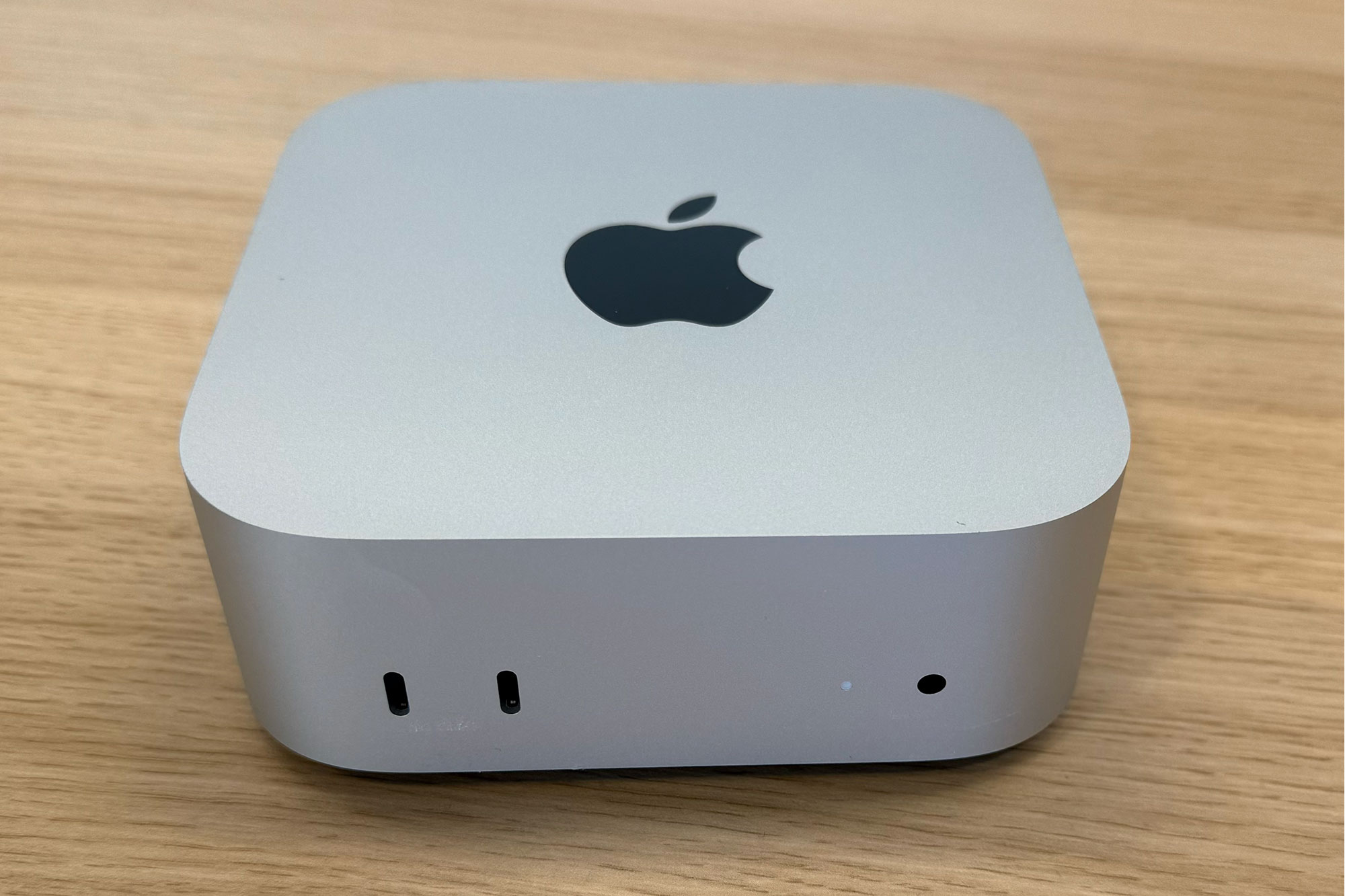
<p>In the Energy section of System Settings for the Mac mini, iMac, and Mac Studio, there’s a new option labeled “Start up when power is connected.” According to an Apple support document, “Your Mac will now automatically turn on whenever you connect it to power, such as when plugging it into a power outlet or restoring power using an external power switch.”</p>
<p><img decoding="async" data-wp-class--hide="state.isContentHidden" data-wp-class--show="state.isContentVisible" data-wp-init="callbacks.setButtonStyles" data-wp-on-async--click="actions.showLightbox" data-wp-on-async--load="callbacks.setButtonStyles" data-wp-on-async-window--resize="callbacks.setButtonStyles" src="https://b2c-contenthub.com/wp-content/uploads/2026/05/macOS-26.5-start-up-when-power-connected.jpg?quality=50&amp;strip=all&amp;w=1200" alt="macOS 26.5 start up when power connected" class="wp-image-3139925" width="1200" height="800" loading="lazy" /></p>
<p class="imageCredit">Foundry</p>
<p>This new option is meant to address complaints about the Mac mini’s power button, which is located under the computer. You have to lift the computer slightly to access the button, which is awkward and a problem when the Mac mini is placed in a chassis or mounted in a specific way, as is somewhat common with the Mac mini due to its small size.</p>
<p>This option also allows users to use switches and other assistive accessories to control the power. Unsupported Macs will see the old option to “Start up automatically after a power failure.”</p>
<p>To install the macOS 26.5 update, go to System Settings &gt; General &gt; Software Update. The Mac will need to restart, and the installation takes several minutes.</p>
]]></content>
            </entry>
                        <entry>
                <title><![CDATA[OpenAI preparing ‘legal action’ against Apple over Siri partnership: report]]></title>
                <link href="https://9to5mac.com/2026/05/14/openai-preparing-legal-action-against-apple-over-siri-partnership-report/" />
                <published>2026-05-14T17:08:18Z</published>
                <content type="html"><![CDATA[<p><img decoding="async" src="https://9to5mac.com/wp-content/uploads/sites/6/2026/05/apple-openai.jpg?quality=82&#038;strip=all&#038;w=1600" /></p>
<p>Apple and OpenAI inked a deal to integrate ChatGPT with Siri as part of iOS 18 in 2024. According to a new report today, however, OpenAI is displeased with how the partnership has played out and is considering taking legal action against Apple.</p>
<p> more…</p>
]]></content>
            </entry>
                        <entry>
                <title><![CDATA[Anthropic’s Mythos helped find bugs in Apple’s macOS]]></title>
                <link href="https://macdailynews.com/2026/05/14/anthropics-mythos-helped-find-bugs-in-apples-macos/" />
                <published>2026-05-14T17:00:49Z</published>
                <content type="html"><![CDATA[<p><img loading="lazy" decoding="async" data-recalc-dims="1" src="https://i0.wp.com/macdailynews.com/wp-content/uploads/2026/05/260514_anthropic.png?resize=640%2C336&#038;ssl=1" alt="Anthropic" width="640" height="336" class="alignnone size-full wp-image-302005" /></p>
<p>In a striking example of how advanced AI is reshaping cybersecurity, researchers using techniques inspired by Anthropic’s unreleased Mythos AI model have uncovered significant software issues in Apple’s macOS — one of the most hardened desktop operating systems in the world.</p>
<p>According to a Wall Street Journal report, security researchers at Calif, a Palo Alto-based firm, made the discoveries while testing an early version of Anthropic’s Mythos (also known as Claude Mythos Preview) in April. They developed software that chains together two bugs and multiple advanced techniques to corrupt the Mac’s memory, ultimately gaining access to restricted parts of the system.</p>
<p>This breakthrough comes amid Anthropic’s broader Project Glasswing initiative, which provides select partners — including Apple — with access to the powerful Mythos model. The goal is to proactively hunt for and patch zero-day vulnerabilities before malicious actors can exploit them in an era of increasingly capable AI tools.</p>
<p>Why This Matters for Apple and the Industry</p>
<p>• macOS Under the Microscope: Apple has long prided itself on the robust security of its desktop OS. Finding new ways to bypass its state-of-the-art protections underscores the relentless evolution of both defensive and offensive capabilities in cybersecurity.</p>
<p>• AI as a Bug Hunter: Mythos has reportedly identified thousands of high-severity vulnerabilities across major operating systems and browsers. While not all are publicly detailed, the Calif team’s work demonstrates how AI can accelerate discovery of sophisticated exploit chains that might otherwise go unnoticed.</p>
<p>• Responsible Disclosure: Through Project Glasswing, companies like Apple can use these tools internally to strengthen their products ahead of wider AI proliferation, potentially averting major security incidents.</p>
<p>Apple has a strong track record of quickly addressing reported vulnerabilities through its security updates. This latest revelation is likely already informing patches that will benefit millions of Mac users.T</p>
<p>he Bigger Picture</p>
<p>Anthropic’s decision to withhold Mythos from general release while sharing it with trusted partners like Apple, Google, Microsoft, and others reflects growing concerns about AI-powered offensive cyber tools. As these models grow more capable, the race between attackers and defenders is accelerating dramatically.</p>
<p><span style="color: #ff0000">MacDailyNews Take: </span>For Apple investors and users, this story is ultimately positive: it shows the company is actively collaborating at the cutting edge of AI-driven security research to keep macOS secure in an increasingly hostile digital landscape. Anything that makes macOS (and all of Apple&#8217;s other OSes) even more secure is a Good Thing<img decoding="async" src="https://s.w.org/images/core/emoji/17.0.2/72x72/2122.png" alt="™" class="wp-smiley" style="height: 1em;max-height: 1em" />.</p>
<p>‎<br />
<span style="color: #ff0000">Please help support MacDailyNews — and enjoy subscriber-only articles, comments, chat, and more — by subscribing to our Substack</span>: macdailynews.substack.com. Thank you!</p>
<p>Support MacDailyNews at no extra cost to you by using this link to shop at Amazon.</p>
<p>The post Anthropic’s Mythos helped find bugs in Apple’s macOS appeared first on MacDailyNews.</p>
]]></content>
            </entry>
                        <entry>
                <title><![CDATA[iPhone 17 Pro beats 32 smartphones in charging speed test]]></title>
                <link href="https://www.cultofmac.com/news/iphone-17-pro-wins-charging-speed-test" />
                <published>2026-05-14T16:58:33Z</published>
                <content type="html"><![CDATA[<p><img loading="lazy" decoding="async" width="780" height="439" src="https://www.cultofmac.com/wp-content/uploads/2026/05/iPhone-17-Pro-on-charger-1440x810.jpg.webp" class="attachment-large size-large wp-post-image" alt="iPhone 17 Pro wins charging speed test" style="margin-bottom: 15px" /></p>
<p>Apple&#8217;s flagship iPhone 17 Pro wins charging speed test, topping 32 others from the likes of Samsung and Google. </p>
<p>(via Cult of Mac &#8211; Your source for the latest Apple news, rumors, analysis, reviews, how-tos and deals.)</p>
]]></content>
            </entry>
                        <entry>
                <title><![CDATA[Anthropic&#039;s Mythos AI outsmarted Apple&#039;s Mac security systems]]></title>
                <link href="https://appleinsider.com/articles/26/05/14/anthropics-mythos-ai-outsmarted-apples-mac-security-systems?utm_source=rss" />
                <published>2026-05-14T16:57:10Z</published>
                <content type="html"><![CDATA[<p>Security researchers have admitted that Anthropic&#8217;s Mythos AI model has been able to hack macOS, bypassing Apple&#8217;s security systems in a way never previously achieved.<img decoding="async" src="https://photos5.appleinsider.com/gallery/59287-121013-Mac-Hack-xl.jpg" alt="A person's hands typing on a laptop with green matrix-style code on the screen, placed on a white surface." height="738"><span>The Mac&#8217;s increasing popularity is a blessing and a curse</span>Mythos is an early version of a new, more powerful Claude AI model software that is yet to be made public. Anthropic&#8217;s engineers have warned that it is too good at finding security exploits to allow it into the wild.Now, proof of its abilities has come in the form of an escalation exploit. If used correctly, the exploit could potentially allow a hacker to gain control of a Mac despite Apple&#8217;s security measures. Continue Reading on AppleInsider | Discuss on our Forums</p>
]]></content>
            </entry>
                        <entry>
                <title><![CDATA[Get an extra 2TB for your Mac for just $210 with this rare sale]]></title>
                <link href="https://www.macworld.com/article/3139790/get-an-extra-2tb-for-your-mac-for-just-210-with-this-rare-sale.html" />
                <published>2026-05-14T16:55:29Z</published>
                <content type="html"><![CDATA[<p>Macworld</p>
<p class="promo-title">2TB Lexar SL500 Portable SSD</p>
<p>				View Deal</p>
<p>		(function () {<br />
			document.querySelector(&#8220;#sticky-promo-block a&#8221;).addEventListener(&#8220;click&#8221;, function(e) {<br />
				const debug = document.location.host.search(/lndo.site|go-vip.net/) !== -1;<br />
				const text = this.closest(&#8220;#sticky-promo-block&#8221;).querySelector(&#8220;p.promo-title&#8221;).textContent;<br />
				const data = {<br />
					event: &#8220;stickyConversionUnitClick&#8221;,<br />
					eventCategory: &#8220;Sticky Conversion&#8221;,<br />
					eventAction: &#8220;Click&#8221;,<br />
					eventLabel: text<br />
				};</p>
<p>				if(debug)console.log(&#8220;Sticky Conversion CLick &#8211; pushing to dataLayer: &#8220;, data);<br />
				dataLayer.push(data);<br />
				return true;<br />
			});<br />
		})();</p>
<p>With memory and storage shortages impacting everyone, it’s rare to see any type of deals on portable SSDs these days. Well, we’ve got one today: This 2TB Lexar SL500 model is on sale for a record-low at B&amp;H Photo, shaving off $190 off the $400 price tag when you click the on-page coupon.</p>
<p>The Lexar SL500 is tiny enough to fit into your palm and light enough that you won’t hate carrying it with you; in fact, you might just forget you have it with you. With a USB-C 3.2 interface, this portable SSD can hit read speeds of up to 2,000 MB/s and write speeds of up to 1,800 MB/s. That means that if you connect it to your phone, you can use it to record 4K vids at 60fps without filling up precious storage space.</p>
<p>Getting an extra 2TB for your laptop, phone, or tablet is absolutely fantastic, especially if you’ve got a 256GB MacBook Air or Neo. Having a place to store all those pics and vids will also save you on those monthly iCloud fees. Lexar’s DataShield 256-bit AES encryption will protect your data from snooping eyes, while the IP53 dust and water rating will keep the device safe from the elements (and your clumsiness when spilling water on your desk).</p>
<p>Our friends at PCWorld gave this drive 4.5 stars when they reviewed it, praising its performance, profile, and 5-year warranty. In a world where storage deals are so rare they make the news, it’s time to take advantage of this $190 discount and get 2TB of extra storage space for $210.</p></p>
]]></content>
            </entry>
                        <entry>
                <title><![CDATA[Nitrogen ransomware gang claims major data theft from Apple’s key supplier Foxconn]]></title>
                <link href="https://macdailynews.com/2026/05/14/nitrogen-ransomware-gang-claims-major-data-theft-from-apples-key-supplier-foxconn/" />
                <published>2026-05-14T16:00:49Z</published>
                <content type="html"><![CDATA[<p><img loading="lazy" decoding="async" data-recalc-dims="1" src="https://i0.wp.com/macdailynews.com/wp-content/uploads/2026/05/260514_foxconn.png?resize=640%2C427&#038;ssl=1" alt="Foxconn" width="640" height="427" class="alignnone size-full wp-image-302002" /></p>
<p>Foxconn, the Taiwanese electronics manufacturing giant best known as Apple&#8217;s primary contract manufacturer for iPhones and other devices, has confirmed a cyberattack on its North American operations. The incident, claimed by the Nitrogen ransomware group, has raised concerns about potential exposure of sensitive technical data from Apple and other tech giants.</p>
<p>On Monday, May 12, 2026, Nitrogen listed Foxconn on its dark web leak site, asserting that it had stolen approximately 8 terabytes of data — more than 11 million files. The group claims the haul includes confidential instructions, project documentation, schematics, and technical drawings tied to high-profile customers including Apple, Intel, Google, Dell, Nvidia, and AMD.</p>
<p>Foxconn acknowledged the breach the following day, stating that some North American factories were impacted but that its cybersecurity team had responded swiftly. “The affected factories are currently resuming normal production,” a company spokesperson said. The company did not confirm any data theft or specify which facilities were hit, though reports point to disruptions at sites in Wisconsin (Mount Pleasant) and Texas (Houston).</p>
<p>Details of the Attack and Its Impact</p>
<p>Workers at the Wisconsin plant reported a network outage beginning around May 1st, with Wi-Fi going down, computers ordered shut off, and manual timesheets required. Production was disrupted for about a week, but operations appear to be recovering without broader global supply chain interruptions reported so far.</p>
<p>Nitrogen, a double-extortion ransomware operation that emerged around 2023 (with ties to earlier groups like Conti and ALPHV/BlackCat), encrypts victim data and threatens to publish it unless a ransom is paid. Experts have noted a potential flaw in the group&#8217;s decryptor tool, which could make paying ineffective even if Foxconn were inclined to do so.</p>
<p>Should Apple Users Be Concerned?</p>
<p>Analysts who examined samples of the leaked data suggest limited immediate risk to unreleased Apple products. The Wisconsin facility primarily produces televisions and data servers rather than iPhones or Macs, and the exposed files appear more focused on Foxconn&#8217;s internal electrical engineering, temperature sensors, board layouts, and topology docs for other clients like Google and Intel.</p>
<p>Apple is renowned for its strict compartmentalization of sensitive design information — suppliers typically receive only what they need for their specific manufacturing role. Still, the breach highlights ongoing vulnerabilities in the extended Apple supply chain. This isn&#8217;t Foxconn&#8217;s first rodeo: the company was previously hit by LockBit (2022 and 2024) and DoppelPaymer (2020). Recent attacks on other Apple assemblers like Luxshare further underscore the pattern.</p>
<p>Broader Implications</p>
<p>The attack serves as a stark reminder that even massive, sophisticated companies aren&#8217;t immune to ransomware. For Apple, it spotlights supply chain risk management in an era of increasingly aggressive cyber threats. While no major Apple product delays or leaks have been linked to this incident yet, the potential for intellectual property exposure or future exploitation (especially data center topologies) remains a concern for the industry.</p>
<p><span style="color: #ff0000">MacDailyNews Take: </span>Apple has not publicly commented on the Foxconn breach as of this writing. The situation is still developing, with Nitrogen likely to continue pressuring Foxconn with threats of leaking more data if demands aren&#8217;t met.</p>
<p>Stay tuned for updates as more details emerge about the scope of the stolen files and any long-term fallout for Foxconn and its partners. In the meantime, this event reinforces why robust cybersecurity across the entire manufacturing ecosystem is more critical than ever.</p>
<p>‎<br />
<span style="color: #ff0000">Please help support MacDailyNews — and enjoy subscriber-only articles, comments, chat, and more — by subscribing to our Substack</span>: macdailynews.substack.com. Thank you!</p>
<p>Support MacDailyNews at no extra cost to you by using this link to shop at Amazon.</p>
<p>The post Nitrogen ransomware gang claims major data theft from Apple&#8217;s key supplier Foxconn appeared first on MacDailyNews.</p>
]]></content>
            </entry>
                        <entry>
                <title><![CDATA[New macOS vulnerabilities were exposed by Anthropic’s Mythos: report]]></title>
                <link href="https://9to5mac.com/2026/05/14/new-macos-vulnerabilities-were-exposed-by-anthropics-mythos-report/" />
                <published>2026-05-14T15:57:43Z</published>
                <content type="html"><![CDATA[<p><img decoding="async" src="https://9to5mac.com/wp-content/uploads/sites/6/2026/03/macbook-macos-26-tahoe-dark.jpg?quality=82&#038;strip=all&#038;w=1600" /></p>
<p>Anthropic’s Mythos AI model has famously been kept fairly secret due to its apparent risk to software systems around the world. And today a new report says Mythos was used to expose macOS security vulnerabilities that Apple is investigating now.</p>
<p> more…</p>
]]></content>
            </entry>
                        <entry>
                <title><![CDATA[Trump Mobile&#039;s low-end T1 Android phone ships soon, for iPhone 17e prices]]></title>
                <link href="https://appleinsider.com/articles/26/05/14/trump-mobiles-low-end-t1-android-phone-ships-soon-for-iphone-17e-prices?utm_source=rss" />
                <published>2026-05-14T15:52:54Z</published>
                <content type="html"><![CDATA[<p>Three renders later, and still not made in America despite original claims to the contrary, the low-end Android phone Trump Mobile took preorders for a year ago will reportedly ship soon.<img decoding="async" src="https://photos5.appleinsider.com/gallery/67646-142576-000-lead-Trump-phone-xl.jpg" alt="Smiling man in a dark suit claps beside two gold Trump Mobile smartphones, one showing the screen, the other showing rear cameras and an American flag logo on a dark stage background"><span>The latest renders of the Trump T1 phone, along with Trump Mobile&#8217;s promotional images featuring Eric Trump &#8211; images credit: Trump Mobile</span>Immediately following widespread reports that the Trump T1 cellphone may never ship, Trump Mobile has announced that oh, yes, it will. In a posting on X with another render, the company says that it has arrived, and will &#8220;start shipping this week.&#8221;</p>
<p lang="en" dir="ltr">The T1 Phone has arrived!! Those who pre-ordered the T1 Phone will be receiving an update email. Phones start shipping this week!!! pic.twitter.com/IsOre1cBa1</p>
<p>—  Trump Mobile (@TrumpMobile) May 13, 2026  Continue Reading on AppleInsider | Discuss on our Forums</p>
]]></content>
            </entry>
                        <entry>
                <title><![CDATA[Hackers used faked Apple &#038; Yahoo infrastructure to hide malware]]></title>
                <link href="https://appleinsider.com/articles/26/05/14/hackers-used-faked-apple-yahoo-infrastructure-to-hide-malware?utm_source=rss" />
                <published>2026-05-14T15:36:37Z</published>
                <content type="html"><![CDATA[<p>Hackers spent months hiding malware behind fake Apple-themed internet infrastructure and similarly bogus Windows pop-ups to infiltrate organizations across the Asia-Pacific region without triggering obvious security alarms. Here&#8217;s how they did it.<img decoding="async" src="https://photos5.appleinsider.com/gallery/67645-142580-Code-header-xl.jpg" alt="Close-up of XML configuration code on a dark background, showing nested runtime and assemblyBinding elements with attributes like assemblyIdentity, codeBase URLs, etwEnable, appDomainManagerAssembly, and appDomainManagerType"><span>Attackers impersonated CDN infrastructure. Image credit: Darktrace</span>The malware was disguised as trusted Apple and Yahoo-themed internet infrastructure. Legitimate Windows software and DLL sideloading concealed a modular remote access trojan within ordinary network traffic.Activity first appeared in customer networks in late September 2025 and primarily affected organizations in the Asia-Pacific and Japan region. Researchers observed repeated abuse of trusted executables and fake CDN infrastructure inside corporate environments.Attackers impersonated CDN infrastructure tied to major technology brands to make malicious traffic appear legitimate. Trusted Windows binaries and DLL sideloading then launched a modular .NET remote access trojan. Continue Reading on AppleInsider | Discuss on our Forums</p>
]]></content>
            </entry>
                        <entry>
                <title><![CDATA[iPhone 18 Pro: Three new features could make you want to upgrade]]></title>
                <link href="https://9to5mac.com/2026/05/14/iphone-18-pro-three-new-features-could-make-you-want-to-upgrade/" />
                <published>2026-05-14T15:31:28Z</published>
                <content type="html"><![CDATA[<p><img decoding="async" src="https://9to5mac.com/wp-content/uploads/sites/6/2026/05/iphone-17-pro-blue-angle-two.jpg?quality=82&#038;strip=all&#038;w=1600" /></p>
<p>iPhone 18 Pro is coming this fall, and three new features could be among the top upgrade motivators for Apple’s latest flagship model.</p>
<p> more…</p>
]]></content>
            </entry>
                        <entry>
                <title><![CDATA[Deals: Most affordable M5 MacBook Pro $1,499, base 16-inch M5 Pro $250 off, iPhone 16e from $449, more]]></title>
                <link href="https://9to5mac.com/2026/05/14/deals-m5-macbook-pro-16-inch-m5-pro-iphone-16e/" />
                <published>2026-05-14T15:29:43Z</published>
                <content type="html"><![CDATA[<p><img decoding="async" src="https://9to5mac.com/wp-content/uploads/sites/6/2026/05/Apple-deals-M5-Pro-MacBook-Pro-iPhone-16e-Magic-Keyboard.jpg?quality=82&#038;strip=all&#038;w=1600" /></p>
<p>While Amazon is shipping MacBook Neo from $590 as early as tomorrow, today’s 9to5Toys Lunch Break is headlined by the most affordable M5 MacBook Pro you can buy back at $1,499 Amazon low ($300 off launch price), alongside the base model 16-inch M5 Pro MacBook Pro at $249 off and Apple’s 48GB M5 Pro MacBook Pro at $300 off. You can also land rare deals on iPhone 16e down as low as $449 at Amazon today and Apple’s 13-inch M4/M5 iPad Pro Magic Keyboard at 25% off. Just be sure to scope out the now live ecobee 2026 Memorial Day sale at up to $120 off and even more down below.</p>
<p> more…</p>
]]></content>
            </entry>
                        <entry>
                <title><![CDATA[iPhone bucks trend as US smartphone market stumbles]]></title>
                <link href="https://www.cultofmac.com/news/iphone-bucks-us-smartphone-sales-slump" />
                <published>2026-05-14T15:03:31Z</published>
                <content type="html"><![CDATA[<p><img loading="lazy" decoding="async" width="780" height="439" src="https://www.cultofmac.com/wp-content/uploads/2026/05/iPhone-17-Pro-on-desk-1440x810.jpg.webp" class="attachment-large size-large wp-post-image" alt="iPhone 17 Pro on desk" style="margin-bottom: 15px" /></p>
<p>New data shows iPhone managing to buck the US smartphone sales slump in the first quarter of 2026. iPhone 17 has a lot to do with it.</p>
<p>(via Cult of Mac &#8211; Your source for the latest Apple news, rumors, analysis, reviews, how-tos and deals.)</p>
]]></content>
            </entry>
                        <entry>
                <title><![CDATA[Apple’s Liquid Glass design wins four Art Directors Club Awards]]></title>
                <link href="https://macdailynews.com/2026/05/14/apples-liquid-glass-design-wins-four-art-directors-club-awards/" />
                <published>2026-05-14T15:00:25Z</published>
                <content type="html"><![CDATA[<p><img loading="lazy" decoding="async" data-recalc-dims="1" src="https://i0.wp.com/macdailynews.com/wp-content/uploads/2025/06/250609_liquid_glass.png?resize=640%2C360&#038;ssl=1" alt="The new design extends across iOS 26, iPadOS 26, macOS Tahoe 26, watchOS 26, and tvOS 26 to establish even more harmony while maintaining the distinct qualities that make each platform unique." width="640" height="360" class="size-full wp-image-284585" />Apple&#8217;s new &#8220;liquid Glass&#8221; design extends across iOS 26, iPadOS 26, macOS Tahoe 26, watchOS 26, and tvOS 26 to establish even more harmony while maintaining the distinct qualities that make each platform unique.</p>
<p>Apple’s groundbreaking new software design language, Liquid Glass, introduced with iOS 26, iPadOS 26, macOS Tahoe 26, watchOS 26, and tvOS 26, has swept the prestigious 2026 Art Directors Club (ADC) Annual Awards, securing four honors including a prestigious Gold Cube.</p>
<p>The wins underscore the innovative craftsmanship behind one of Apple’s most significant design evolutions in years.</p>
<p>A Sweeping Victory for Apple&#8217;s Design Team</p>
<p>According to the official ADC Awards results, Liquid Glass earned the following accolades in the Brand-Side / In-House category:</p>
<p>• Gold Cube — Interactive / UX / UI (45 points)<br />
• Silver Cube — Experiential Design / Digital Experiences (21 points)<br />
• Bronze Cube — Experiential Design / Consumer Experience (9 points)<br />
• Bronze Cube — Innovation (9 points)</p>
<p>All credits go to the Apple Design Team in Cupertino, highlighting the in-house creative excellence that defines Apple’s approach to product design.</p>
<p>Unveiled at WWDC 2025, Liquid Glass is a new translucent material that brings glass-like optical properties — reflection, refraction, and dynamic fluidity — to Apple’s software interfaces. It unifies the design language across iOS 26, iPadOS 26, macOS Tahoe 26, watchOS 26, and tvOS 26 while preserving each platform’s unique character.</p>
<p>Key characteristics include:</p>
<p>• Real-time environmental reflections and refractions<br />
• Dynamic transformation that shifts focus to content<br />
• Expressive, fluid interactions for controls, navigation, icons, widgets, and more</p>
<p>This isn’t just a visual refresh — it represents a fundamental rethinking of how software feels and behaves, creating interfaces that are both instantly familiar and delightfully alive.</p>
<p>The ADC Awards, run by The One Club for Creativity, represent over a century of recognizing the world’s finest work in design, advertising, and digital experiences. Winning multiple Cubes — especially a Gold in the highly competitive Interactive / UX / UI category — validates Liquid Glass as a benchmark in modern interface design.</p>
<p>With Liquid Glass, Apple has once again raised the bar for what software interfaces can be. The design’s seamless blend of beauty, functionality, and technical sophistication has already sparked widespread discussion and imitation attempts across the tech world.</p>
<p><span style="color: #ff0000">MacDailyNews Take: </span>Congratulations to the Apple Design Team on these awards. While not perfect, especially on macOS, Liquid Glass isn’t just winning awards — it’s redefining the everyday experience for hundreds of millions of users worldwide.</p>
<p>‎<br />
<span style="color: #ff0000">Please help support MacDailyNews — and enjoy subscriber-only articles, comments, chat, and more — by subscribing to our Substack</span>: macdailynews.substack.com. Thank you!</p>
<p>Support MacDailyNews at no extra cost to you by using this link to shop at Amazon.</p>
<p>The post Apple’s Liquid Glass design wins four Art Directors Club Awards appeared first on MacDailyNews.</p>
]]></content>
            </entry>
                        <entry>
                <title><![CDATA[Unexpected US carrier joint venture fires up to expand iPhone cell coverage]]></title>
                <link href="https://appleinsider.com/articles/26/05/14/unexpected-us-carrier-joint-venture-fires-up-to-expand-iphone-cell-coverage?utm_source=rss" />
                <published>2026-05-14T14:59:58Z</published>
                <content type="html"><![CDATA[<p>Unlikely partners AT&amp;T, T-Mobile, and Verizon have announced a joint venture that will help ensure iPhone users can get a signal even in previous cellular dead spots.<img decoding="async" src="https://photos5.appleinsider.com/gallery/67644-142575-iPhone-16-Pro-display-xl.jpg" alt="Modern smartphone standing upright on a white table, displaying 3:13 and colorful abstract wallpaper, with a blurred background of brick wall, shelves, and soft blue and pink lighting"><span>AT&amp;T, T-Mobile, and Verizon are working together on coverage</span>Working together for once, the companies have announced an agreement in principle to use satellite-based technologies to help reduce their gaps in coverage. They expect those in unserved and underserved communities to benefit the most.Once up and running, the new venture should help people maintain a connection even in areas that normally have limited service. It&#8217;s also hoped that the days of remote areas having no cell service will be a thing of the past. Continue Reading on AppleInsider | Discuss on our Forums</p>
]]></content>
            </entry>
                        <entry>
                <title><![CDATA[Another OpenAI hack puts ChatGPT Mac users on an update deadline]]></title>
                <link href="https://appleinsider.com/articles/26/05/14/another-openai-hack-puts-chatgpt-mac-users-on-an-update-deadline?utm_source=rss" />
                <published>2026-05-14T14:37:47Z</published>
                <content type="html"><![CDATA[<p>OpenAI is forcing Mac users to update ChatGPT and other desktop apps soon, after a supply chain attack exposed signing certificates that Apple&#8217;s security systems use to verify trusted software.<img decoding="async" src="https://photos5.appleinsider.com/gallery/67643-142573-6552FC36-94D8-444A-B237-C34636A7F722-xl.jpg" alt="Glowing white Apple logo inside a bright shield over colorful flowing waves of pink, purple, orange, and blue on a dark background, suggesting digital security or protection branding"><span>OpenAI is forcing Mac users to update ChatGPT</span>The company disclosed the incident on May 13 and confirmed malware linked to the &#8220;Mini Shai-Hulud&#8221; attack infected two employee devices through the TanStack npm ecosystem. Investigators identified unauthorized access activity in a limited set of internal source code repositories connected to those employees.OpenAI rotated its signing certificates and re-signed affected apps to prevent potential misuse of the exposed credentials. The company found no evidence that customer data, production systems, or intellectual property were compromised during the incident.Apple&#8217;s macOS security protections will block apps signed with the older certificates after June 12, which makes the update mandatory for affected Mac users. Continue Reading on AppleInsider | Discuss on our Forums</p>
]]></content>
            </entry>
                        <entry>
                <title><![CDATA[CarPlay just gained two new audio apps to keep you entertained on your next trip]]></title>
                <link href="https://9to5mac.com/2026/05/14/carplay-just-gained-two-new-audio-apps-to-keep-you-entertained-on-your-next-trip/" />
                <published>2026-05-14T14:31:49Z</published>
                <content type="html"><![CDATA[<p><img decoding="async" src="https://9to5mac.com/wp-content/uploads/sites/6/2025/06/carplay-ios-26-liquid-glass.jpg?quality=82&#038;strip=all&#038;w=1600" /></p>
<p>CarPlay continues to improve in two ways. iOS 26 gives the in-car experience new features like widgets and upgraded Music and Messages apps.</p>
<p>Meanwhile, new third-party CarPlay apps are regularly added that enhance the platform. This week, two new audio apps arrive on CarPlay in time for your next summer road trip.</p>
<p> more…</p>
]]></content>
            </entry>
                        <entry>
                <title><![CDATA[Today in Apple history: Computer retail giant’s closure hits NeXT hard]]></title>
                <link href="https://www.cultofmac.com/apple-history/businessland-closes" />
                <published>2026-05-14T14:30:51Z</published>
                <content type="html"><![CDATA[<p><img loading="lazy" decoding="async" width="780" height="520" src="https://www.cultofmac.com/wp-content/uploads/2016/06/NEXT_Cube-IMG_7154-780x520.jpg" class="attachment-large size-large wp-post-image" alt="Photo of the NeXT Cube computer manufactured by NeXT Inc." style="margin-bottom: 15px" /></p>
<p>On May 14, 1992, Steve Jobs&#8217; NeXT ran into trouble as it lost a crucial deal with Businessland after the giant retailer closed its stores.</p>
<p>(via Cult of Mac &#8211; Your source for the latest Apple news, rumors, analysis, reviews, how-tos and deals.)</p>
]]></content>
            </entry>
                        <entry>
                <title><![CDATA[Thieves are unlocking and making more money from stolen and locked iPhones]]></title>
                <link href="https://appleinsider.com/articles/26/05/14/thieves-are-unlocking-and-making-more-money-from-stolen-and-locked-iphones?utm_source=rss" />
                <published>2026-05-14T14:06:49Z</published>
                <content type="html"><![CDATA[<p>The theft of smartphones is big business, and new research has shown how iPhone thieves are able to defeat security measures designed to make stolen devices impossible to use.<img decoding="async" src="https://photos5.appleinsider.com/gallery/67642-142572-iPhone-17-vs-iPhone-16-xl.jpg" alt="Two Apple smartphones standing upright on a gray surface, one dark gray and one light blue, showing their backs with dual camera lenses and Apple logos against a blurred colorful background"><span>Thieves have new ways to gain access to stolen iPhones</span>Apple has built various security features into the iPhone in an attempt to make thieves less likely to target its customers. At the core of those features is the Find My network, the system that makes it possible to locate lost (and stolen) devices.The Find My network allows iPhone owners to mark their device as stolen, preventing it from being used. Normally, a device marked as lost cannot be used until its rightful owner provides their credentials. Continue Reading on AppleInsider | Discuss on our Forums</p>
]]></content>
            </entry>
                        <entry>
                <title><![CDATA[Apple has won a prestigious award for iOS 26’s Liquid Glass design]]></title>
                <link href="https://9to5mac.com/2026/05/14/apple-has-won-a-prestigious-award-for-ios-26s-liquid-glass-design/" />
                <published>2026-05-14T14:05:51Z</published>
                <content type="html"><![CDATA[<p><img decoding="async" src="https://9to5mac.com/wp-content/uploads/sites/6/2025/06/ios-26-wallpapers.jpg?quality=82&#038;strip=all&#038;w=1600" /></p>
<p>Apple was just recognized with a prestigious award for its Liquid Glass design in iOS 26. Here are the details.</p>
<p> more…</p>
]]></content>
            </entry>
                        <entry>
                <title><![CDATA[Apple assembler Foxconn reports forecast-beating 19% jump in Q1 profit]]></title>
                <link href="https://macdailynews.com/2026/05/14/apple-assembler-foxconn-reports-forecast-beating-19-jump-in-q1-profit/" />
                <published>2026-05-14T14:00:21Z</published>
                <content type="html"><![CDATA[<p><img loading="lazy" decoding="async" data-recalc-dims="1" src="https://i0.wp.com/macdailynews.com/wp-content/uploads/2020/02/200212_foxconn.png?resize=640%2C314&#038;ssl=1" alt="The logo of electronics contract manufacturer Foxconn Technology Group, formally known as Hon Hai Precision Industry, is displayed at its headquarters in Taipei. Photo: Agence France-Presse" width="640" height="314" class="size-full wp-image-230930" />The logo of electronics contract manufacturer Foxconn Technology Group, formally known as Hon Hai Precision Industry, is displayed at its headquarters in Taipei. Photo: Agence France-Presse</p>
<p>Taiwan&#8217;s Foxconn, the world&#8217;s largest contract electronics maker and Apple&#8217;s top iPhone assembler, reported on Thursday a 19% rise in first-quarter profit from a year earlier, beating expectations thanks to strong global demand for AI products.</p>
<p>The company&#8217;s net profit for January-March came in at T$49.92 billion ($1.58 billion), above a consensus estimate of T$48.88 billion. Foxconn is also Nvidia&#8217;s biggest server maker.</p>
<p>Wen-Yee Lee for Reuters:<br />
 ‎</p>
<p>
In an earnings ​release, it stuck to its previous forecast of &#8220;strong&#8221; growth for revenue this year and said it also ​saw strong demand for AI servers.</p>
<p>“AI remains the ⁠most important growth driver this year,&#8221; rotating CEO Michael Chiang said on an earnings call. He added that major ​cloud service providers have recently raised capital expenditure plans for this year. &#8220;AI is not a short-term theme, but a structural ​transformation of the industry.&#8221;</p>
<p>Foxconn said it expects AI server rack shipments to more than double for the full year…</p>
<p>Most of ⁠the iPhones Foxconn makes for Apple are assembled in China, but it now produces the bulk of those sold in the United States in India. The company is also building factories ​in Mexico and Texas to make AI servers for Nvidia.
</p>
<p>‎<br />
<span style="color: #ff0000">MacDailyNews Take: </span>Of course, Foxconn also serves as Apple&#8217;s key manufacturing partner for Apple&#8217;s custom AI servers specifically for Apple Intelligence’s cloud-based features via Private Cloud Compute (PCC).</p>
<p>Key Details on PCC</p>
<p>• Purpose and Privacy Focus: PCC handles more complex Apple Intelligence tasks (e.g., those needing larger foundation models) that go beyond on-device processing. It uses custom Apple silicon servers (initially based on M-series chips like modified M2 Ultras, now moving toward M5 and dedicated AI server chips) in Apple’s data centers. The design ensures:</p>
<p>• User data is never stored — it’s processed ephemerally (stateless) and deleted after the request.</p>
<p>• Even Apple cannot access the data.</p>
<p>• Servers include hardware-level security (Secure Enclave, Secure Boot, tamper switches) and a hardened OS derived from iOS/macOS for verifiable transparency and a minimal attack surface.</p>
<p>• Deployment: Apple has been shipping U.S.-made advanced servers from a new Houston factory since late 2025 (part of its large U.S. manufacturing/investment push). These are installed in Apple’s existing data centers. Production is ramping up, with plans for more advanced custom AI server chips entering mass production in late 2026 and new data centers coming online in 2027.</p>
<p>‎<br />
<span style="color: #ff0000">Please help support MacDailyNews — and enjoy subscriber-only articles, comments, chat, and more — by subscribing to our Substack</span>: macdailynews.substack.com. Thank you!</p>
<p>Support MacDailyNews at no extra cost to you by using this link to shop at Amazon.</p>
<p>The post Apple assembler Foxconn reports forecast-beating 19% jump in Q1 profit appeared first on MacDailyNews.</p>
]]></content>
            </entry>
                        <entry>
                <title><![CDATA[New luggage tracker is the loudest reason to ditch AirTags for travel [Review] ★★★★★]]></title>
                <link href="https://www.cultofmac.com/reviews/knog-scout-travel-review-tracker-tag-alarm" />
                <published>2026-05-14T13:50:29Z</published>
                <content type="html"><![CDATA[<p><img loading="lazy" decoding="async" width="780" height="439" src="https://www.cultofmac.com/wp-content/uploads/2026/05/Knog-Scout-Travel-review_01-1440x810.jpg.webp" class="attachment-large size-large wp-post-image" alt="Knog Scout Travel review: The loudest reason to skip Airtags" style="margin-bottom: 15px" /></p>
<p>The Knog Scout Travel is a tracker tag that stands out with an 85 decimal motion-sensitive alarm. Put it on your suitcase, and if someone moves it, the tag will let everyone nearby know it. And it supports Apple&#8217;s Find My network, so the tag (and your luggage) can be tracked down almost anywhere if [&#8230;]</p>
<p>(via Cult of Mac &#8211; Your source for the latest Apple news, rumors, analysis, reviews, how-tos and deals.)</p>
]]></content>
            </entry>
                        <entry>
                <title><![CDATA[iPhone 17 Pro has the fastest charging speed of 33 phones tested]]></title>
                <link href="https://9to5mac.com/2026/05/14/iphone-17-pro-has-the-fastest-charging-speed-of-33-phones-tested/" />
                <published>2026-05-14T13:45:55Z</published>
                <content type="html"><![CDATA[<p><img decoding="async" src="https://9to5mac.com/wp-content/uploads/sites/6/2025/10/iphone-17-pro-blue.jpg?quality=82&#038;strip=all&#038;w=1600" /></p>
<p>Of 33 current smartphones tested, the iPhone 17 Pro offered the fastest overall charging speed, when wired and wireless charging times are averaged.</p>
<p>Apple also took four out of the five top places when it came to wireless charging speeds specifically, with manufacturing precision the likely reason …</p>
<p> more…</p>
]]></content>
            </entry>
                        <entry>
                <title><![CDATA[Your iPhone might soon have zero dead zones thanks to a new carrier joint venture]]></title>
                <link href="https://9to5mac.com/2026/05/14/your-iphone-might-soon-have-zero-dead-zones-thanks-to-a-new-carrier-joint-venture/" />
                <published>2026-05-14T13:43:32Z</published>
                <content type="html"><![CDATA[<p><img decoding="async" src="https://9to5mac.com/wp-content/uploads/sites/6/2025/11/iphone-17-pro-pro-max-orange-blue.jpg?quality=82&#038;strip=all&#038;w=1600" /></p>
<p>The top three wireless service providers in the US are teaming up to eliminate coverage dead zones. AT&amp;T, Verizon, and T-Mobile are forming a joint venture that will involve satellites, though the announcement is light on specifics.</p>
<p> more…</p>
]]></content>
            </entry>
                        <entry>
                <title><![CDATA[Shrinking season 4 just got a big release timing update]]></title>
                <link href="https://9to5mac.com/2026/05/14/shrinking-season-4-just-got-a-big-release-timing-update/" />
                <published>2026-05-14T13:42:03Z</published>
                <content type="html"><![CDATA[<p><img decoding="async" src="https://9to5mac.com/wp-content/uploads/sites/6/2026/05/shrinking-s2-kitchen-ensemble.jpg?quality=82&#038;strip=all&#038;w=1600" /></p>
<p>Shrinking concluded its third season just last month, but thanks to a new update from star Harrison Ford, it sounds like the wait for season 4 could be surprisingly short.</p>
<p> more…</p>
]]></content>
            </entry>
                        <entry>
                <title><![CDATA[Twelve South PowerClip: An emergency charger you might actually carry 24/7]]></title>
                <link href="https://www.cultofmac.com/news/twelve-south-powerclip" />
                <published>2026-05-14T13:23:13Z</published>
                <content type="html"><![CDATA[<p><img loading="lazy" decoding="async" width="780" height="439" src="https://www.cultofmac.com/wp-content/uploads/2026/05/Twelve-South-PowerClip-on-napsack.jpg.webp" class="attachment-large size-large wp-post-image" alt="Twelve South PowerClip" style="margin-bottom: 15px" /></p>
<p>Forgot your backup charger again? The tiny new Twelve South PowerClip solves that problem and saves you from battery drain. </p>
<p>(via Cult of Mac &#8211; Your source for the latest Apple news, rumors, analysis, reviews, how-tos and deals.)</p>
]]></content>
            </entry>
                        <entry>
                <title><![CDATA[MacBook Neo review, two months later: Almost a MacBook Pro beater]]></title>
                <link href="https://appleinsider.com/articles/26/05/14/macbook-neo-review-two-months-later-almost-a-macbook-pro-beater?utm_source=rss" />
                <published>2026-05-14T13:15:08Z</published>
                <content type="html"><![CDATA[<p>The MacBook Neo is not only the Apple laptop that the majority should buy, but it&#8217;s also almost good enough to recommend to some MacBook Pro buyers as well.<img decoding="async" src="https://photos5.appleinsider.com/gallery/67586-142451-IMG_0968-xl.jpg" alt="Open pink MacBook on a wooden desk displaying a tech news website, with external monitor, keyboard, and various gadgets in the background of a tidy home office setup"><span>MacBook Neo review: The Mac laptop for most people</span>I&#8217;ve been using a $599 Blush (read, pink) MacBook Neo for a few weeks now, and I&#8217;m in love. It&#8217;s a wonderful little laptop whose iPhone-powering chip belies its capabilities.I&#8217;m going to cut to the chase right out of the gate. Any worries about the performance of the Neo&#8217;s A18 Pro chip were allayed within five minutes of unboxing the thing. Continue Reading on AppleInsider | Discuss on our Forums</p>
]]></content>
            </entry>
                        <entry>
                <title><![CDATA[PSA: A security breach means you must update the ChatGPT Mac app]]></title>
                <link href="https://9to5mac.com/2026/05/14/psa-a-security-breach-means-you-must-update-the-chatgpt-mac-app/" />
                <published>2026-05-14T13:12:59Z</published>
                <content type="html"><![CDATA[<p><img decoding="async" src="https://9to5mac.com/wp-content/uploads/sites/6/2026/05/A-security-breach-means-you-must-update-the-ChatGPT-Mac-app.jpg?quality=82&#038;strip=all&#038;w=1600" /></p>
<p>If you use the ChatGPT desktop app on Mac, you’ll be forced to update it sometime between now and June 12. That’s due to a security breach involving two OpenAI employee devices … </p>
<p> more…</p>
]]></content>
            </entry>
                        <entry>
                <title><![CDATA[Xi Jinping warmly welcomes U.S. CEOs on first day of President Trump’s China visit]]></title>
                <link href="https://macdailynews.com/2026/05/14/xi-jinping-warmly-welcomes-u-s-ceos-on-first-day-of-president-trumps-china-visit/" />
                <published>2026-05-14T13:02:55Z</published>
                <content type="html"><![CDATA[<p><img loading="lazy" decoding="async" data-recalc-dims="1" src="https://i0.wp.com/macdailynews.com/wp-content/uploads/2026/05/260514_trump_xi.png?resize=640%2C360&#038;ssl=1" alt="U.S. President Donald Trump and Chinese President Xi Jinping" width="640" height="360" class="size-full wp-image-301995" />U.S. President Donald Trump and Chinese President Xi Jinping</p>
<p>Chinese President Xi Jinping warmly welcomed a delegation of U.S. CEOs on Thursday, the first day of President Trump’s visit to China.</p>
<p>The business leaders attended the arrival ceremony and joined part of the bilateral meeting at the Great Hall of the People, where Trump introduced them to Xi one by one, according to Chinese state-owned media.</p>
<p>Ben Werschkul for Yahoo Finance:<br />
 ‎</p>
<p>
Xi reportedly responded to US desires to do more business in China by saying the companies could be “deeply involved in China&#8217;s reform and opening up” and that “China&#8217;s door will only open wider.”</p>
<p>The outreach received a positive reaction from the CEOs with Tesla’s Elon Musk, Nvidia&#8217;s Jensen Huang, and Apple&#8217;s Tim Cook all spotted by reporters leaving in good spirits.</p>
<p>“It was awesome,” Musk said when asked how his talks with Xi went.</p>
<p>&#8220;I will be asking President Xi, a Leader of extraordinary distinction, to &#8216;open up&#8217; China so that these brilliant people can work their magic,&#8221; Trump posted to social media en route to China.</p>
<p>Elon Musk told reporters after the meeting that it had been &#8220;wonderful&#8221; and said &#8220;many good things&#8221; had been achieved, with Nvidia’s Huang adding that &#8220;Mr. Xi and President Trump were incredible.&#8221;</p>
<p>Tim Cook simply gave a peace sign and a thumbs-up.
</p>
<p>‎<br />
<span style="color: #ff0000">MacDailyNews Note: </span>The Dow is back up over 50,000 on the news.</p>
<p>‎<br />
<span style="color: #ff0000">Please help support MacDailyNews — and enjoy subscriber-only articles, comments, chat, and more — by subscribing to our Substack</span>: macdailynews.substack.com. Thank you!</p>
<p>Support MacDailyNews at no extra cost to you by using this link to shop at Amazon.</p>
<p>The post Xi Jinping warmly welcomes U.S. CEOs on first day of President Trump’s China visit appeared first on MacDailyNews.</p>
]]></content>
            </entry>
                        <entry>
                <title><![CDATA[How you can stop the endless madness of iPhone notifications]]></title>
                <link href="https://www.cultofmac.com/how-to/stop-iphone-notifications" />
                <published>2026-05-14T13:00:16Z</published>
                <content type="html"><![CDATA[<p><img loading="lazy" decoding="async" width="780" height="439" src="https://www.cultofmac.com/wp-content/uploads/2026/05/Stop-Notifications-1440x810.jpg.webp" class="attachment-large size-large wp-post-image" alt="Stop Notifications" style="margin-bottom: 15px" /></p>
<p>If your phone is always blowing up with junk, you can stop notifications dead in their tracks and entirely disable notifications per-app.</p>
<p>(via Cult of Mac &#8211; Your source for the latest Apple news, rumors, analysis, reviews, how-tos and deals.)</p>
]]></content>
            </entry>
                        <entry>
                <title><![CDATA[Get an unlocked iPhone 16e with extra storage for under $500 today]]></title>
                <link href="https://www.macworld.com/article/3139718/get-an-unlocked-iphone-16e-with-extra-storage-for-under-500-today.html" />
                <published>2026-05-14T12:56:39Z</published>
                <content type="html"><![CDATA[<p>Macworld</p>
<p class="promo-title">Renewed Premium Apple iPhone 16e, 256GB</p>
<p>				View Deal</p>
<p>		(function () {<br />
			document.querySelector(&#8220;#sticky-promo-block a&#8221;).addEventListener(&#8220;click&#8221;, function(e) {<br />
				const debug = document.location.host.search(/lndo.site|go-vip.net/) !== -1;<br />
				const text = this.closest(&#8220;#sticky-promo-block&#8221;).querySelector(&#8220;p.promo-title&#8221;).textContent;<br />
				const data = {<br />
					event: &#8220;stickyConversionUnitClick&#8221;,<br />
					eventCategory: &#8220;Sticky Conversion&#8221;,<br />
					eventAction: &#8220;Click&#8221;,<br />
					eventLabel: text<br />
				};</p>
<p>				if(debug)console.log(&#8220;Sticky Conversion CLick &#8211; pushing to dataLayer: &#8220;, data);<br />
				dataLayer.push(data);<br />
				return true;<br />
			});<br />
		})();</p>
<p>Getting a brand new iPhone is absolutely fantastic, but budgets are tight these days. So, if you don’t care that someone tried out the phone before you did, a Renewed Premium iPhone 16e is only going to cost you $484 at Amazon right now, more than $200 off its original $699 retail price.</p>
<p>This refurbished phone was marked as “Premium,” which means there are no visible scratches or dents from 12 inches away, the battery has at least 90 percent health, and it comes with all its accessories. Amazon even offers a 30-day return policy and a 12-month warranty. The phone is also fully unlocked, so you won’t have to worry about connecting it to any specific network.</p>
<p>The iPhone 16e isn’t Apple’s newest phone, but it’s still a stellar budget-friendly phone with a 6.1-inch XDR OLED display, 1,200 nits of peak brightness, and an excellent battery. The A16 chip under the hood means this phone is perfectly ready for any Apple Intelligence tasks and then some. Plus, it’s also super fast to launch apps, swap between them, and generally do your bidding, and you’ll get support for years and years to come.</p>
<p>When we reviewed this phone last year, we praised its performance and battery life, as well as its Apple Intelligence support, but balked a bit at the price, which is why we love this deal so much. So, if you’ve been searching for a decently-priced iPhone, this near-perfect renewed 16e for $484 is a fantastic pick.</p>
]]></content>
            </entry>
                        <entry>
                <title><![CDATA[Liquid Glass is controversial, but it just won a prestigious design award]]></title>
                <link href="https://appleinsider.com/articles/26/05/14/liquid-glass-is-controversial-but-it-just-won-a-prestigious-design-award?utm_source=rss" />
                <published>2026-05-14T12:49:20Z</published>
                <content type="html"><![CDATA[<p>Among Apple&#8217;s strong showing of six total wins at the 2026 Art Directors Club of New York awards, the highlight was a Gold Cube honor for the controversial Liquid Glass redesign.<img decoding="async" src="https://photos5.appleinsider.com/gallery/65969-138271-IMG_3399-xl.jpg" alt="Clear cursive 'hello' sculpture, person seated at a desk with braille documents, magnifying lenses, and buttons in the foreground." height="738"><span>Liquid Glass has won a prestigious design award &#8211; image credit: Apple</span>Liquid Glass has had some vocal opposition because of issues to do with readability across the Mac, iPhone, and iPad, and Apple is expected to show an improved version at WWDC 2026. But its initial release has earned Apple yet another Gold Cube ADC award.The 13 judges on the jury have not yet commented on their choice, and may not do so until the official ceremony on May 15, 2026. But the pitch that Apple&#8217;s in-house design team made for the awards reveals what it was aiming at. Continue Reading on AppleInsider | Discuss on our Forums</p>
]]></content>
            </entry>
                        <entry>
                <title><![CDATA[iPhone thieves can get up to $800 more if they snatch unlocked devices]]></title>
                <link href="https://9to5mac.com/2026/05/14/iphone-thieves-can-get-up-to-800-more-if-they-snatch-unlocked-devices/" />
                <published>2026-05-14T12:30:06Z</published>
                <content type="html"><![CDATA[<p><img decoding="async" src="https://9to5mac.com/wp-content/uploads/sites/6/2026/05/iPhone-thieves-can-get-up-to-800-more-if-they-snatch-unlocked-devices.jpg?quality=82&#038;strip=all&#038;w=1600" /></p>
<p>There’s been an epidemic in the past few years of iPhone thieves using scooters and electric bikes to snatch devices from the hands of their owners while they’re walking down the street.</p>
<p>The reason this is the method of choice for thieves is because it enables them to grab an unlocked iPhone, which can be worth $800 more to them than a locked one …</p>
<p> more…</p>
]]></content>
            </entry>
                        <entry>
                <title><![CDATA[Sketchy report says ‘possibility’ of screen distortion in the iPhone 20]]></title>
                <link href="https://9to5mac.com/2026/05/14/sketchy-report-says-possibility-of-screen-distortion-in-the-iphone-20/" />
                <published>2026-05-14T12:23:17Z</published>
                <content type="html"><![CDATA[<p><img decoding="async" src="https://9to5mac.com/wp-content/uploads/sites/6/2025/05/iphone-20th-anniversary-color-wave.jpg?quality=82&#038;strip=all&#038;w=1600" /></p>
<p>A sketchy supply chain report out of Korea claims that the bezel-free display destined for the iPhone 20 is an early iteration of the technology and there is “a possibility of screen distortion.”</p>
<p>The report was updated from an earlier version, which said that Apple was willing to accept a “compromise” on the 2027 model, with a better version planned for 2028 …</p>
<p> more…</p>
]]></content>
            </entry>
                        <entry>
                <title><![CDATA[iPhone Neo should be an instant ‘no’ from Apple]]></title>
                <link href="https://www.macworld.com/article/3138859/iphone-neo-should-be-an-instant-no-from-apple.html" />
                <published>2026-05-14T12:22:46Z</published>
                <content type="html"><![CDATA[<p>Macworld</p>
<p>The MacBook Neo was a brilliant idea, and Apple deserves every bit of success that followed. But that doesn’t mean you can apply the same formula to other products without thinking it through properly, and I fear that all this talk of an iPhone Neo misses the point.</p>
<p>What made the MacBook Neo so appealing to customers? It was an excellent laptop at a great price, with a fun and unique look and a finely balanced set of specs. It compromised in the areas where compromise was acceptable (the trackpad, multi-core performance), and excelled in the ones where it wasn’t (look and feel, the screen, everyday performance). This all sounds simple, but it’s not.</p>
<p>For a start, context matters. Think of the Mac range before the Neo came along. The cheapest Mac overall was a $599 Mac mini, not including a monitor or keyboard. As for the cheapest Mac laptop, this had been $999, and went up to $1,099 the day before the Neo’s launch. Very few pundits thought $599 was a realistic price for Apple to aim for (my guess was between $699 and $799), and those negative expectations made the product look like an absolute bargain when it was announced.</p>
<p>Then let’s consider how Apple achieved that low price. One key element was using A18 Pro chips that were made for the iPhone 16 Pro but ended up in an unused bin due to defective GPU cores. Those binned processors were very little use to Apple, so they’re essentially free parts: it was a clever economy, the tech equivalent of flushing the toilet with water you’ve already used to wash your hands. But what happens if everyone loves your new plumbing system and starts to flush more often than they wash? You’ve got yourself a problem.</p>
<p>Rather oddly, for a product designed to appeal to a wide audience, the MacBook Neo isn’t really scalable: the more successful it becomes, the less sense it makes from an economic perspective. Binned chips aren’t something you choose to make; they’re an accidental byproduct of other processes. If demand explodes and you have to fill the shortfall with non-binned chips (potentially disabling a single core via software for consistency), costs go up. And that’s aside from other component costs rising at the same time, thanks to the memory crisis, another thing for which we can thank the AI bubble.</p>
<p>What would happen if Apple applied the Neo formula to the smartphone space? Let’s imagine, as 9to5Mac does in its plea to John Ternus, that next fall’s iPhone 18e is rebranded as or accompanied by an iPhone Neo. What would that product look like?</p>
<p>It would, of course, be cheap. Not “cheap” like the $599 17e, which 9to5Mac calls “exactly in line with what you’d expect from Apple.” This would sit below that tier, let’s say around $399… a number which may ring some bells, because it’s the original price of the first iPhone SE. Apple has done this before.</p>
<p>To be fair, this wouldn’t be a remake of the SE, which was all about cramming up-to-date components into an old chassis. The Neo formula stresses the importance of an attractive design and looks to make sacrifices in other areas. So our iPhone Neo would look like a modern iPhone but feature older parts: maybe an A17 processor, an LCD screen, a 12MP camera, and similar outdated specs.</p>
<p>Would that be popular? Perhaps, and perhaps not. For one thing, we’d need to bear in mind that the context is different. Mac buyers were pleasantly surprised by the Neo’s price tag, which was unprecedented; whereas a $399 iPhone is, well, precedented. In fact, iPhones could be had for only slightly more than that (a mere $429) as recently as February last year. Nobody is going to be blown away by the idea of a $399 iPhone, particularly after the success of the MBN and the articles demanding a similarly budget-friendly iPhone.</p>
<p><img decoding="async" data-wp-class--hide="state.isContentHidden" data-wp-class--show="state.isContentVisible" data-wp-init="callbacks.setButtonStyles" data-wp-on-async--click="actions.showLightbox" data-wp-on-async--load="callbacks.setButtonStyles" data-wp-on-async-window--resize="callbacks.setButtonStyles" src="https://b2c-contenthub.com/wp-content/uploads/2026/03/macbook-neo-angle.jpg?quality=50&amp;strip=all&amp;w=1200" alt="MacBook Neo 2026" class="wp-image-3081646" width="1200" height="800" loading="lazy" /></p>
<p>			A breath of fresh air: The indigo MacBook Neo.</p>
<p class="imageCredit">Foundry</p>
<p>On the looks front, too, the context is different. The blush, citrus, and indigo color finishes of the MBN arrived as a breath of fresh air, an antidote to the aesthetic conservatism of the rest of the MacBook range. Apple identified an unoccupied niche and occupied it. But we’ve had colorful iPhones before. Sure, the Pro models display a sad and inexplicable lack of fun, but the iPhone 17 comes in sage and lavender, and the iPhone 16 in teal and pink. Color-starved Mac users needed a Neo model in a way that similarly inclined iPhone users do not.</p>
<p>But most fundamentally, I doubt Apple’s ability to deliver an externally attractive $399 iPhone in the current market without making serious compromises on the inside. We don’t officially know why the company discontinued the iPhone SE line last year, but the profit margin at that price was almost certainly a factor. Components are now more expensive in general, and using a binned processor would only help to a limited extent. Apple already uses them in the Neo, iPad mini, iPhone 17e, and other products, and budget smartphones generally sell in higher numbers than laptops, so we would quickly reach a point where the “free” chips start to run out, and the savings are lost.</p>
<p>Do I think customers like the idea of a $399 iPhone Neo? Of course. But do I think they would like the actual iPhone Apple would make at that price, reflecting component costs and the need to make a profit? No. Steve Jobs famously said that innovation is saying no to 1,000 things: turning down good ideas and focusing on the right ideas. The iPhone Neo is a lovely idea, but someone needs to say no.</p>
]]></content>
            </entry>
                        <entry>
                <title><![CDATA[Law Firms Grapple With Hallucinated Legal Logic, Shadow AI]]></title>
                <link href="https://www.technewsworld.com/story/law-firms-grapple-with-hallucinated-legal-logic-shadow-ai-180338.html?rss=1" />
                <published>2026-05-14T12:00:04Z</published>
                <content type="html"><![CDATA[<p><img decoding="async" width="300" height="156" src="https://www.technewsworld.com/wp-content/uploads/sites/3/2026/05/legal-ai-governance-300x156.jpg" class="attachment-medium size-medium wp-post-image" alt="Attorney reviewing digitally assisted legal documents in a law office as firms increase oversight of AI-integrated workflows" style="margin-bottom: 15px" loading="lazy" />AI-generated legal hallucinations are increasingly leading to sanctions, delayed cases, and governance concerns as courts and law firms struggle to control unauthorized AI use and fabricated legal reasoning. The post Law Firms Grapple With Hallucinated Legal Logic, Shadow AI appeared first on TechNewsWorld.</p>
]]></content>
            </entry>
                        <entry>
                <title><![CDATA[Spotify adopting Apple’s new video podcast tech for easier cross-platform publishing]]></title>
                <link href="https://9to5mac.com/2026/05/14/spotify-adopting-apples-new-video-podcast-tech-for-easier-cross-platform-publishing/" />
                <published>2026-05-14T12:00:00Z</published>
                <content type="html"><![CDATA[<p><img decoding="async" src="https://9to5mac.com/wp-content/uploads/sites/6/2026/05/Spotify.webp?w=1600" /></p>
<p>Spotify is making two video podcast announcements today, including one related to Apple’s big video podcast enhancement. </p>
<p> more…</p>
]]></content>
            </entry>
                        <entry>
                <title><![CDATA[Forget iPhone 20, Apple&#039;s 2028 curved display will be even better]]></title>
                <link href="https://appleinsider.com/articles/26/05/14/forget-iphone-20-apples-2028-curved-display-will-be-even-better?utm_source=rss" />
                <published>2026-05-14T11:58:04Z</published>
                <content type="html"><![CDATA[<p>With Apple&#8217;s 20th-anniversary iPhone expected to boast a new, curvier display, it&#8217;s now reported that the 2028 iPhone&#8217;s display will be even more advanced.<img decoding="async" src="https://photos5.appleinsider.com/gallery/67460-141985-Air-Dynamic-Island-xl.jpg" alt="Smartphone lying on dark surface, screen on, showing large stylized digital clock reading 10:52 with date Mon Sep 22 and status icons at the top."><span>iPhone 20 is tipped to get a new, quad-curved OLED display</span>Reports have heavily claimed the 2027 iPhone will feature a new micro-curved OLED display to celebrate its 20th year. Now, a new ET News report claims Apple&#8217;s suppliers are already planning for what comes next.The iPhone 21, set to be announced a year later, will iterate on its predecessor&#8217;s &#8220;four-edge bending&#8221; display. It&#8217;s said that Apple will use a new transparent electrode technology, with both Samsung Display and LG Display ready to use it. Rumor Score: 🤔 Possible  Continue Reading on AppleInsider | Discuss on our Forums</p>
]]></content>
            </entry>
                        <entry>
                <title><![CDATA[What is nano-texture glass and do I need it?]]></title>
                <link href="https://www.macworld.com/article/674909/news-what-is-nano-texture-glass-do-i-need-it-3794587.html" />
                <published>2026-05-14T11:30:00Z</published>
                <content type="html"><![CDATA[<p>Macworld</p>
<p>On some Apple products, including the M4 iMac, MacBook Pro, and iPad Pro, a feature called nano-texture glass is available. This is something that was first introduced on Apple’s Pro Display XDR, before coming to other Apple products beginning with the long-discontinued 27-inch iMac. So, what is it, and should you spend hundreds more to have it adorn your screen?</p>
<p>What is nano-texture glass?</p>
<p>Glare is often a problem in brightly lit offices and homes, which can render the large, glossy displays little more than hugely elaborate mirrors. One option it to choose a display with a coating to give it a matte finish, but that is not without disadvantages.</p>
<p>Apple’s solution to the problem is nano-texture glass, which drastically reduces glare while avoiding the frostiness and washed-out colors that are often the compromise made when opting for a matte finish.</p>
<p>It’s all thanks to some clever design and a meticulous process that results in displays that can happily cope with bright light sources. The nano-texture glass surface is etched in such a way as to scatter the light that falls on it so that the image quality isn’t affected and the user experiences no glare and reflections. </p>
<p>How does nano-texture glass work?</p>
<p>One of the main causes of glare is light from lamps, windows, and other sources reflecting back at you due to the smooth surfaces of modern displays. Matte finishes combat this by having some kind of coating on the display that diffuses or breaks down the light due to its more angular surface. Sadly, this works both ways, so the light emanating from the display itself is also altered, resulting in the murkier results that usually accompany the technique.</p>
<p>Apple has taken things to the next level by foregoing a coating and instead physically altering the surface itself through tiny (nano) etchings. The pattern of the etchings means that light rays hitting the display are reflected off at a range of angles, eradicating most of the glare in the process.</p>
<p><img decoding="async" data-wp-class--hide="state.isContentHidden" data-wp-class--show="state.isContentVisible" data-wp-init="callbacks.setButtonStyles" data-wp-on-async--click="actions.showLightbox" data-wp-on-async--load="callbacks.setButtonStyles" data-wp-on-async-window--resize="callbacks.setButtonStyles" src="https://images.macworld.co.uk/cmsdata/features/3794587/what-is-nano-texture-and-do-i-need-it-reflect_thumb.png" alt="What is nano texture and do i need it: Nano-texture Glass" loading="lazy" /></p>
<p>The very clever part is that this somehow doesn’t seem to have much of an effect on the onscreen display. Of course, making all those microscopic etches in the glass is a precision job, which is why it costs more. For example, to get nano-texture glass on the iMac, you’ll need to get a higher-end model and pay an additional $200, while the cost for the M5 MacBook Pro is $150 and the M5 iPad Pro is $100 more than the standard glass (though it’s only available with 1TB or 2TB of storage). Add nano-texture glass to your Apple Studio Display and you’ll be paying an extra $300!</p>
<p><img decoding="async" data-wp-class--hide="state.isContentHidden" data-wp-class--show="state.isContentVisible" data-wp-init="callbacks.setButtonStyles" data-wp-on-async--click="actions.showLightbox" data-wp-on-async--load="callbacks.setButtonStyles" data-wp-on-async-window--resize="callbacks.setButtonStyles" src="https://b2c-contenthub.com/wp-content/uploads/2026/05/Apple-Nano-Texture-Glass-options.jpg?quality=50&amp;strip=all" alt="Apple Nano-Texture Glass options" class="wp-image-3139648" width="700" height="443" loading="lazy" /></p>
<p class="imageCredit">Apple</p>
<p>How can I clean nano-texture glass?</p>
<p>One of the quirks of Apple’s new Nano-texture glass display is that the company insists it should only be cleaned using a specific Apple cloth. One is included with every display, but we’re not entirely sure what magic ingredients make it such a special piece of fabric. in a scratch test performed by YourTube channel JerryRigEverything, scratches appeared with little effort on the nano-texture glass and began to file down “like a cheese grater on cheese” with less pressure than regular glass. He also found that regular cloths and paper towels performed well when cleaning the glass.</p>
<p>However, if you’ve just forked out a couple hundred bucks for a high-end display technology, it’s probably a good idea to follow Apple’s instructions and spend a little extra on a high-quality cloth.</p>
<p>How durable is nano-texture glass?</p>
<p>Nano-texture glass is as durable as standard glass. Since it doesn’t have a coating, there shouldn’t be any noticeable wear from regular use, however as noted by JerryRigEverything’s testing above, it does scratch easier than normal glass. His testing found that some objects that left no markings on regular glass created permanent marks on the nano-texture glass.</p>
<p>Which Apple devices have nano-texture glass options? </p>
<p>iPad Pro </p>
<p>The nano-texture glass is available with the 1TB and 2TB iPad Pro models, for an additional $100/£100 on the usual price. </p>
<p><span class="cta_btn_heading cta_btn_heading_"></span>Buy from Apple US</p>
<p><span class="cta_btn_heading cta_btn_heading_"></span>Save money at Amazon US</p>
<p><span class="cta_btn_heading cta_btn_heading_"></span>Buy from Apple UK</p>
<p><span class="cta_btn_heading cta_btn_heading_"></span>Save money at Amazon UK</p>
<p>MacBook Pro</p>
<p>The nano-texture glass is available with all MacBook Pro models, for an additional $150/£150 on the usual price. For some reason, adding nano glass is not an option when buying a MacBook Pro from Amazon.</p>
<p><span class="cta_btn_heading cta_btn_heading_"></span>Buy from Apple US</p>
<p><span class="cta_btn_heading cta_btn_heading_"></span>Buy from Apple UK</p>
<p>iMac</p>
<p>The nano-texture glass is available with all but the cheapest iMac model. It’s an additional $200/£200 on the usual price.</p>
<p><span class="cta_btn_heading cta_btn_heading_"></span>Buy from Apple US</p>
<p><span class="cta_btn_heading cta_btn_heading_"></span>Save money at Amazon US</p>
<p><span class="cta_btn_heading cta_btn_heading_"></span>Buy from Apple UK</p>
<p><span class="cta_btn_heading cta_btn_heading_"></span>Save money at Amazon UK</p>
<p>Studio Display</p>
<p>Prepare to dig deep when adding nan-texture glass to Apple’s displays. The option is an additional $300/£300 on the usual price.</p>
<p><span class="cta_btn_heading cta_btn_heading_"></span>Buy from Apple US</p>
<p><span class="cta_btn_heading cta_btn_heading_"></span>Save money at Amazon US</p>
<p><span class="cta_btn_heading cta_btn_heading_"></span>Buy from Apple UK</p>
<p><span class="cta_btn_heading cta_btn_heading_"></span>Save money at Amazon UK</p>
<p>Studio Display XDR</p>
<p>In the case of Apple’s Studio Display XDR the nano-texture glass adds $300/£300 onto the price.</p>
<p><span class="cta_btn_heading cta_btn_heading_"></span>Buy from Apple US</p>
<p><span class="cta_btn_heading cta_btn_heading_"></span>Save money at Amazon US</p>
<p><span class="cta_btn_heading cta_btn_heading_"></span>Buy from Apple UK</p>
<p><span class="cta_btn_heading cta_btn_heading_"></span>Save money at Amazon UK</p>
<p>Should I get nano-texture glass on my Apple device?</p>
<p>The main reason for adding on the costly nano-texture glass feature is if you are struggling with glare—for example, if you use your iMac or Studio Display in a room with bright overhead lights or work outside on your iPad Pro. You will lose some contrast at certain angles, but if you’re consistently struggling to see your screen in bright light, or need to be absolutely confident that colors appear accurately, it will definitely be worth the money.</p>
<p>iPad Pro users will be interested in ano-texture glass as it offers a better tactile feel for artists and note-takers that leads to a superior writing and drawing experience by providing a subtle texture that mimics paper better than slippery glass.</p>
<p>Fingerprints and oil smudges on matte displays are also less noticeable compared to glossy displays. </p>
]]></content>
            </entry>
                        <entry>
                <title><![CDATA[Evercore tells investors to stick with Apple, raising price target to $365]]></title>
                <link href="https://appleinsider.com/articles/26/05/14/evercore-tells-investors-to-stick-with-apple-raising-price-target-to-365?utm_source=rss" />
                <published>2026-05-14T11:28:05Z</published>
                <content type="html"><![CDATA[<p>Analysts at investment firm Evercore believe that Apple Intelligence will be a long-term boon for the company, prompting it to raise its target by $35 to $365.<img decoding="async" src="https://photos5.appleinsider.com/gallery/65998-138321-65131-135991-63626-132280-63281-131478-62754-130215-000-lead-Siri-xl-xl-xl-xl-xl.jpg" alt="Phone screen showing notification about meeting Zac Wingate at Cafe Grenel and calendar event for a production catch-up on July 3rd." height="720"><span>An improved Siri could pay off for Apple, eventually &#8211; Image Credit: Apple</span>Evercore isn&#8217;t the first firm to bet on Apple Intelligence&#8217;s future, as Wedbush recently raised its target price to a record $400 on the same expectation. Plus Evercore has remained steadily bullish on Apple,  with this latest rise being its fifth since September 2025.Now in a note to investors seen by AppleInsider, Evercore has analysed every aspect of Apple and its potential in more than 100 pages. It&#8217;s the sixth year that Evercore has done this deep dive, and the headline for 2026 is that investors should be looking longer term on Apple. Continue Reading on AppleInsider | Discuss on our Forums</p>
]]></content>
            </entry>
                        <entry>
                <title><![CDATA[Google just helped Apple sell a million more MacBook Neos]]></title>
                <link href="https://www.macworld.com/article/3139377/google-just-helped-apple-sell-a-million-more-macbook-neos.html" />
                <published>2026-05-14T11:00:00Z</published>
                <content type="html"><![CDATA[<p>Macworld</p>
<p>Google isn’t shy about experimenting with wacky concepts. The company is well known for releasing and killing dozens of products each year, with its virtual graveyard now housing more than 300 of them. Its latest public beta test arrived this week: an AI-powered Chromebook dubbed the Googlebook.</p>
<p>Googlebooks, not to be confused with Google Books, Alphabet’s ebook storefront, are a new line of premium laptops with Gemini Intelligence at their core. Launching this fall, the devices will offer five distinct features in what Google hopes will set a new standard in desktop computing. The whole concept appears to be a response to the threat Apple’s MacBook Neo poses, updating the Chromebook brand with modern architecture and features. </p>
<p>A closer look at Google’s announcement and marketing materials, however, reveals how the new brand suffers from an identity crisis. The Googlebook seems to be missing a clear direction or purpose, and it risks further increasing the decades-old device fragmentation that plagues Android. With Chromebooks, customers knew what they were getting, but with the Googlebook, that’s not really the case.</p>
<p>Rather than keeping users from jumping to Apple, Google seems to be making the decision to buy a MacBook Neo easier than ever.</p>
<p>Sticky software situation</p>
<p>Like the Chromebook, the Googlebook’s key selling point is its software. The laptop will run an upgraded variant of ChromeOS, featuring native AI integrations. The marquee feature, according to Google, is Magic Pointer, which triggers Gemini to answer questions and perform tasks. So, if you circle a date in an email, for example, you’ll be able to directly add a relevant event in the Calendar app. You could also mouse over multiple images and have Gemini generate a mashup, or hover over a series of numbers to instantly create a chart.</p>
<p><img decoding="async" data-wp-class--hide="state.isContentHidden" data-wp-class--show="state.isContentVisible" data-wp-init="callbacks.setButtonStyles" data-wp-on-async--click="actions.showLightbox" data-wp-on-async--load="callbacks.setButtonStyles" data-wp-on-async-window--resize="callbacks.setButtonStyles" src="https://b2c-contenthub.com/wp-content/uploads/2026/05/Magic-Pointer-on-Googlebook.jpg?quality=50&amp;strip=all&amp;w=1200" alt="Magic Pointer on Googlebook" class="wp-image-3139380" width="1200" height="800" loading="lazy" /></p>
<p>Google’s new Magic Pointer is a fancy version of what Mac users can already do.</p>
<p class="imageCredit">Google</p>
<p>It’s all very slick, but Magic Pointer isn’t really an original concept. macOS has long allowed users to instantly create Calendar events by selecting dates detected in text and images. And Apple Intelligence already allows you to inquire about on-screen elements using the native ChatGPT integration (and soon, new Siri). As for fusing images using AI, most desktop users don’t need a tool like this on a daily basis, and the ones who do could easily upload the desired images to ChatGPT or Gemini and prompt them to make the needed adjustments.</p>
<p>Beyond AI, the Googlebook’s OS is essentially an AI-upgraded version of ChromeOS. As such, it suffers from the same main restrictions found in Chromebooks, which include the limited library of professional desktop tools, while alienating users who need a stripped-down, lightweight UI. It’s not the comprehensive desktop operating system you get with a MacBook Neo.</p>
<p>It’s also worth noting that the Googlebook will require an active internet connection for the AI features to work. This suggests that the Magic Pointer could’ve easily been implemented in existing Chromebook models through a basic OS update. The new brand seemingly doesn’t bundle any meaningful hardware upgrades that warrant the exclusivity. It’s almost like Google is desperately searching for new ways to force the AI buzzword onto its products.</p>
<p>AI-designed widgets</p>
<p>The second Googlebook highlight is support for creating custom widgets using AI. For instance, you could ask Gemini to build a widget for your upcoming vacation, which would compile personal data, including relevant reservations, photos, a countdown timer, and so on.</p>
<p>The MacBook Neo already supports desktop widgets, allowing users to add small data bites from their favorite apps. And users can create custom widgets that incorporate different elements using third-party apps. While macOS widgets may not be as intuitive or personalized as asking an AI chatbot, they work effectively. Plus, how often does one change their desktop layout and create or add new widgets?</p>
<p><img decoding="async" data-wp-class--hide="state.isContentHidden" data-wp-class--show="state.isContentVisible" data-wp-init="callbacks.setButtonStyles" data-wp-on-async--click="actions.showLightbox" data-wp-on-async--load="callbacks.setButtonStyles" data-wp-on-async-window--resize="callbacks.setButtonStyles" src="https://b2c-contenthub.com/wp-content/uploads/2026/05/Phone-mirroring-on-Googlebook.jpg?quality=50&amp;strip=all&amp;w=1200" alt="Phone mirroring on Googlebook" class="wp-image-3139383" width="1200" height="800" loading="lazy" /></p>
<p>You’ll be able to access your Android apps on your Googlebooks—just like iPhone users can do with MacBook Neo.</p>
<p class="imageCredit">Google</p>
<p>Limited phone mirroring</p>
<p>Speaking of software, Googlebooks also support nearby Android phones. MacBook Neo users are probably familiar with iPhone Mirroring, Apple’s version of the feature. With an iPhone nearby, you can easily access a live view of your notifications, Live Activities, apps, and widgets—right on your Mac’s screen.</p>
<p>Based on Google’s demo, Googlebook’s implementation of phone mirroring appears to be more restricted. While notification forwarding is supported, users seemingly can’t launch and interact with a virtual view of their phone. Instead, it limits you to opening apps installed on it. It’s more like app mirroring than phone mirroring, and it gives users less control over the actions they can perform on their smartphones using their laptops.</p>
<p>Wireless file access</p>
<p>Wireless file access is another Googlebook perk. The feature allows you to instantly browse your Android phone’s local files from your laptop. While handy, Apple already offers convenient file syncing and sharing, as well as an array of Continuity tools on iOS and macOS.</p>
<p>Many Apple users store all of their iPhone files on iCloud, which, by default, makes them and any tweaks they make available on their Macs at all times (and vice versa). For larger local files, AirDrop is a solid tool that utilizes Bluetooth and Wi-Fi Direct for swift data transfer. You can also copy and paste text and images between iOS and macOS, or drag and drop files between an iPad and a Mac. By opting for a MacBook Neo, you’re not really missing out on much here.</p>
<p><img decoding="async" data-wp-class--hide="state.isContentHidden" data-wp-class--show="state.isContentVisible" data-wp-init="callbacks.setButtonStyles" data-wp-on-async--click="actions.showLightbox" data-wp-on-async--load="callbacks.setButtonStyles" data-wp-on-async-window--resize="callbacks.setButtonStyles" src="https://b2c-contenthub.com/wp-content/uploads/2026/05/Wireless-file-access-on-Googlebook.jpg?quality=50&amp;strip=all&amp;w=1200" alt="Wireless file access on Googlebook" class="wp-image-3139382" width="1200" height="800" loading="lazy" /></p>
<p>Google is embracing wireless file sharing with Googlebooks.</p>
<p class="imageCredit">Google</p>
<p>Premium branding</p>
<p>The Googlebook’s final highlight is its premium build, which probably means they’ll cost more than the standard Chromebook. Even if they look and feel as good as a MacBook Neo, it’s doubtful Googlebooks will be able to undercut Apple’s laptop on price. </p>
<p>That’s Google’s main advantage over the Neo. Many customers tolerate Chromebooks’ limitations because of their affordability. Giving Googlebooks a premium quality while maintaining the constrained operating system doesn’t justify the increased costs. </p>
<p>And given that the MacBook Neo can already do everything a Googlebook can at a mere $599 (or $499 for students), it seems more likely that Google will be pushing people toward the Neo, not away from it.</p>
]]></content>
            </entry>
                        <entry>
                <title><![CDATA[Tim Cook is back in China, this time with Trump and Elon Musk]]></title>
                <link href="https://appleinsider.com/articles/26/05/14/tim-cook-is-back-in-china-this-time-with-trump-and-elon-musk?utm_source=rss" />
                <published>2026-05-14T10:05:45Z</published>
                <content type="html"><![CDATA[<p>US executives from Apple, Tesla, Boeing and more, have accompanied Trump on a visit to Beijing to visit with Chinese President Xi Jinping.<img decoding="async" src="https://photos5.appleinsider.com/gallery/63741-132624-000-lead-Cook-Trump-xl.jpg" alt="Two men in suits sit at a table, engaged in conversation, with one smiling and the other gesturing animatedly. An American flag is partially visible in the background." height="720"><span>Tim Cook (left) with Donald Trump in a previous meeting — image credit: CNBC</span>Apple CEO Tim Cook has left his successor, John Ternus, minding the store as he once again visits China. Rather than representing Apple per se, though, Cook is one of around a dozen senior US businesspeople invited to join Trump on his trip.Cook reportedly did not travel with Trump on Air Force One. However, according to the Wall Street Journal, he has now been pictured at China&#8217;s welcoming ceremony at the Great Hall of the People in Beijing. Continue Reading on AppleInsider | Discuss on our Forums</p>
]]></content>
            </entry>
                        <entry>
                <title><![CDATA[How to connect two or more external displays to an M1, M2, M3, M4 or M5 MacBook or Neo]]></title>
                <link href="https://www.macworld.com/article/675869/how-to-connect-two-or-more-external-displays-to-apple-silicon-m1-macs.html" />
                <published>2026-05-14T09:45:00Z</published>
                <content type="html"><![CDATA[<p>Macworld</p>
<p>While the higher-end MacBooks with M1/M2/M3/M4/M5 Pro and Max chips support multiple external displays, Apple’s lower-end range of MacBooks that use a standard M1 and M2 processor cannot natively connect more than one external monitor, and to do so the M3 has to have its lid closed. The MacBook Neo is also limited to just one external monitor. </p>
<p>This is a massive limitation for these entry-level Macs: M1 MacBook, M2 MacBook and MacBook Neo. Apple’s M3 MacBook Air models do support two external monitors but only if the MacBook has its lid closed in what is known as Clamshell Mode. The M3 MacBook Pro supports a similar feature if at least the macOS Sonoma 14.6 update is installed. We explain how to run dual external displays on an M3 MacBook in a separate article.</p>
<p>Who will these Mac external monitor tips help?</p>
<p>• If your Mac has a plain (non-Pro or non-Max) M1 or M2 chip, or is the MacBook Neo, it is limited to using just one external monitor unless you follow our tips and workaround here.</p>
<p>• If your Mac has a plain (non-Pro or non-Max) M3 chip, it can only use two external monitors if its own lid is closed (so not showing its own screen) unless you follow our tips and workaround here.</p>
<p>• If your Mac has an M4, M5, M4 Pro, M4 Max chip, it is limited to using two external monitors – add up to five using the workarounds.</p>
<p>• If your Mac has an M5 Pro chip, it is limited to using three external monitors – add up to five using the workarounds.</p>
<p>• If your Mac has an M5 Max chip, it is limited to using four external monitors – add up to five using the workarounds.</p>
<p>The solutions below, however, allow for more than two external displays on plain M1, M2 Macs and MacBook Neo plus M3 Macs with their lids open if you want it. The base M4/M5 MacBook Air and M4/M5 MacBook Pro models do natively support two displays with the lid open but if you want three or more displays for these MacBooks, then keep reading.</p>
<p>In each case, there’s a software download and a docking station, hub or adapter required. </p>
<p>Later, we list our tested and recommended software and hardware solutions for adding more than one display to the plain M1, M2 and M3 Macs, plus MacBook Neo. You can jump straight to our list of the best DisplayLink docks if you know all about it. If not, read on a while.</p>
<p>The simplest solution is to get a USB graphics-enabled docking station or hub, sometimes called a DisplayLink Dock—and we’ve reviewed the best ones later in this article. USB graphics is a software-based technology (DisplayLink or InstantView) that compresses the video signals from the computer to the monitor, enabling you to connect multiple external displays to your M1/M2/M3 or Neo MacBook.</p>
<p>We cover the basics of how to connect your Mac to an external monitor.</p>
<p>Desktop Macs can be helped, too.</p>
<p>While the M1, M2 and Neo MacBooks natively support just one monitor, the desktop M1 Mac Mini and M2 Mac Mini do natively support up to two external monitors—one via the HDMI port and a second via USB-C. The M4 Mac mini supports up to three displays—two displays with up to 6K resolution at 60Hz over Thunderbolt and one display with up to 5K resolution at 60Hz over Thunderbolt or 4K resolution at 60Hz over HDMI.</p>
<p>Workaround: Install DisplayLink software drivers</p>
<p>You can use a combination of display technologies to get around the M1/M2/M3/Neo MacBooks’ single-monitor limitation. DisplayLink is the most common software solution that you pair with a compatible dock, and SiliconMotion’s InstantView is another. Note that the docks need to state DisplayLink or InstantView compatibility—you can’t just install DisplayLink drivers and hope they work with regular docks and hubs. Here, we’ll refer to them all as DisplayLink docks for brevity.</p>
<p>DisplayLink enable adapters or docks to output video over USB ports that would otherwise support only data connections, bypassing limitations on the number of screens a Mac can support natively (for example, the single-display limitation on base M1, M2, M3, and Neo Macs). Many multi-display docks use a combination of native USB-C Alternate Mode (native “Alt Mode” video output) and DisplayLink technology. This combination serves as a workaround to the M1/M2/M3/Neo platform supporting only a single external display via USB-C.</p>
<p>Note that DisplayLink requires a third-party driver to be installed on the Mac. In general, setup is straightforward. Some of the docks we review below offer the DisplayLink software when you first connect the dock to your Mac. The DisplayLink macOS app or DisplayLink Manager app are ways of enabling DisplayLink technology on macOS. The app is available as a standalone installer rather than through the mac App Store. There are download versions for macOS 26 Tahoe and earlier.</p>
<p>The initial InstantView setup is easier than DisplayLink with the hubs from Hyper and Satechi—but it suffers the same challenge that Apple’s software updates could disable it, which will entail installing a newer version and allowing the necessary security &amp; privacy settings for screen recording, just as with DisplayLink. You can download the latest version of InstantView software here. The latest version supports macOS 26 Tahoe, 15 Sequoia, 14 Sonoma, 13 Ventura and 12 Monterey.</p>
<p>Neither software solution is complicated and both worked well in our tests as you can read below. There are some disadvantages to using DisplayLink and InstantView, which we explain in detail in the FAQ section below the dock chart, but none that should bother most users.</p>
<p><img decoding="async" data-wp-class--hide="state.isContentHidden" data-wp-class--show="state.isContentVisible" data-wp-init="callbacks.setButtonStyles" data-wp-on-async--click="actions.showLightbox" data-wp-on-async--load="callbacks.setButtonStyles" data-wp-on-async-window--resize="callbacks.setButtonStyles" src="https://images.macworld.co.uk/cmsdata/features/3799794/plugable-ud-ultc4k-usb-c-dock.jpg" alt="Plugable UD-ULT4K dock M1 Mac" loading="lazy" /></p>
<p>			This docking station supports three external displays via DisplayLink, while still allowing the MacBook to show its independent screen.</p>
<p>1. First, download the latest Mac DisplayLink driver. As stated above, some docks, do this for you but it’s always best to use the latest version.</p>
<p>DisplayLink Manager Graphics Connectivity App v. 15.1 is compatible with macOS Sonoma 14, Sequoia 15 and Tahoe 26. For macOS Ventura 13, you need version 15; and for Monterey 12, it’s version 1.11; for Big Sur 11, look for version 1.9, and v1.5 for Catalina 10.15. It can be managed via the DisplayLink icon in the Apple Menu bar.</p>

<p>Here’s the one fiddly part: you need to enable “Screen Recording” to allow the DisplayLink Manager app to capture pixels and send them to your USB peripheral. </p>
<p>This can be found in System Preferences under Privacy in Security &amp; Privacy; navigate to Screen Recording in the list on the left, then tick the Screen Recording permission for DisplayLink Manager after unlocking the padlock using your admin password. You may need to quit and restart DisplayLink Manager afterward. Don’t worry, DisplayLink isn’t recording your screen—this just lets it do its magic enabling multiple screens.</p>
<p>Installation is straightforward; take a look at the instructions here. Older versions did not support laptops’ closed-display/Clamshell Mode, but 1.8.1 and later do support Clamshell Mode if the MacBook is running macOS 11 or later.</p>
<p>There’s an option in DisplayLink manager to “launch at startup”, or you can drag the DisplayLink Manager to your Login Items in Users &amp; Groups.</p>
<p>2. Then connect the MacBook to a DIsplayLink docking station—the dock must support DisplayLink, as all the reviewed products listed below do.</p>
<p>3. For the first screen you can connect via the dock’s DisplayPort, HDMI or USB-C/Thunderbolt port, and this will be handled natively by the M1/M2 MacBook. If you need to, you can use a USB-C to HDMI or DisplayPort adapter.</p>
<p>The HDMI or DisplayPort output uses Alternate Mode (Alt Mode), and as it is basically a pipeline directly to the system’s native GPU, it will behave just like if you hooked up a USB-C to HDMI dongle to your laptop. This requires no user driver installation.</p>
<p>The second and third displays will rely on the DisplayLink software. DisplayLink uses an installed driver and the system CPU and GPU to convert graphics data on the system into data packets. That data is then sent over the cable as data packets and converted back to video information and output to the monitors via the DisplayLink chip in the docking station.</p>
<p>Which dock is best?</p>
<p>A docking station connects to your MacBook via Thunderbolt or USB-C. It then offers multiple ports that your laptop now has access to. These can include new display ports, such as HDMI, as well as Ethernet for wired Internet access, USB-C/Thunderbolt/USB-A ports at varying speeds, audio plugs, and card readers. A simpler hub or adapter has fewer ports but may have all the video or USB ports required. </p>
<p>The main thing to remember here is that the dock, hub or adapter needs to support either DisplayLink or InstantView for the extra multi-screen magic to work. Non-DisplayLink docking stations are great if your MacBook can handle the number of screens you desire but you need more ports and functionality.</p>
<p>Docking station and hub manufacturers are now actively marketing their products as solutions to the M1/M2/M3/Neo external display limitation—docks have to support DisplayLink to work with the software. All the docks and hubs reviewed below require either the DisplayLink download or another similar software solution, such as InstantView, but no further hardware adapter except for the dock or hub itself. And of course, these hubs offer the usual multi-port benefits as well as the external monitor solution.</p>
<p>The best multiscreen hubs and adapters for Neo, M1, M2, M3, M4 and M5 MacBooks</p>
<p id="best-multiscreen-hubs-and-adapters-for-m1-m2-and-m3-macbooks">Below we have gathered the best dedicated hubs and docks for multiscreen M1/M2/M3/M4/M5/Neo. Note that most of these listed (and tested) below use USB-C rather than Thunderbolt, so don’t benefit from the MacBook’s potential pro-level 40-80Gbps data bandwidth but are usually cheaper. If you require bandwidth higher than 10Gbps, go for a DisplayLink-supporting Thunderbolt dock. The MacBook Neo has USB-C rather than Thunderbolt so is limited to 10Gbps anyway but can use the Thunderbolt docks, too if you like as USB-C and Thunderbolt are compatible..</p>
<p>We have tested DisplayLink docks that can support up to five external displays and some that max out at two, which we expect will be plenty enough screen space for most people. You can use a five-screen DisplayLink dock even if you need only two monitors, and use the spare ports for other purposes.</p>
<p>						Plugable 5 Display USB-C Dock (UD-7400PD) – five 4K displays at 60Hz						</p>
<p>					<img decoding="async" data-wp-class--hide="state.isContentHidden" data-wp-class--show="state.isContentVisible" data-wp-init="callbacks.setButtonStyles" data-wp-on-async--click="actions.showLightbox" data-wp-on-async--load="callbacks.setButtonStyles" data-wp-on-async-window--resize="callbacks.setButtonStyles" class="product-chart-item__image" alt="Plugable 5 Display USB-C Dock (UD-7400PD) – five 4K displays at 60Hz" src="https://b2c-contenthub.com/wp-content/uploads/2025/08/6-monitors-multi-screen-laptop-Plugable.jpg?quality=50&amp;strip=all" loading="lazy" /></p>
<p>											Pros</p>
<p>Supports up to five external displays at 4K 60Hz</p>
<p>3x 8K at 60Hz displays</p>
<p>11 ports</p>
<p>2x HDMI video ports</p>
<p>140W PD laptop charging</p>
<p>2.5Gb Ethernet</p>
<p>										Cons</p>
<p>No SD card reader</p>
<p>North America only</p>
<p>									<span class="product-chart-item__information--rrp-label"></p>
<p>								Price When Reviewed:									</span><br />
									<span class="product-chart-item__information--rrp-value"><br />
									$279.95									</span></p>
<p>								<span class="product-chart-item__pricing-details--label"><br />
									Best Prices Today: 								</span><br />
																<span class="cta_button_with_lightbox product-chart-item__pricing-details--links-wrapper"><br />
									<span class="not-amp pricing_cta_buttons"><br />
										$293.95 at  Amazon$293.95 at  Walmart$296.99 at  B&amp;H										</span><br />
																		</span></p>
<p>Connection: USB-C (10Gbps)</p>
<p>Software: DisplayLink</p>
<p>Max screens: 5</p>
<p>Let’s begin with the DisplayLink dock that supports the most external displays: the Plugable UD-7400PD allows even M1 MacBook and Neo users to run up to five 4K displays at a 60Hz refresh rate. This is made possible by use of the latest Synaptics’ DisplayLink DL-7400 chipset. No other dock can match it. Although five displays is probably overkill for most users, financial and data analysts can’t have enough screens and will love it. You don’t have to add five displays, of course, but this dock is the one that will let you do so. It even offers something to the mighty M5 Max MacBook that can natively support four external displays; with the Plugable UD-7400PD it can move to five.</p>
<p>There are two HDMI ports (one HDMI 2.1 for 8K and one 2.0) plus three downstream USB-C ports to connect either those displays or other devices. There are two fast 10Gbps USB-A ports, speedy 2.5Gb Ethernet and an audio jack, but no SD card reader. At the front of the dock, one of the USB-C ports can output power to a connected device at 30W, which is perfect if you want to fast-charge an iPhone or even an iPad.</p>
<p>If you need faster bandwidth, the Satechi Thunderbolt 4 Docking Station with DisplayLink (reviewed below) boasts 40Gbps data transfer and supports four displays for the M3 MacBook Air (while shut in Clamshell Mode), but with it the M1 and M2 MacBooks are limited to three (one at 6K and two at 4K). </p>
<p>IT managers will appreciate Plugable’s DockTag technology that works with the UD-7400PD, a web-based solution designed for hot-desking and real-time IT asset management in mixed-platform offices.</p>
<p class="product-chart-review-link">
						Read our full </p>
<p>							Plugable 5 Display USB-C Dock (UD-7400PD) review
					</p>
<p>						Kensington EQ Thunderbolt 4 Dock with DisplayLink – three 4K displays at 60Hz for M1/M2/Neo, four for M3/M4/M5						</p>
<p>					<img decoding="async" data-wp-class--hide="state.isContentHidden" data-wp-class--show="state.isContentVisible" data-wp-init="callbacks.setButtonStyles" data-wp-on-async--click="actions.showLightbox" data-wp-on-async--load="callbacks.setButtonStyles" data-wp-on-async-window--resize="callbacks.setButtonStyles" class="product-chart-item__image" alt="Kensington EQ Thunderbolt 4 Dock with DisplayLink – three 4K displays at 60Hz for M1/M2/Neo, four for M3/M4/M5" src="https://b2c-contenthub.com/wp-content/uploads/2026/04/Kensington-SD5900T-EQ-Thunderbolt-4-Quad-4K-DisplayLink-Dock-4-screens.jpg?quality=50&amp;strip=all" loading="lazy" /></p>
<p>											Pros</p>
<p>Supports up to four external displays at 4K 60Hz</p>
<p>One or two displays at 6K 60Hz</p>
<p>16 ports, inc. two 40Gbps Thunderbolt 4</p>
<p>2x HDMI 2.0 video ports</p>
<p>2x DisplayPort video ports</p>
<p>Two speedy SD card readers</p>
<p>96W laptop charging</p>
<p>										Cons</p>
<p>Only three displays for M1/M2/Neo</p>
<p>149W power supply</p>
<p>									<span class="product-chart-item__information--rrp-label"></p>
<p>								Price When Reviewed:									</span><br />
									<span class="product-chart-item__information--rrp-value"><br />
									$299.99									</span></p>
<p>								<span class="product-chart-item__pricing-details--label"><br />
									Best Prices Today: 								</span><br />
																<span class="cta_button_with_lightbox product-chart-item__pricing-details--links-wrapper"><br />
									<span class="not-amp pricing_cta_buttons"><br />
										$260.99 at  Amazon$260.99 at  B&amp;H$299.99 at  Kensington										</span><br />
																		</span></p>
<p>Connection: Thunderbolt 4 (40Gbps)</p>
<p>Software: DisplayLink</p>
<p>Max screens: 4</p>
<p>While plain M1/M2/Neo MacBooks are limited to three external displays using this dock when DisplayLink software is installed, M3/M4/M5 and M1/M2/M3/M4 Pro/Max MacBooks can connect to four 4K at 60Hz. Other docks reviewed here also allow M1 and M2 Macs to connect to three displays, but what we really like about the Kensington SD5900T is its fast 40Gbps Thunderbolt 4 bandwidth rather than the usual 10Gbps USB-C docks. At present, there are no 80Gps Thunderbolt 5 DisplayLink docks. Note that the Neo uses 10Gbps USB-C rather than Thunderbolt, so is limited to that speed, although it will still work with Thunderbolt docks.</p>
<p>Two other docks—the Satechi Thunderbolt 4 Docking Station with DisplayLink and Plugable TBT-6950PD, both reviewed below—also offer Thunderbolt 4, but the Kensington SD5900T offers more flexibility on video ports, as well as boasting a few more than the other two. </p>
<p>That Thunderbolt port connection also allows one of the three screens to be at 6K resolution (60Hz) while the other two via HDMI or DisplayLink will be 4K at 60Hz. Macs with a Pro or Max M-series chip can run two 4K/60Hz and two 6K/60Hz. Kensington sacrifices one of the potential Thunderbolt ports for an extra DisplayPort, while the Satechi and Plugable docks go with three downstream TB4 plus two HDMI. It does, however, offer an extra 10GBps/15W USB-C port at the front.</p>
<p>Its network port is 2.5Gb Ethernet compared to the 1Gb Ethernet on the Satechi and Plugable. It’s backwards compatible with Gigabit Ethernet so will work fine with standard wired networks.</p>
<p>If connecting to multiple monitors with the greatest flexibility is your principal goal, then the Kensington SD5900T is a great DisplayLink solution. If you want an extra 40Gbps Thunderbolt port, look to the Satechi and Plugable docks.</p>
<p class="product-chart-review-link">
						Read our full </p>
<p>							Kensington SD5900T EQ Thunderbolt 4 Quad 4K Dock with DisplayLink review
					</p>
<p>						Satechi Thunderbolt 4 Docking Station with DisplayLink – three 4K displays at 60Hz for M1/M2/Neo, four for M3/M4/M5						</p>
<p>					<img decoding="async" data-wp-class--hide="state.isContentHidden" data-wp-class--show="state.isContentVisible" data-wp-init="callbacks.setButtonStyles" data-wp-on-async--click="actions.showLightbox" data-wp-on-async--load="callbacks.setButtonStyles" data-wp-on-async-window--resize="callbacks.setButtonStyles" class="product-chart-item__image" alt="Satechi Thunderbolt 4 Docking Station with DisplayLink – three 4K displays at 60Hz for M1/M2/Neo, four for M3/M4/M5" src="https://b2c-contenthub.com/wp-content/uploads/2024/06/Satechi-TB4-Multi-Display-Docking-Station-Quad-Displays-MacBook.jpg?quality=50&amp;strip=all" loading="lazy" /></p>
<p>											Pros</p>
<p>Supports up to four external displays at 4K 60Hz</p>
<p>One display at 6K 60Hz</p>
<p>11 ports, inc. three 40Gbps Thunderbolt 4</p>
<p>2x HDMI 2.0 video ports</p>
<p>Speedy SD card reader</p>
<p>96W laptop charging and 180W power supply</p>
<p>										Cons</p>
<p>Only three displays for M1/M2/Neo</p>
<p>U.K. users need local power cable</p>
<p>									<span class="product-chart-item__information--rrp-label"></p>
<p>								Price When Reviewed:									</span><br />
									<span class="product-chart-item__information--rrp-value"><br />
									$299.99									</span></p>
<p>								<span class="product-chart-item__pricing-details--label"><br />
									Best Prices Today: 								</span><br />
																<span class="cta_button_with_lightbox product-chart-item__pricing-details--links-wrapper"><br />
									<span class="not-amp pricing_cta_buttons"><br />
										$299.99 at  Amazon$299.99 at  B&amp;H$299.99 at  Satechi										</span><br />
																		</span></p>
<p>Connection: Thunderbolt 4 (40Gbps)</p>
<p>Software: DisplayLink</p>
<p>Max screens: 4</p>
<p>The benefit of the Satechi Thunderbolt 4 Docking Station with DisplayLink is right there in its name: it’s a full 40Gbps Thunderbolt 4 dock rather than USB-C. That Thunderbolt port connection also allows one of the three screens to be at 6K resolution (60Hz) while the other two via HDMI will be 4K at 60Hz.</p>
<p>There are two HDMI 2.0 ports plus a generous three downstream Thunderbolt 4 ports (as well as one upstream TB4 to the laptop). It doesn’t host any extra USB-C ports but the three Thunderbolt 4 ports (40Gbps data transfer, 15W power output) are backwards compatible with USB-C. There are two fast 10Gbps USB-A ports, too, plus a UHS-II SD card reader, Gigabit Ethernet and an audio jack.</p>
<p>Like the similar Plugable TBT-6950PD dock, reviewed below, it offers one more Thunderbolt 4 port than the Kensington SD5900T reviewed above, but lacks a few of its other ports.</p>
<p>U.K. customers can buy direct from Satechi (with a small shipping fee) but will need to purchase a local power cable.</p>
<p>Satechi also sells a 12-port USB-C-based Triple 4K Display Docking Station that supports three 4K displays at 60Hz using DisplayLink. It is priced the same as the Satechi Thunderbolt DisplayLink Dock. Normally we’d always pick a Thunderbolt dock over USB-C but this one hosts a mix of DisplayPort and HDMI ports that offers a more flexible monitor choice than the Thunderbolt dock’s two HDMI and three TB4 ports. If you prefer DisplayPort for your monitor connection you should consider this USB-C dock although a simple USB-C to DisplayPort adapter will work the same magic on the TB dock—or choose the Kensington SD5900T that gives up one of its Thunderbolt ports for an extra DisplayPort.</p>
<p class="product-chart-review-link">
						Read our full </p>
<p>							Satechi Thunderbolt 4 Docking Station with DisplayLink review
					</p>
<p>						Plugable Thunderbolt 4 Docking Station (TBT-6950PD) – three 4K displays at 60Hz for M1/M2/Neo, four for M3/M4/M5						</p>
<p>					<img decoding="async" data-wp-class--hide="state.isContentHidden" data-wp-class--show="state.isContentVisible" data-wp-init="callbacks.setButtonStyles" data-wp-on-async--click="actions.showLightbox" data-wp-on-async--load="callbacks.setButtonStyles" data-wp-on-async-window--resize="callbacks.setButtonStyles" class="product-chart-item__image" alt="Plugable Thunderbolt 4 Docking Station (TBT-6950PD) – three 4K displays at 60Hz for M1/M2/Neo, four for M3/M4/M5" src="https://b2c-contenthub.com/wp-content/uploads/2024/11/Plugable-Thunderbolt-4-Dock-for-Quad-Monitors-TBT-6950PD-four-displays.jpg?quality=50&amp;strip=all" loading="lazy" /></p>
<p>											Pros</p>
<p>Supports up to four external displays at 4K 60Hz</p>
<p>One display at 6K 60Hz</p>
<p>11 ports, inc. three 40Gbps Thunderbolt 4</p>
<p>2x HDMI 2.0 video ports</p>
<p>Speedy SD card reader</p>
<p>96W laptop charging and 180W power supply</p>
<p>										Cons</p>
<p>Only three displays for M1/M2/Neo</p>
<p>North America only</p>
<p>									<span class="product-chart-item__information--rrp-label"></p>
<p>								Price When Reviewed:									</span><br />
									<span class="product-chart-item__information--rrp-value"><br />
									$299.95									</span></p>
<p>								<span class="product-chart-item__pricing-details--label"><br />
									Best Prices Today: 								</span><br />
																<span class="cta_button_with_lightbox product-chart-item__pricing-details--links-wrapper"><br />
									<span class="not-amp pricing_cta_buttons"><br />
										$279.95 at  Amazon$279.95 at  Walmart$319.99 at  B&amp;H										</span><br />
																		</span></p>
<p>Connection: Thunderbolt 4 (40Gbps)</p>
<p>Software: DisplayLink</p>
<p>Max screens: 4</p>
<p>This dock is almost identical to the Satechi Thunderbolt 4 DisplayLink dock reviewed above. M1/M2/Neo Mac owners can connect up to three external displays, and M3 and M1/M2/M3/M4/M5 Pro and M1/M2/M3/M4 Max users can attach up to four monitors. The M5 Max doesn’t need help to support four external monitors.</p>
<p>The Thunderbolt port means one of the three screens can be at 6K resolution (60Hz) while the other two via HDMI will be 4K at 60Hz.</p>
<p>The USB ports are at least 10Gbps and the SD card reader is also fast at 312MBps.</p>
<p>The Plugable version has a few advantages over the Satechi: a slightly longer (1m vs 0.8m) Thunderbolt cable, Kensington lock slot and two-year warranty (vs 1 year from Satechi). For more video-port flexibility but one fewer Thunderbolt port, look at the Kensington SD5900T dock reviewed above. </p>
<p class="product-chart-review-link">
						Read our full </p>
<p>							Plugable Thunderbolt 4 Docking Station for 4K Quad Monitors review
					</p>
<p>						WAVLINK USB-C DisplayLink (DL7400) Docking Station – four 4K displays at 60Hz for Neo/M1/M2/M3/M4/M5						</p>
<p>					<img decoding="async" data-wp-class--hide="state.isContentHidden" data-wp-class--show="state.isContentVisible" data-wp-init="callbacks.setButtonStyles" data-wp-on-async--click="actions.showLightbox" data-wp-on-async--load="callbacks.setButtonStyles" data-wp-on-async-window--resize="callbacks.setButtonStyles" class="product-chart-item__image" alt="WAVLINK USB-C DisplayLink (DL7400) Docking Station – four 4K displays at 60Hz for Neo/M1/M2/M3/M4/M5" src="https://b2c-contenthub.com/wp-content/uploads/2025/08/Wavlink-DL7400-DisplayLink-Monitors.jpg?quality=50&amp;strip=all" loading="lazy" /></p>
<p>											Pros</p>
<p>Supports up to four external displays at 4K 60Hz</p>
<p>2x 8K at 60Hz display</p>
<p>2.5Gb Ethernet</p>
<p>30W USB-C</p>
<p>14 ports</p>
<p>2x HDMI 2.0 video ports</p>
<p>2x DisplayPort video ports</p>
<p>Speedy SD card readers</p>
<p>100W laptop charging and 160W power supply</p>
<p>									<span class="product-chart-item__information--rrp-label"></p>
<p>								Price When Reviewed:									</span><br />
									<span class="product-chart-item__information--rrp-value"><br />
									$279.99									</span></p>
<p>								<span class="product-chart-item__pricing-details--label"><br />
									Best Prices Today: 								</span><br />
																<span class="cta_button_with_lightbox product-chart-item__pricing-details--links-wrapper"><br />
									<span class="not-amp pricing_cta_buttons"><br />
										$224.99 at  Amazon$256.49 at  Amazon Prime$279.99 at  WAVLINK										</span><br />
																		</span></p>
<p>Connection: USB-C (10Gbps)</p>
<p>Software: DisplayLink</p>
<p>Max screens: 4</p>
<p>While the Satechi and Plugable Thunderbolt DisplayLink docks support four displays for the M3 MacBook Air (while shut in Clamshell Mode), the M1 and M2 MacBooks are limited to three (one at 6K and two at 4K) using those docks. The Wavlink’s newer DL7400 chipset allows for even the M1 and M2 Macs to connect to four displays at impressive refresh rates: 1x 4K at 120Hz and 3x 4K at 60Hz.</p>
<p>As such, if you desire four displays to be hooked up to your Neo, M1 or M2 MacBook, the Wavlink dock is the better choice. There are three versions. the WL-UG75PD1-DH2 has two DisplayPort and two HDMI ports, while the WL-UG75PD1-4D2 has four DisplayPort and WL-UG75PD1-4H2 has four HDMI. Plugable’s use of the same chipset on its UD-7400PD dock, reviewed above, supports up to five displays but uses USB-C rather than dedicated video ports, which might mean buying adapter cables to link to non-USB-C displays.</p>
<p>The Wavlink DL7400 might lack the Satechi and Plugable docks’ faster Thunderbolt connection but it beats them on network speeds with a 2.5Gb Ethernet port—2.5 times faster if your network matches this (it’s backwards compatible with 1GbE).</p>
<p>The USB ports are at least 10Gbps and the SD and microSD card readers are also speedily rated at 312MBps.</p>
<p class="product-chart-review-link">
						Read our full </p>
<p>							WAVLINK USB-C DisplayLink (DL7400) Docking Station review
					</p>
<p>						Wavlink Dual 4K DisplayPort &amp; HDMI Adapter – two 5K displays at 60Hz						</p>
<p>					<img decoding="async" data-wp-class--hide="state.isContentHidden" data-wp-class--show="state.isContentVisible" data-wp-init="callbacks.setButtonStyles" data-wp-on-async--click="actions.showLightbox" data-wp-on-async--load="callbacks.setButtonStyles" data-wp-on-async-window--resize="callbacks.setButtonStyles" class="product-chart-item__image" alt="Wavlink Dual 4K DisplayPort &amp; HDMI Adapter – two 5K displays at 60Hz" src="https://b2c-contenthub.com/wp-content/uploads/2024/07/WavlinkUSB-C-to-Dual-4K-HDMI-DP-Display-Adapter.jpg?quality=50&amp;strip=all" loading="lazy" /></p>
<p>											Pros</p>
<p>Supports two external displays at 5K 60Hz</p>
<p>2x DisplayPort 1.4 video ports</p>
<p>2x HDMI 2.0 video ports</p>
<p>										Cons</p>
<p>No USB ports, Ethernet etc</p>
<p>No passthrough laptop charging</p>
<p>									<span class="product-chart-item__information--rrp-label"></p>
<p>								Price When Reviewed:									</span><br />
									<span class="product-chart-item__information--rrp-value"><br />
									$79									</span></p>
<p>								<span class="product-chart-item__pricing-details--label"><br />
									Best Prices Today: 								</span><br />
																<span class="cta_button_with_lightbox product-chart-item__pricing-details--links-wrapper"><br />
									<span class="not-amp pricing_cta_buttons"><br />
										$78.99 at  Amazon										</span><br />
																		</span></p>
<p>Connection: USB-C (5Gbps)</p>
<p>Software: DisplayLink</p>
<p>Max screens: 2</p>
<p>Also from Wavlink this simple, portable and affordable adapter doesn’t give you loads of extra USB ports, Ethernet or card readers like a hub or docking station would, but it offers four powerful video ports: two DisplayPort 1.4 and two HDMI 2.0.</p>
<p>Once you’ve installed the DisplayLink drivers, this means a Neo/M1/M2/M3 MacBook can run two extended displays at up to 5K at 60Hz using a combination of these video ports. You’d need to use both DisplayPort 1.4 ports for the maximum 5K resolution—the HDMI 2.0 ports max out at 4096-x-2160 at 60Hz.</p>
<p>Note that 5K is generally 5120×2880 pixels, which is a 16:9 aspect ratio. This Wavlink dock offers 5120×1440 that has the same 5120-pixel horizontal width, but it is a 32:9 “super ultrawide” aspect ratio known as 5K Ultrawide/Dual QHD (DQHD) or “5K2K”.</p>
<p>There’s no passthrough charging so you’ll need to use another of the MacBook’s Thunderbolt ports to keep the laptop powered up in use.</p>
<p>						Plugable USB-C Dual HDMI Adapter – two 4K displays at 60Hz						</p>
<p>					<img decoding="async" data-wp-class--hide="state.isContentHidden" data-wp-class--show="state.isContentVisible" data-wp-init="callbacks.setButtonStyles" data-wp-on-async--click="actions.showLightbox" data-wp-on-async--load="callbacks.setButtonStyles" data-wp-on-async-window--resize="callbacks.setButtonStyles" class="product-chart-item__image" alt="Plugable USB-C Dual HDMI Adapter – two 4K displays at 60Hz" src="https://b2c-contenthub.com/wp-content/uploads/2025/04/Plugable-USB-C-Dual-HDMI-Adapter.jpg?quality=50&amp;strip=all" loading="lazy" /></p>
<p>											Pros</p>
<p>Dual 4K monitor support for M1/M2/M3/Neo Macs</p>
<p>Quad 4K model available</p>
<p>										Cons</p>
<p>No USB ports, Ethernet etc</p>
<p>No passthrough laptop charging (dual model)</p>
<p>									<span class="product-chart-item__information--rrp-label"></p>
<p>								Price When Reviewed:									</span><br />
									<span class="product-chart-item__information--rrp-value"><br />
									$95.95									</span></p>
<p>								<span class="product-chart-item__pricing-details--label"><br />
									Best Prices Today: 								</span><br />
																<span class="cta_button_with_lightbox product-chart-item__pricing-details--links-wrapper"><br />
									<span class="not-amp pricing_cta_buttons"><br />
										$95.95 at  Amazon$95.95 at  Walmart$119.99 at  B&amp;H										</span><br />
																		</span></p>
<p>Connection: USB-C (5Gbps)</p>
<p>Software: DisplayLink</p>
<p>Max screens: 2</p>
<p>Another simple one-function affordable adapter, the Plugable USB-C Dual HDMI Adapter (USBC-6950M), pictured below left, uses DisplayLink to enable dual 4K 60Hz displays for M1, M2 and Neo MacBooks with two HDMI ports. Like the Wavlink Dual 4K DisplayPort &amp; HDMI Adapter it’s no dock but it does the multi-screen M1/M2/Neo job you require without fuss.</p>
<p><img decoding="async" data-wp-class--hide="state.isContentHidden" data-wp-class--show="state.isContentVisible" data-wp-init="callbacks.setButtonStyles" data-wp-on-async--click="actions.showLightbox" data-wp-on-async--load="callbacks.setButtonStyles" data-wp-on-async-window--resize="callbacks.setButtonStyles" src="https://b2c-contenthub.com/wp-content/uploads/2025/08/Plugable-USBC-6950M-and-USBC-7400H4-DisplayLink-Adapters.jpg?quality=50&amp;strip=all&amp;w=1200" alt="Plugable USBC-6950M and USBC-7400H4 DisplayLink Adapters" class="wp-image-2890126" loading="lazy" /></p>
<p class="imageCredit">Plugable</p>
<p>There’s a slightly pricier (but still cheaper than a dock) version, the Plugable Dual 4K DisplayPort &amp; HDMI Adapter (USBC-7400H4) pictured above right, that supports four external 4K displays at 60Hz and features 90W passthrough charging to the laptop.</p>
<p>						Anker Prime Triple Display 14-in-1 Docking Station – two 4K displays at 60Hz plus one 8K/60Hz						</p>
<p>					<img decoding="async" data-wp-class--hide="state.isContentHidden" data-wp-class--show="state.isContentVisible" data-wp-init="callbacks.setButtonStyles" data-wp-on-async--click="actions.showLightbox" data-wp-on-async--load="callbacks.setButtonStyles" data-wp-on-async-window--resize="callbacks.setButtonStyles" class="product-chart-item__image" alt="Anker Prime Triple Display 14-in-1 Docking Station – two 4K displays at 60Hz plus one 8K/60Hz" src="https://b2c-contenthub.com/wp-content/uploads/2025/12/Anker-14-in-1-Triple-Display-DisplayLink-Docking-Station.jpg?quality=50&amp;strip=all" loading="lazy" /></p>
<p>											Pros</p>
<p>Supports three displays: two 4K 60Hz and one 8K 60Hz</p>
<p>14 ports, inc. 10Gbps USB-C &amp; 2.5GbE</p>
<p>Informative front display</p>
<p>2x HDMI, 1x DisplayPort</p>
<p>3x 100W USB-C ports</p>
<p>140W PD laptop charging</p>
<p>										Cons</p>
<p>160W power supply less than ideal</p>
<p>Pricey for USB-C</p>
<p>									<span class="product-chart-item__information--rrp-label"></p>
<p>								Price When Reviewed:									</span><br />
									<span class="product-chart-item__information--rrp-value"><br />
									$299.99									</span></p>
<p>								<span class="product-chart-item__pricing-details--label"><br />
									Best Prices Today: 								</span><br />
																<span class="cta_button_with_lightbox product-chart-item__pricing-details--links-wrapper"><br />
									<span class="not-amp pricing_cta_buttons"><br />
										$239.99 at  Eufy US$299.99 at  Amazon$299.99 at  Anker										</span><br />
																		</span></p>
<p>Connection: USB-C (10Gbps)</p>
<p>Software: DisplayLink</p>
<p>Max screens: 3</p>
<p>Anker calls on DisplayLink for this good-looking docking station to support up to three external 4K displays at an impressive 60Hz refresh rate—indeed the two HDMI ports support 4K at 60Hz, and the DisplayPort capable of 8K at 60Hz. </p>
<p>It includes a bunch of impressive non-display ports. It can fast-charge even the top-end 16-inch MacBook at a full 140W PD 3.1, and boasts three 100W USB-C ports at the front alongside an impressively informative smart display.</p>
<p>However, it’s let down somewhat by its weak overall maximum 160W power—enough for many docks but disappointing on a dock with 440W of possible power from its USB-C ports. A power supply of at least 240W would have been more useful.</p>
<p>This dock’s SD and MicroSD are also not the fastest at 104MBps rather than 312Mbps, as seen on some other docks. Its 2.5Gb Ethernet will be welcomed by users on a fast network, and provides future proofing for the rest of us.</p>
<p class="product-chart-review-link">
						Read our full </p>
<p>							Anker Prime Docking Station (14-in-1, Triple Display, DisplayLink) review
					</p>
<p>						Alogic DX3 Triple 4K Display Universal Docking Station – three 4K displays at 60Hz						</p>
<p>					<img decoding="async" data-wp-class--hide="state.isContentHidden" data-wp-class--show="state.isContentVisible" data-wp-init="callbacks.setButtonStyles" data-wp-on-async--click="actions.showLightbox" data-wp-on-async--load="callbacks.setButtonStyles" data-wp-on-async-window--resize="callbacks.setButtonStyles" class="product-chart-item__image" alt="Alogic DX3 Triple 4K Display Universal Docking Station – three 4K displays at 60Hz" src="https://b2c-contenthub.com/wp-content/uploads/2023/08/Alogic-Dx3-Docking-Station.jpg?quality=50&amp;strip=all" loading="lazy" /></p>
<p>											Pros</p>
<p>Supports three external displays at 4K 60Hz</p>
<p>12 ports, inc. 10Gbps USB-C</p>
<p>3x DisplayPort 1.4 video ports</p>
<p>Speedy SD and MicroSD card readers</p>
<p>100W laptop charging and 135W power supply</p>
<p>									<span class="product-chart-item__information--rrp-label"></p>
<p>								Price When Reviewed:									</span><br />
									<span class="product-chart-item__information--rrp-value"><br />
									$329.99									</span></p>
<p>								<span class="product-chart-item__pricing-details--label"><br />
									Best Prices Today: 								</span><br />
																<span class="cta_button_with_lightbox product-chart-item__pricing-details--links-wrapper"><br />
									<span class="not-amp pricing_cta_buttons"><br />
										$329.49 at  Alogic$376.99 at  Target 										</span><br />
																		</span></p>
<p>Connection: USB-C (10Gbps)</p>
<p>Software: DisplayLink</p>
<p>Max screens: 3</p>
<p>This Alogic DisplayLink docking station supports up to three external 4K displays at an impressive 60Hz refresh rate and has an array of useful non-display ports. It can power the connected laptop at 100W and has a decent 135W external power supply so doesn’t require an extra USB-C charger.</p>
<p>The DisplayLink download link is clearly shown in the user manual, and instructions make sense—although you need a magnifying glass to read them!</p>
<p>The DX3 has three DisplayPort 1.4 ports but no HDMI, so you’ll need to add an adapter between dock and display if you prefer HDMI. As you’ll need to buy video cables anyway, this doesn’t matter as prices for straight cable and adapter cable are close enough.</p>
<p>This dock has two card readers: SD and MicroSD, both at top 312MBps UHS-II—allowing you to add inexpensive portable storage to your laptop setup.</p>
<p>It also has Gigabit Ethernet, four USB-A (one with 7.5W charging) and two 10Gbps USB-C (one 100W PD upstream to the laptop, and one 7.5W smaller device charging).</p>
<p>Reviewed below is Alogic’s DX2, which supports two 4K displays at 60Hz and lacks some of the other ports found on the DX3. if you just need two external monitors for your M1/M2/M3/Neo MacBook this may be a cheaper option.</p>
<p>						Alogic DX2 Dual 4K Display Universal Docking Station – two 4K displays at 60Hz						</p>
<p>					<img decoding="async" data-wp-class--hide="state.isContentHidden" data-wp-class--show="state.isContentVisible" data-wp-init="callbacks.setButtonStyles" data-wp-on-async--click="actions.showLightbox" data-wp-on-async--load="callbacks.setButtonStyles" data-wp-on-async-window--resize="callbacks.setButtonStyles" class="product-chart-item__image" alt="Alogic DX2 Dual 4K Display Universal Docking Station – two 4K displays at 60Hz" src="https://b2c-contenthub.com/wp-content/uploads/2023/08/Alogic-DX2-Docking-Station.jpg?quality=50&amp;strip=all" loading="lazy" /></p>
<p>											Pros</p>
<p>Supports two external displays at 4K 60Hz</p>
<p>10 ports</p>
<p>2x DisplayPort 1.4 video ports</p>
<p>65W laptop charging and 100W power supply</p>
<p>										Cons</p>
<p>No card reader</p>
<p>									<span class="product-chart-item__information--rrp-label"></p>
<p>								Price When Reviewed:									</span><br />
									<span class="product-chart-item__information--rrp-value"><br />
									$285.99									</span></p>
<p>								<span class="product-chart-item__pricing-details--label"><br />
									Best Prices Today: 								</span><br />
																<span class="cta_button_with_lightbox product-chart-item__pricing-details--links-wrapper"><br />
									<span class="not-amp pricing_cta_buttons"><br />
										$265.99 at  Target $285.99 at  Alogic$285.99 at  Amazon										</span><br />
																		</span></p>
<p>Connection: USB-C (10Gbps)</p>
<p>Software: DisplayLink</p>
<p>Max screens: 2</p>
<p>While we prefer Alogic’s DX3, reviewed above, that supports up to three 4K displays and offers more ports and faster charging for not much more cost, the DX2 is fine if all you require is two top-end monitors connected to your mid-sized M1/M2/Neo MacBook.</p>
<p>It features two DisplayPort 1.4 ports, one 10Gbps USB-C with 7.5W charging, three 5Gbps USB-A ports (one with 7.5W), a 3.5mm audio jack and Gigabit Ethernet.</p>
<p>						Plugable USB-C Dual 4K Display Docking Station (UD-6950PDH) – two 4K displays at 60Hz						</p>
<p>					<img decoding="async" data-wp-class--hide="state.isContentHidden" data-wp-class--show="state.isContentVisible" data-wp-init="callbacks.setButtonStyles" data-wp-on-async--click="actions.showLightbox" data-wp-on-async--load="callbacks.setButtonStyles" data-wp-on-async-window--resize="callbacks.setButtonStyles" class="product-chart-item__image" alt="Plugable USB-C Dual 4K Display Docking Station (UD-6950PDH) – two 4K displays at 60Hz" src="https://b2c-contenthub.com/wp-content/uploads/2024/08/Plugable-UD-6950PDH-in-use.jpg?quality=50&amp;strip=all" loading="lazy" /></p>
<p>											Pros</p>
<p>Dual 4K monitor support for M1/M2/M3/Neo Macs</p>
<p>13 ports</p>
<p>100W PD to laptop</p>
<p>Fast SD card reader</p>
<p>										Cons</p>
<p>Not for fast data transfer</p>
<p>North America only</p>
<p>									<span class="product-chart-item__information--rrp-label"></p>
<p>								Price When Reviewed:									</span><br />
									<span class="product-chart-item__information--rrp-value"><br />
									$179.95									</span></p>
<p>								<span class="product-chart-item__pricing-details--label"><br />
									Best Prices Today: 								</span><br />
																<span class="cta_button_with_lightbox product-chart-item__pricing-details--links-wrapper"><br />
									<span class="not-amp pricing_cta_buttons"><br />
										$179.95 at  Amazon$179.95 at  B&amp;H$194.99 at  Walmart										</span><br />
																		</span></p>
<p>Connection: USB-C (5Gbps)</p>
<p>Software: DisplayLink</p>
<p>Max screens: 2</p>
<p>If you don’t require full 40Gbps Thunderbolt, Plugable’s redesigned USB-C–based UD-6950PDH docking station plus free-to-download DisplayLink software can connect two extra 4K/60Hz displays to M1, M2, M3 and Neo Macs. While plain M3 MacBooks can already connect to two external displays, this DisplayLink dock allows plain M3 MacBooks to remain open with the two additional displays attached (otherwise the M3 laptop’s lid has to be closed). M4, M5 and M4 Pro MacBooks can already run two screens natively but using a dock saves the laptop’s built-in ports.</p>
<p>It features an impressive 13 ports including Gigabit Ethernet, SD and MicroSD card readers and five spare USB ports.</p>
<p>You won’t get data transfer any faster than 5Gbps so if you crave the full 40Gbps Thunderbolt bandwidth you should instead consider the more powerful Plugable Thunderbolt 4 Docking Station with DisplayLink, reviewed above.</p>
<p>You can use both of the dock’s HDMI ports or both DisplayPort or a mix of each, depending on your monitor requirements. Two video ports will always be left empty, but the flexibility is welcome.</p>
<p>No availability outside of North America has yet been announced.</p>
<p class="product-chart-review-link">
						Read our full </p>
<p>							Plugable USB-C Dual 4K Display Docking Station (UD-6950PDH) review
					</p>
<p>						Hyperdrive Dual 4K HDMI 10-in-1 USB-C Hub – one 4K display at 60Hz, one 4K display at 30Hz						</p>
<p>					<img decoding="async" data-wp-class--hide="state.isContentHidden" data-wp-class--show="state.isContentVisible" data-wp-init="callbacks.setButtonStyles" data-wp-on-async--click="actions.showLightbox" data-wp-on-async--load="callbacks.setButtonStyles" data-wp-on-async-window--resize="callbacks.setButtonStyles" class="product-chart-item__image" alt="Hyperdrive Dual 4K HDMI 10-in-1 USB-C Hub – one 4K display at 60Hz, one 4K display at 30Hz" src="https://b2c-contenthub.com/wp-content/uploads/2022/11/Hyperdrive-Dual-HDMI-10-in-1-USB-C-Hub-screens.jpg?quality=50&amp;strip=all" loading="lazy" /></p>
<p>											Pros</p>
<p>Supports two external displays at 4K</p>
<p>10 ports, inc. 5Gbps USB-C and USB-A</p>
<p>100W passthrough laptop charging</p>
<p>InstantView easier than DisplayLink</p>
<p>										Cons</p>
<p>Second 4K display is 30Hz rather than 60Hz</p>
<p>Requires USB-C charger</p>
<p>									<span class="product-chart-item__information--rrp-label"></p>
<p>								Price When Reviewed:									</span><br />
									<span class="product-chart-item__information--rrp-value"><br />
									$199.99									</span></p>
<p>								<span class="product-chart-item__pricing-details--label"><br />
									Best Prices Today: 								</span><br />
																<span class="cta_button_with_lightbox product-chart-item__pricing-details--links-wrapper"><br />
									<span class="not-amp pricing_cta_buttons"><br />
										$199.99 at  Amazon$199.99 at  Hyper										</span><br />
																		</span></p>
<p>Connection: USB-C (5Gbps)</p>
<p>Software: InstantView</p>
<p>Max screens: 2</p>
<p>The Hyperdrive Dual 4K HDMI 10-in-1 USB-C Hub doesn’t use DisplayLink and instead uses SiliconMotion’s InstantView.</p>
<p>Hyper says that it works “without having to download cumbersome drivers” but there is some software installation involved, and you need to allow InstantView access to your Privacy settings in System Preferences. You connect the hub or adapter to your M1/M2/Neo MacBook and find the HyperDisplay app that appears in a Finder folder sidebar. Double-click the macOS InstantView icon and follow the System Preferences instructions. Once this has been completed your MacBook will automatically recognize the adapter from then on.</p>
<p>It’s an easier solution than DisplayLink but with the same ability to allow M1, M2, M3 and Neo Macs to connect to multiple external displays.</p>
<p>This compact hub still includes 10 ports, including the all-important 2x HDMI. The first display at 60Hz is added via HDMI and DP Alt-mode and the second at 4K 30Hz through HDMI and InstantView. </p>
<p>Also included are Gigabit Ethernet, MicroSD card reader (UHS-I), 3.5mm audio jack, 2x 5Gbps USB-A, and one 5Gbps USB-C. A further USB-C PD port allows you to charge the connected laptop at up to 100W—handy as the hub itself uses up one of your laptop’s Thunderbolt ports.</p>
<p>						Hyperdrive Dual 4K HDMI Adapter – one 4K display at 60Hz, one 4K display at 30Hz						</p>
<p>					<img decoding="async" data-wp-class--hide="state.isContentHidden" data-wp-class--show="state.isContentVisible" data-wp-init="callbacks.setButtonStyles" data-wp-on-async--click="actions.showLightbox" data-wp-on-async--load="callbacks.setButtonStyles" data-wp-on-async-window--resize="callbacks.setButtonStyles" class="product-chart-item__image" alt="Hyperdrive Dual 4K HDMI Adapter – one 4K display at 60Hz, one 4K display at 30Hz" src="https://b2c-contenthub.com/wp-content/uploads/2022/09/Hyperdrive-Two-Displays-M1-MacBook-Air.jpg?quality=50&amp;strip=all" loading="lazy" /></p>
<p>											Pros</p>
<p>Supports two external displays at 4K</p>
<p>100W passthrough laptop charging</p>
<p>InstantView easier than DisplayLink</p>
<p>										Cons</p>
<p>Second 4K display is 30Hz rather than 60Hz</p>
<p>Requires USB-C charger</p>
<p>									<span class="product-chart-item__information--rrp-label"></p>
<p>								Price When Reviewed:									</span><br />
									<span class="product-chart-item__information--rrp-value"><br />
									$129.99									</span></p>
<p>								<span class="product-chart-item__pricing-details--label"><br />
									Best Prices Today: 								</span><br />
																<span class="cta_button_with_lightbox product-chart-item__pricing-details--links-wrapper"><br />
									<span class="not-amp pricing_cta_buttons"><br />
										$129.99 at  Amazon$129.99 at  B&amp;H$129.99 at  Hyper										</span><br />
																		</span></p>
<p>Connection: USB-C (5Gbps)</p>
<p>Software: InstantView</p>
<p>Max screens: 2</p>
<p>This double-function hub is designed to provide two HDMI display ports for a MacBook M1/M2/M3/Neo, plus passthrough charging for the laptop. It doesn’t offer a bunch of other ports like its big brother, the Hyperdrive Dual 4K HDMI 10-in-1 USB-C Hub reviewed above. As a result, it is cheaper and is one of the most cost-effective solutions for adding multiple monitors to the limited plain M1/M2/M3 Macs.</p>
<p>Like the 10-in-1 reviewed above, it uses SiliconMotion’s InstantView rather than DisplayLink software to get past the limitation.</p>
<p>The first display at 60Hz is added via HDMI and DP Alt-mode and the second at 4K 30Hz through HDMI and InstantView. </p>
<p>If you require more ports, such as Gigabit Ethernet, card readers and USB ports, consider the Hyperdrive 10-in-1 or one of the other hubs or docks reviewed here..</p>
<p>						Ugreen Revodok Pro 209 9-in-1 4K HDMI Docking Station – two 4K displays at 60Hz						</p>
<p>					<img decoding="async" data-wp-class--hide="state.isContentHidden" data-wp-class--show="state.isContentVisible" data-wp-init="callbacks.setButtonStyles" data-wp-on-async--click="actions.showLightbox" data-wp-on-async--load="callbacks.setButtonStyles" data-wp-on-async-window--resize="callbacks.setButtonStyles" class="product-chart-item__image" alt="Ugreen Revodok Pro 209 9-in-1 4K HDMI Docking Station – two 4K displays at 60Hz" src="https://b2c-contenthub.com/wp-content/uploads/2023/03/UGreen-9-in-1-USB-C-Docking-Station-dual-screens.jpg?quality=50&amp;strip=all" loading="lazy" /></p>
<p>											Pros</p>
<p>Supports two external displays at 4K 60Hz</p>
<p>9 ports, inc. 10Gbps USB-C and USB-A</p>
<p>100W laptop charging</p>
<p>DisplayLink file on dock connection</p>
<p>										Cons</p>
<p>Requires USB-C charger</p>
<p>No card reader</p>
<p>									<span class="product-chart-item__information--rrp-label"></p>
<p>								Price When Reviewed:									</span><br />
									<span class="product-chart-item__information--rrp-value"><br />
									$169.99									</span></p>
<p>								<span class="product-chart-item__pricing-details--label"><br />
									Best Prices Today: 								</span><br />
																<span class="cta_button_with_lightbox product-chart-item__pricing-details--links-wrapper"><br />
									<span class="not-amp pricing_cta_buttons"><br />
										$125.99 at  Amazon Prime$169.99 at  Amazon$169.99 at  Ugreen										</span><br />
																		</span></p>
<p>Connection: USB-C (10Gbps)</p>
<p>Software: DisplayLink</p>
<p>Max screens: 2</p>
<p>If you don’t need three external screens, we like this USB-C dock—the Revodok Pro 209 9-in-1 4K HDMI Universal Docking Station—for its two HDMI and two DisplayPorts, which you can choose between when adding two displays to your M1, M2, M3 or Neo MacBook. This should suit most monitors, unless you prefer direct USB-C displays.</p>
<p>Its spare USB ports (2x USB-A and 1x USB-C) are fast (10Gbps) for data transfer, and another USB-C port can be plugged into a USB-C charger (not included, which is common with the docks reviewed here) and supply up to 100W of charging power to the connected laptop.</p>
<p>There’s also a Gigabit Ethernet port for fast, stable wired Internet access. </p>
<p>You need to install DisplayLink on your Mac—instructions above—and Ugreen has made this easy by adding the download files to your Mac when you first connect the dock.</p>
<p>Read a full Ugreen 9-in-1 USB-C dock review.</p>
<p>						Alogic DV4 Universal Quad Display Docking Station – one 4K display at 60Hz, two HD displays						</p>
<p>					<img decoding="async" data-wp-class--hide="state.isContentHidden" data-wp-class--show="state.isContentVisible" data-wp-init="callbacks.setButtonStyles" data-wp-on-async--click="actions.showLightbox" data-wp-on-async--load="callbacks.setButtonStyles" data-wp-on-async-window--resize="callbacks.setButtonStyles" class="product-chart-item__image" alt="Alogic DV4 Universal Quad Display Docking Station – one 4K display at 60Hz, two HD displays" src="https://b2c-contenthub.com/wp-content/uploads/2024/06/Alogic-DV4-Universal-Quad-Display-Docking-Station.jpg?quality=50&amp;strip=all" loading="lazy" /></p>
<p>											Pros</p>
<p>Supports three external displays, one at 4K 60Hz</p>
<p>14 ports, inc. 5Gbps USB-C and USB-A</p>
<p>3x HDMI 2.0 and 1x DisplayPort 1.4 video ports</p>
<p>12W USB-C charging</p>
<p>85W PD laptop charging</p>
<p>										Cons</p>
<p>2 displays at HD, not 4K</p>
<p>Requires USB-C charger</p>
<p>									<span class="product-chart-item__information--rrp-label"></p>
<p>								Price When Reviewed:									</span><br />
									<span class="product-chart-item__information--rrp-value"><br />
									$199.99									</span></p>
<p>								<span class="product-chart-item__pricing-details--label"><br />
									Best Prices Today: 								</span><br />
																<span class="cta_button_with_lightbox product-chart-item__pricing-details--links-wrapper"><br />
									<span class="not-amp pricing_cta_buttons"><br />
										$199.99 at  Alogic										</span><br />
																		</span></p>
<p>Connection: USB-C (5Gbps)</p>
<p>Software: DisplayLink</p>
<p>Max screens: 2</p>
<p>With third-party DisplayLink drivers, this dock will support up to three displays on a Mac. You can connect one 4K at 60Hz display (3840×2160 pixels) via either the DisplayPort or one of the HDMI ports. The other two displays via HDMI, however, are at a lesser HD (1920×1080) resolution, both at 60Hz.</p>
<p>There is a link to the DisplayLink download printed in the user manual, although the type in the manual is the smallest we’ve ever seen!</p>
<p>The specs aren’t quite as impressive as the Satechi Triple 4K Display Docking Station, with 5Gbps a maximum data-transfer rate, although charging wattage for USB-A (3.0) is up to 7.5W each and USB-C is up to 12W, which beats the Satechi.</p>
<p>However, it does boast both SD and MicroSD card readers for affordable portable storage options, although UHS-I rather than super-fast UHS-II. And, crucially, it’s cheaper, although you will need to add your own USB-C 100W PD charger, unlike the Satechi Triple 4K Dock.</p>
<p>						Satechi USB-C Multimedia M1 Adapter – one 4K display at 60Hz, one 4K display at 30Hz						</p>
<p>					<img decoding="async" data-wp-class--hide="state.isContentHidden" data-wp-class--show="state.isContentVisible" data-wp-init="callbacks.setButtonStyles" data-wp-on-async--click="actions.showLightbox" data-wp-on-async--load="callbacks.setButtonStyles" data-wp-on-async-window--resize="callbacks.setButtonStyles" class="product-chart-item__image" alt="Satechi USB-C Multimedia M1 Adapter – one 4K display at 60Hz, one 4K display at 30Hz" src="https://b2c-contenthub.com/wp-content/uploads/2022/11/Satechi-USB-C-Multimedia-M1-Adapter-screens.jpg?quality=50&amp;strip=all" loading="lazy" /></p>
<p>											Pros</p>
<p>Supports two external displays at 4K</p>
<p>6 ports, inc. 5Gbps USB-C and 2x 5Gbps USB-A</p>
<p>										Cons</p>
<p>Second 4K display is 30Hz rather than 60Hz</p>
<p>Requires USB-C charger</p>
<p>No passthrough laptop charging</p>
<p>No card reader</p>
<p>									<span class="product-chart-item__information--rrp-label"></p>
<p>								Price When Reviewed:									</span><br />
									<span class="product-chart-item__information--rrp-value"><br />
									$104.99									</span></p>
<p>								<span class="product-chart-item__pricing-details--label"><br />
									Best Prices Today: 								</span><br />
																<span class="cta_button_with_lightbox product-chart-item__pricing-details--links-wrapper"><br />
									<span class="not-amp pricing_cta_buttons"><br />
										$104.99 at  Satechi$104.99 at  Walmart$149.99 at  B&amp;H										</span><br />
																		</span></p>
<p>Connection: USB-C (5Gbps)</p>
<p>Software: InstantView</p>
<p>Max screens: 2</p>
<p>The Satechi USB-C Multimedia M1 Adapter uses InstantView rather than DisplayLink but the installation process is practically the same when you follow the manual.</p>
<p>It includes 2x HDMI ports: one of which can support a 4K display at 60Hz and the other at 30Hz. </p>
<p>It’s more than a mere display adapter, though, as it also boasts USB-C PD passthrough charging at up to 85W, one 5Gbps USB-C port, and two 5Gbps USB-A ports.</p>
<p>Although named after the M1 processor, it will also work with similarly limited M2 and M3 MacBooks, plus the MacBook Neo.</p>
<p>						Alogic Dual 4K Universal Compact Docking Station – two 4K displays at 60Hz						</p>
<p>					<img decoding="async" data-wp-class--hide="state.isContentHidden" data-wp-class--show="state.isContentVisible" data-wp-init="callbacks.setButtonStyles" data-wp-on-async--click="actions.showLightbox" data-wp-on-async--load="callbacks.setButtonStyles" data-wp-on-async-window--resize="callbacks.setButtonStyles" class="product-chart-item__image" alt="Alogic Dual 4K Universal Compact Docking Station – two 4K displays at 60Hz" src="https://b2c-contenthub.com/wp-content/uploads/2022/11/Alogic-Dual-4K-Universal-Compact-Docking-Station-CH2.jpg?quality=50&amp;strip=all" loading="lazy" /></p>
<p>											Pros</p>
<p>Supports two external displays at 4K 60Hz</p>
<p>7 ports, inc. 10Gbps USB-C and USB-A</p>
<p>HDMI and DisplayPort versions</p>
<p>78W laptop charging</p>
<p>										Cons</p>
<p>Requires USB-C charger</p>
<p>									<span class="product-chart-item__information--rrp-label"></p>
<p>								Price When Reviewed:									</span><br />
									<span class="product-chart-item__information--rrp-value"><br />
									$219.99									</span></p>
<p>								<span class="product-chart-item__pricing-details--label"><br />
									Best Prices Today: 								</span><br />
																<span class="cta_button_with_lightbox product-chart-item__pricing-details--links-wrapper"><br />
									<span class="not-amp pricing_cta_buttons"><br />
										$219.99 at  Alogic										</span><br />
																		</span></p>
<p>Connection: USB-C (10Gbps)</p>
<p>Software: DisplayLink</p>
<p>Max screens: 2</p>
<p>The Alogic Dual 4K Universal Compact Docking Station comes in two models—the CH2, which features two HDMI 2.0 ports; and the CD2, with two DisplayPort ports—so you can choose which best suits the external displays you already own.</p>
<p>Two external screens are probably enough for most people. If you require three, see the other hubs and docks reviewed here. Both screens can be up to 4K at 60Hz. Basic instructions are given on installing the DisplayLink software for M1, M2, M3 and Neo Macs.</p>
<p>This neat, compact dock doesn’t feature as many ports as others mentioned here but what it has are top-rated: both the USB-A and USB-C ports support 10Gbps data transfer. There is also a Gigabit Ethernet port and a UHS-II SD card reader. </p>
<p>A passthrough USB-C port—you need to add a suitably powerful charger—can handle 100W, although 22W is required by the dock so leaving 78W for laptop and device charging. The dock must be connected to the laptop to allow device charging.</p>
<p>						EZQuest Ultimate Plus USB-C Multimedia Hub – one 4K display at 60Hz, one 4K at 30Hz, one HD						</p>
<p>					<img decoding="async" data-wp-class--hide="state.isContentHidden" data-wp-class--show="state.isContentVisible" data-wp-init="callbacks.setButtonStyles" data-wp-on-async--click="actions.showLightbox" data-wp-on-async--load="callbacks.setButtonStyles" data-wp-on-async-window--resize="callbacks.setButtonStyles" class="product-chart-item__image" alt="EZQuest Ultimate Plus USB-C Multimedia Hub – one 4K display at 60Hz, one 4K at 30Hz, one HD" src="https://b2c-contenthub.com/wp-content/uploads/2022/11/EZQuest-Ultimate-Plus-Dual-HDMI-USB-C-Multimedia-Hub-Adapter-screens.jpg?quality=50&amp;strip=all" loading="lazy" /></p>
<p>											Pros</p>
<p>Supports three external displays (2x 4K; 1x HD)</p>
<p>VGA if you need it</p>
<p>12 ports, inc 4x 5Gbps USB-A</p>
<p>85W laptop charging</p>
<p>										Cons</p>
<p>Requires USB-C charger</p>
<p>Second 4K display is 30Hz rather than 60Hz</p>
<p>Third display is HD not 4K</p>
<p>									<span class="product-chart-item__information--rrp-label"></p>
<p>								Price When Reviewed:									</span><br />
									<span class="product-chart-item__information--rrp-value"><br />
									$159.99									</span></p>
<p>								<span class="product-chart-item__pricing-details--label"><br />
									Best Prices Today: 								</span><br />
																<span class="cta_button_with_lightbox product-chart-item__pricing-details--links-wrapper"><br />
									<span class="not-amp pricing_cta_buttons"><br />
										$79.99 at  B&amp;H$159.99 at  EZQuest										</span><br />
																		</span></p>
<p>Connection: USB-C (5Gbps)</p>
<p>Software: DisplayLink</p>
<p>Max screens: 3</p>
<p>The EZQuest Ultimate Plus USB-C Multimedia Hub has two HDMI ports and a VGA port, and supports one 4K at 60Hz and one 4K at 30Hz via HDMI and 1080p HD via VGA. If you want three 4K displays, look instead at the Ugreen Triple Display Dock.</p>
<p>It also features 5Gbps USB-A ports, Gigabit Ethernet and card readers. </p>
<p>Like the Ugreen dock, it requires a USB-C charger for power and can pass through up to 85W to the connected MacBook, but connects via slower 5Gbps USB-C. </p>
<p>						StarTech.com USB-C Hybrid Triple Monitor Docking Station – DisplayLink dock with video options						</p>
<p>					<img decoding="async" data-wp-class--hide="state.isContentHidden" data-wp-class--show="state.isContentVisible" data-wp-init="callbacks.setButtonStyles" data-wp-on-async--click="actions.showLightbox" data-wp-on-async--load="callbacks.setButtonStyles" data-wp-on-async-window--resize="callbacks.setButtonStyles" class="product-chart-item__image" alt="StarTech.com USB-C Hybrid Triple Monitor Docking Station – DisplayLink dock with video options" src="https://b2c-contenthub.com/wp-content/uploads/2024/02/Startech-USB-C-USB-A-Triple-Monitor-Dock.jpg?quality=50&amp;strip=all" loading="lazy" /></p>
<p>											Pros</p>
<p>Supports three external displays at 4K 60Hz</p>
<p>15 ports, inc. 10Gbps USB-C and USB-A</p>
<p>85W passthrough laptop charging</p>
<p>										Cons</p>
<p>No card reader</p>
<p>DisplayPort didn’t work on our test Mac</p>
<p>									<span class="product-chart-item__information--rrp-label"></p>
<p>								Price When Reviewed:									</span><br />
									<span class="product-chart-item__information--rrp-value"><br />
									$231.99									</span></p>
<p>								<span class="product-chart-item__pricing-details--label"><br />
									Best Prices Today: 								</span><br />
																<span class="cta_button_with_lightbox product-chart-item__pricing-details--links-wrapper"><br />
									<span class="not-amp pricing_cta_buttons"><br />
										$217.33 at  Amazon$224.38 at  Lenovo USA										</span><br />
																		</span></p>
<p>Connection: USB-C (10Gbps)</p>
<p>Software: DisplayLink</p>
<p>Max screens: 3</p>
<p>This triple-monitor DisplayLink-based docking station is positively bristling with ports: 15 in total.</p>
<p>Most interesting to us here are the six video ports: 3x DisplayPort 1.4 and 3x HDMI 2.0. This doesn’t mean you can connect six displays but it does should give you flexible options for the type of connection that fit your displays. However, in testing we had no success linking via DisplayPort, which makes the extra options rather worthless. As such, we prefer the other docks and hubs reviewed above.</p>
<p>You need to download the DisplayLink drivers for your M1/M2/M3/Neo Mac. StarTech.com has a link and a video, or just follow our guide above.</p>
<p>As well as the half-dozen video ports are six USB ports: 2x USB-C (one at 10Gbps and one 5Gbps), plus 4x USB-A (one 10Gbps and three 5Gbps). The 5Gbps USB-C port can charge a connected device at 18W, enough to fast-charge an iPhone. One of the 5Gbps USB-A ports can charge at 7.5W.</p>
<p>Rounding off the many ports are Gigabit Ethernet and a 3.5mm Audio In-Out.</p>
<p>There’s no card reader to add portable storage but you could connect an adapter to one of the USB ports.</p>
<p>						Baseus Nomos NU1 Spacemate Air – two 2.5K displays at 60Hz						</p>
<p>					<img decoding="async" data-wp-class--hide="state.isContentHidden" data-wp-class--show="state.isContentVisible" data-wp-init="callbacks.setButtonStyles" data-wp-on-async--click="actions.showLightbox" data-wp-on-async--load="callbacks.setButtonStyles" data-wp-on-async-window--resize="callbacks.setButtonStyles" class="product-chart-item__image" alt="Baseus Nomos NU1 Spacemate Air – two 2.5K displays at 60Hz" src="https://b2c-contenthub.com/wp-content/uploads/2025/10/Baseus-Spacemate-Air-Mac-12-in-1-Mac-Docking-Station-screens.jpg?quality=50&amp;strip=all" loading="lazy" /></p>
<p>											Pros</p>
<p>Supports three external displays at 4K 60Hz</p>
<p>12 ports, inc. 10Gbps USB-C</p>
<p>90W passthrough laptop charging</p>
<p>12 ports</p>
<p>Compact and portable</p>
<p>Built-in USB-C cable</p>
<p>										Cons</p>
<p>2 displays at QHD, not 4K</p>
<p>No power from USB ports</p>
<p>Requires USB-C charger</p>
<p>No card reader</p>
<p>									<span class="product-chart-item__information--rrp-label"></p>
<p>								Price When Reviewed:									</span><br />
									<span class="product-chart-item__information--rrp-value"><br />
									$199.99									</span></p>
<p>								<span class="product-chart-item__pricing-details--label"><br />
									Best Prices Today: 								</span><br />
																<span class="cta_button_with_lightbox product-chart-item__pricing-details--links-wrapper"><br />
									<span class="not-amp pricing_cta_buttons"><br />
										$199.99 at  Baseus										</span><br />
																		</span></p>
<p>Connection: USB-C (10Gbps)</p>
<p>Software: DisplayLink</p>
<p>Max screens: 3</p>
<p>In some ways this “dock” is more of a high-powered portable hub. It connects to the laptop via its built-in braided USB-C 2.6ft cable that can carry data at 10Gbps and power at 90W to the MacBook when connected to a wall charger. </p>
<p>Most desk-bound docks are weighed down by an external power brick, but the Baseus Spacemate is nimbler and can even draw enough power from the laptop to operate with power coming in.</p>
<p>When connecting two monitors via the Spacemate the resolution is limited to QHD (2560×1440 pixels) that is also called 2.5K to distinguish it from 4K (3840×2160) which most dual-screen DisplayLink docks offer.</p>
<p>There are six USB ports: four USB-A but just two 10Gbps USB-C ports and none that can output any real power to the connected devices.</p>
<p class="product-chart-review-link">
						Read our full </p>
<p>							Baseus Nomos NU1 Spacemate Air 12-in-1 (Mac) Docking Station review
					</p>
<p>External display specs for Apple’s current laptops</p>
<p>Here are the external display specs for Apple’s current laptops, and what our workarounds can offer:</p>
<p>M1 MacBook Air, M2 MacBook Air and M2 MacBook Pro: Maximum one external display—read our workarounds below for up to five displays.</p>
<p>MacBook Neo: Maximum one external display—read our workarounds below for up to five displays.</p>
<p>M3 MacBook Air, M3 MacBook Air and M3 MacBook Pro: Maximum two external displays if MacBook lid is closed. Four or more using our workarounds.</p>
<p>M2 Pro MacBook Pro and M3 Pro MacBook Pro: Maximum two external displays. Four or more using our workarounds.</p>
<p>M4 MacBook Air, M5 MacBook Air, M4 MacBook Pro, M4 Pro MacBook Pro and M5 MacBook Pro: Maximum two external displays. Three or more using our workarounds, or five using DisplayLink on certain docks.</p>
<p>M2 Max MacBook Pro, M3 Max MacBook Pro and M4 Max MacBook Pro: Maximum four external displays. Five using DisplayLink on certain docks.</p>
<p>M5 Pro MacBook: Maximum three external displays. Four or more using our workarounds.</p>
<p>M5 Max MacBook: Maximum four external displays. Five using DisplayLink on certain docks.</p>
<p><img decoding="async" src="https://b2c-contenthub.com/wp-content/uploads/2026/03/Apple-MacBook-M1-M2-M3-M4-M5-Neo-Chips-Displays.jpg?quality=50&amp;strip=all" alt="Apple MacBook chip External Display Support M1 M2 M3 M4 M5 Neo" loading="lazy" />Foundry</p>
<p>However, there are ways around these plain M1/M2/M3 and Neo limitations, allowing you to run two or more external displays off your MacBook, which we will outline here. In each case, there’s a software download and a docking station, hub or adapter required. </p>
<p>What you need to know about DisplayLink and InstantView</p>
<p> FAQ<br />
<span class="faq-rank">1.</span><br />
Does DisplayLink and InstantView block Netflix or other streaming content?</p>
<p id="faq-displaylink-disadvantages">DisplayLink and InstantView are great at adding multiple monitors to M1, M2, M3 and Neo Macs, but there is a catch.</p>
<p>Some protected content in Netflix, AppleTV, Amazon Prime, Disney+ or YouTube TV and other streaming applications may not play. The video remains black while audio keeps playing.</p>
<p>This is all down to how the macOS interfaces the DisplayLink driver used to access graphics content. As soon as one DisplayLink-enabled screen is connected, protected content becomes unavailable on all screens.</p>
<p>This is down to the streaming platforms using High-bandwidth Digital Content Protection (HDCP), which is Intel-developed digital copy protection (Digital Rights Management or DRM) that prevents copying of digital audio and video content as it travels across connections.</p>
<p>Because macOS requires DisplayLink and InstantView to enable Screen Recording, HDCP moves in because it thinks you are actually trying to record the content rather than just display it on screen.</p>
<p><span class="faq-rank">2.</span><br />
How to enable streaming content when using DisplayLink or InstantView</p>
<p>To get round HDCP stopping your DisplayLink or InstantView setup showing Netflix, Amazon Prime and other streaming services, you may need to disconnect all the DisplayLink or InstantView screens, or switch to a browser other than Safari or Chrome (for example Opera or Firefox).</p>
<p>You can disable hardware acceleration in your browser to access the protected content.</p>
<p>On Google Chrome, go to Google Chrome settings, and click on “Advanced” and then select “System”. Here you can disable “Use hardware acceleration when available”.</p>
<p>Select “Relaunch” to activate the new setting.</p>
<p>If that doesn’t solve the black issue, disconnect the docking station, and try using the laptop’s build-in display or the direct video ports of the laptop.</p>
<p>Uninstalling the software is the ultimate solution.</p>
<p><span class="faq-rank">3.</span><br />
Does DisplayLink/InstantView impact display performance?</p>
<p>DisplayLink may introduce noticeable latency in some situations or on certain monitors, so high-end studios and professionals should look to a native solution that doesn’t require third-party software. </p>
<p>Native video provides smoother, full-resolution lag-free video with higher refresh rates (4K at 240Hz), which makes it ideal for video editing and gaming. DisplayLink’s max is 60Hz—fine for most of us but nowhere near enough for video pros and gamers. </p>
<p>As well as leaning on the CPU more, DisplayLink can introduce noticeable lag with rapidly changing content such as fast-moving video or gaming. It also suffers from restrictions to DRM (Digital Rights Management) protected content as used by streamers such as Netflix and Apple TV that DisplayLink can, as noted above.</p>
]]></content>
            </entry>
                        <entry>
                <title><![CDATA[Pay once, scan forever—iScanner App lifetime access is $25 today]]></title>
                <link href="https://www.macworld.com/article/3136981/pay-once-scan-forever-iscanner-app-lifetime-access-is-25-today.html" />
                <published>2026-05-14T08:00:00Z</published>
                <content type="html"><![CDATA[<p>Macworld</p>
<p>TL;DR: The iScanner App turns your iPhone, iPad, or Android device into a powerful all-in-one PDF scanner for a one-time $24.97 payment (MSRP $199.90).</p>
<p>It takes a special kind of person to figure out how to scan a document using three random apps, a Notes workaround, and pure determination. But no one should have to.</p>
<p>Right now, the iScanner App Lifetime Subscription is available for a one-time $24.97 (reg. $199.90), and it feels like one of those life-altering productivity purchases that you wish you’d done sooner.</p>
<p>iScanner turns your phone into a surprisingly legit portable document station. You can scan receipts, contracts, IDs, handwritten notes, books, forms, business paperwork, and more.</p>
<p>The app automatically detects document borders, straightens pages, removes shadows and weird lighting, and converts files into PDFs, JPGs, DOCs, XLS files, PowerPoints, and more.</p>
<p>It also includes OCR text recognition in 20+ languages, which means scanned documents become searchable and editable instead of trapped forever as blurry photo files.</p>
<p>And because this is more than a basic scanner app, you also get built-in editing tools, e-signatures, watermarking, password protection, and more directly from your phone.</p>
<p>There’s even a math-solving mode and automatic object-counting feature, which feels slightly unnecessary until the exact moment you need it.</p>
<p>Don’t miss grabbing lifetime access to iScanner for a one-time $24.97 (reg. $199.90).</p>
<p><img decoding="async" data-wp-class--hide="state.isContentHidden" data-wp-class--show="state.isContentVisible" data-wp-init="callbacks.setButtonStyles" data-wp-on-async--click="actions.showLightbox" data-wp-on-async--load="callbacks.setButtonStyles" data-wp-on-async-window--resize="callbacks.setButtonStyles" src="https://cdnp2.stackassets.com/9d4b37a4eb9f1e3813605065f39f356742e3ab96/store/966aa72246e9b37b49800045e96632bc174a6fb16085c10fbcc922b80312/product_311733_product_shots2.jpg" alt="" loading="lazy" /></p>
<p>iScanner App: Lifetime SubscriptionSee Deal</p>
<p>StackSocial prices subject to change.</p>
]]></content>
            </entry>
                        <entry>
                <title><![CDATA[Macworld Podcast: iOS 26.5 new features, Apple Watch rumors]]></title>
                <link href="https://www.macworld.com/article/3136846/ios-26-5-new-features-apple-watch-rumors-macworld-podcast.html" />
                <published>2026-05-14T07:33:00Z</published>
                <content type="html"><![CDATA[<p>Macworld</p>
<p>xOS 26.5 is now available. What are the new features? Plus, we talk about Apple Watch rumors in this episode of the Macworld Podcast. </p>
<p>This is episode 983 with Michael Simon, Jason Cross, and Roman Loyola. </p>
<p>Watch episode 983 on YouTube</p>
<p>Listen to episode 983 on Apple Podcasts</p>
<p>Tune in to episode 983 on Spotify</p>
<p>Get info </p>
<p>Click on the links below for more info on what was discussed on the show. </p>
<p>iOS 26.5 is out now</p>
<p>iOS 26.5 may be small, but it hides some incredible new features</p>
<p>Apple isn’t bringing Touch ID to Apple Watch, leaker insists </p>
<p>It sounds like Apple has run out of ideas for watchOS 27</p>
<p>Fitbit Air looks like no Fitbit you’ve seen (Tech Advisor)</p>
<p>How Apple reinvented the music business with the iTunes Store</p>
<p>Comment Corner </p>
<p>I’m realizing apples marketing problem in real time at home when it comes to AirPods. My wife’s coworker is convinced that the AirPods 4 are better than the AirPods Pro 3 because of the numbering scheme.  She said her coworker wanted the language translation of the AirPods 4 which I had to scratch my head for a second because they are available on the AirPods Pro 3.</p>
<p>Reese M. via email</p>
<p>The executives running Apple have a fiduciary obligation to grow revenue and profit. If Apple could double in size over the next five years without shipping a single new product, that’s the choice they’d be obligated to make. The same logic applies to the pricing decisions you (rightly) call outrageous on memory and storage upgrades — if that pricing maximizes profit, they’re legally obligated to charge it. It’s worth keeping that frame in mind when grading them on “new products” or “fair pricing.” </p>
<p>John F. via email </p>
<p>My friend, who is 27, informed me a lot of people in his generation are tired of paying for streaming services like Spotify or Apple Music. They want to own their music and not rent their albums. I own at three 40GB iPods and a 4GB Nano. He encouraged me to hang on to them because they are worth a lot, assuming they are still working. Have any of you heard of this iPod revival? Younger people want to disconnect from the internet to enjoy their music and enjoy the feeling of owning the music not tied to a streaming service. </p>
<p>Louis L. via email</p>
<p>Subscribe to the Macworld Podcast</p>
<p>You can subscribe to the Macworld Podcast—or leave us a review!—right here in the Podcasts app. The Macworld Podcast is also available on Spotify and on the Macworld Podcast YouTube channel.  Or you can point your favorite podcast-savvy RSS reader at: https://feeds.megaphone.fm/macworld</p>
<p>To find previous episodes, visit Macworld’s podcast page or our home on MegaPhone.</p>
<p><img decoding="async" data-wp-class--hide="state.isContentHidden" data-wp-class--show="state.isContentVisible" data-wp-init="callbacks.setButtonStyles" data-wp-on-async--click="actions.showLightbox" data-wp-on-async--load="callbacks.setButtonStyles" data-wp-on-async-window--resize="callbacks.setButtonStyles" src="https://b2c-contenthub.com/wp-content/uploads/2024/05/apple-podcasts-badge-standard.jpg?quality=50&amp;strip=all&amp;w=1200" alt="" class="wp-image-2331862" width="1200" height="215" loading="lazy" /></p>
<p class="imageCredit">Apple</p>
]]></content>
            </entry>
                        <entry>
                <title><![CDATA[Apple TV renews ‘Margo’s Got Money Troubles’ for season 2 ahead of next week’s finale]]></title>
                <link href="https://9to5mac.com/2026/05/13/apple-tv-renews-margos-got-money-troubles-for-season-2-ahead-of-next-weeks-finale/" />
                <published>2026-05-14T02:49:09Z</published>
                <content type="html"><![CDATA[<p><img decoding="async" src="https://9to5mac.com/wp-content/uploads/sites/6/2026/04/apple-tv-margos-got-money-troubles.jpeg?quality=82&#038;strip=all&#038;w=1600" /></p>
<p>Following a strong first season with critics and viewers alike, Apple has confirmed that ‘Margo’s Got Money Troubles’ will return for season two. Here are the details.</p>
<p> more…</p>
]]></content>
            </entry>
                        <entry>
                <title><![CDATA[Apple TV renews ‘Margo’s Got Money Troubles’ for season 2 ahead of next week’s finale]]></title>
                <link href="https://9to5mac.com/2026/05/13/apple-tv-renews-margos-got-money-troubles-for-season-2-ahead-of-next-weeks-finale/" />
                <published>2026-05-14T02:49:09Z</published>
                <content type="html"><![CDATA[<p><img decoding="async" src="https://9to5mac.com/wp-content/uploads/sites/6/2026/04/apple-tv-margos-got-money-troubles.jpeg?quality=82&#038;strip=all&#038;w=1600" /></p>
<p>Following a strong first season with critics and viewers alike, Apple has confirmed that ‘Margo’s Got Money Troubles’ will return for season two. Here are the details.</p>
<p> more…</p>
]]></content>
            </entry>
                        <entry>
                <title><![CDATA[Safari 26.5 fixes WebKit bugs that could crash Safari or expose user data]]></title>
                <link href="https://9to5mac.com/2026/05/13/safari-26-5-fixes-webkit-bugs-that-could-crash-safari-or-expose-user-data/" />
                <published>2026-05-14T01:51:49Z</published>
                <content type="html"><![CDATA[<p><img decoding="async" src="https://9to5mac.com/wp-content/uploads/sites/6/2025/07/safari-ios26.jpg?quality=82&#038;strip=all&#038;w=1600" /></p>
<p>Apple has published the full list of security fixes for Safari 26.5, including a WebKit vulnerability that could let maliciously crafted web content disclose sensitive user information. Here are the details.</p>
<p> more…</p>
]]></content>
            </entry>
                        <entry>
                <title><![CDATA[Apple counters US smartphone decline as iPhone sales grow: report]]></title>
                <link href="https://9to5mac.com/2026/05/13/apple-counters-us-smartphone-decline-as-iphone-sales-grow-report/" />
                <published>2026-05-14T00:19:55Z</published>
                <content type="html"><![CDATA[<p><img decoding="async" src="https://9to5mac.com/wp-content/uploads/sites/6/2026/04/iphone-17-pro-silver-camera-angle.jpg?quality=82&#038;strip=all&#038;w=1600" /></p>
<p>According to Counterpoint Research, Apple outperformed the broader US smartphone market in Q1, helped by continued iPhone 17 demand amid weakening Android sales. Here are the details.</p>
<p> more…</p>
]]></content>
            </entry>
                        <entry>
                <title><![CDATA[Apple finally found a fix for the M4 Mac mini’s infamous power button]]></title>
                <link href="https://www.cultofmac.com/news/mac-mini-power-button-fix-macos-tahoe-update" />
                <published>2026-05-14T00:11:15Z</published>
                <content type="html"><![CDATA[<p><img loading="lazy" decoding="async" width="780" height="439" src="https://www.cultofmac.com/wp-content/uploads/2026/05/Mac-mini-1-1440x810.jpg.webp" class="attachment-large size-large wp-post-image" alt="A picture of a M4 Mac mini used in a story about its power button." style="margin-bottom: 15px" /></p>
<p>macOS 26.5 Tahoe brings a new option that lets you start the Mac mini without touching the power button.</p>
<p>(via Cult of Mac &#8211; Your source for the latest Apple news, rumors, analysis, reviews, how-tos and deals.)</p>
]]></content>
            </entry>
                        <entry>
                <title><![CDATA[Siri and Apple Home can control Matic vacuum/mop, here’s how]]></title>
                <link href="https://9to5mac.com/2026/05/13/matic-robots-vacuum-mop-adds-apple-home-support-heres-how-it-works/" />
                <published>2026-05-14T00:00:00Z</published>
                <content type="html"><![CDATA[<p><img decoding="async" src="https://9to5mac.com/wp-content/uploads/sites/6/2026/03/matic-homekit.webp?w=1600" /></p>
<p>I’ve been using a robot vacuum and mop from Matic Robots for several months now. It’s a solid product with Apple-level build quality that’s built on privacy and intelligence. While Apple Home integration wasn’t always a feature, I was pleased to see support arrive recently.</p>
<p> more…</p>
]]></content>
            </entry>
                        <entry>
                <title><![CDATA[LaCie 8Big Pro5 review: Gargantuan capacity and Thunderbolt 5 speed]]></title>
                <link href="https://www.macworld.com/article/3139334/lacie-8big-pro5-review-gargantuan-capacity-and-thunderbolt-5-speed.html" />
                <published>2026-05-13T22:39:17Z</published>
                <content type="html"><![CDATA[<p>Macworld</p>
<p>At a glance</p>
<p>Pros</p>
<p>Massive capacity</p>
<p>RAID 0, 1, 5</p>
<p>Up to 2.8GBps sequential throughput</p>
<p>Cons</p>
<p>Large and heavy</p>
<p>Nearly $6000 (32TB) and up </p>
<p>Our Verdict </p>
<p>Price When Reviewed</p>
<p>This value will show the geolocated pricing text for product undefined</p>
<p>Best Pricing Today</p>
<p>SSD’s are expensive. </p>
<p>What are the 8Big Pro5’s features?</p>
<p>To be honest, I miss the old silver drawers and huge blue power button of older LaCie drives. Neil Poulon still does a lot of LaCie’s styling but there was no claim for that as regards the 8Big Pro5. It’s good-looking to be sure, and there is a blue button (much smaller) — it’s just not the conversation starter the old Bigs were. </p>
<p>How much does the 8Big Pro5 cost?</p>
<p>As configured with 32TB (eight 4TB HDDs), the 8Big Pro5 costs a rather hefty $5,979, or six grand in the vernacular. With 64TB, it’s $7249, with 128TB – $8969, and with 192TB – $11,269. There’s also a 256TB version listed, but it wasn’t for sale yet and no price was provided.  </p>
<p>To be frank, the 32TB price is a bit disappointing, especially as eight 4TB Barracuda drives are only $1200. {Check when you have the box what the drives inside are} Far faster 8TB NVMe SSDs run around $1300 at the moment, so a much faster four-disk, 32TB NVMe array would be a couple hundred dollars less once you factor in an enclosure. </p>
<p>Note that there are external 8TB USB SSDs available for only $900 at the moment. You could combine these with software RAID for an ad hoc array, though it’s a bit of a kludge. </p>
<p>After you get into the larger capacities, however, the fiscal math starts to work heavily in the 8Big Pro5’s favor. Multiply the $5400 SSD price for 64TB and 128TB and your talking  about thousands of dollars more for the next three tiers. </p>
<p>I do wish the unit was available unpopulated for those that have a surplus of HDDs sitting around, or want to use cheaper drives.</p>
<p>How fast is the 8Big Pro5?</p>
<p>How fast the 8Big Pro5 is depends on the RAID mode you run it in. At it’s absolute fastest with all eight drives striped in RAID 0, it’s around 2.8GBps. We’ve seen Thunderbolt 5 SSDs nearly touch 7GBps so it’s apparent you’re still dealing with hard drives.</p>
<p>Should I buy the 8Big Pro5?</p>
<p>In my humble opinion, the 8Big Pro5 — which admittedly is a very classy piece of storage kit — only makes financial sense at 64TB and greater capacity. The greater the capacity, the more sense it makes. At 32TB you can go cheaper and far faster. Still, kudos to Seagate for a tk.</p>
]]></content>
            </entry>
                        <entry>
                <title><![CDATA[Color.io acquisition offers more proof Apple is focusing on creatives again]]></title>
                <link href="https://www.cultofmac.com/news/apple-color-io-acquisition-creator-studio" />
                <published>2026-05-13T22:34:03Z</published>
                <content type="html"><![CDATA[<p><img loading="lazy" decoding="async" width="780" height="439" src="https://www.cultofmac.com/wp-content/uploads/2026/05/Final-Cut-Pro-on-Mac-and-iPad-1440x810.jpg.webp" class="attachment-large size-large wp-post-image" alt="Photo of red scene with two people in it, being editing in Final Cut Pro on Mac and iPad, used to illustrate story about Apple acquisition of Color.io" style="margin-bottom: 15px" /></p>
<p>Apple&#8217;s acquisition of Color.io could be a part of its larger effort to rebuild the creative software ecosystem it once dominated.</p>
<p>(via Cult of Mac &#8211; Your source for the latest Apple news, rumors, analysis, reviews, how-tos and deals.)</p>
]]></content>
            </entry>
                        <entry>
                <title><![CDATA[Apple warns EU against forcing Google to open Android to AI rivals]]></title>
                <link href="https://9to5mac.com/2026/05/13/apple-warns-eu-against-forcing-google-to-open-android-to-ai-rivals/" />
                <published>2026-05-13T22:22:09Z</published>
                <content type="html"><![CDATA[<p><img decoding="async" src="https://9to5mac.com/wp-content/uploads/sites/6/2022/07/apple-european-union.jpg?quality=82&#038;strip=all&#038;w=1600" /></p>
<p>Apple submitted a filing to the European Commission today criticizing proposed measures that would force Google to open parts of Android to rival AI services. Here are the details.</p>
<p> more…</p>
]]></content>
            </entry>
                        <entry>
                <title><![CDATA[Morgan Wandell leaving as Apple TV head of international development]]></title>
                <link href="https://macdailynews.com/2026/05/13/morgan-wandell-leaving-as-apple-tv-head-of-international-development/" />
                <published>2026-05-13T21:45:13Z</published>
                <content type="html"><![CDATA[<p><img loading="lazy" decoding="async" data-recalc-dims="1" src="https://i0.wp.com/macdailynews.com/wp-content/uploads/2025/11/251104_apple_tv.png?resize=640%2C396&#038;ssl=1" alt="Apple TV" width="640" height="396" class="size-full wp-image-296981" />Apple won in the Comedy, Documentary and Commercial categories at the 78th Annual Directors Guild Awards.</p>
<p>After nearly a decade at Apple TV, Morgan Wandell is departing as Head of International Development, Deadline reports. He will remain focused on the growing international television market with the launch of his own production company, Kismet.</p>
<p>Nellie Andreeva for Deadline:<br />
 ‎</p>
<p>
Based in Los Angeles, Kismet will be developing and producing premium scripted series aimed at the global marketplace by finding and nurturing projects and voices that can travel through high-end culturally rooted storytelling.</p>
<p>Wandell joined Apple in October 2017, ahead of the launch of Apple TV, to build its international slate. During his time there, he oversaw tentpole Monarch: Legacy of Monsters, which has spawned an upcoming spin-off starring Wyatt Russell, the International Emmy-winning espionage thriller Tehran and comedy Acapulco, Masters of the Air from Tom Hanks and Steven Spielberg, Alfonso Cuarón’s Disclaimer, and The New Look.</p>
<p>Following Wandell’s departure, Matt Cherniss, Apple TV’s Head of Programming and Domestic Development, will take over the Monarch franchise and other series that were under Wandell’s purview, adding them to his portfolio that includes such hits as Ted Lasso, Severance, The Studio, and Pluribus.</p>
<p>Jay Hunt, Apple TV’s Creative Director, Europe, will expand her role to oversee international and local-language originals. She is in charge of British staples Slow Horses and Hijack, among others.
</p>
<p>‎<br />
<span style="color: #ff0000">MacDailyNews Take: </span>Good luck, Mr. Wandell. Perhaps Apple TV will include some Kismet productions in the future.</p>
<p>‎<br />
<span style="color: #ff0000">Please help support MacDailyNews — and enjoy subscriber-only articles, comments, chat, and more — by subscribing to our Substack</span>: macdailynews.substack.com. Thank you!</p>
<p>Support MacDailyNews at no extra cost to you by using this link to shop at Amazon.</p>
<p>The post Morgan Wandell leaving as Apple TV head of international development appeared first on MacDailyNews.</p>
]]></content>
            </entry>
                        <entry>
                <title><![CDATA[Apple Ads is courting developers through a newly formed ‘Emerging Team’]]></title>
                <link href="https://9to5mac.com/2026/05/13/apple-ads-is-courting-developers-through-a-newly-formed-emerging-team/" />
                <published>2026-05-13T21:22:46Z</published>
                <content type="html"><![CDATA[<p><img decoding="async" src="https://9to5mac.com/wp-content/uploads/sites/6/2026/05/apple-ads.jpg?quality=82&#038;strip=all&#038;w=1600" /></p>
<p>Members of a newly formed Emerging Team are reaching out to developers as Apple looks to increase Apple Ads spending. Here are the details.</p>
<p> more…</p>
]]></content>
            </entry>
                        <entry>
                <title><![CDATA[WhatsApp now lets you have incognito conversations with Meta AI]]></title>
                <link href="https://9to5mac.com/2026/05/13/whatsapp-now-lets-you-have-incognito-conversations-with-meta-ai/" />
                <published>2026-05-13T20:33:09Z</published>
                <content type="html"><![CDATA[<p><img decoding="async" src="https://9to5mac.com/wp-content/uploads/sites/6/2026/05/whatsapp-meta-ai-incognito.jpg?quality=82&#038;strip=all&#038;w=1600" /></p>
<p>WhatsApp and the Meta AI app now let users turn on incognito mode when having sensitive conversations with Meta AI. Here’s what that means and how to use it.</p>
<p> more…</p>
]]></content>
            </entry>
                        <entry>
                <title><![CDATA[Apple shares hit new all-time intraday and closing highs]]></title>
                <link href="https://macdailynews.com/2026/05/13/apple-shares-hit-new-all-time-intraday-and-closing-highs-260513/" />
                <published>2026-05-13T20:24:26Z</published>
                <content type="html"><![CDATA[<p><img loading="lazy" decoding="async" data-recalc-dims="1" src="https://i0.wp.com/macdailynews.com/wp-content/uploads/2021/11/211111_apple_logo.png?resize=640%2C242&#038;ssl=1" alt="Apple logo" width="640" height="242" class="alignnone size-full wp-image-250304" /></p>
<p>In Nasdaq trading today, shares of Apple Inc. (AAPL) rose $4.07 to $298.87 to hit a new all-time closing high. Apple today also set a new all-time intraday high of $300.92.</p>
<p>Apple’s 52-week low stands at $193.46.</p>
<p>Today&#8217;s trading volume for AAPL shares was 45,300,552 versus Apple&#8217;s average trading volume of 43,599,940 shares.</p>
<p>Apple&#8217;s PE Ratio currently stands at 36.23.</p>
<p>Apple currently has a market value of $4.390 trillion, making it the world&#8217;s third-most valuable company.</p>
<p><b>The top five U.S. publicly-traded companies, based on market value:</b></p>
<p>NVIDIA (NVDA) &#8211; $5.524T<br />
Alphabet (GOOGL) &#8211; $4.693T<br />
Apple (AAPL) &#8211; $4.390T<br />
Microsoft (MSFT) &#8211; $3.010T<br />
Amazon (AMZN) &#8211; $2.906T</p>
<p><b>Selected companies&#8217; current market values:</b></p>
<p>• Taiwan Semi (TSM): $2.073T<br />
• Tesla (TSLA): $1.668T<br />
• Meta Platforms (META): $1.531T<br />
• Walmart (WMT): $1.048T<br />
• Berkshire Hathaway (BRK-A): $1.047T<br />
• Advanced Micro Devices (AMD): $726.433B<br />
• Intel (INTC): $604.578B<br />
• Cisco (CSCO): $402.376B<br />
• Netflix (NFLX): $369.119B<br />
• SoftBank (SFTBF): $208.062B<br />
• IBM (IBM): $201.784B<br />
• Disney (DIS): $182.16B<br />
• Dell (DELL): $155.356B<br />
• Sony (SONY): $134.674B<br />
• Adobe (ADBE): $97.343B<br />
• Spotify (SPOT): $88.637B<br />
• Nokia (NOK): $82.147B<br />
• Hewlett-Packard (HPQ): $19.526B<br />
• SiriusXM (SIRI): $8.873B<br />
• BlackBerry (BB): $3.572B<br />
• Sonos (SONO): $1.744B<br />
• RealNetworks (RNWK) was delisted from U.S. exchanges on December 21, 2022 and is no longer publicly traded.<img decoding="async" src="https://s.w.org/images/core/emoji/17.0.2/72x72/1f369.png" alt="🍩" class="wp-smiley" style="height: 1em;max-height: 1em" /></p>
<p>Apple all-time high (AAPL) via NASDAQ here.</p>
<p><span style="color: #ff0000">MacDailyNews Take: </span>$300 has been breached! Couldn&#8217;t hold today, but it will eventually.</p>
<p><span style="color: #ff0000">Please help support MacDailyNews — and enjoy subscriber-only articles, comments, chat, and more — by subscribing to our Substack</span>: macdailynews.substack.com. Thank you!</p>
<p>Support MacDailyNews at no extra cost to you by using this link to shop at Amazon.</p>
<p>The post Apple shares hit new all-time intraday and closing highs appeared first on MacDailyNews.</p>
]]></content>
            </entry>
                        <entry>
                <title><![CDATA[iPhone Ultra is coming: Six new features in Apple’s high-end model]]></title>
                <link href="https://9to5mac.com/2026/05/13/iphone-ultra-is-coming-six-new-features-in-apples-high-end-model/" />
                <published>2026-05-13T20:23:14Z</published>
                <content type="html"><![CDATA[<p><img decoding="async" src="https://9to5mac.com/wp-content/uploads/sites/6/2026/04/iphone-ultra-fold-mockup.jpg?quality=82&#038;strip=all&#038;w=1600" /></p>
<p>Apple’s first foldable iPhone is coming this fall, and rumors say it will be called iPhone Ultra. Here are six features to expect from Apple’s new high-end iPhone Ultra.</p>
<p> more…</p>
]]></content>
            </entry>
                        <entry>
                <title><![CDATA[Netflix says that ads will start appearing in more parts of its app]]></title>
                <link href="https://9to5mac.com/2026/05/13/netflix-says-that-ads-will-start-appearing-in-more-parts-of-its-app/" />
                <published>2026-05-13T19:58:30Z</published>
                <content type="html"><![CDATA[<p><img decoding="async" src="https://9to5mac.com/wp-content/uploads/sites/6/2025/07/netflix-logo.jpg?quality=82&#038;strip=all&#038;w=1600" /></p>
<p>Netflix keeps getting more expensive, and that’s pushing more users to its ad tier. Today alongside touting booming ad-tier subscriptions, Netflix also announced that ads will be expanding to more places in its app.</p>
<p> more…</p>
]]></content>
            </entry>
                        <entry>
                <title><![CDATA[Apple TV sees another departure from its international content team]]></title>
                <link href="https://9to5mac.com/2026/05/13/apple-tv-sees-another-departure-from-its-international-content-team/" />
                <published>2026-05-13T19:57:02Z</published>
                <content type="html"><![CDATA[<p><img decoding="async" src="https://9to5mac.com/wp-content/uploads/sites/6/2025/10/apple-tv-02.jpg?quality=82&#038;strip=all&#038;w=1600" /></p>
<p>Just weeks after Oliver Jones left Apple TV for Amazon, another executive focused on international content is leaving the company. Here are the details.</p>
<p> more…</p>
]]></content>
            </entry>
                        <entry>
                <title><![CDATA[Strava’s iPhone app now works with Apple’s new AirPods Pro 3 fitness feature]]></title>
                <link href="https://9to5mac.com/2026/05/13/stravas-iphone-app-now-works-with-apples-new-airpods-pro-3-fitness-feature/" />
                <published>2026-05-13T19:56:13Z</published>
                <content type="html"><![CDATA[<p><img decoding="async" src="https://9to5mac.com/wp-content/uploads/sites/6/2026/04/airpods-pro-3-black-background.jpg?quality=82&#038;strip=all&#038;w=1600" /></p>
<p>Starting today, Strava users can now log workouts and tap into the latest AirPods Pro 3 workout feature. Strava says it works as a standalone AirPods experience or alongside Apple Watch.</p>
<p> more…</p>
]]></content>
            </entry>
                        <entry>
                <title><![CDATA[Kevin Warsh confirmed as next Chair of the U.S. Federal Reserve]]></title>
                <link href="https://macdailynews.com/2026/05/13/kevin-warsh-confirmed-as-next-chair-of-the-u-s-federal-reserve/" />
                <published>2026-05-13T19:30:42Z</published>
                <content type="html"><![CDATA[<p><img loading="lazy" decoding="async" data-recalc-dims="1" src="https://i0.wp.com/macdailynews.com/wp-content/uploads/2026/05/260513_warsh.png?resize=640%2C574&#038;ssl=1" alt="Kevin Warsh" width="640" height="574" class="size-full wp-image-301986" />Kevin Warsh</p>
<p>In a largely party-line vote on Wednesday, May 13, 2026, the U.S. Senate confirmed Kevin Warsh as Chairman of the Federal Reserve Board of Governors, succeeding Jerome Powell whose term ends Friday. The vote passed 54-45, with Pennsylvania Democrat Sen. John Fetterman joining Republicans in support — the only cross-aisle vote on the nomination.</p>
<p>This confirmation caps a multi-step process that began earlier in the week. On Tuesday, May 12, the Senate first confirmed Warsh to a 14-year term as a Fed Governor in a 51-45 vote, clearing the path for the separate chairmanship vote.</p>
<p>Who Is Kevin Warsh?</p>
<p>Kevin Warsh, 56, is no stranger to the Federal Reserve or high-stakes economic policy. A former member of the Fed’s Board of Governors (serving from 2006 to 2011), he was one of the youngest appointees in the institution’s history. During the 2008 financial crisis, Warsh played a key role in the Fed’s response alongside then-Chair Ben Bernanke.</p>
<p>Prior to his first stint at the Fed, Warsh worked at Morgan Stanley and served as Special Assistant to President George W. Bush for Economic Policy. He holds degrees from Stanford University and Harvard Law School. President Donald Trump nominated him in late January 2026 to lead the central bank, praising his experience and independence.</p>
<p>The Road to Confirmation</p>
<p>Warsh’s path wasn’t entirely smooth. His nomination faced delays amid a federal investigation into outgoing Chair Jerome Powell, which was later dropped. Senate Democrats raised concerns about potential threats to Fed independence, given Warsh’s ties to the Trump administration and Wall Street background. During his April confirmation hearing before the Senate Banking Committee, Warsh firmly stated: “I will be an independent actor if confirmed as chair of the Federal Reserve.”</p>
<p>The Senate Banking Committee advanced his nomination on a 13-11 party-line vote in late April, followed by procedural votes this week that moved quickly once momentum built.</p>
<p>What to Expect from Chair Warsh</p>
<p>Warsh takes the helm at a challenging time. Inflation pressures persist in parts of the economy, global uncertainties loom (including geopolitical tensions), and markets will closely watch the Fed’s next moves on interest rates.</p>
<p>• Policy Outlook: Warsh has historically favored a rules-based approach to monetary policy and has been critical of excessive Fed intervention. Analysts expect him to prioritize price stability while maintaining flexibility.</p>
<p>• Independence: The big question is how Warsh will navigate relations with the White House. His assurances of independence will be tested early.</p>
<p>• Markets Reaction: Stocks and bonds reacted with measured optimism to the news, viewing Warsh as a steady hand with deep market knowledge.</p>
<p>Historical Context</p>
<p>Warsh becomes the 17th Chair of the Federal Reserve. Like his predecessors, he inherits an institution that wields enormous influence over borrowing costs, employment, and financial stability worldwide.</p>
<p>&#8220;Too Late&#8221; Powell’s befuddled disaster of a tenure was marked with high inflation (which he famously and erroneously termed &#8220;transitory&#8221; and aggressive, rate hikes, a questionable lowering of rates just prior to a national election — setting a complex stage for the transition. Powell’s missteps on inflation timing and policy sequencing have drawn significant criticism from economists across the spectrum.</p>
<p>Powell’s tarnished legacy also includes presiding over massive cost overruns on the Federal Reserve’s headquarters renovation project. Originally estimated at $1.9 billion in 2019 for the historic Marriner S. Eccles Building and adjacent structures, the price tag ballooned to approximately $2.5 billion — an overrun of roughly $600 million of U.S. taxpayers&#8217; money. Powell repeatedly defended the overruns while acknowledging “the cost overruns are what they are.”</p>
<p>Looking Ahead</p>
<p>With Powell’s term ending this week, the leadership handoff will be swift. Warsh is expected to be sworn in promptly and could chair his first FOMC meeting in the coming months.</p>
<p><span style="color: #ff0000">MacDailyNews Take: </span>Welcome to the Warsh Era! Whether Warsh can deliver stability and credibility in a polarized environment remains to be seen — but his deep experience gives him a strong foundation.</p>
<p>Don’t let the door hit you in the ass on the way out, Powell!</p>
<p>On interest rates, Powell was way late to hike, then didn&#8217;t go nearly high enough, and then started cutting too early. Three strikes and you ought to be out. &#8211; MacDailyNews, November 15, 2024</p>
<p>Now Powell is too late to cut. Four strikes and counting. &#8211; MacDailyNews, October 28, 2025</p>
<p>Receipts:</p>
<p>In July 2023, the Fed stopped raising rates too soon. &#8211; MacDailyNews, July 2, 2024</p>
<p>A premature rate cut by the Fed is of higher probability in an election year. &#8211; MacDailyNews, April 2, 2024</p>
<p>As we wrote in February 2023, &#8220;When certain quarters, including the Fed, delude themselves and others that &#8216;inflation is transitory&#8217; and waste at least a year before doing a mere portion of what is necessary* (interest rate hikes), the price will be paid for being delusional and late.&#8221;</p>
<p>&#8216;Tis best to get a handle on inflation, if you know how, while you still can. &#8211; MacDailyNews, May 11, 2021</p>
<p>Stop the misguided crusade against domestic energy production and profligate federal spending and inflation will be stopped dead in its tracks. It’s not difficult. &#8211; MacDailyNews, May 11, 2022</p>
<p>For new generations, sometimes tough lessons have to be retaught and learned the hard way. As we go through this, remember: It&#8217;s always darkest before the dawn. &#8211; MacDailyNews, July 14, 2022</p>
<p>‎<br />
<span style="color: #ff0000">Please help support MacDailyNews — and enjoy subscriber-only articles, comments, chat, and more — by subscribing to our Substack</span>: macdailynews.substack.com. Thank you!</p>
<p>Support MacDailyNews at no extra cost to you by using this link to shop at Amazon.</p>
<p>The post Kevin Warsh confirmed as next Chair of the U.S. Federal Reserve appeared first on MacDailyNews.</p>
]]></content>
            </entry>
                        <entry>
                <title><![CDATA[Anthropic’s latest Claude release turns your Mac into a small business powerhouse]]></title>
                <link href="https://9to5mac.com/2026/05/13/anthropics-latest-claude-release-turns-your-mac-into-a-small-business-powerhouse/" />
                <published>2026-05-13T19:30:21Z</published>
                <content type="html"><![CDATA[<p><img decoding="async" src="https://9to5mac.com/wp-content/uploads/sites/6/2026/05/claude.webp?w=1600" /></p>
<p>If you run a small business from your Mac, you’ll want to pay attention to Anthropic’s latest Claude release.</p>
<p> more…</p>
]]></content>
            </entry>
                        <entry>
                <title><![CDATA[iOS 27’s new design leak sounds a lot like what I’ve been wanting most]]></title>
                <link href="https://9to5mac.com/2026/05/13/ios-27s-new-design-leak-sounds-a-lot-like-what-ive-been-wanting-most/" />
                <published>2026-05-13T19:25:52Z</published>
                <content type="html"><![CDATA[<p><img decoding="async" src="https://9to5mac.com/wp-content/uploads/sites/6/2025/07/liquid-glass.jpg?quality=82&#038;strip=all&#038;w=1600" /></p>
<p>Yesterday Mark Gurman at Bloomberg published an extensive report covering design changes for iOS 27 overall, with lots of specifics on the new Siri and upgraded Camera app. One of my favorite details could be good news for the Liquid Glass change I’ve been wanting most.</p>
<p> more…</p>
]]></content>
            </entry>
                        <entry>
                <title><![CDATA[Flash deal: Grab Apple&#039;s M4 MacBook Air for just $829]]></title>
                <link href="https://appleinsider.com/articles/26/05/13/flash-deal-grab-apples-m4-macbook-air-for-just-829?utm_source=rss" />
                <published>2026-05-13T19:05:32Z</published>
                <content type="html"><![CDATA[<p>B&amp;H is blowing out M4 MacBook Air inventory with prices as low as $829. But supply is limited for this flash deal.<img decoding="async" src="https://photos5.appleinsider.com/gallery/67634-142523-macbook-air-m4-blowout-deal-xl.jpg" alt="Open Sky Blue MacBook Air with abstract blue fan-like pattern on screen, overlaid by large white text reading M4 $829 against a dark gradient background."><span>Grab B&amp;H&#8217;s blowout MacBook Air deal now through May 15 &#8211; Image credit: Apple</span>The $829 blowout special applies to the closeout M4 13-inch MacBook Air with an 8-core GPU, 16GB of unified memory, and 256GB of storage when ordered in the Sky Blue finish.Buy M4 MacBook Air for $829 Continue Reading on AppleInsider | Discuss on our Forums</p>
]]></content>
            </entry>
                        <entry>
                <title><![CDATA[Apple explores AI agent integration in the App Store: A potential game-changer for the platform era]]></title>
                <link href="https://macdailynews.com/2026/05/13/apple-explores-ai-agent-integration-in-the-app-store-a-potential-game-changer-for-the-platform-era/" />
                <published>2026-05-13T19:00:39Z</published>
                <content type="html"><![CDATA[<p><img loading="lazy" decoding="async" data-recalc-dims="1" src="https://i0.wp.com/macdailynews.com/wp-content/uploads/2024/09/240909_neural_bits.png?resize=640%2C364&#038;ssl=1" alt="Apple explores AI Agent integration in the App Store: A potential game-changer for the platform era" width="640" height="364" class="alignnone size-large wp-image-276617" /></p>
<p>Apple is actively exploring ways to welcome third-party AI agents into the App Store, according to a new report from The Information. This move signals a significant evolution in how the company plans to adapt its tightly controlled ecosystem to the rising era of autonomous, agentic AI.</p>
<p>Internal Efforts Underway</p>
<p>An internal Apple team is reportedly working on redesigning aspects of the App Store to better accommodate AI agents. These sophisticated programs can act autonomously — performing tasks, making decisions, and interacting with other apps and services on behalf of users — while still complying with Apple&#8217;s long-standing App Store guidelines.</p>
<p>The challenge is non-trivial. Apple&#8217;s strict review policies have historically emphasized user safety, privacy, and clear boundaries for app behavior. &#8220;Agentic AI&#8221; introduces complexities: apps that don&#8217;t just respond to commands but proactively execute multi-step workflows, potentially across devices and services. Balancing innovation with control is key to Apple&#8217;s approach.</p>
<p>Aaron Tilley for The Information::<br />
 ‎</p>
<p>
Apple is exploring ways to better incorporate AI agents into its App Store so it can benefit from the tech industry’s hottest trend while ensuring that the software in its store continues to play by its rules, according to people briefed on the matter…</p>
<p>AI agents — which are capable of taking complex actions on behalf of users—present inherently thorny issues for Apple’s strict regulations on its app platforms, which are designed to prevent the apps from spreading malware, avoiding App Store fees and committing other misbehavior. For example, some agents can spin up smaller apps on the spot to perform a wide variety of tasks, which could be a problem if the agents do so after Apple has already approved the apps they live within.</p>
<p>Apple’s eﬀorts to incorporate AI agents into the App Store aim to reconcile those inconsistencies. While details couldn’t be learned, its staﬀers are designing a system to adhere to its standards of privacy and security and prevent the more freewheeling behavior some users of agentic systems such as OpenClaw have experienced, where agents can go haywire and delete all of a user’s emails, according to the people briefed on the matter.
</p>
<p>Why This Matters</p>
<p>This development comes as the tech industry shifts from traditional apps — where humans tap interfaces — to agent-driven experiences, where &#8220;apps talk to apps while humans supervise.&#8221; If Apple successfully opens the gates, it could transform the App Store from a marketplace of tools into a platform for intelligent workflows. Every app could potentially function more like an autonomous employee than a static utility.</p>
<p>Apple has already been investing heavily in its own AI capabilities through Apple Intelligence, with features that demonstrate on-device awareness and cross-app orchestration. Allowing third-party agents could accelerate this momentum, especially as competitors push boundaries in AI.</p>
<p>Revenue and Ecosystem Implications</p>
<p>This aligns with broader trends: generative AI apps already generated nearly $900 million in App Store fees for Apple in 2025, with projections exceeding $1 billion in 2026 from in-app subscriptions alone. Welcoming agents could supercharge that growth while reinforcing the App Store&#8217;s central role.</p>
<p>The Road Ahead</p>
<p>Details remain limited as the work is ongoing, but the report underscores Apple&#8217;s proactive stance. Rather than resisting the AI agent wave, the company appears intent on shaping it within its ecosystem — maintaining its hallmark privacy, security, and user experience standards.<br />
 ‎<br />
<span style="color: #ff0000">MacDailyNews Take: </span>For developers and users alike, this could mark the beginning of a new chapter: one where downloading an app feels more like hiring a capable digital assistant. We&#8217;ll be watching closely for official announcements, likely tied to WWDC26 or future iOS updates.</p>
<p>‎<br />
<span style="color: #ff0000">Please help support MacDailyNews — and enjoy subscriber-only articles, comments, chat, and more — by subscribing to our Substack</span>: macdailynews.substack.com. Thank you!</p>
<p>Support MacDailyNews at no extra cost to you by using this link to shop at Amazon.</p>
<p>The post Apple explores AI agent integration in the App Store: A potential game-changer for the platform era appeared first on MacDailyNews.</p>
]]></content>
            </entry>
                        <entry>
                <title><![CDATA[Apple TV Head Of International Development jumping ship to start his own production company]]></title>
                <link href="https://appleinsider.com/articles/26/05/13/apple-tv-head-of-international-development-jumping-ship-to-start-his-own-production-company?utm_source=rss" />
                <published>2026-05-13T18:51:25Z</published>
                <content type="html"><![CDATA[<p>Morgan Wandell, who has been with Apple TV since before its launch, is now departing the streaming service in favor of launching his own production company.<img decoding="async" src="https://photos5.appleinsider.com/gallery/65625-137365-This-is-just-the-beginning0-4-screenshot-xl.jpg" alt="Apple TV logo with a gradient effect on a black background." height="720"><span>Apple TV logo</span>In 2017, Apple poached Wandell from Amazon Studios to join its team at Apple Worldwide Video. When Apple TV launched in 2019, his title became Head of International Content Development.While at Apple, Wandell developed and oversaw production of &#8220;Monarch: Legacy of Monsters,&#8221; &#8220;Tehran,&#8221; &#8220;Disclaimer,&#8221; &#8220;Masters of the Air,&#8221; and &#8220;The New Look.&#8221; Continue Reading on AppleInsider | Discuss on our Forums</p>
]]></content>
            </entry>
                        <entry>
                <title><![CDATA[Apple wants apps to integrate with Siri in iOS 27, but one fear holds some back: report]]></title>
                <link href="https://9to5mac.com/2026/05/13/apple-wants-apps-to-integrate-with-siri-in-ios-27-but-one-fear-holds-some-back-report/" />
                <published>2026-05-13T18:30:17Z</published>
                <content type="html"><![CDATA[<p><img decoding="async" src="https://9to5mac.com/wp-content/uploads/sites/6/2026/03/siri-app-icon-iphone-home-screen.jpg?quality=82&#038;strip=all&#038;w=1600" /></p>
<p>Apple’s major Siri overhaul will be unveiled on June 8, and the company is reportedly already working with developers to get apps integrated, but it’s facing concerns over a key point: money.</p>
<p> more…</p>
]]></content>
            </entry>
                        <entry>
                <title><![CDATA[Despite risks, Apple seeks ways to bring more AI to the App Store]]></title>
                <link href="https://appleinsider.com/articles/26/05/13/despite-risks-apple-seeks-ways-to-bring-more-ai-to-the-app-store?utm_source=rss" />
                <published>2026-05-13T18:20:38Z</published>
                <content type="html"><![CDATA[<p>Apple is facing the problem of allowing apps that use AI agents in the App Store, and is having internal discussions about how to incorporate them without breaking long-standing App Store guidelines.<img decoding="async" src="https://photos5.appleinsider.com/gallery/67635-142529-67259-141426-67068-140917-66848-140232-IMG_5946-xl-xl-xl-xl.jpg" alt="Blue app icon with technical blueprint lines forming an A shape, overlaid by a realistic black metal hammer, symbolizing software development tools on a dark background"><span>The App Store includes a lot of AI-coded apps, but Apple is still wary of loosening the leash. </span>Artificial intelligence has led to a swathe of apps hitting the App Store, as developers embrace agentic coding. While Apple is fine with using AI to produce apps, it continues to have trouble bringing apps using AI to the App Store itself, due to the potential of breaking its rules.Apple is now trying to work out how to include apps that use AI agents in the App Store so that it can profit from them, reports sources of The Information. Continue Reading on AppleInsider | Discuss on our Forums</p>
]]></content>
            </entry>
                        <entry>
                <title><![CDATA[Apple stock breaks $300, on track for record close]]></title>
                <link href="https://macdailynews.com/2026/05/13/apple-stock-breaks-300-on-track-for-record-close/" />
                <published>2026-05-13T18:11:49Z</published>
                <content type="html"><![CDATA[<p><img loading="lazy" decoding="async" data-recalc-dims="1" src="https://i0.wp.com/macdailynews.com/wp-content/uploads/2025/04/250409_stock_chart.png?resize=600%2C400&#038;ssl=1" alt="Stock chart" width="600" height="400" class="alignnone size-full wp-image-281623" /></p>
<p>Apple stock climbed sharply on Wednesday, rising nearly 2% intraday to approach the $300 mark and positioning the stock for a potential record closing price. The move comes as broader tech stocks rebound from Tuesday’s selloff, driven by renewed enthusiasm in the artificial intelligence trade and strong recent performance from the Magnificent 7 group.</p>
<p>As of mid-afternoon trading, AAPL was up about 1.72% at roughly $299.87. The stock has now gained more than 20% since hitting March 30 lows, signaling a significant recovery and breakout that helps diversify the recent rally across big tech names.</p>
<p>What’s Fueling Apple’s Rise?</p>
<p>Several positive catalysts are converging:</p>
<p>• Strong Quarterly Results: Apple exceeded Wall Street expectations in its most recent earnings report, particularly on iPhone sales and performance in China. This helped reignite investor confidence after a period of relative underperformance.</p>
<p>• AI Trade Resurgence: While Apple has historically lagged some peers in aggressive AI investments, the broader resurgence of the AI narrative is lifting the entire sector, including AAPL. The stock’s recent breakout reduces the perception that the Magnificent 7 rally depends solely on leaders like Nvidia, Alphabet, and Amazon.</p>
<p>• Geopolitical and Strategic Moves: CEO Tim Cook is currently in China as part of President Trump’s delegation for a high-profile summit with Chinese leader Xi Jinping. This high-level engagement could signal continued efforts to strengthen Apple’s critical supply chain and market presence in the region.</p>
<p>Investors had previously penalized Apple shares for its comparatively measured approach to AI compared to hyperscalers. However, the combination of solid fundamentals and sector tailwinds appears to be shifting sentiment in Cupertino’s favor.</p>
<p>With the stock now knocking on the door of all-time highs, analysts and investors will be watching closely to see if Apple can sustain this momentum heading into the second half of the year. Key upcoming focuses include WWDC26 in June, where it&#8217;s expected Apple will relate progress on AI features across its product lineup following any further developments from Cook’s trip to China.</p>
<p><span style="color: #ff0000">MacDailyNews Take: </span>$300! Finally! After a long period of stagnation, it turned out that all we really needed was a new CEO.</p>
<p>‎<br />
<span style="color: #ff0000">Please help support MacDailyNews — and enjoy subscriber-only articles, comments, chat, and more — by subscribing to our Substack</span>: macdailynews.substack.com. Thank you!</p>
<p>Support MacDailyNews at no extra cost to you by using this link to shop at Amazon.</p>
<p>The post Apple stock breaks $300, on track for record close appeared first on MacDailyNews.</p>
]]></content>
            </entry>
                        <entry>
                <title><![CDATA[This $19 Ugreen Uno robot is the cutest way to power your iPhone or MacBook Neo]]></title>
                <link href="https://www.macworld.com/article/3138481/this-30w-ugreen-uno-robot-is-the-cutest-way-to-power-your-iphone-or-macbook-neo.html" />
                <published>2026-05-13T18:09:31Z</published>
                <content type="html"><![CDATA[<p>Macworld</p>
<p class="promo-title">Ugreen Uno 30W Charger</p>
<p>				View Deal</p>
<p>		(function () {<br />
			document.querySelector(&#8220;#sticky-promo-block a&#8221;).addEventListener(&#8220;click&#8221;, function(e) {<br />
				const debug = document.location.host.search(/lndo.site|go-vip.net/) !== -1;<br />
				const text = this.closest(&#8220;#sticky-promo-block&#8221;).querySelector(&#8220;p.promo-title&#8221;).textContent;<br />
				const data = {<br />
					event: &#8220;stickyConversionUnitClick&#8221;,<br />
					eventCategory: &#8220;Sticky Conversion&#8221;,<br />
					eventAction: &#8220;Click&#8221;,<br />
					eventLabel: text<br />
				};</p>
<p>				if(debug)console.log(&#8220;Sticky Conversion CLick &#8211; pushing to dataLayer: &#8220;, data);<br />
				dataLayer.push(data);<br />
				return true;<br />
			});<br />
		})();</p>
<p>Maybe I’ve been looking at dull chargers for too long, but this robot-shaped charger is my new bestie. And you can get one too. Not only is this Ugreen Uno charger the absolutely cutest thing out there, but it can be yours for $19 right now, the best price we’ve seen since early January.</p>
<p>Just think how cute this thing will look while it charges your gadgets. There’s a USB-C port on the very top of the charger, so that’s where you can plug in your cable. The robot looks like it’s wearing headphones, so the port is right in the “band.” The charger prongs are hidden in the robot’s little boots, which you’ll have to take off when you want to plug it in. Those tiny magnetic shoes will protect the plugs when you’re traveling around, while the LCD screen will display a little face that will let you know whether your device hsa finished charging.</p>
<p>The Ugreen Uno charger delivers 30W of charging, so it’s more than enough to handle your iPhone, AirPods, or your Apple Watch, and even a MacBook Neo in a pinch. So get one of these uber cute Ugreen Uno chargers for $19 while it’s still on sale. There are other color options available, too, if you’d rather not get it in black.</p>
]]></content>
            </entry>
                        <entry>
                <title><![CDATA[Apple is working to incorporate AI agents on the App Store, per report]]></title>
                <link href="https://9to5mac.com/2026/05/13/apple-is-working-to-incorporate-ai-agents-on-the-app-store-per-report/" />
                <published>2026-05-13T17:53:26Z</published>
                <content type="html"><![CDATA[<p><img decoding="async" src="https://9to5mac.com/wp-content/uploads/sites/6/2025/08/app-store-ios-26.jpg?quality=82&#038;strip=all&#038;w=1600" /></p>
<p>Apple’s big developer conference, WWDC, is only weeks away. And a new report indicates that an announcement might happen regarding Apple’s efforts to better incorporate AI agents into the App Store.</p>
<p> more…</p>
]]></content>
            </entry>
                        <entry>
                <title><![CDATA[M5 MacBook Pro 32GB/1TB is $300 Off]]></title>
                <link href="https://www.ilounge.com/news/daily-deals/m5-macbook-pro-32gb-1tb-is-300-off" />
                <published>2026-05-13T17:32:24Z</published>
                <content type="html"><![CDATA[<p>The MacBook Pro has been given the M5 chip for next-generation speed and performance, with each major component of the device, including Apple Silicon, made to run heavy AI workloads such as LLM training and inference. Each core features a built-in Neural Accelerator. The device features a 14.2-inch Liquid Retina XDR Display featuring a 1 [&#8230;]</p>
<p>The post M5 MacBook Pro 32GB/1TB is $300 Off appeared first on iLounge.</p>
]]></content>
            </entry>
                        <entry>
                <title><![CDATA[M5 MacBook Pro 32GB/1TB is $300 Off]]></title>
                <link href="https://www.ilounge.com/news/daily-deals/m5-macbook-pro-32gb-1tb-is-300-off" />
                <published>2026-05-13T17:32:24Z</published>
                <content type="html"><![CDATA[<p>The MacBook Pro has been given the M5 chip for next-generation speed and performance, with each major component of the device, including Apple Silicon, made to run heavy AI workloads such as LLM training and inference. Each core features a built-in Neural Accelerator. The device features a 14.2-inch Liquid Retina XDR Display featuring a 1 [&#8230;]</p>
<p>The post M5 MacBook Pro 32GB/1TB is $300 Off appeared first on iLounge.</p>
]]></content>
            </entry>
                    </feed>