<?xml version="1.0" encoding="UTF-8"?>        <feed xmlns="https://www.w3.org/2005/Atom">
            <title type="text">Latest imported feed items on MacTech.com</title>
                        <entry>
                <title><![CDATA[Developers have optimized over 100,000 apps for the iPhone Duo]]></title>
                <link href="https://appleinsider.com/articles/26/11/06/developers-have-optimized-over-100000-apps-for-the-iphone-duo?utm_source=rss" />
                <published>2026-11-06T16:06:19Z</published>
                <content type="html"><![CDATA[<p>Apple says that developers have been rapidly adapting their apps for the iPhone Duo&#8217;s twin screens, with thousands of new ones being added daily.<img decoding="async" src="https://media.appleinsider.com/gallery/69232-146027-000-lead-iPhone-Duo-app-store-xl.jpg" alt="Hand holding a smartphone displaying a large blue Apple App Store icon with a white stylized A symbol on the screen against a plain white background"><span>Apple is championing how yet more apps that have been updated for the iPhone Duo</span>The lack of apps that hadn&#8217;t been updated for the iPhone Duo was definitely the device&#8217;s Achilles&#8217; heel. But as AppleInsider said, that problem was small, getting smaller, and by the time most buyers get their iPhone Duo, it will be gone.Now in a statement to AppleInsider, Apple has boasted about the rate at which developers are updating to take advantage of the iPhone Duo. Continue Reading on AppleInsider | Discuss on our Forums</p>
]]></content>
            </entry>
                        <entry>
                <title><![CDATA[Next year’s iPhone Pro redesign will drop an important button, per leak]]></title>
                <link href="https://9to5mac.com/2026/11/06/next-years-iphone-pro-redesign-will-drop-an-important-button-per-leak/" />
                <published>2026-11-06T16:02:43Z</published>
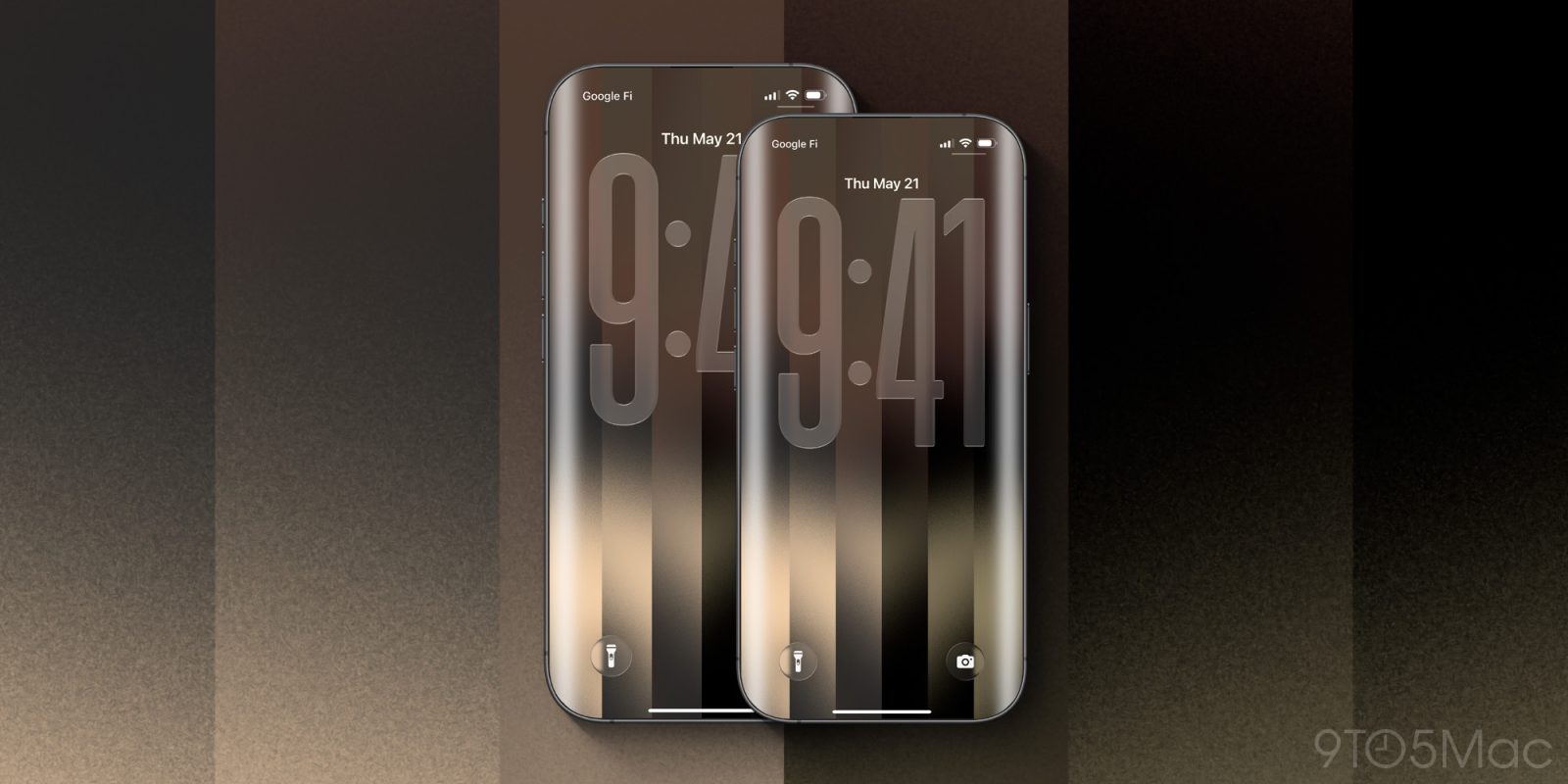
                <content type="html"><![CDATA[<p><img decoding="async" src="https://9to5mac.com/wp-content/uploads/sites/6/2026/05/iphone-19-pro-20-anniversary-max.jpg?quality=82&#038;strip=all&#038;w=1600" /></p>
<p class="wp-block-paragraph">Next year Apple is rumored to have a big redesign coming to the iPhone Pro models, and per a new leak, it may come with the loss of the Action button.</p>
<p> more…</p>
]]></content>
            </entry>
                        <entry>
                <title><![CDATA[Apple TV announces season three for ‘Knife Edge: Chasing Michelin Stars’]]></title>
                <link href="https://macdailynews.com/2026/11/06/apple-tv-announces-season-three-for-knife-edge-chasing-michelin-stars/" />
                <published>2026-11-06T16:00:05Z</published>
                <content type="html"><![CDATA[<p><img loading="lazy" decoding="async" data-recalc-dims="1" src="https://i0.wp.com/macdailynews.com/wp-content/uploads/2026/11/261106_knife_edge.png?resize=640%2C361&#038;ssl=1" alt="“Knife Edge: Chasing Michelin Stars” has been renewed for a third season on Apple TV." width="640" height="361" class="size-full wp-image-306369" />“Knife Edge: Chasing Michelin Stars” has been renewed for a third season on Apple TV.</p>
<p>Thursday, on the heels of the season two finale, Apple TV announced an eight-part third season for award-winning docuseries “Knife Edge: Chasing Michelin Stars,” hailing from world-famous chef, restaurateur, author and executive producer Gordon Ramsay (“Next Level Chef,” “Ramsay’s Kitchen Nightmares”) and Studio Ramsay Global. Hosted by Topjaw’s Jesse Burgess, “Knife Edge: Chasing Michelin Stars” explores the high-stakes world of international fine dining with exclusive access over the course of the yearlong Michelin Guide season, and follows the fates of elite chefs at some of the world’s most unique and celebrated restaurants to determine if they will win, maintain or lose that precious Star.</p>
<p>“I’m absolutely delighted that Apple TV audiences and chefs from all around the world have truly embraced ‘Knife Edge: Chasing Michelin Stars,’ becoming captivated by this incredible series that showcases the passion, sacrifice and teamwork that goes into delivering extraordinary plates of food, and the most perfect dining experiences at these very special restaurants, day after day. Taking viewers on the journey toward Michelin Stars is like climbing aboard an epic roller coaster. You’d better hold on tight, because it’s one hell of a ride!” said executive producer Gordon Ramsay in a statement.</p>
<p>“What I love most about making ‘Knife Edge’ is that, however much time I spend in restaurants around the world, I’m constantly surprised by the extraordinary people and stories we discover. Behind every restaurant is a very personal journey, and for the chefs we follow, a Michelin Star can represent years of sacrifice, obsession and an enormous amount of hard work. It’s a privilege to be able to tell these stories, and I’m absolutely thrilled that we get to do it all again for a third season,” said host Jesse Burgess in a statement.</p>
<p>“Knife Edge: Chasing Michelin Stars” has been hailed as “must-watch” “appointment TV” and a “fascinating” “culinary odyssey” offering audiences “a real look behind today’s top kitchens” in “one of the most comprehensive explorations of Michelin-Starred dining ever captured on film.” “A deeply personal portrait of passion and perseverance,” the “extraordinary” series captures host Jesse’s “signature warmth and curiosity” that helps “viewers understand not only what is being created on the plate, but what is at stake for these culinary teams,” as season two got fans “even closer to the people behind the restaurants.” The first season quickly achieved a perfect 100% critics’ score on Rotten Tomatoes, was nominated for Factual Entertainment at the 2026 BAFTA Television Awards and won Best Popular Factual Programme at the 2026 Broadcast Digital Awards. The first two seasons are now streaming globally on Apple TV.</p>
<p>The Michelin Star is the most prestigious and elusive culinary award in the world, recognizing the finest ingredients cooked to the highest possible standards. From attempting to gain their first Star, or striving to achieve a second or an elusive third Star, each chef faces a deeply personal challenge. The first two seasons of “Knife Edge: Chasing Michelin Stars” highlighted some of the most compelling restaurants on Earth, with the most recent season featuring Latin America’s first ever three-Star restaurant, Evvai; Gareth Ward’s otherworldly two-Star destination restaurant Ynyshir in rural Wales; and Troubadour, a sandwich shop that transforms into a fine dining one-Star destination by night in California. With exclusive, privileged access to the global Michelin awards and insider insight on what it takes to win, “Knife Edge: Chasing Michelin Stars” offers a chef’s-eye view on the road to recognition as chefs strive to earn a Star or risk losing one. After all, the rewards for culinary excellence are immense, and only the very best will secure their spot in Michelin Guide’s selection.</p>
<p>“Knife Edge: Chasing Michelin Stars” is produced for Apple TV by Studio Ramsay Global, a Fox Entertainment Company. Executive producers are Ramsay, Lisa Edwards, Lorraine Charker-Phillips and Jill Greenwood. James Callum is the series director.</p>
<p>Apple TV offers premium, compelling drama and comedy series, feature films, groundbreaking documentaries, and kids and family entertainment, and is available to watch across all of a user’s favorite screens. After its launch on November 1, 2019, Apple TV became the first all-original streaming service to launch around the world, and has premiered more original hits and received more award recognitions faster than any other streaming service in its debut. To date, Apple Original films, documentaries and series have been honored with 924 wins and 3,904 award nominations and counting, including multi-Emmy Award-winning and history-making comedies “Widow’s Bay,” “The Studio” and “Ted Lasso,” global cultural phenomenon “Severance,” Apple’s most-viewed drama “Pluribus,” Academy Award Best Picture winner “CODA” and Academy Award winner “F1,” the highest-grossing sports feature of all time.<br />
 ‎<br />
<span style="color: #ff0000">MacDailyNews Note: </span>Apple TV is available on the Apple TV app in over 100 countries and regions, on over 1 billion screens, including iPhone, iPad, Apple TV 4K, Apple Vision Pro, Mac, popular smart TVs from Samsung, LG, Sony, VIZIO, TCL and others, Roku and Amazon Fire TV devices, Chromecast with Google TV, PlayStation and Xbox gaming consoles, and at tv.apple.com, for $14.99 per month with a seven-day free trial for new subscribers. For a limited time, customers who purchase and activate a new iPhone, iPad, Apple TV 4K or Mac can enjoy three months of Apple TV for free.</p>
<p><img decoding="async" src="https://tools.applemediaservices.com/api/badges/watch-on-apple-tv/badge/en-us?size=250x83" alt="Watch on Apple TV" style="border-radius: 13px;width: 250px;height: 83px"></p>
<p>‎<br />
<span style="color: #ff0000">Please help support MacDailyNews — and enjoy subscriber-only articles, comments, chat, and more — by subscribing to our Substack</span>: macdailynews.substack.com. Thank you!</p>
<p>Support MacDailyNews at no extra cost to you by using this link to shop at Amazon.</p>
<p><span style="color: #ff0000">Like <img decoding="async" src="https://s.w.org/images/core/emoji/17.0.2/72x72/1f642.png" alt="🙂" class="wp-smiley" style="height: 1em;max-height: 1em" /> or dislike <img decoding="async" src="https://s.w.org/images/core/emoji/17.0.2/72x72/1f641.png" alt="🙁" class="wp-smiley" style="height: 1em;max-height: 1em" /> this post below!</span></p>
<p>The post Apple TV announces season three for &#8216;Knife Edge: Chasing Michelin Stars&#8217; appeared first on MacDailyNews.</p>
]]></content>
            </entry>
                        <entry>
                <title><![CDATA[iOS 27.2 adds Apple Photos invisible watermark feature, here’s how it works]]></title>
                <link href="https://9to5mac.com/2026/11/06/ios-27-2-adds-apple-photos-invisible-watermark-feature-heres-how-it-works/" />
                <published>2026-11-06T15:39:08Z</published>
                <content type="html"><![CDATA[<p><img decoding="async" src="https://9to5mac.com/wp-content/uploads/sites/6/2026/08/ios-27-photos-app-icon-fi-purple.jpg?quality=82&#038;strip=all&#038;w=1600" /></p>
<p class="wp-block-paragraph">iOS 27.2 arrived last week, and among its changes for Apple Photos, the update adds an invisible watermarking feature when you use certain editing tools. Here’s how it works.</p>
<p> more…</p>
]]></content>
            </entry>
                        <entry>
                <title><![CDATA[Today in Apple history: iTunes sales hit astonishing new heights]]></title>
                <link href="https://www.cultofmac.com/apple-history/itunes-on-windows-downloads-record" />
                <published>2026-11-06T15:36:39Z</published>
                <content type="html"><![CDATA[<p><img loading="lazy" decoding="async" width="780" height="439" src="https://www.cultofmac.com/wp-content/uploads/2025/11/iTunes-his-1.5-million-downloads-in-a-week-1440x810.jpg" class="attachment-large size-large wp-post-image" alt="Image from an iPod silhouette ad, part of the marketing campaign that boosted iTunes Music Store sales" style="margin-bottom: 15px" /></p>
<p>On November 6, 2003, Apple set a new record for digital music sales: 1.5 million downloads in one week, thanks to iTunes on Windows.</p>
<p>(via Cult of Mac &#8211; Your source for the latest Apple news, rumors, analysis, reviews, how-tos and deals.)</p>
]]></content>
            </entry>
                        <entry>
                <title><![CDATA[Apple says there are already over 100,000 apps built for iPhone Duo]]></title>
                <link href="https://9to5mac.com/2026/11/06/apple-says-there-are-already-over-100000-apps-built-for-iphone-duo/" />
                <published>2026-11-06T15:23:49Z</published>
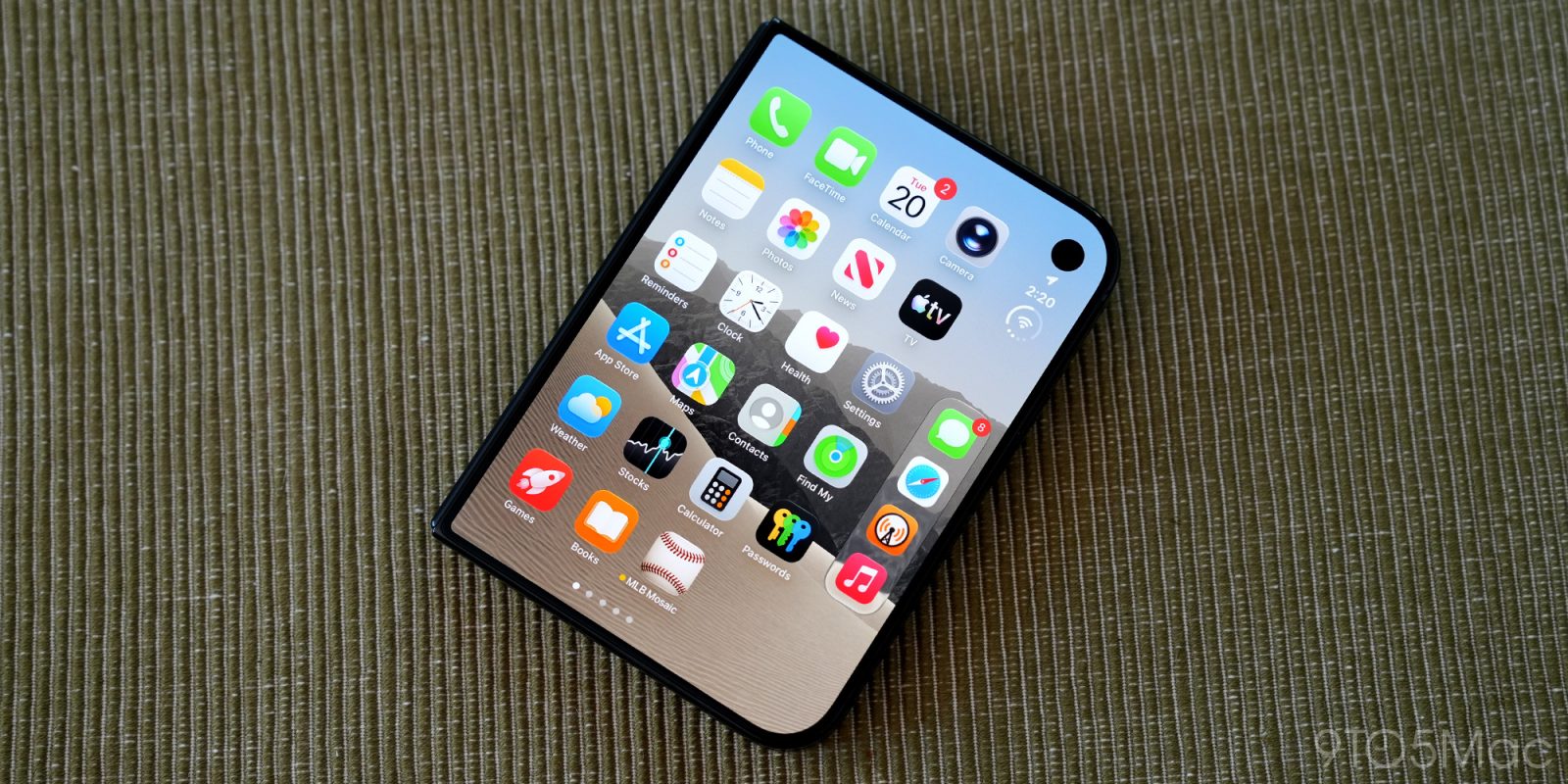
                <content type="html"><![CDATA[<p><img decoding="async" src="https://9to5mac.com/wp-content/uploads/sites/6/2026/10/iphone-duo-round-2-01.jpg?quality=82&#038;strip=all&#038;w=1600" /></p>
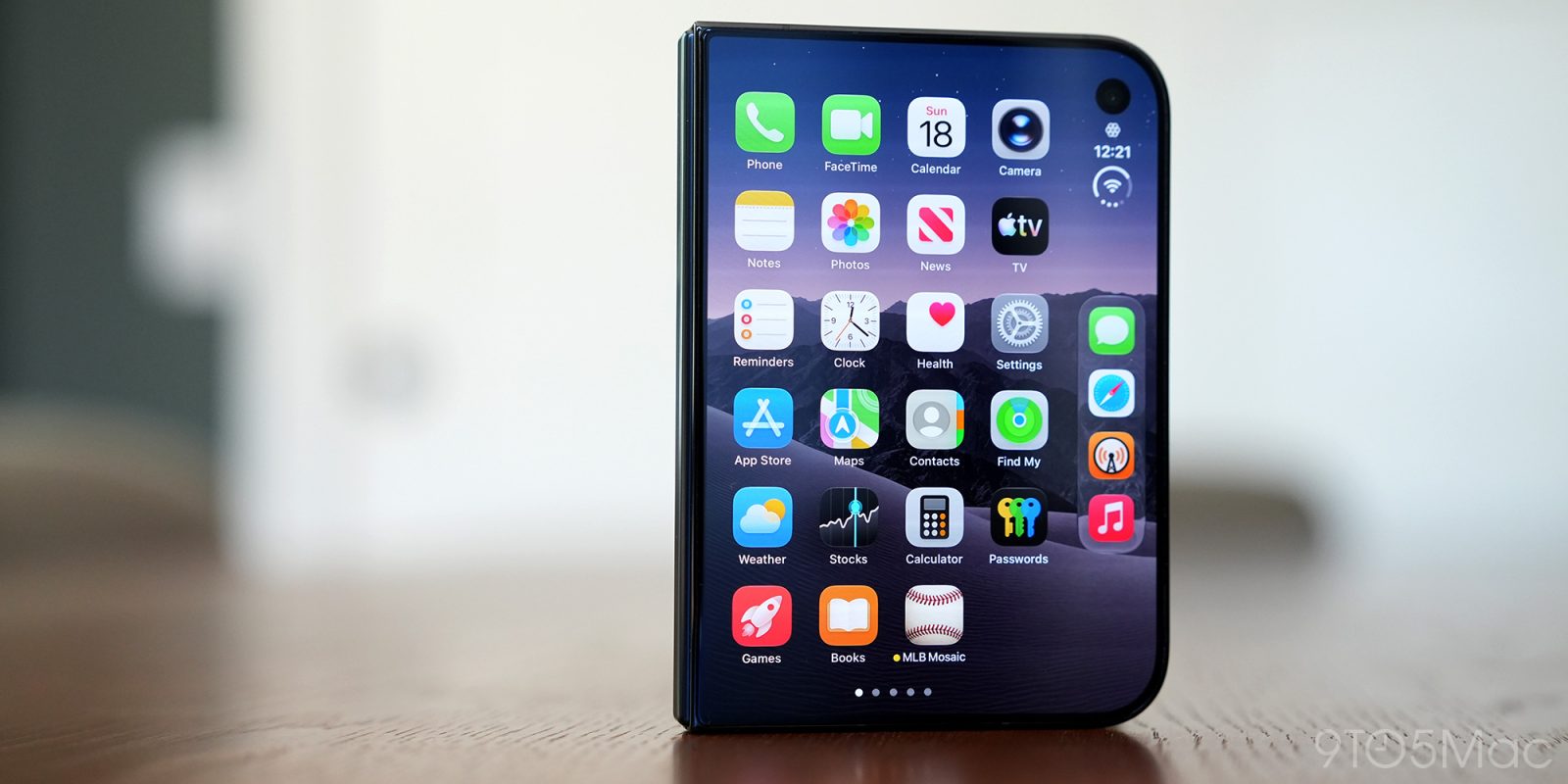
<p class="wp-block-paragraph">Apple released the iPhone Duo two weeks ago, and the app story is quickly taking shape. In a new statement to 9to5Mac, Apple has revealed that there are already “well over 100,000 apps” on the App Store designed for iPhone Duo, and thousands are being added each day. </p>
<p> more…</p>
]]></content>
            </entry>
                        <entry>
                <title><![CDATA[Apple Stores roll out holiday decorations to kick off the season]]></title>
                <link href="https://9to5mac.com/2026/11/06/apple-stores-roll-out-holiday-decorations-to-kick-off-the-season-2/" />
                <published>2026-11-06T15:10:52Z</published>
                <content type="html"><![CDATA[<p><img decoding="async" src="https://9to5mac.com/wp-content/uploads/sites/6/2022/12/Mac-accessories-holidays.jpg.webp?w=1600" /></p>
<p class="wp-block-paragraph">The holidays are coming, and Apple Stores around the world are rolling out decorations today to celebrate. Here’s a look at this year’s holiday decor.</p>
<p> more…</p>
]]></content>
            </entry>
                        <entry>
                <title><![CDATA[iPhone 20 range rumored to ditch Action Button]]></title>
                <link href="https://appleinsider.com/articles/26/11/06/iphone-20-range-rumored-to-ditch-action-button?utm_source=rss" />
                <published>2026-11-06T15:04:27Z</published>
                <content type="html"><![CDATA[<p>The Action Button may soon be dropped, but if you thought that would mean getting back the much-missed mute switch, think again.<img decoding="async" src="https://photos5.appleinsider.com/gallery/62693-130119-000-lede-Action-Button-xl.jpg" alt="A hand presses the button on the side of a silver smartphone, with camera lenses visible in the background." height="738"><span>The Action Button as introduced on the iPhone 15 Pro</span>Back in 2023, the Action Button began replacing the mute switch on ever iPhones, but that stopped with the launch of the iPhone Duo. Now prolific leaker Instant Digital claims that it&#8217;s about to be history.Writing on the Chinese social media site Weibo, they say (in translation) that &#8220;Apple&#8217;s Action button&#8230; will officially be phased out starting with new iPhone models in the second half of next year.&#8221; So presuming Apple sticks to its new split iPhone launch, that may mean that the 20th anniversary iPhone will be the first to lose it. Continue Reading on AppleInsider | Discuss on our Forums</p>
]]></content>
            </entry>
                        <entry>
                <title><![CDATA[Blockbuster U.S. jobs report shows 165,000 payrolls added in October as unemployment falls to 4.1%, supporting outlook for Apple and consumer spending]]></title>
                <link href="https://macdailynews.com/2026/11/06/blockbuster-u-s-jobs-report-shows-165000-payrolls-added-in-october-as-unemployment-falls-to-4-1-supporting-outlook-for-apple-and-consumer-spending/" />
                <published>2026-11-06T15:00:45Z</published>
                <content type="html"><![CDATA[<p><img loading="lazy" decoding="async" data-recalc-dims="1" src="https://i0.wp.com/macdailynews.com/wp-content/uploads/2026/05/260514_chart.png?resize=640%2C427&#038;ssl=1" alt="Apple price target" width="640" height="427" class="alignnone size-full wp-image-302008" /></p>
<p>The U.S. economy delivered a blockbuster jobs report for October, with nonfarm payrolls rising by 165,000 — more than double economists’ expectations of around 65,000 — while the unemployment rate edged down to 4.1% from 4.2%.⁠</p>
<p>The Labor Department’s Bureau of Labor Statistics released the figures Friday morning. September’s gain was revised sharply higher to 60,000 from an initially reported 29,000, and August was lifted by 53,000 to 186,000, for a combined upward revision of 84,000 jobs over the prior two months. The October increase was well above the average monthly gain of 48,000 over the prior year.⁠</p>
<p>Job gains were broad-based. Professional and business services led with 70,000 positions added (well above its recent average), followed by health care (+42,000), transportation and warehousing (+25,000), and manufacturing (+19,000). Private payrolls rose by about 159,000. Average hourly earnings increased 0.4% to $38.00, up 3.1% from a year earlier. The labor force participation rate ticked up to 61.9%.⁠</p>
<p>The resilient labor market, marked by historically low layoffs and a recent rise in job openings, gives the Federal Reserve additional room to prioritize inflation pressures linked to the Middle East conflict rather than employment concerns, according to Reuters. Economists noted the economy needs only roughly 40,000 jobs a month to keep pace with working-age population growth, given a smaller labor force.⁠</p>
<p>Upward revisions and sector breadth, including strength in professional services that often overlaps with tech, reinforce signs of American labor-market resilience. The next jobs report, for November, is scheduled for December 4th.<br />
 ‎<br />
<span style="color: #ff0000">MacDailyNews Take: </span>The blockbuster jobs report arrives against a backdrop of ongoing hiring at major technology companies. Apple, which recently posted a record September quarter under new CEO John Ternus with strong iPhone and Mac sales despite price increases, continues to post hundreds of open roles, particularly in engineering, machine learning, and product development. A tight labor market with solid wage growth also supports consumer spending power, a key driver for Apple’s hardware and services revenue, even as the company navigates elevated component costs such as memory chips.⁠</p>
<p>‎<br />
<span style="color: #ff0000">Please help support MacDailyNews — and enjoy subscriber-only articles, comments, chat, and more — by subscribing to our Substack</span>: macdailynews.substack.com. Thank you!</p>
<p>Support MacDailyNews at no extra cost to you by using this link to shop at Amazon.</p>
<p><span style="color: #ff0000">Like <img decoding="async" src="https://s.w.org/images/core/emoji/17.0.2/72x72/1f642.png" alt="🙂" class="wp-smiley" style="height: 1em;max-height: 1em" /> or dislike <img decoding="async" src="https://s.w.org/images/core/emoji/17.0.2/72x72/1f641.png" alt="🙁" class="wp-smiley" style="height: 1em;max-height: 1em" /> this post below!</span></p>
<p>The post Blockbuster U.S. jobs report shows 165,000 payrolls added in October as unemployment falls to 4.1%, supporting outlook for Apple and consumer spending appeared first on MacDailyNews.</p>
]]></content>
            </entry>
                        <entry>
                <title><![CDATA[Apple Watch Ultra 3 Milanese Loop plunges to $649 at Amazon]]></title>
                <link href="https://appleinsider.com/articles/26/11/06/apple-watch-ultra-3-milanese-loop-plunges-to-649-at-amazon?utm_source=rss" />
                <published>2026-11-06T14:54:14Z</published>
                <content type="html"><![CDATA[<p>Grab the Apple Watch Ultra 3 with a Milanese Loop band for $649, the lowest price on record at Amazon.<img decoding="async" src="https://media.appleinsider.com/gallery/69729-146977-blowout-apple-watch-ultra-deal-xl.jpg" alt="Smartwatch with metal mesh band on blue gradient background, featuring detailed digital watch face, alongside bold white text reading BLOWOUT DEAL 649"><span>Save $250 with Amazon&#8217;s blowout Apple Watch Ultra 3 deal &#8211; Image credit: Apple</span>Amazon has dropped the price of the Apple Watch Ultra 3 to $649, delivering a $250 early Black Friday discount off the $899 MSRP on Apple&#8217;s premium smartwatch. This is the lowest price on record for the last-gen Milanese Loop style in size Medium.Buy Apple Watch Ultra 3 for $649 Continue Reading on AppleInsider | Discuss on our Forums</p>
]]></content>
            </entry>
                        <entry>
                <title><![CDATA[Apple Store now offers extended holiday returns for all products]]></title>
                <link href="https://9to5mac.com/2026/11/06/apple-store-now-offers-extended-holiday-returns-for-all-products-2026/" />
                <published>2026-11-06T14:38:48Z</published>
                <content type="html"><![CDATA[<p><img decoding="async" src="https://9to5mac.com/wp-content/uploads/sites/6/2026/10/apple-store-austin-john-ternus-deidre-duo-launch.jpg?quality=82&#038;strip=all&#038;w=1600" /></p>
<p class="wp-block-paragraph">Apple has rolled out its holiday theming at the online Apple Store, and with it a new, extended return policy has just been put into place. Here are the details.</p>
<p> more…</p>
]]></content>
            </entry>
                        <entry>
                <title><![CDATA[Apple&#039;s incredible Q4, iOS 27.3 features, &#038; more iPhone Duo on the AppleInsider Podcast]]></title>
                <link href="https://appleinsider.com/articles/26/11/06/apples-incredible-q4-ios-273-features-more-iphone-duo-on-the-appleinsider-podcast?utm_source=rss" />
                <published>2026-11-06T14:26:21Z</published>
                <content type="html"><![CDATA[<p>Apple may never earn enough money to satisfy investors, regulations force more rules for iOS developers, and Audio Intelligence is a very controversial feature on the AppleInsider Podcast.<img decoding="async" src="https://media.appleinsider.com/gallery/69721-146970-IMG_5430-xl.jpg" alt="Man in a podcast studio smiling behind a microphone, holding a wide-eyed black cat close to his face, with colorful computer screen and shelves in the background"><span>Apple&#8217;s earnings and more on the AppleInsider Podcast</span>Another earnings call has come and gone, but this time it was CEO John Ternus at the helm. Sure, he read off prepared statements, but so has Tim Cook for every previous earnings call.Your hosts discuss just how much money Apple made, where it stands compared to its competitors, and what might be feeding into Apple&#8217;s high revenue and margins. It&#8217;s an incredible quarter that tops even the 2020 holiday quarter. Continue Reading on AppleInsider | Discuss on our Forums</p>
]]></content>
            </entry>
                        <entry>
                <title><![CDATA[Apple Store holiday return rules are in effect]]></title>
                <link href="https://appleinsider.com/articles/26/11/06/apple-store-holiday-return-rules-are-in-effect?utm_source=rss" />
                <published>2026-11-06T14:03:21Z</published>
                <content type="html"><![CDATA[<p>As it always does, in the run up to the holidays Apple has extended its return window. With some exceptions, buyers now have until early January 2027 to change their minds.<img decoding="async" src="https://media.appleinsider.com/gallery/69728-146976-000-lead-Apple-Store-xl.jpg" alt="Glass cube Apple Store entrance at dusk, glowing white Apple logo suspended inside, surrounded by tall modern city buildings and softly lit plaza walkway leading underground"><span>Apple Fifth Avenue &#8211; image credit: Apple</span>Apple does this every year, and each time the broad strokes are the same. From now until Christmas Day, most items can be returned until a date in early January.For this year, Apple has announced that the return date is January 8, 2027. It has also, though, detailed what is excluded from that: Continue Reading on AppleInsider | Discuss on our Forums</p>
]]></content>
            </entry>
                        <entry>
                <title><![CDATA[Apple’s MacBook Pro with PROLED XDR Display is an ‘astonishing, dazzling, stunning achievement’ – The Independent]]></title>
                <link href="https://macdailynews.com/2026/11/06/apples-macbook-pro-with-proled-xdr-display-is-an-astonishing-dazzling-stunning-achievement-the-independent/" />
                <published>2026-11-06T14:00:13Z</published>
                <content type="html"><![CDATA[<p><img loading="lazy" decoding="async" data-recalc-dims="1" src="https://i0.wp.com/macdailynews.com/wp-content/uploads/2026/10/261028_macbook_pro_touch_beauty.png?resize=640%2C392&#038;ssl=1" alt="Apple&#039;s groundbreaking MacBook Pro with PROLED XDR Display" width="640" height="392" class="size-full wp-image-306092" />Apple&#8217;s groundbreaking MacBook Pro with PROLED XDR Display</p>
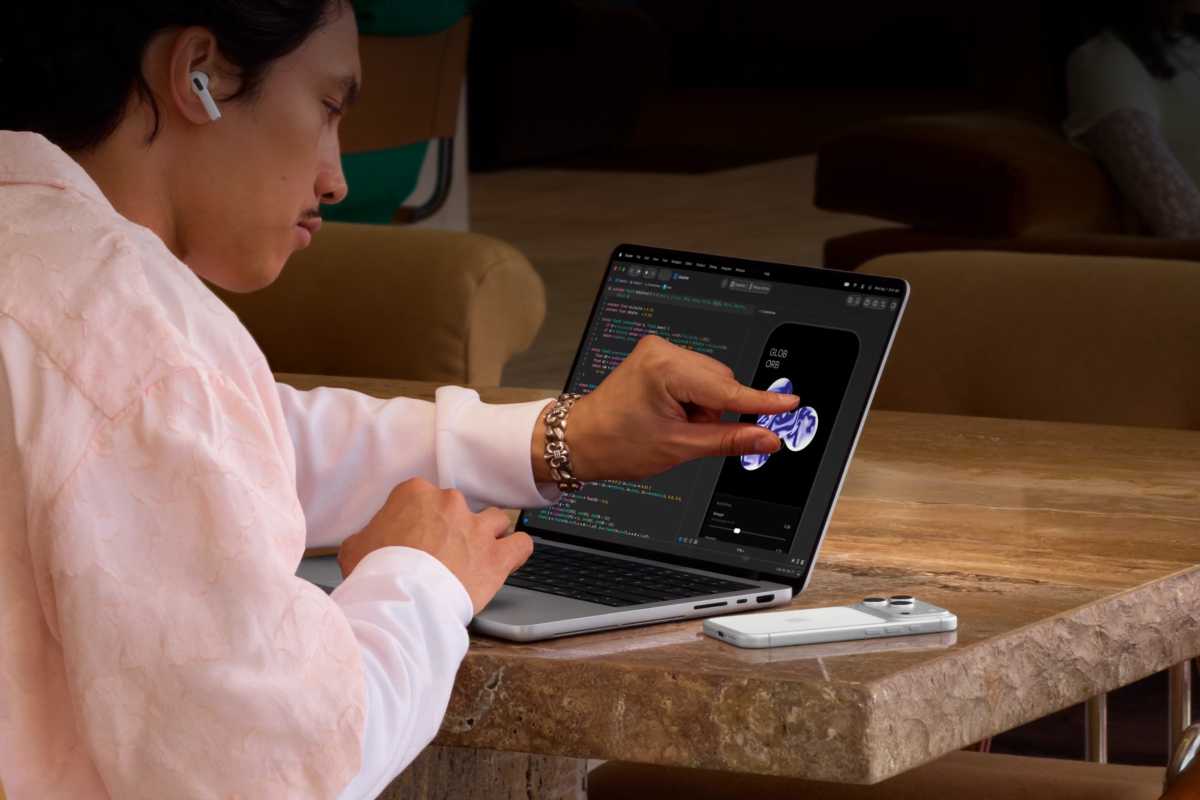
<p>After years of Apple (and Steve Jobs) insisting touchscreens were “ergonomically terrible” for laptops, the company has finally released its first touchscreen MacBook Pro—the PROLED XDR model. In this hands-on review, the biggest surprise isn’t the touch feature itself (useful but not transformative), but the dazzling tandem OLED display, lighter design, and other refinements that make Apple&#8217;s pro laptop a significant leap forward.</p>
<p>Andrew Griffin for The Independent:<br />
 ‎</p>
<p>
[U]sing a touchscreen Mac is not quite the transformative, dramatic change that anyone might have expected. And that it might not even be the most exciting thing about the new laptop, anyway…</p>
<p>For now, the touchscreen remains very much a secondary interface of the MacBook, and perhaps a secondary feature of the computer in general. That does not mean that it is not useful or delightful, only that I have come to think of it in the same way as you might any other kind of extra way of interacting with a computer, such as a music keyboard or drawing stylus: a great form of control that both makes existing things easier and adds whole new kinds of expression, but not the primary way of doing anything…</p>
<p>There’s a good reason that Apple doesn’t mention touch in the name of this computer, and that it largely downplayed the feature in contrast with the excited commentary that surrounded the launch of the device. It turns out that the screen is a delight – and would be more than enough to recommend the new MacBook Pro, even if you couldn’t touch it.</p>
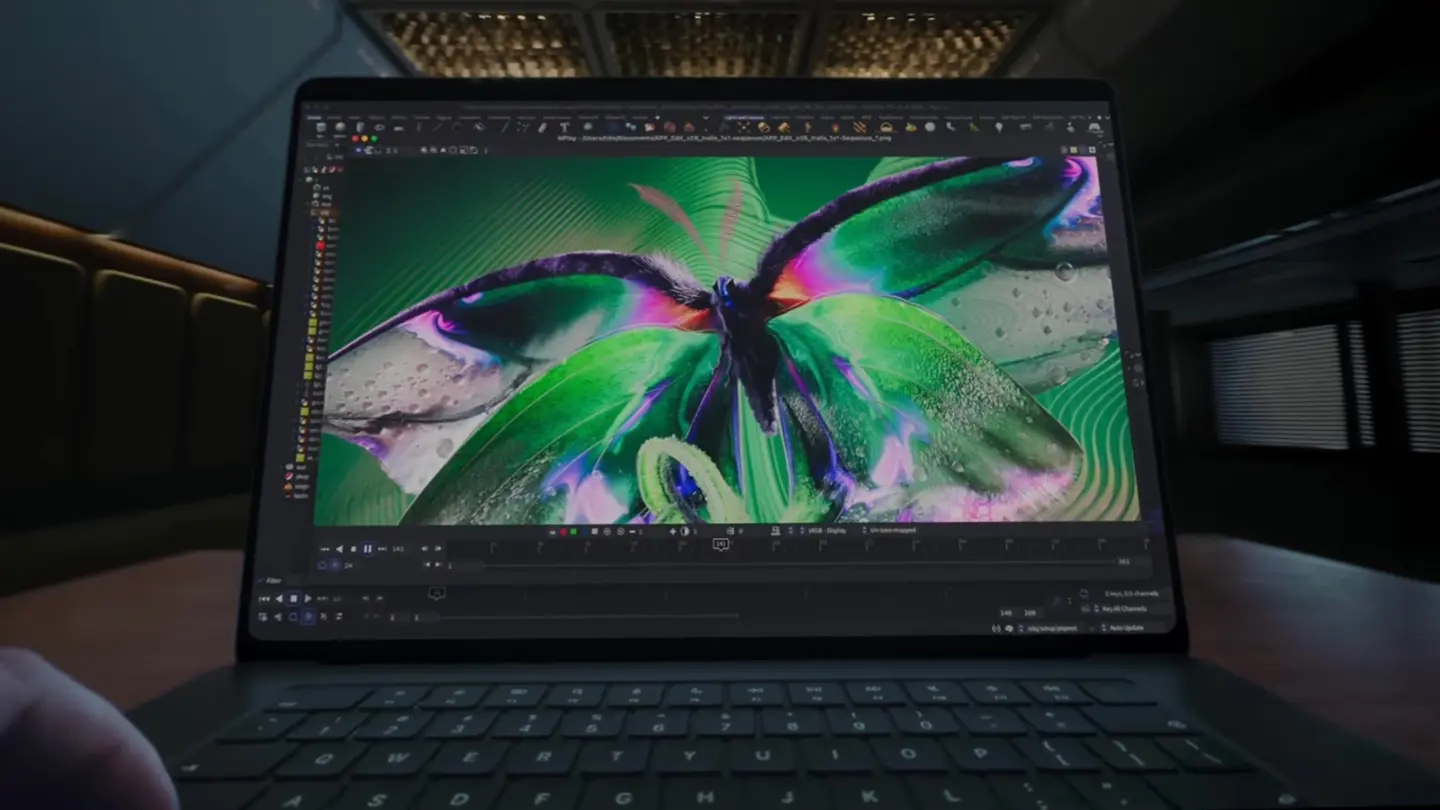
<p>Apple has not only introduced OLED to the line-up – itself exciting, given how much better those screens are – but used the technology to build the best laptop display I have ever seen. It is an astonishing, dazzling, stunning achievement, sometimes literally.</p>
<p>The luminosity of the display is such that it can, if you want it to, be a little too much: it shines while watching HDR content, and can sustain 2,000 nits of brightness, bringing pictures of the outdoors to life, for instance. It’s the first laptop I haven’t habitually cranked up to full brightness when working in the office, and having the additional light is not only useful for the detailed professional work that might require it but also a generally handy thing to have for working in light situations.</p>
<p>And it can go refreshingly dark, too, with a shocking 10 million to 1 contrast ratio that means that everything looks crisp and precise. Watching films or looking through photos is beautifully clear, allowing bright sections to shine and dark ones to be precisely black, with the two areas not interfering with each other at all.</p>
<p>Colour is also rich and vivid, adding to the feeling that you could happily fall through this computer and into a kind of technicolour wonder. That not only makes for vibrant experiences whatever kind of content you are looking at, but means that it is the first of Apple’s laptop displays that can be called reference-calibre, allowing it to be used in professional situations such as filmmaking, design and medical imaging.</p>
<p>Taken together, it makes Apple’s claims that the PROLED XDR is the “world’s best laptop display” feel a little humble. Of course it is: it’s a display so vivid, bright and crisp that it totally transforms the experience of using a laptop, suffusing it with a kind of rich delight that is hard to forget, or to come back from.
</p>
<p>‎<br />
<span style="color: #ff0000">MacDailyNews Take: </span>There&#8217;s tons more in Griffin&#8217;s full review &#8211; recommended &#8211; here.</p>
<p>‎<br />
<span style="color: #ff0000">Please help support MacDailyNews — and enjoy subscriber-only articles, comments, chat, and more — by subscribing to our Substack</span>: macdailynews.substack.com. Thank you!</p>
<p>Support MacDailyNews at no extra cost to you by using this link to shop at Amazon.</p>
<p><span style="color: #ff0000">Like <img decoding="async" src="https://s.w.org/images/core/emoji/17.0.2/72x72/1f642.png" alt="🙂" class="wp-smiley" style="height: 1em;max-height: 1em" /> or dislike <img decoding="async" src="https://s.w.org/images/core/emoji/17.0.2/72x72/1f641.png" alt="🙁" class="wp-smiley" style="height: 1em;max-height: 1em" /> this post below!</span></p>
<p>The post Apple&#8217;s MacBook Pro with PROLED XDR Display is an &#8216;astonishing, dazzling, stunning achievement&#8217; &#8211; The Independent appeared first on MacDailyNews.</p>
]]></content>
            </entry>
                        <entry>
                <title><![CDATA[iPhone users no longer have to wait in line for Siri AI]]></title>
                <link href="https://www.cultofmac.com/news/apple-drops-mandatory-siri-ai-waitlist-ios-27" />
                <published>2026-11-06T13:50:50Z</published>
                <content type="html"><![CDATA[<p><img loading="lazy" decoding="async" width="780" height="439" src="https://www.cultofmac.com/wp-content/uploads/2026/11/Siri-AI-1440x810.jpg.webp" class="attachment-large size-large wp-post-image" alt="A picture showing Apple&#039;s new Siri AI used in an article about the company now removing waitlist." style="margin-bottom: 15px" /></p>
<p>Apple drops the mandatory Siri AI waitlist in iOS 27, letting eligible iPhone users download the new assistant automatically unless demand spikes.</p>
<p>(via Cult of Mac &#8211; Your source for the latest Apple news, rumors, analysis, reviews, how-tos and deals.)</p>
]]></content>
            </entry>
                        <entry>
                <title><![CDATA[HomePod mini 2 review &#8211; Six years later, not enough reasons to upgrade yet]]></title>
                <link href="https://appleinsider.com/articles/26/11/06/homepod-mini-2-review---six-years-later-not-enough-reasons-to-upgrade-yet?utm_source=rss" />
                <published>2026-11-06T13:43:08Z</published>
                <content type="html"><![CDATA[<p>The $149 HomePod mini 2 sounds slightly better and offers expanded connectivity, but neither improvement gives existing owners a compelling reason to upgrade.<img decoding="async" src="https://media.appleinsider.com/gallery/69616-146942-IMG_0308-xl.jpg" alt="Two small spherical smart speakers, one black and one white, sit side by side on a rustic wooden surface against a light wall with dark metal supports in the background"><span>Right &#8211; HomePod mini 2. Left &#8211; HomePod mini 1</span>Six years after the original HomePod mini arrived, Apple&#8217;s second-generation speaker brings more than a faster processor. New Mac audio capabilities, four-speaker surround sound for Apple TV 4K, and upgraded wireless hardware expand what the compact speaker can do beyond playing music.The HomePod mini 2 launched on October 30, 2026, without Siri AI, one of its most anticipated features. Until Apple delivers that update, the newer model makes a stronger case for first-time buyers and people expanding their setups than for anyone replacing a perfectly good original.SpecificationHomePod mini (2020)HomePod mini 2 (2026)Launch price$99$149ProcessorApple S5Apple S10Audio hardwareFull-range driver, two passive radiatorsFull-range driver, two passive radiatorsComputational audioReal-time tuningAdvanced real-time tuningMicrophonesFourThreeWi-FiWi-Fi 4Wi-Fi 6EBluetoothBluetooth 5.0Bluetooth 6SiriStandard SiriStandard Siri, Siri AI coming laterMac audioStandard AirPlayPersistent connection with compatible MacsApple TV surroundStandard playback and stereo pairingFour-speaker surround with fourth-generation Apple TV 4KStereo pairingTwo original minisTwo mini 2 speakersSound GlowSupported with software 27.2SupportedSmart homeApple Home hub, Thread, temperature and humidity sensorsApple Home hub, Thread, temperature and humidity sensorsUltra WidebandYesYesDimensions3.3 x 3.9 inches3.3 x 3.9 inchesWeight0.76 pound0.74 poundColorsWhite, blue, orange, yellow, midnightWhite, blue, pink, green, midnight Continue Reading on AppleInsider | Discuss on our Forums</p>
]]></content>
            </entry>
                        <entry>
                <title><![CDATA[New Apple Music Classical update matches wider Music rebrand]]></title>
                <link href="https://appleinsider.com/articles/26/11/06/new-apple-music-classical-update-matches-wider-music-rebrand?utm_source=rss" />
                <published>2026-11-06T13:35:54Z</published>
                <content type="html"><![CDATA[<p>Apple has continued its Apple Music rebrand, bringing a new black-and-white icon and revamped user interface to its Apple Music Classical app for iPhone and iPad.<img decoding="async" src="https://media.appleinsider.com/gallery/69727-146973-music-classical-icon-xl.jpg" alt="Foldable smartphone with a blurred home screen, app icons along the right edge, two music folder icons at the top left, and a gradient yellow to blue background behind the device"><span>The Apple Music Classical app now matches the wider Music rebrand</span>The new update follows a larger rebrand that has removed the familiar red coloring from Apple Music&#8217;s icon and marketing materials. It also used the new design identity when unveiling Apple Music Hall in Battersea, London.Alongside the removal of red as a base color, the new look includes blue accents throughout. This even extends to the use of blue links rather than the traditional red ones that users are more accustomed to. Continue Reading on AppleInsider | Discuss on our Forums</p>
]]></content>
            </entry>
                        <entry>
                <title><![CDATA[Amazon slashes 1TB M5 MacBook Air to $1,349 with early Black Friday deal]]></title>
                <link href="https://appleinsider.com/articles/26/11/06/amazon-slashes-1tb-m5-macbook-air-to-1349-with-early-black-friday-deal?utm_source=rss" />
                <published>2026-11-06T13:34:53Z</published>
                <content type="html"><![CDATA[<p>Amazon continues to drop prices on Macs, with today&#8217;s highlight being a $250 price drop on the 1TB 13-inch and 15-inch MacBook Air M5.<img decoding="async" src="https://media.appleinsider.com/gallery/69725-146972-macbook-air-m5-1tb-deals-xl.jpg" alt="Open MacBook Air laptop with blue abstract screen pattern on a colorful gradient background, large white text across the screen reading M5 1TB DEALS"><span>Save $250 on M5 MacBook Air 1TB ahead of Black Friday &#8211; Image credit: Apple</span>Today we&#8217;re following a deep discount on Apple&#8217;s current 13-inch MacBook Air with the 10-core GPU M5 chip. This configuration has 16GB of unified memory and an upgrade to 1TB of storage, providing extra space for files and apps.Amazon&#8217;s M5 MacBook Air deals deliver up to $250 off, including this 13-inch model with a 10-core GPU, 16GB of memory, and an upgraded 1TB SSD. Continue Reading on AppleInsider | Discuss on our Forums</p>
]]></content>
            </entry>
                        <entry>
                <title><![CDATA[Apple&#039;s bond sale is now confirmed at $7.5 billion]]></title>
                <link href="https://appleinsider.com/articles/26/11/06/apples-bond-sale-is-now-confirmed-at-75-billion?utm_source=rss" />
                <published>2026-11-06T13:18:57Z</published>
                <content type="html"><![CDATA[<p>Details of Apple&#8217;s expected bond sale have now been confirmed in SEC filings, which show the company aims to raise a slightly higher than expected $7.5 billion.<img decoding="async" src="https://media.appleinsider.com/gallery/69726-146971-000-lead-Apple-Park-xl.jpg" alt="Aerial view of a giant circular office complex surrounded by trees and lawns, with buildings and roads around it, resembling a futuristic ring-shaped campus in a city neighborhood"><span>Apple Park &#8211; image credit Apple.</span>It had been reported that Apple was aiming to raise around $7 billion through this bond offering, which is the sale of debt. That report was based on a preliminary filing with the SEC, but now the final pricing term sheet has been published.This filing confirms that Apple plans to issue bonds in seven series that would mature between 2028 and 2036: Continue Reading on AppleInsider | Discuss on our Forums</p>
]]></content>
            </entry>
                        <entry>
                <title><![CDATA[Apple’s OLED MacBook Pro and three more products hit stores]]></title>
                <link href="https://www.cultofmac.com/news/apples-oled-macbook-pro-four-more-products-hit-stores" />
                <published>2026-11-06T13:16:54Z</published>
                <content type="html"><![CDATA[<p><img loading="lazy" decoding="async" width="780" height="439" src="https://www.cultofmac.com/wp-content/uploads/2026/11/ipad-macbook-pro-imac-sale-1440x810.jpg.webp" class="attachment-large size-large wp-post-image" alt="MacBook Pro, iMac and OLED iPad Mini go on sale." style="margin-bottom: 15px" /></p>
<p>Apple&#8217;s busiest launch day of the year brings two new MacBook Pro lines — one with a touchscreen, an M6 iMac and an OLED iPad mini with a lighter design.</p>
<p>(via Cult of Mac &#8211; Your source for the latest Apple news, rumors, analysis, reviews, how-tos and deals.)</p>
]]></content>
            </entry>
                        <entry>
                <title><![CDATA[Twelve South’s new Cablesnap charger has a built-in retractable USB-C cable]]></title>
                <link href="https://9to5mac.com/2026/11/06/twelve-south-retractable-usb-c-charger/" />
                <published>2026-11-06T13:10:14Z</published>
                <content type="html"><![CDATA[<p><img decoding="async" src="https://9to5mac.com/wp-content/uploads/sites/6/2026/11/Twelve-South-Cablesnap-Retractable-USB-C-Travel-Charger-2026.jpg.webp?w=1500" /></p>
<p class="wp-block-paragraph">Popular Apple accessory maker Twelve South is launching a new retractable Cablesnap 65W travel charger this week. It has a built-in USB-C cable, alongside an additional USB-C port and USB-A port.</p>
<p class="wp-block-paragraph">You can order the new Cablesnap 65W on Amazon today for $49.99.</p>
<p> more…</p>
]]></content>
            </entry>
                        <entry>
                <title><![CDATA[Democrat orders Apple to disclose details of Trump ballroom donation]]></title>
                <link href="https://appleinsider.com/articles/26/11/06/democrat-orders-apple-to-disclose-details-of-trump-ballroom-donation?utm_source=rss" />
                <published>2026-11-06T12:42:14Z</published>
                <content type="html"><![CDATA[<p>Tech companies including Apple have been told to turn over documentation regarding donations to the Trump ballroom, and threatened with subpoenas if they do not.<img decoding="async" src="https://photos5.appleinsider.com/gallery/64642-134691-Cook-Trump-shake-xl.jpg" alt="Two men in suits shake hands in an official setting, with flags and a painting in the background." height="738"><span>Apple&#8217;s Tim Cook and President Donald Trump</span>It&#8217;s previously been reported that Apple donated $25 million to Trump&#8217;s planned ballroom at the White House. Now following the midterms, such donations will be examined by the Permanent Subcommittee on Investigations under its new Democrat leader, Senator Richard Blumenthal.According to Reuters, the senator called on Amazon, Apple, Google, Meta, Microsoft, Nvidia and others to turn over their records. Right now this is voluntary, but when Blumenthal takes the leadership position in January 2027, the firms will likely be compelled under subpoena. Continue Reading on AppleInsider | Discuss on our Forums</p>
]]></content>
            </entry>
                        <entry>
                <title><![CDATA[How to dim or turn off the glowing Apple logo on the new MacBook Pro]]></title>
                <link href="https://appleinsider.com/inside/macbook-pro/tips/how-to-dim-or-turn-off-the-glowing-apple-logo-on-the-new-macbook-pro?utm_source=rss" />
                <published>2026-11-06T12:23:52Z</published>
                <content type="html"><![CDATA[<p>Apple has returned the glowing white Apple logo to the lid of the new MacBook Pro with PROLED XDR. It&#8217;s not in Settings, but there&#8217;s a way to turn it off.<img decoding="async" src="https://media.appleinsider.com/gallery/69583-146657-8888-Logo-xl.jpg" alt="Row of sleek Apple desktop computers glowing in a dim room, with two casually dressed people standing nearby and looking away from the screens"><span>Why wouldn&#8217;t you want this glowing Apple logo back? &#8211; image credit: Rich DeMur0.</span>You just can&#8217;t please people. For ten years we&#8217;ve been denied the once famous glowing logo and as soon as we get it back, there are complaints.There are people who want the newest iPhones to come in distinctive colors just so that everyone knows they&#8217;ve got the latest one. So you&#8217;d think there&#8217;d also be people who&#8217;d want you to know they&#8217;ve got — and could afford — the new MacBook Pro. Continue Reading on AppleInsider | Discuss on our Forums</p>
]]></content>
            </entry>
                        <entry>
                <title><![CDATA[Apple confirms $7.5 billion bond sale following strong investor demand]]></title>
                <link href="https://9to5mac.com/2026/11/06/apple-confirms-7-5-billion-bond-sale-following-strong-investor-demand/" />
                <published>2026-11-06T12:15:06Z</published>
                <content type="html"><![CDATA[<p><img decoding="async" src="https://9to5mac.com/wp-content/uploads/sites/6/2025/11/Apple-generates-2.4-million-per-employee-but-is-only-third-in-the-ranking.jpg?quality=82&#038;strip=all&#038;w=1600" /></p>
<p class="wp-block-paragraph">Following yesterday’s report that Apple was preparing to raise approximately $7 billion through a bond offering, the company has now finalized terms with the SEC, confirming a slightly larger amount. Here are the details.</p>
<p> more…</p>
]]></content>
            </entry>
                        <entry>
                <title><![CDATA[Siri AI waitlist is (mostly) a thing of the past]]></title>
                <link href="https://appleinsider.com/articles/26/11/06/siri-ai-waitlist-is-mostly-a-thing-of-the-past?utm_source=rss" />
                <published>2026-11-06T11:58:26Z</published>
                <content type="html"><![CDATA[<p>Since the Siri AI launch in beta, Apple has gated it behind a waitlist. In an update to a support document, Apple now says that that waitlist will only be in place in periods of high demand, and wait times may vary. We tested it on Friday morning, and true enough, instant access.<img decoding="async" src="https://photos5.appleinsider.com/gallery/68145-143632-000-lead-Siri-AI-Wrong-xl.jpg" alt=""> Continue Reading on AppleInsider | Discuss on our Forums</p>
]]></content>
            </entry>
                        <entry>
                <title><![CDATA[From Mac Portable to PROLED MacBook Pro: 35 years of mobile Macs]]></title>
                <link href="https://appleinsider.com/articles/26/11/06/from-mac-portable-to-proled-macbook-pro-35-years-of-mobile-macs?utm_source=rss" />
                <published>2026-11-06T11:51:31Z</published>
                <content type="html"><![CDATA[<p>Apple&#8217;s road to its iconic MacBook was bumpy, and saw oversized portables, colorful clamshells, keyboard issues, and spanned three entirely different chip architectures. Here&#8217;s a snapshot of 35 years of true Apple portables.<img decoding="async" src="https://media.appleinsider.com/gallery/68255-146823-macbookhistoryhead-xl.jpg" alt="Four Apple laptops from different eras arranged side by side, progressing from an old thick gray model to a modern thin MacBook with a bright red, orange, and blue gradient screen"><span>MacBook History</span>Apple&#8217;s no slouch when it comes to giving its customers choices. Currently, Apple sells the Mac mini, Mac Studio, iMac, MacBook Neo, MacBook Air, and MacBook Pro.Depending on when you got into Macs, your iconic machine is either Jobs&#8217; original vision, the iMac G3, or more recently, a MacBook of some sort. Continue Reading on AppleInsider | Discuss on our Forums</p>
]]></content>
            </entry>
                        <entry>
                <title><![CDATA[Apple&#039;s first deliveries offer a closer look at new iPad mini, MacBook Pros, and iMac]]></title>
                <link href="https://appleinsider.com/articles/26/11/06/apples-first-deliveries-offer-a-closer-look-at-new-ipad-mini-macbook-pros-and-imac?utm_source=rss" />
                <published>2026-11-06T11:39:31Z</published>
                <content type="html"><![CDATA[<p>Apple announced several new products in late October, and now they&#8217;re finally showing up at customers&#8217; doorsteps worldwide.On October 26, Apple announced the all-new iPad mini. Now, it comes equipped with the A20 Pro and an OLED display.One day later, Apple announced the upgraded M6 iMac, which served as the lineup&#8217;s first update since 2024.On the same day, Apple announced the MacBook Pro with PROLED XDR Display. While it&#8217;s essentially a M5 MacBook Pro, it comes with the added benefit of a touchscreen, should you be in the market.Apple also announced the M6 MacBook Pro lineup. This ultra-capable device is outfitted with Apple&#8217;s latest Silicon chips. Continue Reading on AppleInsider | Discuss on our Forums</p>
]]></content>
            </entry>
                        <entry>
                <title><![CDATA[The touchscreen MacBook Pro only makes me miss the Touch Bar]]></title>
                <link href="https://www.macworld.com/article/3275928/the-touchscreen-macbook-pro-only-makes-me-miss-the-touch-bar.html" />
                <published>2026-11-06T11:30:00Z</published>
                <content type="html"><![CDATA[<p>Macworld</p>
<p class="wp-block-paragraph">After years of rumors and speculation, Apple has finally begin shipping its first MacBook with a touchscreen. But while this may sound like a dream come true for some users, others are still trying to figure out whether this change actually makes sense. After all, the move appears to contradict principles laid down in 2010 by no less a commentator than Steve Jobs.</p>
<p class="wp-block-paragraph">I’m not entirely against the idea of touchscreen Macs. There are a lot of touchscreen Windows laptops out there, and plenty of use cases to suit them. It’s just that Apple’s implementation doesn’t seem particularly effective. The touchscreen doesn’t seem to add anything new to the user experience, or to the rest of the market. In fact, the more I look at the new MacBook Pro and its marquee feature, the more I find myself missing something else: the Touch Bar.</p>
<p>The Touch Bar was misunderstood</p>
<p class="wp-block-paragraph">The Touch Bar was an OLED strip that sat above the keyboard on MacBooks a few years ago. It replaced the classic function keys with virtual buttons that changed depending on what was on the screen; each app had its own controls. The idea seemed too good to be true when it was announced, and I was really excited about it.</p>
<p class="wp-block-paragraph">Apple itself seemed to lose interest in the Touch Bar after a while and stopped adding new features. Not only that, but the Touch Bar never made its way to any Mac other than the MacBook Pro: not the MacBook Air, or Apple’s wireless keyboard for its desktops. The reality is that users didn’t have many reasons to like or prefer the Touch Bar over conventional function keys. At least physical function keys were easier to hit without looking. Perhaps it was for this reason that Apple brought back the physical Esc key on later MacBook Pro models, before finally getting rid of the Touch Bar for good.</p>
<p class="wp-block-paragraph">But the Touch Bar also had its good side, like being able to adjust the MacBook’s brightness or volume with just a swipe. It was also handy to have quick controls for picking emojis or scrolling through the Final Cut Pro editing timeline. None of these features were really a must-have, but they made the Mac experience a little bit nicer. And crucially, they were accessible in a place that was easy to reach.</p>
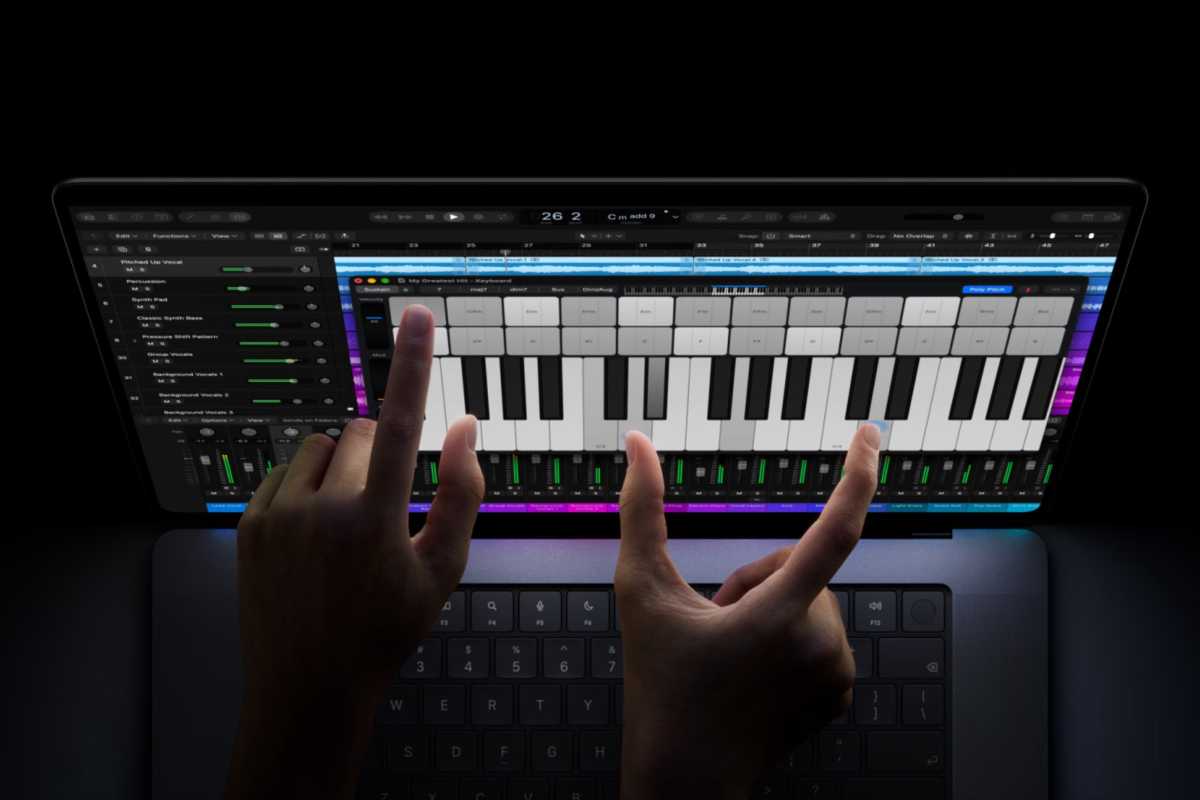
<p class="wp-block-paragraph">By contrast, Apple’s examples of how owners should use the new MacBook Pro’s touchscreen seem awkward and uncomfortable. When you use a conventional laptop, your hands sit on the keyboard and the palm rest most of the time. You don’t have to lift your arm to move the cursor and click buttons. Constantly lifting your arm to touch a screen facing you vertically seems unergonomic and tiring.</p>
<p><img decoding="async" loading="lazy" data-wp-class--hide="state.isContentHidden" data-wp-class--show="state.isContentVisible" data-wp-init="callbacks.setButtonStyles" data-wp-on-async--click="actions.showLightbox" data-wp-on-async--load="callbacks.setButtonStyles" data-wp-on-async-window--resize="callbacks.setButtonStyles" src="https://b2c-contenthub.com/wp-content/uploads/2026/11/MacBook-Pro-touch-piano.jpg?quality=50&amp;strip=all&amp;w=1200" alt="MacBook Pro touch piano" class="wp-image-3275987" width="1200" height="800" /></p>
<p>			There’s a reason why piano keys lie on a horizontal plane.</p>
<p class="imageCredit">Apple</p>
<p>How does a touchscreen help the Mac?</p>
<p class="wp-block-paragraph">One of the things that bothers me most about the new MacBook Pro is that Apple seems to be trying too hard to convince us that touching a laptop screen is something we’ve been missing. Apple showed some examples of how people can use the new touchscreen, like playing a virtual piano. I’m sure this is a fun way to show off what the new hardware can do, but in reality the average user is unlikely to do this often, if ever.</p>
<p class="wp-block-paragraph">There’s a reason why the iPad works so well as a touchscreen device. You can hold it in your hands, place it flat on a table, or adjust the screen angle depending on what you’re doing. A MacBook, on the other hand, is still designed primarily around a keyboard and trackpad. There are laptops designed for touch, with screens that can be tilted at steeper angles or even flipped over so you can use them like a tablet. That’s not the case with the new MacBook Pro.</p>
<p class="wp-block-paragraph">Apple is rarely the first to introduce new technologies, but it usually takes its time to get them right. We saw this with the iPhone Duo: it isn’t the first foldable phone, but it solved problems that stumped rival companies. That’s not the case with the touchscreen on the MacBook Pro. It feels like Apple added the feature just for the sake of it. The new MacBook Pro is essentially the same laptop with the same user experience, but now you can touch the screen.</p>
<p><img decoding="async" loading="lazy" data-wp-class--hide="state.isContentHidden" data-wp-class--show="state.isContentVisible" data-wp-init="callbacks.setButtonStyles" data-wp-on-async--click="actions.showLightbox" data-wp-on-async--load="callbacks.setButtonStyles" data-wp-on-async-window--resize="callbacks.setButtonStyles" src="https://b2c-contenthub.com/wp-content/uploads/2026/11/MacBook-Pro-touch-2.jpg?quality=50&amp;strip=all&amp;w=1200" alt="MacBook Pro touch 2" class="wp-image-3277009" width="1200" height="800" /></p>
<p>			What a natural and comfortable way of working!</p>
<p class="imageCredit">Apple</p>
<p>Ahead of its time</p>
<p class="wp-block-paragraph">That brings me back to the Touch Bar. It wasn’t perfect, but it was an idea that made more sense than the current implementation of a touchscreen on a MacBook. We had something to touch that was right at our fingertips. Perhaps it would have been successful if more apps had supported it, or if Apple had figured out how to combine it with traditional function keys for those who need them.</p>
<p class="wp-block-paragraph">It’s hard to argue in favor of the Touch Bar when Apple killed it because most users weren’t interested. Still, to me it seems like a good idea that was poorly executed, or something that was ahead of its time. It was nice to see Apple trying to bring touch to the Mac in a unique way that only Apple could do. </p>
<p class="wp-block-paragraph">When we heard rumors about touchscreens finally coming to the Mac, I hoped for a thoughtful execution of a long-requested feature. I wanted Apple to do more than just let users touch the screens of the MacBooks we already had. But based on the latest MacBook Pro, I have to say I’m a little disappointed.</p>
]]></content>
            </entry>
                        <entry>
                <title><![CDATA[Use GPT, Claude, and Gemini on your Mac for life for $69.97]]></title>
                <link href="https://www.macworld.com/article/3278037/use-gpt-claude-and-gemini-on-your-mac-for-life-for-69-97.html" />
                <published>2026-11-06T08:00:00Z</published>
                <content type="html"><![CDATA[<p>Macworld</p>
<p class="wp-block-paragraph">TL;DR: Replace your separate AI writing, image, and audio apps with a 1min.AI lifetime subscription for $69.97 (reg. $540).</p>
<p class="wp-block-paragraph">Writing, image editing, and voiceovers each tend to need their own AI app with their own monthly bill. Mac users who make content often pay for three or four of them at once. You can avoid that with 1min.AI, an all-in-one AI app for macOS, and its Advanced Business Plan lifetime subscription drops to $69.97 (reg. $540).</p>
<p class="wp-block-paragraph">For images, you can generate new pictures, upscale old ones, remove backgrounds or stray objects, and turn a rough sketch into a finished image. Writing help includes a rewriter, expander, shortener, and summarizer. In the chat window, you choose between GPT-5.5 Pro, Claude 4.6 Sonnet, Gemini 3.1 Pro, and other models. Audio and video tools are in the same app, with text-to-speech, voice cloning, a caption generator, and YouTube summaries.</p>
<p class="wp-block-paragraph">Every month, you’ll get 4 million credits, enough for about 1,186 images or 1.1 million words. Visiting the web app each day adds 15,000 bonus credits, up to 450,000 a month on top of that. Up to 20 people can share one account, and 1min.AI also runs on iPhone and iPad for edits away from your desk. AI drafts still need a human edit, so plan to review what it makes before you publish it.</p>
<p class="wp-block-paragraph">Write, design, and record with AI from one Mac app.</p>
<p class="wp-block-paragraph">Get a 1min.AI Advanced Business Plan lifetime subscription on sale for $69.97.</p>
<p class="wp-block-paragraph">Offer ends November 8.</p>
<p><img decoding="async" width="400px" loading="lazy" data-wp-class--hide="state.isContentHidden" data-wp-class--show="state.isContentVisible" data-wp-init="callbacks.setButtonStyles" data-wp-on-async--click="actions.showLightbox" data-wp-on-async--load="callbacks.setButtonStyles" data-wp-on-async-window--resize="callbacks.setButtonStyles" src="https://cdnp1.stackassets.com/34ff06bcb6fbe25497635be21cf264ff1783fa53/store/eceff7fb0588ab19cc3ae67e3194563fa0f9eb407526755610d88ea901cc/sale_326640_primary_image.jpg" alt="" /></p>
<p class="wp-block-paragraph">1min.AI Advanced Business Plan Lifetime SubscriptionSee Deal</p>
<p class="wp-block-paragraph">StackSocial prices subject to change.</p>
]]></content>
            </entry>
                        <entry>
                <title><![CDATA[‘Awkwafina: The Unlikely Cook’ premieres on Apple TV]]></title>
                <link href="https://9to5mac.com/2026/11/05/awkwafina-the-unlikely-cook-premieres-on-apple-tv/" />
                <published>2026-11-06T02:10:07Z</published>
                <content type="html"><![CDATA[<p><img decoding="async" src="https://9to5mac.com/wp-content/uploads/sites/6/2026/11/awkwafina.jpg?quality=82&#038;strip=all&#038;w=1600" /></p>
<p class="wp-block-paragraph">Apple TV subscribers can now stream the first two episodes of the platform’s new unscripted food series, ‘Awkwafina: The Unlikely Cook.’ Watch the trailer below.</p>
<p> more…</p>
]]></content>
            </entry>
                        <entry>
                <title><![CDATA[Apple explains how to turn off the new MacBook Pro’s glowing logo]]></title>
                <link href="https://9to5mac.com/2026/11/05/apple-explains-how-to-turn-off-the-new-macbook-pros-glowing-logo/" />
                <published>2026-11-06T01:48:42Z</published>
                <content type="html"><![CDATA[<p><img decoding="async" src="https://9to5mac.com/wp-content/uploads/sites/6/2026/11/macbook-pro-proled-xdr-touch-07.jpg?quality=82&#038;strip=all&#038;w=1600" /></p>
<p class="wp-block-paragraph">While the illuminated Apple logo on the new MacBook Pro drew one of the biggest cheers during last week’s announcement, Apple knows that not everyone will want to keep it on. Here’s the company’s official guide to turning it off.</p>
<p> more…</p>
]]></content>
            </entry>
                        <entry>
                <title><![CDATA[WhatsApp’s AI-powered photo expansion tool starts rolling out on iOS]]></title>
                <link href="https://9to5mac.com/2026/11/05/whatsapps-ai-powered-photo-expansion-tool-starts-rolling-out-on-ios/" />
                <published>2026-11-06T01:24:45Z</published>
                <content type="html"><![CDATA[<p><img decoding="async" src="https://9to5mac.com/wp-content/uploads/sites/6/2026/10/whatsapp-03.jpg?quality=82&#038;strip=all&#038;w=1600" /></p>
<p class="wp-block-paragraph">Select WhatsApp users on TestFlight and in the main app are now seeing the option to expand an image in the app’s photo editor. Here are the details.</p>
<p> more…</p>
]]></content>
            </entry>
                        <entry>
                <title><![CDATA[Report: iPad shipments drop 27.5% as global tablet market plunges in Q3]]></title>
                <link href="https://9to5mac.com/2026/11/05/report-ipad-shipments-drop-27-5-as-global-tablet-market-plunges-in-q3/" />
                <published>2026-11-06T00:56:11Z</published>
                <content type="html"><![CDATA[<p><img decoding="async" src="https://9to5mac.com/wp-content/uploads/sites/6/2026/05/ipad-pro-ipados-26-5-lock-screen.jpg?quality=82&#038;strip=all&#038;w=1600" /></p>
<p class="wp-block-paragraph">Despite global iPad shipments dropping 27.5% year-over-year in the third calendar quarter, Apple maintained its lead in the tablet market, according to a new report released today. Here are the details.</p>
<p> more…</p>
]]></content>
            </entry>
                        <entry>
                <title><![CDATA[Apple expected to bid for F1 streaming rights in more countries, says Formula 1 CEO]]></title>
                <link href="https://9to5mac.com/2026/11/05/apple-f1-streaming-international-countries/" />
                <published>2026-11-06T00:36:46Z</published>
                <content type="html"><![CDATA[<p><img decoding="async" src="https://9to5mac.com/wp-content/uploads/sites/6/2026/03/f1-apple-tv-4k-multiview.jpg?quality=82&#038;strip=all&#038;w=1600" /></p>
<p class="wp-block-paragraph">Starting this year, Apple has exclusive streaming rights for Formula 1 racing in the United States, which sees every race stream on Apple TV. Both Apple and the league have proudly reported a very positive response in terms of viewership and subscriber acquisition, although they do not publish exact viewing figures.</p>
<p class="wp-block-paragraph">On the latest earnings call for F1’s parent company Liberty Media, the CEO of Formula 1 Stefano Domenicali said that both parties are happy with the US deal, and he expects that Apple will bid for rights in more countries as the opportunities become available. </p>
<p> more…</p>
]]></content>
            </entry>
                        <entry>
                <title><![CDATA[Report: Apple captured half of global smartphone revenue in Q3]]></title>
                <link href="https://9to5mac.com/2026/11/05/report-apple-captured-half-of-global-smartphone-revenue-in-q3/" />
                <published>2026-11-05T22:22:49Z</published>
                <content type="html"><![CDATA[<p><img decoding="async" src="https://9to5mac.com/wp-content/uploads/sites/6/2026/09/iphone-18-pro-glacier-apple-watch-airpods-5.jpg?quality=82&#038;strip=all&#038;w=1600" /></p>
<p class="wp-block-paragraph">According to a new report from Counterpoint Research, Apple just recorded its highest-ever global smartphone revenue for a third calendar quarter. Here are the details.</p>
<p> more…</p>
]]></content>
            </entry>
                        <entry>
                <title><![CDATA[Apple drops mandatory Siri AI waitlist to expand access]]></title>
                <link href="https://macdailynews.com/2026/11/05/apple-drops-mandatory-siri-ai-waitlist-to-expand-access/" />
                <published>2026-11-05T22:00:23Z</published>
                <content type="html"><![CDATA[<p><img loading="lazy" decoding="async" data-recalc-dims="1" src="https://i0.wp.com/macdailynews.com/wp-content/uploads/2026/10/261027_siri_ai.png?resize=640%2C427&#038;ssl=1" alt="Siri AI" width="640" height="427" class="alignnone size-full wp-image-305993" /></p>
<p>Apple has updated its support documentation to remove the mandatory waitlist for Siri AI (beta) on iOS 27 and other platforms, allowing most eligible users to download and access the feature immediately after opting in. A waitlist now applies only during periods of high demand.</p>
<p>When Siri AI launched with iOS 27 in September 2026, Apple required users to join a waitlist after tapping “Try Siri AI (Beta)” in Settings. The prior wording stated that this “will add you to a waitlist, and wait times can vary. Siri AI will begin to download automatically when your wait is complete.” The revised document now reads: “Siri AI will begin to download automatically. During time of high demand, you might be added to a waitlist first, and wait times can vary.”</p>
<p>The change, first reported by 9to5Mac and confirmed across outlets including MacRumors and The Verge, follows roughly two months of the public iOS 27 rollout. Apple used the initial waitlist to gradually grant access while monitoring server load and performance for the cloud-dependent AI features.</p>
<p>To enable Siri AI, users go to Settings &gt; Siri, tap “Try Siri AI (Beta)” (turning Siri on first if needed), then follow prompts for voice selection, enrollment, and privacy settings. The download then starts automatically in normal conditions. Compatible hardware includes iPhone 15 Pro models and later, iPhone 16 and newer models, iPhone Duo, and iPhone Air, along with supported iPads (M1 or later, or certain iPad mini models), Macs (M1 or later, including MacBook Neo), Apple Watch Series 9 or later (paired with a compatible iPhone), and any Apple Vision Pro. Device and Siri languages must match a supported language — currently English, French, Japanese, Korean, Portuguese, and Spanish—and the Apple Account must be in an eligible region.</p>
<p>Siri AI remains unavailable on iOS, iPadOS, and watchOS in the European Union, and it does not work with mainland China Apple Account regions. It is still labeled as beta and is not available for users under 13. Certain features that rely on server-side models have daily usage limits, with expanded access expected for a fee in the future.</p>
<p>Siri AI represents a major overhaul of Apple’s assistant, powered by the next generation of Apple Intelligence. It offers personal context understanding across Messages, Mail, Calendar, and other apps; onscreen awareness; broader world knowledge with web access; app actions; a dedicated Siri app with iCloud-synced conversation history; writing assistance; and Visual Intelligence capabilities.</p>
<p><span style="color: #ff0000">MacDailyNews Take: </span>The move signals that Apple has gained sufficient confidence in its infrastructure to open broader Siri AI access after the controlled launch, while retaining the ability to throttle demand if server load spikes. Users who previously waited or deferred enabling the feature can now try it with far fewer barriers on supported devices.</p>
<p>‎<br />
<span style="color: #ff0000">Please help support MacDailyNews — and enjoy subscriber-only articles, comments, chat, and more — by subscribing to our Substack</span>: macdailynews.substack.com. Thank you!</p>
<p>Support MacDailyNews at no extra cost to you by using this link to shop at Amazon.</p>
<p><span style="color: #ff0000">Like <img decoding="async" src="https://s.w.org/images/core/emoji/17.0.2/72x72/1f642.png" alt="🙂" class="wp-smiley" style="height: 1em;max-height: 1em" /> or dislike <img decoding="async" src="https://s.w.org/images/core/emoji/17.0.2/72x72/1f641.png" alt="🙁" class="wp-smiley" style="height: 1em;max-height: 1em" /> this post below!</span></p>
<p>The post Apple drops mandatory Siri AI waitlist to expand access appeared first on MacDailyNews.</p>
]]></content>
            </entry>
                        <entry>
                <title><![CDATA[CleanMyMac now helps you clean up Gmail and manage Chrome tabs]]></title>
                <link href="https://9to5mac.com/2026/11/05/cleanmymac-now-helps-you-clean-up-gmail-and-manage-chrome-tabs/" />
                <published>2026-11-05T21:48:20Z</published>
                <content type="html"><![CDATA[<p><img decoding="async" src="https://9to5mac.com/wp-content/uploads/sites/6/2026/11/clean-mac-gmail.jpg?quality=82&#038;strip=all&#038;w=1600" /></p>
<p class="wp-block-paragraph">MacPaw today announced an expansion of CleanMyMac’s capabilities beyond the app’s traditional Mac maintenance and optimization tools. Here are the details.</p>
<p> more…</p>
]]></content>
            </entry>
                        <entry>
                <title><![CDATA[9to5Mac Daily: November 5, 2026 – MacBook Neo 2 rumors, watchOS 27.3]]></title>
                <link href="https://9to5mac.com/2026/11/05/daily-november-5-2026/" />
                <published>2026-11-05T21:31:08Z</published>
                <content type="html"><![CDATA[<p><img decoding="async" src="https://9to5mac.com/wp-content/uploads/sites/6/2021/12/9to5Mac-Daily-art-lead.jpg?quality=82&#038;strip=all&#038;w=1600" /></p>
<p class="wp-block-paragraph"><span style="font-family: var(--font-primary-sans);font-size: revert">Listen to a recap of the top stories of the day from </span>9to5Mac<span style="font-family: var(--font-primary-sans);font-size: revert">. 9to5Mac Daily is available </span>on iTunes and Apple’s Podcasts app<span style="font-family: var(--font-primary-sans);font-size: revert">, </span>Stitcher<span style="font-family: var(--font-primary-sans);font-size: revert">, </span>TuneIn<span style="font-family: var(--font-primary-sans);font-size: revert">, </span>Google Play<span style="font-family: var(--font-primary-sans);font-size: revert">, or through our </span>dedicated RSS feed<span style="font-family: var(--font-primary-sans);font-size: revert"> for Overcast and other podcast players.</span></p>
<p class="wp-block-paragraph">Sponsored by Backblaze: Backup you can rely on. Save 20% with code 9to5daily.</p>
<p> more…</p>
]]></content>
            </entry>
                        <entry>
                <title><![CDATA[Apple releases first public betas of iOS 27.3, macOS Golden Gate 27.3, and companion OS updates]]></title>
                <link href="https://macdailynews.com/2026/11/05/apple-releases-first-public-betas-of-ios-27-3-macos-golden-gate-27-3-and-companion-os-updates/" />
                <published>2026-11-05T20:55:02Z</published>
                <content type="html"><![CDATA[<p><img loading="lazy" decoding="async" data-recalc-dims="1" src="https://i0.wp.com/macdailynews.com/wp-content/uploads/2026/02/260226_apple_logo.png?resize=640%2C483&#038;ssl=1" alt="Tim Cook teases a &#039;big week ahead&#039; starting Monday" width="640" height="483" class="alignnone size-full wp-image-300370" /></p>
<p>Apple has made the first public betas of its 27.3 software updates available today, November 5, 2026, just two days after seeding the equivalent builds to developers. The public betas cover iOS 27.3, iPadOS 27.3, macOS Golden Gate 27.3, watchOS 27.3, tvOS 27.3, and HomePod Software 27.3. These builds match the developer versions released on November 3, and a public release is expected in December.⁠</p>
<p>Public beta participants can enroll for free at beta.apple.com and install the updates via Software Update on each device (or through the Home app for HomePods). As with all early betas, users are advised to back up their devices first, as bugs, compatibility issues, and performance quirks are common at this stage.</p>
<p>iOS 27.3 and iPadOS 27.3</p>
<p>These are the most feature-rich of the 27.3 betas. The redesigned Health app returns after appearing briefly in earlier testing. It adds Insights and Longevity tabs (including Health Age comparisons based on Apple Watch data), personal guidance powered by Apple Intelligence, and expanded language support. Fitness+ subscribers gain Gym Strength, which generates personalized four-week strength plans based on goals, experience, schedule, and available equipment.⁠</p>
<p>Safari gains Vertical Tabs (a sidebar layout) and Adaptive Dark Mode, which darkens websites that lack their own dark theme. Siri AI can manage tabs and windows more effectively. Siri AI itself receives a broad expansion of actions across Apple apps, including Mail (unsubscribe from lists, undo sent messages), Messages, Music, Calendar, Photos, Reminders, Journal, Notes, Files, Weather, and more. New language support includes Traditional Chinese, Norwegian, Turkish, and Vietnamese. Developers also gain access to a Siri AI integration preview using App Intents (with App Store submissions expected later).⁠</p>
<p>iPhone Duo users get horizontal Reachability, which shifts content toward either side of the outer display for easier one-handed use. StandBy receives more customizable clock faces, complications, and options that were previously Duo-exclusive. Apple Music adds a Selfie Sing karaoke-style video recording feature. Initial Apple Intelligence features (Writing Tools, Live Translation, Visual Intelligence, Genmoji, and others) begin rolling out in China on supported iPhones, though full Siri AI and later iOS 27 features are not included in this first wave. Additional changes include Freeform improvements, Control Center VPN switching, keyboard refinements on the Duo, and new iCloud public-link content checks for potentially harmful material.⁠</p>
<p>macOS Golden Gate 27.3</p>
<p>The Mac update shares the Safari Vertical Tabs, Adaptive Dark Mode, and expanded Siri AI actions (including file and folder management). It also brings Live Activities to Macs that lack a Dynamic Island, adds native Markdown rendering in Quick Look for properly formatted .md previews, and includes a new “Pro Lighteensaver” screensaver inspired by the recent touchscreen MacBook Pro wallpaper. The same expanded Siri AI languages and third-party developer integration tools appear here, along with the new public iCloud link scanning for harmful content. Build number is 26C5035r.⁠</p>
<p>watchOS 27.3</p>
<p>The standout additions are Audio Intelligence features for Apple Watch Series 12 and Ultra 4 (paired with an iPhone running iOS 27.3): Live Rewind (double-press the Digital Crown for a transcript of the last 15 seconds of speech) and Siri Recap (high-level summaries of conversations from the day). Availability depends on device, language, and region. Other refinements and bug fixes are included.⁠</p>
<p>tvOS 27.3 and HomePod Software 27.3</p>
<p>These updates are available for public testing, though reports so far highlight fewer user-facing headline features compared with iOS or macOS. They continue the broader 27.x refinements (including any underlying Siri or system improvements) and share the same build lineage as their developer counterparts (tvOS/HomePod Software build 24K5286g). Specific new capabilities will likely become clearer as testers explore the builds; historically these platforms receive more modest point updates focused on stability, media playback, and Home ecosystem improvements.<br />
 ‎<br />
<span style="color: #ff0000">MacDailyNews Take: </span>Overall, the 27.3 cycle is shaping up as one of the more substantial mid-cycle updates in recent years, especially around Siri AI, Safari, and the Health app. Testers can provide feedback through the usual beta channels while Apple continues iterating toward the December public release.</p>
<p>‎<br />
<span style="color: #ff0000">Please help support MacDailyNews — and enjoy subscriber-only articles, comments, chat, and more — by subscribing to our Substack</span>: macdailynews.substack.com. Thank you!</p>
<p>Support MacDailyNews at no extra cost to you by using this link to shop at Amazon.</p>
<p><span style="color: #ff0000">Like <img decoding="async" src="https://s.w.org/images/core/emoji/17.0.2/72x72/1f642.png" alt="🙂" class="wp-smiley" style="height: 1em;max-height: 1em" /> or dislike <img decoding="async" src="https://s.w.org/images/core/emoji/17.0.2/72x72/1f641.png" alt="🙁" class="wp-smiley" style="height: 1em;max-height: 1em" /> this post below!</span></p>
<p>The post Apple releases first public betas of iOS 27.3, macOS Golden Gate 27.3, and companion OS updates appeared first on MacDailyNews.</p>
]]></content>
            </entry>
                        <entry>
                <title><![CDATA[Apple Arcade adds four games, including Crossy Road Rush and NBA 2K27 with WNBA teams]]></title>
                <link href="https://9to5mac.com/2026/11/05/apple-arcade-adds-four-games-including-crossy-road-rush-and-nba-2k27-with-wnba-teams/" />
                <published>2026-11-05T20:47:44Z</published>
                <content type="html"><![CDATA[<p><img decoding="async" src="https://9to5mac.com/wp-content/uploads/sites/6/2024/11/apple-arcade-fi.jpg?quality=82&#038;strip=all&#038;w=1600" /></p>
<p class="wp-block-paragraph">Apple Arcade subscribers got four new games today, with another major release coming next week. Here are the details.</p>
<p> more…</p>
]]></content>
            </entry>
                        <entry>
                <title><![CDATA[First public betas for iOS 27.3, iPadOS 27.3, and macOS 27.3 are available]]></title>
                <link href="https://appleinsider.com/articles/26/11/05/first-public-betas-for-ios-273-ipados-273-and-macos-273-are-available?utm_source=rss" />
                <published>2026-11-05T20:25:25Z</published>
                <content type="html"><![CDATA[<p>It&#8217;s been a few days since the first developer beta of iOS 27.3, et al, and now, the public beta versions are available to download. We&#8217;ve hit a few bugs, and some incompatibilities, so if you have something mission-critical you rely on, maybe wait a bit.<img decoding="async" src="https://media.appleinsider.com/gallery/69669-146919-273place-Cropped-o.jpg" alt=""> Continue Reading on AppleInsider | Discuss on our Forums</p>
]]></content>
            </entry>
                        <entry>
                <title><![CDATA[Apple is gearing up for a fresh $7 billion in bond sale]]></title>
                <link href="https://appleinsider.com/articles/26/11/05/apple-is-gearing-up-for-a-fresh-7-billion-in-bond-sale?utm_source=rss" />
                <published>2026-11-05T20:21:50Z</published>
                <content type="html"><![CDATA[<p>Apple is seeking about $7 billion through a new bond offering, potentially raising more money for stock buybacks, dividends, and other corporate expenses.<img decoding="async" src="https://media.appleinsider.com/gallery/69719-146969-Stocks-xl.jpg" alt="Stock or finance app icon showing a white fluctuating line graph on a dark grid, with a vertical blue line and blue dot highlighting a peak, on a blue gradient background"><span>Apple Stocks</span>The company reportedly seeks an estimated $7 billion through a new bond offering. However, a preliminary prospectus filed with the Securities and Exchange Commission on November 5 doesn&#8217;t specify the total amount or final interest rates.A preliminary filing with the Securities and Exchange Commission confirms that Apple plans to issue seven series of bonds. However, the filing leaves the offering amounts and interest rates blank.The offering would be Apple&#8217;s first since its May 2025 bond sale, when it raised $4.5 billion through a four-part deal. Continue Reading on AppleInsider | Discuss on our Forums</p>
]]></content>
            </entry>
                        <entry>
                <title><![CDATA[iOS 27.3 changes the iPhone Duo keyboard, here’s how]]></title>
                <link href="https://9to5mac.com/2026/11/05/ios-27-3-changes-the-iphone-duo-keyboard-heres-how/" />
                <published>2026-11-05T19:52:53Z</published>
                <content type="html"><![CDATA[<p><img decoding="async" src="https://9to5mac.com/wp-content/uploads/sites/6/2027/10/iphone-duo-18.jpg?quality=82&#038;strip=all&#038;w=1600" /></p>
<p class="wp-block-paragraph">iPhone Duo has only been available for a couple weeks, but Apple keeps improving the product with software enhancements. The latest arrives in the iOS 27.3 beta via a convenient keyboard update.</p>
<p> more…</p>
]]></content>
            </entry>
                        <entry>
                <title><![CDATA[Report: Apple’s planned $7 billion bond sale attracts four times as much demand]]></title>
                <link href="https://9to5mac.com/2026/11/05/report-apples-planned-7-billion-bond-sale-attracts-four-times-as-much-demand/" />
                <published>2026-11-05T19:43:10Z</published>
                <content type="html"><![CDATA[<p><img decoding="async" src="https://9to5mac.com/wp-content/uploads/sites/6/2024/04/Apple-under-4th-DMA-non-compliance-investigation.jpg?quality=82&#038;strip=all&#038;w=1600" /></p>
<p class="wp-block-paragraph">Apple has filed a preliminary prospectus with the SEC outlining plans to issue seven series of bonds. Here are the details.</p>
<p> more…</p>
]]></content>
            </entry>
                        <entry>
                <title><![CDATA[iPhone Duo brings multitasking to iPhone, but only just]]></title>
                <link href="https://appleinsider.com/articles/26/11/05/iphone-duo-brings-multitasking-to-iphone-but-only-just?utm_source=rss" />
                <published>2026-11-05T19:27:56Z</published>
                <content type="html"><![CDATA[<p>The iPhone Duo inner display brings multitasking to iPhone, but it stops just short of really turning Apple&#8217;s first foldable into a multitasking monster. Here&#8217;s how it works, and what the limitations are.<img decoding="async" src="https://media.appleinsider.com/gallery/69511-146509-iPhone-Duo-Split-Screen-xl.jpg" alt="Person holding a foldable tablet-style smartphone indoors, reading a news app on the left screen and viewing weather or air quality data charts on the right screen."><span>iPhone Duo can run to apps side by side</span>For years now, some of us have used iPhones as portable workstations thanks to big displays and super-fast chips. But the iPhone Duo takes things to a whole new level, whether you&#8217;re working or having fun.Apple&#8217;s iPhone Duo multitasking isn&#8217;t quite on par with an iPad thanks to the lack of windowing support, but two apps are better than one. And the large display means that those apps are still eminently usable, even taking up just one half of the available space. Continue Reading on AppleInsider | Discuss on our Forums</p>
]]></content>
            </entry>
                        <entry>
                <title><![CDATA[MacBook Pro with PROLED review, new iPad mini hands-on, and iOS 27.3 features]]></title>
                <link href="https://9to5mac.com/2026/11/05/happy-hour-615/" />
                <published>2026-11-05T19:24:26Z</published>
                <content type="html"><![CDATA[<p><img decoding="async" src="https://9to5mac.com/wp-content/uploads/sites/6/2018/04/9to5mac-happy-hour-lead1.jpg?quality=82&#038;strip=all&#038;w=1600" /></p>
<p class="wp-block-paragraph">It’s another bumper week, with Chance’s hands-on reviews of both the new iPad mini and the new MacBook Pro to discuss, especially around just how good the OLED display looks, and how touchscreens fit into the Mac ecosystem. Also, iOS 27.3 is packed with a bunch of new features, including updates to Safari, Siri AI, StandBy and more, and the new audio recap features are now testable on Apple Watch.</p>
<p class="wp-block-paragraph">And in Happy Hour Plus, we talk about John Ternus’s first time hosting Apple’s quarterly earnings call. Subscribe at 9to5mac.com/join.</p>
<p>Sponsored by Proton VPN: Keep your online activity private and secure. Get 75% off a two-year plan at protonvpn.com/happyhour.</p>
<p>Sponsored by Square: Get up to $200 off Square hardware when you sign up at square.com/go/happyhour. #squarepod</p>
<p>Sponsored by Gusto: Payroll, benefits, and HR all in one place. Get three months free when you run your first payroll at gusto.com/happyhour.</p>
<p>Sponsored by Cash App: Download Cash App today. Click here to get started: https://click.cash.app/ui6m/i4d1b1x2 #CashAppPartner. Bitcoin services by Block, Inc. See the Bitcoin disclosures at cash.app/legal/podcast.</p>
<p> more…</p>
]]></content>
            </entry>
                        <entry>
                <title><![CDATA[Reviewers feel meh about MacBook Pro’s touchscreen, love the OLED display]]></title>
                <link href="https://www.cultofmac.com/reviews/macbook-pro-oled-reviews" />
                <published>2026-11-05T19:13:04Z</published>
                <content type="html"><![CDATA[<p><img loading="lazy" decoding="async" width="780" height="439" src="https://www.cultofmac.com/wp-content/uploads/2026/11/MacBook-Pro-OLED-review_01-1440x810.jpg.webp" class="attachment-large size-large wp-post-image" alt="Reviewers love the MacBook Pro&#039;s OLED display." style="margin-bottom: 15px" /></p>
<p>Early reviews of the latest MacBook Pro gush with praise for the active OLED display, but are more muted about the touchscreen.</p>
<p>(via Cult of Mac &#8211; Your source for the latest Apple news, rumors, analysis, reviews, how-tos and deals.)</p>
]]></content>
            </entry>
                        <entry>
                <title><![CDATA[macOS 27.3 Golden Gate public beta 1 now available, here’s everything new]]></title>
                <link href="https://9to5mac.com/2026/11/05/macos-27-3-golden-gate-public-beta-1-now-available-heres-everything-new/" />
                <published>2026-11-05T19:04:55Z</published>
                <content type="html"><![CDATA[<p><img decoding="async" src="https://9to5mac.com/wp-content/uploads/sites/6/2026/10/macOS-27.3-public.jpg?quality=82&#038;strip=all&#038;w=1600" /></p>
<p class="wp-block-paragraph">Following the release of macOS 27.3 developer beta 1, Apple is now rolling out the first test build for users enrolled in the public beta. Here’s what’s coming</p>
<p> more…</p>
]]></content>
            </entry>
                        <entry>
                <title><![CDATA[Apple releases iPadOS 27.3 public beta and more, here’s what’s new]]></title>
                <link href="https://9to5mac.com/2026/11/05/apple-releases-ipados-27-3-public-beta-and-more-heres-whats-new/" />
                <published>2026-11-05T19:04:35Z</published>
                <content type="html"><![CDATA[<p><img decoding="async" src="https://9to5mac.com/wp-content/uploads/sites/6/2026/10/iPadOS-27.3-public.jpg?quality=82&#038;strip=all&#038;w=1600" /></p>
<p class="wp-block-paragraph">Public beta testers, Apple is now rolling out the first public betas for iPadOS 27.3, tvOS 27.3, and more. Here’s what‘s new.</p>
<p> more…</p>
]]></content>
            </entry>
                        <entry>
                <title><![CDATA[First macOS Sequoia 15.8.3 and macOS Tahoe 26.7.3 RCs now available [U]]]></title>
                <link href="https://9to5mac.com/2026/11/05/first-macos-sequoia-15-8-3-and-macos-tahoe-26-7-3-rcs-now-available/" />
                <published>2026-11-05T19:03:56Z</published>
                <content type="html"><![CDATA[<p><img decoding="async" src="https://9to5mac.com/wp-content/uploads/sites/6/2025/06/macOS-26-Tahoe-blue.jpg?quality=82&#038;strip=all&#038;w=1600" /></p>
<p class="wp-block-paragraph">Update, November 5: The release candidates are now available to public beta testers as well.</p>
<p class="wp-block-paragraph">In addition to the release of macOS 27.3 beta 1, Apple is also rolling out the first release candidates of macOS Sequoia 15.8.3 and macOS Tahoe 26.7.3. Here are the details.</p>
<p> more…</p>
]]></content>
            </entry>
                        <entry>
                <title><![CDATA[Apple releases first iOS 27.3 public beta with redesigned Health app and more]]></title>
                <link href="https://9to5mac.com/2026/11/05/apple-releases-first-ios-27-3-public-beta-with-redesigned-health-app-and-more/" />
                <published>2026-11-05T19:01:35Z</published>
                <content type="html"><![CDATA[<p><img decoding="async" src="https://9to5mac.com/wp-content/uploads/sites/6/2026/10/iOS-27.3-public.jpg?quality=82&#038;strip=all&#038;w=1600" /></p>
<p class="wp-block-paragraph">Apple has released the first iOS 27.3 public beta for iPhone. The update brings back the redesigned Health app that briefly appeared during iOS 27.2 testing. It also adds vertical tabs in Safari, gives Siri AI more to do across Apple’s apps, and makes the iPhone Duo easier to use with one hand.</p>
<p> more…</p>
]]></content>
            </entry>
                        <entry>
                <title><![CDATA[Apple TV debuts new trailer for ‘Bad Monkey’ season two, premiering December 2nd]]></title>
                <link href="https://macdailynews.com/2026/11/05/apple-tv-debuts-new-trailer-for-bad-monkey-season-two-premiering-december-2nd/" />
                <published>2026-11-05T19:00:14Z</published>
                <content type="html"><![CDATA[<p><img loading="lazy" decoding="async" data-recalc-dims="1" src="https://i0.wp.com/macdailynews.com/wp-content/uploads/2026/11/261105_bad_monkey.png?resize=640%2C361&#038;ssl=1" alt="Apple TV’s comedy “Bad Monkey” returns to Apple TV for season two on December 2, 2026." width="640" height="361" class="size-full wp-image-306348" />Apple TV’s comedy “Bad Monkey” returns to Apple TV for season two on December 2, 2026.</p>
<p>Apple TV on Thursday unveiled the trailer for the second season of its acclaimed comedy “Bad Monkey,” starring and executive produced by Vince Vaughn and developed by award-winning creator and executive producer Bill Lawrence. Based on Carl Hiaasen’s bestselling novel and enduring cult favorite, the 10-episode sophomore season will revolve around a new original story. It will make its global debut on Apple TV with one episode on Wednesday, December 2, 2026, followed by one new episode every Wednesday through February 3, 2027.</p>
<p>After Andrew Yancy (Vaughn) witnesses the murder of Florida’s finest fixer, an ambitious state attorney pairs him up with a strait-laced forensic accountant to solve the crime. Yancy finds himself embroiled in a turf war between rival criminal organizations as he navigates a variety of Florida oddballs, including an erudite mob boss, his unhinged son and a hard-edged young woman who needs Yancy’s protection. Meanwhile, Yancy contends with his aging father; unresolved romantic tension with Dr. Rosa Campesino (Natalie Martinez), who launches her own investigation into a mysterious rash; and a bombastic animal relocation specialist whose business threatens the local environment.</p>
<p>Season two is led by returning stars Vaughn, Martinez, Charlotte Lawrence, and John Ortiz, alongside new additions John Malkovich, Yvonne Strahovski, and Zavior Phillips. Nate Jackson, Sofia Boutella, Brent Morin, Joey Avery, Dax Shepard, Sam Jaeger, Margarita Levieva, Peter Billingsley, and June Diane Raphael guest star.</p>
<p>Produced by Warner Bros. Television, “Bad Monkey” is developed by executive producer and showrunner Lawrence through his Doozer Productions and its overall deal with WBTV. Jeff Ingold, Matt Tarses, Vaughn, Liza Katzer, Adam Sztykiel, Chris Downey and Hiaasen are also executive producers.<br />
Lauded as “smartly written” with “standout performances,” season one of “Bad Monkey” is now streaming on Apple TV.</p>
<p>Apple TV offers premium, compelling drama and comedy series, feature films, groundbreaking documentaries, and kids and family entertainment, and is available to watch across all of a user’s favorite screens. After its launch on November 1, 2019, Apple TV became the first all-original streaming service to launch around the world, and has premiered more original hits and received more award recognitions faster than any other streaming service in its debut. To date, Apple Original films, documentaries and series have been honored with 924 wins and 3,904 award nominations and counting, including multi-Emmy Award-winning and history-making comedies “Widow’s Bay,” “The Studio” and “Ted Lasso,” global cultural phenomenon “Severance,” Apple’s most-viewed drama “Pluribus,” Academy Award Best Picture winner “CODA” and Academy Award winner “F1,” the highest-grossing sports feature of all time.<br />
 ‎<br />
<span style="color: #ff0000">MacDailyNews Take: </span>Loved season one. Looking for ward to season two!</p>
<p><span style="color: #ff0000">MacDailyNews Note: </span>Apple TV is available on the Apple TV app in over 100 countries and regions, on over 1 billion screens, including iPhone, iPad, Apple TV 4K, Apple Vision Pro, Mac, popular smart TVs from Samsung, LG, Sony, VIZIO, TCL and others, Roku and Amazon Fire TV devices, Chromecast with Google TV, PlayStation and Xbox gaming consoles, and at tv.apple.com, for $14.99 per month with a seven-day free trial for new subscribers. For a limited time, customers who purchase and activate a new iPhone, iPad, Apple TV 4K or Mac can enjoy three months of Apple TV for free.</p>
<p><img decoding="async" src="https://tools.applemediaservices.com/api/badges/watch-on-apple-tv/badge/en-us?size=250x83" alt="Watch on Apple TV" style="border-radius: 13px;width: 250px;height: 83px"></p>
<p>‎<br />
<span style="color: #ff0000">Please help support MacDailyNews — and enjoy subscriber-only articles, comments, chat, and more — by subscribing to our Substack</span>: macdailynews.substack.com. Thank you!</p>
<p>Support MacDailyNews at no extra cost to you by using this link to shop at Amazon.</p>
<p><span style="color: #ff0000">Like <img decoding="async" src="https://s.w.org/images/core/emoji/17.0.2/72x72/1f642.png" alt="🙂" class="wp-smiley" style="height: 1em;max-height: 1em" /> or dislike <img decoding="async" src="https://s.w.org/images/core/emoji/17.0.2/72x72/1f641.png" alt="🙁" class="wp-smiley" style="height: 1em;max-height: 1em" /> this post below!</span></p>
<p>The post Apple TV debuts new trailer for &#8216;Bad Monkey&#8217; season two, premiering December 2nd appeared first on MacDailyNews.</p>
]]></content>
            </entry>
                        <entry>
                <title><![CDATA[Apple TV&#039;s &#039;Bad Monkey&#039; returns for season 2 in December]]></title>
                <link href="https://appleinsider.com/articles/26/11/05/apple-tvs-bad-monkey-returns-for-season-2-in-december?utm_source=rss" />
                <published>2026-11-05T18:44:31Z</published>
                <content type="html"><![CDATA[<p>&#8220;Bad Monkey&#8221; starring Vince Vaughn, has added John Malkovich, Yvonne Strahovski and Zavior Phillips to the cast for season 2. The premiere of the new season is on December 2, and Apple TV has a new trailer.<img decoding="async" data-ai-anchor-thumb="1" src="https://media.appleinsider.com/gallery/69718-146968-apple_tvs_bad_monkey_returns_for_season_2_in_december-xl.jpg" alt="" hidden> Continue Reading on AppleInsider | Discuss on our Forums</p>
]]></content>
            </entry>
                        <entry>
                <title><![CDATA[Microscopic teardown reveals secret of iPhone Duo’s surprisingly sharp nano-texture screen]]></title>
                <link href="https://www.macworld.com/article/3277996/microscopic-teardown-reveals-secret-of-iphone-duos-surprisingly-sharp-nano-texture-screen.html" />
                <published>2026-11-05T18:40:37Z</published>
                <content type="html"><![CDATA[<p>Macworld</p>
<p class="wp-block-paragraph">The iPhone Duo, which launched last month to mixed reviews, contains a range of technological feats and breakthroughs. One of these is its nano-texture interior screen, which contrasts with the glossy outer screen and helps to conceal the crease that marred so many early (and a fair few more recent) foldable phones.</p>
<p class="wp-block-paragraph">The Duo has been out for a couple of weeks now, which means the repairs site iFixit has had time to perform its usual thorough teardown. And among other discoveries, the team have shed light on how that screen texture works, and how it bears comparisons to the matt finishes on rival products. Spoiler: it compares very well.</p>
<p class="wp-block-paragraph">In a post to Twitter/X this week, iFixit discussed this aspect of the teardown. The site used an Evident DSX2000 microscope at increasing magnifications to examine the Duo’s nano-texture screen, along with two other matte surfaces: the screen of an e-ink reader and “a popular matte screen protector film.”</p>
<p class="wp-block-paragraph">“At low magnification,” iFixit reports, “the difference is clear. The e-ink texture blurs everything underneath. The matt protector softens the pixels. The nanotexture lets far more detail through.”</p>
<p class="wp-block-paragraph">As the site points out, sharp detail isn’t as much of a priority for an e-ink reader as it is for a smartphone, which may explain why the respective makers would be satisfied with this functional difference. But it doesn’t explain what physical qualities produce the difference. That is explained at higher magnification.</p>
<p class="wp-block-paragraph">“The nanotexture’s pattern is much smaller and more defined than the protector’s,” the tweet reports, backing this up with photographic evidence. The e-ink reader, by contrast, has a “pillowy texture” which is “huge by comparison.”</p>
<p><img decoding="async" loading="lazy" id="3278000" src="https://b2c-contenthub.com/wp-content/uploads/2026/11/HWTb_7xW0AAqPhE.jpg?quality=50&amp;strip=all" alt="E-ink reader matt screen under high magnification" width="1200" height="900" class="image-compare__image-before" /><img decoding="async" loading="lazy" id="3278001" src="https://b2c-contenthub.com/wp-content/uploads/2026/11/HWTdHXPWAAAeVtk.jpg?quality=50&amp;strip=all" alt="iPhone Duo nano-texture screen at high magnification" width="1200" height="900" class="image-compare__image-after" />The e-ink reader (left) has a large, “pillowy” texture. The iPhone Duo (right) has a much tighter pattern.</p>
<p class="wp-block-paragraph">The photos are clear. The Duo’s screen features a tight pattern of what look like cells or tiny bubbles, while the screen protector has a swampy, uneven pattern and the e-ink reader features massive polygons.</p>
<p class="wp-block-paragraph">There’s a real difference here. “Is the iPhone Duo’s nano-texture just a matt screen protector with fancy Apple marketing?” iFixit asks, before concluding: “Verdict: not just marketing.”</p>
<p class="wp-block-paragraph">What’s even better is that nano-texure layer is easy to replace. If you have AppleCare+, Apple charges just $19 to replace it when it when it gets worn down.</p>
]]></content>
            </entry>
                        <entry>
                <title><![CDATA[Instagram&#039;s Edits moves beyond the iPhone with Mac app]]></title>
                <link href="https://appleinsider.com/articles/26/11/05/instagrams-edits-moves-beyond-the-iphone-with-mac-app?utm_source=rss" />
                <published>2026-11-05T18:38:44Z</published>
                <content type="html"><![CDATA[<p>Instagram is taking on CapCut on the Mac, expanding Edits beyond phones with tools for more involved video projects.<img decoding="async" src="https://media.appleinsider.com/gallery/69717-146966-editsonmac-xl.jpg" alt="Video editing software interface showing a young woman's face in a preview window, export and sharing options, timeline with clips, and colorful pink, purple, and orange gradient background"><span>Instagram brings free Edits video editor to Mac</span>Instagram&#8217;s free Edits video editor is now available for Mac, bringing a multi-track timeline, color controls, and direct Instagram publishing. The desktop app also supports horizontal and vertical videos, with watermark-free exports at up to 4K resolution.The Mac version adds mouse and keyboard controls for projects that require more space than a phone screen provides. Users can also customize keyboard shortcuts, including matching those they use in another editor. Continue Reading on AppleInsider | Discuss on our Forums</p>
]]></content>
            </entry>
                        <entry>
                <title><![CDATA[Apple TV unveils return of hit comedy from Ted Lasso, Shrinking creator]]></title>
                <link href="https://9to5mac.com/2026/11/05/apple-tv-unveils-return-of-hit-comedy-from-ted-lasso-shrinking-creator/" />
                <published>2026-11-05T18:23:55Z</published>
                <content type="html"><![CDATA[<p><img decoding="async" src="https://9to5mac.com/wp-content/uploads/sites/6/2024/12/bad-monkey-season-2.jpg?quality=82&#038;strip=all&#038;w=1600" /></p>
<p class="wp-block-paragraph">Bad Monkey, an Apple TV comedy from the creator of Ted Lasso and Shrinking, returns soon for a new season. Here’s the just-released trailer for Bad Monkey season 2.</p>
<p> more…</p>
]]></content>
            </entry>
                        <entry>
                <title><![CDATA[Anthropic upgrades Claude with new Personal Finance feature]]></title>
                <link href="https://9to5mac.com/2026/11/05/anthropic-upgrades-claude-with-new-personal-finance-feature/" />
                <published>2026-11-05T18:14:22Z</published>
                <content type="html"><![CDATA[<p><img decoding="async" src="https://9to5mac.com/wp-content/uploads/sites/6/2026/11/claude-personal-finance.webp?w=1600" /></p>
<p class="wp-block-paragraph">Having the right context is what makes AI tools useful. Anthropic just launched the ability to securely use personal finance data with Claude. The company emphasizes that the feature is read-only and can’t take financial actions.</p>
<p> more…</p>
]]></content>
            </entry>
                        <entry>
                <title><![CDATA[Got new Apple gear on the way? Pick up these Beats USB-C cables (60% off)]]></title>
                <link href="https://www.macworld.com/article/3277942/got-new-apple-gear-on-the-way-pick-up-these-beats-usb-c-cables-60-off.html" />
                <published>2026-11-05T18:12:27Z</published>
                <content type="html"><![CDATA[<p>Macworld</p>
<p class="promo-title">Beats USB-C Cables (2-pack)</p>
<p>				View Deal</p>
<p>		(function () {<br />
			document.querySelector(&#8220;#sticky-promo-block a&#8221;).addEventListener(&#8220;click&#8221;, function(e) {<br />
				const debug = document.location.host.search(/lndo.site|go-vip.net/) !== -1;<br />
				const text = this.closest(&#8220;#sticky-promo-block&#8221;).querySelector(&#8220;p.promo-title&#8221;).textContent;<br />
				const data = {<br />
					event: &#8220;stickyConversionUnitClick&#8221;,<br />
					eventCategory: &#8220;Sticky Conversion&#8221;,<br />
					eventAction: &#8220;Click&#8221;,<br />
					eventLabel: text<br />
				};</p>
<p>				if(debug)console.log(&#8220;Sticky Conversion CLick &#8211; pushing to dataLayer: &#8220;, data);<br />
				dataLayer.push(data);<br />
				return true;<br />
			});<br />
		})();</p>
<p class="wp-block-paragraph">Apple has a lot of new things to buy, and they all have one thing in common: cables, specifically USB-C cables. And if you’ve got some new stuff coming, you’re not going to want to use those old frayed cables anymore. Over at Amazon, you can get a two-pack of  five-foot woven Beats cables for just $14. That’s just $7 a piece and a fantastic deal for excellent cables.</p>
<p class="wp-block-paragraph">These cables may have the Beats logo on them, but that doesn’t mean you can only use them to recharge your Beats headphones. In fact, they’ll work with just about any device in your arsenal, from iPhones to AirPods and even your MacBook. The cables can push up to 60W of power, so they’re suitable for fast-charging a wide range of gadgets. You can even use them in a pinch to transfer data, though with USB 2.0 speeds, you’ll mostly want to stick to charging.</p>
<p class="wp-block-paragraph">The Beats cables are covered in sturdy braided nylon so they’ll live through all the times you’ll coil them around your hand before throwing them at the bottom of the laptop bag. This also means they’re better prepared to survive the fraying that ruins so many cheap cables. Plus they’re longer than than the cables Apple supplies. At 5ft, you won’t have to be on the very edge of your bed while your iPhone is charging.</p>
<p class="wp-block-paragraph">So, don’t miss out on the chance to grab these awesome Beats USB-C cables for $14 before the deal runs out.</p>
]]></content>
            </entry>
                        <entry>
                <title><![CDATA[Future Apple smart locks could be even smarter about when to automatically unlock]]></title>
                <link href="https://appleinsider.com/articles/26/11/05/future-apple-smart-locks-could-be-even-smarter-about-when-to-automatically-unlock?utm_source=rss" />
                <published>2026-11-05T18:09:20Z</published>
                <content type="html"><![CDATA[<p>Alongside its HomeView and its partnerships with other firms, Apple has revealed that it is serious about smart homes through new research aiming to make smart locks safer.<img decoding="async" src="https://media.appleinsider.com/gallery/69716-146965-000-lede-smart-lock-xl.jpg" alt="Technical diagram showing a smartphone connected by a long rigid arm to a small box-shaped device with buttons and ports, illustrating a mechanical extension or mounting system"><span>Future smart locks could detect more than just whether your iPhone is near by &#8211; image credit: Apple.</span>Imagine if you have a smart lock and a thief knows it. In the right circumstances, they could wait until you were walking away from your house and simply open the door before the smart lock registers that you&#8217;re out of range.In practice, smart locks need you to be pretty close before they will open, but nonetheless, Apple has been considering problems like this. A newly-revealed patent application shows that Apple has been researching what it calls &#8220;Approach-Based Lock Control.&#8221; Continue Reading on AppleInsider | Discuss on our Forums</p>
]]></content>
            </entry>
                        <entry>
                <title><![CDATA[Big Brother is watching: Ads in everyday smartphone apps give government warrantless tool to surveil and track you]]></title>
                <link href="https://macdailynews.com/2026/11/05/big-brother-is-watching-ads-in-everyday-smartphone-apps-give-government-warrantless-tool-to-surveil-and-track-you/" />
                <published>2026-11-05T17:33:28Z</published>
                <content type="html"><![CDATA[<p><img loading="lazy" decoding="async" data-recalc-dims="1" src="https://i0.wp.com/macdailynews.com/wp-content/uploads/2026/11/261104_big_brother.png?resize=640%2C490&#038;ssl=1" alt="Big Brother" width="640" height="490" class="alignnone size-full wp-image-306344" /></p>
<p>Government and police forces across the United States and around the world are using a commercial surveillance system that turns the ordinary ads embedded in weather, gaming, email, and religious apps into a powerful phone-tracking weapon — often without a search warrant. The tool, called Webloc, is sold by the Nebraska-based company Penlink (which acquired the Israeli startup Cobwebs that originally developed it). As detailed by Bloomberg News&#8216; Ryan Gallagher, the system can reconstruct the movements of hundreds of millions of phones worldwide, building detailed location histories going back 12 months and updating them on a near real-time basis.</p>
<p>Webloc works by harvesting vast quantities of location data that flow through advertising technology. Law enforcement users can draw a box on a map for a specific place and time and instantly see every phone that was present, analyzing what company documents describe as “billions of location data points.” Presentations prepared for international agencies demonstrated the system tracking people walking down Fifth Avenue in New York, visiting the European Central Bank in Frankfurt, and moving near the UK Parliament in London.</p>
<p>Ryan Gallagher for Bloomberg News:<br />
 ‎</p>
<p>
Some location data previously harvested by the Webloc system was sourced from an Israeli company named Start.io, which works directly with app developers, offering them a chance to make money by embedding its SDKs inside their apps.</p>
<p>Start.io has placed SKs in more than 500,000 apps that have collectively been downloaded more than 25 billion times, according to company documents reviewed by Bloomberg, and former employees of Start, who declined to be identified in order to discuss sensitive company information. Start&#8217;s marketing materials boast that the company can reach 2.4 billion devices globally, including 300 million in the US alone.
</p>
<p>In the United States the technology is used without judicial authorization, even though a 2018 Supreme Court decision requires warrants for location data obtained from telecom carriers. The Justice Department has argued that data purchased from commercial sources falls outside that requirement. Confirmed or reported users include U.S. Immigration and Customs Enforcement (which has spent millions on related contracts), branches of the U.S. military, and more than a dozen American police departments, among them agencies in Los Angeles, Dallas, Baltimore, and Tucson. Internationally it has been acquired by authorities in the United Kingdom, Saudi Arabia, the United Arab Emirates, Singapore, the Netherlands, Germany, Austria, and Hungary.</p>
<p>In Tucson, internal records obtained by the Electronic Frontier Foundation showed the department used Webloc to identify suspects in thefts and burglaries and in the abduction of a University of Arizona student; the agency later let its license expire. Company materials and training sessions have also illustrated the tool’s use against pro-Palestinian protesters, suspected Iranian spies, Serbian militia groups, and members of motorcycle gangs such as the Hell’s Angels. Penlink says the product is reserved for law enforcement and national-security purposes, that it does not supply U.S. location data to foreign governments, and that its data partners obtain user consent and filter sensitive locations.</p>
<p>Privacy advocates strongly disagree. Nathan Freed Wessler of the ACLU called the expansion “ridiculous” and warned that people “the government has no business investigating” will be swept up. Researchers at Citizen Lab described Webloc as a mass-surveillance capability that has trickled down from intelligence agencies to local police. App developers of products such as Accuweather, the Muslim Pro prayer app (downloaded more than 100 million times), and Multi Maze 3D told Bloomberg they have no relationship with Penlink and were unaware their data could end up in the system — underscoring the opaque supply chain of advertising SDKs and data brokers.</p>
<p>Some U.S. states have begun to restrict the practice, and federal legislation has been proposed, but the commercial marketplace for location data continues to grow. As digital-rights experts note, users almost never explicitly consent to having their everyday app activity turned into a government tracking feed, yet the data keeps flowing. The result is a private-public surveillance mesh that is increasingly difficult for courts or the public to oversee.</p>
<p><span style="color: #ff0000">MacDailyNews Note: </span>Users can reduce (though not fully eliminate) the risk of their phone location data being collected via advertising tech and sold or shared for tools like Webloc. The data typically comes from apps that have location permission and embed ad/analytics SDKs; many people never realize the full supply chain. Complete protection is difficult because of opaque third-party trackers and the sheer volume of data, but these steps meaningfully limit exposure.</p>
<p>Restrict location access</p>
<p>This is the highest-impact step. Apps only need precise or background location in limited cases (navigation, ride-hailing, fitness tracking). Weather, games, email, shopping, and most others do not.</p>
<p>• On iPhone: Go to Settings &gt; Privacy &amp; Security &gt; Location Services. For each app, set it to “While Using the App,” “Ask Next Time,” or “Never.” Turn off “Precise Location” for any app that does not require exact coordinates (most weather and content apps work fine with approximate location). Also review System Services and disable unnecessary items such as Location-Based Ads.</p>
<p>• On Android: Go to Settings &gt; Location &gt; App location permissions (or Permission manager &gt; Location). Prefer “Allow only while using the app,” “Ask every time,” or “Don’t allow.” Turn off precise location where available (Android 12+). Minimize apps set to “Allow all the time.”</p>
<p>Review permissions periodically, as apps can request them again after updates.</p>
<p>Disable or limit advertising identifiers</p>
<p>The advertising ID (IDFA on iOS, Advertising ID/GAID on Android) is a key that helps link location pings across apps and over time.</p>
<p>• On iPhone: Settings &gt; Privacy &amp; Security &gt; Tracking &gt; turn off “Allow Apps to Request to Track.” This prevents apps from accessing the IDFA. Also go to Privacy &amp; Security &gt; Apple Advertising and turn off Personalized Ads.</p>
<p>• On Android: Settings &gt; Privacy (or Security &amp; Privacy / Google &gt; All services) &gt; Ads &gt; Delete advertising ID. Confirm. (Paths vary slightly by manufacturer; search “Ads” in Settings if needed.) After deletion, apps generally receive a string of zeros instead of a usable identifier. Prefer “Delete” over simply resetting if both options appear.</p>
<p>Audit and minimize apps</p>
<p>• Prefer apps with fewer or no ad SDKs. On Android, the free open-source Exodus Privacy app (or its website reports.exodus-privacy.eu.org) scans installed apps for known trackers and permissions and flags those with heavy advertising or location components.</p>
<p>• Uninstall apps you rarely use, especially free ones that monetize via ads. Check privacy labels or policies, though they are often incomplete.</p>
<p>• Be especially cautious with weather, gaming, religious, email, and similar “utility” apps that the Bloomberg reporting linked to data sources.</p>
<p>Additional practical steps</p>
<p>• Use browser privacy tools (e.g., Safari’s Prevent Cross-Site Tracking or extensions like Privacy Badger on desktop) and consider a Private DNS filter on Android (Settings &gt; Network &amp; Internet &gt; Private DNS) with a tracker-blocking provider if you are comfortable configuring it.</p>
<p>• In your Google Account (or Apple ID), review location history, ad personalization, and data-sharing settings; turn off or auto-delete where possible.</p>
<p>• In jurisdictions with stronger rules (certain U.S. states, EU, etc.), exercise rights to opt out of data sales or request deletion from brokers. Coverage is incomplete and does not retroactively erase everything already collected.</p>
<p>• Keep the device OS updated; newer versions add more granular permission controls.</p>
<p>These measures reduce the volume and linkability of the location data that feeds commercial surveillance databases. They do not stop every possible collection method (cell-tower data, Wi-Fi/Bluetooth scanning in some cases, or other sensors), and determined actors with legal process can still obtain information through traditional channels. The most effective long-term protection remains limiting what you install and what permissions you grant, combined with broader regulatory pressure on the ad-tech and data-broker industry.</p>
<p>‎<br />
<span style="color: #ff0000">Please help support MacDailyNews — and enjoy subscriber-only articles, comments, chat, and more — by subscribing to our Substack</span>: macdailynews.substack.com. Thank you!</p>
<p>Support MacDailyNews at no extra cost to you by using this link to shop at Amazon.</p>
<p><span style="color: #ff0000">Like <img decoding="async" src="https://s.w.org/images/core/emoji/17.0.2/72x72/1f642.png" alt="🙂" class="wp-smiley" style="height: 1em;max-height: 1em" /> or dislike <img decoding="async" src="https://s.w.org/images/core/emoji/17.0.2/72x72/1f641.png" alt="🙁" class="wp-smiley" style="height: 1em;max-height: 1em" /> this post below!</span></p>
<p>The post Big Brother is watching: Ads in everyday smartphone apps give government warrantless tool to surveil and track you appeared first on MacDailyNews.</p>
]]></content>
            </entry>
                        <entry>
                <title><![CDATA[Crossy Road Rush brings a fast-paced new adventure to iPhone]]></title>
                <link href="https://www.cultofmac.com/news/crossy-road-rush-release-date-apple-arcade" />
                <published>2026-11-05T17:27:13Z</published>
                <content type="html"><![CDATA[<p><img loading="lazy" decoding="async" width="780" height="439" src="https://www.cultofmac.com/wp-content/uploads/2026/11/Crossy-Road-Rush_01-1440x810.jpg.webp" class="attachment-large size-large wp-post-image" alt="Crossy Road Rush: Now on Apple Arcade" style="margin-bottom: 15px" /></p>
<p>&#8220;Crossy Road Rush&#8221; boasts 50+ levels of challenging obstacles to zoom though, along with boss battles, Survival Mode and multiplayer fun.</p>
<p>(via Cult of Mac &#8211; Your source for the latest Apple news, rumors, analysis, reviews, how-tos and deals.)</p>
]]></content>
            </entry>
                        <entry>
                <title><![CDATA[tvOS 27.2 adds new Apple TV 4K setting that’s an instant favorite]]></title>
                <link href="https://9to5mac.com/2026/11/05/tvos-27-2-adds-new-apple-tv-4k-setting-ive-been-loving/" />
                <published>2026-11-05T16:48:23Z</published>
                <content type="html"><![CDATA[<p><img decoding="async" src="https://9to5mac.com/wp-content/uploads/sites/6/2026/10/new-apple-tv-4k-2026.jpg?quality=82&#038;strip=all&#038;w=1600" /></p>
<p class="wp-block-paragraph">tvOS 27.2 launched last week as the latest software update for Apple TV 4K, and it includes a new setting I’m a big fan of: Shuffle for screen savers.</p>
<p> more…</p>
]]></content>
            </entry>
                        <entry>
                <title><![CDATA[Rave&#039;s anti-Sherlocking suit delayed as Apple gets it moved to California]]></title>
                <link href="https://appleinsider.com/articles/26/11/05/raves-anti-sherlocking-suit-delayed-as-apple-gets-it-moved-to-california?utm_source=rss" />
                <published>2026-11-05T16:42:58Z</published>
                <content type="html"><![CDATA[<p>At Apple&#8217;s request, a judge has agreed to move Rave, Inc&#8217;s lawsuit over copying features to the Northern District of California. It&#8217;s a blow for Rave as it potentially gives Apple a home-field advantage.<img decoding="async" src="https://photos5.appleinsider.com/gallery/67575-142376-rave-header-xl.jpg" alt="Two smartphones showing a pink livestream chat interface with friends watching together, over a black to pink gradient background with large rave logo and the words watch together at top"><span>Image Credit: Rave</span>Rave is arguing that Apple sherlocked its streaming app and then blocked it from the App Store. This isn&#8217;t what happened and it is sidestepping serious allegations against Rave, but that is the case that was brought in New Jersey in May 2026.Now according to Bloomberg, Judge William J. Martini has agreed to Apple&#8217;s request for the case to be tried in the Northern District of California instead. Continue Reading on AppleInsider | Discuss on our Forums</p>
]]></content>
            </entry>
                        <entry>
                <title><![CDATA[New 4K wireless video adapter makes HDMI cables rubbish [Review] ★★★★☆]]></title>
                <link href="https://www.cultofmac.com/reviews/nyrius-phoenix-prime-4k30-review" />
                <published>2026-11-05T16:35:16Z</published>
                <content type="html"><![CDATA[<p><img loading="lazy" decoding="async" width="780" height="439" src="https://www.cultofmac.com/wp-content/uploads/2026/11/Nyrius-Phoenix-Prime-4K30_review_01-1440x811.jpg.webp" class="attachment-large size-large wp-post-image" alt="Nyrius Phoenix Prime 4K30 Wireless HDMI Transmitter and Receiver review" style="margin-bottom: 15px" /></p>
<p>Freeing yourself from HDMI cables doesn&#8217;t have to mean giving up 4K. We go hands-on with the Nyrius Phoenix Prime 4K30 wireless video adapter. </p>
<p>(via Cult of Mac &#8211; Your source for the latest Apple news, rumors, analysis, reviews, how-tos and deals.)</p>
]]></content>
            </entry>
                        <entry>
                <title><![CDATA[Deals: HomeView, AirPods Pro 3, Apple Watch Ultra 4, Hue Bridge Pro bundle, MacBook Air $200 off, more]]></title>
                <link href="https://9to5mac.com/2026/11/05/deals-homeview-airpods-pro-3-apple-watch-ultra-4-macbook/" />
                <published>2026-11-05T16:34:18Z</published>
                <content type="html"><![CDATA[<p><img decoding="async" src="https://9to5mac.com/wp-content/uploads/sites/6/2026/11/Apple-deals-Apple-Watch-Ultra-4-Hue-Bridge-Pro-HomeView.jpg?quality=82&#038;strip=all&#038;w=1600" /></p>
<p class="wp-block-paragraph">The ongoing Apple HomeView pre-order discount and AirPods Pro 3 at $50 off, the venerable 2026 Apple Polishing Cloth is now back in-stock at $9 Prime shipped – perfect Apple stocking stuffer. We are also now tracking Apple Watch Ultra 4 with the Translucent Gray Ocean Band down at nearly $100 off again alongside the most affordable 13-inch M5 MacBook Air starting from $1,099 shipped ($200 off). Those offers join up to 40% off Apple’s iPhone 18 Pro and 18 Pro Max cases, the latest iPad Air models for less than an iPad mini, an Amazon all-time low on this Philips Hue Bridge Pro bundle, and a look at the all-new Twelve South 65W Cablesnap Retractable USB-C Travel Charger. Scope it all out below. </p>
<p> more…</p>
]]></content>
            </entry>
                        <entry>
                <title><![CDATA[Today in Apple history: Fortune names Steve Jobs ‘CEO of the decade’]]></title>
                <link href="https://www.cultofmac.com/apple-history/steve-jobs-ceo-of-the-decade" />
                <published>2026-11-05T16:20:54Z</published>
                <content type="html"><![CDATA[<p><img loading="lazy" decoding="async" width="780" height="439" src="https://www.cultofmac.com/wp-content/uploads/2025/11/Fortune-magazine-names-Steve-Jobs-22CEO-of-the-decade22-1440x810.jpg" class="attachment-large size-large wp-post-image" alt="Cover of Fortune magazine from November 9, 2009, with a photo of Apple CEO Steve Jobs and the cover line &quot;CEO of the decade.&quot;" style="margin-bottom: 15px" /></p>
<p>On November 5, 2009, the businees magazine named Steve Jobs CEO of the decade after a brilliant 10 years at Apple and Pixar.</p>
<p>(via Cult of Mac &#8211; Your source for the latest Apple news, rumors, analysis, reviews, how-tos and deals.)</p>
]]></content>
            </entry>
                        <entry>
                <title><![CDATA[iOS 27.3 gives Apple One’s high-end tier a compelling upgrade]]></title>
                <link href="https://9to5mac.com/2026/11/05/ios-27-3-gives-apple-ones-high-end-tier-a-compelling-upgrade/" />
                <published>2026-11-05T16:08:21Z</published>
                <content type="html"><![CDATA[<p><img decoding="async" src="https://9to5mac.com/wp-content/uploads/sites/6/2026/06/Apple-One-ios-27-fi.jpg?quality=82&#038;strip=all&#038;w=1600" /></p>
<p class="wp-block-paragraph">iOS 27.3 is coming next month and is packed with new features, including some that make Apple One Premier more compelling than ever.</p>
<p> more…</p>
]]></content>
            </entry>
                        <entry>
                <title><![CDATA[&#039;Crossy Road Rush&#039; launches exclusively on Apple Arcade]]></title>
                <link href="https://appleinsider.com/articles/26/11/05/crossy-road-rush-launches-exclusively-on-apple-arcade?utm_source=rss" />
                <published>2026-11-05T15:39:32Z</published>
                <content type="html"><![CDATA[<p>The new &#8220;Crossy Road Rush&#8221; includes over 50 hand-curated levels featuring free-form movement, environmental hazards, and boss encounters according to Atari. It also features four-player local co-op play, online multiplayer, and more. And since it&#8217;s on Apple Arcade, there are no ads or in-app purchases.<img decoding="async" data-ai-anchor-thumb="1" src="https://media.appleinsider.com/gallery/69714-146963-crossy_road_rush_launches_exclusively_on_apple_arcade-xl.jpg" alt="" hidden> Continue Reading on AppleInsider | Discuss on our Forums</p>
]]></content>
            </entry>
                        <entry>
                <title><![CDATA[PROLED touchscreen MacBook Pro review roundup: fantastic screen, touch is secondary]]></title>
                <link href="https://appleinsider.com/articles/26/11/05/proled-touchscreen-macbook-pro-review-roundup-fantastic-screen-touch-is-secondary?utm_source=rss" />
                <published>2026-11-05T15:17:09Z</published>
                <content type="html"><![CDATA[<p>The first reviews of the new MacBook Pro PROLED with touch display are out. All of them rave about the screen, just about all of wince at the price, and most shrug about touch.<img decoding="async" src="https://media.appleinsider.com/gallery/69585-146660-mbpproledcompare-5-xl.jpg" alt="Person working on a laptop, touching a smartphone mockup on the screen while coding an app interface, with a smartphone placed on a wooden table in a casual indoor setting"><span>Get used to cleaning smudges on the new MacBook Pro&#8217;s display &#8211; Image Credit: Apple</span>Apple says these are the best MacBooks it&#8217;s ever made, but it always says that. It says these have touch screens, and it&#8217;s always rejected saying that.Now that the 14-inch and 16-inch MacBook Pro with PROLED XDR models are in reviewers&#8217; hands, there is much talk of how Steve Jobs hated touch screens. Some like iJustine say he had a point, but all say what John Ternus has about this being the right time to add touch. Continue Reading on AppleInsider | Discuss on our Forums</p>
]]></content>
            </entry>
                        <entry>
                <title><![CDATA[Apple seeks about $7 billion in high-grade debt sale]]></title>
                <link href="https://macdailynews.com/2026/11/05/apple-seeks-about-7-billion-in-high-grade-debt-sale/" />
                <published>2026-11-05T15:15:20Z</published>
                <content type="html"><![CDATA[<p><img loading="lazy" decoding="async" data-recalc-dims="1" src="https://i0.wp.com/macdailynews.com/wp-content/uploads/2024/08/240828_apple_money_logo.png?resize=640%2C407&#038;ssl=1" alt="Apple seeks about $7 billion in high-grade debt sale" width="640" height="407" class="alignnone size-full wp-image-276247" /></p>
<p>Apple is planning to raise about $7 billion through its first investment-grade bond offering in more than a year, adding to a flurry of debt issuance by major U.S. technology companies, according to Bloomberg News&#8216; Brian W. Smith and Michael Gambale.</p>
<p>The company is marketing a seven-part U.S. dollar-denominated deal with maturities ranging from two to 10 years. The structure includes floating-rate notes due in 2028 and 2029, along with fixed-rate securities maturing in 2028, 2029, 2031, 2033, and 2036, people familiar with the matter told the Bloomberg reporters. No final decision has been made on the exact size, which could still shift based on investor demand.</p>
<p>Initial price guidance on the fixed-rate portions ranges from roughly 45 basis points over comparable U.S. Treasuries for the shortest notes to about 80 basis points for the 10-year securities. The floating-rate tranches are being offered at spreads equivalent to the Secured Overnight Financing Rate. Bank of America, Deutsche Bank, Goldman Sachs, and JPMorgan are managing the transaction.</p>
<p>Proceeds are intended for general corporate purposes, including share buybacks, dividends, and capital expenditures. Apple’s debt carries ratings of AA+ from S&amp;P Global Ratings and Aa1 from Moody’s Investors Service, placing it near the top of the investment-grade scale.</p>
<p>The company last sold bonds in May 2025, raising $4.5 billion in a four-tranche offering. The new deal marks Apple’s return after more than a year and is its first seven-part structure in roughly a decade. It comes amid heavy borrowing by other U.S. technology heavyweights as companies fund operations, shareholder returns, and ongoing investments.<br />
 ‎<br />
<span style="color: #ff0000">MacDailyNews Take: </span>Apple is smartly borrowing cheaply because it can, then returning capital to shareholders, as it has for many years. This is just another routine, high-quality deal from a company whose balance sheet is a fortress.</p>
<p>‎<br />
<span style="color: #ff0000">Please help support MacDailyNews — and enjoy subscriber-only articles, comments, chat, and more — by subscribing to our Substack</span>: macdailynews.substack.com. Thank you!</p>
<p>Support MacDailyNews at no extra cost to you by using this link to shop at Amazon.</p>
<p><span style="color: #ff0000">Like <img decoding="async" src="https://s.w.org/images/core/emoji/17.0.2/72x72/1f642.png" alt="🙂" class="wp-smiley" style="height: 1em;max-height: 1em" /> or dislike <img decoding="async" src="https://s.w.org/images/core/emoji/17.0.2/72x72/1f641.png" alt="🙁" class="wp-smiley" style="height: 1em;max-height: 1em" /> this post below!</span></p>
<p>The post Apple seeks about $7 billion in high-grade debt sale appeared first on MacDailyNews.</p>
]]></content>
            </entry>
                        <entry>
                <title><![CDATA[iPhone Duo durability tested on unfolding livestream, now over 260,000 folds]]></title>
                <link href="https://9to5mac.com/2026/11/05/iphone-duo-durability-tested-on-unfolding-livestream-now-over-260000-folds/" />
                <published>2026-11-05T15:10:50Z</published>
                <content type="html"><![CDATA[<p><img decoding="async" src="https://9to5mac.com/wp-content/uploads/sites/6/2026/10/iphone-duo-split-view-wide.jpg?quality=82&#038;strip=all&#038;w=1600" /></p>
<p class="wp-block-paragraph">CNET built a ‘Fold-a-Phone’ machine that’s been constantly folding and unfolding iPhone Duo for over a week to test durability, while livestreaming daily. Here’s how it’s going.</p>
<p> more…</p>
]]></content>
            </entry>
                        <entry>
                <title><![CDATA[Apple Creator Studio gets powerful new AI features using OpenAI models [U: Now available]]]></title>
                <link href="https://9to5mac.com/2026/11/05/apple-creator-studio-gets-powerful-new-ai-features-using-openai-models/" />
                <published>2026-11-05T15:03:24Z</published>
                <content type="html"><![CDATA[<p><img decoding="async" src="https://9to5mac.com/wp-content/uploads/sites/6/2026/10/Apple-Creator-Studio-gets-powerful-new-AI-features-using-OpenAI.jpg?quality=82&#038;strip=all&#038;w=1600" /></p>
<p class="wp-block-paragraph">Apple Creator Studio updates were announced late last month, with what the company describes as “powerful new AI features” using a combination of Apple Intelligence and OpenAI models.</p>
<p class="wp-block-paragraph">At the time, Apple didn’t give a specific availability date beyond sometime in November, but the updates are rolling out today …</p>
<p> more…</p>
]]></content>
            </entry>
                        <entry>
                <title><![CDATA[WhatsApp adds shareable event invites and a new Events hub]]></title>
                <link href="https://9to5mac.com/2026/11/05/whatsapp-adds-shareable-event-invites-and-a-new-events-hub/" />
                <published>2026-11-05T15:00:00Z</published>
                <content type="html"><![CDATA[<p><img decoding="async" src="https://9to5mac.com/wp-content/uploads/sites/6/2026/11/whatsapp-events.webp?w=1600" /></p>
<p class="wp-block-paragraph">WhatsApp is rolling out an update to Events just in time for holiday get-togethers. Guests can open an invite link, see the event details, and RSVP without creating a WhatsApp account or downloading the app.</p>
<p> more…</p>
]]></content>
            </entry>
                        <entry>
                <title><![CDATA[Instagram launches Edits for Mac with multi-track video editing and 4K exports]]></title>
                <link href="https://9to5mac.com/2026/11/05/instagram-launches-edits-for-mac-with-multi-track-video-editing-and-4k-exports/" />
                <published>2026-11-05T15:00:00Z</published>
                <content type="html"><![CDATA[<p><img decoding="async" src="https://9to5mac.com/wp-content/uploads/sites/6/2026/11/instagram-edits-desktop.jpg?quality=82&#038;strip=all&#038;w=1600" /></p>
<p class="wp-block-paragraph">Instagram users can now download a Mac version of Edits, the company’s free video editing app, with multi-track editing, advanced color grading tools, direct publishing to Instagram, and 4K exports. Here are the details.</p>
<p> more…</p>
]]></content>
            </entry>
                        <entry>
                <title><![CDATA[New retention messages let apps plead when users cancel subscriptions]]></title>
                <link href="https://www.cultofmac.com/news/app-store-retention-messages-cancel-subscription" />
                <published>2026-11-05T14:59:19Z</published>
                <content type="html"><![CDATA[<p><img loading="lazy" decoding="async" width="780" height="439" src="https://www.cultofmac.com/wp-content/uploads/2026/11/App-Store-Retention-1440x810.jpg.webp" class="attachment-large size-large wp-post-image" alt="A picture of App Store retention tool used in a story about the same." style="margin-bottom: 15px" /></p>
<p>New App Store retention messages give developers one last shot to change customers&#8217; minds when they go to cancel a subscription.</p>
<p>(via Cult of Mac &#8211; Your source for the latest Apple news, rumors, analysis, reviews, how-tos and deals.)</p>
]]></content>
            </entry>
                        <entry>
                <title><![CDATA[Early Black Friday iPad deals deliver prices as low as $399]]></title>
                <link href="https://appleinsider.com/articles/26/11/05/early-black-friday-ipad-deals-deliver-prices-as-low-as-399?utm_source=rss" />
                <published>2026-11-05T14:47:17Z</published>
                <content type="html"><![CDATA[<p>Early Black Friday sales on iPads are in effect now, with deals from $399 and discounts of up to $200.<img decoding="async" src="https://media.appleinsider.com/gallery/69712-146962-ipad-11-399-deal-xl.jpg" alt="Apple iPad displaying colorful home screen apps on a wooden surface, with a black badge on the left reading Deal of the Week against a light brick wall background"><span>Grab early Black Friday deals on iPads.</span>Avoid the holiday rush and grab an iPad now, as Amazon drops prices across Apple&#8217;s iPad line. Deals as low as $399 are in effect today, with a breakdown of the offers available in our iPad Price Guide.Buy iPad 11 for $399.99 Continue Reading on AppleInsider | Discuss on our Forums</p>
]]></content>
            </entry>
                        <entry>
                <title><![CDATA[Early Black Friday iPad deals deliver prices as low as $399]]></title>
                <link href="https://appleinsider.com/articles/26/11/05/early-black-friday-ipad-deals-deliver-prices-as-low-as-399?utm_source=rss" />
                <published>2026-11-05T14:47:17Z</published>
                <content type="html"><![CDATA[<p>Early Black Friday sales on iPads are in effect now, with deals from $399 and discounts of up to $200.<img decoding="async" src="https://media.appleinsider.com/gallery/69712-146962-ipad-11-399-deal-xl.jpg" alt="Apple iPad displaying colorful home screen apps on a wooden surface, with a black badge on the left reading Deal of the Week against a light brick wall background"><span>Grab early Black Friday deals on iPads.</span>Avoid the holiday rush and grab an iPad now, as Amazon drops prices across Apple&#8217;s iPad line. Deals as low as $399 are in effect today, with a breakdown of the offers available in our iPad Price Guide.Buy iPad 11 for $399.99 Continue Reading on AppleInsider | Discuss on our Forums</p>
]]></content>
            </entry>
                        <entry>
                <title><![CDATA[Early Black Friday iPad deals deliver prices as low as $399]]></title>
                <link href="https://appleinsider.com/articles/26/11/05/early-black-friday-ipad-deals-deliver-prices-as-low-as-399?utm_source=rss" />
                <published>2026-11-05T14:47:17Z</published>
                <content type="html"><![CDATA[<p>Early Black Friday sales on iPads are in effect now, with deals from $399 and discounts of up to $200.<img decoding="async" src="https://media.appleinsider.com/gallery/69712-146962-ipad-11-399-deal-xl.jpg" alt="Apple iPad displaying colorful home screen apps on a wooden surface, with a black badge on the left reading Deal of the Week against a light brick wall background"><span>Grab early Black Friday deals on iPads.</span>Avoid the holiday rush and grab an iPad now, as Amazon drops prices across Apple&#8217;s iPad line. Deals as low as $399 are in effect today, with a breakdown of the offers available in our iPad Price Guide.Buy iPad 11 for $399.99 Continue Reading on AppleInsider | Discuss on our Forums</p>
]]></content>
            </entry>
                        <entry>
                <title><![CDATA[Early Black Friday iPad deals deliver prices as low as $399]]></title>
                <link href="https://appleinsider.com/articles/26/11/05/early-black-friday-ipad-deals-deliver-prices-as-low-as-399?utm_source=rss" />
                <published>2026-11-05T14:47:17Z</published>
                <content type="html"><![CDATA[<p>Early Black Friday sales on iPads are in effect now, with deals from $399 and discounts of up to $200.<img decoding="async" src="https://media.appleinsider.com/gallery/69712-146962-ipad-11-399-deal-xl.jpg" alt="Apple iPad displaying colorful home screen apps on a wooden surface, with a black badge on the left reading Deal of the Week against a light brick wall background"><span>Grab early Black Friday deals on iPads.</span>Avoid the holiday rush and grab an iPad now, as Amazon drops prices across Apple&#8217;s iPad line. Deals as low as $399 are in effect today, with a breakdown of the offers available in our iPad Price Guide.Buy iPad 11 for $399.99 Continue Reading on AppleInsider | Discuss on our Forums</p>
]]></content>
            </entry>
                        <entry>
                <title><![CDATA[Early Black Friday iPad deals deliver prices as low as $399]]></title>
                <link href="https://appleinsider.com/articles/26/11/05/early-black-friday-ipad-deals-deliver-prices-as-low-as-399?utm_source=rss" />
                <published>2026-11-05T14:47:17Z</published>
                <content type="html"><![CDATA[<p>Early Black Friday sales on iPads are in effect now, with deals from $399 and discounts of up to $200.<img decoding="async" src="https://media.appleinsider.com/gallery/69712-146962-ipad-11-399-deal-xl.jpg" alt="Apple iPad displaying colorful home screen apps on a wooden surface, with a black badge on the left reading Deal of the Week against a light brick wall background"><span>Grab early Black Friday deals on iPads.</span>Avoid the holiday rush and grab an iPad now, as Amazon drops prices across Apple&#8217;s iPad line. Deals as low as $399 are in effect today, with a breakdown of the offers available in our iPad Price Guide.Buy iPad 11 for $399.99 Continue Reading on AppleInsider | Discuss on our Forums</p>
]]></content>
            </entry>
                        <entry>
                <title><![CDATA[Apple expects MacBook Neo unit sales to double to 16 million in 2027]]></title>
                <link href="https://macdailynews.com/2026/11/05/apple-expects-macbook-neo-unit-sales-to-double-to-16-million-in-2027/" />
                <published>2026-11-05T14:15:08Z</published>
                <content type="html"><![CDATA[<p><img loading="lazy" decoding="async" data-recalc-dims="1" src="https://i0.wp.com/macdailynews.com/wp-content/uploads/2026/03/260304_macbook_neo_citrus.png?resize=640%2C493&#038;ssl=1" alt="Apple&#039;s MacBook Neo in Citrus" width="640" height="493" class="size-full wp-image-300547" />Apple&#8217;s current MacBook Neo in Citrus</p>
<p>Apple has told suppliers to prepare for roughly 16 million MacBook Neo shipments in 2027, about double the nearly 8 million units expected for 2026, according to supply-chain sources cited by DigiTimes. The forecast covers the full calendar year and arrives as the company prepares a second-generation model for the first half of 2027.</p>
<p>The original MacBook Neo, Apple’s lowest-priced laptop to date, launched on March 11, 2026, after being announced on March 4th. It starts (after a mid-year increase driven by global memory shortages) at $699 in the U.S., down from an initial $599, or lower for education buyers. The machine uses the A18 Pro chip previously found in the iPhone 16 Pro, paired with 8GB of unified memory, a 13-inch Liquid Retina display, and a fanless aluminum design available in Silver, Blush, Citrus, and Indigo. Storage options begin at 256GB, with a 512GB configuration that adds Touch ID.</p>
<p>Demand wildly exceeded early expectations. Apple described the launch week as its strongest ever for first-time Mac buyers, and the company later increased production orders to keep pace. Education deals, including a large deployment by the Philippines Department of Education (172,654 MacBook Neo units; 169,008 units for public school teachers, 3,646 units for administrative officers), have further supported volume. Supply constraints on the A18 Pro also appeared as sales ramped, contributing to tighter availability at times.</p>
<p>The 2027 target of 16 million units represents a substantial step-up even after accounting for the fact that the first model was available for only about ten months in 2026. Part of the increase is expected to come from a full year of sales plus the arrival of a refreshed MacBook Neo 2. Bloomberg News’ Mark Gurman has reported that the second-generation model is planned for the first half of 2027 and is expected to move to an A19 Pro chip, raise base memory to 12GB, and add new color options while retaining a similar overall design and positioning.</p>
<p>The projection underscores the Neo’s role in expanding Apple’s Mac business into more price-sensitive segments amid broader PC market pressures from elevated memory and storage costs linked to AI data-center demand. While component availability and pricing remain variables, the supplier forecast signals Apple’s confidence that the entry-level MacBook will continue to drive meaningful volume growth into 2027.</p>
<p><span style="color: #ff0000">MacDailyNews Take: </span>As our own SteveJack wrote back in April:</p>
<p>The MacBook Neo is nothing less than Apple’s most important Mac since the first iMac.</p>
<p>‎<br />
<span style="color: #ff0000">Please help support MacDailyNews — and enjoy subscriber-only articles, comments, chat, and more — by subscribing to our Substack</span>: macdailynews.substack.com. Thank you!</p>
<p>Support MacDailyNews at no extra cost to you by using this link to shop at Amazon.</p>
<p><span style="color: #ff0000">Like <img decoding="async" src="https://s.w.org/images/core/emoji/17.0.2/72x72/1f642.png" alt="🙂" class="wp-smiley" style="height: 1em;max-height: 1em" /> or dislike <img decoding="async" src="https://s.w.org/images/core/emoji/17.0.2/72x72/1f641.png" alt="🙁" class="wp-smiley" style="height: 1em;max-height: 1em" /> this post below!</span></p>
<p>The post Apple expects MacBook Neo unit sales to double to 16 million in 2027 appeared first on MacDailyNews.</p>
]]></content>
            </entry>
                        <entry>
                <title><![CDATA[Apple reportedly slashes employee AI usage limits amid ‘cost-cutting effort’]]></title>
                <link href="https://www.macworld.com/article/3277678/apple-reportedly-slashes-employee-ai-usage-limits-amid-cost-cutting-effort.html" />
                <published>2026-11-05T14:11:40Z</published>
                <content type="html"><![CDATA[<p>Macworld</p>
<p class="wp-block-paragraph">Apple took its time jumping on the AI bandwagon, announcing Apple Intelligence as late as 2024 (nearly three and a half years after the release of DALL-E, and one and a half after ChatGPT) then delaying some of the platform’s flagship features for years after that. But these days the company is a committed proponent of “truly helpful AI that’s centered around you and your needs,” as it writes on the dedicated Apple Intelligence page on its website.</p>
<p class="wp-block-paragraph">Product pages for the iPhone 18 Pro and iPhone Duo extol their ability to handle AI workloads, and similar language is used to market the iMac, iPad mini, Apple Watch Series 12, HomeView, and pretty much every other product Apple sells. Former CEO Tim Cook said AI is critical to Apple’s products back in 2023, while new boss John Ternus told Wired last month that the company is “absolutely going to leverage AI” to build incredible products.</p>
<p class="wp-block-paragraph">However, as much as it encourages customers to enjoy the benefits of AI, Apple has seemingly soured on excessive use of the technology by its own employees. In a new report, Bloomberg claims the company has begun “reducing employee budgets for artificial intelligence usage as part of a cost-cutting effort.”</p>
<p class="wp-block-paragraph">Citing anonymous people with knowledge of the change, leaker Mark Gurman says Apple last month reduced the daily AI spending cap for some engineers from $300 to $200, and is planning to make further cuts which could see limits drop as low as $100. “Many groups outside of engineering already face a $100 daily cap, but Apple has considered reducing that limit to as little as $25 for some teams,” Gurman adds. Staff who believe these limits will impede their ability to do their job can ask for an exemption.</p>
<p class="wp-block-paragraph">The spending limits relate to the tokens used by AI providers to track the volume and nature of usage, and to set fees. Complex, data-intensive tasks such as debugging code may cost more tokens than the lighter usage typical among consumers.</p>
<p class="wp-block-paragraph">Some Apple employees will therefore need to be more conservative in the data-processing demands they place on AI. But others, apparently, won’t need to change anything about their approach. Gurman’s sources claim that “few workers were using their full $300 daily allowances, making the previous limits unnecessarily generous,” which suggests the savings obtained through the measure will be small.</p>
<p class="wp-block-paragraph">Aside from those public comments praising the usefulness of AI, this is a surprising stance from a company which in its most recent financial disclosure announced its “best fiscal year ever.” But Apple has long been a company obsessed with spotting and eliminating unnecessary costs, with Cook (who came from an operations background) famous for his ability to optimise a supply chain.</p>
<p class="wp-block-paragraph">Last month’s initial AI spending cut, while it happened on Ternus’s watch, may have been a decision made, or at least floated, while Cook was still in charge. But the plan to cut deeper shows that Ternus is just as keen as his predecessor on running an efficient company.</p>
<p class="wp-block-paragraph">And after all, as he said in the Wired interview linked above, “We don’t want to ship AI for AI’s sake. When we’re doing it right, people won’t have to think about whether it was AI that made this happen or more traditional software. What matters is, did we build something that they really love?”</p>
]]></content>
            </entry>
                        <entry>
                <title><![CDATA[MacBook Pro with PROLED XDR Display review: A lot more than touch]]></title>

                <link href="https://9to5mac.com/2026/11/05/macbook-pro-with-proled-xdr-display-touch-review/" />
                <published>2026-11-05T14:00:09Z</published>
                <content type="html"><![CDATA[<p><img decoding="async" src="https://9to5mac.com/wp-content/uploads/sites/6/2027/11/macbook-pro-proled-xdr-touch-06-2.jpg?quality=82&#038;strip=all&#038;w=1600" /></p>
<p class="wp-block-paragraph">Apple unveiled the MacBook Pro with PROLED XDR Display last week, and it brings some of the biggest changes to the Mac in years. There’s a tandem OLED screen, a significantly lighter design, and the long-awaited addition of touch. Oh, and the Apple logo glows again.</p>
<p class="wp-block-paragraph">Here’s what it’s like actually using the new MacBook Pro.</p>
<p>Pre-order 14-inch MacBook Pro with PROLED XDR Display</p>
<p>Pre-order 16-inch MacBook Pro with PROLED XDR Display</p>
<p> more…</p>
]]></content>
            </entry>
                        <entry>
                <title><![CDATA[Touch on the new MacBook Pro is a delight, with some surprises]]></title>
                <link href="https://www.macworld.com/article/3276314/apple-touchscreen-macbook-pro-first-look.html" />
                <published>2026-11-05T14:00:00Z</published>
                <content type="html"><![CDATA[<p>Macworld</p>
<p class="wp-block-paragraph">Apple’s new MacBook Pro with PROLED XDR Display isn’t just the best display ever put in a laptop. It’s also Apple’s first-ever touchscreen in a Mac and the first time macOS has supported Touch as an input option. It’s a feature we longtime Mac users thought we’d never see, mostly because Apple has a history of saying it won’t happen.</p>

<p class="wp-block-paragraph">But it has happened—and on the expensive laptop Apple sells, no less. While the MacBook Pro with PROLED XDR Display has plenty of other features to attract customers, which I will outline in my upcoming review, the touchscreen is one of the most interesting features to come to the Mac in years and is sure to be a major consideration for buyers when choosing which laptop to get.</p>
<p class="wp-block-paragraph">However, macOS with Touch isn’t the same interface that you can just reach out to control with your fingers. Apple has enhanced and optimized macOS to accommodate Touch, making the overall experience satisfying. Here are my observations after spending a few days with it.</p>
<p>No lag or delay</p>
<p class="wp-block-paragraph">Apple did not simply take a Touch input sensor, slap it on top of the OLED, pack it all up, and ship it. For the optimal experience, the Touch sensor is incorporated into the OLED panel, just as it is with the iPad Pro. That makes it perform more like a tablet than a usual touchscreen laptop.</p>
<p><img decoding="async" loading="lazy" data-wp-class--hide="state.isContentHidden" data-wp-class--show="state.isContentVisible" data-wp-init="callbacks.setButtonStyles" data-wp-on-async--click="actions.showLightbox" data-wp-on-async--load="callbacks.setButtonStyles" data-wp-on-async-window--resize="callbacks.setButtonStyles" src="https://b2c-contenthub.com/wp-content/uploads/2026/11/macos-touch-photos-app.gif?w=1200" alt="macOS Touch Photos app" class="wp-image-3277063" width="1200" height="675" /></p>
<p>Touch is very responsive, with no noticeable delay between a gesture and response.</p>
<p class="imageCredit">Roman Loyola/Foundry</p>
<p class="wp-block-paragraph">It also means there’s no lag when touching the screen. Tap the screen, and you’ll get an instant reaction from macOS: buttons, menus, sliders, icons, the Dock, you name it. Everything reacts the instant you touch it.</p>
<p>UI clarity</p>
<p class="wp-block-paragraph">My major concern about the touchscreen MacBook Pro was whether Apple would do enough (or anything) to adjust macOS’s longstanding UI elements for Touch input. Some elements in macOS need to be larger to make them easier to touch; others need to be shifted to create more space; and still others need a complete rethink. A touch UI that demands cursor-style precision means you have to concentrate to do the most mundane of tasks. That’s tiring.</p>
<p><img decoding="async" loading="lazy" data-wp-class--hide="state.isContentHidden" data-wp-class--show="state.isContentVisible" data-wp-init="callbacks.setButtonStyles" data-wp-on-async--click="actions.showLightbox" data-wp-on-async--load="callbacks.setButtonStyles" data-wp-on-async-window--resize="callbacks.setButtonStyles" src="https://b2c-contenthub.com/wp-content/uploads/2026/11/contextual-menu-touch-versus-standard.jpg?quality=50&amp;strip=all&amp;w=1200" alt="macOS Touch contextual menu" class="wp-image-3276957" width="1200" height="675" /></p>
<p>			Left: Contextual menu when using the trackpad. Right: Contextual menu when using Touch.</p>
<p class="imageCredit">Foundry</p>
<p class="wp-block-paragraph">In macOS 27.2 on the new MacBook Pro, Apple has enhanced macOS to accommodate Touch. Throughout the OS, elements appear when using Touch and return to the normal view when using a mouse or trackpad. The first thing you’ll notice is the set of traffic lights that appear in the upper right corner of windows to close, minimize, or expand windows full-screen, respectively. When tapped, the red, yellow, and green buttons magnify to make the target easier to hit.</p>
<p class="wp-block-paragraph">Even menu items adjust by expanding a bit to add space between the items so they’re easier to tap with your finger. Another example is checkboxes, which let you tap on the accompanying text to select as well as the box itself.</p>
<p><img decoding="async" loading="lazy" data-wp-class--hide="state.isContentHidden" data-wp-class--show="state.isContentVisible" data-wp-init="callbacks.setButtonStyles" data-wp-on-async--click="actions.showLightbox" data-wp-on-async--load="callbacks.setButtonStyles" data-wp-on-async-window--resize="callbacks.setButtonStyles" src="https://b2c-contenthub.com/wp-content/uploads/2026/11/macos-Touch-mini-player.gif?w=1200" alt="macOS Touch Music mini player" class="wp-image-3277081" width="1200" height="675" /></p>
<p>Traffic lights are enlarged to make them easier to touch.</p>
<p class="imageCredit">Roman Loyola/Foundry</p>
<p>UI confusion</p>
<p class="wp-block-paragraph">Almost all of the time, I can navigate through macOS just by using Touch. Apple thoughtfully considered the elements that I encountered to make them easy to touch, with one exception: video files. The ability to watch a tiny version of the video by clicking on the “Play” icon in the center of the video’s icon gets in the way of opening the file. Double-tapping to open the video file often resulted in the video playing in the icon, not actually opening the file. It’s one of the things that hasn’t been adjusted to accommodate Touch, and it needs a retool.</p>
<p class="wp-block-paragraph">I also found that the mindset for Touch on macOS is separate from iOS. My experience with Apple’s touch-based UI is mostly with iOS, so I thought that macOS Touch would work similarly. But Apple decided to stick to macOS conventions, as illustrated by opening an app. In iOS, opening an app is a single tap. In macOS, a single tap selects the app, just as a single click does with a mouse or trackpad. You need to double-tap to launch the app.</p>
<p><img decoding="async" loading="lazy" data-wp-class--hide="state.isContentHidden" data-wp-class--show="state.isContentVisible" data-wp-init="callbacks.setButtonStyles" data-wp-on-async--click="actions.showLightbox" data-wp-on-async--load="callbacks.setButtonStyles" data-wp-on-async-window--resize="callbacks.setButtonStyles" src="https://b2c-contenthub.com/wp-content/uploads/2026/11/touch-video-icon.gif?w=1200" alt="macOS Touch video icon" class="wp-image-3277032" width="1200" height="675" /></p>
<p>Even enlarging the icons to 128-by-128 pixels didn’t make opening video files any easier.</p>
<p class="imageCredit">Roman Loyola/Foundry</p>
<p>Gesture support</p>
<p class="wp-block-paragraph">Multi-Touch gestures on the Mac support the same gestures that are on the trackpad and, for the most part, your iPhone and iPad. It’s all smart and effortless, especially if you already use these gestures on a trackpad: Swipe with two fingers to scroll up, down, left, or right.  Use three fingers and swipe left or right to switch desktops. A four-finger swipe up opens Mission Control. A four-finger swipe down opens App Exposé, etc.</p>
<p class="wp-block-paragraph">Pinch-to-zoom even works. Rotate, where you use two fingers in a rotating motion, also works, but this gesture was awkward for me to do on a standing screen. I think it’s easier to do on a trackpad or, say, an iPad that’s lying flat.</p>
<p><img decoding="async" loading="lazy" data-wp-class--hide="state.isContentHidden" data-wp-class--show="state.isContentVisible" data-wp-init="callbacks.setButtonStyles" data-wp-on-async--click="actions.showLightbox" data-wp-on-async--load="callbacks.setButtonStyles" data-wp-on-async-window--resize="callbacks.setButtonStyles" src="https://b2c-contenthub.com/wp-content/uploads/2026/11/Apple-Maps-rotate.gif?w=1200" alt="Apple Maps rotate" class="wp-image-3276319" width="1200" height="675" /></p>
<p>Rotate gestures are supported, but not always comfortable to do.</p>
<p class="imageCredit">Roman Loyola/Foundry</p>
<p>Screen wobble</p>
<p class="wp-block-paragraph">Apple re-engineered the MacBook Pro’s hinge to make the screen more stable while touching it. The hinge provides enough resistance when you’re pressing relatively softly against the screen. Push hard enough, and the screen falls back, but most of the time, you’re not going to need to push that hard. In the animation above, you can see the screen wobble as I do the rotation gesture, but it’s exaggerated since I repeated the gesture several times and inadvertently pressed harder than usual.</p>
<p class="wp-block-paragraph">If you tap lightly, you won’t see the display move, but most people will tap hard enough to see a wobble. However, my regular taps caused the display to shake slightly, which was noticeable but bearable. The wobble is significantly less than a regular MacBook Pro, however, and after the first few taps, I barely noticed it.</p>
<p>Fingerprints</p>
<p class="wp-block-paragraph">It’s a consequence of using any touchscreen: the display will end up with fingerprints smeared all over it. Like an iPad, they’re not noticeable when the display is on, but when the display goes dark or turns off, ugh. It’s gross.</p>
<p><img decoding="async" loading="lazy" data-wp-class--hide="state.isContentHidden" data-wp-class--show="state.isContentVisible" data-wp-init="callbacks.setButtonStyles" data-wp-on-async--click="actions.showLightbox" data-wp-on-async--load="callbacks.setButtonStyles" data-wp-on-async-window--resize="callbacks.setButtonStyles" src="https://b2c-contenthub.com/wp-content/uploads/2026/11/fingerprints.gif?w=1200" alt="MacBook PROLED fingerprints" class="wp-image-3276318" width="1200" height="675" /></p>
<p>			Fingerprints are unavoidable.</p>
<p class="imageCredit">Roman Loyola/Foundry</p>
<p class="wp-block-paragraph">This is just a fact about touchscreens we have to live with. Even with Apple’s oleophobic coating, there just isn’t a practical way to prevent fingerprints from appearing at all. There are personal habits that can be practiced to minimize the mess: clean your hands before using the touchscreen, wipe your hands frequently, don’t eat while using a touchscreen, etc. Or you could use touch-friendly gloves, or even wear latex gloves (I tried it and it works), but that’s not practical (and it’s ridiculous). Have a microfiber cloth handy to clean the display; Apple unfortunately doesn’t include one unless you spring for the nano-texture coating, but they sell one for $9. Amazon sells a six-pack of Koala Lens Cleaning Cloths for $10.</p>
<p class="wp-block-paragraph">The MacBook Pro with PROLED XDR Display’s Touch works only with fingers, not with an Apple Pencil or any third-party stylus. Other than fingerprints, using your fingers doesn’t offer nearly the same precision as using a stylus, so it’s closer to using an iPhone rather than an iPad or a graphics tablet.</p>
<p>A very good start</p>
<p class="wp-block-paragraph">Apple isn’t marketing the MacBook Pro as a Touch-first device. Rather, Touch is something users can turn to when the situation calls for it. But it’s promising nonetheless. This first version of the Mac’s Touch UI is smooth, reliable, usable, and even fun. It’s a good start, and I hope Apple invents ways to take advantage of Touch, evolving it beyond being a touch interface on top of macOS.</p>
]]></content>
            </entry>
                        <entry>
                <title><![CDATA[MacBook Pro PROLED XDR vs. Studio Display XDR: The laptop levels up]]></title>
                <link href="https://www.cultofmac.com/buying-guides/macbook-pro-proled-xdr-vs-studio-display-xdr-comparison" />
                <published>2026-11-05T13:55:09Z</published>
                <content type="html"><![CDATA[<p><img loading="lazy" decoding="async" width="780" height="439" src="https://www.cultofmac.com/wp-content/uploads/2026/11/studio-display-xr-macbook-pro-led-1440x810.jpg.webp" class="attachment-large size-large wp-post-image" alt="Studio Display XDR vs. MacBook Pro PROLED XDR" style="margin-bottom: 15px" /></p>
<p>The MacBook Pro’s new OLED touchscreen raises the bar, but the Studio Display XDR still has size on its side.</p>
<p>(via Cult of Mac &#8211; Your source for the latest Apple news, rumors, analysis, reviews, how-tos and deals.)</p>
]]></content>
            </entry>
                        <entry>
                <title><![CDATA[HomeView anti-spoofing gives face fakers just three strikes]]></title>
                <link href="https://www.cultofmac.com/news/homeview-anti-spoofing-three-strike-lockout" />
                <published>2026-11-05T13:17:40Z</published>
                <content type="html"><![CDATA[<p><img loading="lazy" decoding="async" width="780" height="439" src="https://www.cultofmac.com/wp-content/uploads/2026/11/Apple-HomeView-1440x810.jpg.webp" class="attachment-large size-large wp-post-image" alt="A picture showing Apple HomeView used in a story about the device getting anti-spoofing feature." style="margin-bottom: 15px" /></p>
<p>HomeView anti-spoofing reportedly locks a profile after three fake-face attempts, hopefully preventing siblings from spying on each other.</p>
<p>(via Cult of Mac &#8211; Your source for the latest Apple news, rumors, analysis, reviews, how-tos and deals.)</p>
]]></content>
            </entry>
                        <entry>
                <title><![CDATA[Nintendo Switch games running natively on Apple TV using Claude Code port]]></title>
                <link href="https://9to5mac.com/2026/11/05/nintendo-switch-games-running-natively-on-apple-tv-using-claude-code-port/" />
                <published>2026-11-05T13:07:49Z</published>
                <content type="html"><![CDATA[<p><img decoding="async" src="https://9to5mac.com/wp-content/uploads/sites/6/2026/11/Nintendo-Switch-games-running-natively-on-Apple-TV-using-Claude-Code-port-.jpg?quality=82&#038;strip=all&#038;w=1600" /></p>
<p class="wp-block-paragraph">A Redditor has just released an open-source project allowing Switch and Switch 2 games to run natively on Apple TV. </p>
<p class="wp-block-paragraph">So far, both Super Mario Odyssey and Animal Crossing: New Horizons are running, with work ongoing on The Legend of Zelda: Tears of the Kingdom …</p>
<p> more…</p>
]]></content>
            </entry>
                        <entry>
                <title><![CDATA[HomeView will support third-party AI chatbots, suggests code]]></title>
                <link href="https://9to5mac.com/2026/11/05/homeview-will-support-third-party-ai-chatbots-suggests-code/" />
                <published>2026-11-05T12:35:39Z</published>
                <content type="html"><![CDATA[<p><img decoding="async" src="https://9to5mac.com/wp-content/uploads/sites/6/2026/11/HomeView-will-support-third-party-AI-chatbots-suggests-code.jpg?quality=82&#038;strip=all&#038;w=1600" /></p>
<p class="wp-block-paragraph">Code discovered in the iOS 27.3 beta suggests that HomeView is set to gain support for third-party AI chatbots like ChatGPT and Claude.</p>
<p class="wp-block-paragraph">A leaker spotted the first clue to this a few days ago, and in an updated post says that this feature “is happening” …</p>
<p> more…</p>
]]></content>
            </entry>
                        <entry>
                <title><![CDATA[Subscription apps will get another chance to talk you out of cancelling]]></title>
                <link href="https://appleinsider.com/articles/26/11/05/subscription-apps-will-get-another-chance-to-talk-you-out-of-cancelling?utm_source=rss" />
                <published>2026-11-05T12:33:24Z</published>
                <content type="html"><![CDATA[<p>Apple has informed App Store developers that they can now add retention messages sooner, when they want to remind cancelling subscribers of how great their app is.<img decoding="async" src="https://media.appleinsider.com/gallery/69710-146961-000-lede-cancelling-xl.jpg" alt="Close-up of an iPhone screen showing a subscription prompt with bold text Confirm Cancellation and a message stating service will end on January 15 if the user cancels."><span>An Apple example of the start of a retention message &#8211; image credit: Apple.</span>You already know how this works. You go to cancel broadband, cable if you still have it, that New York Times subscription, and no one will just let you do it.Instead, you&#8217;re asked if you&#8217;re sure, then if you&#8217;re really sure, and often the service says, look, stick with us and you can have a huge discount. It&#8217;s a routine story, and actually one Apple has offered developers before. Continue Reading on AppleInsider | Discuss on our Forums</p>
]]></content>
            </entry>
                        <entry>
                <title><![CDATA[Apple TV&#039;s new show &#039;Lenni&#039; stars Academy Award nominee Toni Collette]]></title>
                <link href="https://appleinsider.com/articles/26/11/05/apple-tvs-new-show-lenni-stars-academy-award-nominee-toni-collette?utm_source=rss" />
                <published>2026-11-05T12:14:12Z</published>
                <content type="html"><![CDATA[<p>Comedy-drama &#8220;Lenni&#8221; is about a divorced social worker (Collette), trying to protect her loved ones from the rough-and-tumble of life. Production is currently underway in Sydney, Australia and there is not yet a premiere date.</p>
<p>https://www.apple.com/tv-pr/news/2026/11/apple-tv-announces-heartwarming-new-comedy-drama-lenni-starring-academy-award-nominee-toni-collette/</p>
<p><img decoding="async" data-ai-anchor-thumb="1" src="https://media.appleinsider.com/gallery/69711-146960-apple_tvs_new_show_lenni_stars_academy_award_nominee_toni_collette-xl.jpg" alt="" hidden> Continue Reading on AppleInsider | Discuss on our Forums</p>
]]></content>
            </entry>
                        <entry>
                <title><![CDATA[Resident Evil director Zach Cregger explains why the iPhone is vital to his work]]></title>
                <link href="https://9to5mac.com/2026/11/05/resident-evil-director-zach-cregger-explains-why-the-iphone-is-vital-to-his-work/" />
                <published>2026-11-05T12:07:57Z</published>
                <content type="html"><![CDATA[<p><img decoding="async" src="https://9to5mac.com/wp-content/uploads/sites/6/2026/11/Resident-Evil-director-Zach-Cregger-explains-why-the-iPhone-is-vital-to-his-work.jpg?quality=82&#038;strip=all&#038;w=1600" /></p>
<p class="wp-block-paragraph">There have been a number of high-profile movies technically shot on iPhone, but in most cases they are using the same professional cinematography kit they would use with other cameras, including lenses costing tens of thousands of dollars.</p>
<p class="wp-block-paragraph">Resident Evil director Zach Cregger uses his own iPhone in a rather different way, taking an approach that could be useful to amateur and professional filmmakers alike …</p>
<p> more…</p>
]]></content>
            </entry>
                        <entry>
                <title><![CDATA[These Finder tips will make you a Mac pro]]></title>
                <link href="https://www.macworld.com/article/3217949/finder-for-advanced-users-ten-professional-tips-for-apples-all-rounder.html" />
                <published>2026-11-05T11:30:00Z</published>
                <content type="html"><![CDATA[<p>Macworld</p>
<p class="wp-block-paragraph">The Finder in macOS is where you spend the most time when using your Mac. It is the most important tool for managing files and folders; it’s the basis for installing and launching apps; it’s where you can manage iPhones and iPads; and a lot more. It’s the foundation for the macOS interface and for using your Mac hardware.</p>
<p class="wp-block-paragraph">Many Mac users have been using the Finder every day for decades, often without making full use of its capabilities or customizing it to suit their own needs. You should make the most of your UI experience. Here are ten tips on how to get more out of the Finder.</p>
<p>Customize the toolbar</p>
<p class="wp-block-paragraph">This is a very simple thing to do, but hardly anyone does. You should adjust the  Finder toolbar to suit your own needs. To do this, open a Finder window and right-click on the toolbar. You’ll see the Customize Toolbar option in the context menu. Select it, and a window will appear with additional functions and tools. You can click and drag icons to where you want them in the toolbar.</p>
<p class="wp-block-paragraph">The AirDrop icon, for example, is useful if you transfer files often: once it’s been added to the Finder, you simply select an item and send it straight away. The buttons for burning blank discs, ejecting media, and accessing servers can also be useful, depending on your needs.</p>
<p><img decoding="async" loading="lazy" data-wp-class--hide="state.isContentHidden" data-wp-class--show="state.isContentVisible" data-wp-init="callbacks.setButtonStyles" data-wp-on-async--click="actions.showLightbox" data-wp-on-async--load="callbacks.setButtonStyles" data-wp-on-async-window--resize="callbacks.setButtonStyles" src="https://b2c-contenthub.com/wp-content/uploads/2026/10/finder-customize-toolbar.jpg?quality=50&amp;strip=all&amp;w=1200" alt="Finder Customize Toolbar" class="wp-image-3249514" width="1200" height="800" /></p>
<p class="imageCredit">Foundry</p>
<p class="wp-block-paragraph">You can also easily change the order of the icons. Simply click on one while holding down the Command key. To remove it from the toolbar, simply drag it out.</p>
<p>Quick Commands for photo editing and your own scripts</p>
<p class="wp-block-paragraph">Quick Actions are small tools that you can access via the context menu (the menu that appears when you right-click an item). They allow you to quickly convert PNG to JPEG or create a PDF, for example.</p>
<p class="wp-block-paragraph">Six system services are provided by default, though the options available in the context menu depend on the selected file type. For example, if you right-click on a video, you can access a function to trim the video. This is quicker and easier than using QuickTime Player.</p>
<p class="wp-block-paragraph">For photos, you can quickly convert them to other formats such as JPEG; you can combine several PDFs into a single PDF file using Create PDF; rotate a photo; and remove the background from a photo (though this doesn’t always work). For image files and PDFs, there’s also the option to add annotations. This opens a window with the tools familiar from Preview, allowing you to add lines, red arrows, and other annotations.</p>
<p><img decoding="async" loading="lazy" data-wp-class--hide="state.isContentHidden" data-wp-class--show="state.isContentVisible" data-wp-init="callbacks.setButtonStyles" data-wp-on-async--click="actions.showLightbox" data-wp-on-async--load="callbacks.setButtonStyles" data-wp-on-async-window--resize="callbacks.setButtonStyles" src="https://b2c-contenthub.com/wp-content/uploads/2026/10/macos-system-services.jpg?quality=50&amp;strip=all&amp;w=1200" alt="macOS System Services setting" class="wp-image-3249541" width="1200" height="800" /></p>
<p class="imageCredit">Foundry</p>
<p class="wp-block-paragraph">You can enable and disable these useful extensions under General &gt; Login Items &amp; Extensions &gt; System Services. To do this, click on the ‘i’ icon there.</p>
<p class="wp-block-paragraph">There’s even a way to add your own Quick Actions: to do this, simply select ‘Quick Action’ as the file type in Automator and create a workflow – such as resizing a photo to a specific width. Once created, the workflow is immediately available via the context menu.</p>
<p>Rename multiple files</p>
<p class="wp-block-paragraph">You don’t need to resort to a tool like Renamer to rename dozens of files or folders. The Finder also has a built-in function for renaming files. However, it’s somewhat hidden.</p>
<p class="wp-block-paragraph">To access the feature, select multiple files and choose Rename from the context menu. If you selected just a single file, you can only change the name within the Finder; the file will be selected for you automatically. However, if you’ve selected multiple files, a separate new window opens with several options.</p>
<p><img decoding="async" loading="lazy" data-wp-class--hide="state.isContentHidden" data-wp-class--show="state.isContentVisible" data-wp-init="callbacks.setButtonStyles" data-wp-on-async--click="actions.showLightbox" data-wp-on-async--load="callbacks.setButtonStyles" data-wp-on-async-window--resize="callbacks.setButtonStyles" src="https://b2c-contenthub.com/wp-content/uploads/2026/10/rename-Finder-items.jpg?quality=50&amp;strip=all&amp;w=1200" alt="rename Finder items" class="wp-image-3249549" width="1200" height="800" /></p>
<p class="imageCredit">Foundry</p>
<p class="wp-block-paragraph">Here you can choose from several renaming options; you can add text, replace text, or rename all files according to a new format. When replacing text, simply enter the original text and the new text in the two fields. When adding text, you can choose to add it at the beginning or the end, as a prefix or suffix.</p>
<p class="wp-block-paragraph">The Format option is more complex, offering three choices: here you can choose between two numbering styles and adding the current date.</p>
<p>Manage the clipboards</p>
<p class="wp-block-paragraph">Starting with macOS Tahoe, old clipboard contents can be saved by the system on request and are searchable via Spotlight. You’ll need to enable this feature first via the Spotlight system setting. You can also select a retention period; options are 8 hours, 30 minutes, and 7 days.</p>
<p class="wp-block-paragraph">Once enabled, you can enter a search term into Spotlight to search the clipboard text. Alongside other results, you’ll then see a list of previous clipboard entries, marked with two small boxes. You can also press Command+4 or select Clipboard after opening Spotlight.</p>
<p class="wp-block-paragraph">You can valso iew the current clipboard select Edit &gt; Show Clipboard from the menu bar in Finder, and the current clipboard will be displayed in a simple window.</p>
<p><img decoding="async" loading="lazy" data-wp-class--hide="state.isContentHidden" data-wp-class--show="state.isContentVisible" data-wp-init="callbacks.setButtonStyles" data-wp-on-async--click="actions.showLightbox" data-wp-on-async--load="callbacks.setButtonStyles" data-wp-on-async-window--resize="callbacks.setButtonStyles" src="https://b2c-contenthub.com/wp-content/uploads/2026/10/macos-clipboard-settings.jpg?quality=50&amp;strip=all&amp;w=1200" alt="macOS Clipboard Settings" class="wp-image-3249561" width="1200" height="800" /></p>
<p class="imageCredit">Foundry</p>
<p>Hide all items on the Desktop</p>
<p class="wp-block-paragraph">Apple now offers so many options for the Desktop and Dock that some people lose track of them all. For a long time, I overlooked the fact that the Desktop &amp; Dock system setting can hide all items on the desktop completely.</p>
<p class="wp-block-paragraph">To do this, go to the Desktop &amp; Dock system settings and, under Show items, untick the box next to On the Desktop. You can later show all folders and files again using the same function.</p>
<p><img decoding="async" loading="lazy" data-wp-class--hide="state.isContentHidden" data-wp-class--show="state.isContentVisible" data-wp-init="callbacks.setButtonStyles" data-wp-on-async--click="actions.showLightbox" data-wp-on-async--load="callbacks.setButtonStyles" data-wp-on-async-window--resize="callbacks.setButtonStyles" src="https://b2c-contenthub.com/wp-content/uploads/2026/10/macos-desktop-show-items.jpg?quality=50&amp;strip=all&amp;w=1200" alt="macOS Desktop Show items" class="wp-image-3249580" width="1200" height="800" /></p>
<p class="imageCredit">Foundry</p>
<p>List invisible files and folders</p>
<p class="wp-block-paragraph">The Mac actually has countless invisible folders and files on your system. Most are used by the system and are best left hidden, otherwise, your folders can quickly become cluttered. Sometimes, invisible files are left behind when you uninstall an app or delete a file.</p>
<p class="wp-block-paragraph">All you need to do is press Command+Shift+. to see invisible files.  The first time you press the key combination, you see all hidden files and folders in the selected folder. Press it again, and they’ll disappear again.</p>
<p>Hide files or folders</p>
<p class="wp-block-paragraph">You can make a file or folder invisible via Terminal: enter the command chflags hidden and add the path–drag and drop the file or folder into the Terminal window to do this.</p>
<p>Connect to a server</p>
<p class="wp-block-paragraph">The Finder is also responsible for allowing you to connect via the network: to other Macs, the company server or even a Fritzbox with NAS functionality. Available servers are often listed automatically in the Finder under Network. You can connect manually via Go &gt; Connect to Server. </p>
<p class="wp-block-paragraph">Even FTP is supported, but you can only download data. Uploads are not possible, and FTP servers using the SFTP or FTPS protocols are not supported. However, the FTP function is not always reliable and has often caused problems. It is not without reason that many experienced users prefer to use an FTP client such as Cyberduck for every FTP connection.</p>
<p>Make better use of Smart Folders</p>
<p class="wp-block-paragraph">Smart Folders are very powerful, but unfortunately can be too fiddly. These ingenious folders are essentially saved search queries that update dynamically. You can save these folders once created and conveniently pin them to the sidebar. By default, however, the Finder links all search criteria using only simple AND conditions, as is familiar from Spotlight or the Google search engine.</p>
<p><img decoding="async" loading="lazy" data-wp-class--hide="state.isContentHidden" data-wp-class--show="state.isContentVisible" data-wp-init="callbacks.setButtonStyles" data-wp-on-async--click="actions.showLightbox" data-wp-on-async--load="callbacks.setButtonStyles" data-wp-on-async-window--resize="callbacks.setButtonStyles" src="https://b2c-contenthub.com/wp-content/uploads/2026/10/new-smart-folder-macos.jpg?quality=50&amp;strip=all&amp;w=1200" alt="New Smart Folder macOS" class="wp-image-3249597" width="1200" height="800" /></p>
<p class="imageCredit">Foundry</p>
<p class="wp-block-paragraph">But the folder becomes truly smart with so-called Boolean operators. For example, when you’re looking for all image files but also all video files, or all files that are neither image files nor video files. (This might sound like a fiddly logic puzzle to you right now, but it can be very useful!)</p>
<p class="wp-block-paragraph">Apple has hidden this option a little, presumably so as not to overwhelm beginners. First, create a smart folder as usual, for example, via File &gt; New Smart Folder. Then click the + icon, and you can define the criteria for the items you want to appear in the folder. Click the + icon to add more definitions. Click the Save button to set the Smart Folder, and then when you open the folder, it will show all the items that fit the criteria you defined.</p>
]]></content>
            </entry>
                        <entry>
                <title><![CDATA[You don’t need a $3,000 MacBook to get Live Activities in your menu bar]]></title>
                <link href="https://www.macworld.com/article/3277220/you-dont-need-a-3000-macbook-to-get-live-activities-in-your-menu-bar.html" />
                <published>2026-11-05T10:30:00Z</published>
                <content type="html"><![CDATA[<p>Macworld</p>
<p class="wp-block-paragraph">One of the big selling points of the new MacBook Pro with PROLED is its inclusion of a Dynamic Island. The camera is just a tiny bit lower and surrounded by display, so instead of a notch, you get an island that’s smaller but just as capable as the iPhone’s. When you run apps with Live Activities on the new laptop, they’ll populate the Dynamic Island, and you can tap or click on them to expand it. </p>
<p class="wp-block-paragraph">What iPhone users have enjoyed for years finally comes to Apple’s most expensive laptop. But it turns out, the Live Activities feature is coming to all Macs. In the macOS 27.3 beta, every Mac gets Live Activities. It’s just for some of Apple’s apps right now, such as Music and Clock, and some system functions like Screen Recording.</p>
<p><img decoding="async" loading="lazy" data-wp-class--hide="state.isContentHidden" data-wp-class--show="state.isContentVisible" data-wp-init="callbacks.setButtonStyles" data-wp-on-async--click="actions.showLightbox" data-wp-on-async--load="callbacks.setButtonStyles" data-wp-on-async-window--resize="callbacks.setButtonStyles" src="https://b2c-contenthub.com/wp-content/uploads/2026/11/screen-recording-macos-273.png" alt="Screen Recording macOS 27.3" class="wp-image-3277224" width="634" height="430" /></p>
<p class="imageCredit">Foundry</p>
<p class="wp-block-paragraph">Live Activities in macOS 27.3 will appear in the menu bar as small ovals to the left of your icons, just as if there were a camera hole up there. When expanded, a small arrow appears that can be clicked to minimize it (see above). If you run several at a time, they’ll appear as separate instances next to each other. </p>
<p class="wp-block-paragraph">Third-party developers can now start implementing Live Activities in their macOS apps, which was already announced. However, what we thought was just in anticipation of the PROLED MacBook Pro turns out to be a new, useful feature for everyone.</p>
<p class="wp-block-paragraph">
]]></content>
            </entry>
                        <entry>
                <title><![CDATA[No Java, no subscription: this Mac database app is $129.97]]></title>
                <link href="https://www.macworld.com/article/3276157/no-java-no-subscription-this-mac-database-app-is-129-97.html" />
                <published>2026-11-05T08:00:00Z</published>
                <content type="html"><![CDATA[<p>Macworld</p>
<p class="wp-block-paragraph">TL;DR: Query MySQL, PostgreSQL, SQL Server, and Oracle from one native Mac app with a lifetime SQLPro Studio subscription for $129.97 (reg. $219.99).</p>
<p class="wp-block-paragraph">Most database tools that work with more than one engine run on Java instead of natively on macOS. If you want a faster native app for all of your databases, try SQLPro Studio, a Mac database client with a lifetime subscription on sale for $129.97 (reg. $219.99).</p>
<p class="wp-block-paragraph">SQLPro Studio is a 100% native Mac app that runs faster than Java-based database managers. One app connects to MySQL, PostgreSQL, Microsoft SQL Server, Oracle, and SQLite, plus cloud databases on Amazon RDS, Microsoft Azure, and Heroku. You can stop switching to a different client every time a project uses a different database.</p>
<p class="wp-block-paragraph">When you run several queries at once, SQLPro Studio shows every result set side by side with its errors and messages, so you can see right away which query failed. Autocomplete and syntax highlighting make long queries easier to write. App Store users give SQLPro Studio 4.6 out of 5.</p>
<p class="wp-block-paragraph">One subscription works on up to five Macs running macOS 10.12 or later, and updates are included.</p>
<p class="wp-block-paragraph">Use one fast, native Mac app for every database you work with.</p>
<p class="wp-block-paragraph">Through November 8, an SQLPro Studio lifetime subscription costs $129.97.</p>
<p><img decoding="async" width="400px" loading="lazy" data-wp-class--hide="state.isContentHidden" data-wp-class--show="state.isContentVisible" data-wp-init="callbacks.setButtonStyles" data-wp-on-async--click="actions.showLightbox" data-wp-on-async--load="callbacks.setButtonStyles" data-wp-on-async-window--resize="callbacks.setButtonStyles" src="https://cdnp1.stackassets.com/adc0b014ec12bb636e70b810ab49896b5e795b78/store/79a17382ab22fd46cb9ba769ddbc58674e07b1f2644b7fb3bbe38445478b/product_325572_product_shots1.jpg" alt="" /></p>
<p class="wp-block-paragraph">SQLPro Studio: Lifetime Subscription (macOS Only)See Deal</p>
<p class="wp-block-paragraph">StackSocial prices subject to change.</p>
]]></content>
            </entry>
                        <entry>
                <title><![CDATA[Apple tightens the purse strings on employee AI use]]></title>
                <link href="https://www.cultofmac.com/news/apple-tightens-the-purse-strings-on-employee-ai-use" />
                <published>2026-11-05T06:26:48Z</published>
                <content type="html"><![CDATA[<p><img loading="lazy" decoding="async" width="780" height="439" src="https://www.cultofmac.com/wp-content/uploads/2024/09/Apple-Store-Atlanta-3-1440x810.jpg" class="attachment-large size-large wp-post-image" alt="Apple Store" style="margin-bottom: 15px" /></p>
<p>Apple cut some engineers’ daily AI budgets from $300 to $200 in October and is weighing deeper cuts even as it expands its use of AI at work.</p>
<p>(via Cult of Mac &#8211; Your source for the latest Apple news, rumors, analysis, reviews, how-tos and deals.)</p>
]]></content>
            </entry>
                        <entry>
                <title><![CDATA[How to install macOS Tahoe on unsupported Macs]]></title>
                <link href="https://appleinsider.com/articles/26/11/05/how-to-install-macos-tahoe-on-unsupported-macs?utm_source=rss" />
                <published>2026-11-05T04:02:52Z</published>
                <content type="html"><![CDATA[<p>With OpenCore Legacy Patcher, now on version 3, you can get macOS Tahoe running on Intel Macs released more than fifteen years ago. Here&#8217;s how to get everything set up.<img decoding="async" src="https://media.appleinsider.com/gallery/69507-146697-OCLPTahoelede-xl.jpg" alt="Open silver MacBook Pro on a wooden desk, screen displaying a bright beach and rocks wallpaper with desktop icons and dock visible against a plain light-colored wall background" class=""><span>With OpenCore Legacy Patcher 3.0.0, you can install macOS Tahoe on Macs that debuted more than 15 years ago.</span>Though Apple Silicon Macs have already moved on to macOS Golden Gate, the preceding macOS Tahoe remains a crucial update for older Apple computers. macOS Tahoe is the last release of macOS with support for Intel-based machines, running on select Macs released in 2019 and 2020.Owners of older hardware were simply out of luck, until now. With Dortania&#8217;s OpenCore Legacy Patcher 3.0, a prominent third-party solution, it&#8217;s possible to run macOS Tahoe on a variety of unsupported Macs, including models over a decade and a half old. Continue Reading on AppleInsider | Discuss on our Forums</p>
]]></content>
            </entry>
                        <entry>
                <title><![CDATA[Watch Apple’s new touchscreen MacBook Pro in action with Labrinth’s livestream]]></title>
                <link href="https://www.macworld.com/article/3277274/watch-apples-new-touchscreen-macbook-pro-in-action-with-labrinths-livestream.html" />
                <published>2026-11-05T03:01:09Z</published>
                <content type="html"><![CDATA[<p>Macworld</p>
<p class="wp-block-paragraph">If you pre-ordered a new MacBook Pro, you’re probably counting down the hours until it arrives. While you wait, you can get a look at it in action during a unique livestream from the Downtown LA Apple Store</p>
<p class="wp-block-paragraph">At 11 pm ET, British singer, songwriter, composer, and record producer Labrinth will compose a song from scratch using the new MacBook Pro with PROLED XDR Display and Logic Pro. The whole process will be livestreamed on YouTube directly from the Apple Store, “allowing viewers to watch his creative inspiration unfold in real time and ask him questions as he works.”</p>

<p class="wp-block-paragraph">The YouTube description merely says Labrinth will be “experimenting with some new ways of making music,” but it’s safe to assume Apple’s new touchscreen interface will be the star of the show. At the Pro and Tell experience, which also took place in LA, Apple demoed the new Touch capabilities of Logic, including playing a keyboard on the screen.</p>
<p class="wp-block-paragraph">You can watch the livestream on Labrinth’s YouTube channel below and listen to the completed song next week on Apple Music.</p>
]]></content>
            </entry>
                        <entry>
                <title><![CDATA[Labrinth promotes PROLED MacBook Pro with an all-night music-making stream]]></title>
                <link href="https://appleinsider.com/articles/26/11/05/labrinth-promotes-proled-macbook-pro-with-an-all-night-music-making-stream?utm_source=rss" />
                <published>2026-11-05T02:24:42Z</published>
                <content type="html"><![CDATA[<p>Multi-platinum musician Labrinth will be putting the PROLED MacBook Pro through its paces ahead of launch, using it to produce a full song from scratch on a live stream.<img decoding="async" src="https://media.appleinsider.com/gallery/69707-146949-labrinthrecordingstudio-xl.jpg" alt="Man playing electric guitar in a recording studio, surrounded by keyboards, mixers, speakers, and a microphone, concentrating on his music in a modern, equipment-filled workspace" class=""><span>Labrinth in a recording studio &#8211; Image Credit: Apple</span>Apple&#8217;s MacBook Pro with a Tandem OLED screen, referred to as PROLED, is coming out on November 6. As part of its promotion for the new model&#8217;s launch, Apple is collaborating with a musical artist on an interesting live stream.As hinted at on TikTok, Labrinth will be working through the night at the Tower Theater Apple Store in Downtown L.A. to create a new song from scratch. This will be completed on the new Mac notebook, as well as Apple&#8217;s Logic Pro software. Continue Reading on AppleInsider | Discuss on our Forums</p>
]]></content>
            </entry>
                        <entry>
                <title><![CDATA[Livestream: Watch Labrinth create a song from scratch tonight using Apple’s new MacBook Pro]]></title>
                <link href="https://9to5mac.com/2026/11/04/livestream-watch-labrinth-create-a-song-from-scratch-tonight-using-apples-new-macbook-pro/" />
                <published>2026-11-05T02:00:00Z</published>
                <content type="html"><![CDATA[<p><img decoding="async" src="https://9to5mac.com/wp-content/uploads/sites/6/2026/11/labirinth.jpg?quality=82&#038;strip=all&#038;w=1600" /></p>
<p class="wp-block-paragraph">To promote the new MacBook Pro with PROLED XDR Display, Apple is hosting a livestream in which singer-songwriter Labrinth will create a song from scratch overnight at the company’s Tower Theatre store in Downtown Los Angeles. Watch the livestream below.</p>
<p> more…</p>
]]></content>
            </entry>
                        <entry>
                <title><![CDATA[Hands on: Siri Recaps &#038; Live Rewind are controversial &#038; unnecessary technologies]]></title>
                <link href="https://appleinsider.com/articles/26/11/05/hands-on-siri-recaps-live-rewind-are-controversial-unnecessary-technologies?utm_source=rss" />
                <published>2026-11-05T00:23:01Z</published>
                <content type="html"><![CDATA[<p>After spending a day with Apple&#8217;s Audio Intelligence features, they feel more like checked boxes than fully realized and useful features in spite of the clear privacy and boundaries present.<img decoding="async" src="https://media.appleinsider.com/gallery/69708-146951-Siri-Recaps-iPhone-Duo-xl.jpg" alt="iPhone Duo propped open on a tablet with stylus, displaying dark-mode articles about agentic AI and Apple Intelligence, on a desk with blurred keyboard and colorful object in background"><span>Siri Recap and Live Rewind are odd features for Apple to offer</span>When Apple first revealed Siri Recaps and Live Rewind during its September event, there was a lot of confusion and concern around the features. Now that they can be tested with the iOS 27.3 beta, I can say they are complicated to say the least.Siri Recaps will listen while you&#8217;re in a specific location, like work, or during a certain period of time you&#8217;ve set. Users can have it active all day if they wish. Continue Reading on AppleInsider | Discuss on our Forums</p>
]]></content>
            </entry>
                    </feed>